

From cinematic whooshes and sci‑fi risers to everyday footsteps and ambient rain, sound effects used to demand expensive libraries, a treated recording room, and hours of editing time. AI sound effect generators flip that model: you type a prompt like “thunderstorm in a forest at night” or “retro 8‑bit coin pickup” and get ready‑to‑use audio in seconds.
For filmmakers, game devs, YouTubers, podcasters, and meme creators, these tools are becoming a secret weapon to move faster, experiment more, and stay within budget often with commercial‑safe, royalty‑free output. In this guide, you’ll explore the best AI tools for sound effects creation right now, what makes each one unique, and how to choose the right stack for your workflow.
Key Criteria for Choosing AI Sound Effect Tools
1. Sound quality and realism
● Listen for artifacts, robotic tails, and looping issues, especially on ambiences and impacts.
● Check if the tool holds up on studio monitors, not just phone speakers.
2. Licensing and commercial rights
● Prefer tools that clearly state “royalty‑free” and “copyright‑free” usage for commercial projects.
● Read the fine print on redistribution, reselling, and client work.
3. Control and customization
● Look for duration sliders, intensity/complexity controls, and multi‑prompt inputs.
● Developers may need API access or open‑source frameworks like AudioCraft.
4. Workflow integration
● Browser‑only tools (Canva, MyEdit, Soundify) are great for quick edits.
● APIs and open‑source options (ElevenLabs, AudioCraft) suit games, custom apps, and large teams.
5. Pricing and scalability
● Compare free tiers vs. paid plans on credits, export quality, and commercial usage.
● Libraries like BOOM ONE are high‑capex but low‑OPEX over time.
6. Support, roadmap, and reliability
● Check documentation, community forums, and update frequency.
● For mission‑critical pipelines, established vendors and transparent roadmaps matter.
10 Best AI Tools for Sound Effects Creation
1. ElevenLabs Sound Effects
ElevenLabs offers a text‑to‑sound‑effects generator that lets you create almost any sound from a prompt, alongside its well‑known AI voice platform.
Key features
● Text‑to‑SFX: generate effects and ambiences directly from natural language prompts.
● Large library of ready‑made, royalty‑free sound effects.
● Fine control over parameters like length and intensity, plus real‑time preview.
● API access for integrating SFX generation into games, apps, or pipelines.
Pros
● Very realistic, “production‑ready” sound quality.
● Strong ecosystem (voices + SFX) in one account.
● Commercial‑friendly licensing for most use cases.
Cons
● Power users may rack up usage costs on higher tiers.
● Best features sit behind paid plans and API usage.
Pricing (approximate)
Usage‑based and subscription plans; free tier with limited generations, then paid tiers scaling with characters/credits and API usage.
Why it stands out
It combines high‑fidelity SFX, voice, and an API‑first approach, making it ideal if you want one AI audio backbone for games, interactive apps, and content.
2. LoudMe AI Sound Effect Generator
LoudMe is a generative audio platform that produces hyper‑realistic SFX and full music tracks from simple text prompts, aimed at games, films, and content creators.
Key features
● Text‑to‑SFX for nature, urban, mechanical, and fantasy sounds.
● Separate AI music generator for instrumentals and vocal tracks.
● Royalty‑free, copyright‑free output suitable for commercial projects.
● Fast, browser‑based generation with a prompt‑driven workflow.
Pros
● One tool for both SFX and background music.
● Royalty‑free terms fit Indies and small studios.
● Offers a free plan for experimentation.
Cons
● Interface and roadmap are still evolving compared to older players.
● May require prompt “trial and error” to match specific cues.
Pricing (approximate)
Free tier plus paid plans with higher generation limits and commercial usage; details vary over time.
Why it stands out
Great “all‑in‑one” choice if you want both sound effects and full tracks from the same AI environment.
3. MyEdit AI Sound Effect Generator
MyEdit offers a browser‑based AI SFX generator that turns short text prompts into downloadable sound effects in formats like MP3, WAV, and FLAC.
Key features
● Text prompts such as “people applauding” or “rain on a metal roof.”
● Multiple export formats (MP3, WAV, FLAC, MP4).
● Library of copyright‑free, ready‑made SFX.
● Simple interface, accessible from any browser.
Pros
● Easy for beginners and non‑audio pros.
● Output is copyright‑free, suitable for monetized content.
● No need for DAW or plugin setup.
Cons
● Less deep control than dev‑oriented frameworks like AudioCraft.
● Suited more to quick content creation than intricate sound design.
Pricing (approximate)
Free usage with limits, then tiered pricing for higher caps and premium exports.
Why it stands out
A low‑friction way for YouTubers and social creators to grab quick SFX without touching complex audio tools.
4. Canva AI Sound Effect Generator
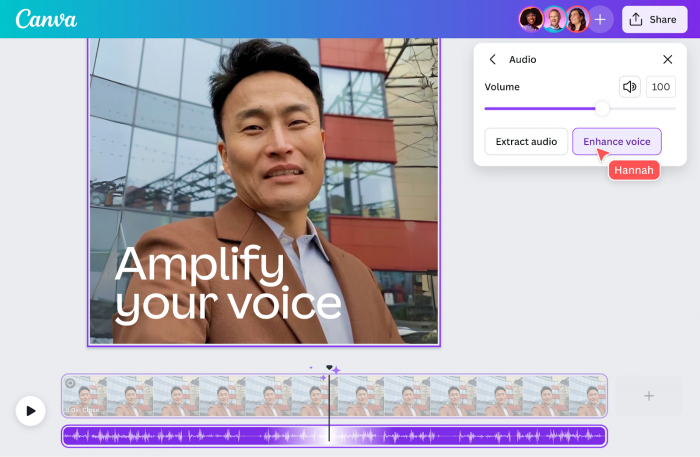
Canva’s AI sound effect generator lives inside its design and video editor, allowing you to generate SFX and drop them directly onto your timeline.
Key features
● Text‑to‑SFX directly inside Canva’s editor.
● Integration with existing video, presentation, and social templates.
● Large asset ecosystem (music, graphics, stock footage).
● Easy timeline placement and trimming for SFX.
Pros
● Perfect for non‑technical marketers, teachers, and social media teams already in Canva.
● No extra software; everything happens in the browser.
● Great for quick edits, reels, and short‑form content.
Cons
● Less control than dedicated DAW‑centric tools.
● Heavier creative work (complex scenes, surround) may require export to pro software.
Pricing (approximate)
Available in Canva; free plan plus Canva Pro subscription with broader asset and export options.
Why it stands out
A natural upgrade for the huge user base already editing videos and presentations in Canva who now want built‑in AI audio.
5. ToMoviee AI Sound Effect Generator
ToMoviee provides a dedicated AI SFX generator that converts text prompts into studio‑quality effects tailored for videos and games.
Key features
● Text‑to‑sound for lasers, doors, ambience, etc.
● Duration control (roughly 5–45 seconds) and number of variations.
● Preset categories such as Objects, Animals, Environment.
● Built‑in AI assistant to refine prompts.
Pros
● Nice balance between “type and go” simplicity and advanced controls.
● Presets help non‑experts describe sounds better.
● Designed specifically for SFX (not just music).
Cons
● Less widely known than bigger audio brands.
● Web‑app workflow may not suit heavy offline environments.
Pricing (approximate)
Offers free usage and online generation; advanced or high‑volume usage may require paid access (check site for current tiers).
Why it stands out
Very focused “idea‑to‑SFX” workflow with prompt helpers, making it ideal for editors who need quick, scene‑specific effects.
6. Soundify – AI Sound Effects Generator
Soundify is a browser‑based AI SFX generator aimed at meme‑makers and casual creators who want fun, fast audio from text prompts.
Key features
● Text‑to‑SFX that interprets a wide range of descriptions.
● Adjustable clip length to match your video or meme timing.
● Library of pre‑generated effects for instant use.
Pros
● Extremely simple interface.
● Good fit for TikTok, Reels, and meme content.
● Free access tiers for experimentation.
Cons
● Not as feature‑rich for professional sound design.
● Limited editing and mixing tools compared to DAW‑centric solutions.
Pricing (approximate)
Free online generator; possible paid tiers or limits for heavy usage.
Why it stands out
A frictionless way for non‑audio users to add custom sounds to short‑form content and social posts.
7. AiDubbing.io AI Sound Effect Generator

AiDubbing.io provides a free text‑to‑SFX generator alongside dubbing and voice features for localized video workflows.
Key features
● Prompt‑based SFX: “rain,” “footsteps,” “sci‑fi blast,” etc.
● Duration controls for matching project timing.
● Focus on SFX, background audio, and fun SFX for videos and games.
Pros
● Free online tool with simple steps.
● Combines well with dubbing/voice features for full video localization.
● Fast generation for quick turnarounds.
Cons
● Less specialized for deep sound design than pro libraries.
● Browser‑only workflow may be limiting for offline studios.
Pricing (approximate)
Free text‑to‑SFX generator; other dubbing/voice services may have paid tiers.
Why it stands out
Useful for creators who already use AI dubbing and want SFX and background sounds in the same stack.
8. FineVoice (FineShare) – AI Sound Effect Generator
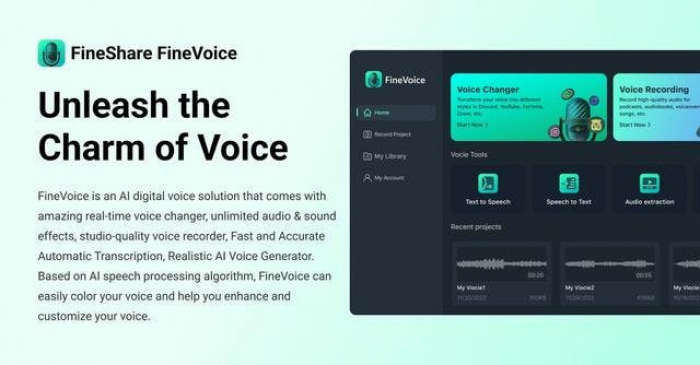
FineVoice is a broader AI voice and audio suite that includes a text/video‑driven AI sound effect generator as part of its toolkit.
Key features
● AI SFX from text prompts or video context.
● Voice generation, cloning, and voice changing in one platform.
● Speech‑to‑text, caption exports, and multi‑format outputs.
Pros
● Good “Swiss‑army knife” for creators needing SFX plus voices.
● Seamless workflow from recording to captions to SFX.
● Suitable for content repurposing and localization.
Cons
● Might be overkill if you only want SFX.
● Pricing structure can be complex with multiple features bundled.
Pricing (approximate)
Free plan plus paid tiers unlocking more voices, longer durations, and advanced features.
Why it stands out
An excellent choice if you’re building a full AI audio toolkit (voice + SFX + transcription) instead of a single‑purpose generator.
9. Meta AudioCraft (Developer‑Oriented)
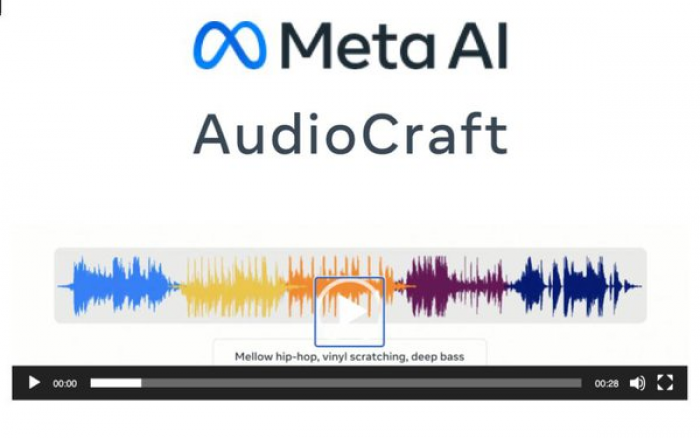
AudioCraft is Meta’s open‑source framework for generating music and sound effects, meant primarily for developers, researchers, and technical audio teams.
Key features
● Open‑source text‑to‑audio models suitable for SFX and music.
● Highly customizable within Python‑based workflows.
● Supports complex sound layering and conditioning.
● Free for experimentation and development.
Pros
● Maximum control if you can code.
● No per‑asset commercial licensing fees at the framework level.
● Community contributions and plugins.
Cons
● Requires technical skills (Python, ML tooling).
● No turnkey GUI; you must build your own tools.
Pricing (approximate)
Free and open‑source; costs relate only to your compute and deployment.
Why it stands out
Ideal for studios that want to build custom SFX pipelines or integrate AI sound generation directly into their engines.
10. BOOM Library – BOOM ONE (Hybrid Library + AI Ecosystem Fit)

BOOM ONE is a massive, continuously updated general SFX library, not a generator, but it anchors many AI‑driven workflows thanks to its scale and quality.
Key features
● Flagship general SFX library with over 125,000 sounds.
● Monthly updates and ability to request specific sounds.
● Perpetual license or subscription options.
● Designed for pro post‑production, games, and film.
Pros
● Industry‑standard quality and consistency.
● Massive coverage across categories (impacts, ambiences, vehicles, etc.).
● Flexible licensing with buyout and subscription.
Cons
● Higher upfront cost than pure AI generators.
● Not generative; you rely on existing recordings.
Pricing (2026 example)
Subscription around €499 per year and buyout options (recent listings show updated prices; check for your region and edition).
Why it stands out
Pairs perfectly with AI tools: use BOOM ONE for critical hero sounds and AI generators for variations, filler, and rapid prototyping.
Conclusion
AI sound effect tools have shifted sound design from a slow, hardware‑heavy craft into something any creator can access from a browser or API. Whether you’re layering ultra‑realistic ambiences with ElevenLabs, dropping quick meme sounds via Soundify, or anchoring your library with BOOM ONE, the strongest results come from combining tools rather than betting on a single platform. As you build your own audio stack, focus on sound quality, licensing clarity, and how smoothly each tool plugs into your editing or game engine, then let AI handle the repetitive work while you stay focused on storytelling.
Comments