

Launching a website used to mean wrestling with code, endless templates, and a developer’s schedule. In 2026, AI website builders flip that script by turning a short business description into a working site complete with layout, copy, images, and often basic SEO within minutes. Instead of starting from a blank canvas, you begin with a smart draft that you can visually tweak, expand, and connect to marketing or eCommerce tools.
Think of these platforms as “creative copilots” for the web: they suggest designs, generate content, and automate repetitive tasks, while you stay in control of branding, offers, and strategy.
Core Capabilities You Can Expect
Most leading AI website builders now converge around a few common capabilities:
● AI‑generated layouts that match your industry and style preferences.
● Automated copywriting for home, about, services, and product pages.
● Responsive design so sites work on mobile, tablet, and desktop without extra effort.
● Optional extras like SEO suggestions, AI image creation, analytics, and even funnels or CRM.
What separates the best tools is not whether they have AI, but how deeply they integrate it into hosting, marketing, and ongoing site management.
1. Hostinger AI Website Builder: All‑In‑One Starter Powerhouse
Hostinger wraps an AI website builder, hosting, and domain into a single package, which makes it particularly attractive if you want to go from idea to live site without piecing together separate services.
What it does well
● Generates complete websites (including WordPress variants) from prompts and then lets you refine with a drag‑and‑drop editor.
● Includes AI SEO tools, image utilities, and an assistant that guides you through optimization and edits.
Where it shines
● Strong value: you’re not just paying for AI; you’re paying for infrastructure, performance, and a growing toolkit in one bill.
Where it falls short
● The most powerful AI features sit on the higher‑tier plans.
● Design sophistication lags behind ultra‑design‑centric builders like Framer.
Pricing snapshot: Business‑oriented AI plans typically under the $20/month mark on annual billing, including hosting and often a domain.
Ideal user: Solo creators and small businesses who want a practical, budget‑friendly “everything in one login” experience.
2. Wix ADI: Guided Setup for Non‑Tech Users
Wix ADI feels more like filling out a smart questionnaire than “building a website.” You answer a few questions about your business, and Wix generates a site around those answers.
What it does well
● Produces ready‑to‑use websites with relevant sections, images, and structure tailored to your niche.
● Taps into Wix’s sizeable ecosystem of apps, booking systems, and eCommerce tools.
Where it shines: Extremely accessible for users who may never have touched a website builder before.
Where it falls short
● AI designs are sometimes generic and need manual customization to look truly branded.
● Costs can creep up as you add apps or advanced commerce features.
Pricing snapshot: Core website plans often start around $16–$30/month area depending on features and region, with a free, ad‑supported plan for testing.
Ideal user: Local businesses, freelancers, and first‑time site owners who want hand‑holding and lots of built‑in integrations.
3. Framer AI: Designer‑Grade Sites from a Prompt
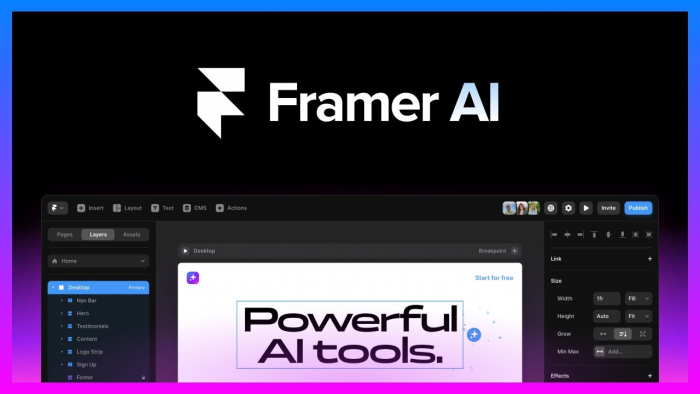
Framer targets a different crowd: people who care deeply about aesthetics, motion, and layout precision. Its AI generates a modern, elegant site that you can then sculpt at a detailed level.
What it does well
● Creates complete, visually striking pages from a single prompt in under a minute.
● Offers a powerful canvas editor with components, making it feel like a design tool that also publishes to the web.
Where it shines: Outstanding visual quality, making it a popular option for SaaS, product launches, and portfolio sites.
Where it falls short
● Learning curve is steeper for non‑designers.
● Overkill for basic brochure sites that don’t need that level of polish.
Pricing snapshot: Tiered, hosted plans that scale with traffic and collaboration; positioned in the mid‑range SaaS bracket.
Ideal user: Designers, product teams, and startups seeking agency‑level visuals without engaging an agency.
4. 10Web AI: WordPress, Supercharged by AI
10Web sits at the intersection of AI and WordPress, promising to generate fully functional WordPress sites—complete with pages, eCommerce, and layout—based on a prompt.
What it does well
● Spins up entire WordPress builds that you can then manage like any other WordPress site.
● Bundles performance tools, AI image generation, and SEO‑friendly structure.
Where it shines: Seamless bridge between traditional WordPress flexibility and AI‑level speed.
Where it falls short
● Requires some familiarity with WordPress to truly leverage its depth.
● Total cost can rise when you stack hosting, plugins, and advanced features, depending on your stack.
Pricing snapshot: Subscription model with tiers based on the number of sites and feature set, particularly attractive to agencies.
Ideal user: Agencies, bloggers, and businesses already committed to WordPress but tired of manual builds.
5. Durable: Speed‑First Site Creation

Durable’s promise is brutally simple: give it a short description and get a workable small business site in about half a minute.
What it does well
● Generates sites, copy, and core sections at remarkable speed.
● Integrates basic CRM, invoicing, and AI assistance for ongoing tweaks—more like a business cockpit than just a builder.
Where it shines: Extreme speed and simplicity for one‑person businesses.
Where it falls short
● Less scope for extremely customized or complex designs.
● Higher tiers can feel expensive if you only need a very simple site.
Pricing snapshot: Starter clocks in around $12/month with annual billing, with top‑end plans reaching toward $95/month on monthly billing.
Ideal user: Freelancers, consultants, and side hustlers who’d rather ship something now than chase pixel‑perfect layouts.
6. Bookmark AiDA: AI for Commerce and Content

Bookmark layers its AiDA assistant over a feature set tailored for commerce and content‑driven websites.
What it does well
● Uses AiDA to assemble layouts from your inputs and then lets you refine.
● Connects your store with channels like Facebook, Instagram, Google Shopping, and eBay, plus translation and AI optimization tools.
Where it shines: Strong multi‑channel eCommerce and multilingual capabilities combined with AI guidance.
Where it falls short
● eCommerce plans are comparatively pricey.
● Deep customization sometimes calls for technical knowledge.
● Email accounts are limited on standard plans.
Pricing snapshot: eCommerce‑oriented plans start around $24.99/month and scale with features.
Ideal user: Online stores and content sites that need AI support plus social selling and collaboration features.
7. GetResponse AI Website Builder: Site + Marketing Brain
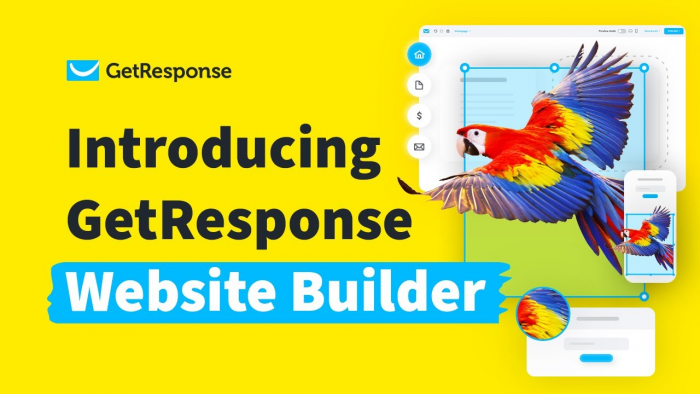
GetResponse’s AI builder is less about building a standalone site and more about embedding your site into a larger marketing engine.
What it does well
● Generates websites from questionnaires, then lets you adjust via a drag‑and‑drop editor and global styling.
● Hooks directly into email marketing, funnels, and automation flows.
Where it shines: A marketing‑centric approach where your website, list‑building, and campaigns operate inside one ecosystem.
Where it falls short
● Design options are more limited compared with highly visual builders.
● Feels heavy if you only want a static online presence.
Pricing snapshot: Free plan plus paid tiers starting around $10.23/month, scaling primarily with contact list size and marketing features.
Ideal user: Email‑driven businesses: course creators, coaches, SaaS, and newsletter‑first brands.
Quick “Who Should Use What?” Matrix
| Scenario | Recommended tool(s) | Why it fits |
| First website, no tech skills | Wix ADI, Hostinger AI | Guided setup, simple editing |
| Need cheap all‑in‑one (hosting + AI) | Hostinger AI, Durable | Bundles infra + builder |
| Design‑obsessed product or SaaS | Framer AI | High‑end visuals and control |
| WordPress and long‑term scalability | 10Web AI | Full WordPress stack + AI |
| Fast launch for freelance/service work | Durable | 30‑second builds + CRM tools |
| Social + eCom, multilingual | Bookmark AiDA | Social stores + translation |
| Email, funnels, and campaigns first | GetResponse AI | Website inside marketing hub |
How to Evaluate AI Website Builders (Beyond the Hype)
To pick the right tool, it helps to look past the marketing pages and score each platform on a few practical dimensions:
1. Strategic role: Is the website your main asset (e.g., blog, SEO hub) or just a landing pad for ads and social? Content‑heavy brands often favor WordPress (10Web, Hostinger), while funnel‑driven brands benefit from GetResponse’s ecosystem.
2. Ownership and flexibility: Hosted builders lock you into their environment, but simplify management (Hostinger, Wix, Framer, Durable, Bookmark, GetResponse). WordPress‑based setups offer more control at the cost of complexity (10Web).
3. Real, all‑in price: Combine subscription, domain, hosting, app add‑ons, potential transaction fees, and email costs to understand your actual monthly spend.
4. Learning curve vs. payoff: Tools like Framer and 10Web reward time investment with superior control; Durable and Wix ADI prioritize speed and simplicity.
Final Take: Matching Tools to Intent
If you had to recommend just one platform for the “average” small business or creator in 2026, Hostinger’s AI Website Builder is a compelling default because it blends affordability, built‑in hosting, and practical AI features into a single subscription. For brands where aesthetics are a core differentiator, Framer AI justifies the learning curve with design that feels agency‑grade from day one.
Meanwhile, 10Web keeps WordPress relevant in the AI era, Durable compresses launch timelines to minutes, Bookmark goes deep on commerce, and GetResponse turns the website into a component of a larger marketing machine rather than a standalone asset.
Comments