

For students preparing for competitive exams like SSC, Banking, Railway, NEET, and other government exams, accessing daily classes and test material on time is critical. One of the most common issues students face is confusion around the Careerwill login process, especially when switching devices, resetting passwords, or accessing purchased courses.
This guide explains everything related to Careerwill login, including step-by-step access on web and app, common login errors, quick fixes, and answers to frequently asked questions.
Careerwill Login Options (Web and Mobile App)
Careerwill allows students to log in using the same credentials across its website and mobile app. Your registered mobile number or email acts as your primary identifier.
Careerwill Login on Web (Desktop or Laptop)
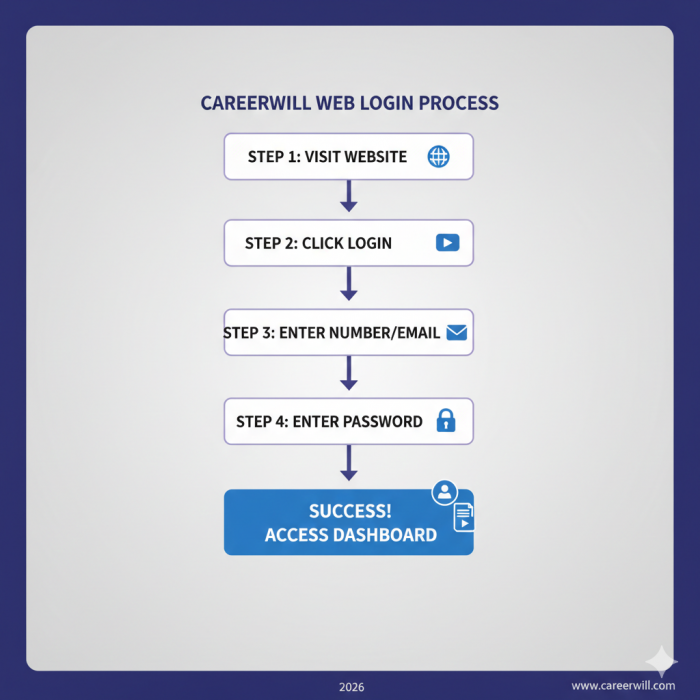
Students who prefer studying on a larger screen can access Careerwill through a web browser.
Steps to log in via web:
- Open the official Careerwill website (online.careerwill.com)
- Click on the Login option at the top-right corner
- Enter your registered mobile number or email ID
- Enter your password
- Click Submit
Once logged in, you are redirected to your student dashboard where:
- Enrolled courses are visible
- Live and recorded classes can be accessed
- Test series and PDFs appear automatically
If your dashboard appears empty, it usually means you logged in with a different number or email than the one used during purchase.
Careerwill App Login (Android)
Most Careerwill users access the platform via the Android app available on Google Play Store.
Steps for existing users:
- Open the Careerwill app
- Enter your registered mobile number or email
- Enter your password and log in
Steps for new users:
- Tap Sign Up
- Enter your name, mobile number, and email
- Verify your number using OTP
- Set a password
- Log in to access the dashboard
The app and web dashboard stay synced automatically.
Careerwill Login Using OTP (Forgot Password Method)
If you cannot remember your password or the login fails repeatedly, Careerwill provides an OTP-based recovery option.
Steps to reset login access:
- Click on Forgot Password?
- Enter your registered mobile number
- Verify the OTP sent to your phone
- Create a new password
- Log in again
This method works on both the app and the website.
What Appears Inside the Dashboard After Login
After a successful Careerwill login, students can access:
Live Classes: Join scheduled sessions with educators
Recorded Lectures: Rewatch previous classes anytime
Study Material: Download PDFs, notes, and practice sheets
Mock Tests: Attempt test series designed as per latest exam patterns
Doubt Sessions: Ask questions during live classes or through support tools
Purchases Section: View and manage bought courses and subscriptions
All progress is automatically saved to your account.
Common Careerwill Login Issues and Solutions
OTP Not Received
- Check mobile network connectivity
- Wait at least 60 seconds before clicking Resend OTP
- Ensure the number entered matches your registered number
“Account Already Logged In” Error
- Careerwill may restrict simultaneous logins on multiple devices.
- Log out from other phones or browsers
- Close background sessions
- Try again after a few minutes
App Not Opening or Crashing
- Update the app from Play Store
- Clear app cache from phone settings
- Restart your device
Courses Missing After Login
- Confirm you used the same number/email used during purchase
- Refresh the dashboard
- Check purchases on the Careerwill player portal
Quick Careerwill Login Troubleshooting Checklist
Use this checklist before contacting support:
- Using the correct mobile number/email
- Internet connection is stable
- App updated to latest version
- Logged out from other devices
- OTP received and entered correctly
- Correct portal (online vs offline program)
If all checks pass and the issue remains, support assistance is recommended.
Careerwill Login Safety Tips
- Never share your OTP with anyone
- Avoid logging in on public computers
- Always log out after using shared devices
- Do not save passwords on unknown browsers
Frequently Asked Questions
Q1. How do I log in to Careerwill for the first time?
You can log in using your registered mobile number or email via the Careerwill website or Android app after completing OTP verification.
Q2. Can I use the same Careerwill login on multiple devices?
Yes, but simultaneous logins may be restricted. Logging out from other devices is recommended.
Q3. What should I do if I forgot my Careerwill password?
Use the “Forgot Password” option and reset your password using OTP verification.
Q4. Why are my purchased courses not showing after login?
This usually happens if you logged in with a different number or email than the one used during purchase.
Q5. Is Careerwill login free?
Creating an account and logging in is free. Paid courses require separate purchase.
Q6. Is Careerwill login safe?
Yes, Careerwill uses OTP verification and account authentication, but users should keep credentials private.
Final Note
A smooth Careerwill login experience ensures uninterrupted access to classes, tests, and study material. Most login issues are minor and can be resolved quickly by checking credentials, device limits, or app updates. Once logged in correctly, the platform functions as a centralized learning hub for competitive exam preparation.
Comments