
Grubby AI isn’t your typical “AI tool review” subject; it’s more like a character in the ongoing drama between people who use AI and systems built to catch them. It doesn’t want to inspire your writing, it wants to disguise it. Think of it as a digital stylist whose main job is to make obviously AI‑generated text look more like something a stressed human could plausibly have typed at 2 a.m.
Grubby AI in One Sentence (and Why It Exists)
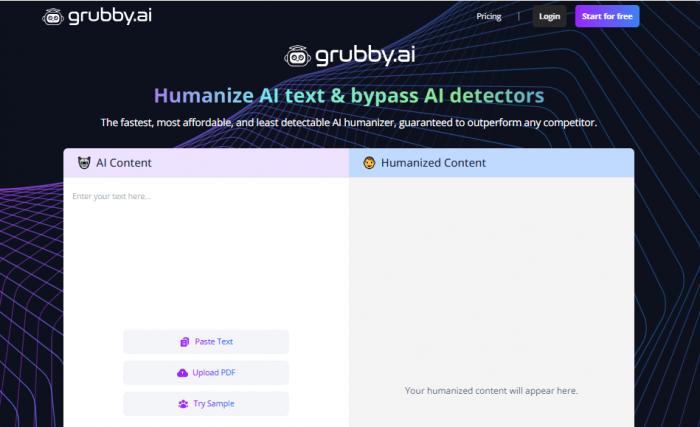
Grubby AI is a web‑based “AI humanizer” that takes AI‑written text, rewrites it, and tries to make it statistically and stylistically resemble genuine human writing so that AI detectors are less likely to flag it. It exists because AI writing has gone mainstream, detectors have followed, and a nervous gap opened in the middle: millions of people using AI, but not wanting to be caught doing so.
Students fear Turnitin. Freelancers fear clients’ filters. Agencies fear platform rules. Grubby steps into that fear and says, “Paste it here, we’ll make it look human.”
What Grubby AI Actually Does
Underneath the marketing slogans, Grubby is fairly straightforward in function. You paste in a block of text often straight from ChatGPT or another AI tool, choose how strongly you want it rewritten, click a button, and get back a “humanized” version. The goal is not to invent new ideas; it is to reshape what’s already there so it no longer looks like typical model output.
The tool tinkers with word choice, sentence length, rhythm, and phrasing. It tries to break the neat, slightly mechanical cadence that many AI drafts have. In a light mode, it might just nudge phrasing and structure. In a heavier mode, it will happily pull sentences apart and rebuild them in new patterns, even if that means drifting a bit further from the original voice.
How It Tries To Fool Detectors
AI detectors don’t read text the way humans do; they hunt for patterns. Most large language models produce text that is smooth, consistent, and statistically “plain” in certain ways. Grubby’s entire design is a response to that.
When you run text through Grubby, it is essentially trying to:
● Raise perplexity by making word sequences less predictable, so a detector can’t easily say “this is exactly how a model would phrase it.”
● Increase burstiness by mixing short, punchy lines with longer, winding sentences, closer to natural human inconsistency.
● Add stylistic noise - contractions, idioms, and small quirks so the text feels less like a formal sample and more like something written with a real person’s habits.
The result is that the statistical fingerprint of the text changes. In some detectors, that’s enough to move a piece from “highly likely AI” to “uncertain” or even “likely human.” In others, especially more advanced or recently updated tools, it simply isn’t enough. That’s the core tension: Grubby is playing against constantly moving goalposts.
Interface, Workflow, and Everyday Use
One of the reasons Grubby took off is that the interface is almost frictionless. It behaves more like a simple online editor than a heavyweight SaaS platform. You usually get:
● A big text area where you paste your draft.
● A few options or toggles for mode or strength.
● A single action button to run the humanizer.
● An output pane where the transformed text appears, ready to copy.
On top of this, some versions and plans bundle extra tools: summarizers, note generators, flashcards, and quiz builders. These extras are targeted especially at students who want AI help across the full study workflow, not just for hiding AI usage. For content professionals, those side tools are nice‑to‑have, but the main attraction is still the core rewrite engine.
In real‑world use, people rarely “live” inside Grubby for hours. It’s more of a hop‑in, hop‑out step in a larger pipeline: draft in one tool, humanize in Grubby, then polish in a normal editor.
Content Types, Length, and Language Nuances
Grubby is at its best with the kind of content most detectors are trained on: academic essays, blog posts, basic reports, and generic informational pieces, usually in English. Short to medium‑length chunks think a few hundred words tend to respond well to humanization. The tool can inject variety without completely muddling the logic.
As documents get longer, a few pain points emerge. Over multi‑page essays or long‑form articles, Grubby’s outputs can develop tone shifts between sections, or small inconsistencies in wording that feel like different people took turns editing. You can mitigate this by processing content in sections and then doing a final, careful read‑through to harmonize style.
Language support is usually broad on paper, but quality is not equally strong across languages. In major languages, the humanization may still work reasonably, but the risk of awkward phrasing, wrong collocations, or slightly unnatural flow increases compared to English. For highly technical subject matter legal contracts, medical documentation, scientific writing the tool has to choose between preserving precision and smashing patterns, and it sometimes leans too hard into the latter.
Pricing, Free Tier, and Perceived Value
Grubby follows a familiar freemium pattern. The free tier is intentionally limited: you get enough words per month to test the tool on a few essays or small chunks of content. This is perfect for curious students or cautious writers who want to see how far detection scores can be pushed without paying.
Paid plans unlock more generous word quotas, usually stepping up in tiers that target different types of users: individuals, heavy students or freelancers, and agencies. The higher you go, the more words per month you get, sometimes combined with slightly better processing priority or extra features. When compared to what you’d pay for human editing at scale, the price often looks low. When compared to simple paraphrasers, it may feel mid‑range, justified by the specific “detector‑aware” positioning.

The main value metric most users care about is simple: “For this price, how much of my AI‑generated text can I run through Grubby every month?” If the answer lines up with their workload and their tolerance for risk, they see it as good value. If they need more certainty or more polish, the cost of adding human editing on top changes the equation.
How Well Does It Actually Bypass AI Detectors?
This is where expectations and reality tend to collide.
In the most optimistic scenarios, running text through Grubby significantly lowers AI scores on popular, more accessible detectors. A passage that was flagged as “highly likely AI” can drop into a safe‑looking zone. This is particularly common with generic GPT‑style content and older or simpler detection models.
But as soon as you introduce stronger, frequently updated, or proprietary detectors into the mix, the story becomes more complicated. There are plenty of cases where a humanized text still registers as clearly AI‑generated. Sometimes the score improves but not enough to change the verdict. Sometimes the tool passes one detector but fails another on the same sample. And because detectors are constantly retrained often using examples of humanized AI text, yesterday’s success does not guarantee tomorrow’s.
The honest summary is this: Grubby can sometimes help you slip past certain detectors, but it cannot promise invisibility, especially where stakes are highest, like universities or large organizations. Treating “works most of the time on light checkers” as “safe for everything” is one of the most dangerous misunderstandings a user can have.
Output Quality: Is the Writing Any Good?
Putting detection aside, you still need to ask: does the text read well?
Often, Grubby’s output is a mixed bag in a way that feels almost human because humans are inconsistent too. On many ordinary texts, the humanized version feels a bit less robotic than the base AI draft. There’s more texture, a few surprising turns of phrase, sentences that don’t all march at the same length. For a casual blog or low‑stakes assignment, this can be a genuine improvement.
But the tool’s job is not “sound pretty,” it’s “break patterns,” and that sometimes shows. You might see:
● Slightly odd synonyms that add a faint “off” note to a sentence.
● Clunky transitions between ideas that were smooth in the original.
● Tone jolts inside the same piece suddenly more informal or unexpectedly stiff.
Because of that, the real power move is to use Grubby as a first pass, not a final pass. You let it scramble the patterns in a detector‑aware way, then you step in and do what humans do best: restore nuance, align tone, check clarity, and fix anything that just “sounds wrong.”
Security, Privacy, and Responsible Use of Sensitive Texts
When you paste content into Grubby, you’re sending it to a remote server to be processed. That means institutional documents, client contracts, unpublished research, confidential memos all of that, if fed into the tool, depends on its data handling and storage policies. Many users ignore this, but businesses and serious professionals can’t afford to.
The safest rule of thumb is simple: if you would hesitate to email a piece of text to a stranger, you probably shouldn’t paste it into any external AI tool without understanding the privacy policy. Grubby may have technical and legal safeguards, but as a reviewer, you should encourage readers to think about confidentiality, compliance, and their own responsibilities, not just the convenience of “fixing” AI text.
Support, Stability, and the “Real Life” Experience
Grubby’s usefulness is not only about algorithms; it’s also about reliability and how it handles the mundane problems of subscriptions and support.
From a user’s perspective, three questions matter:
● What happens when something goes wrong—billing, access, sudden changes to limits?
● How often does the service feel slow or unreachable, especially near deadlines?
● Does the team respond and communicate clearly when policies change or issues arise?
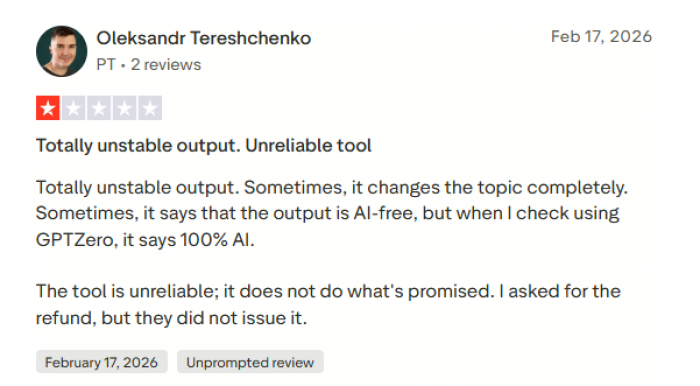
Like many fast‑growing tools, experiences tend to vary. Some users report smooth sailing; others mention frustration around cancellations, refunds, or delayed replies. These stories don’t automatically condemn a product, but they’re part of the “360°” view. A tool that only works well on a good day isn’t really reliable if your deadlines and grades depend on it.
Real User Review Patterns: What People Are Actually Saying
While individual experiences differ, a few clear themes keep showing up when users talk about Grubby:
Many students praise how simple it is to use and claim that it has helped them reduce AI flags on routine assignments. They like the feeling of control it gives: instead of hoping a raw AI draft sneaks through, they can “run it through Grubby” and feel they’ve done something extra.
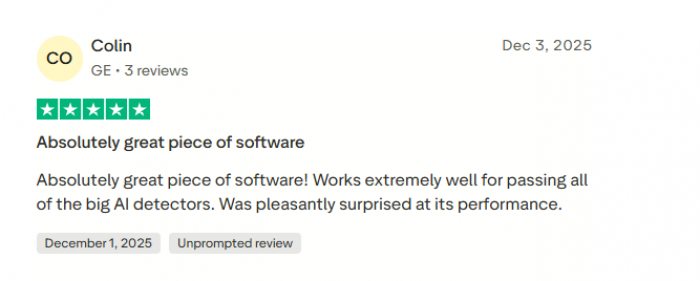
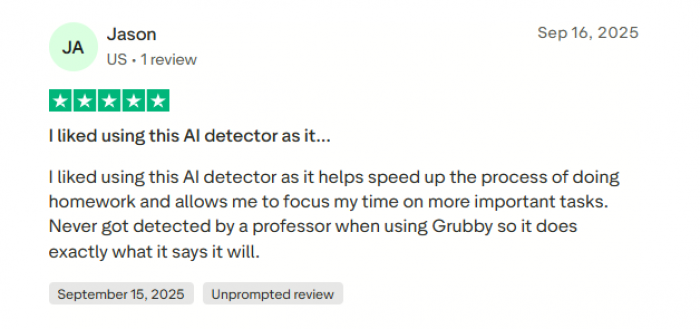
At the same time, you can find plenty of nervous posts from students who tried it, still got flagged, and now feel burned and wary of relying on any such tool again.
Freelance writers often describe Grubby as “useful but not magic.” They appreciate that it can roughen up overly smooth AI content and sometimes get around basic AI filters, especially on low‑stakes projects. However, they frequently add that they never trust the output untouched; they still do a full human edit and fact‑check. For them, Grubby is more of a pattern‑breaker and time‑saver than a stealth cloak. reddit
There are also critical voices. Some trustpilot users complain that the humanized text can feel awkward or inconsistent, forcing them to spend more time fixing it than if they had just edited the original draft by hand. Others are uneasy about the ethics, especially in academic settings, and share stories of peers over‑relying on such tools and facing serious consequences when detection or policy caught up. A few comments focus on practical issues like billing confusion, unclear communication about changes, or the sense that the tool overpromises with phrases like “undetectable” when real‑world results are much less certain.
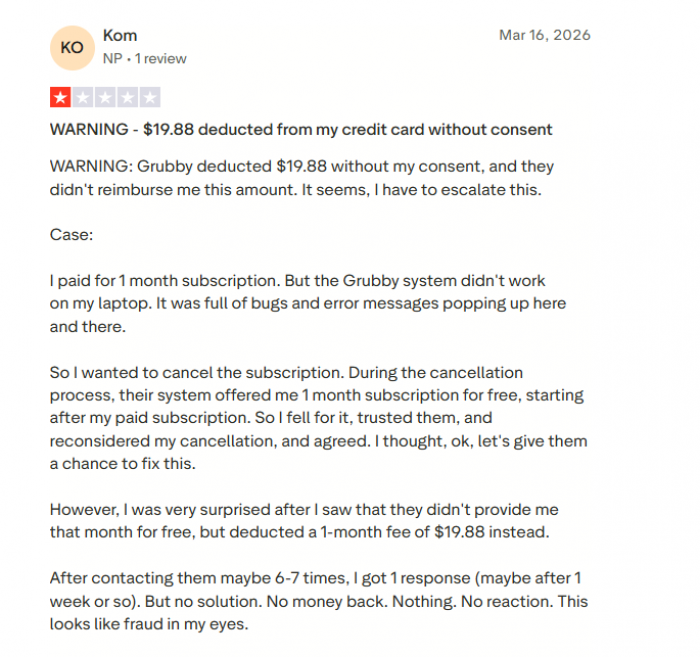
Taken together, the reviews paint Grubby as powerful but unreliable if you treat it as a silver bullet. It works best in the hands of users who understand its limits, not in the hands of those who expect it to make every AI‑written sentence perfectly safe.
Grubby AI vs Popular Alternatives
Grubby AI sits on the “fast and simple” end, designed for students and bloggers who want to quickly tweak AI drafts. It’s affordable and easy to use, but its ability to bypass strong detectors is inconsistent, and outputs may need manual cleanup.
Undetectable AI : It is positioned more as a full rewriting and humanizing suite for marketers and content creators. It offers better tone and style control, producing more polished, natural-sounding text. It generally performs better across a range of detectors, though still without guarantees. The trade-off is higher pricing, which may not suit occasional or student use.

Humbot : It takes a middle-ground approach with adjustable intensity levels. Lighter modes preserve meaning while subtly improving patterns, while aggressive mode pushes harder on detection avoidance but risks distorting the text. It’s more flexible than Grubby but requires more user input and typically comes at a slightly higher cost.
QuillBot: It sits in a different category as a paraphrasing and writing tool rather than a dedicated detector-bypass solution. It’s widely used for improving clarity and readability, offers a strong free tier, and provides transparent edits. While it can reduce the “AI feel,” it isn’t optimized for passing strict detection systems.

EssayDone : It is the most academically focused option, combining humanizing with essay writing, structure guidance, and citations. It’s designed for student assignments and markets itself around undetectability, but that also raises the highest academic integrity concerns and limits its usefulness for broader content creation.
Quick Comparison Table
| Tool | Positioning / Use Case | Strengths | Limitations | Best For |
| Grubby AI | Fast, simple AI text humanizer | Easy to use, affordable, quick edits | Inconsistent detector bypass, requires manual cleanup | Students, casual bloggers |
| Undetectable AI | Full rewriting & humanizing suite | Better tone control, more natural output, stronger detector performance | Higher pricing | Marketers, content creators |
| Humbot | Adjustable humanizing tool | Flexible intensity levels, customizable output | Can distort meaning in aggressive mode, needs more input | Users wanting control |
| QuillBot | Paraphrasing & writing improvement tool | Strong free plan, improves clarity, transparent edits | Not designed for detection bypass | Writing clarity, general use |
| EssayDone | Academic-focused writing & humanizing tool | Structured essays, citations, academic support | Academic integrity concerns, limited broader use | Students, academic assignments |
Who Should Use Grubby and How?
For students, Grubby is a temptation wrapped as a solution. If your goal is to submit AI‑written work while pretending it is fully your own, you are stepping directly into academic integrity territory, no matter how clever the tool is. The short‑term gain is obvious; the long‑term risk is bigger than most marketing copy admits. If AI is allowed in your coursework at all, a healthier approach is to use it transparently and add substantial, genuine human work on top.
For content writers, editors, and SEO professionals, Grubby can be a tactical tool. It can help shake the “AI smell” off generic drafts and sometimes reduce false positives from simplistic filters. Used alongside honest client communication, clear guidelines, and thorough editing, it can be part of a modern workflow. Used as a secret way to hide the extent of AI involvement, it becomes a reputational and contractual risk.
For agencies and brands, the calculus leans toward caution. When your relationships, legal exposure, and public trust are on the line, building your content pipeline around detector‑evasion tools is unwise. A better route is to invest in strong human editors, clear AI policies, and carefully chosen tools that enhance productivity without hinging their value on “not getting caught.”
Final Take: Camouflage With Caveats
Grubby AI occupies a strange but important niche in the AI ecosystem. On a technical level, it is impressive: it can reshape AI‑generated text in ways that sometimes confuse detectors and often make writing feel less robotic. On a practical level, it is convenient, not outrageously priced, and easy enough for almost anyone to use.
But its headline promise “make your AI text undetectable” is more fragile than it looks. Detectors evolve, policies evolve, and ethical expectations evolve. If someone treats Grubby as a guaranteed invisibility cloak, they are misunderstanding both the tool and the landscape it lives in.
FAQs
Does Grubby AI change tone or style?
Yes, but control is limited compared to advanced tools. Results can feel generic.
Can it fix grammar and readability?
It improves basic readability, but it is not as strong as dedicated tools like QuillBot or Grammarly.
Does it support multiple languages?
Support is limited. It works best with English content.
Can it handle technical or niche content?
Not very well. It may oversimplify or distort complex information.
Does it store or save your content?
Most such tools process text temporarily, but users should avoid sharing sensitive data.
Comments