

HeyGen and Synthesia are two of the most popular AI avatar video generators on the market, and both have matured significantly by 2026. They now sit at the center of marketing, training, and communication workflows for startups as well as global enterprises.
In this in‑depth comparison, we’ll break down HeyGen vs Synthesia across every key category: pricing, avatars and realism, languages and voice quality, editing workflow, AI features, brand and compliance controls, integrations, performance, support, typical use cases, and who each tool is best for.
1. Platform overview and positioning
HeyGen is positioned as a flexible, creator‑friendly AI video studio that happens to include very strong talking‑avatar capabilities. It targets YouTubers, SaaS marketers, agencies, and SMBs as much as it does learning teams. Its branding emphasizes speed, creativity, and multilingual video production.
Synthesia, on the other hand, positions itself as a corporate training and communication platform first and a generic content creation tool second. Its core audience is L&D, HR, internal comms, and enterprises that care deeply about governance, security, and standardized content.
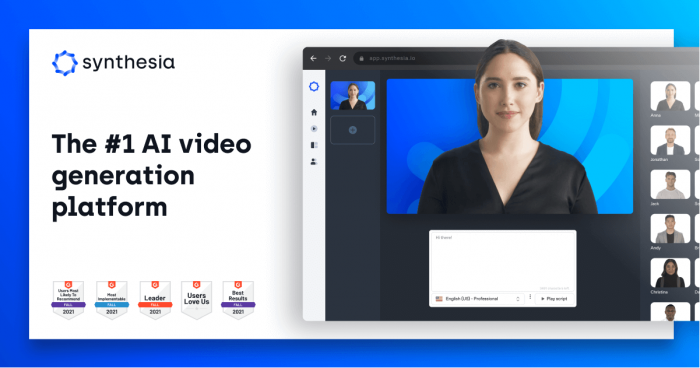
At a high level, both tools turn text into presenter‑style videos with photo‑real avatars, natural voices, and multi‑language support. The main difference lies in the trade‑off between creative flexibility and enterprise‑grade control.
2. Pricing, plans, and value for money
Cost and usage limits can make or break a tool when you’re producing content at scale, so it’s worth examining the pricing models carefully.
Plan structures
HeyGen typically offers:
● A limited free tier with watermarked videos and strict caps.
● A Creator / Individual plan at a relatively low monthly price, with a fixed pool of video minutes or “credits.”
● Pro / Team / Business tiers with 4K export, more minutes, collaboration, and SSO.
● Custom Enterprise plans for very high volumes and advanced governance.
Synthesia typically offers:
● A free tier that lets you experiment with a limited number of minutes and avatars.
● A Starter plan with a small minute allowance for creators or small teams.
● A mid‑tier Creator/Business plan with more minutes, custom branding, and some collaboration.
● An Enterprise tier with bulk minutes, security features, and API access.
Usage model and hidden constraints
HeyGen usually combines minute‑based usage with a “credit” system that differentiates between standard and premium outputs. Higher‑resolution exports, certain advanced avatars, and long videos may consume more credits. This model can feel generous for standard content but requires monitoring when you lean heavily on premium features.
Synthesia typically uses a straight minute‑based model: one generated minute of video equals one credit. This is simple to understand but can feel restrictive if you produce lots of short variants or A/B tests, as every new version eats into your minute quota.
Value for different user types
For solo creators and small agencies, HeyGen generally delivers more video per dollar at lower tiers, with enough credits to publish regularly on social and YouTube. For enterprise L&D teams that value compliance, Synthesia’s higher headline price is offset by structured tools, security guarantees, and predictable scaling.
3. Avatars, realism, and customization
The avatar system is the heart of both platforms, and it’s one of the main areas where user experience differs.
Stock avatar libraries
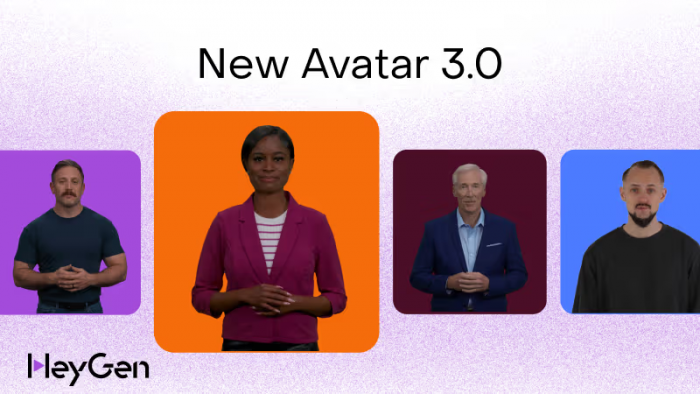
HeyGen offers a large library of stock AI presenters covering a wide range of ages, ethnicities, styles, and formality levels. Recent generations of its avatars (often branded with “next‑gen” or similar naming) show noticeably improved facial expressions, eye movement, and lip sync. The overall feel is modern and dynamic, which works well for marketing and explainer content.
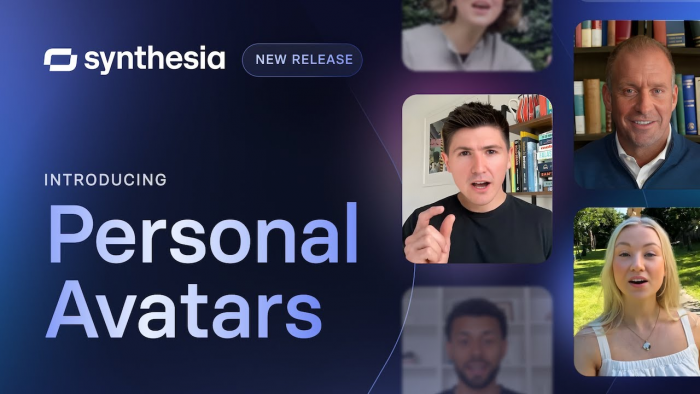
Synthesia provides a similarly broad library, with many avatars designed specifically to look “corporate‑ready”: business attire, neutral backdrops, conservative expressions. You’ll often see these avatars in corporate training modules and internal communications. Their expressions are slightly less animated but very consistent, which is attractive in regulated or conservative industries.
Custom avatars and digital twins
HeyGen has leaned hard into custom “digital twin” avatars. With sufficient reference video and the right plan, you can clone yourself or a brand spokesperson and use that avatar across all your videos. This is ideal for personal brands, founders, and C‑suite leaders who want to appear everywhere without recording every time.
Synthesia also offers custom avatars, but this is more tightly controlled and often positioned as a premium or enterprise‑level capability. The process tends to be more formal, sometimes involving studio‑quality capture or additional licensing, making it attractive primarily for larger organizations that want a handful of official company presenters.
Level of control and “acting” quality
HeyGen gives you a bit more expressive range: avatars tend to feel livelier, with more noticeable head movement and subtle gestures. This plays nicely with marketing scripts, product launches, and upbeat explainers.
Synthesia’s avatars are more restrained and standardized. You get a consistent, professional on‑screen presence that won’t surprise internal stakeholders, which is a plus when you’re rolling out training to thousands of employees and need predictable tone and behavior.
4. Languages, voices, and localization
Both platforms are strong in multilingual content, but HeyGen typically edges ahead on raw language coverage and localization workflows.
Language coverage
HeyGen supports a very wide range of languages and variants, often advertised in the 170+ range. That includes everything from globally dominant languages (English, Spanish, Mandarin) to regional dialects and niche markets. This wide coverage is particularly useful if your brand has long‑tail markets you still want to serve with native‑language content.
Synthesia supports slightly fewer total languages but still covers all major business and training markets. In practice, for most global companies, it will be more than sufficient. Where it can lag is in some very specific regional dialects or less common languages.
Voices and accents
HeyGen offers a robust catalog of neural voices with differing tones, genders, and accents. The emphasis is on variety and naturalness: you can often find voices suitable for ads, explainer videos, and energetic content. In some plans, HeyGen also supports custom voice cloning, giving brands a consistent audio identity.
Synthesia’s voices lean toward clarity, neutrality, and comprehension. They cover the main global accents and often sound slightly more conservative and “presentation‑like.” In an L&D or compliance context, this is an advantage, as it prioritizes intelligibility over personality.
Translation workflows
HeyGen invests heavily in translation and dubbing workflows: you can produce a video in one language and generate localized versions in many other languages with auto‑translated scripts and synced lip movements. This unlocks one‑to‑many global campaigns where only the source script needs careful human editing.
Synthesia also supports translation and has one‑click translation options on higher‑tier plans, but some of these capabilities are gated behind Enterprise pricing. For smaller teams, this can limit how aggressively you localize.
5. Editor, UX, and overall workflow
Though both tools are “text‑to‑video,” how you actually build and edit projects feels different.
Interface design
HeyGen’s interface feels like a lightweight online video editor. You work with scenes or slides, drop in avatars, drag and resize elements, add text blocks and images, and adjust timing. There is an emphasis on creativity and layout control, which will feel familiar if you’ve used tools like Canva, Descript, or online video editors.
Synthesia’s interface is more template‑driven and structured. You typically start from a template (e.g., “Onboarding,” “Compliance training,” “Product update”) and fill in content: title, body text, avatar, media. It feels optimized for people who aren’t video editors but need to consistently churn out standardized content.
Scene and timeline control
HeyGen gives you more granular control over scenes and pacing. You can combine avatar shots, B‑roll, screen recordings, text‑only slides, and transitions. This enables more dynamic storytelling and marketing videos that don’t feel like simple talking‑head lectures.
Synthesia’s scene control is intentionally simplified. You can sequence multiple scenes, swap backgrounds, and insert text or images, but the timeline is less flexible than in a full editor. This reduces complexity for non‑technical users but can feel limiting if you want sophisticated motion design.
Learning curve
HeyGen has a slightly higher ceiling and a moderate learning curve if you want to fully exploit its editing features. Basic workflows are straightforward; advanced compositing takes a bit more time.
Synthesia is very approachable for non‑video people. If you know how to write a slide deck, you can typically build a video in Synthesia with minimal training.
6. AI features and automation
As AI video tools, both platforms are layering in more AI‑assisted features every quarter.
Script generation and assistance
HeyGen often includes AI script assistance: you can prompt it to generate or refine scripts, adjust tone, simplify language, or adapt copy for different audiences. This is handy when you want to go from idea to first draft quickly.
Synthesia similarly offers script suggestions and AI assists, but its templates and AI hints tend to be more structured and training‑oriented (“Explain this policy,” “Onboarding training,” etc.). This nudges users toward content types that work well internally.
Personalization and dynamic content
HeyGen has been pushing personalization features, like personalized outreach videos where text or images change for each viewer (e.g., name, company) while the rest of the clip stays the same. Combined with custom avatars, this makes it attractive for outbound sales and lifecycle marketing campaigns.
Synthesia is more focused on standardized modules than individualized content, although at enterprise level you may find API‑driven workflows that allow dynamic generation for different teams, regions, or business units.
Generative backgrounds and assets
HeyGen tends to move fast on modern AI features such as AI‑generated backgrounds, stock media suggestion, and smart layout recommendations, which help non‑designers produce visually appealing videos.
Synthesia does offer a solid library of backgrounds and layouts but moves more cautiously on flashy AI features, prioritizing reliability and predictable outputs.
7. Brand control, governance, and compliance
This is where Synthesia often pulls ahead for large organizations, while HeyGen remains more creator‑centric.
Brand kits and templates
HeyGen lets you store brand colors, logos, and fonts, and you can create reusable templates that enforce these elements. For small and mid‑sized brands, this is usually sufficient to maintain consistency across content.
Synthesia expands on this with more robust template governance: administrators can define branded templates, control who can modify them, and ensure all videos adhere to corporate guidelines. This matters when many non‑designers are producing external or internal videos under one brand.
User roles and permissions
HeyGen offers basic collaboration features and role‑based access at higher tiers, suitable for agencies and small teams. You can invite team members, manage workspaces, and oversee projects, but fine‑grained approval workflows are relatively lightweight compared to dedicated enterprise platforms.
Synthesia, especially at Enterprise level, includes more advanced user management: multiple roles (admins, editors, viewers), approval chains, restricted templates, and audit trails. This makes it easier for large organizations to control who can publish what.
Security and compliance
HeyGen provides standard cloud security, with options like SSO/SAML and contractual protections at Business/Enterprise levels. For most SMBs, this is more than adequate.
Synthesia emphasizes enterprise‑grade security: SOC 2, SSO/SAML, data‑handling commitments, and other compliance‑related documentation. For industries like finance, healthcare, or large public companies, this can be a decisive factor.
8. Integrations and ecosystem
Both tools increasingly sit inside broader content and learning stacks rather than operating as isolated apps.
LMS and learning systems
HeyGen supports export formats and workflows compatible with many LMS platforms, and some tiers allow SCORM/xAPI‑friendly outputs. L&D teams can build content in HeyGen and then host it in their existing systems.
Synthesia goes further by explicitly marketing LMS integrations and offering SCORM/xAPI, single‑sign‑on, and deeper enterprise learning ecosystem alignment. For organizations heavily invested in formal training platforms, this tight integration is a major advantage.
Marketing and content tools
HeyGen integrates smoothly into marketing workflows: it works well alongside tools like HubSpot, Webflow, social media schedulers, and email platforms, often via embed codes and standard video hosting. Agencies and SaaS teams use it heavily for demo, feature‑announcement, and landing‑page videos.
Synthesia is used more behind the scenes in internal systems: intranet portals, HR platforms, internal knowledge bases, and proprietary employee apps. It can also be used for public‑facing marketing, but its strongest ecosystem fit is still internal content.
API and automation
HeyGen offers API options at higher tiers, allowing programmatic video generation, mass‑personalization, or integration with internal tools and CRMs.
Synthesia, at Enterprise level, also provides API access for large‑scale automated content generation, including use cases like dynamically generated training for regional teams or product variations.
9. Output quality, performance, and reliability
Ultimately, your audience only sees the end video, so output quality and reliability matter more than any single feature.
Visual and audio quality
HeyGen delivers crisp HD and, in higher tiers, 4K exports. The combination of sharper avatars, expressive motion, and modern design elements means marketing and product videos can look surprisingly cinematic for something generated in a browser.
Synthesia’s outputs are solidly professional, especially for talking‑head style training. While sometimes slightly less “expressive” than HeyGen, its avatars remain consistent and easy to watch over long training modules, which reduces viewer fatigue.
Lip sync and expression
HeyGen’s newer avatars focus heavily on lip‑sync accuracy and micro‑expressions. For many languages, the sync is impressively close, though results can vary depending on voice and script pacing.
Synthesia offers very reliable lip sync and controlled expressions. The emphasis is on avoiding uncanny or distracting movements, even if that means playing it a bit safe.
Rendering speed and stability
Both tools are optimized for short‑to‑medium videos and handle typical workloads well. Rendering times depend on queue, length, resolution, and avatar type, but common marketing or training clips usually render in a few minutes.
In terms of uptime and stability, both are mature SaaS products. Synthesia’s enterprise orientation means it is particularly focused on SLAs, while HeyGen’s rapid iteration pace brings frequent new features but occasional UI changes users must keep up with.
10. Support, documentation, and learning resources
Good support can significantly reduce friction, especially when rolling out to a team.
HeyGen provides help center documentation, tutorials, and email/chat support depending on plan. The content is oriented toward creators and marketers, with plenty of how‑to guides for social content, product demos, and localization.
Synthesia offers comprehensive documentation geared toward learning and internal comms use cases, along with customer success resources at the enterprise level. Large organizations can often get onboarding support, best‑practice guidance, and even co‑design of workflows.
Both companies maintain active blogs and update logs, but Synthesia’s communication has a more “corporate training” tone, while HeyGen often speaks the language of content creators and marketers.
11. Head‑to‑head summary table
| Category | HeyGen | Synthesia |
| Positioning | Creator‑friendly AI video studio (marketing + training) | Enterprise training and internal comms platform |
| Pricing feel | More generous minutes at lower tiers, credit‑based | Simple minute‑based, stricter at lower tiers |
| Best for | Creators, marketers, agencies, SMBs | L&D, HR, large enterprises, regulated industries |
| Avatars | Expressive, modern, strong custom “digital twin” options | Professional, conservative, strong corporate look |
| Languages | Very wide coverage, strong localization workflows | Broad coverage, focused on main business languages |
| Voices | Varied, with options for more personality | Clear, neutral, training‑optimized voices |
| Editor UX | More like a video editor (scenes, layouts, creativity) | Template‑driven, slide‑like, very beginner‑friendly |
| AI extras | Script help, personalization, modern AI visuals | Script help, enterprise‑focused features, cautious rollout |
| Brand control | Solid for SMBs, templates and brand kits | Deep governance, permissions, template control at scale |
| Security | Good, with SSO and business features | Strong enterprise security and compliance story |
| Integrations | Marketing and content‑oriented | LMS and internal systems‑oriented |
| Output | Great for explainer, marketing, YouTube | Great for training, onboarding, policy content |
12. Which tool should you choose?
If you are a solo creator, agency, or SaaS marketer producing explainer videos, product demos, social clips, and multilingual marketing campaigns, HeyGen is usually the more attractive starting point. It offers a richer editing experience, expressive avatars, strong translation, and more output per dollar on lower plans.
If you are an L&D leader, HR manager, or internal comms team in a medium‑to‑large enterprise, Synthesia is often the better long‑term fit. It trades some creative freedom for governance, security, and standardization, which are crucial when publishing training to thousands of employees under strict policies.
In many cases, teams even use both: HeyGen for external‑facing, creative campaigns and Synthesia for standardized internal training.
Final verdict
The better approach isn’t choosing one tool, but using both HeyGen and Synthesia for what they each do best. Use HeyGen to quickly produce external content like marketing videos, product demos, and landing page assets, while Synthesia fits structured internal needs such as training, onboarding, and repeatable learning content.
Start with your immediate gap: if you need to scale customer-facing video, adopt HeyGen; if your training content is outdated or low-engagement, pilot Synthesia on a key program and expand based on results. As both tools continue to overlap in features, the advantage will come from how well you integrate them into your workflow rather than relying on just one platform.
Comments