

Choosing the right portfolio website template is not just about aesthetics. The template you select directly impacts how visitors experience your work, how long they stay on your site, and whether they take action—such as contacting you, booking a service, or making a purchase.
With thousands of templates available across different website builders and CMS platforms, the key is understanding what to look for and why it matters.
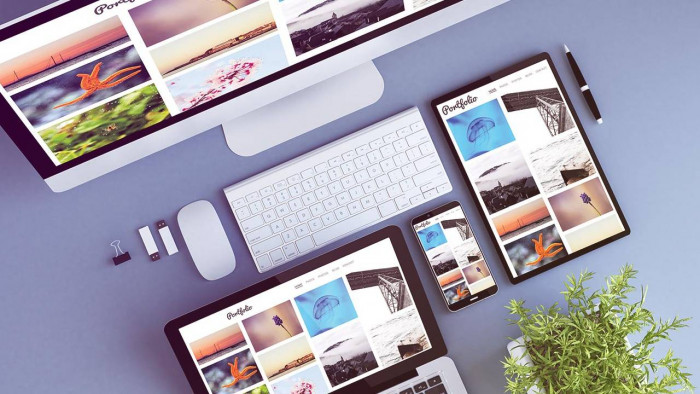
Why Your Portfolio Template Matters
Website templates differ significantly in:
- Flexibility
- Visual structure
- Customization depth
- Ease of use
Some templates allow effortless customization using visual editors, where colors, fonts, layouts, and sections can be adjusted quickly. Others may not require coding but still involve a learning curve, making simple edits time-consuming for beginners.
The goal is to choose a template that supports your workflow rather than slowing it down.
Start With Clear Goals for Your Portfolio Website
While portfolios are commonly used to showcase work, modern portfolio websites often serve multiple purposes. Before choosing a template, define what you want your site to do.
Common portfolio website goals include:
- Showcasing projects or case studies
- Selling digital products such as eBooks, presets, or courses
- Offering service packages or retainers
- Accepting bookings or appointments
- Hosting webinars or workshops
- Providing one-on-one consultations
- Creating a members-only or gated content area
If your site is more than a visual gallery, your template must support these functions without requiring heavy third-party workarounds.
Define Your Must-Have Features Early
Every template is designed with a specific use case in mind. A freelance designer working remotely has very different needs from a local photographer or consultant.
For example:
- A remote professional may not need maps or location details.
- A local business owner may rely heavily on contact forms, directions, and local visibility features.
Before browsing templates, make a list of features you cannot compromise on.
Key Features to Look for in a Portfolio Website Template
| Feature | Why It Matters |
|---|---|
| Responsive design | Ensures your portfolio looks good on all devices. Mobile devices account for nearly 70% of global web traffic, making responsiveness essential for visibility and engagement. |
| Customizable URLs & metadata | Helps create SEO-friendly page titles and descriptions, improving organic visibility and click-through rates. |
| Image optimization tools | Crucial for visual portfolios. Optimized images improve load speed without sacrificing quality. |
| Portfolio integrations | Saves time by syncing work from external platforms instead of uploading manually. |
| Built-in analytics & SEO tools | Enables tracking traffic sources, page performance, search visibility, and technical issues such as broken links or poor heading structure. |
| Custom forms | Supports inquiries, bookings, sign-ups, and lead generation tailored to your business model. |
| Third-party integrations | Allows you to connect email marketing tools, live chat, calendars, payment gateways, or automation apps as your needs grow. |
Mobile Experience Is No Longer Optional
According to multiple industry studies, mobile traffic represents around 68–70% of total website visits worldwide. If your portfolio template does not perform well on smaller screens, you risk losing the majority of potential visitors.
A mobile-friendly template should:
- Automatically adjust layouts for different screen sizes
- Keep navigation simple and touch-friendly
- Load quickly on mobile networks
Performance is equally important. Heavy animations, oversized images, and unnecessary scripts can increase load times, leading to higher bounce rates and lower search visibility.
Accessibility: Often Ignored, Always Important
Accessibility improves usability for everyone, not just users with disabilities. It also aligns with modern web standards and search engine quality guidelines.
Look for templates that support:
- Strong color contrast
- Screen reader compatibility
- Clear heading hierarchy (H1, H2, H3)
- Resizable text
- Keyboard navigation
Accessible design increases reach, improves user trust, and reduces friction across devices.
Balance Customization With Simplicity
A highly flexible template is only useful if it is practical to manage.
Ask yourself:
- Can I update content without breaking the layout?
- Can I add new pages or sections easily as my portfolio grows?
- Will this template still work if I expand into selling products or services later?
Templates with modular sections and intuitive editors tend to scale better over time and reduce the need for frequent redesigns.
Final Thoughts: Choose for Function, Not Just Appearance
The best portfolio website template:
- Aligns with your professional or business goals
- Supports future growth and monetization
- Performs well on mobile devices
- Includes SEO, performance, and accessibility essentials
- Is easy enough to maintain consistently
A visually impressive template alone is not enough. Long-term success comes from choosing a structure that supports usability, discoverability, and adaptability—so your portfolio continues to work for you as your career or business evolves.
Comments