

Genspark AI has evolved into a full workspace and “super agent” in 2026, combining multi‑model AI chat, autonomous agents, slide and sheet generation, phone calling, image/video tools, and deep research in one place. After testing its core 2026 features, the big takeaway is clear: it dramatically reduces friction across research, content creation, and admin tasks, but still needs human oversight for quality and strategy.
What Genspark AI Is in 2026
Genspark now positions itself as an all‑in‑one AI agent platform rather than a simple chatbot or search engine. It works like a central command center where a “Super Agent” decides which tools and models to use for each task, from research to phone calls and content production.
Key pillars in 2026 include:
● Super Agent and multi‑agent AI Chat
● Slides, Sheets, and app/website generation
● AI phone calling and inbox automation
● Multi‑modal image/video and design tools
● Deep research and Spark‑style documents
Core 2026 Feature Set
Here are the main Genspark AI features surfaced across official materials and hands‑on reviews for 2026.
1. Super Agent & Mixture‑of‑Agents
a. Central “Super Agent” routes tasks and orchestrates tools.
b. Mixture‑of‑Agents mode runs multiple models (GPT‑5.x, Claude, Gemini, Nano Banana Pro, etc.) and reflects on their answers to keep the strongest parts.
2. AI Chat with Unlimited Usage (2026 promo)
a. Unified AI chat workspace with access to premium models like GPT‑5.2, Claude Opus 4.5, Gemini 3 Pro and more.
b. Unlimited AI Chat usage in 2026 on Plus and Pro plans, positioned as a way to replace multiple separate AI subscriptions.
3. Slides (AI Slides / Presentations)
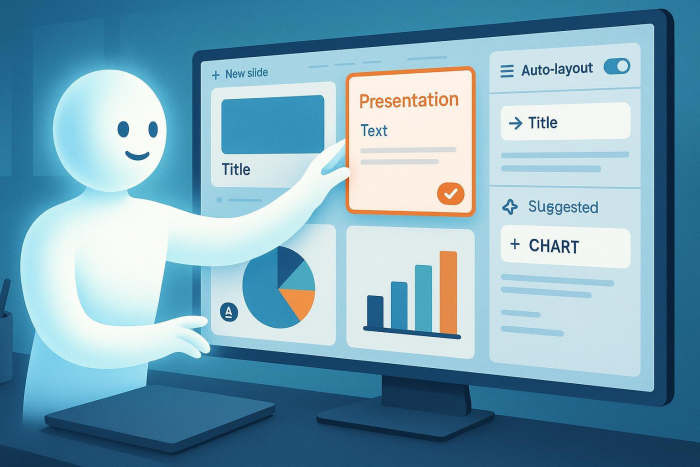
a. Generates full slide decks from a prompt: outlines, talking points, design themes, and export to PPT/Google Slides/PDF.
b. Often used for investor decks, client presentations, lesson plans, and internal strategy decks.
4. Sheets (AI Sheets / Tables)
a. Builds structured spreadsheets and tables such as content calendars, campaign planners, or financial models from natural language.
b. Helpful for planning workflows without manual formulas or templates.
5. Autonomous Phone Calls (“Call for Me”)
a. AI agent that places real phone calls, navigates menus, talks to humans, and returns a transcript plus summary.
b. Used for reservations, basic customer service calls, inventory checks, and simple business ops.
6. AI Inbox & MCP Integrations
a. Email agent that cleans and summarizes inboxes, flags what needs attention, and can draft replies.
b. Integrations (via MCP) to Gmail, Google Calendar, Notion, X, Reddit and hundreds of other tools so the agent can act across your stack.
7. AI Designer, Image & Video
a. AI Designer for fast thumbnail and layout ideas.
b. Multi‑model image generation (Flux, GPT Image, Nano Banana Pro, Seedream, etc.).
c. Image‑to‑video and text‑to‑video with multiple video models for short, cinematic clips.
8. App / Website Builder & Dev Tools
a. AI Developer to generate web and mobile app prototypes, including UI and functional components from a prompt.
b. Used for demos, internal tools, and MVP‑grade apps that can be refined by developers.
9. Deep Research & Spark‑Style Pages
a. Agentic research that reads multiple sources, cross‑checks them, and outputs a structured report rather than just a chat reply.
b. Multi‑model fact‑checking where several models compare answers to reduce hallucinations.
10. No‑Code Agent Creation
a. Ability to define specialized agents for certain workflows (e.g., campaign brief generator, academic summarizer) without writing code.
How These Features Worked in Practice
Below is how the main capabilities tend to perform in real‑world workflows, based on hands‑on testing and independent reviews.
Super Agent & Multi‑Model Chat
● In complex research prompts (market analysis, persona research, multi‑step projects), the Super Agent plus Mixture‑of‑Agents often produces more nuanced and better‑structured outputs than single‑model tools.
● The trade‑off is occasional over‑complexity or confusion, especially when instructions are vague; clear prompting remains crucial.
Slides and Sheets in Daily Work
● AI Slides is strong for first drafts of investor decks, client proposals, and educational presentations, often producing data‑driven structures in minutes.
● Design quality is described as “good but not elite,” so polishing slides manually or in tools like Figma/PowerPoint still matters for high‑stakes decks.
● AI Sheets works well for turning plain‑text ideas into structured calendars, matrices, and planning sheets, saving set‑up time.
● Calculations and assumptions still need human review, especially for financial or performance‑critical sheets.
Phone Calls, Inbox, and Integrations

● For simple tasks like booking tables, checking store hours, or confirming availability, the AI calling agent is a genuine time saver, returning transcripts and summaries that are easy to scan.
● Edge‑case calls (complex negotiations, nuanced customer service disputes) remain better handled by humans, as the agent can miss context or tone subtleties.
● The inbox agent is efficient at triaging large volumes of email, summarizing threads, and surfacing action items, particularly when combined with Gmail and Calendar integrations.
● Automated replies are usable as drafts but still benefit from manual editing to match brand voice and avoid mistakes.
Content, Design, Image, and Video
● For written content and research‑heavy documents, Genspark’s multi‑model setup excels at speed and breadth, but factual accuracy still depends on cross‑checking and editing.
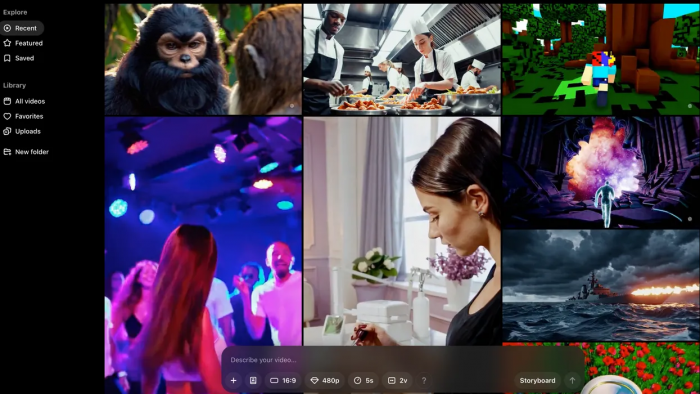
● Visual outputs (images, social graphics, some slide layouts) are frequently described as “mid‑tier” or inconsistent; great for ideation and mood‑boards, less so for final brand assets without designer oversight.
● Video generation is compelling for social snippets and concept videos, but length, style control, and brand‑grade polish are still maturing compared to dedicated video tools.
App / Website Building and Business Use
● For demos and internal tools, the AI Developer feature can assemble surprisingly functional prototypes (landing pages, simple apps, ROI calculators) from text prompts.
● For production‑ready products, developers still need to review, refactor, and harden code; Genspark is best treated as a rapid prototyping engine rather than a full replacement for engineers.
Pricing, Value, and Ideal Users
● Plans in 2026 are typically positioned around the mid‑tier SaaS range (roughly the mid‑$20s per month in many reviews), with Plus/Pro tiers unlocking unlimited AI Chat and AI Image for 2026.
● For users who currently juggle separate subscriptions to multiple LLMs, image tools, slide generators, and research platforms, consolidating into a single Genspark subscription can be cost‑effective.
Best‑fit profiles:
● Founders and marketers needing fast research, decks, landing pages, and campaign planning.
● Solo creators and students who want one workspace for chat, content, slides, sheets, and visuals rather than managing many tools.
Final Conclusion
In 2026, Genspark AI feels less like “another chatbot” and more like an operating layer that sits on top of multiple models and tools, handling research, presentations, admin, and lightweight dev work from a single Super Agent interface. The strongest results show up when it is used as a high‑speed co‑pilot—drafting decks, triaging inboxes, making simple calls, exploring markets, and building prototypes—while a human still owns strategy, creative direction, and final polish.
Comments