

If you’re seeing error code OCA0188 when trying to place a call, the important thing to know is this: it’s not a “phone is broken” message, it’s a call setup failure. In plain terms, your VoIP/Internet phone service isn’t able to complete the outgoing call, usually because something in the chain (activation → routing → router settings → device config) isn’t lining up.
This guide breaks it down in a practical way, starting with the fastest fixes, then moving into deeper troubleshooting (SIP ALG, NAT, firewall/ports, provisioning, UNI-V vs ATA, etc.), plus prevention so it doesn’t keep coming back.
What does OCA0188 mean?
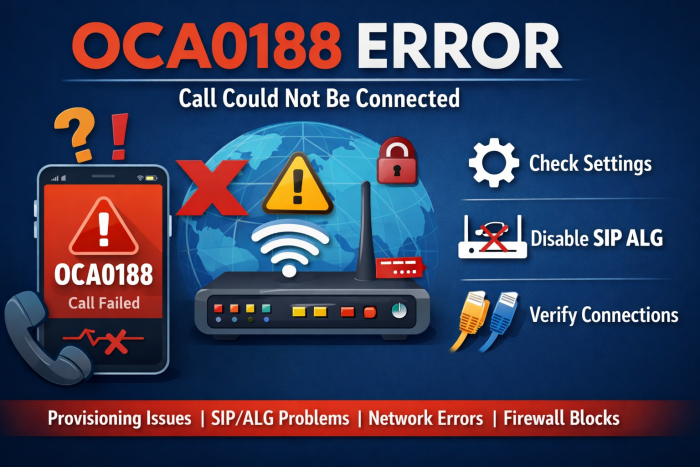
OCA0188 is most commonly tied to VoIP / internet-based calling, where an outgoing call can’t be established. It’s essentially a “call could not be connected” code that shows up when the system can’t build the call path successfully.
What you usually notice
- Outgoing calls fail immediately (you dial → it drops)
- Calls connect but drop within seconds
- One-way audio (you can hear them, they can’t hear you, or vice versa) in some setups
Where do people run into OCA0188 most often?
1) After switching providers or porting a number
A very common real-world pattern: the internet works, but phone service doesn’t, especially right after a provider change or number transfer. In one case, the user could receive the “call could not be connected” message with OCA0188 after moving from TPG to another provider, even though broadband was fine.
2) When using NBN voice setups (UNI-V vs router/ATA VoIP)
On NBN-style setups, voice can be delivered in different ways depending on the provider and hardware (for example, UNI-V voice ports on certain NTDs vs VoIP via router + ATA). UNI-V is a defined product feature with an ATA function behind the scenes on the NTD.
Also, UNI-V is planned for long-term withdrawal (with ordering restrictions earlier), so many providers push customers toward router/ATA VoIP models.
The most common causes
1) Service activation/provisioning not complete
If your VoIP line is newly activated or your number is mid-port, your account can look “live” but still fail outbound routing until provisioning finishes.
2) Router features breaking VoIP (SIP ALG / NAT handling)
SIP ALG (a router “helper” feature) is notorious for interfering with SIP signaling and causing call failures or one-way audio.
3) Incorrect VoIP credentials or server details
Wrong SIP username/password, registrar/proxy address, or DNS settings can block call setup before it even reaches the destination network.
4) Network instability (latency/packet loss)
VoIP is sensitive: even when “the internet works,” packet loss, jitter, and unstable routing can break call establishment.
5) Firewall/ports blocking SIP/RTP
If your router/firewall blocks SIP signaling or RTP media ports, calls fail or connect without audio. SIP commonly uses ports 5060/5061, while RTP uses a wider UDP range depending on the provider/device.
Fix OCA0188: a step-by-step troubleshooting flow (do this in order)
Step 1: Confirm it’s not just a provisioning/porting delay
This matters most if you:
- Recently changed ISP/VoIP provider
- Recently ported your number
- Just activated the voice service
Ask support to confirm:
- Your outgoing calling is enabled
- Your number port is fully completed
- No “call barring” or restrictions are active on the line
Quick test: Try calling a few types of numbers (local landline, mobile, a different area code). If only certain destinations fail, it may be routing/restrictions rather than your local setup.
Step 2: Power-cycle in the right order (this fixes a surprising amount)
Do a clean restart:
- Turn off the modem/NTD, router, ATA/VoIP box, and phone
- Wait 60 seconds
- Turn on modem/NTD → router → ATA/VoIP device
- Wait until everything is fully online, then test
- This forces fresh registration and clears stuck SIP sessions.
Step 3: Check whether your provider expects UNI-V voice or VoIP via router/ATA
This is a big one on NBN-style setups:
- Some providers won’t deliver voice via the UNI-V port and instead require an ATA (Analogue Telephone Adapter) or VoIP-capable router.
- In a reported case, the provider explicitly said they couldn’t provide the home phone through UNI-V and told the user to buy an ATA.
- If you’re using an ATA, plugging it into a switch is commonly acceptable in typical home setups (the key is that it’s on the same network and can reach the router/Internet), and community troubleshooting often recommends this approach.
Step 4: Disable SIP ALG (very common fix)
If you have access to router settings:
- Find SIP ALG, “SIP Helper,” “SIP Transformation,” or “VoIP ALG”
- Disable it
- Reboot the router
- Why this works: SIP ALG can rewrite SIP packets in ways that break modern VoIP traversal, causing failed calls or audio issues.
Step 5: Verify VoIP login/config (credentials + server)
If your service uses SIP credentials:
- Confirm SIP username & password
- Confirm registrar/proxy/server address
- Confirm whether it requires TLS (often different port) and any STUN settings if instructed by the provider
Tip: If it worked before and suddenly stopped, compare your current config to an older saved screenshot/export (small typos matter a lot in SIP settings).
Step 6: Check firewall/port handling (especially if you’re on business gear)
If you use a firewall/router with strict rules:
- SIP signaling commonly uses 5060 (and 5061 for TLS in many environments)
- RTP media uses a UDP port range (varies by provider/device), and blocking it can cause one-way audio or failed calls
If you’re not comfortable opening ports broadly,
Ask your VoIP provider for:
- required SIP transport (UDP/TCP/TLS)
- RTP range used by your device/provider
- whether they recommend NAT keep-alives / longer UDP timeouts (some firewall vendors document these VoIP tuning settings)
Step 7: Update firmware/software
- Update router firmware
- Update ATA firmware (if applicable)
- Update VoIP app (if you’re using a softphone)
- Outdated firmware can cause registration and compatibility issues, especially after provider-side changes.
“I keep getting OCA0188” – deeper checks that usually find the root cause
Check 1: Is it only happening at peak times?
If yes, you might be dealing with:
- congestion/packet loss
- unstable routing
- Wi-Fi interference
Try:
- wired Ethernet for the ATA/VoIP device
- Temporarily reduce heavy uploads/streaming and test again
Check 2: Does inbound work but outbound fails (or vice versa)?
That pattern often points to:
- account provisioning
- outbound call barring
- registration/authentication mismatch
Check 3: Did this start right after switching hardware?
Hardware swaps can change NAT behavior, re-enable SIP ALG by default, or lose a required VoIP VLAN/QoS profile in some routers.
Prevention: how to stop OCA0188 from coming back
- Keep router/ATA firmware updated
- Leave SIP ALG off unless your provider explicitly requires it
- Use wired connections for VoIP devices when possible
- If you’re on NBN-style voice, confirm whether your provider is moving customers away from UNI-V to router/ATA VoIP and plan your setup accordingly (UNI-V product feature withdrawal is a known long-term transition path).
- Save a backup of working SIP settings (screenshots/export) so you can restore quickly after resets
Important FAQ's
Q1. Is OCA0188 a phone handset problem?
Usually not. It’s most often routing, configuration, or network-level—especially provisioning, SIP ALG/NAT issues, or credentials.
Q2. Can a provider restriction cause OCA0188?
Yes. Outbound calling can be blocked due to account status, billing holds, or restrictions on certain call types (international/premium).
Q3. When should I stop troubleshooting and contact support?
If you’ve:
- rebooted everything
- confirmed SIP ALG off
- verified credentials, and outbound calls still fail, you likely need the provider to check provisioning, routing, or account restrictions on their side.
Comments