

If you’re running a lot of online meetings, Otter AI’s live transcription and summaries can look like an easy win for your workflow. But the moment you hit minute limits or start comparing prices, its value gets harder to judge.
This review walks through Otter AI pricing, what you actually get on each plan, hidden constraints to watch for, and five strong alternatives that may fit specific use cases better (sales, research, privacy‑first, and more).
Otter AI Plans & Pricing Overview
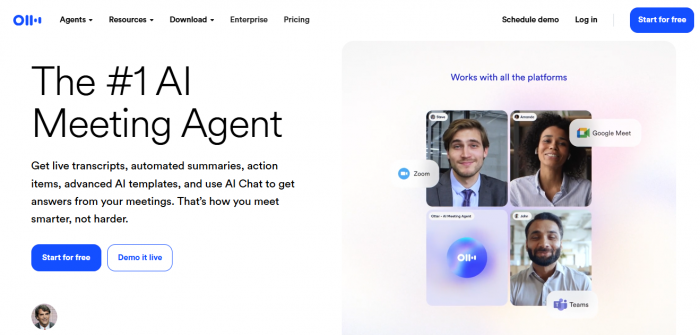
Otter follows a classic freemium SaaS model: one free tier plus three paid tiers (Pro, Business, Enterprise) with pricing tied to user seats and monthly transcription minutes.
Current Otter AI pricing snapshot
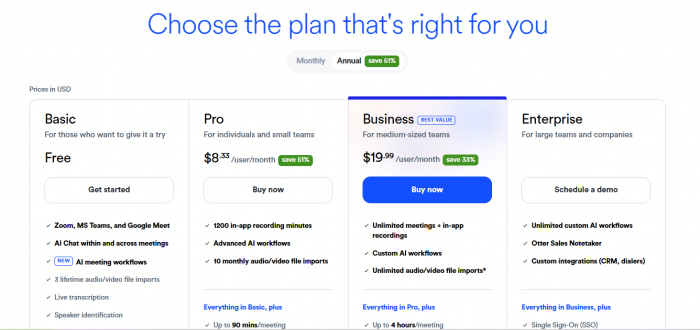
| Plan | Monthly price (billed monthly) | Monthly price (billed annually) | Key usage limits | Typical user |
|---|---|---|---|---|
| Basic (Free) | $0 | $0 | ~300 transcription minutes/month, 30 minutes per conversation | Individuals testing Otter |
| Pro | $16.99/user/month | $8.33/user/month | 1,200 minutes/month, 90 minutes per meeting, ~10 file imports/month | Freelancers, solo professionals |
| Business | $30/user/month | $20/user/month | 6,000 minutes/month, up to 4 hours per meeting, unlimited file imports | Small–mid teams |
| Enterprise | Custom pricing (deals often $6k–$30k+/year) | Custom | 6,000+ minutes/month, 4 hours per meeting, enterprise controls | Larger orgs, regulated teams |
Otter also offers a 20% education discount on Pro for students and teachers with a .edu email, bringing Pro Annual to $6.67/month (billed $79.99 annually) and Pro Monthly to $13.59/month.
What Each Otter Plan Actually Includes
Think of Otter’s tiers as stepping stones from basic live transcription to team‑level admin and security.
Basic (Free) – Good test drive, tight limits
- Live recording, transcription and summaries in real time in up to three languages (English, Spanish, French).
- AI meeting assistant that can join Zoom, Google Meet and MS Teams.
- Roughly 300 minutes per month and 30 minutes per meeting, which is fine for occasional calls but not weekly multi‑hour meetings.
- Users consistently call this free tier “very limited” once you cross one or two meetings a week, especially if you run longer calls.
Pro – More minutes, better collaboration
- Raises cap to 1,200 minutes per month and 90 minutes per conversation, plus imports of up to 10 audio/video files each month.
- Adds advanced search, custom vocabulary, speaker tagging, and bulk export for more serious note‑taking and reuse.
- A 20% student/teacher discount if you’re on a .edu email address, making it a budget‑friendly upgrade for academic users.
- Key criticism: speaker tagging requires manual training and can still misidentify participants, so long workshops with many speakers can be tedious to clean up.
Business – Admin control for teams
- 6,000 transcription minutes/month, up to 4 hours per meeting, plus unlimited importing and transcription of uploaded files.
- Team features: usage analytics, priority support, and the ability to join up to three meetings at once for parallel note‑taking.
- Admin dashboards and shared workspaces aimed at sales, product or internal meeting‑heavy teams.
- Common complaint: once you unlock admin features, the dashboard can feel scattered and confusing, with transcription quality “hit or miss” across noisy calls.
Enterprise – Security & sales‑focused extras
- Everything in Business plus SSO, compliance controls, domain capture, and organization‑wide deployment.
- Access to video replays for Zoom/Meet/Teams and OtterPilot for sales, which extracts sales insights, drafts follow‑ups and pushes notes to CRMs like HubSpot.
- Pricing is negotiated; independent benchmarks (e.g., Vendr) place typical Enterprise deals around $6,000–$30,000+ per year depending on seat count and options.
- Some enterprise reviewers report friction around meeting permissions and access settings, especially when many different hosts record calls.
Why Users Reconsider (Expectations vs Reality)
As a power user or team lead, your expectations usually fall into three buckets: predictable pricing, reliable accuracy, and smooth workflows.
What users expect
- Enough minutes to cover weekly meetings without micromanaging usage.
- Accurate transcripts with clear speakers and action items, so they don’t have to manually tidy notes.
- Integrations that push notes into CRMs, project tools, or Slack without extra tools glued on top.
Where Otter often falls short
- Minute anxiety: Free and Pro users frequently bump into the monthly minute caps and per‑meeting limits if they run longer sessions or multiple calls per day.
- Speaker & UI issues: Reviewers mention time‑consuming speaker tagging and a busy interface once they move into higher tiers.
- Limited automations: Otter focuses on transcription and summaries; it does not deeply automate follow‑ups, CRM updates, or workflow steps, pushing some teams toward alternatives like Lindy or Fireflies.
If you mainly need live captions + searchable transcripts and are okay with caps, Otter remains a solid choice; once you want automation or larger meeting volumes, its value is less compelling.
Value & Who Otter Is Best For
At a high level, Otter is priced mid‑market: cheaper than heavy conversation‑intelligence platforms, but more restrictive than some newer competitors on free usage.
When Otter AI is a good value
- You’re a solo consultant or student who needs polished live transcripts, mainly in English, and can stay within Pro’s 1,200 minutes per month.
- Your team wants simple, compliant transcription and doesn’t care about multi‑language minutes or deep CRM automations.
When Otter may not be worth it
- Your meetings frequently exceed 90 minutes (Pro), or you run multiple calls each day and constantly hit caps.
- You need automation (follow‑up emails, CRM updates) or research‑grade tagging and libraries instead of just transcripts.
- Privacy rules mean you cannot have a “bot” join every call, making options like Jamie’s local recording more appealing.
5 Best Otter AI Alternatives (With Pricing)
From dozens of options, here are five that cover the most common reasons users look beyond Otter: automation, sales, research, privacy, and generous free usage.
Quick view: Alternatives vs Otter
| Tool | Best for | Starting price / free tier | Key edge over Otter |
|---|---|---|---|
| Lindy | Automation & workflows | Free with 400 credits; Pro $49.99/month | Turns notes into actions (emails, CRM updates, calls) |
| Fireflies | CRM‑ready summaries | Free; Pro $18/user/month | Strong CRM sync & analytics |
| Jamie | Privacy, offline, no bots | Free (10 meetings); Standard €24/seat/month | Local, bot‑free, offline transcription |
| Fathom | Unlimited free usage for individuals | Free with unlimited meetings; paid from ~$15–$20/user/month | Generous free plan, highlight clips |
| tl;dv | Research, UX/product interviews | Free; Pro $29/seat/month | Tagging, highlight reels, research libraries |
1. Lindy – Best for automation‑heavy teams
Lindy is an AI automation platform that happens to do meeting notes; you can build AI agents that not only transcribe calls but also send recaps, update CRMs, draft follow‑ups, and even make or receive phone calls.
- Why it beats Otter: Goes beyond transcription into automated workflows across 4,000+ apps and CRMs, with drag‑and‑drop building for non‑coders.
- Pricing: Free plan with 400 monthly credits; Pro at $49.99/month (5,000 credits); Business at $199.99/month (20,000 credits and unlimited phone calls); custom tiers for larger orgs.
Pick Lindy if you want your “note taker” to also handle follow‑through, not just produce transcripts.
2. Fireflies – Best for CRM‑ready meeting summaries
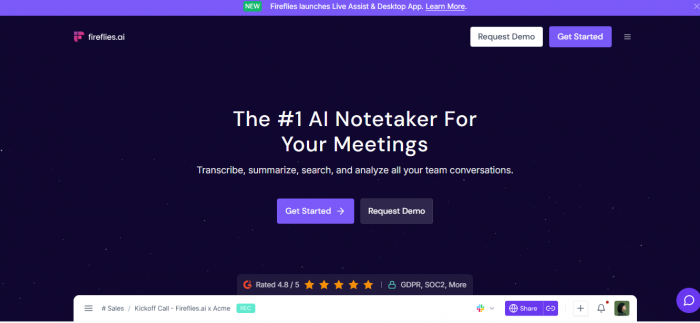
Fireflies focuses on capturing conversations, producing searchable transcripts, and pushing structured summaries straight into HubSpot, Salesforce, and other CRMs.
- Why it beats Otter: Stronger CRM sync, shared workspaces, and analytics/APIs at higher tiers, which Otter does not emphasize.
- Pricing: Free tier; Pro around $18/user/month; Business around $29/user/month; Enterprise about $39/user/month, often billed annually.
For sales and customer success teams that live in their CRM, Fireflies usually delivers more value per seat than Otter.
3. Jamie – Best for privacy‑first & offline meetings
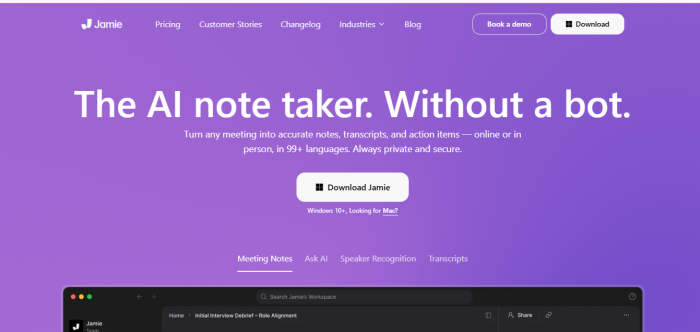
Jamie is a desktop‑first AI note taker that records locally without sending a bot into your Zoom/Meet/Teams call, and it can transcribe offline meetings as well.
- Why it beats Otter: Bot‑free experience, works on any video platform, supports offline transcription and deletes audio after processing while following GDPR guidelines.
- Pricing: Free plan with 10 meetings/month (30‑minute limit) plus AI assistant messages; Standard at €24/seat/month; Pro at €47; Executive at €99; Enterprise custom.
For legal, healthcare, journalism or sensitive internal meetings, Jamie’s local‑first, privacy‑focused model is very compelling.
4. Fathom – Best unlimited free plan for individuals
Fathom offers a genuinely generous free tier with unlimited recordings, unlimited recording length and storage, and unlimited transcription in multiple languages for individual users.
- Why it beats Otter: No minute caps on the free plan for individuals, plus fast AI summaries and highlight clip creation for sharing key moments.
- Pricing: Free for individuals; Premium around $15–$19/user/month; Team Edition ~$19/user/month; Team Pro ~$29/user/month depending on billing.
If you’re a solo user frustrated by Otter’s free limits, Fathom is one of the most cost‑effective replacements.
5. tl;dv – Best for research & product teams
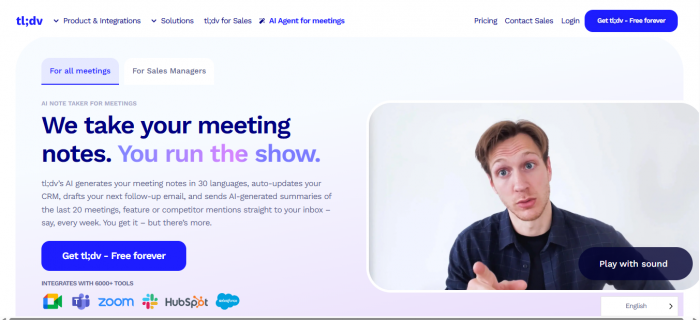
tl;dv records calls, generates transcripts, and helps teams tag insights and build shareable libraries of customer and user research.
- Why it beats Otter: Strong tagging and highlight tools, collaborative libraries, and better fit for user research, interviews, and product discovery sessions.
- Pricing: Free plan with unlimited meetings and basic features; paid plans start around $18–$29/user/month, with Business tiers going up from there.
If you’re doing UX research, marketing interviews or discovery calls, tl;dv gives you more structure around insights than Otter’s standard transcripts.
Final Verdict: Is Otter AI Pricing Worth It?
Otter AI is still a solid pick if you want simple, live transcription and summaries in a familiar interface, and your usage comfortably fits into Pro or Business limits.
However, if you routinely hit minute caps, need privacy‑first recordings, or want meeting notes that automatically update your tools and trigger follow‑ups, one of the five alternatives above will likely offer better value for your budget and workflow.
Comments