

What Does Automation Mean Today?
Automation software is designed to take manual, repetitive tasks off your plate and run them with minimal human intervention. These tools can do everything from syncing data between applications to triggering complex multi-step workflows and even making decisions using artificial intelligence.
Depending on the platform, automation can be simple rule-based actions or smart AI-powered flows that adapt to changing conditions. In business contexts, automation saves time, reduces errors, and increases operational consistency ,whether you are a solopreneur or part of a large enterprise.
Core Criteria for Choosing the Best AI Automation Tool
Before we dive into specific platforms, it’s important to understand what makes an automation tool stand out:
1. Ease of Use: A good tool should be intuitive enough for non-technical users while still offering power under the hood.
2. Integration Reach: The number of applications a tool can connect with directly determines how useful it will be across your tech stack.
3. AI Capabilities: True AI automation goes beyond simple rules, it can make decisions, adapt based on context, and handle exceptions.
4. Scalability: Can the tool grow as your business grows, or will you outgrow it quickly?
5. Support and Reliability: Good documentation, active support channels, and stable uptime matter when workflows are running your business.
1. Zapier — Best for Cross-App No-Code Automation
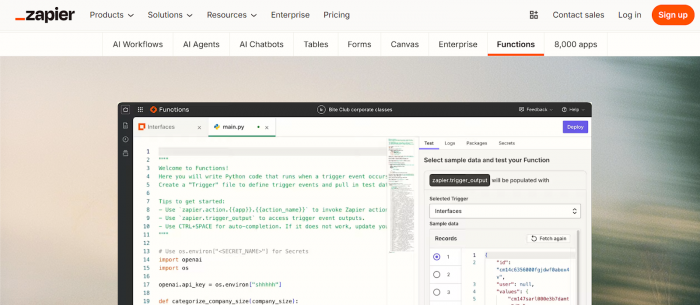
What It Does Best: Zapier lets you connect thousands of apps and automate repetitive business tasks without coding. It works by creating workflows that trigger actions in one app based on events in another. It’s broadly used for sales, marketing, operations, and admin automation because of its simplicity and ecosystem size.
Key Features
● Connects with over 6,000 apps
● No-code workflow builder
● Multi-step automation with conditional logic
● AI-assisted workflow suggestions
Pricing
● Free tier with limited tasks
● Paid plans start at about $19.99 per month
● Team and Enterprise plans available with advanced features and collaboration controls
2. Make (formerly Integromat) — Best for Visual Workflow Building
What It Does Best: Make is ideal for users who want a highly visual automation builder with drag-and-drop logic and deep workflow control. It’s great for multi-step integrations where you need branching logic and conditional flows.
Key Features
● Powerful drag-and-drop editor
● Extensive conditional logic and error handling
● Real-time execution monitoring
● Integration with APIs and webhooks
Pricing
● Free tier with basic operations
● Core plan starting around $9 per month
● Higher plans ($16–$29+ per month) with more operations and features
3. n8n — Best for Developers and Custom Automation
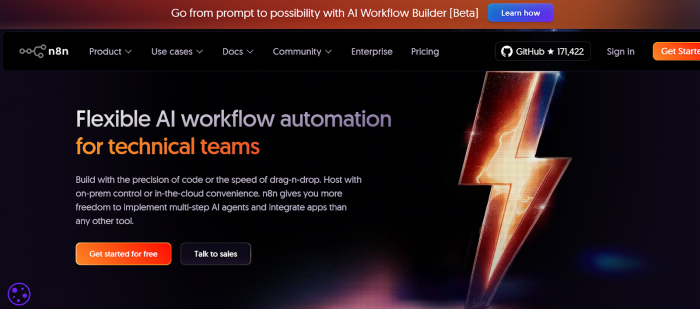
What It Does Best: n8n is a flexible, open-source automation platform ideal for technical users who want full control. It supports complex workflows and self-hosting, which is great for teams needing privacy and custom integration logic.
Key Features
● Open-source and self-hostable
● Supports code and webhook automation
● API and custom node support
● Strong integration options
Pricing
● Free for self-hosted deployments
● Cloud starter plans beginning around $24 per month
4. Microsoft Power Automate — Best for Microsoft Ecosystem
What It Does Best: Power Automate is built to work seamlessly with Microsoft products like Teams, Outlook, SharePoint, Excel, and Dynamics. It combines traditional automation with AI Builder for document, form, and data processing.
Key Features
● Deep integration with Office 365
● AI Builder for documents and data extraction
● Cloud and desktop automation
● Enterprise-level tools
Pricing
● Starts at around $15 per user per month
● Premium and enterprise pricing available depending on added AI and RPA features
5. Lindy — Best for AI-Driven Intelligent Agents
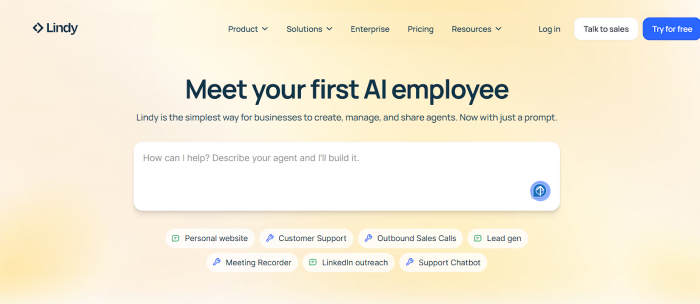
What It Does Best: Lindy uses AI agents to automate tasks that involve decision-making, language understanding, and complex context. You can assign roles to AI “agents” that work across emails, schedules, CRM data, and more not just run rigid workflows.
Key Features
● Natural language automation
● AI task agents
● Supports 4,000+ integrations
● Scales across teams
Pricing
● Free plan with limited tasks
● Pro from about $49.99 per month
● Business and Enterprise tiers available
6. Automation Anywhere — Best for Enterprise-Level AI Workflow Automation
What It Does Best: Automation Anywhere is a powerful tool for enterprises that need advanced AI-powered bots to handle complex, multi-step business processes across systems such as ERP, finance, HR, and data platforms.
Key Features
● AI-assisted robotic process automation (RPA)
● Unstructured data handling
● Comprehensive process discovery tools
● Cloud-native automation options
Pricing
● Custom enterprise pricing
● Some plans start around $24/month for basic bundles in certain editions
7. UiPath — Best for High-Volume RPA Use Cases
What It Does Best: UiPath is one of the leading robotic process automation platforms, especially for large enterprises. It excels at automating repetitive tasks that involve legacy systems, desktop automation, and high-volume work.
Key Features
● Large-scale RPA automation
● Machine learning integration
● Visual task recorder
● Strong enterprise security
Pricing
● Entry plans around $420 per month (varies by package and usage)
● Enterprise-grade pricing available
8. Relay.app — Best for Human-in-the-Loop Workflows
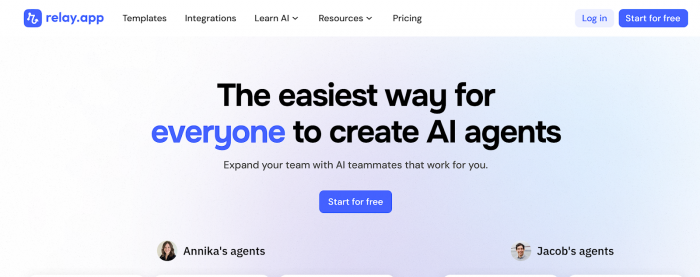
What It Does Best: Relay is suited for workflows that require occasional human approval or decision points. It blends automation with checkpoints where people need to intervene, making it great for teams that can’t fully hand over decisions to machines.
Key Features
● Human approval workflows
● Automated routing and conditional flows
● Easy no-code setup
Pricing
● Plans starting around $23.75 per month
● Free tier available on select features
Summary Table — Quick Comparison
| Tool | Best For | Starting Price |
| Zapier | Cross-app no-code automation | ~$19.99/mo |
| Make | Visual workflow building | ~$9/mo |
| n8n | Developers & custom control | Free self-hosted / ~$24/mo cloud |
| Power Automate | Microsoft ecosystem | ~$15/user/mo |
| Lindy | AI agents & intelligent tasks | ~$49.99/mo |
| Automation Anywhere | Enterprise AI workflows | Custom / ~$24/mo starter |
| UiPath | Enterprise RPA | ~$420/mo (varies) |
| Relay.app | Human-in-loop automation | ~$23.75/mo |
Conclusion
Tools like Zapier make automation accessible and scalable, while platforms like Lindy bring intelligent decision-making to everyday tasks. Understanding the strengths and trade-offs of each tool enables you to build systems that save time, reduce errors, and free your team to focus on higher-value work.
With thoughtful implementation and the right toolset, AI automation becomes not just a productivity hack, but a strategic advantage.
Comments