

ThinkWave looks, at first glance, like “just another online gradebook.” Look a little closer and it starts to feel more like a quiet, cloud‑based control room for small schools and solo teachers who are tired of spreadsheets but not ready to marry a giant ERP. It’s not the loudest tool in the ed‑tech room, but it has a very specific personality: academic‑first, browser‑only, and surprisingly practical once you move your real classes into it.
Meet ThinkWave: The Quiet School Brain
If you had to sum up ThinkWave in one sentence, it would be this: a cloud‑based student information system (SIS) and online gradebook for schools and teachers who want structure without an IT circus. It lives entirely in the browser, so there are no servers to nurse, no thick desktop clients, and no “call the tech guy” moments just to add a new class.
ThinkWave exists in two main “modes”:
● A school‑wide cloud SIS, where admins, teachers, students, and parents share one system.
● A teacher‑only gradebook, free (with ads) or premium (paid), for independent classrooms.
It does not try to be everything: no transport routing, no hostel management, no finance suite. Instead, it stakes its claim on four pillars: grades, student records, communication, and simple online access.
How ThinkWave Organizes a School Day
ThinkWave is best understood by walking through a typical school day and noticing where it quietly shows up.
1. Teachers: Living Inside the Gradebook
For most teachers, the system is the gradebook. That’s where ThinkWave spends most of its energy.
Inside a class, a teacher can:
● Create assignments and group them into categories like tests, homework, and projects.
● Set weights so, for example, exams matter more than weekly quizzes.
● Enter scores in a grid view and watch overall averages update in real time.
● Flag missing work, low scores, or at‑risk students at a glance.
Grading scales are configurable: schools can work with letter grades, percentages, or their own formats, and build report cards that reflect their policies rather than a fixed template.
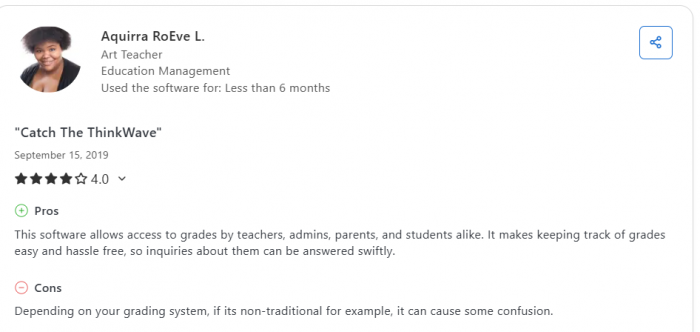
There is a limit to how weird you can get: teachers who run very unusual grading formulas or non‑standard scales sometimes report friction when trying to bend ThinkWave to those edge cases. For regular “this is how most schools grade” workflows, it behaves like a calm calculator humming in the background.
2. Admins: A “Mini SIS” That Doesn’t Demand a Server Room
Behind the gradebook sits a compact but capable student information system. Admins can:
● Maintain student records with demographic details and enrollment data.
● Build class schedules, assign teachers, and manage terms or grading periods.
● Track attendance with daily or period‑based setups.
● Generate report cards and transcripts at the end of a term or year.
There is also basic document storage so schools can attach key files to student records. You will not find a full finance module or HR suite here—and that’s deliberate. ThinkWave is positioned more as an academic backbone than a complete institutional ERP.
For many small and mid‑size schools, that’s not a problem; most of them are still running fees, HR, and operations in other systems or even offline. For those schools, ThinkWave fills exactly the gap they feel most: “we need a proper place for grades, reports, and parent communication.”
3. Parents and Students: Portals Instead of Phone Calls
ThinkWave’s portals are where a lot of the real‑world friction disappears.
From their browser, parents and students can:
● Check current grades and overall averages.
● See upcoming assignments and what’s missing.
● Download handouts and resources uploaded by teachers.
● Read teacher comments and announcements.
In user reviews, parents repeatedly highlight the relief of having 24/7 access to this information rather than waiting for paper report cards or ad‑hoc emails.
There is a caveat: there is no dedicated mobile app. Everything works in a mobile browser, which is technically fine but less flashy than an app icon on your home screen. For some communities that live inside apps, this is a noticeable minus; for others, it’s a non‑issue.
4. Distance Learning Without the Drama
ThinkWave wasn’t born as a pandemic‑era “remote‑first” platform, but being fully cloud‑based means it handles distance learning scenarios reasonably well.
Teachers can:
● Upload handouts and resources for students to access online.
● Collect homework submissions digitally.
● Post announcements when schedules or assignments change.
It does not pretend to be a full interactive LMS with rich discussion boards and advanced quiz engines. Instead, it behaves like a structured hub: grades + files + communication. For many schools, that’s the realistic level they can manage consistently.
Pricing: Simple, Tiered, and Very Transparent
ThinkWave keeps its pricing model straightforward enough to explain in a staff meeting without slides.
School‑Wide Cloud SIS
For schools using the full SIS, pricing is based on student count:
● Entry tier: around 17 USD/month for 1–15 students.
● Multiple tiers in between as you add more students.
● Upper listed tier: about 329 USD/month for 421–550 students, with custom quotes beyond that.
This makes budgeting predictable: you know roughly what adding 20–30 students does to your monthly subscription.
Individual Teachers (Free vs Premium Gradebook)
For solo teachers, ThinkWave offers:
● A free online gradebook, which is ad‑supported.
● A premium gradebook at around 31.95 USD/year that adds more storage and better online access for students and parents, and removes some limitations of the free version.
This lets teachers start at zero cost and only pay once they know they like the workflow and want the cleaner, ad‑free experience.
Value for Money in the Real World
Across review platforms, ThinkWave tends to score above 4/5 on value for money. Small schools and tutors see obvious benefit: they get a structured system without enterprise‑grade pricing.
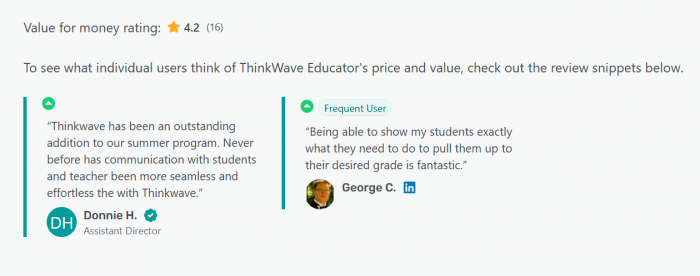
The downside is simply the flip side of per‑student pricing: fast‑growing schools will feel the cost curve and may need to compare long‑term TCO against heavier SIS platforms that sometimes offer flatter pricing at scale.
What Users Actually Say (Not Just the Brochure)
When you read through teacher and school reviews, some themes keep repeating.
The Warm Side: What People Love
Common praise points include:
● Ease of use: Teachers and admins repeatedly describe ThinkWave as intuitive and “not overwhelming,” making onboarding relatively painless.
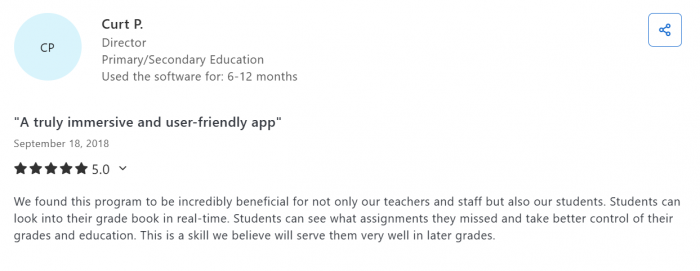
● Time savings: Once configured, entering grades, generating report cards, and sharing results become much faster than paper‑based or spreadsheet workflows.
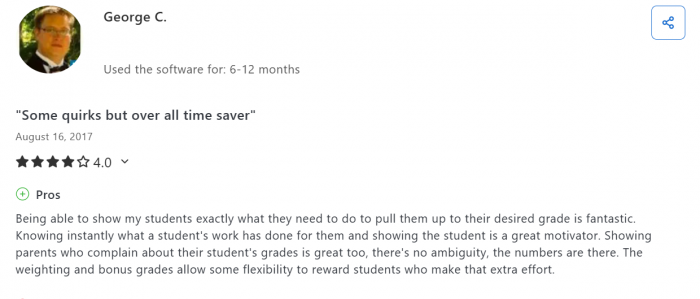
● Transparency: Parents and students like always knowing where they stand; no more mysterious grade books locked in a drawer.
Vendor‑published testimonials also highlight good experiences with support, especially during initial setup and configuration. While those are obviously curated, they line up reasonably well with several independent positive reviews.
The Rough Edges: Where It Annoys People
On the flip side, users do raise some consistent complaints:
● Flexibility ceilings: When schools use unusual grading systems or very custom scales, setting them up can be frustrating.
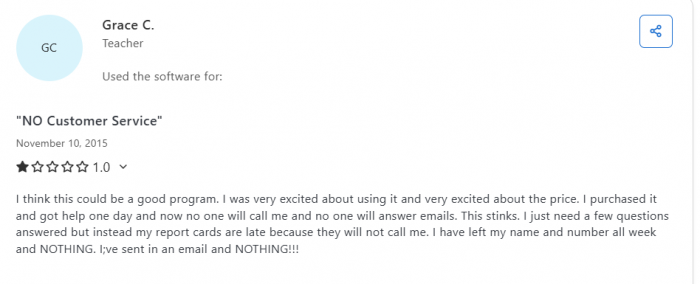
● Support inconsistency: Some reviewers felt response speed or solution depth could be better, suggesting support experience can vary by case.
● No native mobile app: For app‑centric communities, browser‑only access feels dated and less convenient.
● Ads in the free gradebook: Understandable for a free tier, but some teachers dislike having any ads around classroom data.
In short: daily life for most users is solid and drama‑free, but you shouldn’t expect the kind of deep customization and white‑glove support that comes with much more expensive, heavy‑weight systems.
How ThinkWave Compares in the SIS Jungle
On comparison sites, ThinkWave shows up alongside platforms like Alma, Procare, Gradelink, and other K–12 SIS and gradebook combinations.
Its main competitive strengths:
● Focused feature set around academics and communication instead of bloated modules.
● Gentle learning curve for non‑technical staff.
● Attractive entry pricing and a genuinely useful free teacher tier.
Where competitors pull ahead:
● Wider modules: fees, transport, cafeteria, advanced behavior analytics, HR, etc.
● Native mobile apps with notification systems.
● Richer integration ecosystems (SSO, LMS, assessment platforms).
This is why the smarter evaluation question isn’t “Is ThinkWave the most powerful SIS we can buy?” but:
“Does ThinkWave cover our school’s real needs without overwhelming our teachers or our budget?” For a lot of smaller institutions, the honest answer is yes.
Ideal Use Cases: Who Gets the Most Out of It?
ThinkWave is not for everyone, but for some segments it hits an almost perfect sweet spot.
1. Small Private Schools and Community Schools
If you’re running a small private school or community school, you likely want:
● Clean, transparent grading.
● Simple report cards and transcripts.
● Parent portals that reduce confusion.
● Minimal IT overhead and training.
ThinkWave aligns almost exactly with that wish list. You pay only for the students you actually have, run everything from a browser, and give teachers a tool they can understand in a day rather than a semester.
Budget planning becomes important as you grow, but for stable or modest enrollments, the cost‑to‑benefit ratio is very reasonable.
2. After‑School Programs and Learning Centers
After‑school programs, coaching centers, and learning hubs often need something more structured than spreadsheets but don’t want full enterprise suites.
For them, ThinkWave provides:
● A formal gradebook and attendance record.
● Simple communication channels with parents.
● Professional‑looking report cards.
Because it’s hosted, these organizations can spin it up quickly without negotiating with a big IT department or installing anything onsite.
3. Independent Teachers and Tutors
For solo teachers and tutors, the free online gradebook is a big attraction.
They can:
● Organize classes properly.
● Track student performance over time.
● Give parents a portal to monitor progress.
● Upgrade to a low‑cost premium plan if they want more storage and better access.
If you’ve ever tried to manage a tutoring business using a mix of notebooks, WhatsApp messages, and Excel sheets, ThinkWave feels like finally putting everything into one place that doesn’t fall apart mid‑term.
4. Larger or Fast‑Growing Schools
ThinkWave can serve larger schools, but the decision becomes more nuanced.
On the plus side:
● Browser‑based access is easy to roll out at scale.
● Per‑student pricing makes initial budgeting simple.
● Core academic features remain solid even for bigger enrollments.
On the minus side:
● Total cost rises as the student base grows.
● Missing advanced ERP modules and integrations may become glaring over time.
● Lack of a mobile app can be a bigger issue for large communities.
For these schools, ThinkWave might be a great mid‑term solution or a stepping stone, but it’s worth planning a 3–5 year roadmap and comparing it to more ambitious SIS suites.
Pros and Cons, Without the Sugar‑Coating
Highlights
● Simple and teacher‑friendly: Short learning curve; most staff can become productive quickly.
● Strong academic focus: Gradebook, report cards, transcripts, and portals are the core, not an afterthought.
● Cloud‑based convenience: No servers, no installation, accessible anywhere with a browser.
● Flexible entry options: Low‑tier school plans and a free teacher gradebook make it accessible even for tiny budgets.
Limitations
● Limited ecosystem: Missing native mobile apps and many non‑academic ERP modules.
● Customization ceilings: Non‑standard grading setups can be tricky to implement.
● Mixed support experiences: Some users report slower or less helpful responses for certain issues.
● Scaling cost: Per‑student pricing can become noticeable in rapidly expanding schools.
Verdict: A Realistic Tool for Schools That Want Order, Not Overload
ThinkWave will not win beauty contests for having the most modules or the flashiest interface. That’s not what it’s trying to do. Instead, it offers something many schools quietly want:
● A reliable online gradebook.
● A compact SIS that keeps academic records clean.
● Portals that keep parents and students informed.
● Pricing and complexity that don’t scare off small teams.
For small to mid‑size schools, after‑school programs, and independent teachers, that combination is often exactly enough. If your staff are allergic to heavy software, but you know it’s time to move beyond paper and generic spreadsheets, ThinkWave is a very credible “yes provided you understand its boundaries.”
Comments