

Vertex AI is Google Cloud’s unified AI and ML platform for building, deploying, and managing traditional and generative AI models at scale. It brings data, training, tuning, and inference into a single environment so teams can move from prototype to production faster.
What Vertex AI Is
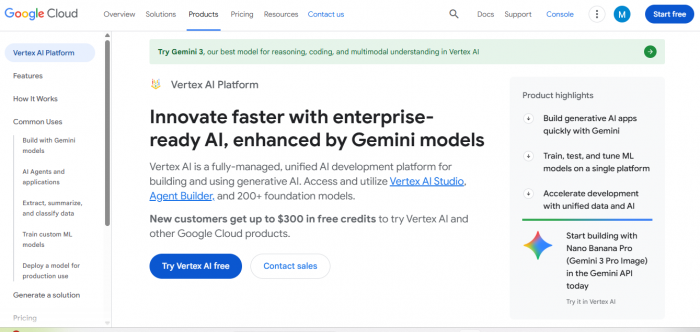
Vertex AI is a fully managed platform that consolidates many of Google Cloud’s AI services—like AutoML, custom training, and generative AI—behind one interface.
It is designed for both data scientists and application developers, supporting tasks from classic ML (classification, regression, vision) to LLM-backed apps using Gemini models.
Core Features
- Unified AI Studio & Console: A central place to manage datasets, experiments, models, endpoints, and monitoring, instead of juggling separate services.
- Generative AI & Gemini Models: Access to 200+ foundation models for text, chat, vision, and multimodal use cases through Vertex AI Studio and APIs.
- Custom & AutoML Training: Support for frameworks like TensorFlow and PyTorch, plus AutoML tools that can automatically train and tune models on your data.
- MLOps & Deployment: Managed endpoints for online and batch predictions, model registry, experiment tracking, and monitoring of performance and drift.
- Data Integration: Tight integration with BigQuery, Cloud Storage, and other Google Cloud services so you can pull training and inference data directly from existing pipelines.
- Multi-modal Capabilities: Built-in support for computer vision, natural language processing, text generation, and text-to-image, as also reflected in user-rated features on G2.
Product Overview: Top 5 Vertex AI Alternatives
These five options are chosen for real-world business environments rather than experimental labs.
Shortlist
- Lindy – No‑code AI agents and workflow automation for business users
- AWS SageMaker – Enterprise-grade ML on AWS with full MLOps stack
- Azure Machine Learning – Best fit for Microsoft-first organizations
- Databricks Data Intelligence Platform – Unified data + AI lakehouse
- Kubeflow – Open-source ML stack for Kubernetes and hybrid control
Key Specs at a Glance (with Pricing)
| Platform | Best For | Core Capabilities | Pricing (from source) |
|---|---|---|---|
| Lindy | Business teams automating workflows and AI agents | No-code agents, 4,000+ integrations, multi-channel communication | Free plan at $0/month, Pro at $49.99/month, and Business at $299.99/month as per recent plan breakdowns. |
| AWS SageMaker | Teams fully on AWS needing scalable ML | End-to-end MLOps, Autopilot, feature store, model registry | Pay‑as‑you‑go; for SageMaker Catalog, requests are priced at $10 per 100,000 requests with 4,000 free requests per month. |
| Azure Machine Learning | Microsoft ecosystem enterprises | Model development, training, deployment, governance, hybrid options | Azure ML uses a pay‑as‑you‑go model; pricing depends on underlying compute and storage, with detailed rates published per region in the official calculator. |
| Databricks Data Intelligence Platform | Data-heavy organizations with lakehouse strategy | Data engineering, analytics, ML, Mosaic AI features | Databricks pricing generally ranges from about $0.07 to $0.65+ per Databricks Unit (DBU), billed pay‑as‑you‑go plus cloud infra costs. |
| Kubeflow | Technical teams needing on‑prem or multi-cloud control | Kubernetes-native training, pipelines, serving, experiment tracking | Kubeflow itself is free and open‑source; you pay only for Kubernetes infrastructure, compute, storage, and operational overhead. |
Why I Looked Beyond Vertex AI
From a business perspective, several recurring issues push teams to explore alternatives.
- Unpredictable pricing: Vertex AI bills across training time, token usage, storage, and endpoint uptime, which complicates forecasting during heavy experimentation.
- Google-centric design: If your core stack is AWS, Azure, or on‑prem, moving data and workflows in and out of Vertex AI can add cost and complexity.
- Engineering-heavy setup: Smaller teams often lack the dedicated data-platform resources needed to configure pipelines, security, and monitoring properly.
- Limited “workflow-first” focus: Vertex AI is strong on model operations but less on direct business workflow orchestration across CRMs, email tools, and communications channels.
The five alternatives below were picked because they improve at least one of those friction points while remaining practical for business users.
Performance & Business Fit: Platform-by-Platform
1. Lindy – No‑Code AI Agents for Business Teams
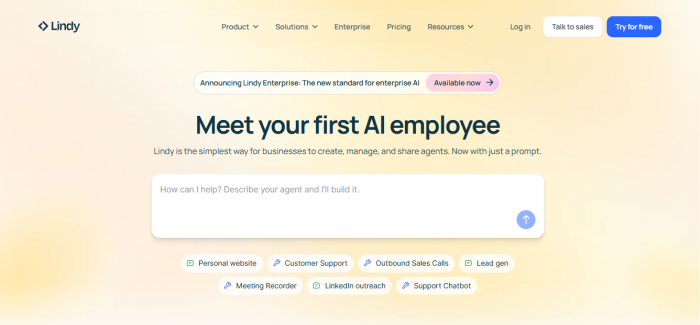
Lindy focuses on letting non‑technical users design AI agents that handle everyday operations like email replies, CRM updates, lead nurturing, or scheduling.
- Ease of use: A drag‑and‑drop, no‑code builder plus natural-language instructions make it approachable for ops, sales, and support teams.
- Integrations: 4,000+ app connections across Slack, HubSpot, Google Workspace, and more help agents act directly inside existing systems.
- Governance: Human‑in‑the‑loop approval flows, and SOC 2 / HIPAA readiness make it friendlier for compliance-sensitive industries.
Pricing (from official/updated info):
Lindy offers a free tier at $0/month, a Pro plan at $49.99/month, and higher tiers like Business at $299.99/month, with pricing based on credits and usage.
2. AWS SageMaker – Enterprise ML on AWS
SageMaker is Amazon’s managed platform for building, training, and deploying models at scale within the AWS ecosystem.
- Full ML lifecycle: Features include data labeling, feature store, model registry, and managed endpoints, which suit enterprises running many models in production.
- Automation: Components like SageMaker Autopilot reduce manual work for training and tuning, improving experiment velocity.
- AWS-native: If you already store data in S3 and rely on EC2 or Lambda, SageMaker fits naturally into your architecture.
Pricing (from official page):
SageMaker uses a pay‑as‑you‑go model; for SageMaker Catalog, requests are billed at $10 per 100,000 requests with 4,000 free requests per billing month, plus metered charges for metadata storage and compute units.
3. Azure Machine Learning – Best for Microsoft-First Enterprises
Azure Machine Learning is Microsoft’s end-to-end service for building, training, and deploying ML models across cloud and hybrid environments.
- Ecosystem fit: Tight integration with Power BI, Microsoft Fabric, Azure OpenAI, and Microsoft 365 helps teams align analytics and ML with existing tools.
- Governance: Azure Purview and Entra ID support identity management, lineage, and auditability for regulated industries.
- Hybrid and edge: Via Azure Arc, workloads can run on‑prem, multi-cloud, or at the edge, which is useful for data-residency constraints.
Pricing (from Microsoft/updated guides):
Azure Machine Learning follows a pay‑as‑you‑go model where you pay for underlying compute, storage, and networking, with Microsoft providing detailed per-region rates and a pricing calculator to estimate spend.
4. Databricks Data Intelligence Platform – Data + AI on a Lakehouse
Databricks unifies data engineering, analytics, and ML using a lakehouse architecture, keeping data and AI close together.
- Unified environment: Training, experimentation, and serving all operate against data in Delta Lake, avoiding constant data movement.
- Mosaic AI: Built-in tools for model serving, evaluation, and AI agents help teams ship data-driven applications faster.
- Multi-cloud: Databricks runs on AWS, Azure, and GCP, which is ideal for organizations that already span multiple clouds.
Pricing (from current guides):
Databricks is billed per Databricks Unit (DBU), with rates generally ranging from around $0.07 to $0.65+ per DBU depending on workload type and tier, plus separate cloud compute and storage costs.
5. Kubeflow – Open-Source Control for Kubernetes Shops
Kubeflow is a free, open‑source ML toolkit built on Kubernetes for teams that want to own their entire ML stack.
- Full control: Components like Kubeflow Pipelines, Katib, and KServe let teams customize orchestration, tuning, and inference deeply.
- Cloud-agnostic: It runs anywhere Kubernetes runs, from major clouds to on‑prem clusters, supporting strict compliance or multi-cloud strategies.
- Engineering-focused: It suits organizations with strong DevOps and platform engineering capabilities.
Pricing (from recent explainers):
Kubeflow itself is free and open‑source; total cost comes from Kubernetes infrastructure, storage, compute (including GPUs), and the operational overhead of deploying and maintaining the platform.
Pricing, Value & When Each Is Worth It
From a business value standpoint, these tools fall into three pricing attitudes.
- Straightforward SaaS (Lindy): Clear monthly plans starting at $0 and $49.99/month make it easy for smaller teams to budget AI agent workflows.
- Metered cloud platforms (SageMaker, Azure ML, Databricks): Pay‑as‑you‑go can scale efficiently but requires monitoring DBUs, requests, and compute-hours to avoid surprises.
- Open-source core (Kubeflow): No license fees, but real cost shifts to infra and people, which can be higher than SaaS if your team is small.
If your priority is quick wins in operations, Lindy’s SaaS model usually delivers the fastest ROI; if you’re building long-term ML foundations on AWS, Azure, or a lakehouse, the managed platforms tend to pay off over time.
Final Verdict & Recommendations
“Best” Vertex AI alternative depends on where your business already lives and how hands‑on you want to be with infrastructure.
- Pick Lindy if you want no‑code AI agents that automate everyday workflows and you prefer simple, tiered SaaS pricing.
- Pick AWS SageMaker if you’re all‑in on AWS and need industrial-strength MLOps with granular, metered billing.
- Pick Azure Machine Learning if you run on Microsoft and care about governance, hybrid deployment, and tight Office/Power BI integration.
- Pick Databricks if your strategy is data-first and you want analytics and AI on one lakehouse with DBU-based pricing.
- Pick Kubeflow if you want maximum control, are comfortable with Kubernetes, and prefer open-source over vendor lock‑in.
Comments