

EditPro Tips has quickly evolved from a simple “editing tips” concept into a full ecosystem for AI‑assisted photo and video editing, especially for short‑form content like Reels and Shorts. In this in‑depth review, we will unpack what EditPro Tips actually is, how its templates and AI prompts work in real workflows, who it is best suited for, and where it still needs to mature as a creator‑first platform.
EditPro Tips in Plain Language
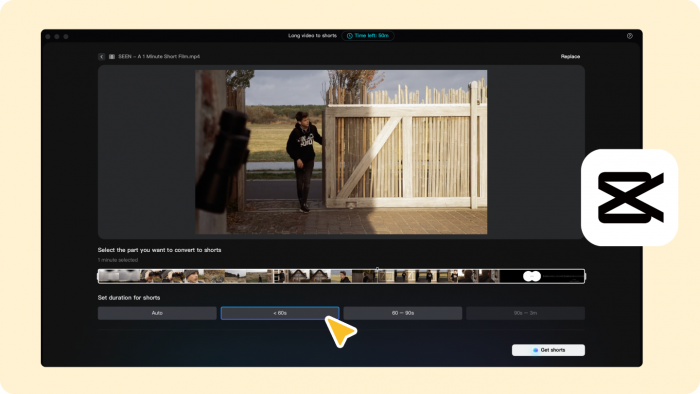
EditPro Tips is an AI‑driven photo and video editing ecosystem built around ready‑to‑use CapCut and VN templates, VN codes, AI prompts, presets, and practical tutorials aimed at creators who want professional looks without complex editing skills. Instead of being a standalone app, it works as a layer on top of popular tools like CapCut, VN, Lightroom, and other modern editors, giving creators a plug‑and‑play way to produce trending, cinematic edits fast.
At the center of this ecosystem is the EditProTips- in hub (editprotips.in.net), which acts as the primary repository of templates, VN codes, prompts, and guides. Around it, you will find connected presences like AI‑focused sites and content that emphasize AI editing prompts and “smart editing” workflows for next‑gen photos and videos.
The Human Brain Behind the Templates
EditPro Tips is not a faceless template dump; it is linked to a professional editor and photographer known as Vikas, who runs the associated YouTube channel “Editpro Tips.” This channel and persona are important because they drive the creative direction of templates, tutorials, and AI prompt styles, bridging the gap between professional‑grade edits and easy‑to‑follow content for beginners.
The YouTube presence focuses on real editing scenarios: Instagram Reels trends, YouTube Shorts formats, aesthetic birthday edits, fashion edits, and AI‑powered stylizations. For a reviewer, this personal brand layer adds credibility, because users are not just downloading assets—they are following a consistent editing philosophy and workflow demonstrated in long‑form and short‑form video tutorials.
Inside the EditPro Toolbox: Templates, Codes, Presets & More
To understand EditPro Tips as a product, it helps to break it down into four pillars: templates and codes, photo resources, the AI layer, and education.
1. CapCut and VN Templates
CapCut templates are one of the biggest hooks of EditPro Tips. These templates are designed around platform‑specific trends—beat‑synced transitions for Reels, smooth slow‑motion edits, aesthetic color schemes, and text overlays tuned for viral hooks.
● Users can search “EditProTips” within CapCut’s template library to find these custom designs and apply them to their own clips with minimal manual adjustment.
● Many templates are tailored for vertical formats, which saves creators from rethinking aspect ratios and composition for every new edit.
On the VN side, EditPro Tips offers VN codes and templates that pre‑configure transitions, animations, and motion sequences. This is particularly useful for editors who like VN’s timeline and control but do not want to build complex transitions from scratch every time.
2. Photo Resources, Backgrounds, and Presets
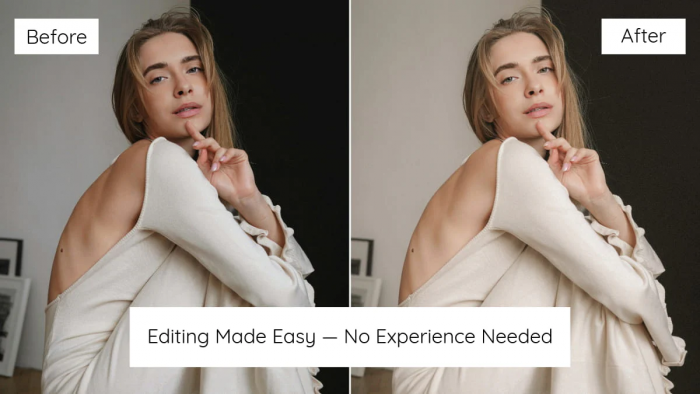
Beyond video, EditPro Tips also curates photo‑centric resources: backgrounds, overlays, and Lightroom‑style presets designed for niches like birthdays, fashion, portraits, and cinematic shots. These assets help photographers and social media managers maintain a consistent look across carousels, thumbnails, and feed posts.
Instead of only pushing “one‑click” filters, the platform leans into theme‑based packs: for example, a set suitable for soft‑aesthetic birthday edits, or bold, high‑contrast fashion shoots. This aligns well with real‑world use cases where brands need visual cohesion rather than random filters.
3. The AI Layer: Prompts and Smart Editing
The real differentiator for EditPro Tips is its AI‑assisted editing layer. Rather than building an entirely new AI editor, it focuses on providing prompt systems and workflows that help users harness AI inside existing tools.
Key ideas include:
● AI editing prompts: These are text‑based prompts (“Prompt by EditProTips”) that describe visual styles—cinematic, dreamy, neon, moody, etc. and can be used in compatible AI‑driven photo and video tools to generate consistent looks.
● “AI Work EditProTips”: A concept where AI enhancements (face refinement, color balance, stylization) are applied as a guided workflow, allowing users to get professional results with minimal manual correction.
● AI‑powered smart editing for next‑gen photos and videos, where the AI takes over repetitive tasks like basic corrections, sky replacements, or smooth camera‑like motion, leaving creators to focus on storytelling and structure.
This AI focus is reinforced through separate AI‑tagged sites and pages that highlight AI apps, AI‑based editors, and curated AI prompts for creators.
4. Tutorials and Educational Content
The ecosystem is tightly integrated with educational content—primarily via the Editpro Tips YouTube channel and related guides. Tutorials typically show:
● How to use specific CapCut or VN templates from EditPro Tips.
● How to apply VN codes, manage sequences, and sync transitions with music.
● How to combine AI prompts with manual editing for more refined outputs.
For beginners, this significantly reduces the learning curve, because they can follow exact workflows instead of reverse‑engineering edits from scratch. For intermediate users, it also provides inspiration to customize templates further, not just copy‑paste them.
User Experience and Workflow
From a UX point of view, EditPro Tips is best understood as a hub that routes you to the right combination of asset + tutorial + workflow. The site organizes resources around practical categories such as reels, birthday edits, fashion edits, slow‑motion, and trending effects, so creators can pick based on their project rather than vague labels.
The workflow typically looks like this:
1. Discover a template/asset via EditProTips- in, YouTube, or CapCut’s “EditProTips” search.
2. Watch or skim the tutorial (if needed) to understand the ideal clip timing, transitions, and any pre‑processing steps.
3. Apply the template or VN code, plug in your clips/photos, and adjust minor details (text, logos, colors).
4. Optionally layer AI prompts or AI editing steps to push the result towards a more cinematic or stylized look.
This removes a lot of trial‑and‑error for non‑technical users. The trade‑off is that the experience is fragmented across tools: the website, YouTube, CapCut, VN, and any AI editor you use. However, that fragmentation is also what makes it flexible, because creators are not forced to adopt a new, closed ecosystem—they can plug EditPro Tips into their existing stack.
Performance, Consistency, and Learning Curve
Performance here is less about raw rendering speed and more about time saved per project and consistency of output. For creators regularly producing reels, templates and VN codes can cut editing time dramatically, especially when they are pre‑timed to music and pre‑structured for popular formats.
The learning curve for a new creator typically revolves around:
● Understanding how to import and apply templates/codes in CapCut and VN.
● Knowing which templates pair best with certain types of footage or music.
● Learning how far they can push customization without breaking the look.
The educational content does a lot of heavy lifting here; videos show the exact steps, so even first‑time editors can reach a decent result. Intermediate creators might find the basics too easy but can still use the assets as a base and then tweak timing, color, or typography for their brand.
Consistency-wise, AI prompts and templates rely on staying aligned with platform trends. If the library is updated regularly, the outputs feel current and engaging; if not, some templates will naturally age out as trends move on. This is true for any trend‑driven editing ecosystem, not just EditPro Tips.
Pricing, Accessibility, and Platforms
EditPro Tips positions itself as a highly accessible ecosystem by building around widely used free or freemium tools like CapCut and VN, rather than forcing users into a new paid editor. Many resources such as templates, VN codes, and tutorials are accessible without upfront software cost, since the main editing apps themselves offer free tiers.
Some related tools and apps in the broader “EditPro” or AI editing space may have their own pricing (for example, dedicated AI photo editors using the EditPro naming on app stores), but the EditPro Tips workflow is fundamentally designed to be approachable for students, beginners, and small creators. This makes it attractive in markets where budget constraints are real, yet demand for polished social content is high.
Pros, Cons, and Ideal Users
Major Advantages
● Strong focus on short‑form content: Most assets are tuned for Instagram Reels, TikTok, and YouTube Shorts, so creators do not need to reinvent framing or pacing for vertical video.
● AI‑assisted editing without a new app: Users can get AI‑style enhancements and prompts while staying inside familiar editors.
● Education‑driven ecosystem: Tutorials and guides significantly reduce the learning curve, especially for those just entering CapCut or VN.
● Versatility: Supports both video (templates, VN codes) and photo work (backgrounds, overlays, presets), covering a broader range of content needs.
Limitations and Trade‑offs
● Fragmented experience: Assets on the site, tutorials on YouTube, templates within CapCut/VN, and AI inside third‑party tools mean users must juggle multiple interfaces.
● Trend dependency: Because many templates are trend‑based, they can become less effective if not updated regularly or if a platform’s editing culture shifts.
● Not a full NLE replacement: Advanced editors who need granular control over color grading, sound design, and long‑form storytelling will still rely on pro NLEs like Premiere Pro, DaVinci Resolve, or Final Cut, using EditPro Tips more as an add‑on.
Best‑Fit User Profiles
EditPro Tips is especially suitable for:
● Social media creators focused on Reels, Shorts, TikTok, or similar vertical formats.
● Students and beginners who want ready‑to‑use frameworks with clear tutorials.
● Freelance editors or small agencies who need to speed up repetitive social content tasks while maintaining acceptable quality.
● Photographers and influencers who want quick, on‑trend edits for feeds and stories.
It is less relevant for:
● Long‑form documentary or narrative filmmakers.
● Editors needing fully custom pipelines and deep technical color/sound workflows.
How EditPro Tips Compares to Alternatives
When comparing EditPro Tips to other options, you are essentially weighing three categories: generic template libraries, dedicated AI editing apps, and manual editing in pro NLEs.
● Compared to generic CapCut/ VN template libraries, EditPro Tips offers a more curated, brand‑consistent set of edits linked with tutorials and an identifiable creator.
● Compared to fully standalone AI editors (for example, some “EditPro”‑branded AI photo apps on app stores), it offers more openness—users can mix and match assets with non‑AI workflows and other apps.
● Compared to manual editing in pro tools, it trades maximum creative control for speed, consistency, and accessibility.
For many social‑first creators, this trade‑off is worthwhile: they get near‑professional outputs fast, often good enough for brand deals, personal branding, and client work in the short‑form space.
Quick Comparison Snapshot
| Option Type | Strengths | Weaknesses |
| EditPro Tips ecosystem | Curated templates, AI prompts, tutorials | Fragmented across tools, trend‑dependent |
| Generic built‑in templates | Always available, zero friction | Less cohesive, limited education, variable quality. |
| Standalone AI editing apps | End‑to‑end AI automation. | Closed ecosystem, may require subscriptions. |
| Pro NLEs + manual editing | Maximum control, cinematic potential. | Steep learning curve, time‑consuming. |
Credibility, Reach, and Traction
From a credibility standpoint, EditPro Tips benefits from a few key signals:
● A dedicated brand hub (editprotips.in.net) rather than just scattered social posts.
● Coverage and analysis on tech and creative blogs that describe it as a structured resource for photo and video editing.
● Presence in startup‑style directories, which frames it as a structured project rather than a one‑off content channel.
Traffic and visibility metrics from third‑party tools show that the site is gaining traction, especially among users searching for specific editing help, template names, or AI editing workflows. This, combined with a recognizable YouTube presence, suggests an ecosystem that has moved beyond a niche hobby and into a more established creator product.
Final Verdict: Is EditPro Tips Worth Your Time in 2026?
If you are a creator working heavily with Reels, Shorts, or other short‑form content, EditPro Tips is a practical and time‑saving ecosystem that combines curated templates, AI prompts, and tutorials into a workflow you can plug into your existing tools. It does not replace professional editing software, but it dramatically lowers the barrier to professional‑looking edits and helps both beginners and intermediate creators ship more content with less friction.
The main downside is the fragmented multi‑tool experience and the trend‑dependent nature of its assets, but these are common trade‑offs in the fast‑moving social editing world. Overall, EditPro Tips is best seen as a “smart editing companion” that rides on top of CapCut, VN, and AI tools, giving creators an edge in speed, consistency, and aesthetic quality in 2026.
Comments