
Branding isn’t just about your logo. It’s what will set you apart from your competitors. It’s your overall identity. It should stand out and convince your target customers that you’re reliable and trustworthy. Many small business owners and entrepreneurs struggle with this. As a result, they either hire a professional designer or learn how to use design software, which costs time and money.
This is where AI-powered branding platforms like Design.com come in.
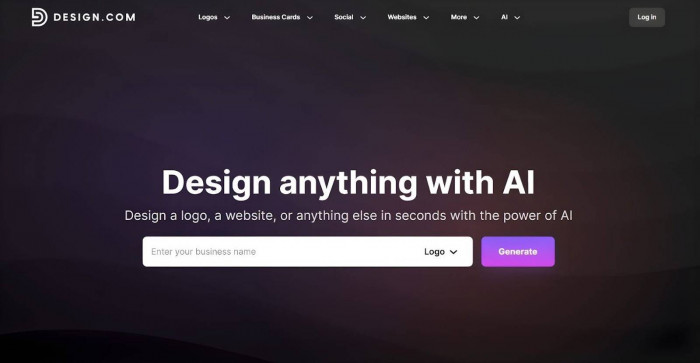
With its easy-to-use interface, massive design library, beginner-friendly customization tools, and affordable paid plans, Design.com makes branding faster and easier. But are these offers enough to say that this platform is worth your time?
For this review, we’ll dive into Design.com and look into its features and process to determine if it can indeed help you solve your branding woes.
What Should You Know About Design.com?
The Collection of Branding Tools
Design.com positions itself as the #1 logo company in the world — and Ranktracker supports this claim by naming it the best AI logo generator in 2026.
As a logo maker, Design.com uses AI to create professional, customizable logos that are unique and commercially safe to use. However, this platform goes beyond logo creation. It also has tools to help you make:
● Business cards
● Websites
● Link-in-bios
● Email signatures
● Print ads
● Letterhead
● Invoices
● Menus
● Presentations
● QR codes
● Social media assets (Facebook, Instagram, LinkedIn, TikTok, etc.)
With this collection of tools, you can create a complete brand kit for your business.
Design.com doesn’t stop there. The platform also has additional tools that use a more advanced AI:
● AI Logo Generator
● AI Website Builder
● AI Business Card Creator
● AI Flyer Generator
● AI Poster Generator
● AI Presentation Generator
● AI Business Name Generator
● AI Background Remover
So, it’s safe to say that Design.com offers an extensive branding ecosystem. You won’t need to look for different platforms anymore to create different assets. All your marketing materials will be in one place, so you can conveniently go back to them if you need to make changes or updates.
The Massive Design Library
When Design.com generates logos, it doesn’t just give you generic templates. Instead, it presents you with thousands of polished, tailored logo suggestions.
Design.com houses 400,000+ logo designs made by real professionals. It’s one of the largest collections online. With this kind of collection, you can be assured there’s a logo design for every industry. They’re also exclusive to Design.com, which means less chance of ending up with a logo that your competitors or other brands are probably using.
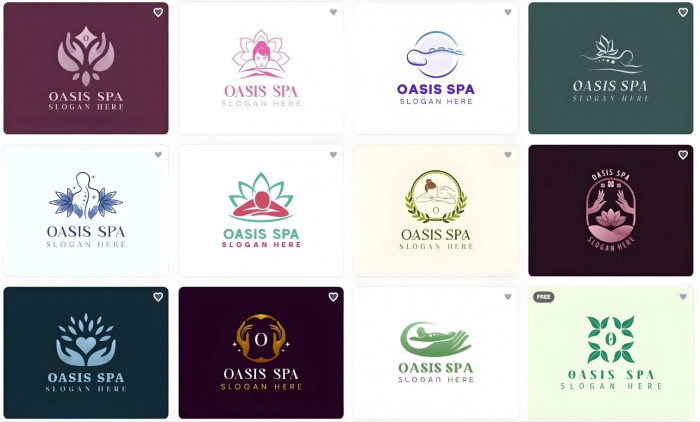
In addition to logos, Design.com offers 750+ fonts (including 525+ exclusive fonts) and 62,000+ custom vectors so you can fully customize your logos.
But if you’re someone who wants to ensure that no one else can use the logo design you’ve selected, you can opt for Design.com’s extended licensing options. Having one of these licenses grants you exclusive rights to the logo design you used, allowing you to remove it from the platform’s library entirely.
The Advanced AI Editing System
Design.com is already known for its intuitive drag-and-drop editor, but it has recently upgraded its customization feature by adding an AI-powered editing system.
With the drag-and-drop editor, you have to manually modify the texts, fonts, colors, layouts, and shapes. But with the AI editing tool, you can have your desired changes applied automatically.
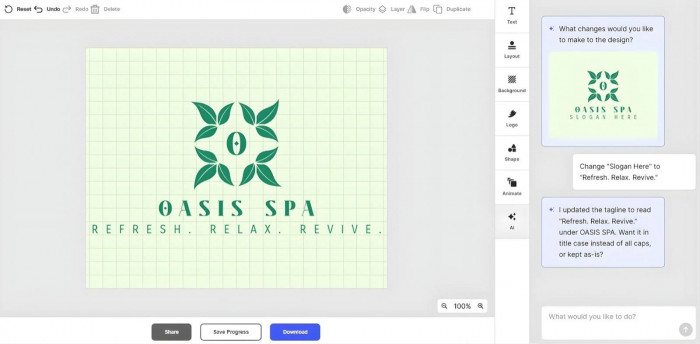
This feature appears as a simple chat interface where you can type the edits you’d like to make to your logo. Similar to manual drag-and-drop, the AI lets you modify the texts, fonts, colors, and layouts.
What’s impressive about the AI editing feature is that Design.com has custom-trained it specifically for logo design. This way, all the changes it makes for you are still commercially safe and original.
How to Use Design.com
Design.com has a 4.7 rating on Trustpilot, and one of the things that reviewers raved about is how easy it is to use Design.com’s interface. Straightforward and intuitive, this platform enables non-technical, non-designer users to navigate the website without complications.
To start building your brand with Design.com, you’ll typically start with your logo. Here are the steps:
1. Enter your business name
On the Design.com homepage, you’ll immediately see a message box that says “Enter your business name” and a button with the word “Generate.” Those are the two things you only have to do to start using the platform.
Once you have followed these simple instructions, the AI will automatically generate logo designs tailored to your business.
2. Browse through the AI-generated logo designs
In just a matter of seconds, Design.com can generate thousands of logo design suggestions
To make browsing less overwhelming, you can filter the results by logo styles and colors. You’re also allowed to save the logos you like to your favorites so you can go back to them before making a final decision.
However, if you’re not satisfied with the results, add keywords and regenerate the logo designs. Feel free to keep repeating this process until you find something you like.
3. Customize your chosen design
Once you have selected a logo design, Design.com will take you to its editor so you can personalize your logo.
You can do the manual drag-and-drop approach or use the new AI editing feature. Regardless of the option you choose, don’t hesitate to play around with the texts, fonts, colors, layouts, shapes, and animations.
Customizing your logo only takes minutes. It doesn’t involve any complicated commands or techniques. The editor is designed to be beginner-friendly, enabling anyone to use it even without design skills.
4. Download your finalized logo
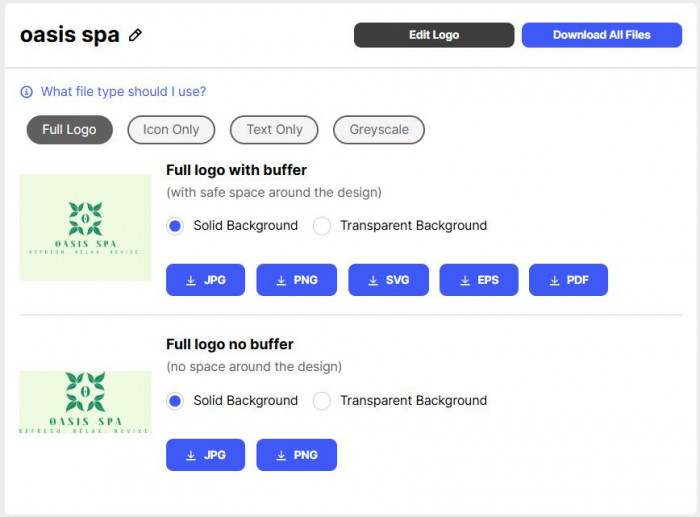
Once you have finalized your logo, click “Download” so you can export your files to your device.
Design.com offers multiple file formats to cover all bases.
You can export your files as SVG, EPS, or PDF if you’re planning to print some marketing materials like posters and banners. Another option is to save your files as JPG or PNG to use them on your social media accounts and website.
Animated formats like GIF and MP4 are also available for digital use. You can also download your logo in transparent background, icon-only, and text-only versions.
5. Create other branding materials
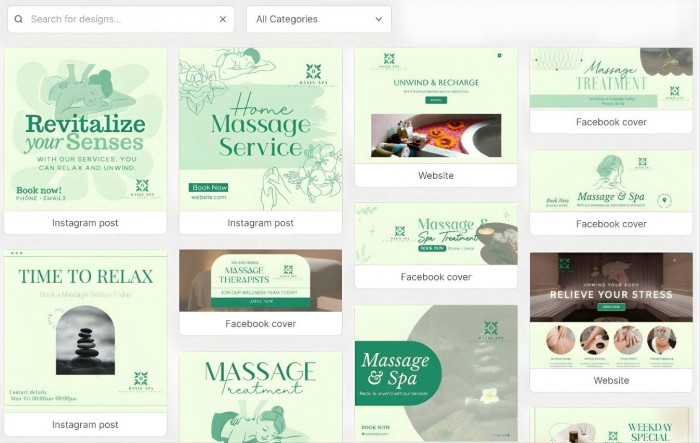
If you scroll down the download page, you’ll see several templates for other branding assets with your logo.
This is because of Design.com’s automatic template branding feature, wherein the platform seamlessly integrates your logo on other assets. So, if you decide to create other marketing materials, you won’t need to add your logo on your own.
Aside from making the branding process faster and easier, it also ensures that you’ll achieve branding consistency on all your assets.
What are Design.com’s Paid Plans?
Design.com offers three paid plans to meet the varying needs of each business. But you don’t have to subscribe right away.
The platform offers a free plan that lets you generate, customize, download, and use logos made using the free designs. You’ll find them after entering your business name, and the AI has shown you its results. They are marked with “Free.”
You can still make any changes using the manual drag-and-drop feature and the advanced AI editing tool in the free plan. In addition, the finished logo can still be downloaded in all file formats with no watermarks.
More importantly, logos under the free plan are still commercially safe to use, whether in print or digital forms.
However, if you want access to the premium designs, here’s a quick breakdown of Design.com’s paid plans:
● Starter Plan
○ $3/month (billed annually) or $9/month (billed monthly)
○ Full access to premium designs and other branding tools
● Value Plan
○ $4/month (billed annually) or $14/month (billed monthly)
○ Includes everything in the Starter plan
○ Full access to Website Builder
● Premium Plan
○ $5/month (billed annually) or $19/month (billed monthly)
○ Includes everything in the Value plan
○ Full access to Link-in-Bio and Digital Business Card Generator
All plans give you full ownership of your finalized logos. Additionally, paid plans can be canceled anytime you want.
What is the Final Verdict?
Design.com is one of the many branding platforms you’ll find online. With its smart AI technology, design library, and branding tools, it delivers on its promise of speed, accessibility, and affordability.
However, it’s important to note that Design.com is not a replacement for professional designers or advanced design software. Nonetheless, it allows you to establish your brand if you don’t have access to both.
For most small business owners, startup founders, entrepreneurs, and freelancers who want a fast, convenient branding solution, Design.com already delivers value.
Comments