

Choosing between Canva and CapCut seems simple at first because both help create visual content and offer strong free plans. But once real content work begins, the difference becomes clear. Canva is a broader design platform with video editing included, while CapCut is a video editor first.
That matters because most people are choosing which tool should support their main workflow. For thumbnails, social posts, presentations, and branded assets, Canva is usually the better choice. For reels, shorts, TikToks, and quick talking-head edits, CapCut feels faster, more natural, and more powerful.
What each tool really does
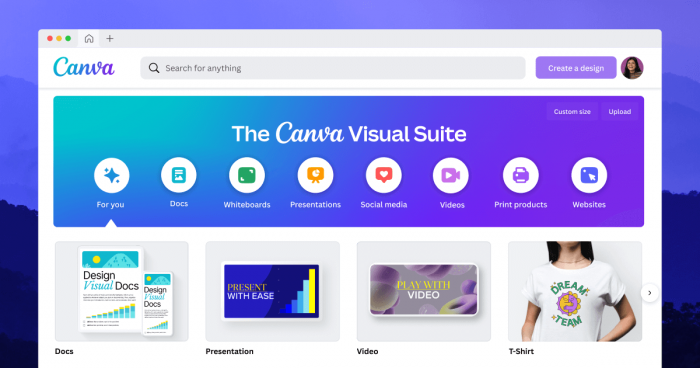
The biggest mistake in a Canva vs CapCut comparison is treating them as if they were built for the exact same job. Canva has grown into a multi-format design workspace where static graphics, presentations, documents, whiteboards, and simple videos all live in one place. Its strength is not just that it can make content, but that it can support a wide variety of content types without forcing users into a complicated creative process.
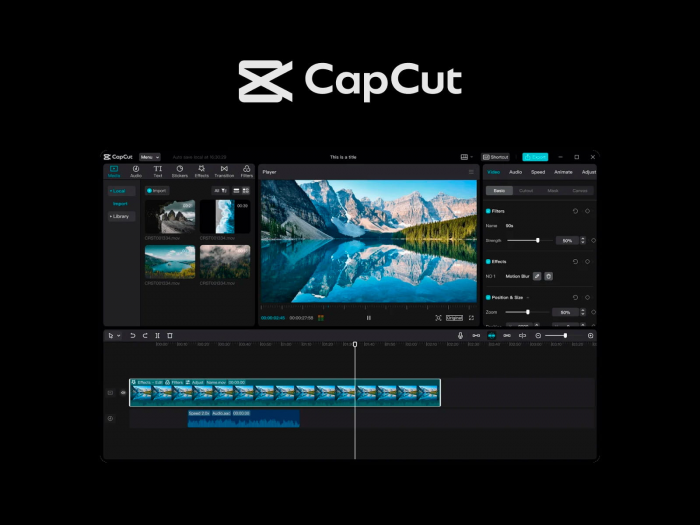
CapCut has a different personality. It feels built around one central job: turning raw footage into platform-ready video quickly. It behaves like a video-first editor with strong social DNA, especially for TikTok, Reels, and Shorts. That shows up in the interface, in the template styles, in the effects, and in the overall editing flow.
Core positioning
| Area | Canva | CapCut |
| Core identity | Multi-format design and branding workspace | Video-first editor for social content |
| Best known for | Templates, brand kits, presentations, graphics | Short-form editing, captions, effects, fast social workflows |
| Best fit | Marketers, creators, educators, teams | Creators, editors, social-first users |
This is why the comparison becomes much clearer when framed as design-first versus video-first. Canva tries to make many formats easier. CapCut tries to make video feel faster, more native, and more engaging for modern platforms.
First impressions and learning curve
Canva is one of the easiest creative tools to get comfortable with, especially for people who are not trained designers. The template-first interface reduces the fear of staring at a blank canvas, and the drag-and-drop editing model makes almost every task feel approachable.
In practice, Canva is the tool that feels easiest to open when there is limited time and a clean deliverable is needed fast. A thumbnail, Instagram post, PDF, presentation, story graphic, or even a lightweight promo video can all be put together with very little friction. The interface is calm, structured, and forgiving, which matters more than most comparison articles admit.
CapCut is also beginner-friendly, but it asks for a slightly different mindset. It assumes the user is comfortable thinking in clips, layers, timing, transitions, audio, and pacing. That does not make it difficult in the traditional sense, but it does make it more technical than Canva from day one. The tradeoff is that once the basics click, the editing process tends to feel significantly faster for actual video work.
UX dimension
| UX dimension | Canva | CapCut |
| Onboarding feel | Easier for complete beginners | Slightly more technical but still accessible |
| Default mindset | Template-driven design | Timeline-based video editing |
| Best for tired, fast work | Excellent | Good, but best once editing habits are learned |
Design breadth vs video depth
This is the section where the gap between the two tools becomes most visible. Canva is far stronger when the content strategy goes beyond video. It handles carousels, social graphics, posters, ads, sales decks, infographics, documents, and basic branded videos in one environment. That breadth is Canva’s biggest advantage because it reduces the need to jump between specialized tools.
But Canva’s video editing still feels secondary to its design roots. It can trim footage, add text overlays, layer stock clips, insert simple transitions, and export polished promotional videos. That is enough for many business use cases. However, once the project requires finer timing, more dynamic transitions, deeper audio control, or platform-native editing rhythm, the limitations become noticeable.
CapCut wins the video depth conversation much more decisively. It offers a stronger timeline, better effect handling, richer transition options, more flexible caption workflows, and a style of editing that feels designed for consumption on modern social platforms. Its strengths in captions, AI-assisted editing, and creator-oriented motion and effect tools help explain why it appeals so strongly to short-form creators.
Capability overview
| Capability area | Canva | CapCut |
| Graphic design range | Excellent across many formats | Limited compared with Canva |
| Basic video editing | Strong enough for simple promos and explainers | Strong, with room for much more complex edits |
| Captions and social-native polish | Usable but not core strength | Major strength |
| Advanced editing feel | Limited | Much stronger |
The practical takeaway is simple. Canva is broader. CapCut is deeper. If the content mix spans many formats, Canva creates efficiency. If video is the main output, CapCut creates better results and usually with less friction.
Workflow: what real projects feel like
Real users rarely create one isolated asset. They create a full content package. That is where Canva often becomes the operational center of the workflow. A single campaign might require a thumbnail, a carousel, a presentation, a lead magnet, a story post, and a lightweight promo video. Canva handles that kind of multi-format production especially well because the assets, templates, brand colors, and creative decisions can all stay in one place.
CapCut shines in a narrower but more intense workflow. A creator records footage, imports it, trims it, adds captions, adjusts pacing, layers effects, and exports multiple vertical clips for different platforms. That editing loop is where CapCut feels efficient in a way Canva does not. It is particularly effective at transforming raw video into polished short-form content without the overhead of a full professional editing suite.
A practical side-by-side example makes the difference easier to understand. For a YouTube video package, CapCut would usually be stronger for cutting the footage into shorts, cleaning the pacing, and adding subtitles, while Canva would be stronger for designing the thumbnail, channel graphics, promo posts, and supporting carousel content. This is why many users eventually stop seeing them as direct competitors and start treating them as complementary tools.
Brand management and collaboration
Canva becomes especially strong when branding matters every day. Brand kits, reusable templates, fonts, colors, and shared assets help teams keep output consistent across many channels. For creators who manage multiple content formats or for businesses that need recognizable visual identity, this structure saves time and improves consistency in a way that is hard to replicate manually.
CapCut is weaker in this area. It is more project-oriented than system-oriented. It can absolutely produce stylish videos, but it does not feel like a full brand headquarters. There is much less emphasis on governance, reusable brand systems, and smooth multi-stakeholder collaboration. That is a key reason why CapCut often feels like the editing room, while Canva feels like the content control center.
Team and brand factors
| Team and brand factor | Canva | CapCut |
| Brand kits | Strong | Limited relative to Canva |
| Shared templates | Strong | Less central to product experience |
| Collaboration | Better suited for team workflows | Better suited for solo or lightweight collaboration |
AI features that actually matter
Both products now lean heavily on AI, but they do so in different ways. Canva’s AI is most useful when creating or adapting design assets at scale. Features such as background removal and other “Magic” tools are meant to reduce repetitive design work and help users move faster across multiple asset types.
CapCut’s AI feels more directly tied to editing labor. Auto-captions, AI-assisted clipping, background removal in video, and quality-enhancing tools align with the most time-consuming parts of short-form production. These strengths remove manual effort from subtitling, repurposing, and social optimization.
For most users, the difference is not which tool has more AI. The real question is which kind of AI saves more time in the actual workflow. Canva saves more time for design systems and asset production. CapCut saves more time for video post-production.
Pricing and value
Both tools offer meaningful free plans, which is a major reason they are so widely adopted. Canva’s free tier already covers a large amount of design work, while CapCut’s free tier is unusually capable for video editing. Both products generally allow real work to happen before a subscription becomes necessary.
The paid logic is where their value starts to diverge. Canva’s paid plans make more sense when content production becomes broader and more brand-driven, especially when premium templates, brand kits, stock assets, and collaboration features begin to matter. CapCut’s paid tier feels easier to justify when video volume increases and access to additional effects, assets, and editing features starts affecting output quality or speed.
Pricing lens
| Pricing lens | Canva | CapCut |
| Free plan usefulness | Very strong | Very strong |
| Best reason to upgrade | Brand, scale, premium assets, team use | Heavier editing, more effects, more creator power |
| Value sweet spot | Businesses, marketers, multi-format creators | Short-form creators and video-heavy users |
In simple terms, Canva often feels like infrastructure spending, while CapCut often feels like performance spending. One supports the whole visual system. The other improves how video content gets made and how native it feels when published.
Output quality and platform fit
The kind of content each tool produces best is one of the most useful comparison lenses. Canva tends to excel when the desired result is polished, branded, and visually consistent across formats. Its outputs often feel at home on websites, landing pages, business presentations, PDF resources, and structured social campaigns.
CapCut’s outputs tend to feel more native to social feeds, especially in short-form environments where fast pacing, motion, effects, and dynamic captions strongly influence watch behavior. The finished video often looks closer to what audiences already expect on TikTok, Reels, and Shorts.
That distinction matters for performance. A clean Canva-made promo may look more professional in a business context, but a CapCut-edited vertical clip may feel more competitive in a fast-moving creator feed. This is less about objective quality and more about format fit.
User ratings and public sentiment
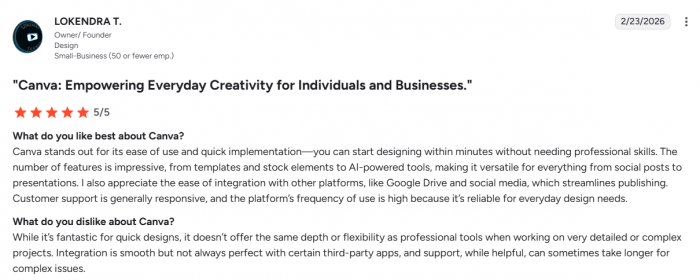
Canva has broad visibility across major review platforms and a very large review base, which gives it strong validation for a creative tool used by businesses and individuals alike. The overall picture is of a product that is widely adopted, perceived as easy to use, and versatile, with most friction arising around typical issues like support and billing rather than core usability.
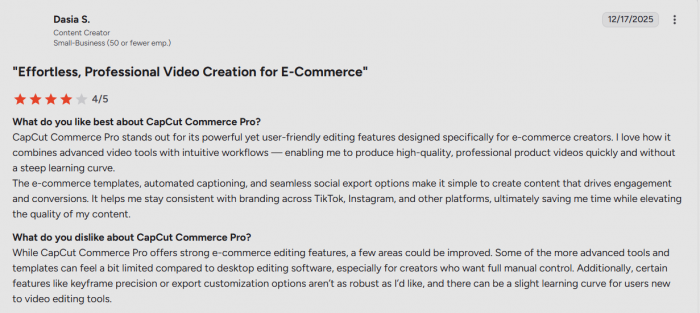
CapCut has a different review footprint. It is less prominent in enterprise-focused review ecosystems, but among creators and tech communities it is consistently framed as one of the strongest free or low-cost options for social video editing. Overall sentiment tends to highlight powerful features and strong value for money, with some trade-offs around support and occasional instability as the product evolves.
Sentiment snapshot
| Platform / community type | Canva | CapCut |
| Business-focused reviews | High visibility, strong overall sentiment | Less prominent as a B2B tool |
| General consumer feedback | Widely used, praised for ease and breadth | Praised for creator power and free value |
| Creator/tech communities | Seen as essential for design and branding | Seen as a go-to for short-form editing |
Review data should not be treated as the verdict on its own, but it does reinforce the real-world pattern. Canva is trusted for breadth and ease. CapCut is appreciated for creator-focused editing power and strong free value.
Use cases: who should choose what
Canva makes the most sense as the primary platform for users who create a mix of content formats and need consistency across all of them. That includes marketers, educators, solo business owners, agencies, and creators who care as much about thumbnails, carousels, decks, documents, and brand visuals as they do about video. In these cases, Canva is not just a tool for making assets; it becomes the place where the visual identity of the brand is maintained.
CapCut makes the most sense for users whose main growth channel is video, especially short-form video. Creators publishing frequently on TikTok, Reels, and Shorts are more likely to benefit from CapCut’s timeline strength, subtitle workflow, native-looking effects, and faster editing rhythm. For that audience, the improvement in output quality and production speed often matters more than access to broader design formats.
The strongest setup for many serious creators is not choosing one and rejecting the other. It is assigning them different roles. Canva handles brand consistency, graphics, and campaign support assets. CapCut handles the actual video editing engine. Once viewed this way, the comparison becomes less about a winner and more about where each tool creates the most leverage.
Verdict
Canva is the better overall platform for users who need one workspace to manage many visual formats, especially when branding, templates, collaboration, and consistency matter just as much as output speed. It is easier to learn, easier to standardize, and more useful across a broader range of content tasks.
CapCut is the better tool for users who care most about video, especially short-form social video. It is more capable inside the edit itself, better aligned with modern creator workflows, and more likely to produce content that feels native on fast-moving social platforms.
That makes the most honest verdict very straightforward. Canva is the better primary platform for design-led and multi-format content systems. CapCut is the better primary platform for video-led publishing. For creators and brands that take both visual identity and video performance seriously, the smartest workflow is often to use Canva as the design and branding layer, and CapCut as the editing layer.
Comments