

Dzine AI has become a compelling option for creators who want strong control over AI-generated images and videos, but it is not the easiest tool for every workflow. Some users want a simpler interface, some need stronger templates and collaboration, and others care more about publishing-ready designs than deep model experimentation.
That is why the best Dzine AI alternatives are not all trying to do the same thing. Some are better for marketers, some are better for artists, and some are better for teams that need branding, layouts, and content production in one place.
In order to make the right alternative tools , understand how Dzine AI actually performs, read a detailed Dezine AI performance and reviews.
1. Canva
Why Canva stands out
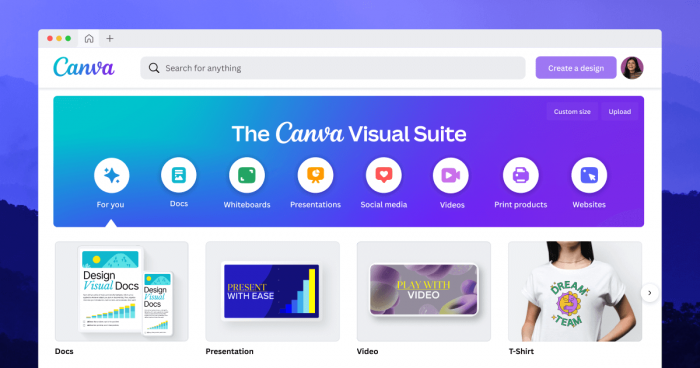
Canva is the strongest all-around Dzine AI alternative for most people because it turns design into a much more guided and usable workflow. Instead of centering everything around prompt control and model access, Canva wraps AI inside a broader platform for presentations, social creatives, documents, websites, videos, whiteboards, and branded assets.
That difference matters in real work. Dzine is better suited to users who enjoy testing models and generation settings, while Canva is better for people who want to create a post, resize it, translate it, remove the background, and publish it without leaving the same workspace.
Core capabilities
Canva’s feature depth is one of the main reasons it competes so well here. The platform includes a drag-and-drop editor, more than 2.2 million templates on the free plan and over 5 million on paid plans, AI-powered image and text generation, Dream Lab image creation, brand kits, social scheduling, background removal, translation, Magic Write, Magic Resize, Magic Edit, whiteboards, and real-time collaboration features.
It also scales better for team workflows than Dzine. Canva Teams adds approvals, reports, real-time comments, asset centralization, and brand controls that make it more practical for content teams, agencies, and multi-person publishing operations.
Who gets the most value from it
Canva is the better choice for bloggers, marketers, creators, founders, and small teams that want speed and range more than generation depth. It works especially well when the end goal is a finished asset rather than a highly tuned AI image prompt.
Canva pros and cons
| Pros | Cons |
| Extremely easy to learn and use | Less control over AI generation than Dzine |
| Covers social posts, docs, slides, websites, and video in one platform | Power users may find the creative controls less granular |
| Strong collaboration, approvals, and brand tools for teams | Advanced teams may need Enterprise for deeper admin controls |
Canva pricing and plans
| Plan | Price | What you get |
| Free | £0/year for one person | Drag-and-drop editor, 2M+ templates, 4.5M+ stock assets, limited Canva AI, 5GB storage |
| Pro | £100/year for one person | Premium templates, 140M+ assets, 1000 Brand Kits, 25+ AI tools, social scheduling, 1TB storage |
| Teams | £90/year per person, minimum 3 people (£270/year) | Everything in Pro plus approvals, collaboration, reports, admin controls, centralized assets |
| Enterprise | Contact sales | Advanced security, SSO, SCIM, large-scale admin and governance |
2. Leonardo AI
Where Leonardo fits better than Dzine
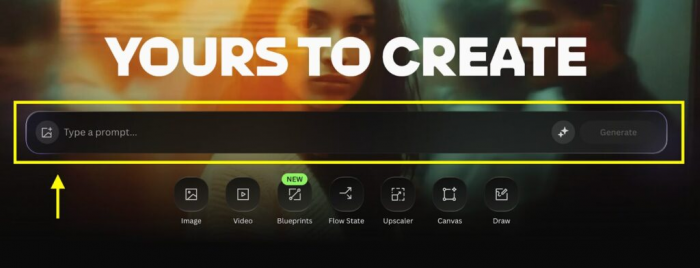
Leonardo AI is one of the closest alternatives to Dzine if the reader still wants a serious AI image-generation platform rather than a design suite. It is built for creators who care deeply about image quality, style consistency, and artistic control, especially in use cases like illustrations, concept art, fantasy visuals, and game assets.
Compared with Dzine, Leonardo feels more art-focused and less like a hybrid image-plus-design workspace. If the reader is not looking for templates, social layouts, or business design features, Leonardo can be a stronger match because it stays closer to the image-generation side of the market.
What it does well
Leonardo’s appeal comes from its image quality and its more creator-oriented generation workflow. Recent pricing coverage describes it as offering daily free tokens, higher token limits on paid plans, and tiered access that makes it easier to scale from casual use to heavier creative production.
That makes Leonardo a practical Dzine alternative for people who want strong output without moving into a template-first environment like Canva or Adobe Express. It is especially strong when the reader values style consistency and visual control over business-oriented publishing tools.
Ideal user profile
Leonardo AI is best for artists, concept designers, indie game developers, and visual creators who still want an AI-first environment. It suits users who care more about the artwork itself than about surrounding tools like social scheduling or collaborative brand management.
Leonardo AI pros and cons
| Pros | Cons |
| Strong fit for art-heavy and concept-driven workflows | Less useful as an all-in-one marketing design platform |
| Clear tier structure from free to premium | Token-based usage can feel restrictive for heavy users |
| Better aligned with image-first creators than template-driven tools | Not the best choice for teams needing collaboration and publishing tools |
Leonardo AI pricing and plans
| Plan | Price | What you get |
| Free | $0/month | Daily free tokens and limited generation access |
| Apprentice | $12/month | Higher token allowance and more regular use |
| Artisan | $30/month | More serious creator usage and expanded generation capacity |
| Maestro | $60/month | Highest tier for heavy users needing more output volume |
3. Adobe Express
Why Adobe Express is a practical switch
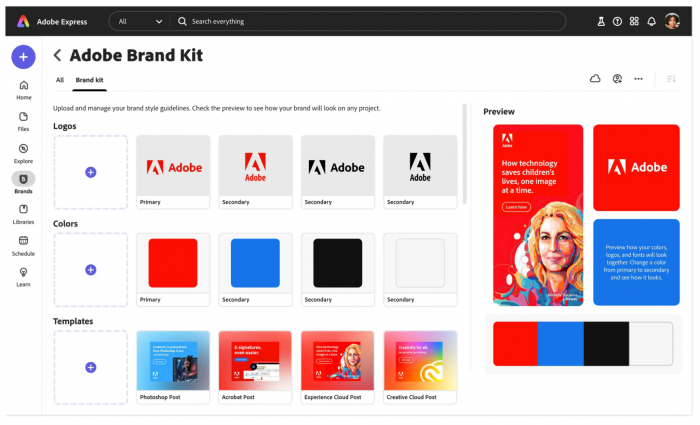
Adobe Express is a better alternative for readers who want AI assistance inside a simpler design workflow rather than inside a generation-heavy workspace. It focuses on quick design creation for social content, flyers, banners, videos, and branded materials, which makes it more approachable for business users than Dzine.
It also has a natural advantage for users already familiar with Adobe’s broader ecosystem. That brand trust matters for many professionals who want fast design output without adopting a platform built mainly around prompt experimentation.
Feature picture
Adobe Express combines templates, lightweight editing, quick content creation, and AI-powered generation features in one environment. Its strength is not being the deepest AI image tool, but being one of the more comfortable platforms for turning ideas into publishable marketing assets quickly.
For many users, that is the real reason to switch away from Dzine. They do not need more AI controls; they need a simpler route from concept to branded output.
Best matched users
Adobe Express is best for marketers, educators, students, founders, and content creators who need polished visual content without a steep learning curve. It also works well for Adobe-friendly teams that want lighter, faster production than Photoshop or Illustrator.
Adobe Express pros and cons
| Pros | Cons |
| Easier for business and marketing design than Dzine | Less image-generation depth than Dzine or Leonardo |
| Good fit for quick branded output | Not aimed at advanced prompt-first creators |
| Familiar ecosystem for Adobe users | Some advanced collaboration and enterprise benefits depend on higher plans |
Adobe Express pricing and plans
| Plan | Price | What you get |
| Free | $0/month or free tier available | Basic design and creation tools |
| Premium | $9.99/month | Expanded features, assets, and AI support |
| Teams | From $4.99/user/month | Multi-user workflow and collaboration support |
4. Simplified
A different kind of alternative
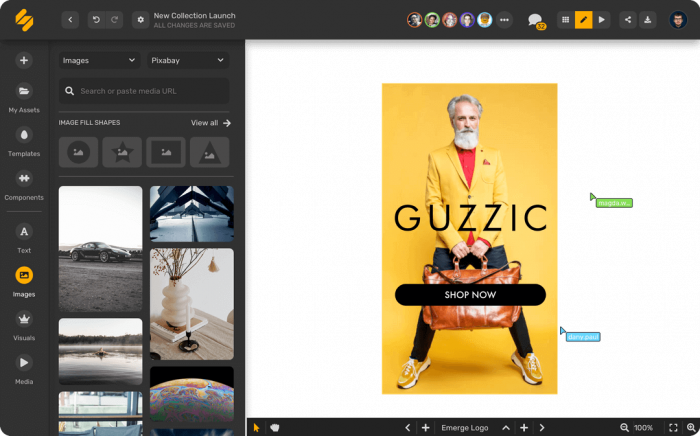
Simplified stands out because it is not just trying to replace Dzine’s image-generation side. It is trying to replace a broader content stack by combining AI writing, visuals, editing, and publishing tools inside one platform.
That makes it especially attractive for users who create content at scale. If a reader needs captions, graphics, and social scheduling more than model experimentation, Simplified may solve more problems than Dzine in day-to-day marketing work.
Feature depth in real use
The platform is known for blending writing and design workflows, which gives it a practical edge for teams producing regular content. It can reduce the need to jump from an image generator to a copy tool to a scheduling app, which is a real advantage for agencies and content-heavy brands.
Rather than competing with Dzine on raw generation flexibility, Simplified wins by saving time across the full production cycle. That positioning makes it one of the more workflow-oriented alternatives on this list.
Best suited for
Simplified is best for social media teams, agencies, startup marketers, and creators running content operations where speed and consolidation matter more than prompt-level control.
Simplified pros and cons
| Pros | Cons |
| Combines design, writing, and publishing in one place | Less generation-focused than Dzine |
| Good for recurring marketing workflows | May feel broad rather than deep to power users |
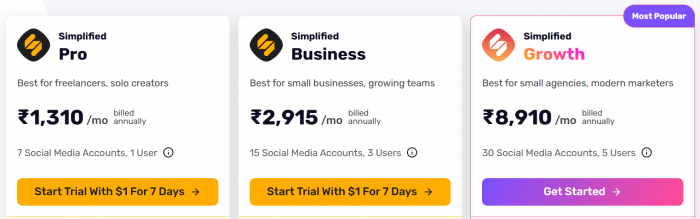
| Useful for agencies and small content teams | Pricing details should be confirmed on the official site before publication |
Simplified pricing and plans
5. Fotor
Why some users may prefer Fotor
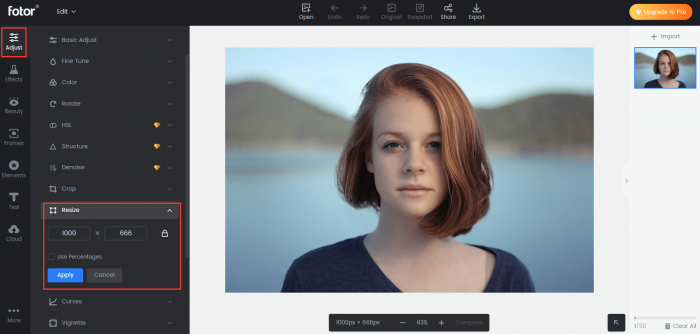
Fotor is a better fit for users who work with existing visuals as much as AI-generated ones. It blends photo editing, retouching, enhancement tools, and AI-assisted design in a way that feels more practical for everyday image tasks than a generation-heavy platform like Dzine.
That gives it a different kind of value. A lot of creators do not need to generate everything from scratch; they need to improve photos, clean up thumbnails, enhance product shots, or quickly produce lightweight graphics.
What makes it useful
Fotor’s strength lies in convenience. It serves users who want editing and creation in one place, without requiring them to adopt a more technical workflow built around credits, models, and generation logic.
For e-commerce sellers, bloggers, social media creators, and freelancers, that often makes it easier to use consistently than Dzine.
Best use cases
Fotor is best for photo-heavy creators, online sellers, bloggers, and casual marketers who want a blend of AI assistance and straightforward editing.
Fotor pros and cons
| Pros | Cons |
| Better for photo enhancement and everyday edits | Not as strong for deep AI image experimentation as Dzine |
| Lower learning curve for casual users | More practical than ambitious for creative power users |
| Good value at lower paid tiers | Less differentiated for advanced art workflows |
Fotor pricing and plans
| Plan | Price | What you get |
| Basic | $0/month | Core tools and limited access |
| Pro | $8.99/month | More advanced editing and premium features |
| Pro+ | $19.99/month | Expanded access and higher-end feature set |
6. Designs.ai
More than an image generator
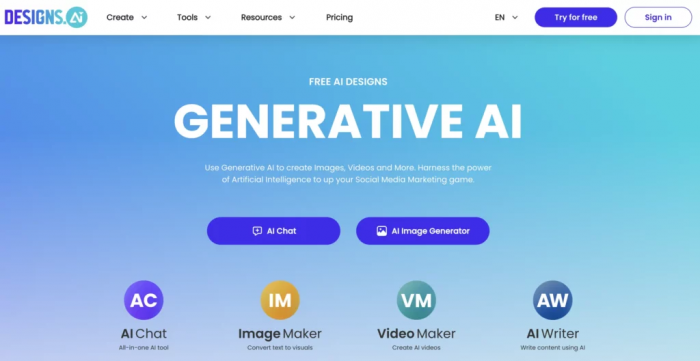
Designs.ai is a useful Dzine AI alternative for users who want a broader creative toolkit rather than a dedicated generation platform. It leans into logos, videos, voiceovers, and branding support, which makes it appealing to startups and smaller businesses trying to build creative assets quickly.
That gives it a different place in the market. Instead of asking whether it can outdo Dzine on image control, the better question is whether it can solve more branding and content needs in one subscription.
What stands behind its appeal
Designs.ai is built for breadth. It is designed to help teams move through logo creation, brand-oriented visuals, and related assets without needing a fragmented workflow.
For users who are less interested in AI art and more interested in launch-ready business assets, that can be a more relevant value proposition than Dzine’s model-centric approach.
Best audience
Designs.ai is best for startups, small businesses, early-stage brands, and agencies that want fast branding support rather than image-generation depth.
Designs.ai pros and cons
| Pros | Cons |
| Broader branding focus than Dzine | Less specialized for image generation |
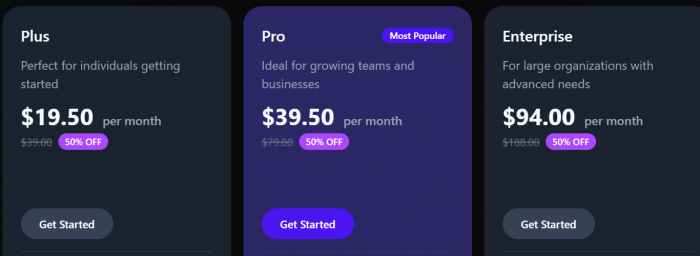
| Useful for logos, videos, and launch assets | Current pricing amounts should be checked directly before publishing |
| Better aligned with business asset creation | May not satisfy advanced visual creators |
Designs.ai pricing and plans
7. Kittl
A more design-led option
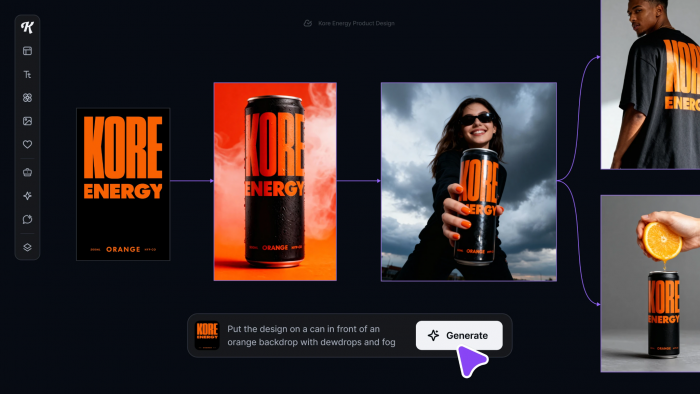
Kittl brings a different flavor to this list because it is much more design-led than many AI tools. It is particularly well suited to typography-heavy work, merch graphics, poster design, print-on-demand assets, and layouts where visual composition matters as much as the underlying image.
This makes it stand apart from Dzine in a meaningful way. If the reader wants polished type, strong layouts, and creator-oriented presentation, Kittl may be a smarter tool than a generation-first platform.
Main strengths
Kittl is attractive because it feels like a modern design studio rather than just an AI utility. It supports creators who want to build commercial-looking designs with style and structure, not just generate a visual and stop there.
That is why it works especially well for sellers, merch brands, poster creators, and anyone working in a print-oriented creative business.
Best aligned use case
Kittl is best for merch creators, print-on-demand sellers, branding-focused designers, and users who care about typography and composition.
Kittl pros and cons
| Pros | Cons |
| Strong for typography, posters, and merch design | Less centered on deep AI generation than Dzine |
| Good visual polish for creator commerce | Older third-party pricing pages may show outdated amounts |
| Clear paid tiers on the official homepage | More niche than Canva for general-purpose content work |
Kittl pricing and plans
| Plan | Price | What you get |
| Free | $0/month | Entry access for trying the platform |
| Pro | $15/month | Higher design limits and more creator features |
| Expert | $35/month | More advanced access for serious users |
8. Vecteezy
Why Vecteezy earns a place here
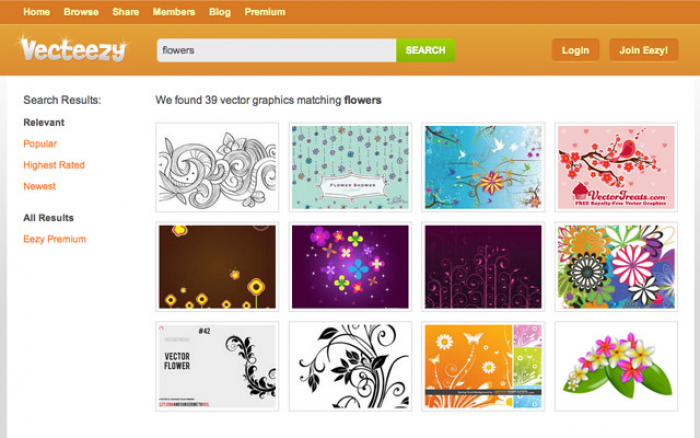
Vecteezy is the most asset-driven option on this list. Rather than building everything around prompt-based generation, it gives users access to editable graphics and vectors that can be adapted quickly, which is often more efficient than creating visuals from scratch.
That makes it valuable for marketers and publishers who care more about speed and consistency than originality at all costs. In many real business settings, starting from a professional asset library is simply faster and more predictable than relying on AI generation alone.
What it offers in practice
Its biggest strength is efficiency. For blog graphics, banners, icons, promotional visuals, and web assets, Vecteezy can reduce the workload significantly because users begin with an existing design base instead of a blank prompt field.
This makes it a sensible Dzine alternative for practical production work, even though it occupies a different part of the market.
Best use scenarios
Vecteezy is best for bloggers, publishers, marketers, and small businesses that rely on editable assets, vectors, and quick-turn design work.
Vecteezy pros and cons
| Pros | Cons |
| Faster for asset-based design workflows | Not a true AI-first image-generation rival to Dzine |
| Useful for banners, icons, and blog visuals | Current exact pricing was not fetched in this round |
| Practical for routine publishing work | Less suited to users who want original AI artwork |
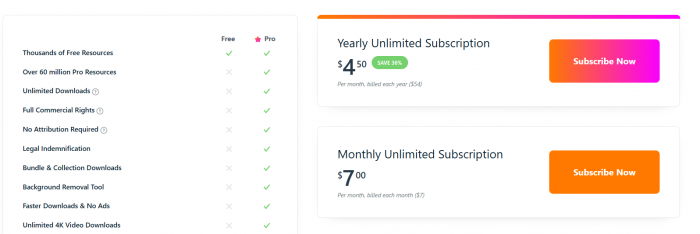
Vecteezy pricing and plans
Which Dzine AI alternative is best
Canva is the best overall Dzine AI alternative for most users because it offers the widest practical value across design, collaboration, and publishing. Leonardo AI is the strongest option for readers who still want an image-first AI tool with a more artistic focus.
Adobe Express and Simplified are better choices for marketing-heavy workflows, while Fotor, Kittl, Designs.ai, and Vecteezy each stand out in more specific use cases such as editing, merch design, branding, or asset-based production.
Bottom line
The best Dzine AI alternative depends on what you actually need: Canva for everyday design, Leonardo AI for image-first creation, and the rest for more specific workflows like branding, editing, or content production.
Comments