

There's a specific frustration familiar to anyone who creates visual content for a living: the tab shuffle. Midjourney for generation, Photoshop for cleanup, a separate background remover, another tool for video clips, and three more browser tabs for things you didn't anticipate needing. Dzine AI was built as the answer to that exact fatigue, a single workspace that absorbs as much of that chaos as possible. Whether it succeeds is a more complicated story than its marketing suggests.
What Dzine AI Actually Is
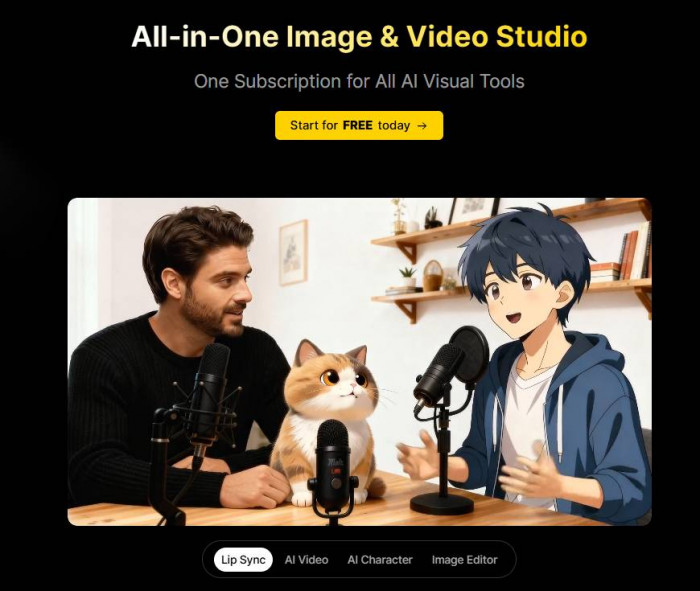
Dzine AI formerly Stylar AI is a web-based visual creation platform that positions itself at the intersection of generative AI and traditional design software. Think of it as a Photoshop-adjacent workspace infused with access to a rotating roster of frontier image and video models: Midjourney, Flux, Google Imagen 4, Sora 2, Kling 3.0, and a handful of others, all accessible under one subscription.
The core thesis is consolidation. Rather than prompting in one app, editing in another, removing backgrounds in a third, and stitching video in a fourth, Dzine attempts to house all of those capabilities on a single canvas. It's a genuinely ambitious idea and the ambition shows, both in what it gets right and in the rough edges it hasn't fully sanded down.
"It's like having a simplified version of the Adobe suite, filled with generative AI features wrapped in a UI that values buttons over complicated workflows." - Long-term user, independent review platform
The platform supports text-to-image, image-to-image, text-to-video, image-to-video, lip-sync generation, consistent character creation, AI photo enhancement, face swapping, background removal, generative fill, and 2D-to-3D conversion. That is not a cherry-picked list, it is genuinely the scope of what the platform is attempting.
The Feature Ecosystem: A Room-by-Room Tour
1. The Canvas : Where Everything Begins
Dzine's layer-based canvas is its spine. Unlike prompt-only tools that hand you a flat image with no further structural control, Dzine lets you drag, resize, and position elements as discrete layers before firing the AI render. You can sketch a layout guide directly on canvas, place a product image on one layer, and describe a background on another then let the model interpret the composition rather than guess at it. For anyone coming from Photoshop or Canva, the logic feels immediately familiar.
● Layer-based drag-and-drop composition place, resize, and arrange elements before generation, giving you directorial control most AI tools skip entirely
● Predefined style library over 120 curated presets covering everything from retro film grain to corporate studio photography, eliminating the need for elaborate prompt engineering
● Prompt Assistant (GPT-powered) converts rough text into optimized, detailed generation prompts; useful for beginners but occasionally over-verbose for experienced users
● Generative Fill & Insert paint a mask over any region and describe what should replace it; one of the platform's most practically useful tools
● Chat Editor a conversational interface for edits, allowing you to say "make the background darker" rather than manually adjusting layers
2. Image Generation : Power Borrowed From Elsewhere
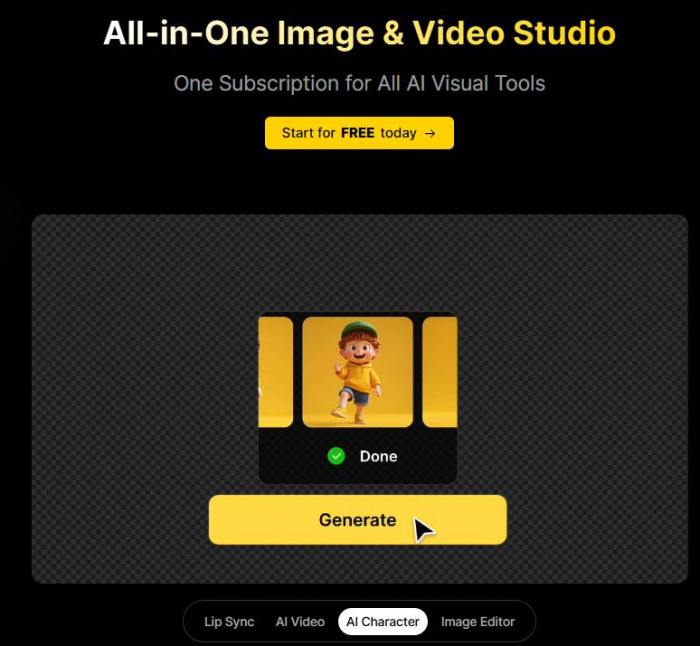
Dzine doesn't run a proprietary generation model in the traditional sense it aggregates. Under a single subscription, users access models like Midjourney's generation pipeline, Flux.2, Google Imagen 4, GPT Image 1.5, Seedream 4.5, and Dzine's own Nano Banana Pro 4K. This is both the platform's greatest strength and a subtle architectural awkwardness: the output ceiling is largely determined by whichever third-party model you select, not by Dzine itself. What Dzine adds is the layer of control, style presets, and editing infrastructure around those models.
3. Video & Lip-Sync : The Surprise Differentiator
This is where Dzine earns genuine enthusiasm from its users. The platform's lip-sync capability particularly at the Pro level on the Master plan allows users to animate a static image with synchronized spoken audio, creating talking-head videos without any filming. Multi-person lip sync, with separate audio tracks per character, is available and works at a quality level that has impressed even skeptical reviewers. The video generation side draws on models including Kling 3.0, Seedance 2.0, Google Veo 3.1, Sora 2, and Wan 2.6.
● Multi-person lip-sync - animate multiple characters simultaneously with distinct audio tracks
● Image-to-video with motion control - describe the type of movement and the model animates accordingly
● Video enhancement & upscaling - improve resolution and reduce artifacts on existing video clips
● Text-to-video - generate short clips from descriptive prompts across six different video model backends
4. Consistent Character System : The Creative Professional's Tool
For studios, game developers, and brand content creators, character consistency is a persistent AI headache. Dzine's approach uses face-reference locking and trained character profiles to preserve facial features, skin tone, and outfit across multiple generations. Users can save up to 60 character profiles on the Master plan and recall them across entirely different scenes. Independent testing has shown this reduces character design iteration time from roughly eight hours to around two and a half hours per concept, a meaningful efficiency gain for production teams.
Pricing : Honest, But With Landmines
On paper, Dzine's pricing structure is competitive. In practice, a few policies warrant scrutiny before you hand over payment details.
| Plan | Price | Credits / Month | Key Inclusions |
| Free | $0 | 32/day (regular queue) | Text-to-image, image-to-image, 100MB library, watermarked |
| Beginner Entry | $8.99/mo | 900 fast queue | No watermark, private generation, 2× hi-res JPG export, 1GB library |
| Creator Popular | $19.99/mo | 3,000 fast queue | Credit rollover, 5 concurrent jobs, video generation, SVG export, 10GB library |
| Master | $59.99/mo | Unlimited (fair use) | 12 jobs, 60 video generations/mo, 60 character slots, 100GB library, all models, NSFW mode |
Critical note on the refund policy: Dzine operates a strict no-refunds policy on all plans monthly or annual, used or unused. Multiple user complaints on Trustpilot cite being charged after free trials without adequate cancellation visibility on mobile. Read the fine print before subscribing, and set a calendar reminder if you're trialling on a phone.
The "unlimited" credit framing on the Master plan is governed by a Fair Usage Policy, a standard industry practice, but one worth reading before assuming unlimited means truly limitless. Dzine also reserves the right to adjust free trial availability by geography and usage behavior, which has caught some international users off-guard.
What Real Users Are Saying
Aggregating sentiment across Trustpilot, community forums, and third-party review directories paints a picture that is more nuanced than either cheerleaders or detractors suggest. With roughly 38 Trustpilot reviews, Dzine's public review corpus is thin enough that a cluster of billing complaints meaningfully drags the aggregate score.
| Source | Score | Stars | Basis |
| Trustpilot | 3.4 / 5 | ★★★★☆ | 38 reviews (May 2026) |
| Cross-Platform Average | 3.6 / 5 | ★★★★☆ | ~32 verified ratings |
| Editorial Score | 3.2 / 5 | ★★★☆☆ | Weighted practitioner analysis |
What Satisfied Users Consistently Praise
● The all-in-one consolidation : replacing five or more separate subscriptions under one login
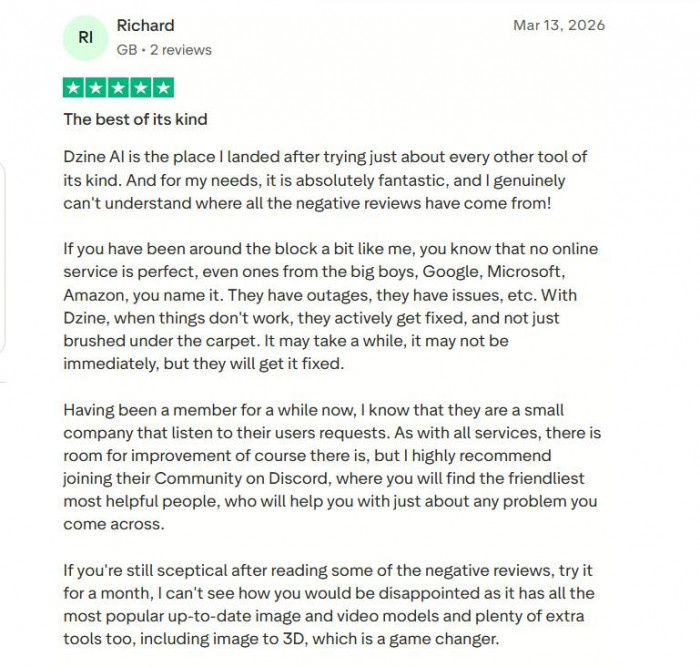
● Generation speed, described across reviews as "fast and reliable" even on complex prompts
● The lip-sync tool, specifically called out as a standout feature with real production value
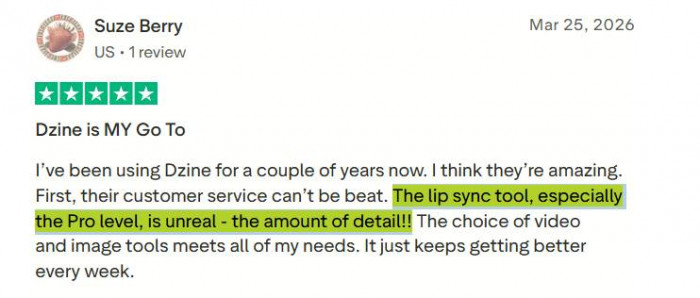
● Customer support responsiveness, with multiple users noting the team actively listens and ships requested features
● Regular model updates : the platform continuously adds access to new frontier models (Veo 3.1, Kling 3.0, etc.)
Where Users Run Into Trouble
● Billing surprises : free trials auto-converting to paid plans with limited mobile cancellation options
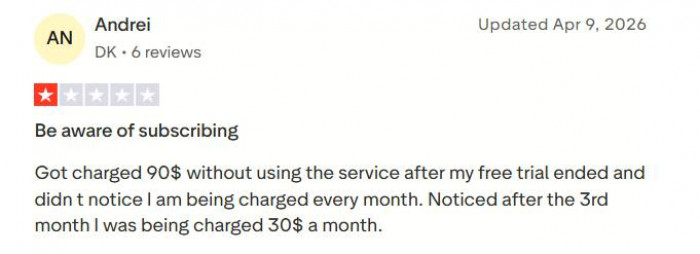
● Credit consumption opacity : users report burning credits on failed or aborted generations, with no refund mechanism
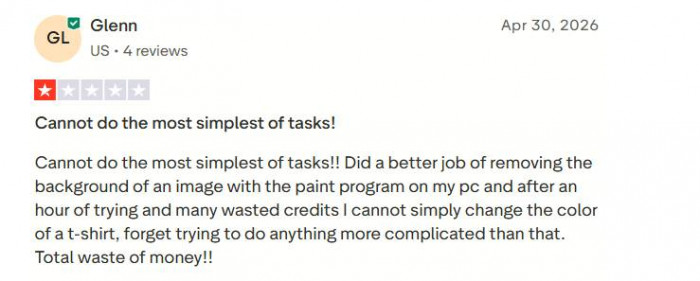
● Output inconsistency : results can vary significantly between runs on identical prompts, more so than on dedicated platforms like Midjourney
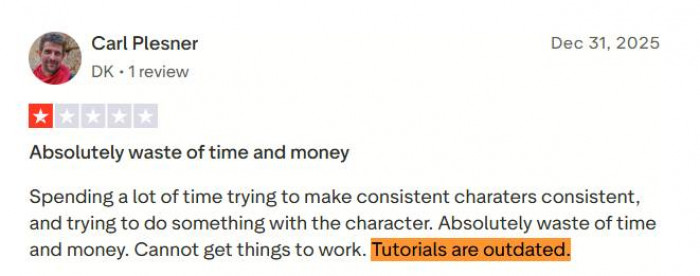
● Outdated tutorials : the platform evolves quickly enough that official documentation lags behind actual features
● Feature overwhelm : new users describe the breadth of tools as disorienting rather than empowering in the early stages
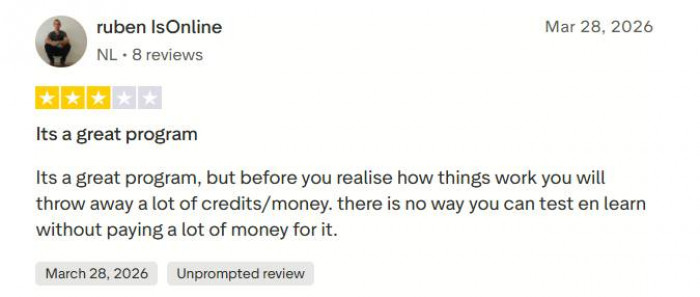
"It's a great program, but before you realise how things work you'll throw away a lot of credits. There's no way to test and learn without paying a lot of money for it." Trustpilot Reviewer, December 2025
Who Should and Shouldn't Use Dzine
Dzine works well for
● Social media managers replacing multiple tool subscriptions
● E-commerce sellers needing quick product scene and lifestyle visuals
● Content creators building avatar-driven video content
● Indie game devs and tabletop RPG creators needing consistent character art
● Small marketing teams producing social ads without a motion designer
● Instructional designers creating visual learning materials
Dzine struggles for
● Brand-critical work demanding pixel-perfect output consistency
● Enterprises requiring verified commercial IP clearance
● Fine artists prioritising raw aesthetic output above all else
● Users on tight learning budgets the credit burn during onboarding is real
● Heavy video production pipelines needing professional-grade editing
The Uncomfortable Parts Worth Knowing
The refund problem is a real one. Dzine's absolute no-refund policy on all purchases including unused subscription periods and unintentional charges is unusually rigid, even by the standards of SaaS companies that cite high compute costs as justification. Multiple users on Trustpilot describe being charged $90 or more across unnoticed billing cycles after free trials expired, with no recourse. The lack of a functional cancellation flow on mobile compounds this. Until the billing UX improves, treat the trial period like it carries a financial deadline because it does.
Output consistency remains the ceiling problem. The platform's aggregation model means quality depends heavily on which underlying model you select and how you've framed your prompt. Across identical inputs, generation results vary noticeably more than they do on purpose-built tools. For professional output, this means building curation time into your workflow rather than trusting first-run results.
The review volume is thin. With approximately 38 Trustpilot reviews as of mid-2026, the aggregate score is genuinely unstable a handful of negative billing experiences can shift it meaningfully. The platform lacks the deep public track record that would allow confident statistical confidence about the average user experience.
For new users: Start on the free tier for at least a week before committing to a paid plan. The 32 daily free credits are sufficient to genuinely test generation quality, the canvas interface, and basic editing. Only upgrade once you know which tools you'll actually use the credit system penalises unfocused exploration.
Five Alternatives Worth Considering
1. Midjourney : Midjourney is best suited for creators who want the highest possible raw visual quality.
It’s widely regarded as the benchmark for aesthetic output, especially for artistic, stylized, and cinematic imagery. While it lacks built-in editing tools, video features, and a free tier, its focused offering delivers some of the strongest still-image results available for users willing to work within a prompt-first workflow. Pricing starts from around $10 per month.
2. Adobe Firefly: Adobe Firefly is positioned as the best option for enterprises and brand-conscious teams.
It is trained on licensed and Adobe-owned content, with commercial IP safety at the core of its value proposition. Deep integration with Photoshop and other Creative Cloud apps makes it a natural fit for agencies, in-house design teams, and organizations with legal exposure concerns. It can be somewhat less versatile or experimental than some rivals, but it offers a more defensible, compliance-friendly path to AI-generated assets. Firefly is available from $9.99 per month or bundled within certain Creative Cloud plans.
3. Leonardo AI: Leonardo AI stands out as a strong choice for game developers, illustrators, and animation-focused workflows.
Leonardo AI excels at custom model training, style consistency, and building reusable visual systems, which is ideal for studios refining specific visual languages or IP. While it offers less advanced video capability than tools like Dzine, it shines in iterative concept art, character sheets, props, and environment design. Leonardo provides a usable free tier, with paid plans starting at around $12 per month.
4. Canva AI : Canva AI is designed as the most approachable option for non-designers and busy professionals.
Its strength lies in templates, drag-and-drop simplicity, and tight integration with presentations, social posts, and marketing collateral. The tool’s creative ceiling is lower than that of more specialized generators like Dzine or Midjourney, but the learning curve is extremely gentle, making it easy for teams to produce “good enough” assets quickly. Canva offers a generous free tier, with paid plans starting from about $15 per month.
5. Krea AI : Krea AI is tailored for real-time, interactive creation.
Instead of relying solely on long, descriptive prompts, it lets users sketch or block out layouts and watch the AI render results instantly on the canvas. This live, responsive experience particularly appeals to visual thinkers and designers who find text-only prompting restrictive or slow. With its focus on iterative exploration and immediate feedback, Krea delivers a different kind of creative process, supported by a free tier and a range of paid plans that vary by usage.
How Dzine AI Stacks Up Against Competitors
| Capability | Dzine | Midjourney | Adobe Firefly | Canva AI |
| Layer-based canvas | ✓ | ✕ | ✓ | Partial |
| Consistent characters | ✓ | Limited | ✕ | ✕ |
| Lip-sync video | ✓ | ✕ | ✕ | ✕ |
| Background removal | ✓ | ✕ | ✓ | ✓ |
| Raw generation quality | Good | Excellent | Good | Moderate |
| Commercial IP safety | Unclear | Disputed | ✓ Verified | ✓ |
| Free tier | ✓ (32/day) | ✕ | ✓ (limited) | ✓ (generous) |
| Starting paid price | $8.99/mo | $10/mo | $9.99/mo | $15/mo |
The pattern is clear: Dzine wins on breadth, loses on depth. Midjourney produces more consistently breathtaking images but offers virtually no editing infrastructure. Adobe Firefly provides commercial IP certainty that Dzine doesn't explicitly match. Canva remains the most accessible platform for non-designers but caps out well before Dzine's ceiling. Dzine's genuine differentiator is the combination of editing control and video/lip-sync in a single subscription, a combination none of its main competitors directly replicate.
The Bottom Line
Dzine AI solves a genuine problem: the fragmentation of the AI visual creation stack. Its layer-based canvas, multi-model access, consistent character system, and lip-sync video capability represent a combination that no direct competitor fully replicates. For social media managers, e-commerce operators, and content creators who currently juggle three to five separate tool subscriptions, the consolidation argument is real and the price point is fair.
But Dzine is not a premium tool wearing a premium price tag. Its output consistency doesn't yet match dedicated generation platforms, its billing practices have generated legitimate frustration, and its thin public review record means you're making a bet on a product still finding its footing. Approach the free tier with focused curiosity, set a payment reminder before any trial ends, and treat the credit system as a genuine constraint rather than a formality. If those conditions work for you, Dzine is genuinely worth the experiment.
Comments