

The idea behind AI content tools has shifted quite a bit over the past few years. It is no longer just about generating text or images. The newer category of tools attempts to handle entire workflows in one place. Scripts, visuals, voiceovers, and even video production are all bundled into a single system.
AutoDraft AI sits directly in that category. It is positioned as an all-in-one platform designed to simplify content creation, especially for creators who do not want to juggle multiple tools. On paper, that sounds efficient. In practice, the experience is more nuanced.
What AutoDraft AI Is Trying to Do
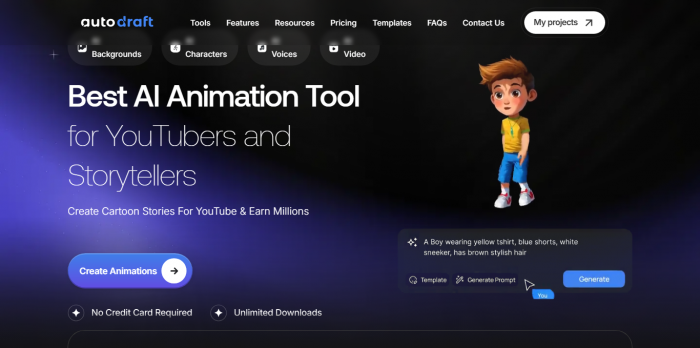
AutoDraft AI is a browser-based creative platform that combines multiple AI-driven features into one workspace. Instead of focusing on a single task, it attempts to support the full pipeline of content creation, from idea to final output.
Users can generate characters, images, voiceovers, music, and video scenes, then assemble everything inside the same interface. This reduces the need to switch between tools, which is one of the main friction points for creators.
The platform is especially aimed at YouTubers, educators, and social media creators who need to produce content quickly without relying on professional animation or editing software.
How the Workflow Feels in Real Use
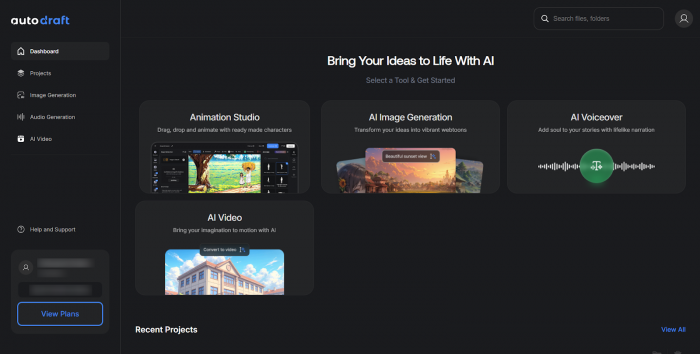
In theory, the workflow is straightforward. A user starts by generating assets such as characters or backgrounds, adds voice narration, arranges scenes, and exports a final video or storyboard.
In practice, the experience depends on how complex the project is.
For simple use cases like short explainer videos or basic storytelling, the platform can feel efficient. You stay within one system and move from one step to the next without much friction.
As projects grow more complex, the limitations start to appear. Some features require manual refinement, and the output often feels like a draft rather than a finished product. This aligns with the broader pattern seen in AI creative tools. They are good at getting you started but still rely on human input to polish results.
Core Features and What They Actually Deliver
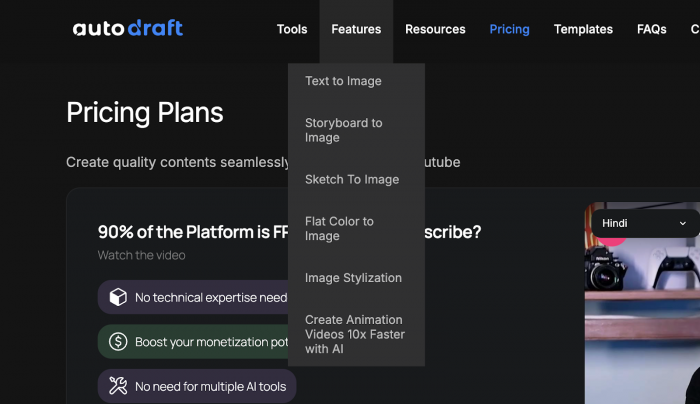
AutoDraft bundles several tools into one environment. The range is wide, but the depth of each feature varies.
| Feature | What It Does | How It Actually Performs |
| AI Character Generator | Creates characters for videos and stories | Good for concepts, but consistency depends heavily on prompts |
| Voice Generation & Cloning | Converts scripts into voiceovers | Fast and usable, but longer outputs can sound slightly synthetic |
| Image & Background Generator | Produces visual assets for scenes | Convenient, but lacks detail compared to specialized tools |
| Character Consistency Training | Maintains character appearance across scenes | One of the more useful features, especially for storytelling |
| Video Assembly Tools | Combines visuals, audio, and scenes into videos | Functional, but feels basic compared to dedicated editors |
Pricing and Credit System Explained
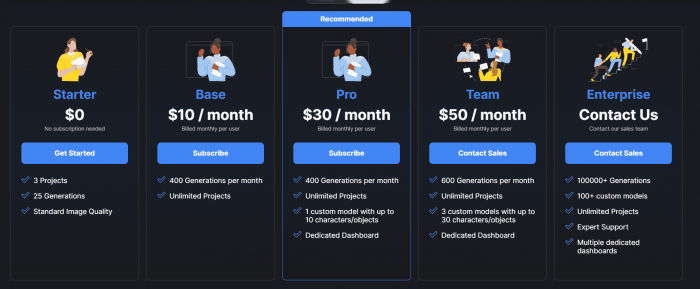
AutoDraft AI uses a credit-based subscription model, which directly affects how often you can use the platform.
| Plan | Price | What You Get | Who It’s For |
| Starter | $0 | 3 projects, 25 generations, standard image quality | Testing the platform |
| Base | $10/month | 400 generations/month, unlimited projects | Casual creators |
| Pro | $30/month | 400 generations/month, 1 custom model (up to 10 objects), dedicated dashboard | Regular users |
| Team | $50/month | 600 generations/month, 3 custom models (up to 30 objects), dedicated dashboard | Small teams |
| Enterprise | Custom | 100000+ generations, 100+ custom models, expert support, multiple dashboards | Large-scale usage |
Credits are consumed each time you generate content, whether that is an image, voice clip, or video segment.
This system works well for light usage but becomes a constraint for heavy creators. If you are producing content regularly, credit limits can shape how often you use the tool rather than how much you want to create.
What Users and Reviews Consistently Point Out
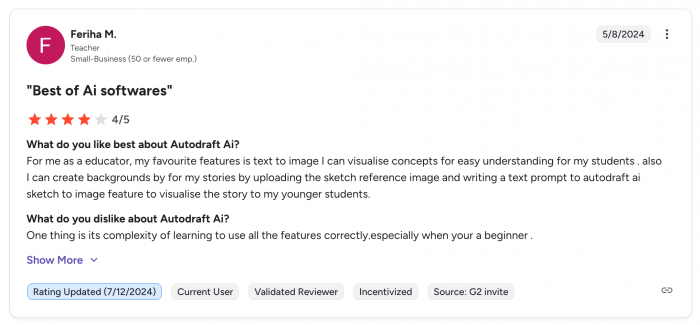
Across different reviews and feedback sources, a few patterns appear repeatedly.
One of the strongest positives is accessibility. Users without animation or editing experience can still create usable content. The platform lowers the barrier to entry significantly.
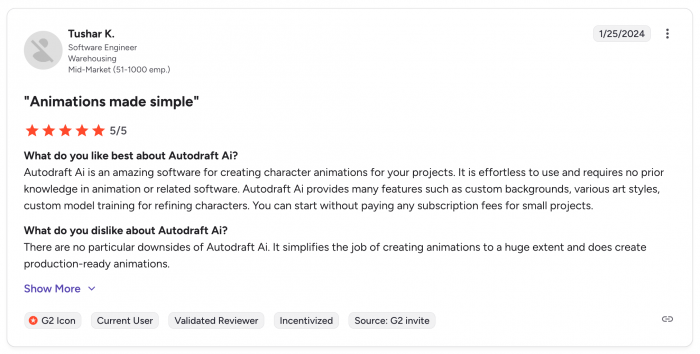
Another commonly mentioned benefit is workflow consolidation. Instead of using separate tools for visuals, audio, and editing, everything exists in one place.
At the same time, users also point out several limitations. The learning curve increases once you move beyond basic features. While starting is easy, mastering the system takes time.
There are also mentions of output inconsistency. Some generated assets require adjustments, and the overall quality may not match specialized tools.
Where It Fits Compared to Other Tools
AutoDraft AI occupies a middle ground between specialized creative software and simple AI generators.
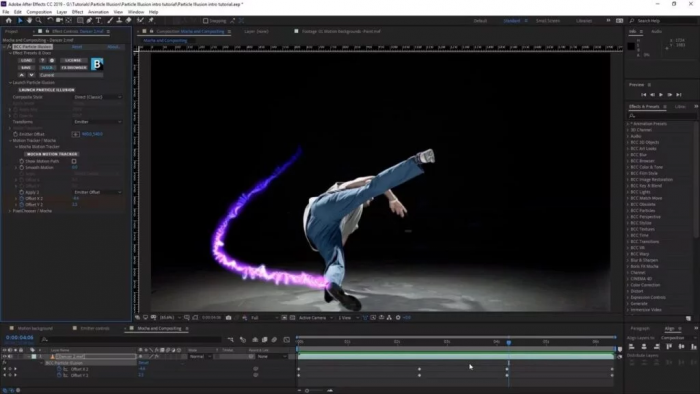
Traditional tools like Adobe After Effects offer much more control but require significant expertise. On the other end, simple AI tools generate isolated outputs without supporting full workflows.
AutoDraft tries to sit between these extremes. It offers more structure than basic generators but less depth than professional software.
This positioning makes it useful for prototyping, experimentation, and lightweight production, but less reliable for high-end or large-scale projects.
A Note on Workflow Limitations
One of the more interesting comparisons comes from how AutoDraft performs in longer workflows.
When creating a single piece of content, the platform works reasonably well. When trying to produce multiple pieces consistently, differences become more noticeable.
Compared to tools that prioritize visual quality, AutoDraft tends to focus more on structure and continuity across scenes rather than individual output quality.
This means the platform is better suited for building complete sequences than for producing highly polished standalone visuals.
Strengths and Trade-Offs at a Glance
| Area | What Works Well | Where It Falls Short | What It Means in Practice |
| Ease of Use | Simple interface, easy to start | Learning curve increases with complexity | Good for beginners, less intuitive for advanced workflows |
| Feature Range | Covers full content pipeline | Depth varies across tools | Useful as an all-in-one, but not a replacement for specialists |
| Output Quality | Strong for drafts and early ideas | Inconsistent for final outputs | Works best as a starting point, not a finishing tool |
| Pricing Model | Low entry cost, structured tiers | Usage limits affect heavy creators | Affordable, but not ideal for high-volume production |
| Workflow Efficiency | Reduces tool switching significantly | Some steps still require external tools | Faster workflows, but not fully self-contained |
This balance explains why the platform feels useful but not fully complete.
Final Take
AutoDraft AI reflects a broader trend in AI tools. Instead of specializing, platforms are trying to combine everything into one system. The appeal is obvious. Fewer tools, faster workflows, and lower barriers to entry.
In reality, the platform works best when expectations are aligned with what it actually delivers.
It is effective for quick content creation, early-stage ideas, and simple storytelling workflows. It is less effective when the goal is polished, production-level output.
The concept is solid. The execution is still evolving.
For now, AutoDraft AI feels less like a finished solution and more like a toolkit that helps you start faster, even if you still need other tools to finish properly.
Comments