

Dreamina AI has become a handy shortcut for turning ideas into images and short clips, but it is not the only route to high‑quality AI visuals anymore. If you are running up against its limits in quality, control, or pricing, there are now several tools that do the same job with more flexibility, better free tiers, or deeper creative workflows.
Once you understand where Dreamina AI fits in your creative workflow, it becomes easier to spot tools that can push your visuals further. In this guide, we’ll find eight standout Dreamina AI alternatives that together cover both image and video creation more flexibly than Dreamina itself.
Quick comparison
| Tool | Best for | Starting price |
| Leonardo AI | Consistent brand-style visuals across image and video projects | Free; paid plans from $12/month |
| Dezgo | Users who want more prompt and output control | Free; Starter from $4.99/month, Pro from $9.99/month |
| Luma Dream Machine | Realistic AI video and cinematic motion | Free; Lite from $9.99/month, Plus from $29.99/month |
| 1min AI | Fast all-in-one creation and cleanup workflows | Free; Pro from $6.50/month, Business from $10/month |
| Simfa | Product visuals, ecommerce assets, and conversion-focused content | Free credits; Starter from $15/month, Plus from $23/month |
| Qwen Image | Advanced users who want strong text rendering and flexibility | Often free/freemium via hosts; direct plans from $10/month |
| Midjourney | High-impact artistic and cinematic image generation | From $10/month |
| Freepik AI Suite | Marketers and designers who need practical, reusable assets fast | Free tier; paid plans from $7.50/month billed annually |
1. Leonardo AI
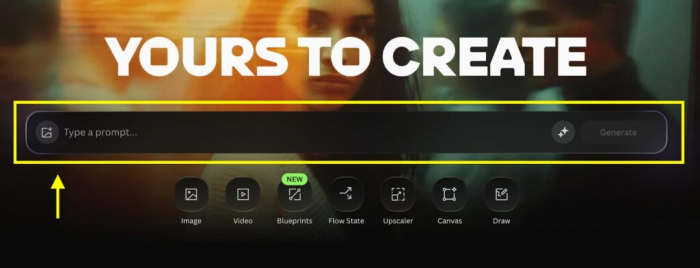
Leonardo AI is the strongest all-round alternative if you want Dreamina’s ease but need a more professional creative stack. It gives you room to move beyond one-off generations and build a repeatable style system for thumbnails, product art, ad creatives, character sets, and now video as well.
Best for: creators, marketers, and small teams that need consistent visuals across multiple projects and campaigns.
What makes Leonardo stand out is the balance between accessibility and depth. You can generate images quickly, but you can also train custom models, upscale outputs, remove backgrounds, edit visuals, and build more brand-consistent assets without constantly leaving the platform. That makes it especially useful for creators who want to produce at volume without their visuals looking randomly generated every time.
Pricing: Free plan at $0 with daily tokens; Apprentice at $12/month; Artisan at $30/month; Maestro at $60/month; team plans available from around $24 per seat depending on setup.
Where it beats Dreamina is in consistency. Dreamina is useful when you want a quick result, but Leonardo is better when you need a visual language that holds together across a full content calendar, product line, or brand identity.
2. Dezgo AI
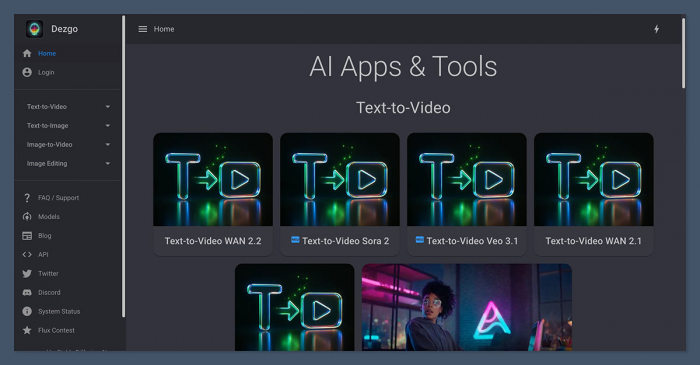
Dezgo AI is a smart choice for users who like AI generation but want to keep their hands on the wheel. It does not feel as closed or pre-packaged as many mainstream AI apps, which is exactly why some creators prefer it.
Best for: users who want finer control over prompts, settings, edits, and generation behavior rather than relying on one-click outputs.
Its appeal lies in flexibility. Dezgo supports text-to-image, image-to-image, inpainting, upscaling, background removal, text-to-video, and image-to-video workflows, so you can generate, refine, animate, and clean up visuals without switching platforms too often. If Dreamina sometimes feels a little too “black box,” Dezgo gives you a more hands-on environment where outputs can be pushed in a more deliberate direction.
Pricing: Free tier at $0; Starter at $4.99/month; Pro at $9.99/month; Unlimited at $29.99/month in one published 2026 pricing breakdown, while some references also describe a pay-as-you-go Power Mode starting with a $10 deposit.
Dezgo beats Dreamina when control matters more than simplicity. For users who care about prompt precision, model choice, or squeezing more value out of each generation, it offers a more flexible path than Dreamina’s streamlined approach.
3. Luma Dream Machine
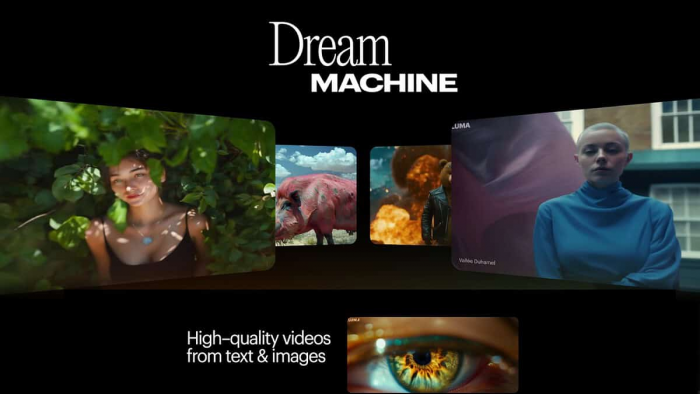
Luma Dream Machine is the pick for anyone who cares more about motion quality than novelty. It is not just another “AI video” tool that throws movement onto a static idea; it is one of the more convincing options for scenes that feel cinematic and physically believable.
Best for: video-first creators, ad makers, and brands that want realistic motion, lighting, and premium-looking shots.
Where Dreamina often serves as a quick creative shortcut, Luma is better when the output itself needs to carry visual weight. It can turn prompts, images, or short source material into clips that work well as hero visuals, product sequences, cinematic intros, or premium social ads. For campaigns where the footage has to look expensive, this difference matters.
Pricing: Free tier at $0; Lite at $9.99/month; Plus at $29.99/month; Unlimited at $94.99/month, with annual billing discounts available on published pricing pages.
Luma beats Dreamina on realism and motion quality. If your goal is not just to generate something eye-catching but to generate something that looks polished enough for serious commercial work, Luma has the edge.
4. 1min AI
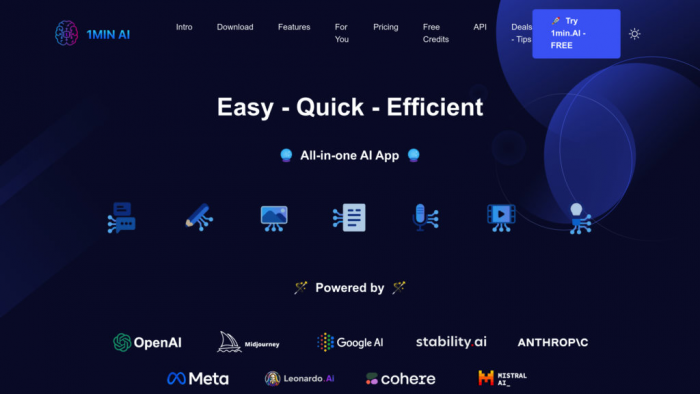
1min AI is what happens when convenience is done properly. Instead of being a single-purpose generator, it acts more like a fast creative utility layer for people who need to generate, edit, repurpose, and clean assets in one place.
Best for: solo creators, lean teams, and marketers who want speed and a broad feature mix without managing multiple subscriptions.
Its value comes from consolidation. You can access image generation, image-to-video, upscaling, object replacement, background editing, and other small but important cleanup tools that save time in everyday workflows. That makes it especially attractive if your issue with Dreamina is not just generation quality, but the extra steps needed after the image is made.
Pricing: Free plan at $0; Pro at $6.50/month; Business at $10/month; Enterprise from $7 per member/month on annual pricing references.
1min AI beats Dreamina in workflow efficiency. It is not always the most specialised option on this list, but it reduces friction better than most, and that can matter more than raw model quality when you are publishing constantly.
5. Simfa
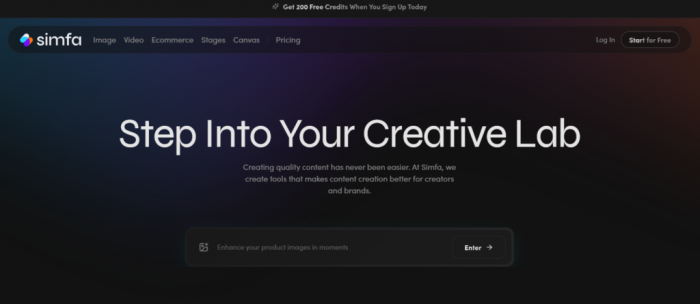
Simfa is less about flashy AI art and more about useful output. That difference makes it surprisingly appealing for ecommerce teams, product marketers, and creators who care about publishing visuals that actually convert.
Best for: ecommerce sellers, product-led brands, and content teams creating practical visuals tied to campaigns or store listings.
The platform includes AI image and video tools, but also bundles in features like product enhancement, background removal, image upscaling, outfit swaps, face swaps, and SEO-related utility features. That means it can function as more than a generator; it becomes part of a production workflow for content that needs to look good and move quickly toward publishing.
Pricing: Free sign-up credits are available; Starter at $15/month; Plus at $23/month; Simfa+ at $99/month; Enterprise pricing is custom.
Simfa beats Dreamina when commercial usefulness matters more than visual experimentation. If you are building assets for products, campaigns, landing pages, or marketplaces, Simfa’s practical toolkit is more aligned with that work than Dreamina’s broader creative positioning.
6. Qwen Image
Qwen Image is a more technical alternative, but it earns its place here because it solves one of the most annoying AI image problems better than many consumer-focused tools: text rendering. It is also more flexible in how you access and deploy it, which matters for advanced users.
Best for: advanced users, developers, and design-heavy teams that need better typography, editing precision, or flexible hosting options.
While Dreamina is built for convenience, Qwen Image is better suited to people who care about performance details. Posters, UI mockups, thumbnails with readable text, and design visuals with structured typography are all stronger use cases here than in many casual image generators. That makes it a particularly compelling alternative for users who have outgrown “pretty but inconsistent” outputs.
Pricing: Pricing depends on how you access it; some providers list per-image usage from around $0.007 to $0.025 per image, while one dedicated pricing page lists Basic at $10/month, Pro at $30/month, and Premium at $99/month.
Qwen Image beats Dreamina when precision matters. If you need cleaner text inside images or want an option that is less boxed in by one platform’s interface, it offers more control and better structural reliability.
7. Midjourney
Midjourney remains one of the best tools for people who want visuals with immediate impact. It is not the most utility-driven platform on this list, but few tools are as reliable when the goal is to create images that feel bold, dramatic, and visually memorable.
Best for: artists, designers, and creators who want standout visuals with strong composition and a recognisable artistic edge.
Its strength is not speed alone. Midjourney excels at producing images that already feel “finished,” especially for concept art, album-style visuals, mood-rich thumbnails, cinematic scenes, and stylised brand pieces. If Dreamina gives you a workable result, Midjourney more often gives you something that feels curated.
Pricing: Basic at $10/month; Standard at $30/month; Pro at $60/month; Mega at $120/month, with annual billing discounts commonly reducing those effective monthly rates by 20%.
Midjourney beats Dreamina on artistic quality and visual character. If your audience responds to style, atmosphere, and image impact more than pure practicality, Midjourney is a stronger creative weapon.
8. Freepik AI Suite
Freepik AI Suite is easy to underestimate because the brand is so familiar, but that is exactly what makes it useful. It blends AI generation with a design ecosystem that already makes sense to marketers, bloggers, social teams, and in-house creatives.
Best for: marketers, bloggers, and design teams that need fast, usable assets inside a broader content workflow.
You are not just getting an image generator here. Freepik AI Suite combines AI image and video creation with editing tools, asset libraries, mockups, background removal, enhancement, and template-friendly workflows that make it easier to go from concept to finished asset without much friction. For many users, that practicality matters more than having the most advanced standalone model.
Pricing: Free tier available with limited generations; paid plans start at $7.50/month billed annually, with Premium at $14.50/month, Premium+ at $33.75/month, and higher-volume plans around $210/month on annual pricing references.
Freepik beats Dreamina in usability for real content teams. If your workflow already includes stock assets, quick edits, branded templates, and frequent social publishing, Freepik feels closer to a production system than a simple generator.
Final Verdict
Dreamina AI is still fine for casual experimentation, but it is no longer the most compelling choice once your creative needs become more specific. Leonardo AI is the best overall upgrade for users who want quality and consistency, Dezgo is the smartest pick for people who want more control over how outputs are shaped, and Luma Dream Machine is the clear standout for users who care most about premium video results.
The sharper takeaway is this: Dreamina is easy, but the best alternatives are more purposeful. If you want a tool that grows with your workflow instead of just giving you a quick result, Leonardo AI, Dezgo, and Luma Dream Machine are the three names most worth testing first.
Comments