

A product photo followed by “Available now” is not a complete promotion. Customers still need to know what makes the offer useful, how much it costs, whether it is available to them and what they should do next. A well-planned WhatsApp Status answers those questions without crowding the screen.
The ideas below are designed for shops, service businesses, freelancers, restaurants, educators and local brands. Along with ready-to-adapt examples, the article explains how to structure a Status campaign, write clearer announcements and use generator tools without publishing generic copy.
Why WhatsApp Status Deserves a Plan
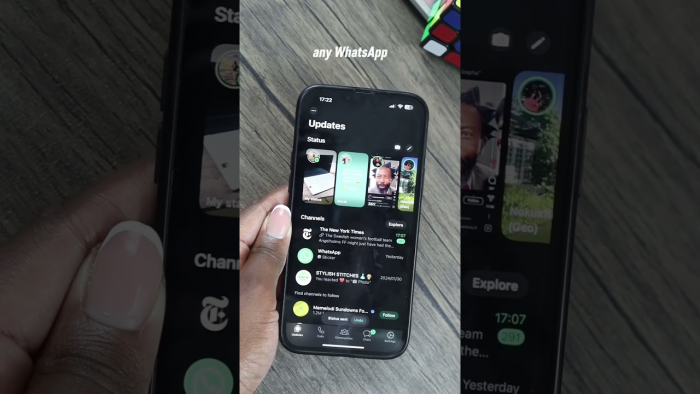
WhatsApp Status sits between a social post and a direct message. It lets a business publish an update without sending the same promotional message separately to every contact, while viewers can still respond privately when an offer interests them. Status updates can contain text, photographs, videos and GIFs, disappear after 24 hours and support videos of up to 90 seconds. Businesses can also choose who is allowed to see an update.
That combination makes Status useful for information with a short shelf life: today’s menu, a newly opened appointment slot, a weekend offer, low-stock notice or temporary change in opening hours. The format is less suitable for information customers may need weeks later, such as a full returns policy. Permanent details belong on the website, catalogue or business profile; Status should point people towards them.
The commercial advantage is not simply visibility. A useful Status shortens the distance between seeing an offer and asking about it. The viewer can reply with a product name, booking date or keyword, turning a broad announcement into a one-to-one conversation.
Build Every Status Around One Action
Before writing, decide what the viewer should do next: request a price list, book a slot, visit the shop or join a waiting list. A Status becomes weaker when it asks people to call, visit a website, follow another page and send a message at the same time.
A practical structure is the HACT formula: Hook, Announcement, Context and Trigger.
| Element | What it must do | Business example |
| Hook | Connect the post to a need or timely reason to look | “Need a last-minute gift that still feels personal?” |
| Announcement | State exactly what is available or changing | “Our personalised gift boxes are open for weekend orders.” |
| Context | Add a detail that helps someone decide | “Choose three sizes, with same-day delivery in selected areas.” |
| Trigger | Give one simple next step | “Reply ‘GIFT’ for designs and prices.” |
Not every element needs to appear on one screen. A product launch can spread them across several slides, while an opening-hours update may need only the announcement and context.
Compare these versions:
Weak: New collection available. Message for details.
Stronger: Looking for lightweight office wear? Our new linen collection is available in six colours. Reply “LINEN” for sizes and prices.
The stronger version connects the product to a need, identifies what is new and makes the response easy without becoming long.
WhatsApp Status Ideas for Promotions
The right promotional idea depends on the buying stage. A new customer may need an explanation or demonstration, while a returning customer may respond to a restock alert immediately.
Launch a New Product
A launch should create interest before asking for an order. Instead of placing the name, price, features and discount on one graphic, introduce the customer need first.
Status 1: Carrying a full-size skincare kit while travelling should not take half your bag.
Status 2: Our new five-piece travel set includes cleanser, moisturiser, serum, sunscreen and a reusable pouch.
Status 3: Launch price: £24 until Sunday. Reply “TRAVEL” to check delivery availability.
For a visual product, show the complete set and one practical detail such as its size, packaging or use. The images should answer a buying question rather than merely decorate the announcement.
Introduce a New Service
Services are harder to show, so make the result concrete. Avoid “We now offer consulting.” Explain who the service is for, what it covers and what the first step involves.
Our 45-minute content audit is now open to local businesses. You will receive a review of your current pages, three priority fixes and a practical 30-day direction. Reply “AUDIT” for dates.
Salons, tutors, photographers and repair businesses should define the scope clearly. Customers are more likely to enquire when they can recognise whether the service fits their situation.
Run a Limited-Time Offer
A discount Status needs four precise details: the item or service included, the saving, the deadline and any conditions.
Book any weekday facial before 6 p.m. Friday and receive 20% off the confirmed appointment price. The offer applies to appointments completed before 31 August. Reply “FACIAL” for open slots.
Weekend offer: buy two handmade candles and receive the third at no extra cost. The lowest-priced candle is free while current stock lasts.
Use real deadlines instead of repeating “hurry” or “last chance”. If only ten units are discounted, say so. Clear terms reduce unnecessary questions and protect trust.
Announce a Restock
Restock updates work best when customers already know the product. Remind them which version has returned and include a genuine quantity or ordering deadline.
The black cabin travel bag customers kept asking for is back. This batch contains 18 units, with dispatch beginning tomorrow. Reply “BLACK BAG” to reserve one.
Our sugar-free brownies return Friday. Pre-orders close Thursday at 5 p.m. for weekend collection.
Where several colours or sizes have returned, direct customers to the catalogue instead of squeezing every option into one design.
Frame a Bundle Around an Outcome
A list of products and a combined price can look like inventory clearance. A named routine explains why the items belong together.
Dry Hair Reset: shampoo, conditioner and leave-in serum for £29. Reply “HAIR” and tell us your hair type before ordering.
New Business Starter Pack: logo refinement, five social templates and a one-page brand guide for £180. Suitable for businesses that already have a basic logo but need consistency.
The bundle should solve one recognisable problem. More products do not automatically create more value.
Fill Appointment Slots
Availability posts work well where unused time cannot be sold later. Specify the service, date and relevant restriction.
Two haircut appointments have opened Thursday at 2 p.m. and 4:30 p.m. These slots are for cuts and styling only. Reply with your preferred time.
One product-photography session is available next Wednesday morning. It suits a collection of up to eight products. Send “PHOTO” for details.
Delete or correct the Status once the slot is filled so customers are not encouraged to enquire about unavailable time.
Share Daily Availability
Restaurants, bakeries, florists and home-based sellers can use Status as a live availability board.
Friday bake list: sourdough loaves, almond croissants, lemon tarts and brownies. Orders close at 3 p.m. for evening collection. Reply with the item and quantity.
Today’s flower bundles are available in pink, white and mixed seasonal colours. Prices begin at £18. Local delivery is available for orders confirmed before noon.
If the list is long, split it by category or upload a readable menu. Tiny text may contain every detail but still fail as communication.
Connect an Offer to the Season
Seasonal posts work when the occasion changes what the customer needs. Focus on ordering cut-offs, delivery dates, limited appointment capacity or preparation time.
Festive gift-box orders close on 20 October to guarantee delivery before the holiday weekend. Personalised cards are included on orders confirmed by 15 October.
Back-to-school uniform alterations are open. Standard turnaround is four working days, so bring urgent items in before the final week of August.
Include the date that affects the purchase. Customers need to know when to act, not only when the occasion occurs.
Demonstrate the Result
A demonstration can answer the concern stopping someone from buying. Show the storage inside a bag, the finish of a repair, the fit of a garment or the steps involved in a service.
This is what our stain-removal treatment achieved after one session. Results vary by fabric and stain age, so send a photo before booking.
Use customer results only with permission and remove identifying details. WhatsApp says Status is protected by end-to-end encryption, but viewers may still save or reshare visible content.
WhatsApp Status Ideas for Announcements
Promotional posts persuade; announcements reduce uncertainty. Their value comes from accuracy, especially when the information affects an existing booking, delivery or visit.
Changed Opening Hours
Place the changed time first and say when normal hours return.
Saturday update: we will close at 4 p.m. for staff training. Regular hours resume Monday at 9 a.m. Confirmed Saturday collections are unaffected.
Name the branch or department when a change does not apply to the whole business.
Holiday Closures
Include the final service day, closed dates, reopening date and what happens to messages or orders.
Our office will be closed from 12 to 14 August and will reopen on 15 August. Messages received during the closure will be answered in order once the team returns.
Order-based businesses should also state the final dispatch or collection date.
A New Location
Explain when the move takes effect and whether appointments, collection arrangements or contact details are changing.
All appointments from Monday, 7 September will take place at our new Market Street studio. Our phone number and booking process remain the same. Directions are in the next Status.
A short exterior video or map screenshot can help people recognise the entrance, provided the pin is accurate.
Price Updates
Price changes require direct wording and a clear effective date.
Updated service prices apply from 1 September. Existing confirmed bookings remain at their agreed rates. Reply “PRICE LIST” for the revised fees.
Use Status for the general notice, but contact customers directly where individual contracts or packages differ.
Delays and Interruptions
State what is affected, the revised timeframe and what someone should do if their order is urgent.
Due to a supplier delay, custom frame orders are taking seven to nine working days instead of five. Existing orders are being updated individually. Message us before ordering if you have a fixed event date.
Customers need the new expectation and an option, not a lengthy explanation of who caused the delay.
Sold-Out and Waiting-List Notices
A sold-out update prevents wasted enquiries while giving customers a route forward.
Saturday’s workshop is fully booked. Reply “WAITLIST” with your name and preferred contact number, and we will contact you if a place opens.
The blue version is sold out, but black and tan remain available. Reply “BLUE” to receive the confirmed restock date.
Only create a waiting list when someone will manage and follow up on it.
Hiring and Team News
Hiring posts should include enough information to filter unsuitable applications.
We are hiring a part-time customer support assistant for our Leeds shop. The role includes Saturday shifts and requires confident written communication. Reply “ROLE” for duties, hours and application instructions.
For a new team member, explain how the person will support customers and obtain permission before sharing their photograph or personal details.
Policy, Payment and Delivery Changes
Operational updates prevent confusion. Flag the change on Status, then direct customers to the complete policy where necessary.
From 1 October, a 30% deposit is required to confirm custom orders. Existing confirmed orders are unchanged.
Local delivery expands to three new postcodes from Monday. Reply with your postcode to check the delivery day and charge.
A disappearing Status should never be the only record of an important refund, cancellation or payment policy.
Turn One Offer Into a Status Sequence
A crowded poster asks the viewer to process too much at once. A sequence lets each Status perform one job while maintaining a clear path towards the response.
| Status | Job | Gift-box campaign example |
| 1. Need | Introduce the buying situation | “Still looking for an anniversary gift that does not feel last-minute?” |
| 2. Offer | Reveal the product or service | “Our personalised gift boxes can be prepared within 24 hours.” |
| 3. Detail | Show what is included | “Choose a candle, chocolates, printed card and personalised sleeve.” |
| 4. Confidence | Add proof, deadline or limitation | “Weekend preparation is limited to twelve boxes.” |
| 5. Action | Tell the viewer how to continue | “Reply ‘GIFT’ for designs, prices and delivery areas.” |
Keep the sequence visually connected through the same typography, background style and image treatment. The viewer should recognise that each slide belongs to the same campaign without seeing an identical layout five times.
The sequence can be adapted easily. A launch can follow teaser, reveal, demonstration, price and order. An event can follow announcement, audience, programme, booking deadline and registration. A sale can follow need, product, saving, conditions and final reminder. The order matters because context should arrive before urgency.
Five WhatsApp Status Generator Tools
Generator tools solve two different problems. Text tools help with hooks and captions, while design tools turn the message into a vertical visual. Treat every output as a first draft: product names, dates, prices, stock claims and policy details still require checking.
| Tool | Main strength | Best use |
| SmartPostly WhatsApp Status Generator | Quick one-liners and Status wording | Promotional hooks and announcements |
| CaptionBloom | Tone, language and caption variations | Friendly copy that needs light editing |
| Krumzi | AI-generated vertical graphics | Fast visual concepts from a brief |
| Canva | Templates and manual control | Reusable branded campaigns |
| Adobe Express | Stock assets, animation and brand controls | Polished visual announcements |
1. SmartPostly WhatsApp Status Generator
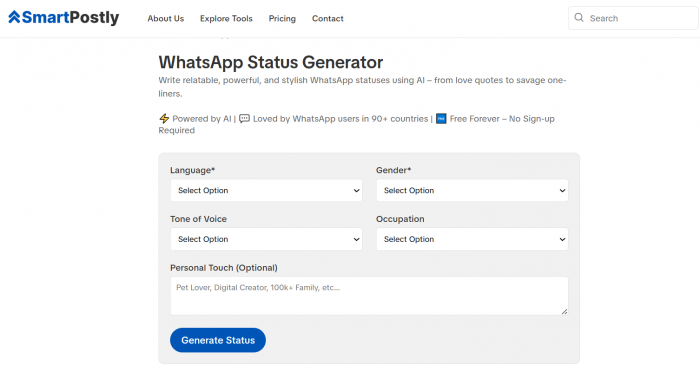
SmartPostly WhatsApp Status Generator places it within a wider set of social-writing tools. Its stated purpose is to create catchy one-liners or quotations for Status updates, making it a useful starting point when a business needs a concise hook.
Give it a specific brief. “Weekend sale” invites generic wording; “20% off weekday salon bookings confirmed by Friday, professional tone, one reply keyword” gives the output a clear job. Add verified dates, prices and conditions before publishing.
Best for: Launch teasers, restock notices, short offers and announcement openings.
2. CaptionBloom
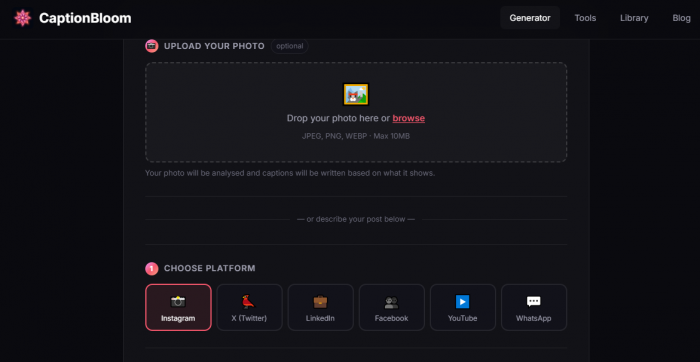
CaptionBloom produces three WhatsApp caption variants and lets users choose the topic, tone, length, language and emoji preference. It also accepts an optional image and includes a refinement field. Its website presents the tool as free without registration.
Its personal style suits local businesses, but generated promotions may need a firmer action such as “Reply ‘MENU’ before 3 p.m.”
Best for: Friendly updates and multilingual caption options.
3. Krumzi
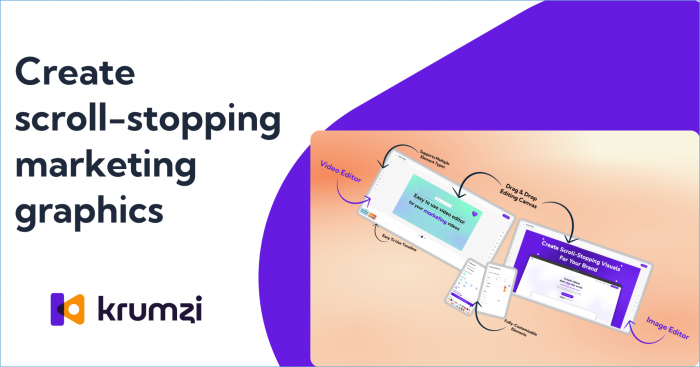
Krumzi creates a vertical WhatsApp Status graphic from a written description. The company describes its wider AI design output as editable and offers a free trial rather than a permanently free tool.
It is useful for avoiding a blank canvas, but the offer, deadline and action still need to remain readable on a phone screen.
Best for: Product announcements and quick visual concepts.
4. Canva
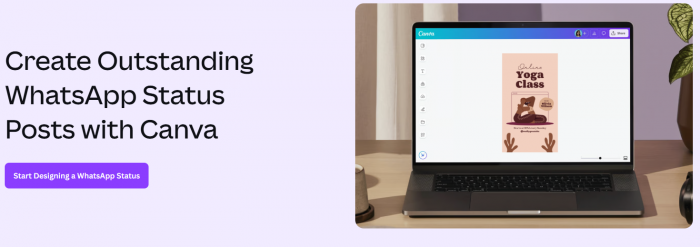
Canva provides WhatsApp Status templates, a drag-and-drop editor, stock graphics and AI-assisted content tools. A business can build one branded layout and duplicate it for a teaser, product detail, proof slide and final call to action.
Avoid crowding the template with decorative elements or multiple fonts. Message hierarchy should come before styling.
Best for: Menus, launches, seasonal campaigns and reusable Status systems.
5. Adobe Express
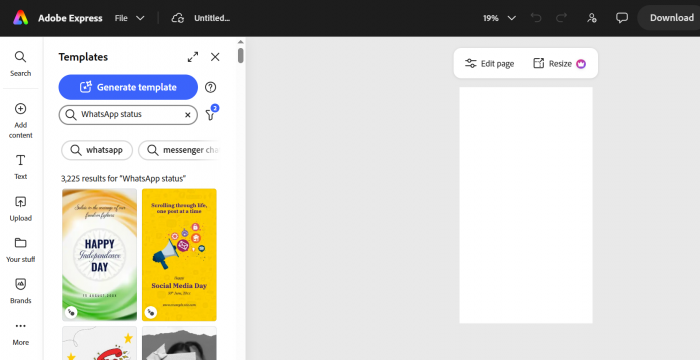
Adobe Express supports photos, video clips, Adobe Stock assets, icons, fonts, animation and brand-kit elements for WhatsApp Status designs.
Use animation to direct attention, not delay the information. A subtle product reveal can work; constant movement behind small text does not.
Best for: Image-led promotions, animated notices and branded announcements.
Mistakes That Weaken Business Statuses
Most problems come from missing information rather than weak creativity.
● Posting an image without context: Include the product name, relevant benefit and one decision-making detail. A photograph cannot explain availability, suitability or price by itself.
● Using competing actions: Choose the next step that moves the customer forward. A reply keyword is usually clearer than presenting a phone number, web address and social handle together.
● Creating false scarcity: “Only a few left” should refer to a genuine quantity or capacity limit. Unsupported urgency teaches customers to ignore future deadlines.
● Hiding conditions in tiny text: Delivery areas, minimum orders and exclusions should be readable. Summarise extensive conditions and direct customers to the complete version.
● Making every update a sales pitch: Demonstrations, guidance and operational notices give people a reason to keep viewing. Constant discounting can weaken the perceived value of regular prices.
● Leaving expired information live: Remove or correct a post when a slot is filled, stock sells out or opening hours change again.
Status is protected by end-to-end encryption, but businesses should still assume visible material may be screenshotted or reshared. Avoid customer names, addresses, payment evidence, private conversations and internal documents.
Measure the Response, Not Just Views
Views show that a Status was opened, but they do not explain whether the message created interest. Track the action linked to each campaign: replies, catalogue requests, bookings, orders, coupon use or waiting-list additions. WhatsApp also provides Status details such as views, likes and reactions, although read-receipt settings can affect what viewer information is available.
Reply keywords make simple tracking possible. Use “MENU” for a food update, “BOOK” for appointments, “PRICE” for a service list or “BLUE” for a restock request. At the end of the week, compare which type of post brought qualified enquiries rather than counting every reaction as equal.
Also record the questions people ask after viewing. If ten customers request the price, the next Status should show it. If people repeatedly ask whether delivery reaches their area, add the covered locations or a postcode-check instruction. Customer replies are not only leads; they reveal what the original promotion failed to explain.
Final Thought
The best WhatsApp Status does not try to tell the entire story on one screen. It gives the right customer a clear reason to pause, enough detail to make a decision and one easy way to respond.
Use promotions for timely offers, launches and availability, while keeping announcements direct and accurate. Build multi-part sequences when the offer needs explanation, and use generator tools to speed up the first draft rather than replace business judgement. A Status becomes valuable when it reduces uncertainty and moves a customer naturally into the next conversation.
Comments