

Leonardo AI is great for fast concept art, game assets and templates, but it’s no longer the only serious option for AI image generation. If you’ve hit its model limits, pricing, or UI constraints, there are now several tools that beat it on style quality, control, or workflow.
Here are seven strong Leonardo AI alternatives that you can actually find worth trying.
1. Midjourney: the art director in the room
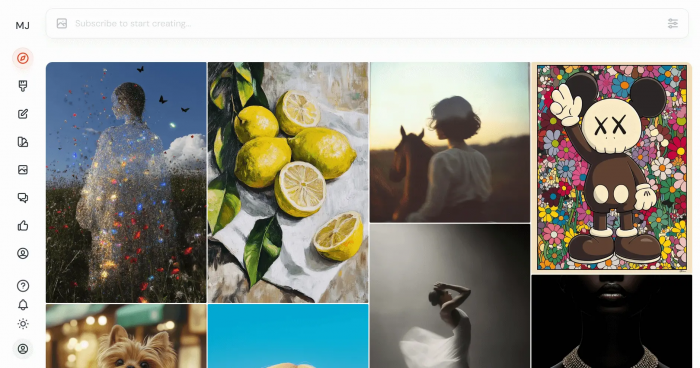
If Leonardo AI feels like a flexible in‑house designer, Midjourney is the moody art director you hire when the visuals really need to hit.
Even simple prompts tend to come back looking intentional: coherent lighting, strong silhouettes, interesting compositions. The model is surprisingly good at turning loose, poetic descriptions into images that feel like they came out of a concept artist’s sketchbook. That makes it especially useful for:
● Key art and posters.
● Moodboards and world‑building.
● Thumbnail concepts where you want “scroll‑stopping” style.
It still runs primarily through Discord (with a web alpha), which is awkward for some people, but the trade‑off is raw visual quality that many creatives still rank above Leonardo for stylised work.
Midjourney – pros and cons
| Midjourney – Pros | Midjourney – Cons |
| Consistently striking, stylised images | Discord remains the main interface for most users |
| Great at interpretive, creative prompts | Less ideal for precise, production‑ready assets |
| Strong, active community and regular model upgrades | No true free tier; subscriptions required |
Midjourney pricing
| Plan | Price (USD/month) | What it’s really for |
| Basic | 10 | Light personal use, a few serious projects a month |
| Standard | 30 | Regular content creators and designers |
| Pro+ | 60–120 | Heavy users, agencies, stealth mode and teams |
Where Midjourney leaves Leonardo behind
Leonardo can mimic many looks, but Midjourney still feels like it has a stronger aesthetic “opinion”. For concept art and stylistic pieces, it often hits that sweet spot between chaos and control faster than Leonardo. If you used Leonardo mainly to sketch worlds and atmospheres, Midjourney is simply better at making those worlds look like art, not just “good AI images”.
Snapshot of user sentiment
Frequently described on Reddit and creator forums as the gold standard for stylised, painterly outputs; often placed a tier above Leonardo for pure art quality.
2. Adobe Firefly: the corporate‑safe workbench
Where Midjourney and Leonardo are playgrounds, Adobe Firefly is more of a carefully supervised workshop. It is built for teams who need to ship assets that won’t trigger legal headaches and who already live inside Photoshop, Illustrator, Express and co.
Firefly’s promise is simple: generate images from models trained on content Adobe is allowed to use, then edit those images in the same Adobe tools you’ve always used. Generative Fill in Photoshop, for example, can extend, clean up or radically alter photos and designs without leaving your usual workspace.
Adobe Firefly – pros and cons
| Adobe Firefly – Pros | Adobe Firefly – Cons |
| Commercial‑safe data and licensing | Best value if you’re already paying for Adobe |
| Deep integration with Photoshop/Illustrator | Less “wild creativity” than Midjourney/SD |
| Familiar UI for existing Adobe users | Credit systems on lower tiers can feel restrictive |
Adobe Firefly pricing (approximate)
| Plan | Price (USD/month) | What you’re paying for |
| Firefly / Express standalone | ~9.99+ | Basic Firefly credits + lightweight editor |
| Single app (Photoshop etc.) | ~22.99+ | Full app + generous Firefly access |
| All Apps | ~59.99+ | Entire Creative Cloud + maximum generative flexibility |
Why Firefly can be better than Leonardo
Leonardo is strong at quick ideas and asset packs, but once legal teams get involved, Firefly’s “commercial‑safe from the start” story is much easier to sell. And unlike hopping between a generator and Photoshop, Firefly lives where the rest of the design work already happens. For agencies or brands where compliance and workflow trump model gymnastics, Firefly quietly wins.
Snapshot of user sentiment
On review platforms, Adobe’s creative suite, with Firefly integrated, typically scores 4.4 /5 on G2. Users consistently praise the way AI features feel native rather than bolted on.
3. DALL·E 3: the literalist
If Midjourney is artistic and interpretive, DALL·E 3 is almost lawyerly: it takes your prompt seriously and tries very hard to do exactly what you said.
Hooked up through ChatGPT, it becomes even more interesting. You can “negotiate” the prompt with the assistant until the description is perfect, then generate in the same thread. That loop makes it much easier to get complex, multi‑element scenes, right diagrams, compositions with specific object counts, interface mockups and more.
DALL·E 3 – pros and cons
| DALL·E 3 – Pros | DALL·E 3 – Cons |
| Excellent at following detailed instructions | Access usually tied to ChatGPT Plus or API |
| Strong realism and solid text rendering | Less community art ecosystem than Leonardo/MJ |
| ChatGPT integration simplifies prompt crafting | Asset management is more “utility” than “gallery” |
DALL·E 3 – pricing
| Access route | Price (USD/month) | Practical use case |
| ChatGPT Plus | 20 | Mixed text + image creation for creators |
| OpenAI image API | Pay‑as‑you‑go | Apps and pipelines needing tight control |
Where DALL·E 3 pulls ahead of Leonardo
Leonardo is very good at “give me something like this”, but when you care about “exactly like this, with these five objects placed this way”, DALL·E 3 is often more reliable. Its prompt fidelity and relationship with ChatGPT make it an excellent companion when instructions, not just aesthetics, are the main priority.
Snapshot of user sentiment
OpenAI’s products, including DALL·E, tend to sit in the mid‑3 to low‑4 range on Capterra: high marks for capability, mixed reviews for support and policy decisions.
4. Stable Diffusion: the customisable engine room
Stable Diffusion is less a single app and more a whole underground scene. It powers countless front‑ends, from local Automatic1111 installs to polished hosted platforms.
Used properly, it becomes the environment where you can:
● Train your own stylistic models or LoRAs.
● Bake in your brand’s visual language.
● Run everything privately on your own hardware or in a custom cloud.
Leonardo itself sits on top of models in this family; Stable Diffusion is what you go to when you want to own that layer instead of renting a curated slice of it.
Stable Diffusion – pros and cons
| Stable Diffusion – Pros | Stable Diffusion – Cons |
| Maximum control over models and outputs | Steepest learning curve in this list |
| Can run locally for privacy and cost control | Requires GPU or cloud hosting to run well |
| Huge ecosystem of checkpoints and tools | UX depends entirely on the front‑end you pick |
Stable Diffusion pricing (indicative)
| Setup | Cost model | What it’s really like |
| Local install | 0 software + hardware cost | One‑time GPU spend; unlimited generations |
| Hosted | ~10–30 USD/month typical | Managed SD with credits and convenience |
How Stable Diffusion outgrows Leonardo
Leonardo gives you a curated, user‑friendly slice of the SD world. That’s great up to a point. When you need to integrate deeply, train your own models, or guarantee that images never leave your infrastructure, Stable Diffusion is the natural next step. It’s the difference between renting a studio and owning the building.
Snapshot of user sentiment
Popular SD‑based platforms (NightCafe, Mage, etc.) often sit around 4.5/5 on software review sites, with praise centred on flexibility and the ability to grow into more advanced use.
5. StarryAI: the approachable playground
If Leonardo feels like a semi‑pro art tool, StarryAI feels like the friendly playground where people first discover AI art. It’s on mobile, it’s on the web, and its daily free credits make experimentation feel low‑pressure.
The outputs are more than good enough for social posts, inspiration boards and casual projects. You won’t get the same “elite” quality as Midjourney, but you also won’t burn through your budget just figuring out what you like.
StarryAI – pros and cons
| StarryAI – Pros | StarryAI – Cons |
| Generous free usage for casual creators | Not aimed at studio‑grade workflows |
| Mobile‑friendly, simple to navigate | Fewer advanced controls and tuning options |
| Good variety of styles for everyday use | Can lag behind top‑tier models on difficult prompts |
StarryAI pricing (indicative)
| Plan | Price (USD) | Real‑world framing |
| Free | 0 | Daily credits for hobby use |
| Credit packs | ~7–25 one‑time | Top‑up for heavier weeks or special projects |
Why StarryAI can feel better than Leonardo for beginners
Leonardo’s dashboard, models and templates can feel overwhelming (and its free tier is tighter than it used to be). StarryAI is more forgiving. You open the app, type something, and get art. For readers who are just dipping their toes into AI imagery, that matters more than having a dozen pro‑level switches.
Snapshot of user sentiment
On the Apple App Store, StarryAI sits around 4.6/5, with reviews frequently calling out “fun”, “easy” and “lots of free credits” as reasons to stick with it.
6. OpenArt: the fast, pragmatic workhorse
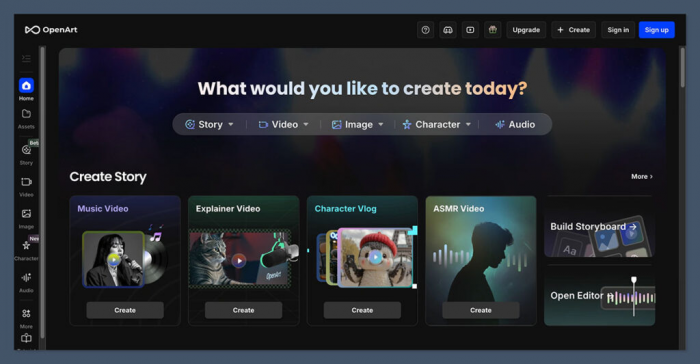
OpenArt doesn’t have the same brand aura as Midjourney or Adobe, but it does a few things very well: it’s fast, multi‑model, and aggressively priced as a Leonardo alternative.
In practice, it feels like a practical image workshop:
● Multiple top models available behind one interface.
● Generations measured in a couple of seconds, not tens.
● Simple presets and tools to get you to a decent image quickly.
If you’re generating lots of variants for clients, campaigns, or e‑commerce, shaving 20–30 seconds off every generation adds up.
OpenArt – pros and cons
| OpenArt – Pros | OpenArt – Cons |
| Very fast generation in most tests | Interface is functional, not glamorous |
| Competitive pricing against Leonardo | Smaller community and ecosystem |
| Access to multiple models in one place | Less “platform identity” than rivals |
OpenArt pricing
| Plan | Price (USD/month) | Feels right for |
| Free | 0 | Occasional users and testing |
| Pro | ~10–20 | Regular creators and small teams |
Where OpenArt can beat Leonardo
For sustained, daily image work, OpenArt’s combination of speed and lower pricing can simply make Leonardo look expensive and slow. If your primary concern is “how many decent outputs can I get this month for what I’m paying?”, OpenArt tends to come out ahead.
Snapshot of user sentiment
User reviews typically sit in the mid‑4/5 band, with particular praise for speed and value for money.
7. WaveSpeedAI: the API super‑hub
WaveSpeedAI is where you go when UI isn’t the main event. It’s aimed at developers and teams who want to call hundreds of models image, video, upscaling, editing, even 3D from one unified API.
It feels less like an art tool and more like infrastructure: you wire it into your product, not your personal prompt notebook.
WaveSpeedAI – pros and cons
| WaveSpeedAI – Pros | WaveSpeedAI – Cons |
| Access to a huge catalog of models via API | Not a “designer‑friendly” standalone UI |
| Good docs and developer experience | Requires engineering effort to benefit fully |
| Supports image, video, and more in one place | Overkill for solo artists or small visual tasks |
WaveSpeedAI pricing
| Billing model | How it works | Feels right for |
| Pay‑as‑you‑go | Per‑request charges, volume discounts | Apps, SaaS tools, production pipelines |
| Enterprise | Custom contracts and SLAs | Larger companies with steady demand |
Why WaveSpeedAI can outclass Leonardo
Leonardo is designed first for end‑users; its API story is limited. WaveSpeedAI flips that: it’s built so you can turn AI image (and video) generation into part of your own product. If your readers are building tools on top of AI rather than just using AI in their browser, WaveSpeedAI opens more doors than Leonardo ever will.
Snapshot of user sentiment
On developer‑focused platforms, WaveSpeedAI tends to score very highly (often 4.5/5+), with comments focusing on API completeness and the breadth of available models.
Which Alternative would you choose ?
Leonardo AI sits in a very comfortable middle ground: it’s easy to use, has solid models, and ships practical features for game assets, concept art and everyday visuals. That’s exactly why it became so popular so quickly. But once you know what you actually need from an AI art tool, it becomes clear that “middle of the road” isn’t always enough.
If you care most about raw artistic impact and distinctive style, Midjourney does that job better. If you need commercial‑safe imagery inside a serious design workflow, Adobe Firefly integrated with Photoshop and Illustrator is the more responsible choice. When exact prompt adherence and realism are critical, DALL·E 3 especially when paired with ChatGPT tends to outperform Leonardo on following instructions.
If you want to own the pipeline, train your own looks and possibly run everything privately, Stable Diffusion gives you a level of control Leonardo simply can’t. For free‑friendly exploration, StarryAI is less stressful on the wallet. For high‑speed, high‑volume generation on a budget, OpenArt’s speed and pricing make more sense. And if you’re building products, not just pictures, a developer‑first hub like WaveSpeedAI is in another category entirely.
In other words, Leonardo is still a good generalist, but the “best alternative” depends on the gap you’re trying to fill: style, safety, control, cost, or integration. Once that gap is clear, one of these seven tools doesn’t just replace Leonardo, it becomes the obvious first choice.
Comments