

Morph Studio is useful because it places models such as Kling, Seedance, Sora, Veo, Wan and Hailuo inside one visual workspace. Its open canvas, image generation, video style transfer and multi-model access make it more flexible than a basic prompt-to-video tool. The trade-off is that creators do not always receive the deepest controls available in each model’s original platform.
The best Morph Studio alternative therefore depends on what is missing from your current workflow. Runway provides a stronger production environment, Kling offers deeper motion control, Pika specialises in social effects, while Luma and Adobe Firefly are better suited to more structured creative work.
Why Replace Morph Studio?
Morph Studio is useful for online image and video creation and its basic plan includes 3,000 monthly credits, commercial use and access to more than ten image-to-video and text-to-video models. Its canvas also lets users arrange generated assets rather than treating each prompt as a separate project.
That combination is competitive, but a dedicated alternative may be preferable when:
● You need model-specific controls that are not fully available through an outside platform. Kling’s native environment, for example, gives creators direct access to element references, multi-shot generation and motion features built around Kling’s own models.
● Your work requires editing and asset management after generation. Runway and Adobe Firefly provide a clearer path from an experimental clip to an organised campaign asset.
● You create effects-led social content rather than cinematic sequences. Pika and PixVerse make transformations, templates and short visual hooks easier to produce.
● Commercial rights or watermark rules matter. Some platforms advertise inexpensive entry plans but reserve commercial use, clean exports or higher resolutions for a more expensive tier.
1. Runway : Best for Complete AI Production
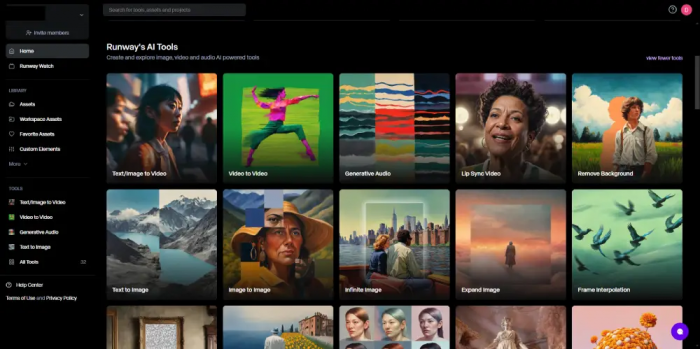
Runway is the closest overall replacement for Morph Studio. Both platforms provide access to multiple generation models, but Runway surrounds those models with stronger editing, audio and asset-management tools.
Creators can generate footage, store alternate versions, upscale selected clips and continue refining the project without downloading every result immediately. Paid plans currently provide access to Runway models alongside outside options such as Kling, Veo and other image and video systems.
Main Features
● Multi-model access lets users select a different generation engine for each shot. This is useful when one model handles realistic movement well but another follows a reference image more accurately.
● AI editing and 4K upscaling extend the workflow beyond the initial generation. A promising clip can be improved instead of being treated as a finished or failed result.
● Audio tools support speech, lip-sync and voice-based projects. Higher plans also add custom voice features for character videos and campaign drafts.
Workflow and Output
A creator can begin with a text prompt, source image or existing video, select a model and generate several variations. The strongest output can then be edited, upscaled and stored with the rest of the project.
The workflow is organised, but generation costs need attention. Runway estimates that 625 Standard credits provide around 52 seconds of Gen-4.5 output or 104 seconds of Gen-4 Turbo output. Those figures represent total generated footage, including rejected versions, not the final edited duration.
| Advantages | Limitations |
| It combines generation, editing, audio and asset storage in one workspace. | Premium models can consume the Standard allowance quickly. |
| Users can choose between several image and video models. | The number of models and credit rates creates a learning curve. |
| Paid outputs are watermark-free and can be upscaled to 4K. | Consistent characters and complex object interaction may still require several attempts. |
Runway Pricing
| Plan | Monthly price | Annual-billing price | Monthly credits |
| Free | $0 | $0 | 125 one-time credits |
| Standard | $15 | $12 per month | 625 |
| Pro | $35 | $28 per month | 2,250 |
| Max | $95 | $76 per month | 9,500 |
Annual prices require payment for a full year. Standard is adequate for testing regular production, but Pro provides a more realistic allowance for users who generate several versions of each shot. Max permits limited credit rollover, while lower subscriptions reset their monthly allowance.
Best for: Filmmakers, agencies and marketing teams that need AI generation and post-production tools in one workspace.
2. Kling AI : Best for Controlled Movement
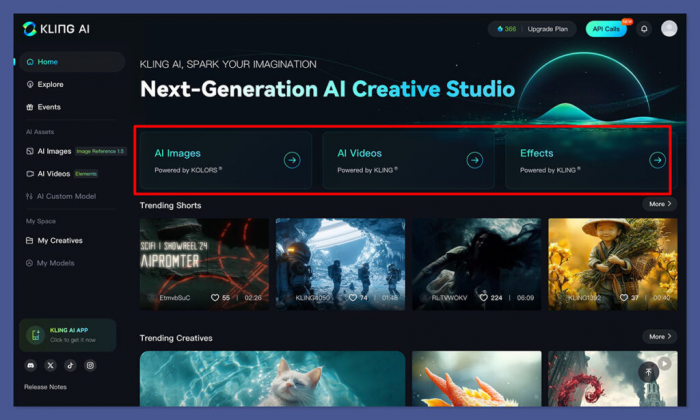
Kling AI is a stronger choice when character movement, reference accuracy and scene construction matter more than access to several unrelated models.
Kling Video 3.0 supports text-to-video, image-to-video, element references, native audio and multi-shot generation. Clips can run for up to 15 seconds, giving creators more room to build a small sequence than platforms centred on five-second effects.
Main Features
● Element references help preserve the appearance of a person, product or object across a scene. Users can provide visual material instead of rebuilding the subject through description alone.
● Multi-shot generation can produce connected camera angles from one structured prompt. This is useful for dialogue coverage, reaction shots and short narrative sequences.
● Native audio generates speech and environmental sound with the video. Voice control can also be added where supported.
Workflow and Output
Kling works best when the user prepares reference material before generating. A clean image establishes appearance, while the prompt describes action, camera position, setting and pacing.
The platform gives creators more direct control than accessing Kling through Morph Studio, but that control requires discipline. Conflicting actions, weak references and overly complicated storyboards can reduce consistency.
Video 3.0 is charged per second. A five-second 1080p generation with native audio costs 60 credits, while a five-second 720p clip without native audio costs 30 credits.
| Advantages | Limitations |
| Element references improve character and object continuity. | Good results depend heavily on the quality of the reference material. |
| Native audio reduces the need for a separate sound-generation step. | Multi-shot outputs may still change details between camera angles. |
| Fifteen-second generation provides more room for structured scenes. | Advanced settings take longer to learn than simple image animation. |
Kling AI Pricing
| Plan | Current advertised price | Renewal information |
| Free | $0 | Limited generation access |
| Standard | From $6.99 per month | The page currently shows a later renewal price of $8.80 |
| Pro | From $25.99 per month | The page currently shows a later renewal price of $32.56 |
Kling’s membership page uses promotional pricing, so the first displayed figure may not remain the renewal rate. Users should check the checkout summary and calculate how many seconds their selected model, resolution and audio setting will consume.
Best for: AI filmmakers, character creators and advertisers who need controlled motion, references and short multi-shot scenes.
3. Pika : Best for Social Effects
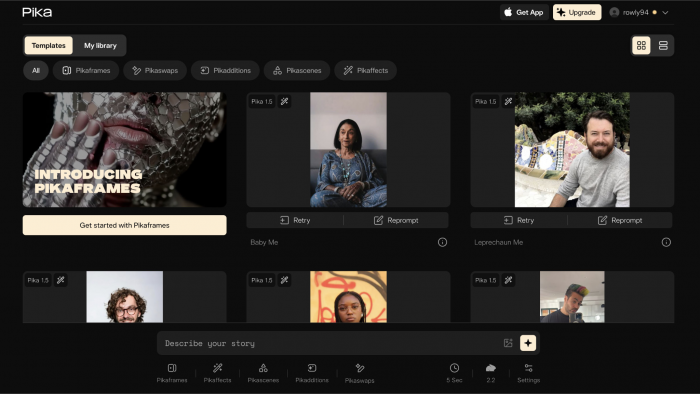
Pika is less like a complete production suite and more like a collection of fast visual transformation tools. It is designed for short clips that need an immediate visual idea rather than a complex editing workflow.
Pikadditions inserts a subject into existing footage, Pikaswaps replaces an object, Pikatwists changes the action and Pikascenes combines separate visual ingredients. Pikaformance animates a still image against uploaded audio.
Main Features
● Pikadditions and Pikaswaps modify a defined part of existing footage. This is often faster than regenerating the whole scene.
● Pikascenes combines separate people, objects and backgrounds into one generated clip. It works well for unusual social concepts and promotional visuals.
● Pikaframes animates the movement between supplied frames. Supported outputs can reach 25 seconds, depending on resolution and settings.
Workflow and Output
Most Pika projects begin with an image or short video. The creator selects a specific transformation, uploads the source material and describes what should change.
This makes Pika easier to use than tools with long camera-control panels. The trade-off is that it offers fewer tools for organising a complete multi-scene production. It is best treated as an effects and clip-generation platform whose output will be assembled elsewhere.
| Advantages | Limitations |
| Purpose-built effects make complex transformations easier to request. | It provides fewer project-management and timeline tools than Runway. |
| The interface suits quick social experiments and visual hooks. | The Basic plan restricts Pika 2.5 output to 480p. |
| Pikaframes supports longer transitions between visual states. | High-resolution effects can consume a large part of the monthly allowance. |
Pika Pricing
| Plan | Monthly billing | Annual-billing price | Monthly credits |
| Free | $0 | $0 | Limited free access |
| Basic | $10 | $8 per month | 80 |
| Standard | $35 | $28 per month | 700 |
| Pro | $95 | $76 per month | 2,300 |
| Fancy | Check checkout | Higher-volume annual option | 6,000 |
Basic only provides Pika 2.5 at 480p, while Standard unlocks all listed resolutions and Pikaframes. A five-second 1080p Pika 2.5 text-to-video clip costs 40 credits, so Basic is primarily a testing plan rather than a high-output subscription.
Pika’s current pricing page lists commercial use and watermark-free downloads across its paid tiers, but its FAQ still states that commercial use and clean downloads require Pro or Fancy. Anyone producing client work should verify the current terms inside the account before publishing paid material.
Best for: Social creators, meme accounts and marketers producing effects, transformations and short visual hooks.
4. PixVerse : Best for Fast Promotional Clips
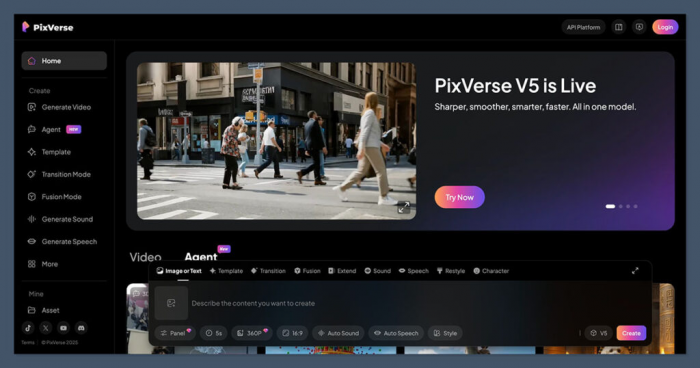
PixVerse AI offers more structured generation than a simple effects app while remaining accessible to creators who do not need a professional editing environment.
Its V6 model supports text-to-video, image-to-video, first-and-last-frame transitions, extension, reference-to-video generation and optional audio. Clips can be produced at several resolutions, with costs calculated per second.
Main Features
● Reference-to-video generation uses supplied subjects or products to guide the clip. This can reduce appearance changes across related promotional assets.
● First-and-last-frame control defines both ends of a movement. It is useful for reveals, transformations and transitions between approved visuals.
● Native audio can be generated alongside V6 footage. This helps creators produce a more complete social draft from one request.
Workflow and Output
PixVerse works best when the creator defines a short deliverable before generating. A six-second product reveal or an eight-second social scene is easier to control than a broad request for a complete advertisement.
Resolution and audio make a major difference to cost. V6 720p video uses nine credits per second without audio and 12 with audio. At 1080p, the cost increases to 18 or 23 credits per second.
| Advantages | Limitations |
| It supports references, transitions, extension and native audio. | High-resolution video with audio consumes credits quickly. |
| Daily free credits make regular experimentation possible. | Monthly and daily credits expire if they are not used. |
| The workflow suits product reveals and short promotional scenes. | Public web pricing is less transparent than Runway or Pika. |
PixVerse Pricing
| Access type | Price | Credits or allowance |
| Free web/app access | $0 | 60 daily credits |
| Pro web membership | Approximately $30 per month | 6,000 monthly membership credits |
| API credit pack | $10 | 1,000 API credits |
| API Essential | $100 per month | 15,000 API credits |
PixVerse confirms that daily credits expire at the end of the day, monthly membership credits expire at the end of the subscription cycle and separately purchased credits do not expire. Its web membership and API billing are separate, so credits bought for one cannot automatically be used in the other.
Best for: Social teams and small brands producing product reveals, transitions and short audio-supported promotional videos.
5. Hailuo AI : Best for Image Animation
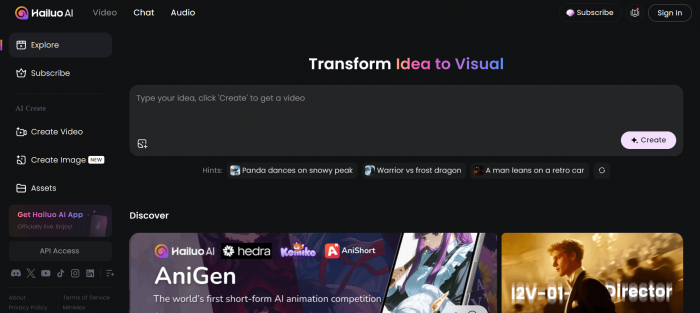
Hailuo AI is most useful when the workflow begins with a prepared product image, illustration, character design or photograph.
Hailuo 2.3 supports both text-to-video and image-to-video, while the faster 2.3-Fast model is focused on image animation. The platform places particular emphasis on facial movement, physical motion, anime-style content and commercial product scenes.
Main Features
● Image-to-video uses a source visual to hold the main composition together. This is useful for products and characters that should remain recognisable.
● Hailuo 2.3-Fast supports quicker image animation for testing several prompt variations. It is better suited to volume and experimentation than maximum detail.
● Product-oriented tools support common social aspect ratios. Creators can prepare clips for vertical, square and landscape placements.
Workflow and Output
A strong Hailuo workflow begins with one clear master image. The prompt should describe movement, camera behaviour and atmosphere rather than repeat every visual detail already present in the image.
Hailuo is a generation engine rather than a full editor. Longer videos normally need to be built from several short clips and assembled in software such as DaVinci Resolve, Premiere Pro or CapCut.
| Advantages | Limitations |
| It provides an accessible route into product and character animation. | It lacks a complete multi-track editing environment. |
| The Fast model supports lower-cost experimentation from existing images. | First-and-last-frame control is not available in Hailuo 2.3. |
| Six- and ten-second options cover common short-form requirements. | Visual details can drift when several separate clips are combined. |
Hailuo AI Pricing
| Plan | Current advertised starting price | Intended usage |
| Free | $0 | Limited testing |
| Standard | From $9.99 per month | Occasional image and video generation |
| Pro | From $34.99 per month | Regular creator workflows |
| Master | From $79.99 per month | Higher monthly generation volume |
Hailuo’s official material currently advertises these as starting prices, and promotional or annual offers may produce different figures. The platform also changes allowances and model costs, so the live checkout page should be treated as the final price.
Hailuo 2.3 currently lists a six-second 768p generation at 25 credits, while a ten-second 768p or six-second 1080p generation costs 50 credits.
Best for: Ecommerce brands, illustrators and creators turning approved still images into short moving assets.
6. Luma Dream Machine : Best for Cinematic Development
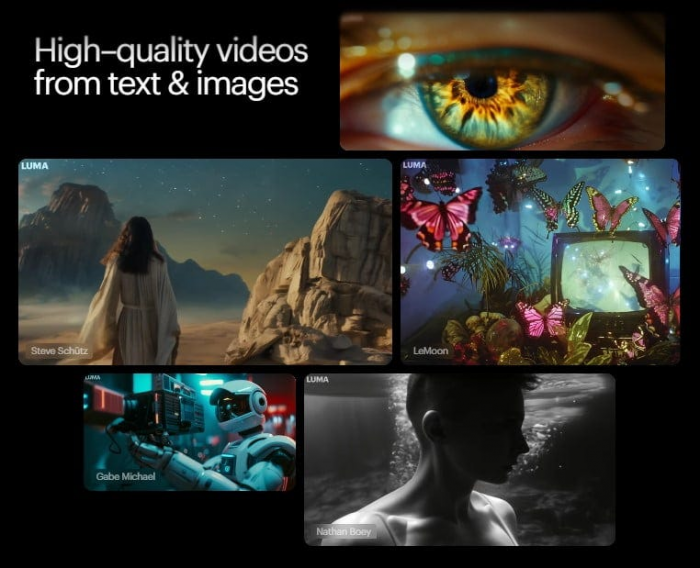
Luma Dream Machine is designed for visual exploration, camera development and video modification. Its tools are more useful for shaping a shot than applying a one-click social effect.
Creators can work with keyframes, Modify Video, Reframe, upscaling and the Ray model family. The platform also supports higher-end HDR and EXR workflows at substantially higher credit costs.
Main Features
● Keyframes give creators stronger control over the starting and ending visual direction. This reduces reliance on one long descriptive prompt.
● Modify Video changes the appearance of existing footage while preserving its underlying movement. It can restyle environments, characters and recorded performances.
● Reframe adapts existing assets to different compositions and aspect ratios. This is useful when one campaign must be delivered in landscape, vertical and square formats.
Workflow and Output
Dream Machine encourages creators to develop a visual idea through connected variations. An image can be generated, animated, modified, reframed and upscaled within the same project.
Its credit system rewards drafting at lower resolutions before producing a final version. A five-second Ray3 720p SDR generation costs 320 credits, while HDR and video-to-video modes consume considerably more.
| Advantages | Limitations |
| Keyframes and modification tools provide stronger shot development controls. | Higher-resolution and HDR modes are expensive in credits. |
| Reframe supports campaign adaptation across several aspect ratios. | The cheapest paid plan is watermarked and non-commercial. |
| Plus includes commercial use, HDR and watermark-free output. | Monthly credits do not roll over. |
Luma Dream Machine Pricing
| Plan | Monthly price | Annual-billing price | Main allowance |
| Free | $0 | $0 | Limited monthly credits |
| Lite | $9.99 | $7.99 per month | 3,200 credits |
| Plus | $29.99 | $23.99 per month | 10,000 credits |
| Unlimited | $94.99 | $75.99 per month | 10,000 fast credits plus Relaxed Mode |
Lite includes full Ray access and upscaling but remains watermarked and restricted to non-commercial use. Plus is therefore the practical entry point for client work, advertising and monetised content. Top-up credits last for one year, while subscription credits expire at the monthly reset.
Best for: Directors, designers and creative teams developing cinematic scenes, treatments and video modifications.
7. Adobe Firefly: Best for Adobe Workflows
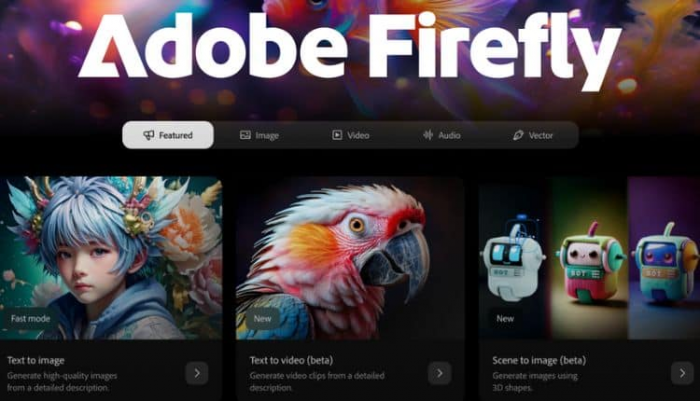
Adobe Firefly is the strongest option for teams whose AI footage must move into Photoshop, Adobe Express, Premiere Pro or another Creative Cloud application.
Firefly generates and edits images, video, audio and vectors. It also provides access to partner models from companies including Google, OpenAI, Kling and Runway, making it another multi-model alternative to Morph Studio.
Main Features
● Generate Video creates footage from text or source images in several formats. The clips can then move into Adobe’s wider editing environment.
● Partner-model access lets creators select different generation systems without maintaining several separate workspaces. Credit costs depend on the chosen model.
● Image, audio and design tools support the rest of the campaign. A generated video can be paired with retouched images, voiceovers, sound effects and resized social assets.
Workflow and Output
Firefly makes the most sense when video generation is one stage in a broader creative process. A marketer can develop an image, animate it, clean the supporting assets in Photoshop and prepare campaign versions in Adobe Express.
Its value is weaker for creators who only want raw AI video. Much of the subscription benefit comes from Adobe integration and the ability to move generated assets into established production software.
| Advantages | Limitations |
| It connects AI generation with widely used professional editing applications. | It is less cost-effective for users who do not need Adobe software. |
| Several partner models are available through one account. | Video and partner-model generations use premium credits. |
| Adobe applies Content Credentials to supported Firefly outputs. | Credits reset monthly and do not roll over. |
Adobe Firefly Pricing
| Plan | UK monthly price | Monthly generative credits |
| Free | £0 | Limited daily generations |
| Standard | £9.98 including VAT | 2,000 |
| Pro | £19.99 including VAT | 4,000 |
| Pro Plus | £47.99 regular price | 10,000 |
| Premium | £200.40 regular price | 50,000 |
Adobe is currently advertising temporary discounts on Pro Plus and Premium, so the lower promotional price should not be mistaken for the permanent subscription rate. Standard supports up to 20 five-second videos using the stated Adobe calculation, while Pro raises that estimate to 40.
Standard includes Firefly but not the full collection of supporting applications. Pro adds Adobe Express Premium and Photoshop on web and mobile, making it the more useful option for regular campaign production.
Best for: Designers, agencies and marketing departments already producing content inside Adobe Creative Cloud.
Choosing the Right Alternative
Runway is the most complete replacement for Morph Studio because it retains multi-model flexibility while adding editing, audio and project organisation. It is the safest choice for users who want one platform to handle several stages of production.
Kling AI is better when motion references, character behaviour and multi-shot scenes matter more than model variety. Pika is more suitable for effects and quick social experimentation, while PixVerse provides a stronger balance between fast generation and structured short promotional clips.
Hailuo works best when a project begins with a strong still image. Luma Dream Machine is better for cinematic development, modification and camera-led work. Adobe Firefly is the practical option for teams that already rely on Photoshop, Express or Premiere Pro.
Conclusion
Runway is the best overall Morph Studio alternative for professional and semi-professional video workflows. It offers similar access to multiple generation systems but provides a more developed environment for editing, audio and asset management.
It is not automatically the best value. Morph Studio’s Basic plan currently includes 3,000 credits, commercial use and more than ten video models for $12 per month or $8.40 with annual billing. Users who mainly want inexpensive access to several models may find little reason to leave.
The switch becomes worthwhile when the workflow has a clear priority. Kling provides deeper control over Kling-generated scenes, Pika reduces the effort behind social effects, Hailuo handles image animation efficiently, Luma supports cinematic development and Firefly connects generated media with professional design software.
The right alternative is therefore not the platform with the longest model list. It is the one that reduces the number of failed generations, external editing steps and subscription compromises in the type of video you produce most often.
Comments