

You can convert your OST – Offline Storage Table – file to PST by using Outlook’s Import/Export wizard feature. However, this feature works only if your associated Outlook profile is active and accessible.
If your user profile is deleted or removed from the server, the associated Outlook data file (.ost) becomes orphaned and inaccessible. In such a case, you need to convert your OST file to PST to access your mailbox data. In this post, we will discuss a safe and secure method to convert your OST file into PST after Outlook profile deletion.
Understanding OST and PST Files
OST - stands for Offline Storage Table - is a local cached copy of your Exchange or Microsoft 365 mailbox. It saves the mailbox items, like emails, contacts, calendars, and tasks, on your computer. It allows you to draft, read, or organize the emails without network connectivity. The file is associated with the Outlook profile in which it is created. Therefore, it is not possible to open or import this file into another Outlook profile directly.
On the other hand, PST – Personal Storage Table – is created when you configure your email account with POP3. This file is also used for backup, archiving, or storing your mailbox data locally. It can be opened or imported into any Outlook profile.
Converting OST File to PST after Outlook Profile Deletion
If your Outlook profile has been deleted or you no longer have access to the original Exchange or Microsoft 365 account, you cannot use Outlook's Import/Export feature to access the OST file. For a quick and hassle-free conversion, you can go for the free online OST to PST Converter by Stellar. This online OST converter helps you to convert your OST file to PST format without installing any software. This converter allows you to convert OST file of up to 500 MB for free. For larger files up to 5GB, you can upgrade to its Premium version. Besides, this tool offers several other features such as:
- Converts OST files without Outlook.
- No software installation needed.
- Real-time conversion progress tracking.
- Converts inaccessible and orphaned OST files.
- Preserves the original folder hierarchy during the conversion process.
- Preview mailbox items in HTML format after conversion.
- User-friendly interface that is easy even for non-technical users.
- Ensures a secure and reliable conversion process with no risk of data loss.
Let’s see the steps to use the online OST to PST converter:
- Open any web browser.
- Go to Free OST to PST converter by Stellar.
- Sign up.
- Click on Upload OST File.
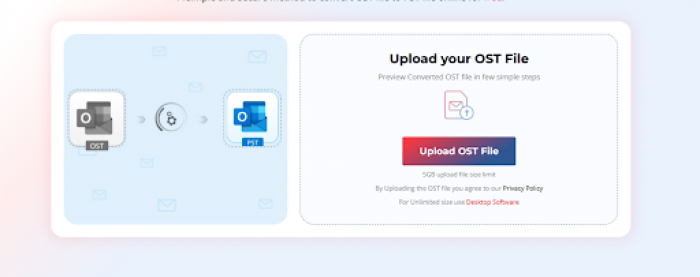
- Select the OST file.
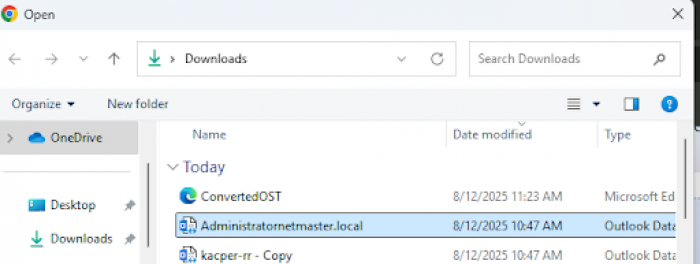
- Click Open. The file will start uploading.
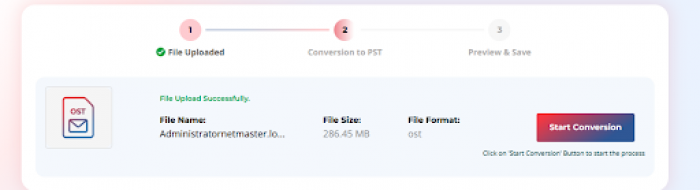
- After the upload is finished, click Start Conversion.
- The tool will start scanning and converting your data file to PST format.
- You can track real-time progress on your screen.
- Now, the tool will display two options: Preview and Save PST File.
- Click on Preview to review the converted data in HTML format.
- Click on Save PST File to download the converted file.
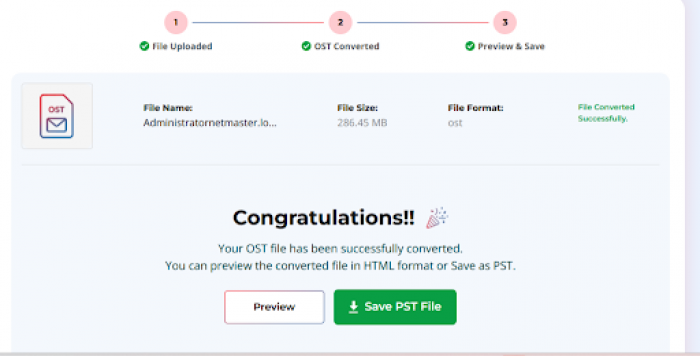
After conversion, you can import the saved PST file into any Outlook profile by using MS Outlook’s Import/Export wizard and access your mailbox data.
If your OST is larger than 5 GB, then you can consider using Stellar Converter for OST. This desktop-based OST to PST converter tool can convert OST files of any size to PST and various other formats. This tool lets you preview specific folders, search for exact emails, and filter data before converting. With its Auto-split feature, this tool can split larger files into manageable sizes.
Conclusion
If your Outlook profile is deleted, the associated OST file will become orphaned and inaccessible. To access the mailbox data within this data file, first you need to convert it into PST. To convert such a file, you can go for the online OST to PST converter by stellar. It effectively converts orphaned or inaccessible OST file to PST without Outlook. It also maintains the folder structure and other details, like metadata, after conversion. However, this converter can convert up to 5 GB file (premium version). If your file size is larger than this, you can go for the desktop version, which is Stellar Converter for OST. It can convert your OST file to PST without any size limit.
Comments