

Most Instagram captions lose attention before they reach the main point. Longer captions are commonly shortened after about 125 visible characters, while Instagram’s average engagement rate currently sits around 0.48%, according to Socialinsider’s 2026 benchmark study.
The visual may stop the scroll, but the caption determines what happens next. It can turn a moment of attention into a comment, save, share, profile visit, or purchase. That requires more than a catchy opening and a row of hashtags. The caption needs a clear job.
The First Line Is the Whole Game
Everything after the “more” prompt matters only when the opening gives people a reason to tap it. The first line should therefore carry the strongest part of the caption, not a greeting, announcement, or description of what is already visible.
Consider two openings for the same post about an unsuccessful product launch.
Weak: “Reflecting on our journey this quarter and some lessons learned along the way…”
Stronger: “We spent ₹4 lakh on a launch that produced 11 sales. Here is what went wrong.”
The second opening introduces a specific result, admits failure, and promises an explanation. It creates a clear information gap without resorting to empty clickbait.
Four hook structures are especially useful:
● The specific detail: “Three caption mistakes are weakening otherwise useful posts” sounds more substantial than “A few mistakes you should avoid.”
● The contrary position: “Posting daily may be making your account less useful” challenges a familiar assumption and creates a reason to keep reading.
● The direct callout: “If your Reels regularly stop at 200 views, examine the first two seconds before blaming the algorithm.”
● The unfinished moment: “I almost deleted this account in March, but one comment changed the decision.”
A useful writing habit is to draft the caption first and write the hook last. Once the main idea is clear, find the most surprising result, useful sentence, or difficult admission and move it to the opening.
Do not confuse curiosity with concealment. “You will not believe what happened next” withholds information. “The product sold well but generated almost no repeat orders” creates curiosity while still telling the reader what the post is about.
Caption Length Is a Decision, Not a Rule
Advice about caption length often conflicts because different posts are designed to produce different actions.
A short caption may support an image without interrupting it. A longer caption may generate more thoughtful comments because it gives the audience more context. Neither approach is automatically better.
The useful question is not, “How long should an Instagram caption be?” It is, “How much does the audience need to understand before taking the intended action?”
| Account or post type | The caption’s main job | A practical starting length |
| Photography, fashion, travel or lifestyle | Add context without competing with the visual | One strong line or fewer than 30 words |
| Personal brand, educator or coach | Carry the main lesson or story | Around 100 to 220 words |
| Product or ecommerce post | Explain the use case and guide one action | Around 50 to 120 words |
| Meme or entertainment post | Set up or extend the joke | One line, or no caption when unnecessary |
| Event or promotional post | Communicate essential details clearly | Long enough to include the offer, deadline and conditions |
These ranges are starting points, not performance guarantees. A 20-word caption is too long when it repeats the image. A 200-word caption is justified when it explains a useful process, documents an experience, or answers an important customer concern.
Before publishing a longer caption, remove every sentence that repeats the previous one. Before publishing a short caption, check whether brevity has removed the context people need.
Write for Saves and Shares, Because Likes Barely Count Now
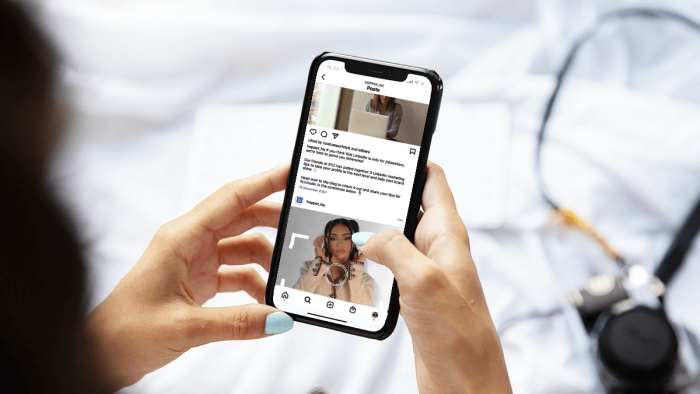
Instagram chief Adam Mosseri has identified watch time, likes per reach, and sends per reach as major ranking signals. He has also explained that likes tend to matter more for connected audiences, while sends are particularly important when content reaches people who do not already follow the account.
This does not make likes useless. It means they should not be treated as the only evidence that a caption worked.
A useful caption should be designed around one of three deeper actions:
● A save comes from future value. Checklists, formulas, tutorials, price breakdowns, templates, and process explanations are saved because the reader expects to need them again.
● A share comes from relevance to another person. The reader recognises a friend, colleague, customer, or situation while reading and sends the post directly.
● A meaningful comment comes from a clear response opportunity. “Which of these three steps causes the most trouble?” is easier to answer than “Thoughts?”
Educational posts should usually earn their save request before asking for it. A weak caption saying “save this for later” does not create reference value by itself.
Shareable captions often contain a precise observation. “Freelancers spend too much time on admin” is broad. “The five-minute client request that requires opening four tools and rebuilding last month’s file” is recognisable enough to send to someone.
Before publishing, ask: “ Would someone need this again, have something specific to say about it, or know exactly who should receive it?”
When the answer is no, the caption may still be readable, but it has not earned a strong engagement action.
One Caption, One Ask
Stacked calls to action weaken each other.
“Like, save, share, comment, follow us, and visit the link in our bio” gives the reader too many choices. Each action requires a different level of interest, so combining all of them usually makes the caption feel like a list of demands.
Match the call to action to what the post has earned:
● An educational carousel can ask for a save.
● An opinion post can invite a focused response.
● A relatable post can suggest sharing it with someone facing the same situation.
● A product post can send the reader to the product page.
● A service post can invite a direct message containing specific information.
A call to action should also remove uncertainty.
“DM us” is vague. “Send your profile link and the product you are trying to promote” tells the person what to include.
Avoid manufactured engagement loops such as “comment YES,” “drop ten emojis,” or “tag three friends to unlock part two.” They may create visible activity, but the responses rarely contain useful information or build a serious audience relationship.
A genuine question starts a conversation. Engagement bait merely records compliance.
Sound Like a Person, Not a Press Release
Many brand captions fail because they sound like internal announcements rather than communication intended for customers.
The usual warning signs are passive sentences, abstract business language, predictable excitement, and phrases no one would say aloud.
Corporate version: We are thrilled to share insights from our recent workshop on productivity optimisation.
Human version: We ran a workshop last week. One exercise made half the room realise they lose nearly two hours a day switching between Slack, email, and unfinished documents.
The second version gives the reader a scene, a result, and a reason to continue.
Three editing habits help:
● Give each paragraph one job. A dense 200-word block looks demanding on a phone. The same information divided into connected paragraphs feels manageable.
● Delete the warm-up sentence. Phrases such as “We are excited to announce” delay the information. Begin with what has changed, who it affects, or why it matters.
● Use the audience’s language. If customers say, “This ad is eating my budget,” do not rewrite it as “inefficient allocation of promotional expenditure.”
Reading the caption aloud is one of the quickest quality checks. Rewrite every sentence that feels difficult to say naturally.
Human writing does not mean making every caption casual. A medical clinic, investment company, or legal service may need a measured tone. The goal is natural clarity, not forced informality.
Keywords Took the Job Hashtags Used to Have
Instagram increasingly works like a search and recommendation system. It can use caption text, profile information, on-screen wording, and other context to understand what a post is about.
Hashtags still help categorise content, but Instagram removed the ability to follow hashtags in December 2024. The platform later moved to limit posts to five hashtags, encouraging creators to choose a small number of relevant tags instead of long generic blocks. Mosseri has also stated that hashtags may support search but should not be treated as a dependable reach tactic.
Three changes make sense:
● Place the main topic early. A caption opening with “Instagram caption formulas for fitness coaches” gives the platform and the reader immediate context.
● Write around actual search language. “Easy midweek pasta recipes for beginners” is more descriptive than “Dinner tonight ��.”
● Use hashtags as labels. Select a few terms that identify the niche, location, subject, or campaign. Do not expect them to compensate for unclear writing.
Keywords should remain natural. Repeating “Instagram caption tips” in every paragraph does not improve a caption. It makes the writing awkward.
The caption, visual, on-screen text, and profile description should also agree with one another. A Reel about beginner skincare routines becomes harder to categorise when its caption discusses general lifestyle motivation and the profile bio says nothing about skincare. Search visibility begins with clear subject consistency.
Caption Frameworks That Do the Heavy Lifting
Experienced caption writers rarely begin with a completely blank page. They use a small set of structures and change the details according to the post.
The Story Arc
This format suits founders, personal brands, creators, and case studies.
Open with a difficult moment, unexpected result, or specific admission. Explain what happened in sequence, identify the decision that changed the situation, and finish with the lesson.
A useful order is: Unexpected moment → What led to it → Decision → Result → Focused question
Do not force an inspirational lesson onto an ordinary event. The conclusion should follow naturally from the story.
The Teach and Save
This framework suits educators, coaches, consultants, and service providers.
Begin with a practical promise. Deliver exactly what the opening offered, keeping each step short enough to apply. End by connecting the save prompt to a future moment.
“Save this before your next client proposal” is stronger than “Save for later.”
The first version reminds the reader when the information will be useful.
The Mirror
This format is designed for relatability and sharing.
Name a frustration using the audience’s own language. Then reveal the less obvious cause or offer a sharper interpretation.
For example: You may not have a content-idea problem. You may have 40 unfinished ideas stored in six different places.
The reader recognises the situation immediately and may know someone else who does too.
The Straight Pitch
This framework works for products, offers, launches, and event registrations.
Use one clear benefit, one piece of supporting proof, and one next step.
Benefit → Proof → Action
Do not force a sales caption to entertain, educate, tell a founder story, and answer every possible objection. If a product requires detailed explanation, place the essential buying information in the caption and direct readers to a page that handles the rest.
Rotate these four frameworks across several weeks. The best structure will depend on the account, audience, subject, and intended action. Instagram Insights will reveal more than a general rule copied from another industry.
Five Tools That Speed Up Caption Writing
Frameworks reduce the effort required to organise a caption. Writing tools help turn that structure into multiple hooks, shorter versions, alternative tones, and platform-ready drafts.
They are most useful when the original input already contains a real idea. A tool can rewrite a product story, but it cannot know why the product was created, which customer objection matters most, or what happened during a campaign unless those details are provided.
1. Buffer AI Assistant
Buffer AI Assistant is a practical option for creators who want to write, revise, repurpose, and schedule social posts in one workflow. It can generate a caption from a prompt, shorten an existing draft, change its tone, and adapt the same idea for different social platforms.
Its strongest advantage is convenience. A user can take a rough post idea, produce several caption versions, select one, and move it directly into the publishing calendar without copying it between separate tools.
Buffer is particularly useful for testing variations. For example, the same product post can be rewritten with a direct opening, a customer-focused hook, or a shorter promotional style. However, the output still depends on the quality of the brief. A prompt such as “write a caption for my new product” will usually generate broad promotional language.
2. Flick
Flick is built specifically for social media planning and Instagram-focused content creation. Its tools cover caption writing, post ideas, scheduling, analytics, hashtag research, and visual content support. Its AI assistant can also use stored brand information when preparing captions.
It suits creators and small businesses that want more than a standalone caption generator. A caption can be developed alongside the broader content plan, which makes it easier to keep the topic, format, and posting schedule connected.
Flick is less compelling for someone who needs only an occasional caption. Much of its value comes from using its planning, research, scheduling, and analytics features together.
3. Jasper
Jasper is better suited to agencies and marketing teams that need captions to follow an established brand voice. Its Instagram Caption Agent supports image posts, carousels, and Reels, while Jasper IQ can apply saved audience information, style guidance, brand language, and company knowledge.
The main benefit is consistency across a large volume of posts. A team can define how the brand speaks, which terms it uses, and how direct its calls to action should be before generating campaign content.
That level of control may be unnecessary for a solo creator publishing a few times each month. Jasper makes more sense when several people are producing content and every caption needs to sound as though it came from the same brand.
4. Simplified
Simplified combines caption writing with design, editing, collaboration, and social media planning. Its AI Social Media Post Generator can create written content from information about the brand, audience, and intended post style.
Its main advantage is the integrated workflow. A user can prepare the visual, write the caption, make revisions, and organise the post without switching between several applications.
This makes Simplified useful for small teams or creators who want one platform for most of the production process. Users who already rely on separate design and scheduling tools may find that some of its features overlap with their existing setup.
5. Copy.ai
Copy.ai offers a dedicated Instagram Caption Generator that produces caption options from a description of the post. It is useful for generating several starting points for product launches, promotions, community updates, and campaign content.
The ability to produce multiple variations is valuable when the idea is clear but the opening is not. A marketer can compare a benefit-led caption, a question-based version, and a shorter sales-focused option before choosing the strongest direction.
Its drafts still require editing. Generated text can sound polished while missing the exact customer language, product limitation, or personal detail that would make the caption credible.
Give the Tool a Proper Brief
None of these tools can produce a distinctive caption from a one-line topic. A useful prompt should include:
● Describe what appears in the image, carousel, or Reel so the caption does not contradict or merely repeat the visual.
● Identify the audience and explain what they already know about the subject.
● State whether the post is meant to generate comments, saves, shares, inquiries, or sales.
● Include the real story, result, customer problem, product detail, or opinion that should shape the caption.
● Specify the desired tone, approximate length, and words or expressions that should be avoided.
● Provide any price, date, limitation, location, or condition that must remain accurate.
● Request one clear call to action rather than several competing instructions.
For example:
Write an Instagram caption for a Reel showing a local bakery preparing its first beginner sourdough workshop. The audience is people who have never made bread and worry about getting the dough wrong. Begin with that concern, mention that the class is practical and limited to eight people, and end by asking which stage of bread-making they find most difficult. Keep the tone conversational, avoid exaggerated claims, and use no more than one emoji.
The tool now has enough information to produce a relevant first draft. The final version should still be checked for accuracy, unnecessary phrases, repetition, and whether it genuinely sounds like the person or business publishing it.
Mistakes That Quietly Cap Your Reach
The same problems appear repeatedly in weak captions:
● Burying the useful sentence: When the strongest idea appears in paragraph six, many readers will never reach it.
● Writing for existing insiders: “Excited for the next chapter” may mean something to the team but gives a new visitor no context.
● Repeating the visual: A caption that merely describes the Reel or image adds no extra value.
● Using the same structure every time: Repeating “hook, three tips, save this post” makes the account predictable even when the subject changes.
● Recycling one hashtag block: Relevance changes from post to post. A fixed collection of broad hashtags rarely reflects the content accurately.
● Ignoring limitations: Product captions become less trustworthy when they mention every benefit but avoid who the product may not suit.
● Using several closing instructions: Competing calls to action divide attention.
● Publishing generated copy untouched: AI frequently removes the small details, unusual phrasing, and honest imperfections that give a caption personality.
● Ending without a destination: The caption should close with an action, clear conclusion, useful takeaway, or deliberate final line.
Another quiet mistake is measuring the caption against the wrong goal. A product post designed for clicks should not be judged mainly by comments. An educational caption may be successful because of saves even when its visible like count appears modest.
Measure, Then Rewrite
General benchmarks can provide context, but account-level patterns are more useful.
Review at least 15 to 20 comparable posts in Instagram Insights. Separate them by format because a Reel, carousel, photograph, and promotional graphic are not equal tests.
Track the metrics that match the caption’s purpose:
| Metric | What it may indicate | What to compare |
| Saves | The post has future reference value | Educational posts covering related subjects |
| Shares or sends | The content feels useful or recognisable to another person | Relatable posts or practical explanations |
| Comments | The caption created a clear discussion point | Question, opinion, or story-led captions |
| Profile visits | The post created interest in the account behind it | Expertise, personal-brand, and series content |
| Link clicks | The caption supported a next-step decision | Product, event, and service posts |
| Follows | The post set an expectation of future value | Recurring educational or niche content |
Do not change the visual, subject, hook type, caption length, and call to action simultaneously. You will not know which adjustment affected the result.
Run controlled comparisons:
● Use a direct hook on one educational carousel and a curiosity-based hook on another closely related post.
● Compare a focused question with a general question.
● Test a short product caption against a slightly longer one that addresses a common objection.
● Compare a save-focused closing with a complete conclusion that contains no explicit call to action.
Review the results after enough time has passed for the posts to reach a meaningful portion of the audience. Then keep the useful pattern and test another element.
The aim is not to discover a universal formula. It is to build a repeatable caption system for one particular audience.
Final Conclusion
Instagram captions are no longer decorative text beneath a visual. They help explain the subject, provide search context, communicate brand voice, and guide the audience toward a meaningful action.
The working approach is straightforward: make the opening useful, choose the caption length according to its job, write for one engagement action, use natural keywords, and remove anything that delays the main point.
Caption tools can speed up drafting and provide alternatives, but they cannot supply genuine experience, accurate customer language, or a credible point of view without proper input. Those are still the elements that separate a memorable caption from a polished piece of filler. The best caption does not ask for every possible interaction. It earns one.
Comments