

A faceless Instagram page removes one obvious production job: appearing on camera. It does not remove the work behind the content.
A strong page still needs ideas people will stop for, visuals that do not look recycled, sharp hooks, readable carousels, convincing narration, finished Reels, consistent publishing, and enough performance data to decide what deserves another version. The useful tools are the ones that solve one of those problems well without filling the workflow with unnecessary subscriptions.
The seven tools below cover different parts of that production chain, from writing the first hook to studying what happened after the post went live.
What the Tool Stack Should Cover
Before picking software, it helps to separate the jobs involved in running a faceless account. Otherwise, it is easy to subscribe to three tools that all generate captions while leaving video production or analytics completely uncovered.
For most faceless pages, the basic stack looks like this:
● Writing tools should help develop hooks, scripts, captions, and supporting copy without requiring a long prompt every time.
● Design tools should create repeatable visual systems for carousels, quote graphics, covers, and Stories.
● Video tools should turn scripts and ideas into footage that can work without a person speaking to camera.
● Audio tools should provide consistent narration when voice is part of the content format.
● Media libraries should supply useful B-roll when creating every visual from scratch would be inefficient.
● Publishing tools should make batch production practical rather than forcing creators to manually post every day.
● Analytics tools should reveal which topics and formats are worth repeating instead of simply displaying follower totals.
With those roles separated, it becomes much easier to judge whether a tool genuinely deserves a place in the workflow.
1. SmartPostly: Best for Captions and Hooks
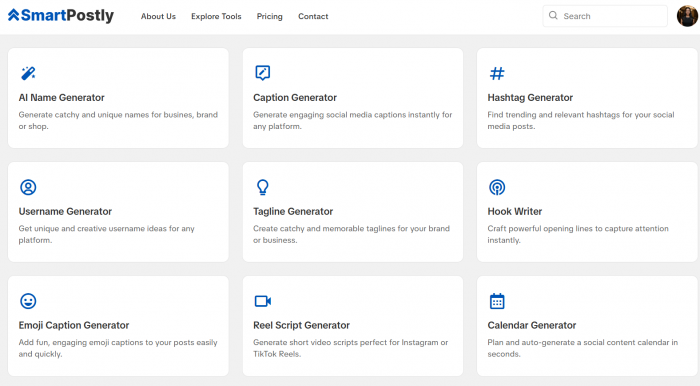
Best for: Faceless creators who need Instagram hooks, captions, short-form scripts, hashtags, and other social copy regularly.
SmartPostly is useful at the writing stage of the workflow. Rather than functioning as a broad chatbot where the creator has to explain the task from scratch, it separates common social-media jobs into individual generators.
Its current toolkit includes dedicated tools for captions, hooks, hashtags, Reel scripts, usernames, taglines, content calendars, and related social content. The Caption Generator also lets users specify details such as platform, language, post type, and tone, while the Hook Writer is built around platform and tone selection.
Key Features
● Caption Generator: Produces multiple caption options using the platform, tone, post type, and information supplied by the creator.
● Hook Writer: Creates opening lines separately, which is useful when the content itself works but the first line feels weak.
● Reel Script Generator: Builds short voiceover-style scripts around a niche, idea, tone, and selected duration.
● Hashtag Generator: Produces hashtag sets from a platform, language, topic, or niche.
● Supporting social tools: Additional generators cover usernames, taglines, bios, content ideas, and planning tasks.
Advantages and Limitations
| Advantages | Limitations |
| Dedicated generators reduce the amount of prompt setup needed for repetitive Instagram writing tasks. | It does not handle video editing, publishing, or detailed account analytics. |
| The mix of hooks, scripts, captions, and hashtags suits creators producing several posts in one batch. | Generated copy still needs editing if the account is supposed to have a distinctive voice. |
| The entry-level paid tiers are inexpensive compared with many broad content platforms. | Its hashtag generator is useful for ideas, but it is not a substitute for deeper competitive hashtag research. |
Pricing
SmartPostly has a free Starter plan with 50 requests. Creator costs $9 per month for 500 requests, Professional costs $16 per month for 5,000 requests, and Advance Pro+ uses custom pricing for larger or API-based requirements. Each generation through one of its tools counts as a request.
Verdict
SmartPostly fits best where a faceless account often feels friction: turning a rough idea into usable words. It is especially practical for creators who already have design and publishing tools but do not want to rewrite hooks, captions, and scripts from zero for every post.
Rating: 4.5/5
2. Canva: Best for Consistent Visuals
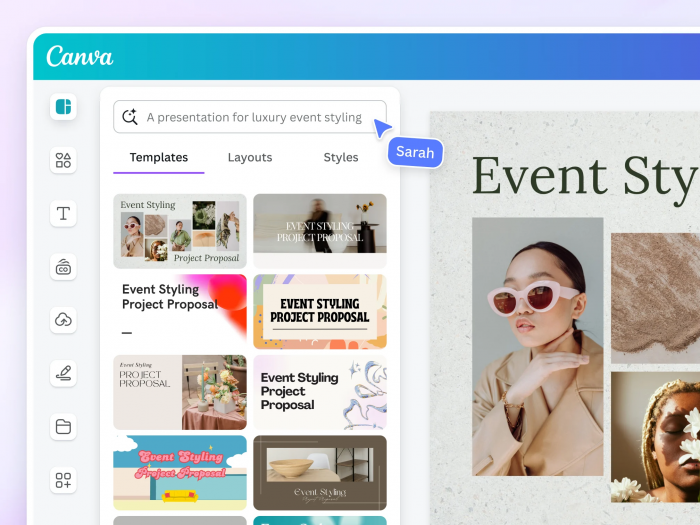
Best for: Carousels, quote posts, infographics, Reel covers, Stories, and pages that need a recognizable visual identity.
For faceless pages, visual consistency carries more weight because there is no recurring person tying each post together. A viewer may recognize a creator account through a face; a faceless account often has to achieve the same recognition through typography, colors, illustration style, layout, and recurring post formats.
Canva works well for this because it can function as a reusable design system instead of simply a place to find templates. Canva Pro currently includes premium templates and media, Brand Kits, social scheduling, background removal, resizing tools, and 100GB of storage.
Key Features
● Reusable templates: Create fixed layouts for carousels, list posts, quotes, statistics, Stories, and Reel covers.
● Brand Kits: Store recurring fonts, colors, and other identity elements instead of rebuilding the style with every design.
● Resize and Magic Switch: Adapt one design for different social sizes without manually rebuilding the layout.
● Background Remover: Useful for product imagery, cut-outs, and layered graphics.
● Built-in media library: Provides photos, graphics, audio, and video assets without constantly moving between separate libraries.
Advantages and Limitations
| Advantages | Limitations |
| A small set of reusable templates can dramatically reduce production time for carousel-heavy pages. | Popular templates are recognizable when used with little customization. |
| Brand controls make it easier to keep unrelated topics visually connected to the same account. | Complex motion design and precision editing are still better handled in specialist creative software. |
| It covers enough design formats that most faceless pages do not need separate software for every static asset. | The huge template library can encourage creators to change styles too often rather than building one recognizable system. |
Pricing
Canva Free costs $0. Its current US annual pricing lists Canva Pro at $180 per year for one person, while Canva Business is $250 per person per year. Pro adds premium media, five Brand Kits, expanded AI usage, 100GB of storage, and social-content scheduling.
Verdict
Canva is strongest when creators stop treating it as a template search engine. Build three or four dependable layouts, establish visual rules, and reuse those structures across topics. That approach gives a faceless account something far more valuable than endless design variety: recognition.
Rating: 4.7/5
3. InVideo AI: Best for Faceless Video Creation
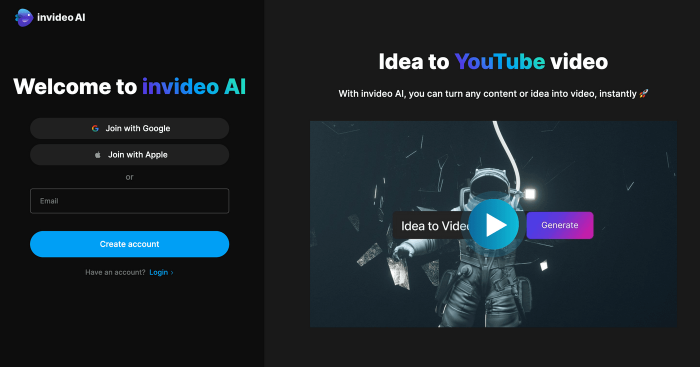
Best for: Turning written ideas into faceless Reels using generated visuals, stock media, narration, and AI-assisted video production.
A conventional video editor assumes you already have footage. That is often the wrong starting point for a faceless page. The creator may have nothing more than a topic or script and still need scenes, footage, narration, transitions, and a finished vertical video.
InVideo AI is better suited to that problem. Its current platform combines AI agents, generative video and image models, stock footage, a timeline editor, audio tools, and different generation-quality levels. It also provides access to more than 200 AI models through its Agents & Models workspace.
Key Features
● Prompt-based video creation: Start with an idea or instructions rather than assembling every shot manually.
● Generative video models: Paid tiers provide access to models including Seedance, with available models varying by plan.
● Stock-media workflows: Basic video generation can use stock footage instead of generating every visual from scratch.
● Full timeline editor: Manual editing does not consume AI-generation credits, allowing creators to refine the generated draft themselves.
● Multiple quality modes: Different generation levels let creators balance cost against production quality.
Advantages and Limitations
| Advantages | Limitations |
| It can begin with an idea rather than requiring creators to source every clip before editing. | Generative video can become expensive when several scenes need repeated attempts. |
| Stock footage, generated media, AI assistance, and timeline editing sit inside the same workflow. | AI-created first drafts often still need pacing, visual, and factual corrections before publishing. |
| Manual timeline work does not consume generation credits, so the creator can refine rather than regenerate everything. | The credit system takes some learning because different models, resolutions, and generation modes consume different amounts. |
Pricing
InVideo AI offers limited free access for testing. Current annual pricing lists Starter at $20 per seat per month with 400 credits, Plus at $50 with 2,000 credits, and Max at $100 with 5,000 credits. Credit usage varies considerably by model and generation quality, and unused monthly credits do not roll over.
Verdict
InVideo AI makes more sense than a conventional editor when the production problem is “I have the script but no footage.” It can shorten the distance between an idea and a usable Reel, but the strongest results still come from treating the generated version as a first cut rather than an automatic final post.
Rating: 4.4/5
4. ElevenLabs: Best for AI Voiceovers
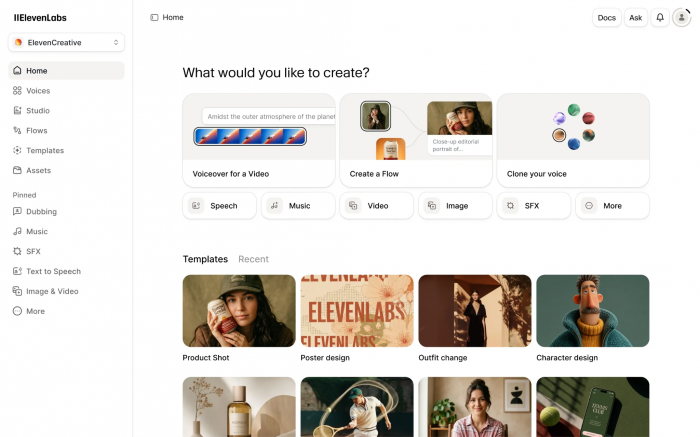
Best for: Educational pages, storytelling accounts, explainers, history content, finance pages, and other formats where narration carries the post.
Faceless does not have to mean silent. In fact, a consistent narrator can become one of the strongest recognizable elements of an account.
ElevenLabs covers text-to-speech alongside Voice Design, sound effects, speech-to-text, music, dubbing, and voice-cloning options. Its plans use a shared credit pool, meaning the same monthly allowance can be consumed across different ElevenLabs products.
Key Features
● Text-to-speech: Turn finished Reel scripts into narration without recording manually.
● Voice Design: Create voices suited to the tone of a particular content brand.
● Voice cloning: Paid tiers provide instant or professional cloning options depending on the plan.
● Sound effects and music: Generate additional audio assets without depending entirely on separate sound libraries.
● Dubbing tools: Adapt spoken content for additional languages and audiences.
Advantages and Limitations
| Advantages | Limitations |
| Consistent narration can give a faceless page an audible identity across dozens of videos. | A strong synthetic voice cannot rescue a script that was written like an article rather than spoken language. |
| The Starter plan includes commercial licensing, which matters for monetized or business content. | Repeated generations consume credits, so testing several deliveries can raise monthly usage quickly. |
| Voice Design gives creators more control than choosing a completely different stock narrator for every video. | Overly polished AI narration can feel detached if pacing, pauses, and sentence length are not adjusted manually. |
Pricing
ElevenLabs Free includes 10,000 monthly credits. Starter costs $6 per month with 30,000 credits, Creator is normally $22 per month with 121,000 credits and currently advertises a discounted first month, while Pro costs $99 per month with 600,000 credits.
Verdict
ElevenLabs is worth adding when voice is part of the format, not simply because AI narration is available. Using one carefully chosen voice across a recurring series can create continuity that random voices from post to post cannot.
Rating: 4.5/5
5. Pexels: Best for Free B-Roll
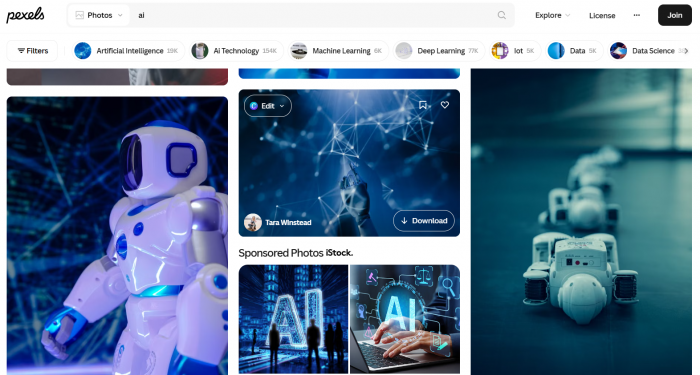
Best for: Stock-driven Reels, motivational pages, travel content, explainers, business topics, lifestyle accounts, and creators who need supporting footage without another subscription.
The problem with stock footage is rarely that it is stock. The problem is using the first clip that appears for a broad keyword and leaving it almost untouched.
Pexels remains useful because its photo and video library can supply raw material for faceless posts without adding a monthly software cost. Its current license allows Pexels photos and videos to be used free for personal and commercial purposes, attribution is not required, and the assets can be modified.
Key Features
● Free video library: Useful for B-roll behind narration, statistics, text, or storytelling.
● Free photography: Suitable for carousels, backgrounds, mood boards, and visual explainers.
● Commercial use: Pexels permits commercial use under its license, subject to its restrictions.
● Modification allowed: Clips and images can be edited, cropped, combined, and incorporated into larger creative work.
Advantages and Limitations
| Advantages | Limitations |
| It lets creators test stock-led formats without committing to a premium footage subscription. | Strong or highly specific searches can produce a much smaller useful selection than paid libraries. |
| Commercial use and modification make the library practical for branded social content. | Popular clips can be recognizable because other creators have access to exactly the same media. |
| Combining several short clips can provide enough visual movement for narrated Reels and explainers. | Brand logos, identifiable people, and depicted intellectual property can introduce additional rights considerations. |
Pricing
Pexels is free to use. There is no subscription required to download its standard photo and video library, although creators still need to follow the Pexels license and respect third-party rights that may exist within an image or video.
Verdict
Pexels works best as an ingredient rather than a finished visual strategy. A common clip becomes far less generic once it is trimmed tightly, paired with original narration, reframed for vertical video, and combined with a visual identity that belongs to the account.
Rating: 4.3/5
6. Buffer: Best for Scheduling
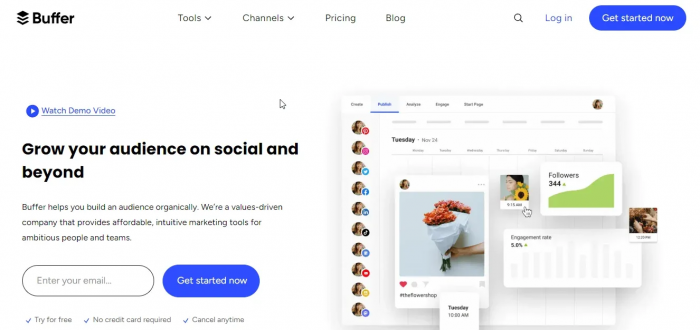
Best for: Solo creators and small teams that produce posts in batches and want a clean publishing queue.
Faceless pages can often produce content more efficiently in batches because the creator is not dependent on being camera-ready every day. Five scripts can be written together, several carousels can share the same design session, and a group of videos can be edited consecutively.
Buffer helps preserve that advantage at the publishing stage. Its current platform includes a posting queue, visual calendar, drafts, idea storage, analytics, community tools, first-comment scheduling, and hashtag management depending on the plan.
Key Features
● Publishing queue: Schedule completed posts ahead instead of manually uploading every day.
● Visual calendar: See how posts are distributed across the week or month.
● Drafts and ideas: Keep unfinished concepts separate from content that is ready to publish.
● First-comment scheduling: Useful for workflows that place supporting information or hashtags in the first comment.
● Custom video covers: Select Reel or video cover frames from inside the publishing workflow.
Advantages and Limitations
| Advantages | Limitations |
| It creates a clear boundary between content-production days and publishing days. | Paid pricing is based on connected channels, so costs rise as more social profiles are added. |
| The free plan is enough to test scheduling for a small Instagram workflow. | Creators managing only one Instagram account may not use many of the broader cross-platform features. |
| Its interface is less intimidating than many agency-focused social management suites. | Dedicated analytics platforms can provide deeper competitive and reporting capabilities. |
Pricing
Buffer Free supports up to three channels with 10 scheduled posts per channel. With annual billing, Essentials currently costs $5 per month for one channel, while Team costs $10 per month for one channel and adds unlimited team members, approval workflows, and access controls.
Verdict
Buffer is useful once publishing itself starts becoming a chore. Its value is not creating more content; it is protecting a batch workflow from falling apart because someone still has to remember to upload every post manually.
Rating: 4.4/5
7. Metricool: Best for Performance Analysis
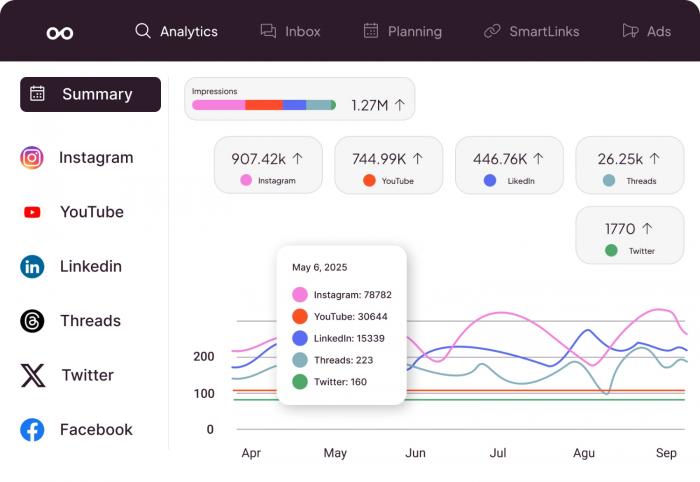
Best for: Established faceless pages that have enough published content to start comparing topics, formats, competitors, and longer-term performance.
Most creators do not need more numbers. They need better decisions.
Analytics become useful when they change what gets produced next. If one carousel format repeatedly generates saves while another produces impressions but almost no profile activity, those two posts should not receive the same amount of future production time.
Metricool combines social analytics with planning, publishing, competitor tracking, reporting, and broader account management. Its free tier currently includes one brand, up to 20 planned posts each month, five competitor profiles, and 30 days of analytics history.
Key Features
● Social analytics: Compare account and post performance instead of relying only on Instagram's surface-level overview screens.
● Competitor tracking: Monitor selected competing profiles and compare activity.
● Historical data: Paid tiers remove the short analytics-history limit available on Free.
● Downloadable reports: Starter includes PDF and PowerPoint reporting.
● Planning tools: Content can be scheduled from the same environment used to examine its performance.
Advantages and Limitations
| Advantages | Limitations |
| It can connect performance data directly to future content decisions rather than treating analytics as a separate reporting exercise. | A brand-new page with little publishing history will have limited meaningful data to study. |
| Competitor tracking gives additional context when a creator is testing formats within a specific niche. | Several advanced capabilities and integrations sit behind higher plans or paid add-ons. |
| Paid tiers retain longer histories, making month-to-month patterns easier to identify. | The platform can be excessive if the only requirement is scheduling a single Instagram account. |
Pricing
Metricool Free costs $0 and supports one brand with limited planning and analytics. Current US pricing starts at $20 per month for Starter, which can manage up to five brands at that entry level, while Advanced starts at $53 per month for up to 15 brands. Pricing rises as additional brand capacity is selected.
Verdict
Metricool becomes valuable after the account has enough output to reveal patterns. It is not something a creator needs simply because analytics sound professional; it earns its place when its data can tell you which content deserves more production time and which experiments should stop.
Rating: 4.5/5
Do You Need All Seven?
Probably not. A faceless creator publishing three times a week has very different requirements from a theme page posting several Reels every day.
For a new account, the practical starting stack is usually SmartPostly for writing, Canva for visual content, and either InVideo AI or Pexels depending on the video style. If narration becomes central to the format, ElevenLabs can be added next. Buffer starts making more sense once posts are being produced ahead of schedule, while Metricool becomes more valuable after enough content has been published to create useful performance patterns.
The decision should come from the bottleneck. If designing a carousel takes 90 minutes, buying another caption generator will not fix the problem. If there are 30 finished posts waiting in folders because publishing is inconsistent, a more advanced video generator will not fix that either.
Build Around Content Formats
A better way to choose tools is to begin with the type of page rather than the software. An educational carousel page might rely heavily on SmartPostly and Canva, with Buffer added once production becomes consistent. A narrated facts or history page could use SmartPostly for scripts, ElevenLabs for narration, Pexels for supporting footage, and InVideo AI when original scenes are difficult to source.
A high-volume theme page may care more about fast visual production and scheduling, while a carefully produced storytelling account may spend much more of its budget on voice and video quality.
This distinction matters because there is no universal “faceless content stack.” The right combination depends on what the audience actually sees.
Avoid Making the Page Look Automated
Faceless pages are particularly vulnerable to a recognizable type of low-effort production: generic hook, synthetic narrator, unrelated stock clip, automatic subtitles, generic caption, publish.
Every individual part may technically work, yet the finished account has no identifiable character. Building faceless Reel ideas around recurring formats, useful visuals, and a recognizable style gives the account something viewers can associate with it beyond the absence of a face.
Automation works better when it handles the repetitive parts while the creator keeps control of the choices that viewers notice. A few practices make a significant difference:
● Keep recurring visual rules rather than recurring templates. The font, spacing, framing, and color logic can remain familiar while the actual layout changes with the content.
● Write scripts for ears, not screens. Narration needs shorter sentences, natural pauses, and spoken phrasing rather than paragraphs copied from an article.
● Search stock footage by scene rather than topic. A Reel about burnout does not need someone literally holding their head in every shot. Look for environments, gestures, objects, and moments that support the idea more subtly.
● Generate several hooks before changing the whole post. A weak opening does not automatically mean the underlying idea is poor.
● Use analytics to find repeatable structures. One successful post is an exception. Several posts with similar subjects, openings, lengths, or formats can reveal a pattern.
Those decisions are where a faceless page starts developing a style rather than merely increasing its output.
Free vs Paid Tools
A new page can build a surprisingly capable workflow without immediately paying for seven subscriptions. SmartPostly, Canva, InVideo AI, ElevenLabs, Buffer, and Metricool all provide some level of free access, while Pexels is built around free licensed media.
The sensible time to upgrade is when a measurable restriction starts affecting production. That might be a generation allowance that runs out every week, a scheduling cap that prevents proper batching, a missing commercial license, insufficient analytics history, or design features that would remove a repeated manual step.
Paying because a tool looks useful is easy. Paying because it removes a bottleneck that appears every week is much easier to justify.
A Practical Faceless Workflow
The seven tools make more sense as a sequence than as isolated recommendations.
Start with the subject and angle, then use SmartPostly to test several hooks or shape the initial script. Build the visual identity and static assets in Canva. For video, pull suitable real-world B-roll from Pexels or use InVideo AI when the script requires scenes that are difficult to source.
If narration belongs in the format, produce it through ElevenLabs, then finalize the visual sequence. Finished content can move into Buffer rather than sitting in a folder waiting for someone to remember the publishing date.
Once enough posts have gone live, Metricool becomes the feedback layer. Look for recurring signals across topics and formats, then feed those findings back into the next round of ideas. That final step is easy to skip, but it is what turns a collection of tools into an actual content system.
Bottom Line
The best content tools for faceless Instagram pages are not necessarily the tools with the longest feature lists. They are the ones with clearly defined jobs.
SmartPostly handles the writing layer, particularly hooks, captions, short scripts, and hashtags. Canva provides the repeatable visual system. InVideo AI can build video when there is an idea but little or no original footage, while Pexels offers a free source of real-world B-roll. ElevenLabs gives narrated accounts a consistent voice, Buffer turns batch creation into an organized publishing schedule, and Metricool helps decide what deserves to be repeated.
A beginner does not need all seven. Start with the tools required by the page's main format, publish enough content to expose the real bottlenecks, and add software only when it removes one of them. A smaller stack that gets used properly will do far more for a faceless Instagram page than a crowded dashboard full of subscriptions.
Comments