

Not everyone wants to create an Instagram account just to check a public Story. Whether it is a creator's latest update, a brand's announcement, or a public profile someone wants to browse, Instagram Story viewer tools offer an alternative to signing in.
These tools differ in how they retrieve Stories, whether they support downloads, and what other Instagram content they can access. Some focus on anonymous viewing, while others include Highlights, Reels, and profile browsing. Here are eight Instagram Story viewer tools worth exploring, along with their features, practical uses, and limitations.
Can You View Instagram Stories Without an Account?
Yes, some third-party websites allow users to view publicly available Instagram Stories without creating an account or logging into Instagram. Most work by accepting a public username or profile link and attempting to retrieve content that can be displayed through a browser.
However, not every website operates the same way. Some display Stories directly, while others concentrate on downloading media. Certain services also support Instagram Highlights, Reels, photographs, and public profile information, allowing visitors to explore more than temporary Stories.
The main restriction is account privacy. These services cannot legitimately bypass private Instagram accounts or access Close Friends content. Even public Stories may become unavailable when they expire, the account owner removes them, or Instagram changes how outside services can retrieve media.
Another important distinction is anonymity. Viewing a Story without logging into Instagram may prevent the visitor's personal account from appearing on the Story's viewer list, but it does not necessarily mean the third-party website collects no browsing information.
What Makes a Good Instagram Story Viewer?
A reliable Story viewer should make public content accessible without complicated registration, unnecessary permissions, or confusing navigation. While many websites advertise similar features, their usefulness depends on how those features work in practice.
Several factors deserve attention before choosing a service:
- Access without Instagram credentials: A basic public Story viewer should not require visitors to enter their Instagram password, authentication code, or account recovery details.
- Accurate username searches: The website should allow visitors to find public accounts using their exact handles and explain when content cannot be retrieved.
- Support for relevant media: Some visitors need only current Stories, while others may want Highlights, Reels, photographs, or general profile information.
- Straightforward viewing and downloads: A useful service should clearly display available media and provide recognizable download options without unnecessary redirects.
- Clear privacy and access limitations: Claims about anonymous viewing should be considered alongside the website's data collection practices and its inability to access private content.
For occasional viewing, a simple username search may be enough. Users who regularly save public content or research social media accounts may prefer tools with additional functionality.
8 Instagram Story Viewer Tools Worth Exploring
The following eight tools offer different approaches to Instagram browsing. Some concentrate on quick Story access, while others provide broader media downloads and public profile exploration. Their advertised features and current availability should be considered separately from guaranteed performance.
1. StoriesIG: Simple Story Viewing

StoriesIG is associated with browser-based Instagram viewing that allows visitors to search for public Stories without signing into the platform. Its basic approach centers on entering an Instagram username and opening whatever content the service can retrieve.
The appeal is its straightforward workflow. Rather than requiring account creation or software installation, StoriesIG-style viewers aim to make public Story access possible through an ordinary web browser. Some websites using the StoriesIG name also advertise support for Highlights and media downloads.
What stands out: StoriesIG focuses on the basic task of finding and viewing public Instagram content without registration. Its username-based approach is particularly convenient for occasional visitors who want to check recent Stories rather than explore a larger collection of social media utilities.
What to consider: Several websites use StoriesIG or similar branding, and their capabilities may differ. Visitors should verify the domain they are accessing and remember that Story retrieval depends on the particular service, the account's privacy settings, and whether the media remains available.
Best for: People who want quick access to publicly available Instagram Stories without installing an application.
2. MyStorySaver.com: Viewing and Saving Media
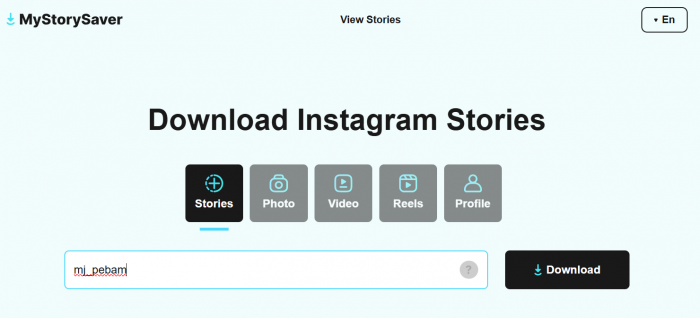
MyStorySaver.com is designed around accessing and downloading Instagram media through a browser. Alongside Stories, its advertised functionality covers photographs, videos, Reels, and other publicly accessible Instagram content.
The service emphasizes link-based downloads. Users supply a relevant Instagram content URL, and the website attempts to retrieve the associated media file. This makes it useful when someone already knows which post or video they want to save.
What stands out: MyStorySaver offers broader media support than a viewer dedicated exclusively to temporary Stories. Its ability to handle different Instagram content types makes it practical for collecting permitted references from public posts, Reels, and videos without installing separate download software.
What to consider: Link-based downloads can be less convenient for people without Instagram accounts because obtaining the original media URL may require additional steps. The website also cannot guarantee access to expired, deleted, or private content, and successful downloads depend on the availability of the original file.
Best for: Users who primarily want to download specific public Instagram photos, videos, Reels, or Stories.
3. Dumpor: Public Profile Exploration
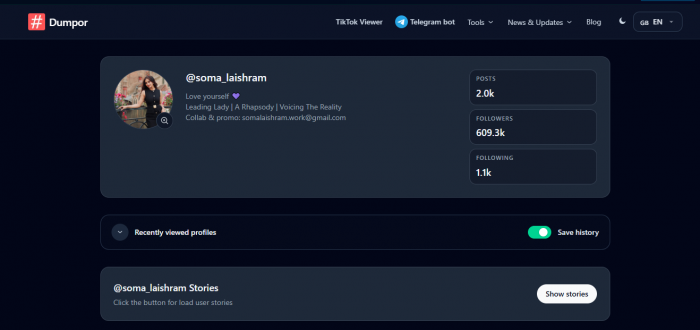
Dumpor is known for its association with anonymous Instagram browsing and public profile exploration. Rather than focusing entirely on individual Stories, it has been used as a way to inspect public profiles and explore available Instagram media.
This broader approach can be useful when the goal is to understand an account's public activity. Someone researching a creator or business might want to examine profile information and published content alongside any available Stories.
What stands out: Dumpor's profile-focused approach offers a different experience from simple Story downloaders. Instead of concentrating on a single media file, its historically advertised functionality has included exploring public accounts and related content, making it relevant to readers interested in broader Instagram activity.
What to consider: Dumpor's website availability and domain history are less straightforward than those of some dedicated viewers. Different domains may use the name, and their operators, advertisements, or data practices may differ. Visitors should verify the current service before assuming that older descriptions remain accurate.
Best for: Readers interested in public Instagram profile exploration rather than Story viewing alone.
4. MomentSave.app: Saving Temporary Content
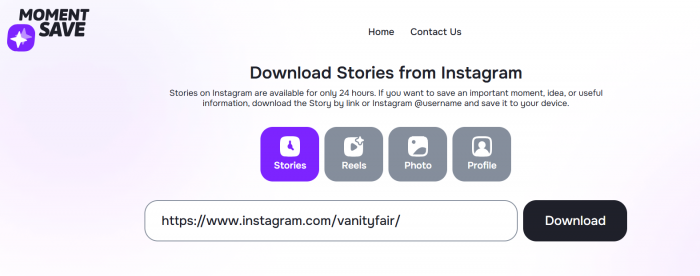
MomentSave.app takes a download-oriented approach to Instagram media. The website advertises support for Stories, Reels, photos, and videos, allowing visitors to request available files through a browser.
Its workflow generally involves copying an Instagram content link and pasting it into the appropriate field. If the content is publicly accessible and the service can retrieve it, a download option may be provided.
What stands out: MomentSave concentrates on obtaining individual media files rather than building a complicated browsing experience. Its advertised support for different formats makes it useful for saving accessible content for permitted offline reference, especially when the relevant Instagram link is already available.
What to consider: The service's reliance on links can make it less suitable for someone who simply wants to discover a public account's latest Stories. It also should not be treated as a recovery tool for expired media, since removed or inaccessible content may no longer be retrievable.
Best for: Users who want to save publicly accessible Instagram media through a simple link-based workflow.
5. StoryNavigation: No-Login Story Browsing
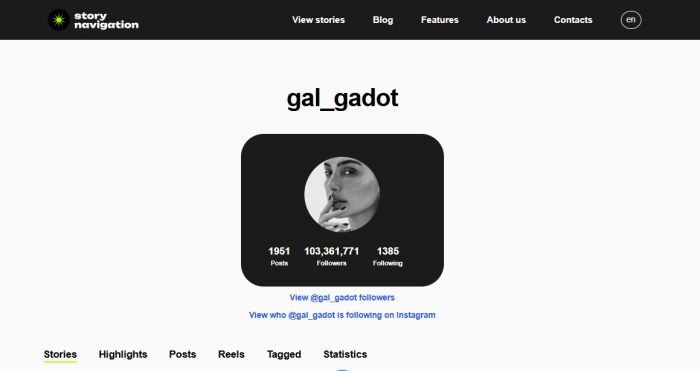
StoryNavigation offers an Instagram story viewer online tool designed to let visitors explore publicly available Stories without signing into Instagram. Its username-based search allows users to look for accessible content without first obtaining individual Story links.
The website also advertises support for Instagram Highlights, posts, and media downloads. Bringing these functions together can be convenient for visitors who want to browse a public profile's available Stories and save selected content from the same interface.
What stands out: StoryNavigation combines username-based Story browsing with optional downloading, allowing visitors to perform both activities through a browser. Its support for public Highlights and posts also makes it useful when someone wants to examine more than the latest temporary Story.
What to consider: The tool cannot legitimately access private accounts or content restricted to selected followers. Its results depend on what it can retrieve, and visitors should distinguish between keeping their Instagram identity off a Story's viewer list and having complete privacy from the third-party website.
Best for: People who want to browse public Instagram Stories and Highlights without logging in, with downloads available when needed.
6. AnonStories: Stories and Highlights
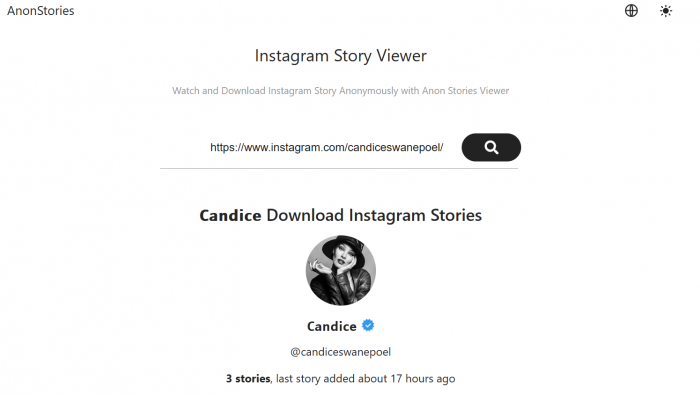
AnonStories focuses on viewing public Instagram Stories without requiring visitors to log into Instagram. It advertises support for searching by username or link, along with functionality for opening and downloading available Stories.
Its Highlight support is particularly relevant for people who want to browse public content that remains visible beyond the standard Story period. While ordinary Stories generally disappear from public view after 24 hours, Highlights can remain accessible on a profile for considerably longer.
What stands out: AnonStories offers a browsing approach that covers both recent Stories and saved Highlights. This can be useful when exploring a creator's recurring topics, archived public announcements, or collections that the account owner has chosen to keep visible.
What to consider: Highlight access does not mean the service can recover every Story an account has ever published. Only content that remains accessible through supported sources can potentially be displayed. Private profiles and Close Friends Stories remain restricted regardless of the viewer's advertised anonymity.
Best for: Readers who want to explore currently available Stories alongside public Instagram Highlights.
7. Inflact: Viewing With Extra Features
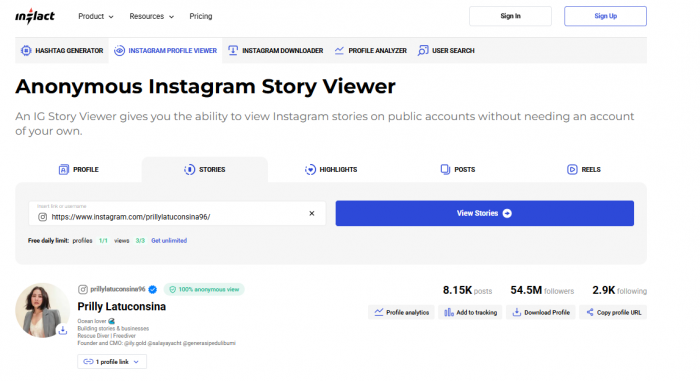
Inflact offers a wider collection of Instagram-related tools, including Story downloading and additional functions associated with profile research and content retrieval. It differs from basic viewers by combining several Instagram utilities within one platform.
Its Story downloader provides access to publicly available media without requiring Instagram credentials for basic use. However, Inflact separates certain functionality into free and paid access levels, making its pricing model an important part of the comparison.
What stands out: Inflact offers more than a standalone Story viewer, making it relevant to creators, marketers, and researchers who frequently work with public Instagram content. Its combination of downloading and additional account-related tools can reduce the need to move between multiple specialized websites.
What to consider: Free access is limited, and additional usage or advanced features may require payment. Its wider tool collection may also be unnecessary for someone who simply wants to view an occasional Story. As with other third-party services, availability depends on whether the requested content can be retrieved.
Best for: Marketers and content researchers who need Instagram downloads alongside additional profile and media tools.
8. Picuki: A Familiar Name With Limited Availability
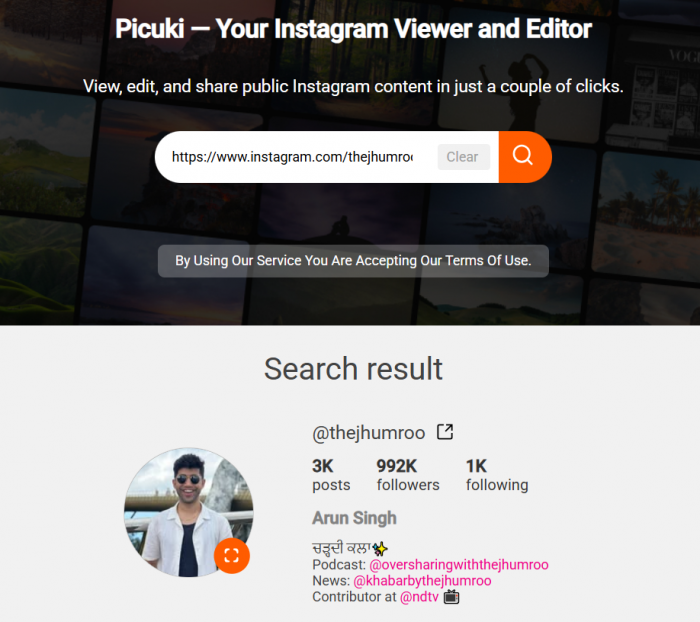
Picuki became popular as a browser-based Instagram viewer that allowed people to explore public profiles without signing into Instagram. Its earlier features included viewing posts, browsing profile content, and accessing publicly available media through a straightforward interface.
However, the original Picuki service is no longer a dependable option for Instagram Story viewing. Its original domain has reportedly shifted toward TikTok-related functionality, while other websites continue to use similar names. These alternatives may offer Instagram viewing features, but they should not automatically be considered official successors to the original platform.
What stands out: Picuki gained recognition for making public Instagram profile browsing accessible without registration. Its earlier interface brought profile exploration and media viewing together, allowing visitors to examine public content without using the Instagram app.
What to consider: The original Instagram-focused service is no longer reliably available, and similarly named websites may have different features, operators, or privacy practices. Users should verify the current website and its functionality rather than relying on older recommendations.
Best for: Readers exploring familiar Instagram viewer alternatives, particularly those interested in public profile browsing.
Instagram Story Viewer Comparison
Although these eight tools are associated with viewing or downloading public Instagram content, they are not identical in purpose. Some emphasize username-based Story searches, while others concentrate on downloading media from individual links.
| Tool | Main purpose | Access model |
|---|---|---|
| StoriesIG | Public Story viewing and browsing | Advertised as free |
| MyStorySaver.com | Downloading Instagram media | Advertised as free |
| Dumpor | Public profile exploration | Availability varies |
| MomentSave.app | Downloading media through links | Advertised as free |
| StoryNavigation | Stories, Highlights, and downloads | Advertised as free |
| AnonStories | Viewing Stories and Highlights | Advertised as free |
| Inflact | Media downloads and additional tools | Limited free access and paid plans |
| Picuki | Former public Instagram profile viewer | Original service no longer dependable |
For people who want to search by username and watch Stories, StoriesIG, StoryNavigation, and AnonStories offer the most directly relevant advertised workflows. MyStorySaver and MomentSave place greater emphasis on obtaining downloadable media, particularly when the content URL is already known.
Inflact provides additional functionality but introduces usage limits and paid features. Dumpor's practical value depends on its current operating domain, while Picuki should not be treated as a reliably available current Instagram viewer.
The table describes service positioning rather than verified retrieval performance. Because Instagram can change how outside websites access content, a tool's success may vary over time.
How to View Instagram Stories Without an Account
Most browser-based Instagram Story viewers follow a similar process. Users provide the public account's username, and the service attempts to display available content through its own interface.
The steps are usually straightforward:
- Find the exact Instagram username. Use the account's handle rather than its display name. For example, a business named Riverside Coffee House might use a shortened username that differs from its full business name.
- Choose a browser-based Story viewer. Open a service that supports public username searches without requiring Instagram login credentials. Verify the website address before entering information.
- Enter the username in the search field. The viewer attempts to locate accessible content from that public account. Results may include current Stories, Highlights, or other supported media.
- Open the available Stories. If content is retrieved successfully, users can typically view photographs or videos through the website. Some services also provide download options.
- Save content only when necessary. If a file is needed for permitted reference, use the relevant download option and check that the resulting file is an ordinary image or video rather than an unexpected application or extension.
For example, someone researching a public fashion brand's recent campaign might use a Story viewer to check whether the brand has shared additional product images or announcements. If the account is public and the tool can retrieve its active Stories, the visitor may be able to open them without signing into Instagram.
However, a blank result does not always mean the account has posted nothing. Stories may have expired, the profile may be private, or the third-party service may be experiencing a retrieval problem.
There is also an important difference between viewing without logging in and being completely anonymous online. A third-party viewer may avoid associating the visit with a personal Instagram account, but the website itself can still receive technical information such as IP addresses, cookies, or browser data.
Which Instagram Story Viewer Should You Choose?
The most suitable Instagram Story viewer depends on the type of content being accessed and how frequently the service will be used. A website designed for occasional Story viewing may be more convenient than a larger platform offering numerous features that the visitor does not need.
For simple Story viewing, StoriesIG, StoryNavigation, and AnonStories are reasonable starting points. Their advertised workflows focus on searching for public accounts and accessing Stories without Instagram login credentials. AnonStories and StoryNavigation may also be useful when public Highlights are part of the search.
If you want to downloa Instagram media, MyStorySaver.com and MomentSave.app offer more focused options. Both emphasize media retrieval, making them relevant when someone wants to save a particular public photograph, Reel, video, or Story. Their link-based workflows are better suited to situations where the original content URL is available.
And For broader Instagram research, Inflact and Dumpor provide different approaches. Inflact combines downloading with additional Instagram tools, although its free usage is restricted. Dumpor is associated with public profile exploration, but visitors should verify its present availability and website practices.
Picuki is less practical as a current recommendation because the original Instagram-focused service is no longer reliably available. Readers should be cautious about assuming that similarly named websites offer the same features or have the same operators.
Before using any viewer, it is also sensible to check the site's basic security practices. A legitimate public Story viewer should not require an Instagram password or authentication code simply to display public media. Unexpected browser extension requests, unrelated downloads, and misleading advertisements are reasons to reconsider using a particular service.
Another consideration is what happens after a Story is downloaded. Publicly accessible content is not automatically free to republish, and saving another creator's media does not transfer ownership or eliminate copyright restrictions.
Final Verdict
Instagram Story viewer tools provide an alternative for people who want to access publicly available Stories without creating or logging into an Instagram account. StoriesIG, StoryNavigation, and AnonStories concentrate on straightforward viewing, while MyStorySaver and MomentSave focus more heavily on downloadable media. Inflact offers additional research-oriented functions, and Dumpor is associated with broader public profile exploration.
However, these services have limitations that should influence the choice. Private accounts remain restricted, expired Stories may no longer be accessible, and anonymous browsing does not guarantee that a third-party website collects no visitor information. Picuki's changing availability also demonstrates why readers should verify a service rather than relying entirely on older recommendations.
For occasional users, a simple username-based viewer is generally sufficient. Those who need downloads or additional content research features can consider more specialized options. The most useful tool is ultimately one that can retrieve the required public content, clearly communicates its limitations, and does not introduce unnecessary privacy or security concerns.
Comments