

A one-hour podcast can contain several moments worth sharing, but finding them, trimming unnecessary dialogue, and formatting each clip can take longer than recording the original video. AI clipping tools address this by identifying highlights, reframing footage, generating captions, and preparing videos for Shorts, Reels, and TikTok.
However, not every tool approaches clipping the same way. Some prioritize automatic highlight discovery, while others offer greater editorial control or built-in publishing features. Here are eight AI tools worth considering in 2026, including their capabilities, limitations, and pricing.
Quick Comparison of the 8 AI Clipping Tools
The main difference between these platforms is not whether they can shorten a video. It is how much control they provide over selecting, editing, and distributing the result.
| AI tool | Primary strength | Editing approach |
| OpusClip | Highlight detection | Mostly automated |
| Vizard AI | Webinar repurposing | AI-assisted editing |
| Klap | Fast vertical clips | Mostly automated |
| Descript | Dialogue precision | Transcript-based |
| Riverside | Podcast production | Recording and AI editing |
| Submagic | Visual presentation | AI-assisted polishing |
| quso.ai | Publishing workflow | Clipping and scheduling |
| Kapwing | Creative customization | Prompt-based and manual |
A creator processing several interviews each week may prioritize OpusClip or Klap, while someone producing detailed instructional videos may benefit more from Descript or Kapwing. The right choice depends on the original footage and how much editing control is required.
1. OpusClip: Best for Finding High-Engagement Moments
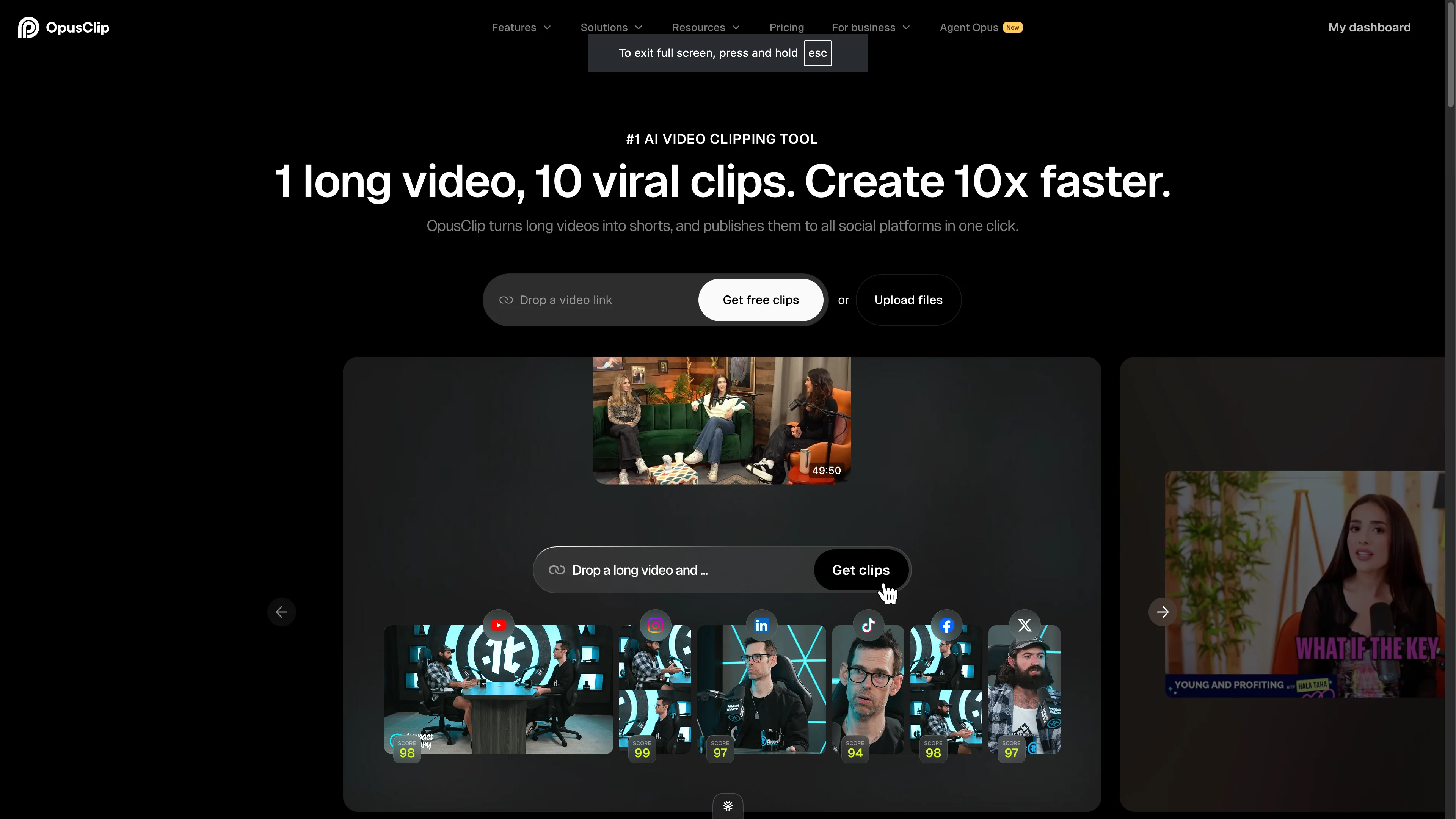
OpusClip focuses on identifying promising moments inside long recordings rather than simply dividing videos into shorter segments. Its AI analyzes conversations, detects potential highlights, and transforms selected portions into vertical clips with automatic captions, speaker tracking, and reframing.
For a 60-minute podcast or interview, OpusClip can generate multiple short videos covering individual discussion points. Its Virality Score helps creators prioritize suggestions, while ClipAnything offers more control over which topics or moments the AI selects.
What works well: OpusClip reduces the effort of searching through lengthy footage. Its automatic reframing is particularly useful for conversations involving multiple speakers, and its caption styles help prepare clips for mobile viewing.
Where it falls short: AI-selected clips can begin without sufficient context or miss the strongest possible opening. The Virality Score is also an estimate rather than a reliable prediction of social media performance.
| Detail | Breakdown |
| Ideal footage | Podcasts, interviews, educational videos |
| Standout capability | AI highlight detection, Virality Score, ClipAnything |
| Pricing | Free plan; Starter from $15/month |
2. Vizard AI: Best for Repurposing Webinars and Podcasts
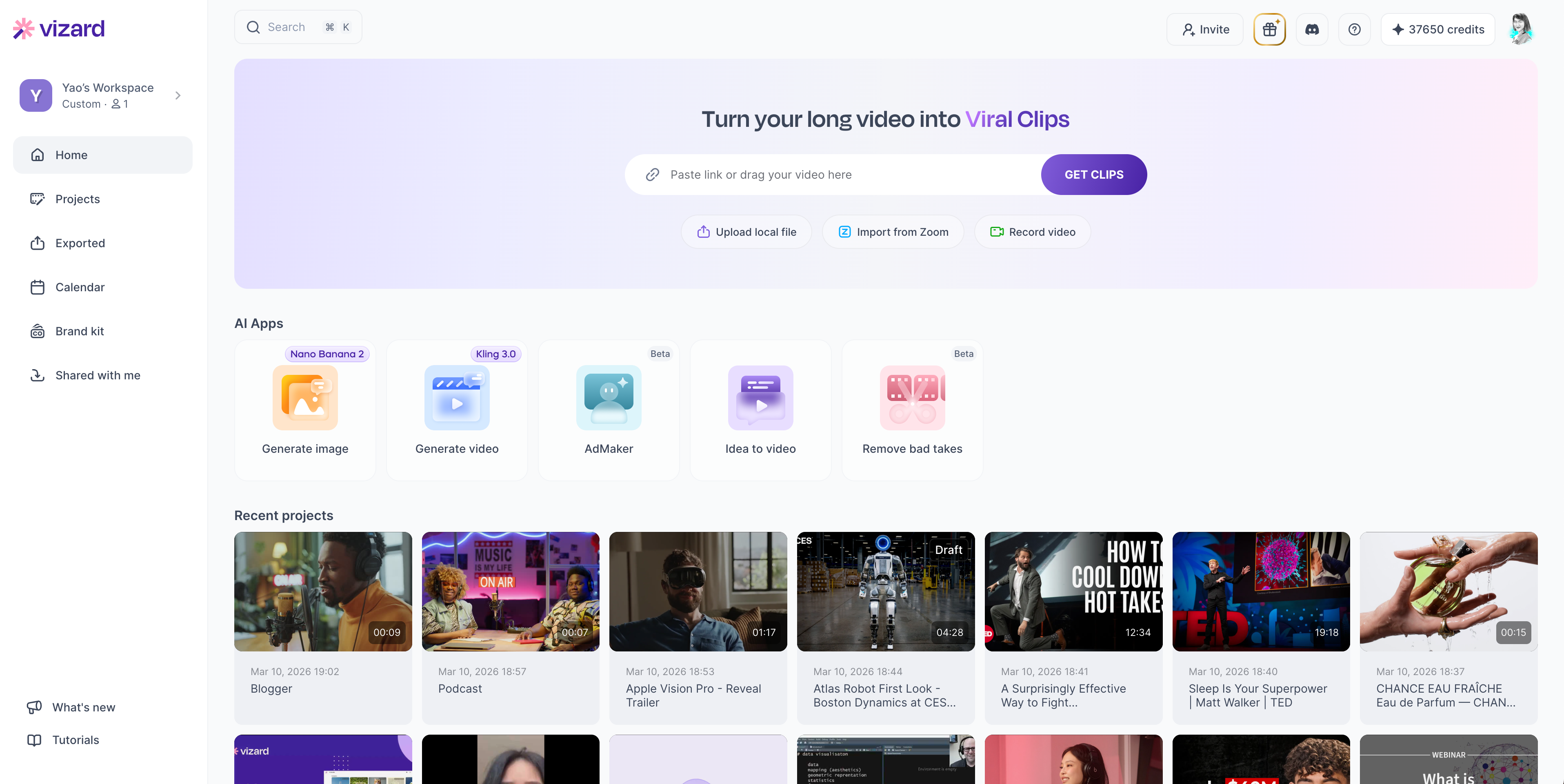
Vizard AI is designed to extract multiple short videos from recordings containing lengthy discussions, presentations, and explanations. Its AI examines the source footage, identifies usable segments, and prepares shorter clips with captions and automatic reframing.
The tool is particularly relevant for webinars and educational content because a single recording often contains several independent subjects. Vizard can separate these discussion points into individual clips, giving creators opportunities to publish material from one event over several days.
It also provides an editing workspace for adjusting generated clips, modifying subtitles, and preparing different formats for social media.
What works well: Vizard combines automated clip generation with accessible editing controls. Its transcript and caption features are useful for informational content, while higher-tier plans support greater export quality and publishing workflows.
Where it falls short: The AI may select informative segments that lack an engaging opening. Its free plan also restricts exports to 720p and retains projects for only three days, making it less suitable for maintaining an extensive content library.
| Detail | Breakdown |
| Ideal footage | Webinars, podcasts, training sessions |
| Standout capability | Topic-based clipping and editable captions |
| Pricing | Free plan with 60 credits/month; paid Creator pricing varies by credit allocation |
3. Klap: Best for Fast Talking-Head Clips
Klap emphasizes quick conversion of long videos into vertical content. Creators can upload a recording or paste a YouTube link, and the AI identifies potential highlights, adds subtitles, and adjusts the framing for short-form platforms.
Its AI Reframe feature is especially relevant for videos where the original composition does not fit a vertical screen. The tool can adapt layouts for conversations, screencasts, and gaming footage rather than relying entirely on a fixed central crop.
Klap also supports customization of subtitles, fonts, colors, and branding, allowing creators to maintain a recognizable appearance across clips.
What works well: Klap is practical for creators who want to produce short videos without spending significant time editing individual timelines. Its automatic cropping and caption generation cover two of the most repetitive tasks involved in repurposing footage.
Where it falls short: The output still benefits from checking transitions, framing, and opening hooks. Its entry-level plan also limits uploads to 45-minute videos, which may be restrictive for lengthy interviews or livestreams.
| Detail | Breakdown |
| Ideal footage | Talking-head videos, YouTube recordings, interviews |
| Standout capability | Fast clip generation and AI Reframe |
| Pricing | One-video free trial; paid plans from $23/month |
4. Descript: Best for Editing Clips Through Transcripts

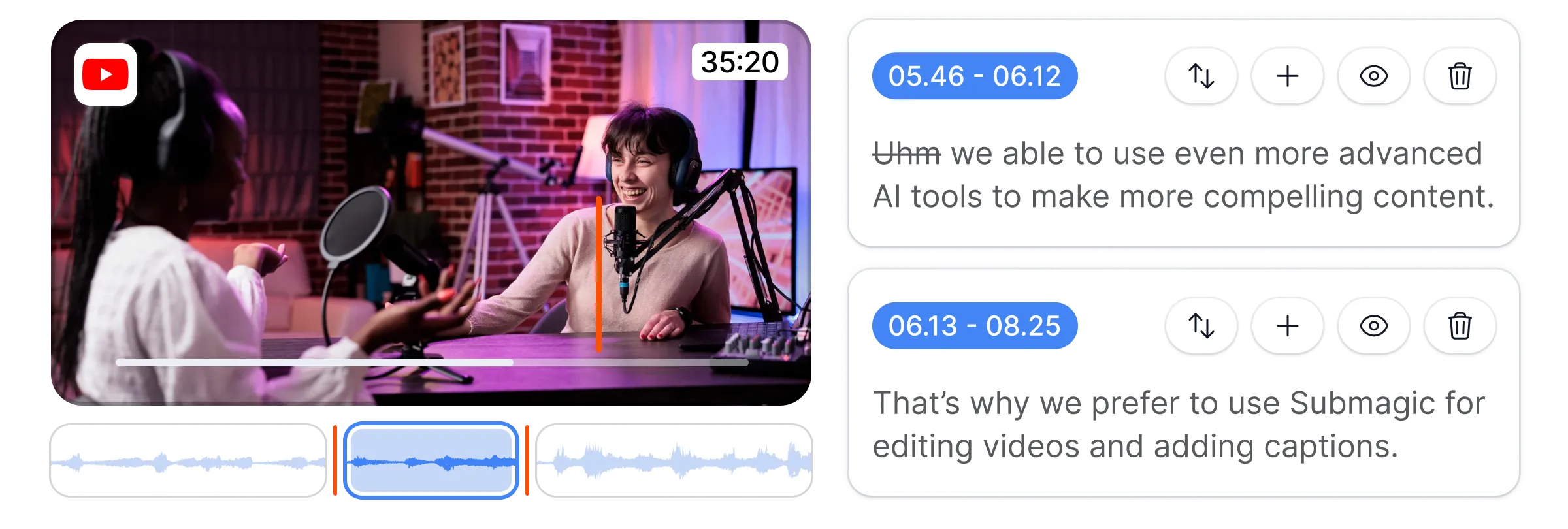
Descript takes a different approach to video repurposing by treating spoken dialogue as editable text. After importing a recording, creators receive a transcript linked to the original footage. Removing words or sentences from the transcript also removes the corresponding sections from the video.
Its AI assistant, Underlord, includes a Create Clips function that identifies potentially useful moments from long recordings. Creators can select suggestions, refine the dialogue, remove filler words, improve audio, and adjust captions without relying entirely on traditional timeline editing.
This approach is especially useful for educational videos where accuracy and sentence structure matter as much as visual presentation.
What works well: Descript provides greater editorial control than tools focused primarily on automatic clip selection. Transcript editing makes it easier to remove unnecessary explanations while preserving the intended message.
Where it falls short: It requires more involvement than one-click clipping platforms. Creators must also check audio transitions after removing words, particularly where edits interrupt natural speech or sentence rhythm.
| Detail | Breakdown |
| Ideal footage | Tutorials, interviews, educational recordings |
| Standout capability | Transcript-based editing and Underlord Create Clips |
| Pricing | Free plan; Hobbyist from $16/month annually or $24 monthly |
5. Riverside: Best for Recording and Clipping Podcasts

Riverside combines remote video recording, audio production, and short-form content generation in one workspace. Its Magic Clips feature identifies useful moments from recorded conversations and converts them into shorter videos suitable for social distribution.
Unlike standalone clipping tools, Riverside can handle the recording stage as well. It supports separate participant tracks, which gives editors more flexibility when managing different speakers, adjusting audio, or changing visual layouts.
For podcasters who regularly interview guests, this reduces the need to move recordings between multiple applications before producing promotional clips.
What works well: Riverside's recording capabilities are a major advantage for creators producing original podcasts. Magic Clips, text-based editing, noise reduction, and speaker-focused layouts support a connected recording-to-publishing process.
Where it falls short: Creators who already have a reliable recording setup may not need the broader production features. Automatically selected conversational highlights can also require additional editing to make them understandable outside the original episode.
| Detail | Breakdown |
| Ideal footage | Video podcasts, remote interviews, guest discussions |
| Standout capability | Magic Clips with integrated recording and editing |
| Pricing | Free plan; Pro from $24/month annually or $35 monthly |
6. Submagic: Best for Captions and Visual Polish
Submagic concentrates on making short videos visually engaging through caption styling, automated editing, and supporting visuals. Its tools include animated subtitles, silence removal, automatic zooms, B-roll suggestions, and AI-generated hook titles.
Rather than relying exclusively on highlight selection, Submagic is especially useful during the finishing stage of short-form production. A plain talking-head segment can be given more visual movement through highlighted keywords, tighter pacing, and supplementary footage.
This makes it relevant for creators who have already identified their strongest moments but want to improve presentation before publishing.
What works well: Submagic offers extensive caption customization and several features that address common problems with short videos, including awkward pauses and visually static footage. Its editing tools can reduce repetitive polishing work.
Where it falls short: Animated captions and frequent visual effects can become distracting when applied excessively. Its Starter plan also limits videos to two minutes each, while more advanced editing capabilities are reserved for higher tiers.
| Detail | Breakdown |
| Ideal footage | Talking-head clips, creator videos, promotional content |
| Standout capability | Animated captions, AI zooms, B-roll, silence removal |
| Pricing | Paid Starter from $12/month annually or $19 monthly |
7. quso.ai: Best for Clipping and Social Scheduling
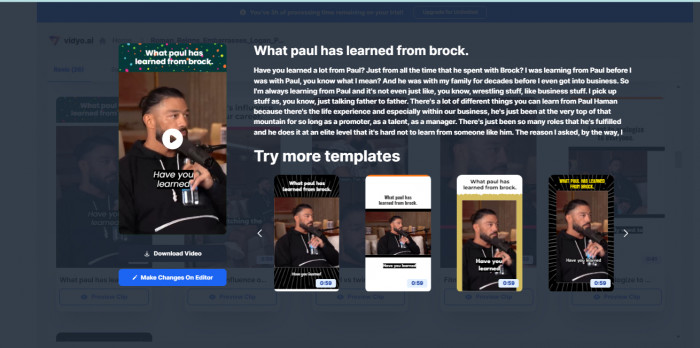
quso.ai, formerly associated with vidyo.ai, combines AI video repurposing with social media publishing tools. It helps creators extract shorter segments from long recordings, adjust aspect ratios, generate captions, and manage content distribution.
Its Intelliclips feature focuses on identifying potential highlights, while the editing workspace provides controls for refining the generated videos. The platform also includes content planning, scheduling, and analytics capabilities, depending on the subscription.
This combination is useful for creators and marketing teams who need to publish a steady flow of clips across several accounts rather than produce occasional standalone videos.
What works well: quso.ai connects clip production with content management. Creators can organize videos for different social platforms instead of maintaining a separate workflow for every upload.
Where it falls short: The most useful multi-platform scheduling capabilities are not included in the entry-level Lite plan. Free exports also contain a watermark, and the seven-day retention period makes the free tier unsuitable for long-term project storage.
| Detail | Breakdown |
| Ideal footage | Podcasts, webinars, marketing recordings |
| Standout capability | Intelliclips, content planning, social scheduling |
| Pricing | Free plan; Lite from $19/month annually or $29 monthly |
8. Kapwing: Best for Customizing AI-Generated Clips

Kapwing combines AI-assisted clip extraction with a browser-based video editor. Its AI Clip Maker can search uploaded footage for relevant moments using written instructions, allowing creators to request particular subjects, durations, or video formats.
For example, a creator working with a two-hour workshop could ask the tool to locate sections explaining a specific concept instead of reviewing the entire recording manually. Kapwing can assemble relevant segments, which can then be adjusted in its editor.
The platform also offers subtitles, smart trimming, resizing, audio cleanup, and additional visual editing tools.
What works well: Kapwing gives creators flexibility after the AI generates initial clips. Its prompt-based approach is useful when the objective is to extract a particular message rather than simply identify moments the AI considers entertaining.
Where it falls short: It is less hands-off than specialized automatic clipping tools. Free exports contain a watermark, and AI features consume credits, making usage requirements worth checking before processing large amounts of footage.
| Detail | Breakdown |
| Ideal footage | Tutorials, product demonstrations, interviews |
| Standout capability | Prompt-based clip selection and browser editing |
| Pricing | Free plan; Pro from $16/month with annual billing |
What Actually Makes an AI Clip Viral-Ready?
An AI tool can identify an interesting section, add captions, and resize the footage. However, those changes do not automatically make a clip engaging. Short-form performance also depends on how quickly viewers understand the subject and whether the video gives them a reason to continue watching.
Several editing decisions deserve attention before publishing:
● Start with the strongest relevant moment. An interview clip beginning with a lengthy question often loses its impact. Opening with a surprising answer, useful insight, or clear problem can establish the subject faster, provided the edit does not distort the speaker's meaning.
● Make the clip understandable independently. A highlight should not depend on five minutes of earlier discussion. Include enough context for someone encountering the creator for the first time to understand the message.
● Use captions for clarity, not decoration. Subtitles should remain readable on smaller screens, accurately reflect the dialogue, and avoid covering faces or important visuals. Excessive animation can compete with the speaker.
● Keep the framing relevant to the footage. Automatic vertical cropping works well for a single speaker but can hide essential information in demonstrations, slides, or screen recordings. Review each crop before exporting.
● Remove unnecessary pauses without damaging delivery. Silence removal can improve pacing, but eliminating every natural pause may make explanations sound rushed or conversations feel artificial.
The strongest short clips usually communicate one complete idea. A 40-second explanation with a clear beginning and conclusion can be more useful than a longer highlight containing several disconnected talking points.
Choosing the Right AI Clipping Tool
Before paying for a subscription, consider how the platform charges for processing and exporting content. Some tools use upload minutes, others limit the number of videos, and several rely on AI credits.
For example, a creator processing four 60-minute videos each month needs enough capacity for 240 minutes of source footage. A plan offering 60 processing minutes may be suitable for testing but not for that publishing schedule.
Three practical factors should guide the decision:
1. Match the tool to the source footage. Conversation-heavy podcasts benefit from speaker detection and topic recognition. Tutorials require accurate transcript editing, while gaming videos and demonstrations need stronger visual reframing.
2. Calculate the real monthly output. Compare the number of recording minutes processed, clips generated, watermarked exports, storage limits, and available resolutions. A low subscription price provides limited value if the plan cannot handle the required footage.
3. Check how much control remains after generation. Automatic clips are useful as first drafts, but editors should be able to adjust starting points, remove misleading cuts, correct captions, and change framing. These controls become particularly important for professional, educational, and branded content.
A practical test is to upload the same recording into two shortlisted tools and compare their suggested clip boundaries, caption accuracy, framing, and final export options. This reveals more about suitability than marketing claims or estimated virality scores.
Final Verdict
OpusClip is a strong overall choice for creators who primarily want automatic highlight discovery, while Klap offers a direct approach to generating vertical clips from existing YouTube recordings. Vizard AI is worth considering for webinars and educational content that can be divided into several independent topics.
For creators who value editing precision, Descript provides useful transcript-based controls, and Kapwing offers flexibility through prompt-driven selection and a broader editing workspace. Riverside makes more sense for podcasters who want recording and repurposing together, while Submagic is better suited to polishing the visual presentation of clips. quso.ai is relevant for creators who also need scheduling and content management.
AI clipping tools are most effective when treated as editing assistants rather than guarantees of viral success. They can dramatically reduce repetitive work, but clip selection, storytelling context, and the final publishing decision still benefit from human judgment.
Comments