

Social media for a small shop turns into an unpaid second shift fast: photos to edit, clips to cut, captions to write, and posts to schedule, all while orders and customer messages pull you the other way. A good tool earns its place by deleting a repetitive step without making your handmade brand look like a robot is running it. Below, each of the seven is explained in full: what it actually does, what you get, a real Etsy use case, the catch to watch for, who should skip it, and current pricing. The goal isn’t to sell you all seven it’s to help you pick the two or three that fix your actual bottleneck and ignore the rest.
The 60-Second Comparison
| Tool | Best for | What it does | Starts at (2026) |
| Canva | Product graphics | Reusable branded design system | Free · Pro $180/yr |
| InVideo | Product & promo video | AI generation + timeline editor | Credit plans ~$17–$20/mo |
| Smartpostly | Captions, names, hashtags | Short-form social copy | Free · Creator $9/mo |
| Outfy | Etsy product promotion | Listings → social posts | Free · Essential $17.50/mo yr |
| Buffer | Consistent publishing | Multi-platform scheduling | Free · $5/channel/mo yr |
| Tailwind | Pin creation, scheduling, SEO | Free · modules from $11.99/mo | |
| Metricool | Performance tracking | Cross-platform analytics | Free · Starter $20/mo yr |
The point isn’t to subscribe to all seven. Two or three tools that each solve a different problem beat a bloated stack of overlapping features, so as you read, note which one matches the job that eats most of your time.
1. Canva : Product Graphics
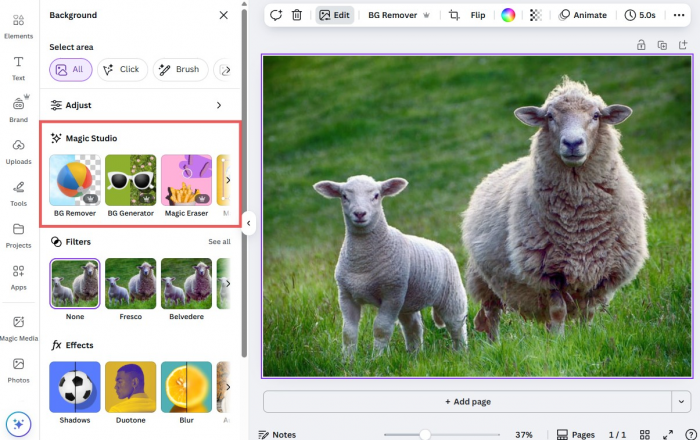
Best for : Sale banners, launch graphics, Stories, Pinterest Pins and reusable branded templates.
Replaces : Designing every social graphic from scratch or paying a designer for each promotion and product drop.
What you get
• Drag-and-drop editor and 1.6M+ templates the starting layouts you’ll adapt. The trick is to strip them back to a structure you can rebuild in your own colours and type rather than using them as-is.
• Brand Kit - stores your fonts, colours and logo so every graphic stays visually consistent. The free plan includes one kit; Pro allows five, which helps if you run sub-brands or distinct seasonal looks.
• Magic Resize - takes one finished design and instantly re-lays it out for other formats, turning a single graphic into an Instagram carousel, a 2:3 Pinterest Pin and a vertical Story without three separate builds (Pro only).
• Background Remover and Magic Studio AI - the remover cleans up product shots for a consistent look, while Magic Studio’s AI drafts copy and generates elements. Pro includes 500 AI credits a month.
• Content Planner - schedules posts directly from Canva on Pro, so a very small shop posting to one or two networks may not need a separate scheduling tool at all.
In practice : Take a stationery shop launching a wedding collection. A single set of product photos can flow through those master layouts to become an Instagram carousel introducing the range, a Pinterest Pin built for wedding searches, a Story announcement and a sale banner all sharing the same fonts and colours, and all produced in one sitting rather than four unrelated sessions.
The catch : Canva’s convenience is also its risk. The templates are so widely used and recognisable that an untouched one makes a handmade brand look like one of thousands of generic accounts. The fix is deliberate customisation: replace the stock image with your own product photography, switch the typeface to your Brand Kit font, and adjust the layout so it reads as yours. Change only the words and you’re advertising the template, not the shop.
Skip it if : You already own and work comfortably in Photoshop or Affinity and have a scheduler you like Canva’s templates and built-in scheduling won’t add enough to justify another subscription.
Pricing
• Free - $0 and genuinely usable: 1.6M templates, 5GB storage and basic AI. Limits are premium stock, one Brand Kit, and no resize or background remover.
• Pro - $180/year (about $15/mo annual) or $18/mo monthly; adds premium content, five Brand Kits, resize, background remover, scheduling and 500 AI credits/mo. There’s a 30-day trial, and new-customer promos up to 50% off are common.
• Business - $250/year per seat, billed per seat with no volume discount overkill for a solo shop.
2. InVideo : Product & Promo Video
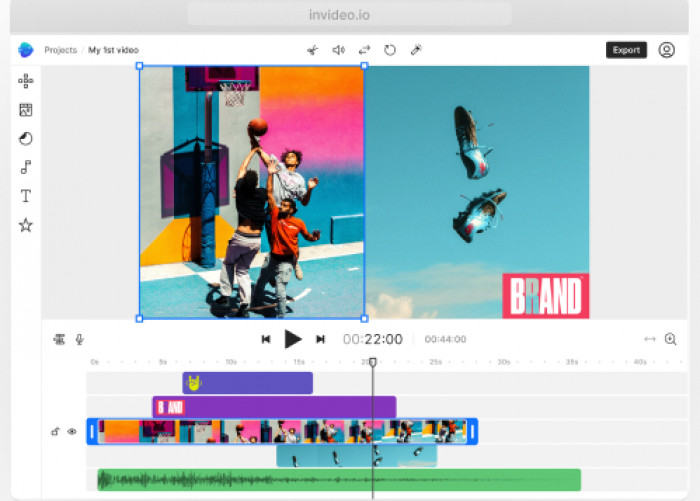
Best for : Short promotional videos and product explainers built from your own assets, stock footage and AI-generated material.
Replaces : Scripting, sourcing media and assembling a rough cut by hand every time a product needs a video.
What you get
• InVideo Studio - a template-based timeline editor with thousands of layouts, well suited to straightforward promos where you already have the footage and just need to assemble it cleanly.
• InVideo AI - prompt-to-video generation that produces a full first draft (script, footage, music, voiceover) drawing on 200+ AI models, useful when you have an idea but not the raw material.
• Full timeline control - because the AI output lands in a real editor, you can cut, reorder and replace whatever doesn’t work instead of accepting the first automated version.
• AI avatars and voice clones - for narrated explainers where you’d rather not film or record yourself; available by tier, with slot counts scaling up on the higher plans.
• iStock media library - professional stock footage and images to fill gaps where you have no original clip of a particular scene.
In practice : A home-decor shop promoting a seasonal collection has beautiful product photos but only two short usable clips. Rather than booking a new shoot, the owner can prompt InVideo AI to build a fifteen-second promo around those existing assets with generated transitions and stock B-roll filling the gaps, then drop into the timeline to swap in the real clips and fix the pacing.
The catch : AI video solves a production problem while creating an authenticity one. Generated or generic stock scenes can make a shop look polished while telling a buyer nothing about the actual item they’d receive which matters more for handmade goods than almost any other category. Keep genuine product footage central and use AI only as connective tissue. The second warning is cost: credits disappear far faster than the monthly price suggests InVideo’s own documented 70-second AI film consumed roughly 3,000 credits, about $750 of generation. Heavy generative video is not a $20-a-month habit.
Skip it if : You only post the occasional phone video and don’t need generated footage or avatars; a free editor like CapCut will trim, caption and add music without a subscription or a credit meter.
Pricing (InVideo AI, annual, approximate)
• Plus - ~$17–$20/mo, ~75 credits/mo, watermark-free exports; fine for occasional clips and testing models.
• Max - ~$85–$100/mo, ~390 credits/mo; the tier for someone publishing video regularly.
• Generative - ~$170–$200/mo, ~800 credits/mo, for near-daily generation.
• Elite - ~$900/mo, ~4,250 credits/mo. Annual plans bill about ten months upfront; verify live rates, which shift often.
3. Smartpostly : Social Copy
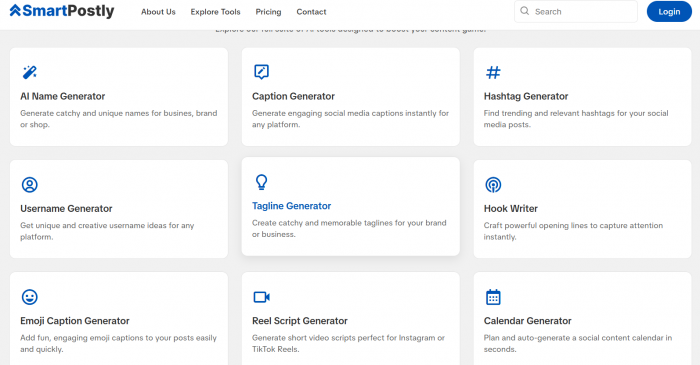
Best for : Brand and collection names, captions, hashtags, hooks, Reel scripts and Instagram bios.
Replaces : Bouncing between separate naming, caption, hashtag and bio tools every time another small writing task appears.
What you get
• Brand and collection name generator - helps at the naming moments that block a launch, whether you’re naming the shop, a new product range or a seasonal drop.
• Caption generator - produces several different caption directions for one product, giving you angles to react to and edit rather than a blank field to fill.
• Hashtag generator - surfaces niche-relevant hashtag sets as a starting point, which you then check against the platform and current usage instead of reusing the same ten tags forever.
• Instagram bio generator - tightens your profile description when your range or positioning shifts and the old bio no longer fits.
• Supporting tools - hooks, Reel scripts, username ideas and a content-calendar helper for the rest of the day-to-day copy.
In practice : A jewellery seller launching a minimalist collection can move through the whole writing side in one session: explore a few collection names, generate several caption directions for the launch, pull a relevant hashtag set, then refresh the Instagram bio to reflect the new line. The value isn’t that one button finishes the campaign, it's that several small tasks get handled without tool-hopping.
The catch : Generated copy has no product knowledge. It can’t know the pendant took three prototypes to get right, that a clasp exists because customers kept asking for it, or that a colour is back because the last batch sold out and those specifics are usually far more persuasive than another polished but generic caption. Use it for structure and idea-starters, then add the one true detail that only you know.
Skip it if : You’re comfortable writing your own copy and enjoy it a general AI chat assistant will brainstorm names, captions and hashtags for free, so a dedicated tool mainly earns its place if you want the tasks pre-built and organised.
Pricing (billed by requests; one generation = one request)
• Starter - free, 50 total requests enough to judge whether it fits your workflow.
• Creator - $9/mo, 500 requests plus Pro features.
• Professional - $16/mo, 5,000 requests (with API/Enterprise pricing above that).
4. Outfy : Etsy Promotion
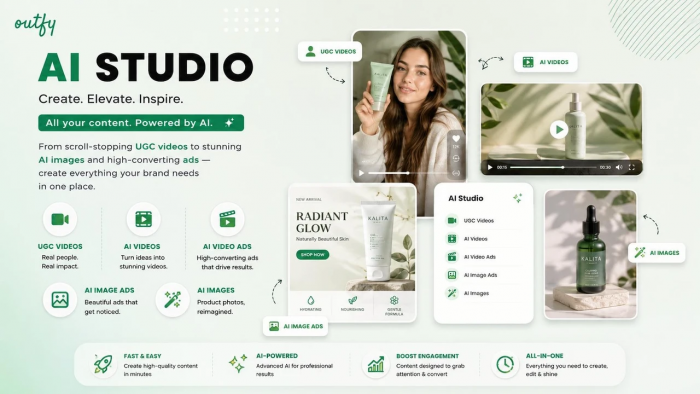
Best for : Etsy and other ecommerce sellers who want existing listings to feed their social promotion automatically.
Replaces : Downloading a product image, copying the listing details and rebuilding the same basic promo for four channels, by hand, over and over.
What you get
• Store connections - works with Etsy plus Shopify, WooCommerce, Wix, Squarespace and others, so your existing catalogue becomes the source material.
• Auto-generated formats - turns listing images into posts, collages, GIFs and short videos, giving more variety than repeatedly sharing the same single product photo.
• Scheduled auto-posting - keeps older listings circulating on a schedule rather than letting your feed revolve only around new arrivals, which matters when you have a deep back catalogue.
• AI captions and hashtags - writes the copy for each product post automatically, removing another manual step when many listings need routine promotion.
• Multi-network publishing - pushes to Instagram, Facebook, Pinterest, X and other channels from one place.
In practice : Consider a candle shop with sixty active fragrances. Manually building a fresh post for each one is administrative work, not creative work. Outfy can handle that routine circulation by quietly rotating listings through your channels while you reserve your hands-on time for the content that actually differentiates the shop: pouring videos, packaging clips and founder stories.
The catch : Automation makes a feed more consistent but can make it less interesting. If every post comes straight from the catalogue, followers receive nothing they couldn’t already see by visiting your shop, and the account starts to feel like a storefront on autopilot. Automated product promotion should sit alongside original, human content, never replace it.
Skip it if : Your catalogue is small, say under fifteen listings or you prefer to craft each post by hand; in either case the automation saves little and the manual approach keeps the feed more distinctive.
Pricing
• Free - $0, with limited automated and manual posts workable for a small catalogue.
• Essential - $25/mo, or $17.50/mo billed annually.
• Growth - $45/mo, or $31.50/mo annually.
• Unlimited - $55/mo, or $38.50/mo annually. Paid plans include a 7-day trial.
5. Buffer : Consistent Publishing
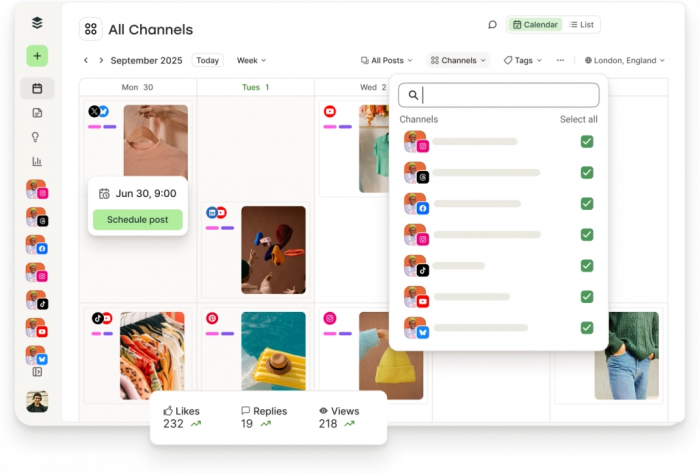
Best for : Sellers who can create enough content but struggle to publish it consistently across several accounts.
Replaces : Opening each network separately every time a scheduled post needs to go out.
What you get
• Queue-based scheduler - one shared calendar across Instagram, Pinterest, Facebook, TikTok and more, so you plan every network in a single place instead of app by app.
• Ideas board and drafts - a space to capture unfinished posts and work them up before they’re ready to be queued.
• AI Assistant - built into the composer to help rewrite captions, adjust tone and repurpose a post for a second platform.
• Analytics and engagement inbox - performance reporting plus a place to read and reply to comments, on the paid plans.
• Start Page - a simple link-in-bio landing page — worth noting it counts as one of your channels if you connect it.
In practice : A print seller can sit down on Monday, create the week’s posts, load the Instagram and Pinterest content into Buffer, and then leave publishing to the schedule for the rest of the week; nothing needs to be opened or posted manually again until the next batch.
The catch : Scheduling delivers consistency, but consistency isn’t the same as usefulness. Twenty near-identical product shots posted reliably are still twenty near-identical shots, so Buffer earns its place after you’ve built a variety worth publishing. The pricing has traps worth reading first: it’s billed per channel (and even a link-in-bio page counts), the expensive jump is the second user rather than the second channel because adding teammates means the Team plan at double the per-channel rate, and “unlimited” posting is actually capped at 5,000 posts per channel under fair use.
Skip it if Canva Pro’s built-in scheduling already covers the one or two networks you post to in that case Buffer duplicates something you’re paying for elsewhere.
Pricing (billed per channel)
• Free - $0, up to 3 channels and 10 queued posts each; no time limit, no card.
• Essentials - $5/channel/mo annual ($6 monthly), one user; unlimited posts and advanced analytics.
• Team - $10/channel/mo annual ($12 monthly); unlimited users and approval workflows.
• Volume tiers - channels 11–25 drop to $4 each, 26–50 to $3. There’s a 14-day trial with no card.
6. Tailwind : Pinterest
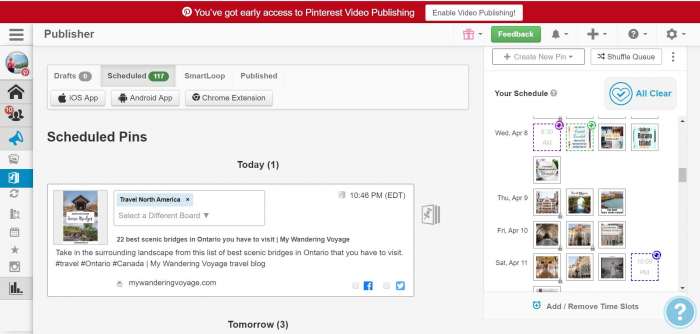
Best for : Visually searchable products weddings, printables, home decor, stationery, crafts, fashion and gifts where Pinterest is a discovery engine.
Replaces : Making, spacing and scheduling large batches of Pins by hand while researching keywords in a separate tab.
What you get
• Pin scheduling and SmartSchedule - publishes at high-traffic times and automatically spaces your Pins so you don’t trip Pinterest’s spam filters by posting the same URL too often.
• Ghostwriter - auto-creates Pin designs and writes titles and descriptions, so one product can quickly become several visual variations.
• Pinterest SEO - keyword research and rank tracking, giving you a discovery lever that hashtags simply can’t provide on this platform.
• Communities - lets you share Pins into niche interest groups to extend reach beyond your own followers.
• Instagram and Facebook scheduling - included too, though Pinterest is clearly where the tool earns its keep.
In practice : A wedding-stationery business might have only ten core products but dozens of useful Pinterest angles. Rather than treating each invitation as a single post, the seller can build Pins around colours, wedding styles, seasons and specific planning queries and let Tailwind organise, space and schedule that much larger library so it publishes steadily instead of in manual bursts.
The catch : More Pins do not automatically mean more useful traffic. The image, title, keyword targeting and destination page all have to match what the searcher expects, or the click bounces and the Pin does nothing. Automation can’t rescue weak search intent. It’s also worth remembering that Tailwind only publishes to Pinterest, Instagram and Facebook; the moment you add TikTok, X or YouTube, you’ll need a second tool.
Skip it if Pinterest isn’t a genuine sales channel for your products if your buyers don’t discover you there, paying for Pinterest-specific tooling is effort spent in the wrong place.
Pricing (per Pinterest account)
• Free - a free starting plan, no card required.
• Pin Scheduling & Creation - $17.99/mo, including 300 Tailwind credits a month.
• Pinterest SEO / Engagement - $11.99/mo each.
• Bundle - $29.98/mo (versus $41.97 bought separately); credits refill at $10 per 100. Start with Scheduling alone before buying the bundle.
7. Metricool : Performance Tracking
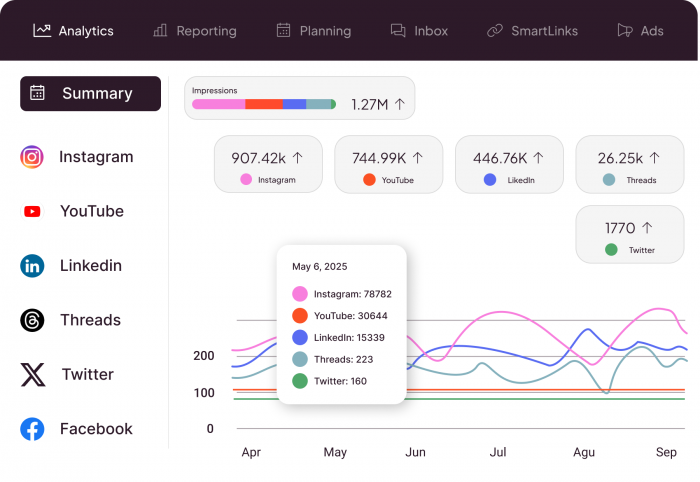
Best for : Shops already posting consistently that need to understand which content, platforms and formats deserve more attention.
Replaces : Opening several native analytics dashboards and trying to remember which posts actually performed well over time.
What you get
• Cross-platform analytics - Instagram, Pinterest, TikTok, Facebook, YouTube and more in one view, so comparing content across networks doesn’t mean juggling browser tabs.
• Scheduler with best-time suggestions - you plan and publish in the same place you measure, making it easier to connect a decision to its result.
• Competitor tracking - shows posting cadence and activity for other accounts in your niche, adding useful context to your own numbers.
• Reports - PDF and white-label report generation on the higher tiers, for anyone who needs to present results.
• SmartLinks - a link-in-bio landing page with its own click tracking, so you can see what a profile visit actually leads to.
In practice : Suppose a ceramics shop has spent two months posting finished-product photography, glazing videos, studio clips and packaging content. Metricool lets the owner ask a better question than “which post got the most likes?” such as whether process videos consistently drive more engagement than static promos, and whether Pinterest is generating real activity or just sitting there.
The catch : Analytics can easily become their own form of busywork. A solo seller doesn’t need to study every available number; a handful of metrics that can actually change a decision are worth more than a large monthly report nobody acts on.
Skip it if : You only have a handful of posts so far, or you genuinely care about just one platform in that case that platform’s own native analytics will tell you what you need without another tool.
Pricing (priced by brand-count bands)
• Free - $0 forever, one brand, basic analytics. Note that LinkedIn and X aren’t included on the free plan.
• Starter - $20/mo annual for up to 5 brands ($36 for up to 10; $25/$45 on monthly billing).
• Advanced - $53/mo annual for up to 15 brands; adds approvals, custom reporting, Looker Studio and API access.
Build a Smaller Stack (With the Math)
| Your situation | Sensible combo | Why it works |
| New Etsy seller | Canva + Smartpostly | Covers the visuals and the writing around them both free to start. |
| Moving into video | InVideo + Smartpostly | Handles video production plus captions, hooks and scripts. |
| Large catalogue | Outfy + Canva | Automates routine product promo while preserving room for custom campaigns. |
| Pinterest-led shop | Canva + Tailwind | Combines Pin design with Pinterest-specific scheduling and SEO. |
| Can’t stay consistent | Smartpostly + Buffer | Makes posts faster to prepare and easier to publish regularly. |
| Established presence | Canva + Buffer + Metricool | Covers create, distribute and measure the full loop. |
Measure signals you’ll actually act on
• Saves and shares - saves indicate future intent (big for gifts, weddings and decor), while shares show content travelled beyond your existing audience.
• Link clicks and shop visits - movement toward the storefront rather than passive scrolling the metric closest to an actual sale.
• Repeated customer questions - if several people keep asking about sizing, materials or personalisation, that’s a content brief in disguise; answer it in your next posts.
• Patterns over single winners - one viral packing video is interesting, but packing videos consistently beating static promos across five or more posts is real evidence worth acting on.
Bottom Line
The best setup for an Etsy seller is usually far smaller than the software market implies most shops need one creation tool, one publishing-or-automation tool, and eventually one measurement platform. Canva is the visual foundation; InVideo opens a route into product video when limited footage or editing time is the barrier, as long as you mind the credit burn; Smartpostly handles the small but persistent writing jobs; Outfy earns its place once a catalogue grows too large to promote by hand; Buffer keeps distribution consistent; Tailwind makes sense for sellers treating Pinterest as a genuine discovery channel; and Metricool closes the loop once there’s enough activity to make the data worthwhile.
The useful question was never how much of your social media you can automate, it's which repetitive parts can disappear without losing the details that made the shop worth following in the first place.
Comments