

Static artwork has a shelf life on social media measured in seconds. A scroll-happy audience glances, maybe pauses, then moves on — unless something in the frame moves first. That's the advantage image to video tools bring to artists: motion buys attention that a still post simply can't.
Dreamina, running on Seedance 2.5, its latest and most advanced video generation model, gives artists a direct path from finished artwork to scroll-stopping video, without touching a single animation timeline.
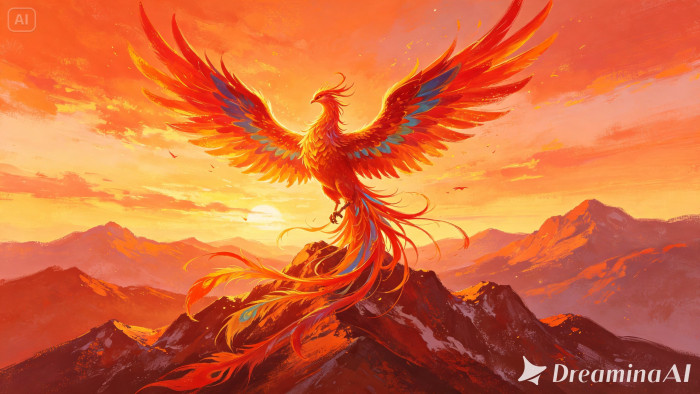
Social media rewards movement, not just good art
Platforms have quietly trained their audiences to expect motion. Even a few seconds of subtle animation — a shimmer, a drift, a slow reveal — can outperform a static post with far better composition, simply because the eye is drawn to change. For artists, this isn't a reason to abandon still work; it's a reason to give standout pieces a second life as short, animated clips built specifically for feeds.
What actually happens when artwork gets animated
Turning artwork into video means an AI model studies the shapes, colors, and implied direction in your piece, then generates believable motion around it — water rippling, fabric swaying, light shifting — while preserving the original style and composition. The artist doesn't hand-animate a single frame; they describe the motion, and the model builds it.
Timing your posts around the animation itself
An animated piece deserves a posting strategy that matches its motion. Pieces with slow, ambient movement — drifting light, gentle currents — tend to work better as looping background content or in Stories, where viewers linger rather than swipe quickly.
Punchier, faster motion suits main feed posts or short-form video platforms where the first second needs to grab attention immediately. Matching the pacing of your animation to the platform's viewing habits often matters as much as the artwork itself.
Turning one animation into a content series
A single animated piece can easily become the anchor for a broader content run rather than a one-off post. Consider:
Releasing a "making of" post alongside the animated version
Creating a slower, extended cut for platforms that favor longer watch time
Reposting the same clip months later with new music or captions to reach a different segment of your audience
Treating one animation as the start of a series, rather than a single moment, stretches its value well beyond the initial post.
Getting your artwork moving: three steps in Dreamina
Bringing a piece to life in Dreamina follows a short, repeatable process.
Step 1: Upload your artwork and write your prompt
Sign in to Dreamina and go to the "AI Video" section. Click "Add reference image" to upload your artwork, then describe the motion you want layered onto it.
For a 30-second clip, try: Using the mermaid and coral reef from the reference image, generate a 30-second animated video: her hair and tail fin drift gently in the current, small fish swim past in the background, light rays shimmer down through the water, camera slowly drifts forward toward the reef.
Step 2: Generate the clip with Seedance 2.5
Select the Seedance 2.5 model, choose your video length, and pick an aspect ratio that fits your platform — 9:16 for TikTok or Reels, 1:1 or 16:9 for feed posts and YouTube. Click Dreamina's generate icon and let it process.
Step 3: Polish and post
Use Dreamina's editing tools to finish the piece — Upscale for cleaner resolution, Generate soundtrack for music that matches the mood — then export and post it straight to your platform.
Format matters more than people think
Before you even open Dreamina, it helps to know where the clip is headed. A square or vertical crop reads very differently from a wide cinematic frame, and cropping after the fact can cut off exactly the motion you designed. Deciding on platform and aspect ratio early saves a re-render later.
Inside Seedance 2.5: built for artists, not just filmmakers
Preserving style while adding motion
Rather than flattening artwork into generic "video" motion, Seedance 2.5 is capable of creativity transfer — picking up on the emotional tone, brushwork feel, and visual style of a reference so a painterly piece still looks painterly once it moves.
Longer, more complete clips
Native clips now run up to 30 seconds, with the "Ultra-long Video Generation (beta)" mode extending that range up to 180 seconds, giving artists room to build a small narrative arc instead of a three-second loop.
Cleaner motion, fewer glitches
The model significantly reduces the artificial "AI look" and resolves duplication issues where a single character could oddly split into look-alikes — a common frustration when animating character-driven illustrations.
Fine-grained local editing
Local editing allows specific elements — a stray object, an unwanted detail — to be removed or adjusted without regenerating the entire piece, keeping small fixes small.
Speaking to a global audience
With multilingual support spanning languages from Spanish to Japanese to Arabic, artists building content for international audiences can pair their animations with captions or narration in the language their followers actually speak.
Picking artwork that's built to move
Some pieces animate more naturally than others. Look for:
- A clear focal subject rather than a busy, evenly weighted composition
- Elements that already imply motion — flowing hair, water, fire, wind
- Simple backgrounds that won't compete with the main animation
Making the most of one piece
A single animated artwork rarely needs to live as just one post. The same clip can be trimmed into a teaser, looped as a background for a carousel, or paired with different captions across platforms — turning one round of generation into a week's worth of content.
Final thought
Artwork was always meant to hold attention; now it can hold it a little longer. With Dreamina and the motion-savvy engine behind Seedance 2.5, a single illustration can shift from something people glance at to something they actually stop and watch.
Comments