

AI-generated content is easy to produce, but verifying its origin remains difficult. For businesses reviewing freelance articles, marketing copy, research documents, or customer submissions, AI detection tools offer a way to identify material that may require closer examination. However, differences in accuracy, scanning limits, collaboration features, and pricing can make choosing the right platform complicated.
The following ten tools serve different business needs, from affordable individual checks to enterprise-scale content verification.
Best AI Content Detection Tools at a Glance
| Tool | Best For | Free Access |
| Originality.ai | Publishers and SEO agencies | Yes |
| Copyleaks | Multilingual enterprises | Limited checker |
| GPTZero | Editors and document reviewers | Yes |
| Winston AI | Content and media agencies | 14-day trial |
| Pangram | Detailed content authenticity reviews | Yes |
| Sapling | Business writing teams | Yes |
| QuillBot | Freelancers and small businesses | Yes |
| ZeroGPT | Quick text screening | Yes |
| Turnitin | Educational institutions | No individual plan |
| Hive | Developers and online platforms | Promotional API credits |
1. Originality.ai
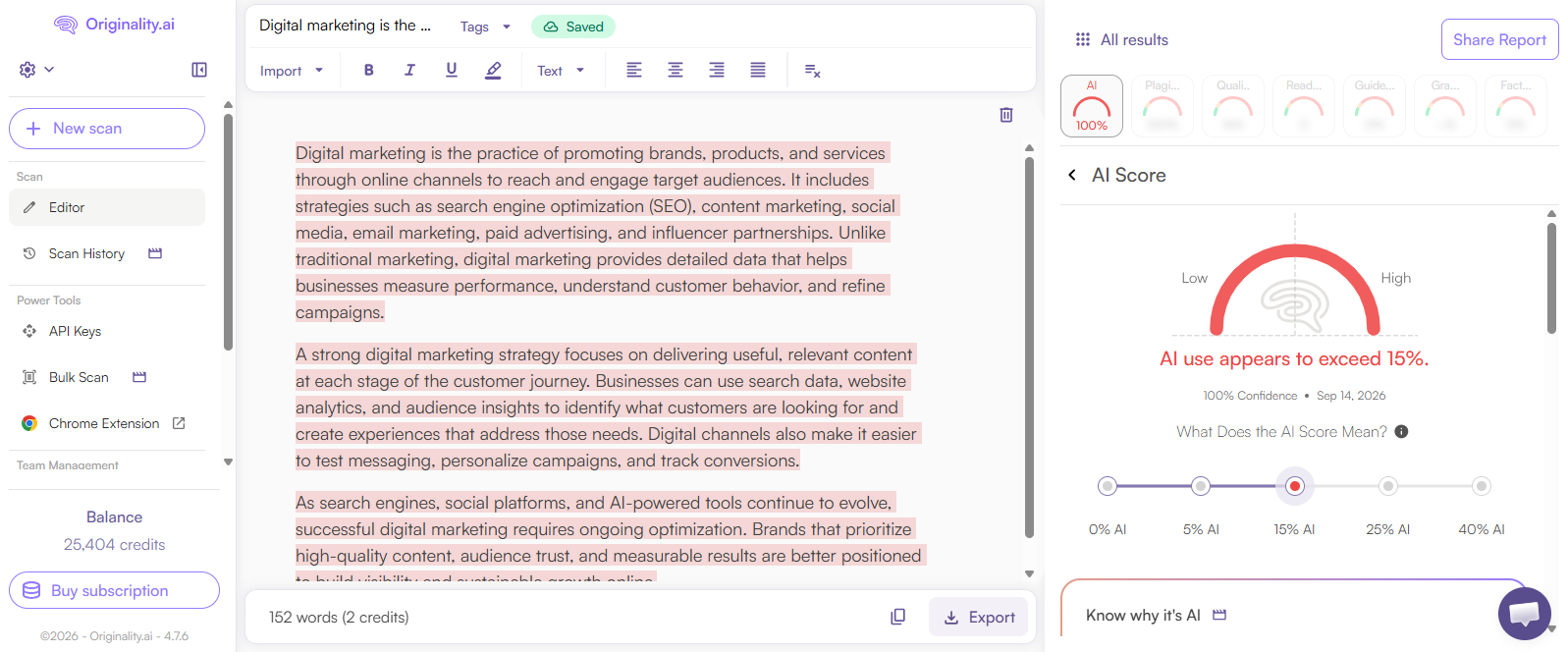
Originality.ai is designed for publishers and agencies handling large volumes of outsourced content. Rather than functioning as a standalone AI text checker, it combines detection with plagiarism screening, website auditing, and editorial quality tools.
An SEO agency, for example, can examine individual submissions and audit existing website content without moving between several platforms. Its credit-based pricing makes scanning volume an important consideration for teams with fluctuating workloads.
Key Features
● AI Content Detection: Identifies passages that resemble AI-generated writing and provides document-level detection assessments.
● Plagiarism Checking: Compares submitted material against existing sources to flag potentially duplicated content.
● Website Scanning: Supports URL and site-level reviews, useful when auditing large libraries of published articles.
● Editorial Workflow Tools: Offers report sharing, scan history, and team access depending on the subscription.
Pros and Cons
| Pros | Cons |
| Website scans reduce manual article-by-article checking. | Monthly subscription credits expire if unused. |
| Combines multiple editorial checks under one account. | Extra team seats carry additional charges. |
| Enterprise offers extended scan-history retention. | API access requires the Enterprise tier. |
| Google Docs extension supports writing-process review. | Credit budgeting becomes necessary for high-volume operations. |
Pricing
| Plan | Price |
| Basic | Free, 3 scans daily |
| Pro | $14.95/month |
| Enterprise | $179/month |
Best for: SEO agencies, editorial teams, and digital publishers managing frequent content submissions.
2. Copyleaks
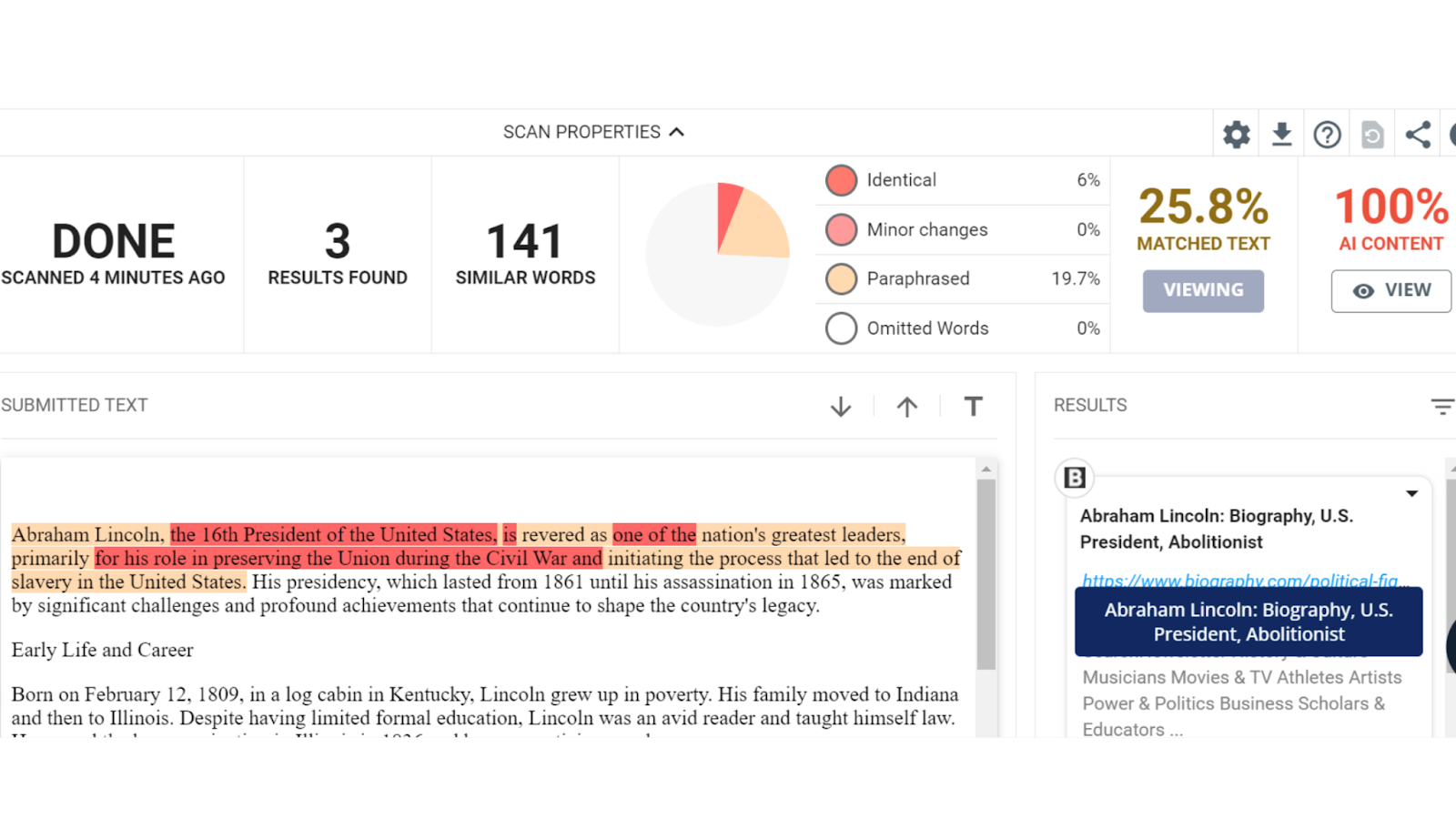
Copyleaks is particularly relevant to organizations processing content across different languages, departments, and document formats. Its combination of AI detection, plagiarism analysis, and enterprise integration makes it a suitable option for businesses that need centralized content verification.
Unlike simpler detectors that concentrate on a single text submission, Copyleaks supports batch uploads, website scanning on higher plans, and organizational administration. Its multilingual capabilities are valuable for companies producing localized marketing and training material.
Key Features
● Multilingual Detection: Supports AI detection in more than 30 languages and plagiarism checking in more than 100 languages.
● Combined Reports: Presents AI-related and plagiarism findings within one review process.
● Document Integration: Offers browser extensions, Google Docs access, and multiple-file uploads.
● Enterprise Administration: Provides organization-level controls, analytics, and integration options.
Pros and Cons
| Pros | Cons |
| Broad language coverage suits international content teams. | Pro costs substantially more than Personal. |
| Multiple-file uploads simplify document intake. | Website-wide scanning is reserved for higher plans. |
| Pro includes 25 user seats. | API and LMS arrangements require sales consultation. |
| Cross-language plagiarism screening is available on Pro. | Changing subscriptions can forfeit remaining credits. |
| Analytics support centralized monitoring. | Monthly Personal includes only 100 unified credits. |
Pricing
| Plan | Price |
| Limited online checker | Free |
| Personal | $16.99/month |
| Pro | $99.99/month |
| Enterprise | Custom quote |
Best for: Multinational organizations and enterprises reviewing content across multiple languages and teams.
3. GPTZero
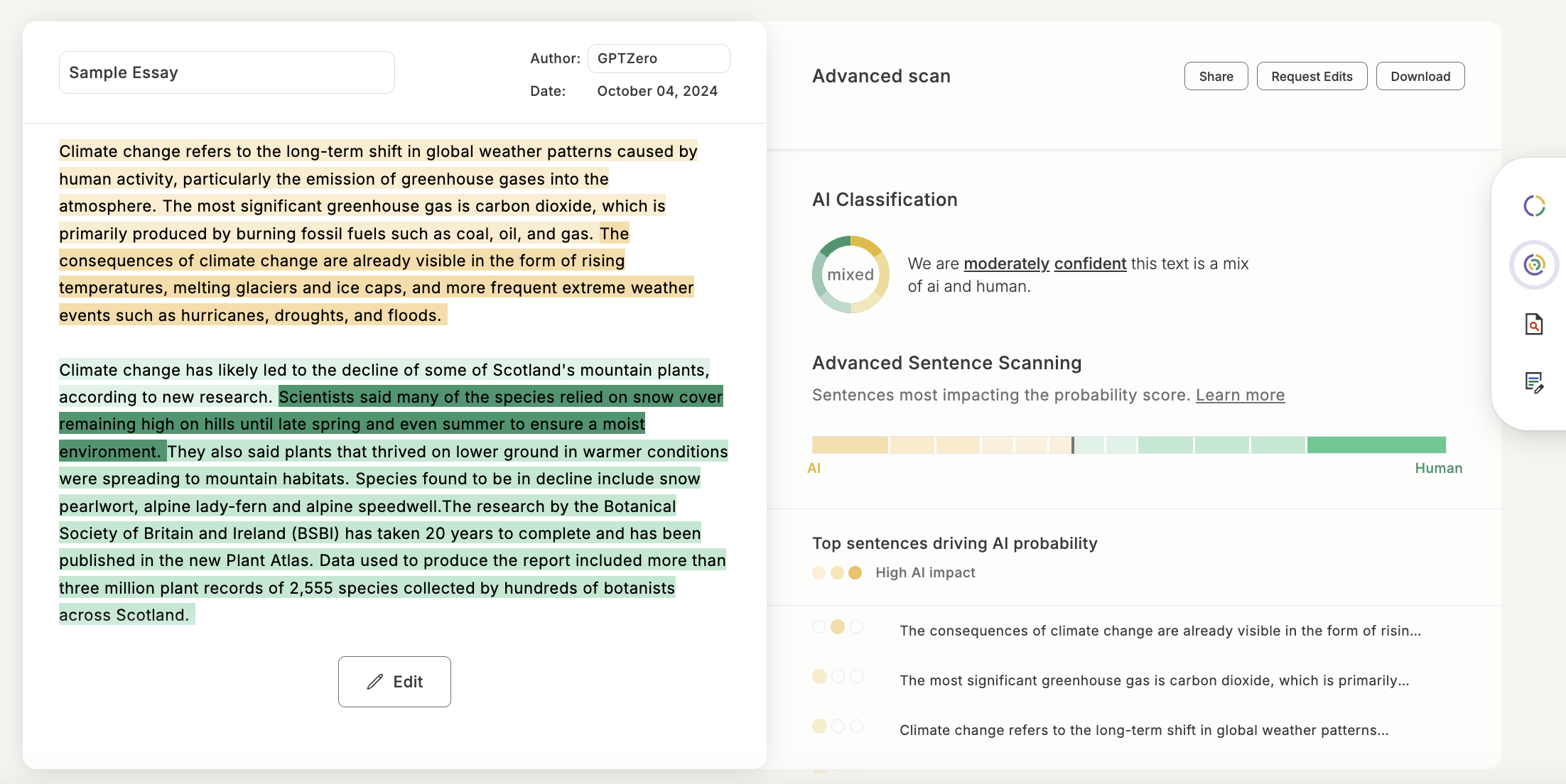
GPTZero is a document-focused detector that helps editors examine potentially AI-generated writing at a passage level. Its appeal is the context it provides around flagged material, making it relevant when organizations want to investigate a submission rather than simply record a percentage.
For editorial teams, its writing-process features can be useful when a document raises questions about authorship. However, detection scores and recorded writing activity represent different types of evidence and should not be treated as interchangeable.
Key Features
● Passage-Level Detection: Highlights portions of text that the system identifies as potentially AI-generated.
● Document Uploads: Allows users to analyze longer submissions, with scan allowances depending on the plan.
● Writing Process Tools: Offers a Chrome extension for reviewing writing activity in supported Google Docs workflows.
● Plagiarism Checking: Provides complementary source-similarity screening on eligible plans.
Pros and Cons
| Pros | Cons |
| Passage highlighting directs reviewers to specific sections. | Highlighted passages can still be human-written. |
| Writing-process evidence adds context beyond a final score. | Process tracking requires a supported writing environment. |
| Free checking makes initial evaluation accessible. | Free scan allowances limit repeated or lengthy reviews. |
| Paid tiers support more demanding document workflows. | Businesses must verify the reporting and usage limits of each tier. |
Pricing
| Plan | Price |
| Free | $0, limited scans |
| Essential | From $14.99/month |
| Premium | From $23.99/month |
| Professional | From $45.99/month |
Best for: Editorial reviewers, educational businesses, and organizations investigating questionable writing submissions.
4. Winston AI

Winston AI combines text detection with image analysis, plagiarism checking, and document-scanning capabilities. This makes it relevant to content businesses receiving material in different formats, including PDFs, scanned documents, and visual assets.
Its optical character recognition (OCR) support is particularly useful when text cannot be copied directly from a document. Shareable reports also make it easier to communicate findings to editors or clients without requiring everyone to access the original scan.
Key Features
● AI Text Detection: Screens content produced by major generative AI systems and provides detection results.
● Image and Deepfake Detection: Offers synthetic image analysis alongside conventional text screening.
● OCR Support: Extracts text from scanned pages, images, and handwriting for subsequent analysis.
● PDF Reports: Generates shareable results for documentation and collaborative reviews.
Pros and Cons
| Pros | Cons |
| OCR reduces manual transcription of scanned material. | Free access expires after 14 days. |
| Image checks help agencies reviewing mixed-media submissions. | Included credits do not roll over to the next month. |
| Downloadable reports simplify client communication. | Advanced collaboration is restricted by plan. |
| Advanced supports up to five team members. | Image and text tasks draw from a credit allowance. |
| Elite offers a larger 500,000-credit monthly allowance. | Higher-volume businesses may need custom arrangements. |
Pricing
| Plan | Price |
| Free trial | 2,000 credits for 14 days |
| Essential | $18/month |
| Advanced | $29/month |
| Elite | $49/month |
Best for: Publishing agencies and media businesses reviewing both written and visual content.
5. Pangram
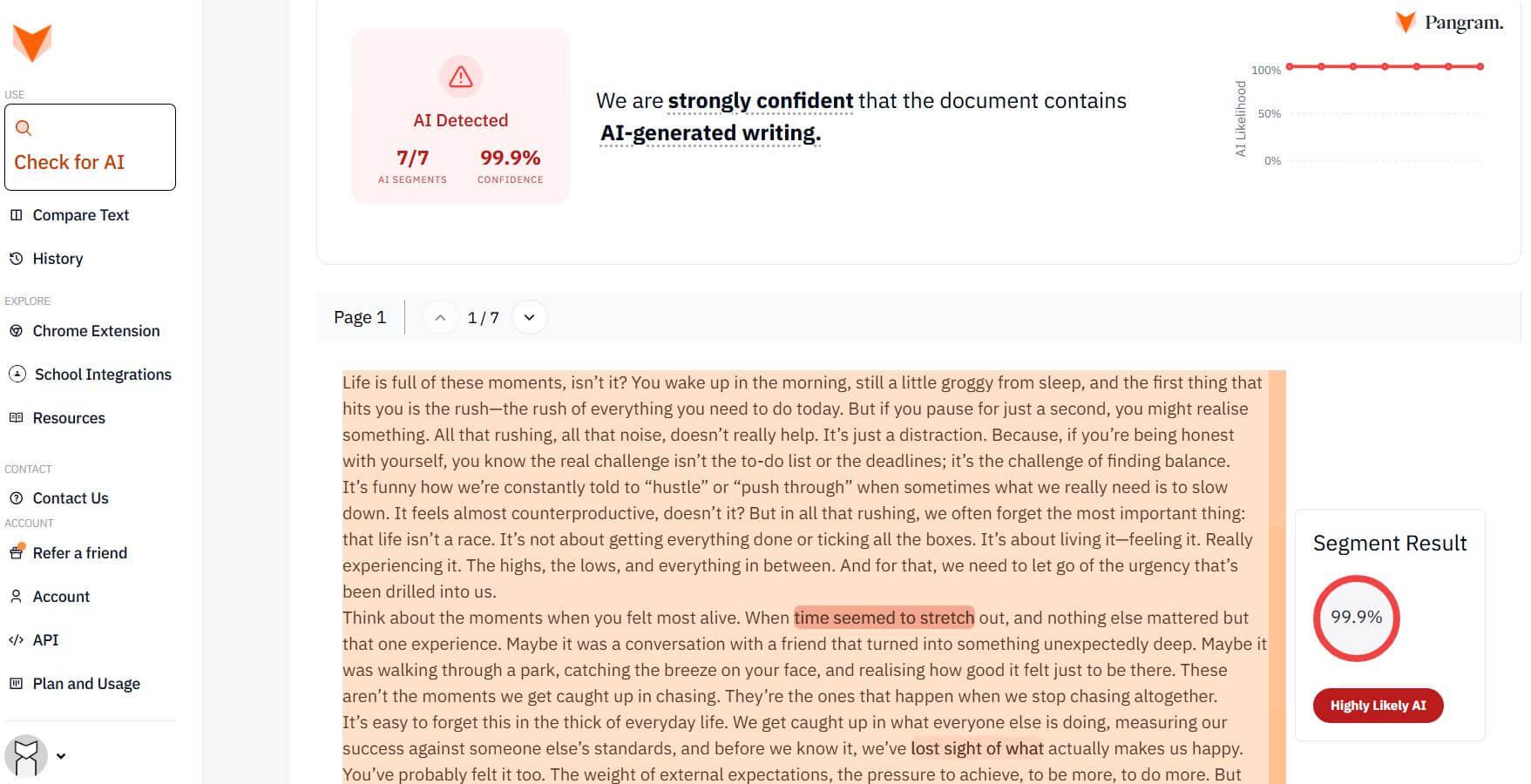
Pangram focuses on analyzing whether text appears human-written, AI-generated, or AI-assisted. It also provides interpretability features that help reviewers understand which parts of a document may have influenced the classification.
This is useful for organizations that allow some AI assistance but still need to investigate questionable submissions. Pangram also supports website and document workflows, making it relevant to editors who review content before or after publication.
Key Features
● AI Assistance Detection: Evaluates potentially mixed human and AI-generated writing.
● Interpretability Tools: Provides explanations and passage-level information about detection results.
● Multilingual Analysis: Supports detection across more than 20 languages.
● Browser and Document Tools: Includes a browser extension, file uploads, OCR, and Google Docs integration.
● Automated Content Monitoring: Offers feed scanning and API-related capabilities on eligible paid plans.
Pros and Cons
| Pros | Cons |
| Free allowance of 2,000 words daily supports regular testing. | The free daily quota is insufficient for high-volume publishing. |
| Document explanations provide context for manual review. | Interpretability does not independently establish authorship. |
| Free access includes image scans and OCR. | Professional costs more than three times the Individual rate. |
| Individual includes up to 300,000 words monthly. | Enterprise data controls require a custom arrangement. |
| Professional bundles monthly API credits. | API use has separate metered pricing rules. |
Pricing
| Plan | Price |
| Free | 2,000 words/day |
| Individual | $20/month |
| Professional | $65/month |
| Team | $20/seat/month |
| Enterprise | Custom pricing |
Best for: Editorial teams and organizations investigating AI-assisted content across different document formats.
6. Sapling AI Detector
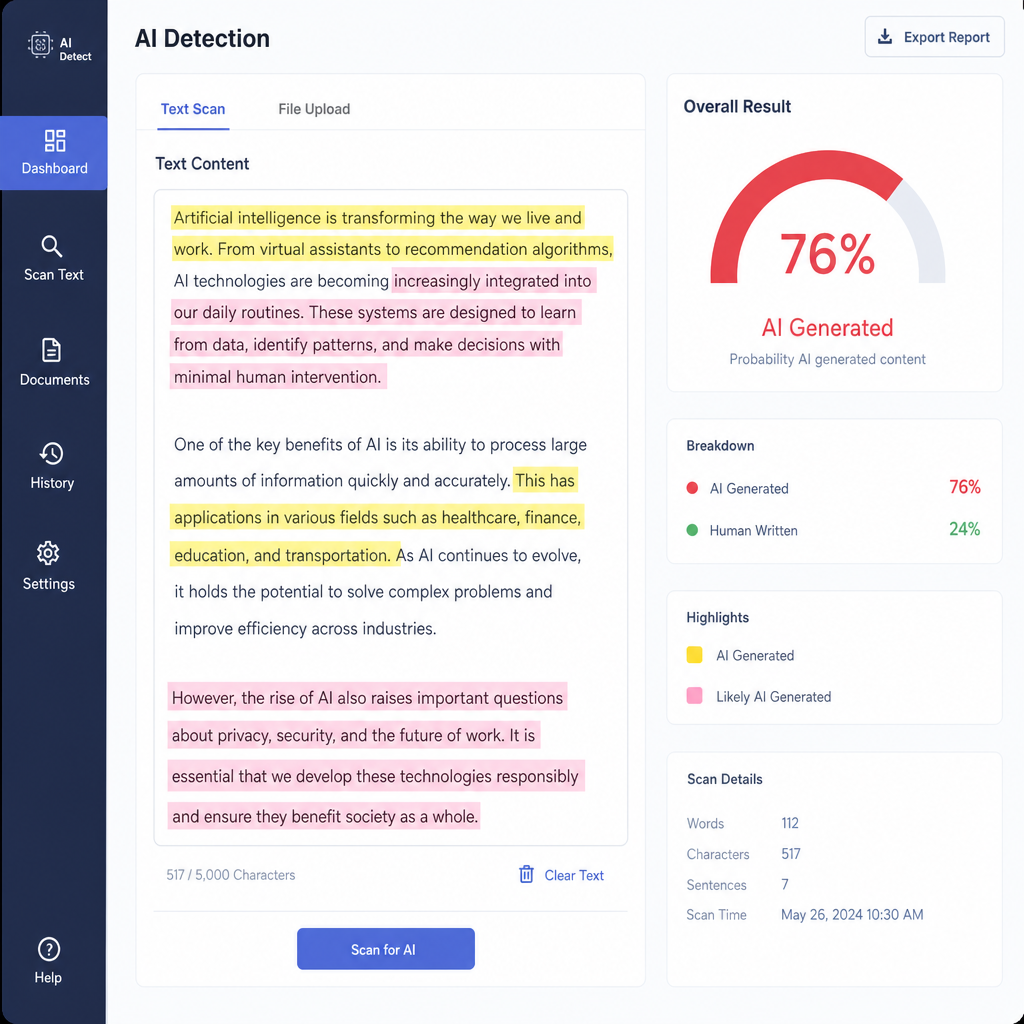
Sapling combines AI detection with workplace writing assistance. Its broader product includes grammar checking, text suggestions, and communication tools, so it is better suited to businesses that already manage a significant amount of written customer or internal communication.
For developers, Sapling also provides usage-based API access. Organizations can integrate detection into internal applications without making employees open a separate website for every check.
Key Features
● AI Text Detection: Screens text for characteristics associated with AI-generated writing.
● Batch File Processing: Supports checking up to five files per batch on Free and ten on paid plans.
● Writing Assistance: Provides grammar, autocomplete, rewriting, and reusable text snippets.
● API Integration: Offers a metered detection API for custom applications.
● Enterprise Controls: Includes options for team analytics, user provisioning, and managed security.
Pros and Cons
| Pros | Cons |
| Combines detection with everyday workplace writing tools. | Free detection is capped at 2,000 characters per check. |
| Paid plans allow up to 100,000 characters per check. | Pro is primarily an individual subscription. |
| Supports integrations with Word, Outlook, and browser workflows. | API usage is billed separately. |
| Enterprise supports advanced administration and security options. | Enterprise pricing starts with a ten-seat requirement. |
Pricing
| Plan | Price |
| Free | $0 |
| Pro | $25/month |
| API | Usage-based, $5 minimum |
| Enterprise | From $15/seat/month |
Best for: Business communication teams and developers integrating AI detection into existing workflows.
7. QuillBot AI Detector
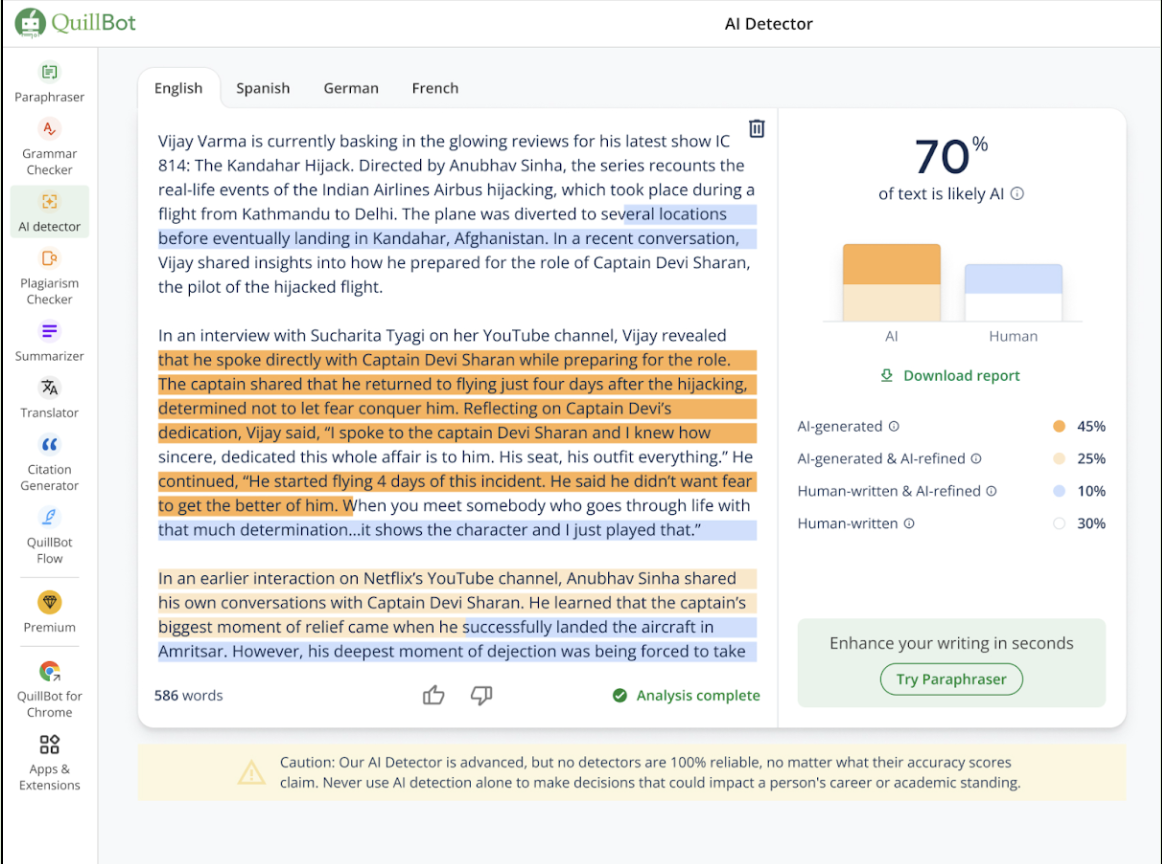
QuillBot offers AI detection as part of its wider writing toolkit. Its free detector is accessible to freelancers, small agencies, and marketing teams that need to examine occasional submissions without committing to specialized content auditing software.
An important distinction is that Premium does not use a different AI detection model. The upgrade mainly expands scanning allowances, batch uploads, and access to other writing features. Businesses paying specifically for greater detection accuracy should consider this before upgrading.
Key Features
● AI Text Detection: Checks documents for potential AI-generated and AI-assisted writing.
● Batch Uploads: Premium supports uploading up to 20 files at once, compared with one file on Free.
● Writing Utilities: Includes paraphrasing, grammar correction, summarization, and translation tools.
● Plagiarism Checking: Premium provides access to separate plagiarism screening capabilities.
● Team Administration: Team subscriptions include centralized billing and user management.
Pros and Cons
| Pros | Cons |
| Free users access the same underlying detector as Premium users. | Free scans have daily and word-count limits. |
| Premium supports 20-file batch uploads. | Detection alone may not justify a paid subscription. |
| Other writing tools may replace separate subscriptions. | Not designed primarily for enterprise content auditing. |
| Team subscriptions provide centralized administration. | Advanced team pricing and controls require further evaluation. |
Pricing
| Plan | Price |
| Free | $0 |
| Premium monthly | $19.95/month |
| Premium annual | $8.33/month, billed annually |
| Team | See team pricing |
Best for: Freelancers, small businesses, and marketing teams needing occasional content screening alongside writing assistance.
8. ZeroGPT

ZeroGPT offers a web-based AI detector with additional writing utilities. It is accessible to users who want to paste text, receive a classification, and examine highlighted sections without configuring a sophisticated document review system.
For businesses, its appeal lies in the combination of low-entry-cost checks, batch processing, and API options. However, organizations considering regular production use should establish the exact allowance, reporting requirements, and integration costs before selecting a paid plan.
Key Features
● Document-Level Detection: Analyzes full submissions and provides AI probability assessments.
● Sentence Highlighting: Identifies portions of text considered potentially AI-generated.
● Batch Analysis: Offers simultaneous scanning of multiple documents through supported plans.
● Additional Text Tools: Includes plagiarism checking, summarization, grammar correction, and translation.
● Business API: Provides developer access for incorporating detection into software.
Pros and Cons
| Pros | Cons |
| Permanent free access supports occasional checks. | Public paid-plan prices are not clearly exposed. |
| Sentence highlighting helps locate flagged passages. | Statistics still need contextual interpretation. |
| Batch functionality is available for larger workloads. | Free checks are subject to usage restrictions. |
| API supports custom screening applications. | Developers must manage API balances and integration. |
| Enterprise options include user-management controls. | Enterprise costs require a sales quote. |
Pricing
| Plan | Price |
| Free | $0 |
| Personal | Paid plans; check checkout |
| Business/EDU | Paid plans; check checkout |
| Enterprise | Custom quote |
Best for: Small businesses and individual professionals seeking quick preliminary AI-content checks.
9. Turnitin
Turnitin is primarily an academic integrity platform used by educational institutions. Unlike general-purpose AI detectors, it operates within structured submission, similarity checking, and assessment workflows.
For commercial training providers and educational businesses, this institutional approach can be more relevant than an inexpensive standalone detector. However, organizations cannot simply purchase its AI writing detector as an ordinary individual subscription, which makes licensing a significant consideration.
Key Features
● AI Writing Detection: Evaluates supported written submissions for potential AI-generated passages.
● Similarity Reports: Identifies text similarities against available source collections.
● Learning Platform Integration: Supports institution-managed assessment and submission workflows.
● Administrative Reporting: Provides controlled access and institutional oversight of submitted work.
Pros and Cons
| Pros | Cons |
| Integrates detection into established assessment workflows. | Not available as a conventional individual detector subscription. |
| Similarity reports provide a separate source-comparison process. | AI detection depends on eligible institutional licensing. |
| Centralized submission records support structured reviews. | Less suitable for day-to-day marketing article checks. |
| Institutional access simplifies administration at scale. | Public per-user subscription rates are unavailable. |
Pricing
| Plan | Price |
| Individual AI detector | Not available separately |
| Institutional license | Custom quote |
| AI writing detection | Depends on license |
Best for: Educational institutions, training providers, and organizations managing formal written assessments.
10. Hive
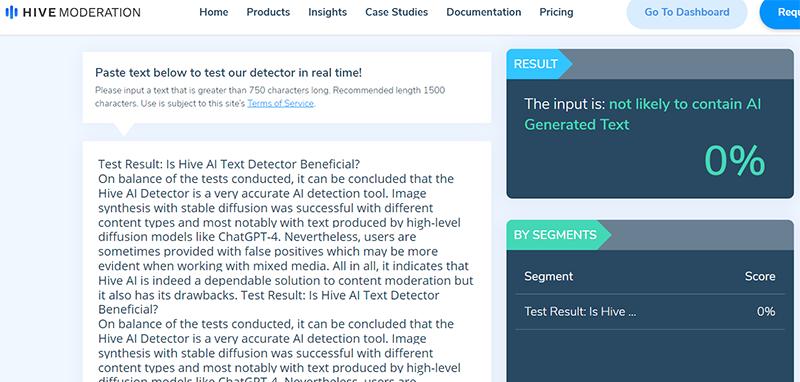
Hive is intended for developers and platforms that need to detect AI-generated material programmatically. Unlike tools built around uploading individual articles, it provides detection APIs that can be incorporated into content management systems, moderation pipelines, or custom business applications.
Its coverage extends beyond text to synthetic images, audio, and video through separate models. This makes Hive relevant to online communities, user-generated content platforms, and media businesses handling multiple content formats.
Key Features
● AI Text Detection API: Returns an overall classification and confidence score for submitted text.
● Segment-Level Results: Divides text into 2,048-character chunks and reports classifications for individual segments.
● Synthetic Media Screening: Provides detection models for AI-generated images, audio, and video.
● Moderation Integration: Allows organizations to route flagged content into broader moderation processes.
● Enterprise Deployment: Offers custom pricing, higher rate limits, and support for substantial traffic volumes.
Pros and Cons
| Pros | Cons |
| API architecture fits automated submission pipelines. | Requires developer resources to implement. |
| Segment classifications support targeted follow-up checks. | Character-based chunks are not necessarily complete sentences. |
| Multiple media models suit mixed-content platforms. | Text, image, and audio detection have separate usage considerations. |
| Usage-based billing can fit variable traffic. | Costs need modelling against actual request volume. |
| Enterprise provides increased rate limits and support. | More infrastructure than occasional article reviewers need. |
Pricing
| Plan | Price |
| Developer | Pay-as-you-go |
| Promotional credits | $50+ after adding a payment method |
| Enterprise | Custom quote |
Best for: Content platforms, software developers, and enterprises automating large-scale text and media screening.
Which AI Detection Tool Should Businesses Choose?
The deciding factor should be how the organization processes content, rather than which product advertises the highest detection accuracy.
| Business Type | Recommended Tools | Main Reason |
| SEO and publishing agencies | Originality.ai, Winston AI | Editorial reviews and content auditing |
| Multinational companies | Copyleaks, Pangram | Multilingual screening |
| Editorial and research teams | GPTZero, Pangram | Passage-level investigation |
| Small businesses | QuillBot, ZeroGPT | Accessible preliminary checks |
| Workplace communication teams | Sapling | Writing assistance and integration |
| Educational institutions | Turnitin | Managed academic assessment |
| Technology platforms | Hive | API-based automated screening |
For a small agency reviewing a few articles each week, a free detector may be sufficient for identifying submissions requiring further examination. Businesses reviewing hundreds of documents need to evaluate monthly allowances, report sharing, and administrative features. Developers operating large submission pipelines have different priorities, including API costs, response times, and integration effort.
Importantly, AI detection scores should not be treated as conclusive proof of authorship. Businesses should combine flagged results with source verification, editorial review, and relevant writing-process evidence before making consequential decisions.
Final Verdict
Originality.ai is a practical choice for publishers and SEO agencies because it combines AI detection with other editorial checks. Copyleaks is particularly suitable for enterprises handling multilingual content, while GPTZero and Pangram offer useful approaches to investigating individual documents.
For businesses with modest requirements, QuillBot provides accessible free detection, whereas Sapling is more relevant when writing assistance and business integrations are priorities. Turnitin and Hive serve specialized institutional and technical requirements.
The best choice ultimately depends on content volume, workflow, and budget. A more expensive detector is not automatically more accurate, and no detection result should replace informed human review.
Comments