

A skilled consultant updates her LinkedIn profile. The headline lists her title and company. The About section is a tidy paragraph of credentials, years of experience, certifications, and a few impressive logos. Her peers leave nice comments. Recruiters occasionally slide in. But the one thing she actually wants clients reaching out, ready to hire never happens.
The bio isn't bad. It's just answering the wrong question. It was written to be admired, and admiration doesn't pay invoices. A bio that wins clients does one job and does it fast: it makes a specific person think, this is someone who understands my problem. Everything that follows in this guide is in service of that single reaction.
The bio you were taught to write is the wrong one
Almost every piece of LinkedIn advice you've absorbed was really written for job seekers. Impress the recruiter, list the achievements, sound hireable. That advice produces a career bio a polished summary of you. Winning clients requires something closer to a one-person sales page, and the difference isn't cosmetic. It changes who the bio is about.
| Metric | Career bio | Client-winning bio |
| Speaks about | You your history, titles, skills | Them their problem and the outcome they want |
| Opens with | "Experienced professional with 10+ years…" | The reader's pain or goal, named directly |
| Proof looks like | Job titles and certifications | Results, specifics, and named client outcomes |
| Reader's takeaway | "This person is accomplished" | "This person can solve my problem" |
| Ends with | Nothing, or "Let's connect" | A clear, low-friction way to start working together |
| Judged by | Compliments and connection requests | Inquiries and booked calls |
Notice the throughline: a career bio keeps the spotlight on the writer, while a client-winning bio hands the spotlight to the reader. That shift from look what I've done to here's what I can do for you is the entire game. Most profiles never make it, which is precisely why the ones that do stand out so sharply.
Worth clearing up before we go further: your "LinkedIn bio" is not a single field. It's a system of three parts working together: the Headline (the line under your name), the About section (your longer story), and the Featured section (the proof you pin below). Treating them as one connected pitch, rather than three boxes to fill, is what separates profiles that convert from profiles that just exist.
The one question every client is silently asking
When a potential client lands on your profile, they are not admiring your career arc. They arrived with a problem and a quiet, slightly impatient question: Can you solve this specific thing for me?
That's it. Everything they read gets filtered through that yes-or-no. A five-paragraph history of your professional journey doesn't answer it; it makes them do the work of figuring out whether your experience maps to their situation, and most people won't bother. They'll leave and check the next profile.
So the real test for every line in your bio is brutally simple: does this move the reader closer to yes? If a sentence is there to make you look impressive but doesn't help someone conclude you can fix their problem, it's taking up space that a better sentence could use. Keep this lens handy. We'll apply it to every section below.
Get your positioning right before you touch the wording
Here's the part that clever phrasing can't rescue: a blurry position produces a blurry bio, no matter how good the writing is. If you try to be useful to everyone, you become memorable to no one, because the reader can't quickly tell whether you're for them.
Before writing a single line, get sharp answers to three questions:
● Who exactly do you serve? Not "businesses" or "professionals" , a specific type of person or company. "Early-stage SaaS founders," "wedding photographers scaling past six figures," "law firms that hate their own websites." The narrower the who, the louder the recognition when the right person reads it.
● What specific problem do you solve for them? Named in their words, not yours. Clients don't wake up wanting "strategic brand alignment." They wake up frustrated that their site gets traffic but no leads. Speak to the problem as they'd describe it to a friend.
● What outcome do you deliver, and how do you prove it? The tangible result on the other side of the problem, plus the evidence that you actually produce its numbers, before-and-afters, recognizable client names.
If you can answer those three cleanly, the bio almost writes itself, because you now know who you're talking to and what they need to hear. If you can't, no generator or template will save you, the vagueness will simply show up as generic copy. Positioning is the foundation; wording is just the paint.
The anatomy of a client-winning bio
This is where it gets concrete. We'll take the profile apart field by field and rebuild each one to do actual work.
The headline: your most valuable and most wasted real estate
Your headline appears everywhere your name does in search results, in comment sections, in connection requests, in people's inboxes. It is the single most-viewed line you own on LinkedIn. And the default use of it, "Job Title at Company," is very close to throwing that away, because it tells a potential client nothing about whether you can help them.
A client-winning headline follows a simple shape: who you help + the outcome you create, with an optional piece of proof or a searchable keyword. Compare:
● Weak: "Freelance Copywriter | Marketing Specialist"
● Strong: "I help B2B SaaS brands turn boring features into copy that converts | 200+ pages written"
The second one does three things at once. It names the audience (B2B SaaS), promises a specific outcome (copy that converts), and drops proof (200+ pages) all inside LinkedIn's roughly 220-character limit. It also quietly wins on search, because the terms a client would actually type are baked into it. Aim for somewhere around 180–200 characters so it doesn't get cut off awkwardly on mobile, and read it back asking the only question that matters: would my ideal client feel this line is about them?
The About section: your pitch, structured to convince
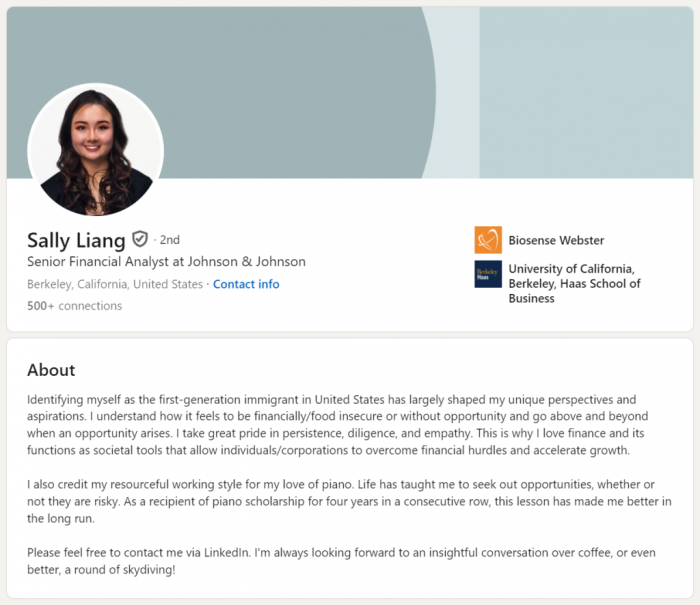
The About section is where profiles most often collapse into an autobiography. The fix is to give it a structure built for persuasion rather than chronology. A reliable one is what I'd call the four-P arc Problem, Proof, Path, Prompt and it maps directly onto how a skeptical client reads.
● Problem. Open by naming the reader's situation, not your résumé. Your first two lines are doing the heaviest lifting on the entire profile, because that's all LinkedIn shows before the "…see more" cutoff. Waste them on "I am a passionate, results-driven professional" and most people never expand. Spend them naming a problem your client feels in their gut, and they lean in.
● Proof. Once you've earned their attention, show you can actually solve it. This is where specifics beat adjectives every time. Real numbers, concrete results, recognizable names, a short story of a client who was stuck and then wasn't. Vague competence ("delivering excellence across verticals") reassures no one; a sentence like "helped a fintech startup cut onboarding drop-off by 40%" does more work than a paragraph of praise.
● Path. Now that they believe you can help, tell them what working with you actually looks like the service, the offer, the way you work. Keep it plain and specific. People don't hire what they can't understand, so trade jargon for clarity about what you provide and who it's for.
● Prompt. End by telling them exactly what to do next. A startling number of otherwise strong profiles simply stop, leaving an interested reader with no idea how to proceed. Give one clear, low-friction next step: a line like "Send me a message with what you're working on and I'll tell you honestly whether I can help," plus wherever you want them to go.
Two craft notes that lift the whole section. Write in the first person "I help," not "Jane helps" because clients are hiring a human they'll talk to, and third person reads like a museum plaque. And break it up: short paragraphs, generous white space, the occasional line on its own. Dense blocks of text quietly repel readers on a platform people mostly scroll on their phones.
The Featured section: turn claims into evidence
Below your About sits the Featured section, and it's the most underused asset on the profile. It converts assertions into proof a skeptic can see. If your About says you get results, the Featured section is where you show them a case study, a testimonial screenshot, a link to work you're proud of, a lead magnet that starts a conversation.
Think of it as the bridge from interested to in touch. The About section earns belief; Featured gives that belief somewhere to go. Pin the one or two items most likely to make a hesitant client take the next step, and make at least one of them a direct path to contacting or booking you.
Before and after: rebuilding a real bio
Abstract advice only goes so far, so let's rebuild one profile completely. Meet a freelance web designer whose current bio is quietly costing her work.
Before:
Headline: Web Designer | Freelancer | Creative Professional
About: Passionate and detail-oriented web designer with over 8 years of experience delivering high-quality, results-driven solutions across a variety of industries. Skilled in UX/UI, responsive design, and brand strategy. I love turning ideas into beautiful digital experiences. Let's connect!
It's not incompetent. It's just invisible. The headline is three interchangeable labels. The About talks entirely about her, leans on tired phrases ("passionate," "results-driven," "high-quality"), names no audience, proves nothing, and ends with the world's softest call to action. A client can't tell if she's for them.
Now rebuild, using everything above. First we pin down her positioning: she serves service-based small businesses whose sites look outdated and don't generate inquiries, and she delivers clean, conversion-focused websites that turn visitors into booked calls.
After:
Headline: I design conversion-focused websites for service businesses tired of getting traffic but no leads | 90+ sites launched
About: Your website gets visitors. It just doesn't turn them into clients.
That's the problem I fix. Over the last eight years I've launched 90+ websites for service businesses coaches, clinics, agencies, consultants and the pattern is always the same: a nice-looking site that quietly leaks leads because it was designed to impress, not to convert.
One recent client, a physiotherapy clinic, was getting steady traffic and almost no bookings. After a redesign focused on clarity and a single obvious next step, their online booking requests roughly doubled in two months.
Here's how I work: a focused redesign of your site's key pages built around one goal getting the right visitor to take action. No bloated packages, no jargon, no six-month timelines. Just a site that earns its keep.
If your site looks fine but isn't bringing in business, send me a message telling me what's not working. I'll give you an honest take on whether I can help no pitch. Recent work and client results are in my Featured section below.
Same person, same experience, radically different pull. The rebuild names a specific reader, opens on their pain, proves the outcome with a concrete story, explains the offer in plain language, and ends with an easy, pressure-free next step. That's the whole difference between a bio that gets compliments and one that gets clients.
Mistakes that quietly repel clients
Most weak bios aren't failing because of one glaring error they're leaking appeal through several small, common holes. Here are the ones worth checking your own profile against.
● Writing to impress your peers instead of your clients. The most common and most expensive mistake. Industry jargon and insider language signal status to colleagues and confusion to buyers. If your bio would make a fellow professional nod but leave a potential client unsure what you actually do for them, it's aimed at the wrong room.
● Hiding behind buzzwords. "Results-driven," "passionate," "dynamic," "innovative," "thought leader" these words are so overused they've stopped carrying meaning. They describe everyone, so they describe no one. Replace every buzzword with a specific: not "results-driven," but the actual result.
● Proving nothing. Claims without evidence read as marketing noise. A bio that says you're great but shows no numbers, examples, or named outcomes asks the reader to take you entirely on faith, which few will. Specific proof is what converts a nice claim into a credible one.
● Naming no one. A bio addressed to "businesses" or "clients" in general fails to trigger recognition in anyone specific. When you narrow to a clear audience, the right person feels spoken to directly and that feeling is what makes them reach out.
● Ending in a dead end. An interested reader with no obvious next step is a lost client. If your bio doesn't tell people exactly how to start a conversation, you're relying on them to figure it out, and most won't make the effort.
● Talking only about yourself. Zoom out and count how many sentences are about you versus about the reader. If it's lopsided toward you, that's the root problem underneath most of the others and rebalancing it fixes more than any single wording tweak.
Run your current bio past this list honestly. Most profiles trip at least three of these, and the fixes compound: fix the audience and the proof, and the buzzwords and dead ends tend to fall away on their own.
Four tools to generate a LinkedIn bio
Once you understand the structure, an AI generator becomes genuinely useful not as a replacement for your thinking, but as a way to get past the blank page and produce a solid first draft fast. Here are four worth knowing, judged on the quality of their output, how well they handle a client-facing (not just job-seeking) angle, ease of use, and whether they're free or paid.
1. SmartPostly LinkedIn Bio Generator : best all-rounder for a client-facing bio
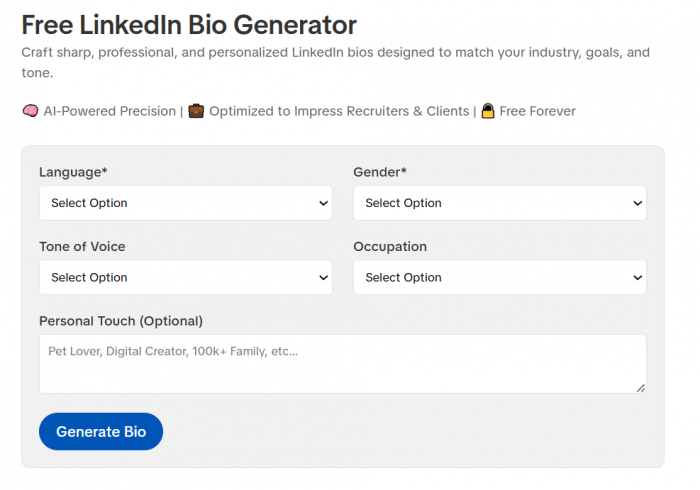
SmartPostly's LinkedIn Bio Generator is built to produce concise, professional bios aimed squarely at recruiters and clients, which makes it a natural fit for the client-winning angle this whole guide is about. What earns it the top spot isn't just the bio tool in isolation it's that the bio sits inside a broader content toolkit (captions, hooks, taglines, hashtags, and a content calendar), so the same voice you establish in your bio can carry across the posts and content that keep your profile active and visible to clients. For a service provider who needs a strong bio and a steady LinkedIn presence, having both in one place is a real advantage. It offers free tools, with paid plans starting around $9/month for more usage.
The honest limitation: because it spans multiple platforms rather than living only inside LinkedIn, it won't hand you deep, LinkedIn-specific profile analytics you'll still supply your own specifics and proof, which, as this guide has argued, is exactly as it should be.
2. Taplio : best for the LinkedIn-specific headline-and-About system
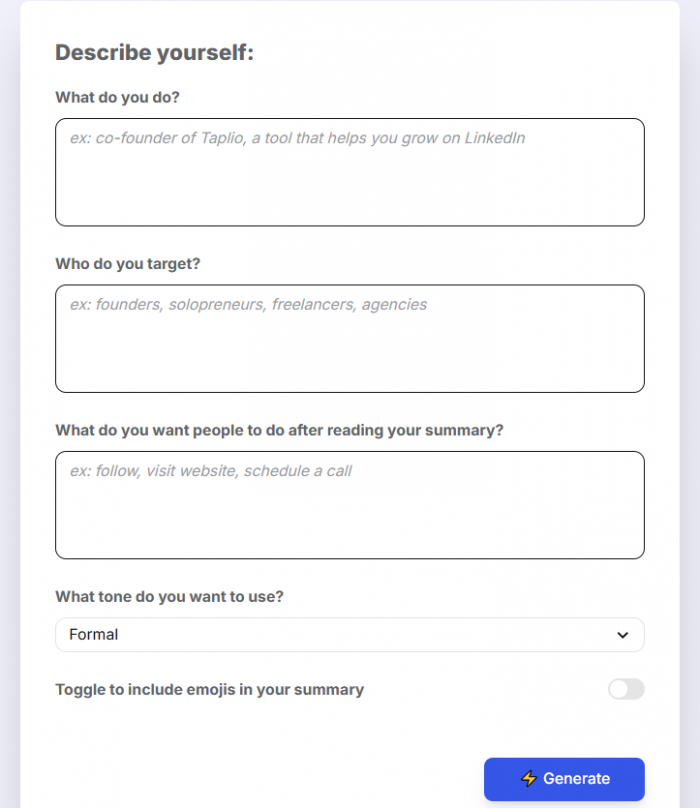
Taplio is a dedicated LinkedIn growth platform, and its free Headline Generator and free Summary Generator are among the most LinkedIn-aware tools available. They understand the mechanics that matter here the 220-character headline limit, the headline-plus-summary relationship, the emphasis on stating who you help and the outcome you deliver. It's an excellent choice if you're serious about LinkedIn specifically and want the bio tools to sit alongside posting, scheduling, and profile-review features.
The catch: the free generators cap how many variations you can produce before prompting sign-up, and the full platform is a paid product, so it's best suited to people ready to invest in LinkedIn as a real channel.
3. Easy-Peasy.AI : best general AI writer with a client-attraction angle
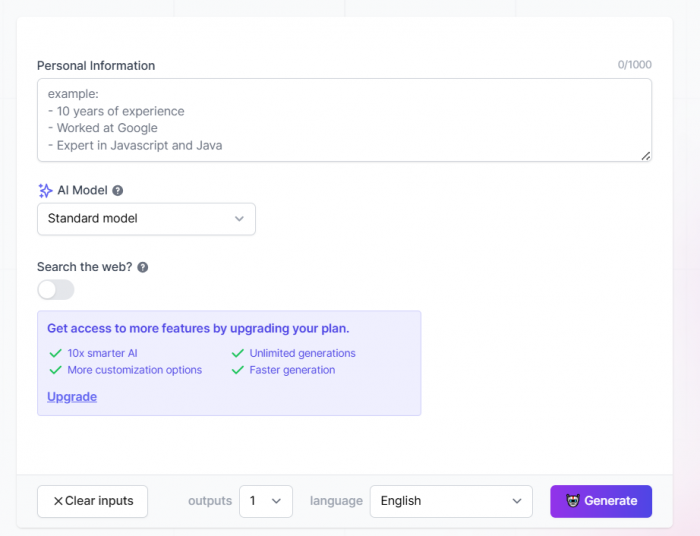
Easy-Peasy.AI is a broad AI content platform that includes a dedicated LinkedIn bio template, and notably its framing already leans toward attracting clients highlighting portfolio strengths, client success stories, and service offerings, not just impressing recruiters. That makes it a good fit for freelancers who want a general-purpose writing tool they'll use for more than just their bio.
Because it's general-purpose rather than LinkedIn-native, you'll want to guide it more deliberately toward the structure covered above, but the output quality is solid and the client-focused templates are a genuine plus.
4. Postiz : best free, no-fuss option
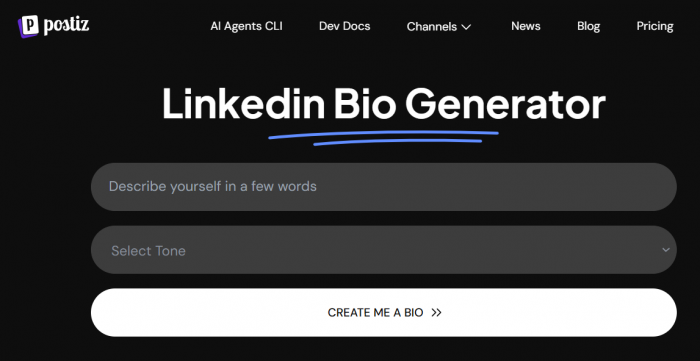
Postiz offers a straightforward, entirely free LinkedIn Bio Generator with no paywall to get a usable draft, which makes it the easy pick when you want a quick starting point at zero cost. It's part of a larger social media scheduling product, so the bio tool itself is intentionally simple.
Don't expect deep customization or LinkedIn-specific coaching to treat it as a fast way to generate raw material you'll then shape by hand.
| Tool | Best for | Standout strength | Cost |
| SmartPostly | An all-round client-facing bio + wider presence | Bio plus a full content toolkit in one place | Free tools; paid from ~$9/mo |
| Taplio | Serious LinkedIn users | LinkedIn-native headline & summary tools | Free tools; paid platform |
| Easy-Peasy.AI | Freelancers wanting a general writer | Client-attraction bio templates | Free tier; paid plans |
| Postiz | A quick, free first draft | Genuinely free, no paywall | Free |
How to use a generator without sounding generic
Here's the part that determines whether these tools help or hurt you: a generator can give you structure, but it cannot give you substance. It doesn't know your clients' names, the result you got for that one difficult project, the specific way you talk, or the problem your best customers actually came to you with. Left to fill those gaps on its own, AI defaults to the smooth, plausible, forgettable copy that everyone else's generator also produces the exact generic voice that makes a bio invisible.
So use the tools for scaffolding and supply the substance yourself. In practice that means a few habits:
● Feed it real specifics, not vague inputs. Give the generator your actual audience, your actual outcomes, and real numbers. The quality of what comes out is capped by the quality of what you put in precise inputs produce a usable draft, lazy inputs produce mush.
● Generate several variations and mine them for parts. Don't accept one output whole. Produce a handful, then take the strongest headline from one, the best opening line from another, and stitch them into something none of them was on its own.
● Rewrite the proof in your own words. Whatever specific results and stories you include, phrase them yourself. This is the part AI literally cannot invent, and it's the part that convinces clients, so it deserves your own hand.
● Read it aloud and cut what sounds like a robot. If a line sounds like something any consultant anywhere could have written, it's a generic line. Replace it with something only you could say. The read-aloud test catches almost everything AI over-polishes.
The winning formula is simple: let the generator handle the blank page and the bones, and make yourself responsible for everything that makes the bio unmistakably, specifically you. That division of labor gets you the speed of AI without the sameness.
The Bottom Line
A LinkedIn bio that wins clients isn't the one with the most impressive credentials or the cleverest turns of phrase. It's the one that makes a specific person, scanning your profile with a specific problem on their mind, think: this is someone who gets it and can help.
Everything in this guide serves that single reaction. The shift from a bio about you to a bio about your reader. The positioning work that lets the right person recognize themselves. The headline that trades a job title for an outcome, the About section structured to move a skeptic from problem to proof to path to next step, the Featured section that turns claims into evidence. Even the tools earn their place only when you use them to sharpen that reaction rather than to sound like everyone else.
The consultant from the opening didn't need a more impressive profile. She needed one that stopped talking about herself and started answering the only question her clients were ever asking. Get that right, and your bio stops being a quiet résumé nobody acts on and starts being the thing that brings the right people to your inbox.
Comments