

Writing a Reel script is one of those jobs that looks easier than it is. A 30-second video may only need a handful of lines, but those lines have to open quickly, sound natural aloud, keep moving and reach the point before the viewer loses interest.
I compared seven AI script tools with one question in mind: which one actually makes short-form scripting easier? I paid more attention to the inputs, timing controls, script structure, editing workflow and free limits than to the number of AI features surrounding the generator. My aim is to make a reel that Keeps Viewers Coming Back.
Smartpostly came out as the most focused option for someone who simply wants a Reel script. The others become more interesting when the job expands into rewriting, voiceovers, scenes or complete video production.
The Brief I Used
To keep the comparison grounded, I used the same type of brief as the reference point throughout:
| Brief Element | Details |
| Topic | Three morning habits hurting your productivity |
| Platform | Instagram Reels |
| Length | 30 seconds |
| Audience | Young professionals |
| Tone | Conversational |
| Goal | Keep the viewer interested through the third point |
That brief sounds simple, but it exposes several weaknesses quickly. A generator can understand the subject yet still produce too much copy. It can write a strong first sentence and then turn the middle into a stiff numbered list. It can also create a “30-second” script that clearly takes longer to say. Those were the problems I looked for.
What I Checked
I did not rank the tools on grammar alone. Nearly every modern AI writer can produce readable sentences.
| Test area | What mattered |
| Hook | Whether the script got into the idea quickly |
| Spoken flow | Whether the wording sounded natural for voiceover |
| Timing | How much control the tool gave over script length |
| Editing | How easily weak lines could be changed |
| Reel focus | Whether short-form video felt central or secondary |
| Free access | What could genuinely be used without paying |
With that framework in place, the differences became much clearer.
1. Smartpostly Reel Script Generator: Best Overall
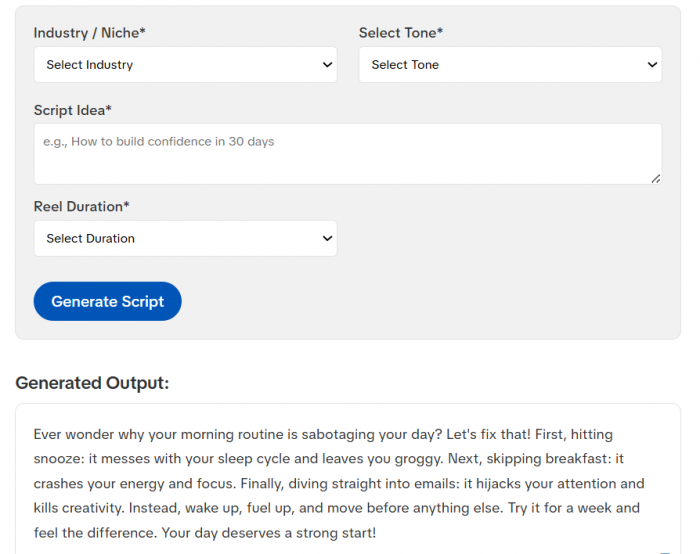
Smartpostly Reel Script Generator is the most straightforward tool in the group because it starts with the decisions I would normally make before writing a Reel manually.
The interface asks for an industry or niche, tone, script idea and duration. The duration options are 15, 30 and 60 seconds, so there is no need to explain the expected runtime inside a long prompt. I liked that because it removes one of the most common problems with general AI writers: asking for a short script and receiving something that still needs aggressive trimming.
The tool is clearly aimed at short-form video rather than general scriptwriting. Smartpostly says its free generator produces voiceover-style scripts for Instagram Reels, TikTok and YouTube Shorts, and the basic version can currently be used without signing up.
Features I Found Most Useful
● Duration selection gives the script a defined limit before generation instead of treating timing as an afterthought.
● Niche controls provide useful context without requiring creators to write detailed background information themselves.
● Multiple tones cover educational, funny, informative, emotional, relatable and several other styles.
● No-signup access makes it particularly convenient when I only want a quick draft rather than another account and dashboard.
My Script Snapshot
| Area | My assessment |
| Hook potential | Strong |
| Short-form focus | Excellent |
| Timing control | Excellent |
| Setup needed | Very low |
| Free access | Yes, no signup |
| Rating | 4.8/5 |
What I Would Still Change
I would not record the first output word for word. With any AI script generator, a broad idea can still produce familiar hooks or generic closing language. The useful part here is that the overall structure is already aimed at short-form delivery, so the editing job is more about replacing individual lines than rebuilding the whole script.
Smartpostly also keeps some advanced options for Pro, including scripts up to five minutes, personalized voiceover style and export-ready formats.
Who I would use it for: A creator who has a Reel idea and wants to get from that idea to a workable recording draft with as little setup as possible.
2. VEED: Best When I Need the Video Next
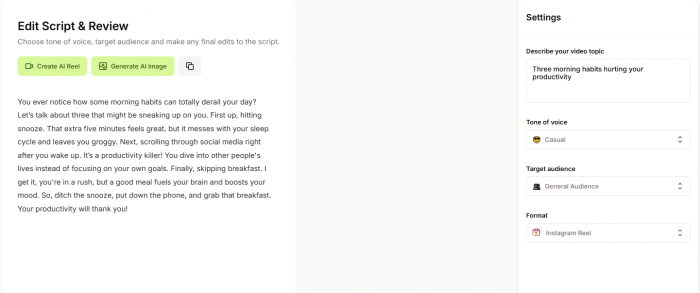
VEED felt less like a dedicated writing utility and more like the front door to a full video workflow.
Its script generator starts simply. I can describe the video idea, choose a tone and define the audience. The interesting part comes after generation: VEED gives the choice to copy the script or continue directly into video creation with narration, captions and footage. That changes how I would use it.
If I were planning to record myself, I probably would not need most of the surrounding platform. If I were building a faceless Reel or turning several scripts into produced videos, the transition from writing to editing would save more time.
VEED currently says the script generator itself is free with no limits on script generation and does not require upfront signup. An account is needed once you move into the wider AI-video workflow.
What Stood Out
● The tone and audience controls are simple enough that I would not need to over-engineer the initial prompt.
● Once the copy is ready, it can move into voiceovers, stock footage, captions and AI avatars.
● The same generator covers Reels, TikTok, YouTube and marketing videos rather than locking me into one format.
● I can also simply copy the script and leave, which is useful because the tool does not force the larger workflow.
My Script Snapshot
| Area | My assessment |
| Writing controls | Very good |
| Script-to-video workflow | Excellent |
| Simplicity | Very good |
| Free script access | Unlimited |
| Rating | 4.6/5 |
The main reason I placed VEED below Smartpostly is focus. For pure Reel scripting, Smartpostly gets me to the relevant controls faster. VEED becomes the more capable choice when writing is only step one.
Who I would use it for: Someone producing faceless Reels, promotional clips or social videos where the script will immediately become an edited video.
3. Kapwing: Best for Fixing an Almost-Good Script
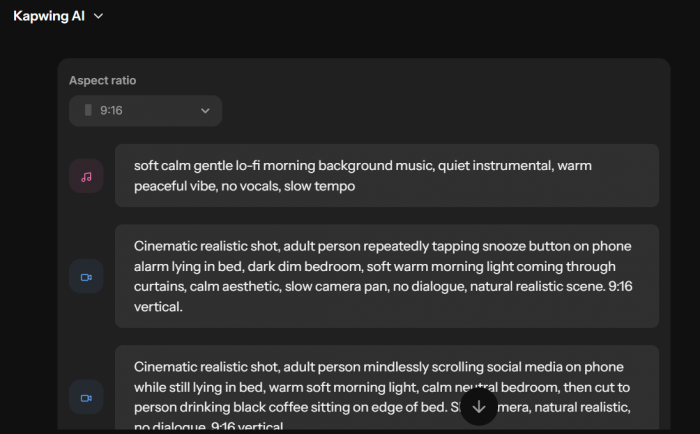
Kapwing interested me more as a rewriting environment than as a one-click script generator.
The reason is simple: AI scripts are often 80% usable. Throwing away the entire draft because two lines feel weak is inefficient.
Kapwing lets the user change duration and move through updated and previous versions of a script. It also supports different targets including Reels, Shorts, TikTok and YouTube, with platform selection influencing the generated style. That makes it the tool I would reach for when I already know the direction of the Reel but expect to revise the wording.
Where Kapwing Worked for Me Conceptually
Say the opening comes back as:
“Are you struggling to stay productive every morning?”
The topic is correct, but the hook is generic.
Rather than starting again, the useful workflow is to keep the structure and change the opening, tone or duration. Kapwing is built around that iterative process much more clearly than tools that simply give me another Generate button.
Useful Features
● Duration adjustment helps tighten a script without manually cutting every line.
● Previous-version navigation makes experimenting less frustrating because earlier drafts remain available.
● Platform targeting gives Reels and Shorts their own context rather than treating them like miniature YouTube videos.
● The finished script can also become a video inside Kapwing if needed.
My Script Snapshot
| Area | My assessment |
| Rewriting control | Excellent |
| Platform control | Very good |
| First-draft simplicity | Good |
| Free allowance | Limited |
| Rating | 4.5/5 |
The free limit is where Kapwing becomes less generous. A free workspace currently gets up to five minutes of AI Script Generator usage if its related text-to-speech allowance has not been used elsewhere.
Who I would use it for: Creators who already have a decent draft and care more about refining it than generating endless replacements.
4. Fliki: Best for Faceless Voiceover Reels
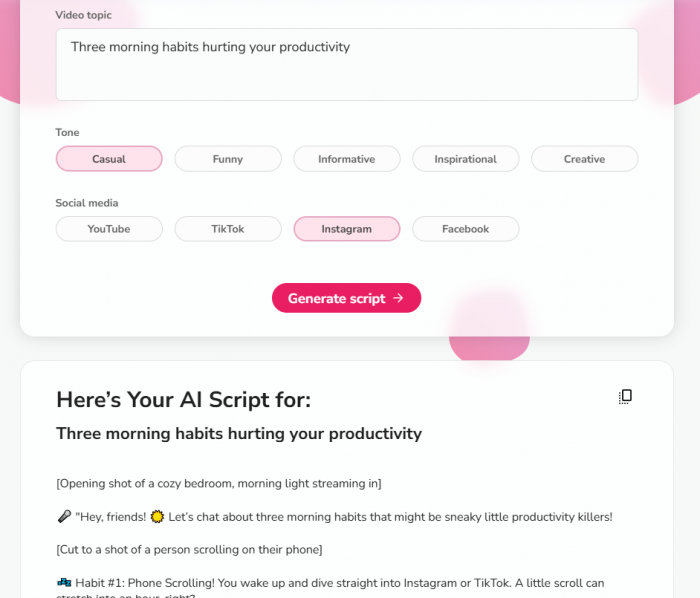
Fliki was the tool that made me think less about paragraphs and more about what would actually happen on screen.
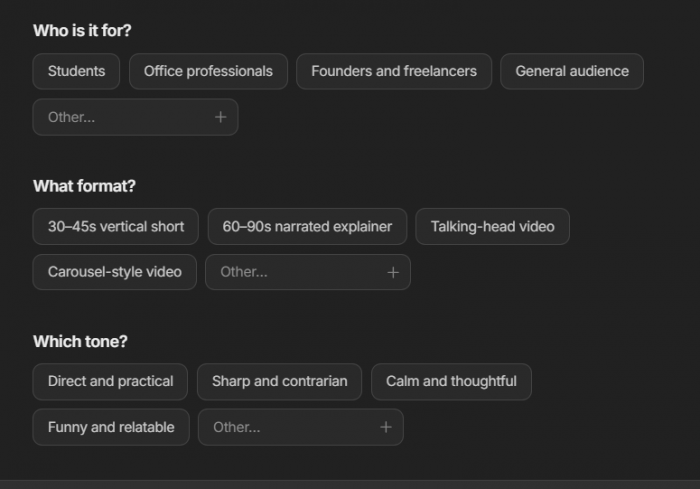
Its script generator structures the output around a hook, separate scenes, voiceover narration, on-screen text and a CTA. That scene-based approach immediately makes more sense for faceless content because I can see where one visual should end and another should begin.
A normal AI writer may give me a polished 100-word block. That is still work. Someone then has to decide where to cut the footage, what appears on screen and which sentence needs its own visual. Fliki starts solving that problem earlier.
Features I Liked
● Scene-by-scene output makes the script much easier to map onto B-roll.
● Users can choose the target platform and duration, so a Reel is not structured like a long tutorial.
● Individual lines and scenes can be edited or regenerated instead of rebuilding the entire script.
● The same project can continue into AI voices, visuals, captions and video production.
Fliki currently supports more than 80 languages and advertises over 2,000 AI voices in its wider video workflow.
My Script Snapshot
| Area | My assessment |
| Voiceover structure | Excellent |
| Scene planning | Excellent |
| Talking-head scripting | Good |
| Free allowance | 5 minutes/month |
| Rating | 4.5/5 |
The free plan includes five minutes of monthly AI generation. That is enough to experiment with several short scripts, but frequent video production will reach the limit quickly.
Who I would use it for: Faceless Reels, explainers and narration-heavy videos where the script also needs to provide a rough editing structure.
5. InVideo: Best When I Want AI to Think in Scenes
InVideo sits close to Fliki, but I would use the two differently. With Fliki, I like the way the written script is segmented for voiceover. With InVideo, the bigger attraction is the amount of production automation that can happen around that script.
If a Reel says:
“Checking your phone before getting out of bed is the first mistake.”
I immediately know what footage could accompany it.
A sentence such as:
“Various behavioral factors may influence productivity throughout the morning.”
is much harder to visualize.
That is the kind of difference that matters when the platform is expected to take written copy and build scenes from it.
What I Would Use
● The AI can help create the initial script rather than requiring finished copy.
● That script can feed directly into AI-generated video scenes.
● InVideo is particularly suited to list videos, explainers and faceless content where each script beat can become a visual beat.
● The free plan can currently be explored without entering card information, although credits are limited and reset weekly.
My Script Snapshot
| Area | My assessment |
| Scene readiness | Excellent |
| Pure writing workflow | Good |
| Automation depth | Excellent |
| Free access | Limited weekly credits |
| Rating | 4.4/5 |
I would not choose InVideo first if all I needed were ten short scripts to record with my own camera. Too much of its value would be sitting unused. For someone producing faceless videos at volume, the opposite is true. The ability to continue from script into actual scenes becomes the reason to choose it.
Who I would use it for: Creators who want AI involved in both script development and visual assembly.
6. Predis.ai: Best for Product Reels
Predis.ai was the easiest tool in this list to place into a specific category: commercial social content.
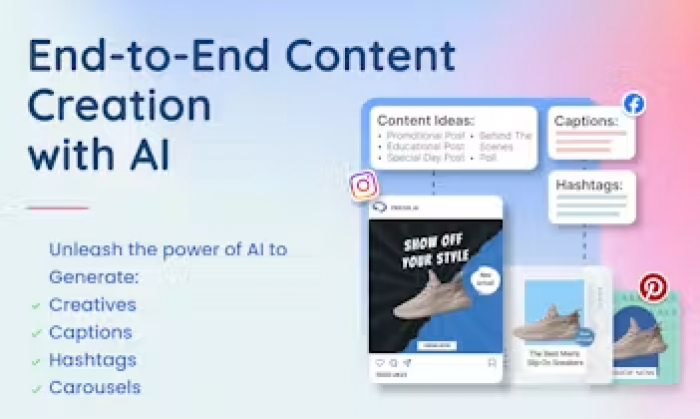
Instead of only accepting a text idea, its Reel workflow can begin with a prompt, image, blog post or product URL. Predis then handles the script alongside visuals, voiceover, captions and the rest of the Reel. That matters because product scripting requires different information from an educational Reel.
If I were creating a video for a reusable water bottle, I would rather start from the actual product information than manually paste the features into a generic AI writer. Predis is designed to reduce that step.
Features That Make Sense Here
● Product URL input gives ecommerce creators a much more practical starting point than a blank prompt.
● It can create script, scenes, voiceover and captions as one workflow.
● Product images can be incorporated rather than replaced entirely by generated visuals.
● Predis supports store connections including Shopify, WooCommerce and Wix.
My Script Snapshot
| Area | My assessment |
| Product-focused scripting | Excellent |
| Organic creator Reels | Good |
| Video automation | Excellent |
| Free access | 7-day trial |
| Rating | 4.3/5 |
The biggest issue for an article about free generators is the pricing model. Predis currently offers a seven-day trial rather than a permanent free tier. Its Core plan is advertised at $19 per month when billed annually. That is why I would treat Predis as free to test, not free to keep using indefinitely.
Who I would use it for: Ecommerce brands, agencies and marketers producing product-led Reels rather than creators looking for a simple free writing utility.
7. vidIQ: Best if Shorts Matter More Than Reels
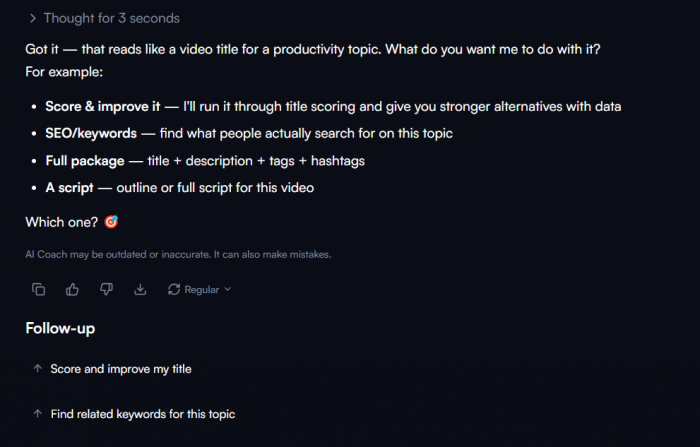
vidIQ is the outlier here, and that is exactly why I kept it in the list. The platform is built around YouTube rather than Instagram. Its script generator takes an idea or outline and turns it into an opening, talking points, transitions and a closing CTA. The script can then be refined for tone and pacing.
For a creator publishing the same vertical-video ideas to Reels and Shorts, that YouTube focus can be useful. For someone who works almost entirely on Instagram, it feels less tailored than the tools higher in the ranking.
Where I Think It Works Best
vidIQ pays attention to the parts of scripting that matter heavily on YouTube: getting into the premise quickly, moving between sections and keeping enough momentum for the viewer to continue.
I also like that the tool does not treat Shorts as an isolated workflow. Someone can use the same broader system for short and long YouTube content.
My Script Snapshot
| Area | My assessment |
| Hook and retention focus | Excellent |
| Instagram specialization | Moderate |
| YouTube workflow | Excellent |
| Free allowance | 150 AI credits/month |
| Rating | 4.2/5 |
Free vidIQ accounts currently receive 150 AI credits each month, shared across supported AI features including Script Writer. That is enough to make it genuinely testable, although I would not rank it higher for an Instagram-specific article because its strongest advantages live elsewhere.
Who I would use it for: YouTube-first creators who also repurpose short videos to Instagram and TikTok.
What “Free” Looked Like Across the Seven
This was one of the biggest differences I found. Several tools use the word free, but they do not mean the same thing by it.
| Tool | Free access I found | The catch |
| Smartpostly | Free basic Reel generator | Advanced Pro options are separate |
| VEED | Unlimited free script generation | Full video workflow has paid features |
| Kapwing | Up to 5 minutes in free workspace | Shares allowance with TTS usage |
| Fliki | 5 AI minutes each month | Finished free videos have limitations |
| InVideo | Limited free credits | Allowance resets weekly |
| Predis.ai | 7-day trial | Not a permanent free plan |
| vidIQ | 150 AI credits per month | Credits are shared across AI tools |
For someone writing one or two Reels occasionally, most of these limits are workable. For daily scripting, I would pay much more attention to the distinction between a free generator, a monthly free allowance and a temporary trial.
What I Would Edit in Every AI Script
Testing the workflows also reinforced something that is easy to forget: none of these tools removes the need for a final human pass.
The first thing I would remove is unnecessary setup.
A line such as:
“Today we're going to look at three morning habits that could be hurting your productivity.”
uses valuable time to announce the video.
“Three morning habits are killing your productivity before work even starts.”
gets into the subject faster.
I would also watch for artificial list transitions. “First, secondly, finally” is clear, but it quickly makes a Reel sound like a presentation. A spoken transition such as “Fix that, then look at what you're doing before breakfast” keeps the progression without announcing every numbered section.
The final check is the easiest: read the script out loud.
Some sentences look perfectly acceptable on screen and become obviously awkward the moment they are spoken. That one test catches excessive length, formal wording and unnatural transitions better than another round of AI rewriting.
Which Tool I Would Pick
After comparing the seven workflows, I would not choose one platform for every type of Reel.
If I needed a quick, focused short-form script, I would start with Smartpostly. It asks for the information that actually matters to a Reel script and does not bury the writing tool under a larger production process. If the script needed to become a video immediately, I would choose VEED. For a draft I expected to rewrite heavily, Kapwing makes more sense.
For faceless content, Fliki is particularly useful because the scene-based output already thinks about narration and visuals together. InVideo goes further when I want more of the scene-production process automated.
For ecommerce work, Predis.ai is the specialist choice because product URLs and product visuals can become part of the input. And if YouTube Shorts is the main channel, I would pick vidIQ before forcing an Instagram-first tool into a YouTube workflow.
The important lesson from comparing them is that the best Reel script generator is not necessarily the one that can do the most. For the writing stage, a focused tool can actually be faster. The larger AI-video platforms become valuable when the script is only the first part of the job.
Comments