

PicLumen AI is a useful tool for quick image generation, image-to-image creation, and simple creative experiments. It works well for beginners because it keeps the workflow easy: enter a prompt, choose a model, generate, and download.
But PicLumen AI is not the strongest option for every use case. Some creators need better text rendering, deeper editing tools, stronger art quality, private generations, commercial-safe workflows, brand design features, or more advanced model control. That is where the right PicLumen AI alternative becomes more useful.
This guide breaks down eight strong alternatives with features, pros and cons, pricing, and the exact area where each tool beats PicLumen AI.
Quick Comparison of the Best PicLumen AI Alternatives
| Tool | Best For | Free Plan | Starting Price | Main Strength |
| Leonardo AI | Concept art, thumbnails, product mockups, marketing visuals | Yes | $12/month | Strong creative control and editing depth |
| Midjourney | Cinematic art, premium visuals, fantasy scenes, editorial-style images | No | $10/month | High-end artistic image quality |
| Ideogram | Posters, logos, quote graphics, thumbnails, social media designs | Yes | $20/month | Better text generation inside images |
| Adobe Firefly | Commercial visuals, brand-safe design, Adobe users | Yes | $9.99/month | Business-friendly creative AI workflow |
| Canva AI | Social posts, banners, presentations, marketing designs | Yes | About $15/month | AI image generation inside a full design platform |
| SeaArt AI | Anime, character art, LoRA models, experimental styles | Yes | $5.99/month | Large model library and flexible creative tools |
| NightCafe | Casual AI art, community challenges, prompt exploration | Yes | $5.99/month | Community-driven AI art creation |
| Recraft | Vectors, icons, mockups, brand graphics, clean design assets | Yes | $12/month | Design-ready image and vector generation |
1. Leonardo AI
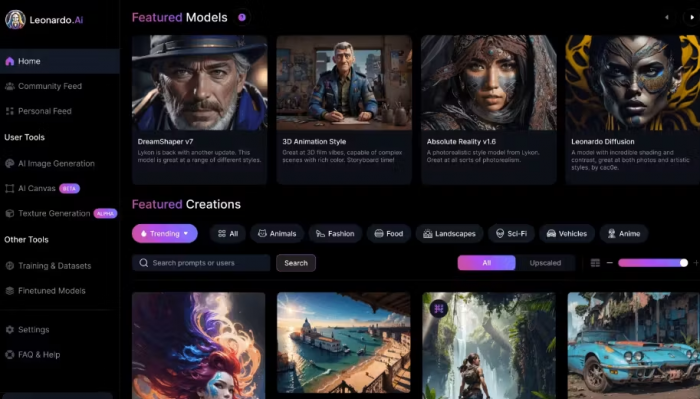
Leonardo AI is one of the strongest PicLumen AI alternatives for users who want more control over AI image creation. It is useful for concept art, character design, marketing visuals, thumbnails, product mockups, game assets, and stylized digital images.
Its main features include text-to-image generation, image guidance, canvas editing, upscaling, style presets, AI video tools, and personal AI model training on paid plans. The tool is especially helpful when users want to refine an image after generation instead of creating a new prompt from scratch.
Strengths and Limitations
| Strengths | Limitations |
| Strong creative control for serious image work | Can feel advanced for beginners |
| Useful for refining and improving generated images | Token limits need to be tracked |
| Good for consistent styles and repeatable visuals | Best features are more useful on paid plans |
| Suitable for professional-looking creative assets | May be more than casual users need |
Pricing and Plans
| Plan | Price | Usage Limit |
| Free | $0/month | 150 fast tokens per day |
| Essential | $12/month | 8,500 fast tokens per month |
| Premium | $30/month | 25,000 fast tokens per month |
| Ultimate | $60/month | 60,000 fast tokens per month |
Where It Beats PicLumen AI
Leonardo AI beats PicLumen AI in editing depth, image refinement, style control, and professional creative workflows. PicLumen AI is easier for quick image generation, but Leonardo AI is better when users need sharper control, stronger consistency, and more room to improve the final output.
2. Midjourney
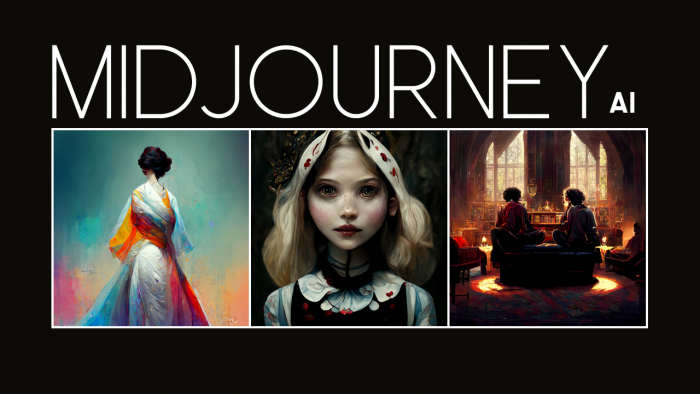
Midjourney is a better alternative for users who care most about artistic image quality. It is widely used for cinematic visuals, fantasy art, fashion concepts, architecture ideas, editorial-style images, and highly stylized creative work.
Its strength is not a long list of editing tools. The real value is output quality. Midjourney often produces images with better lighting, mood, composition, texture, and visual drama than simpler AI image generators. It also supports image references, style references, character references, variations, remixing, and web-based creation.
Strengths and Limitations
| Strengths | Limitations |
| Excellent artistic and cinematic image quality | No full free plan |
| Strong for mood, lighting, and composition | Less beginner-friendly than simple generators |
| Good for premium-looking concept visuals | Editing control is not as direct as canvas-based tools |
| Supports image and style references | Requires learning prompt and parameter behavior |
Pricing and Plans
| Plan | Price | Usage Limit |
| Basic | $10/month | 3.3 hours fast GPU time per month |
| Standard | $30/month | 15 hours fast GPU time, unlimited relaxed images |
| Pro | $60/month | 30 hours fast GPU time, stealth mode, more concurrency |
| Mega | $120/month | 60 hours fast GPU time, highest personal usage tier |
Where It Beats PicLumen AI
Midjourney beats PicLumen AI in pure visual quality. If the goal is to create a scroll-stopping image for a poster, cover, campaign concept, or high-end creative project, Midjourney usually feels more premium. PicLumen is more accessible, but Midjourney is stronger when image quality matters more than simplicity.
Both Midjourney and Leonardo AI are the best alternative and to select which one fits your workflow, read Midjourney Vs Leonardo AI Comparison.
3. Ideogram
Ideogram is a strong PicLumen AI alternative for users who need text inside images. This makes it useful for posters, logos, social media graphics, merchandise concepts, thumbnails, quote cards, stickers, and ad-style visuals.
Its main features include text-to-image generation, Magic Prompt, Remix, Canvas, Magic Fill, Extend, Upscale, style reference, character reference, custom aspect ratios, color palettes, and batch generation on higher plans. Ideogram stands out because it handles typography better than many general AI image tools.
Strengths and Limitations
| Strengths | Limitations |
| Better at generating readable text inside images | Free plan has strict weekly limits |
| Useful for posters, logos, and social graphics | Advanced editing tools need paid plans |
| Supports style and character references | Priority credits expire monthly |
| Good balance of creativity and practical design | Not always as cinematic as Midjourney |
Pricing and Plans
| Plan | Price | Usage Limit |
| Free | $0/month | 10 slow credits per week |
| Plus | $20/month | 1,000 priority credits per month |
| Pro | $60/month | 3,500 priority credits per month |
| Team | $30/month per member | 1,500 priority credits per member, minimum 2 members |
Where It Beats PicLumen AI
Ideogram beats PicLumen AI when the image needs readable words, layout clarity, or graphic-design-style output. PicLumen can create attractive images, but Ideogram is better for visuals where text accuracy is part of the final result.
4. Adobe Firefly

Adobe Firefly is a better option for creators who need commercial-friendly AI visuals inside a larger design ecosystem. It is useful for designers, marketers, agencies, content teams, and businesses already using Adobe tools.
Its features include text-to-image generation, image-to-image generation, generative fill, expand, object removal, style transfer, upscaling, AI video tools, sound effects, Firefly Boards, and access to partner models on paid plans. Firefly is less about casual AI art and more about fitting AI into professional design work.
Strengths and Limitations
| Strengths | Limitations |
| Strong fit for commercial and brand workflows | More expensive than casual AI image tools |
| Works well with Adobe’s creative ecosystem | Credit system can be limiting for heavy users |
| Includes image, video, audio, and editing tools | Best value comes if you already use Adobe |
| Good for safer business-facing content creation | Not always as artistic as Midjourney |
Pricing and Plans
| Plan | Price | Usage Limit |
| Free | $0/month | Limited access to standard and premium creative AI features |
| Firefly Standard | $9.99/month | 2,000 generative credits per month |
| Firefly Pro | $19.99/month | 4,000 generative credits per month |
| Firefly Pro Plus | $49.99/month | 10,000 generative credits per month |
| Firefly Premium | $199.99/month | 50,000 generative credits per month |
Where It Beats PicLumen AI
Adobe Firefly beats PicLumen AI in commercial design workflow, brand safety, and professional editing integration. PicLumen is easier for quick generation, but Firefly is better when AI images need to move into polished marketing, design, or client-facing work.
5. Canva AI
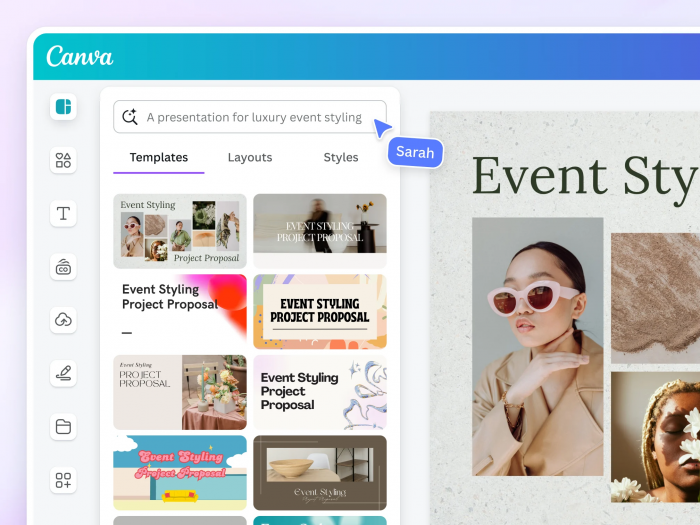
Canva AI is a better PicLumen AI alternative for users who do not want only an image generator. It is ideal for creators who need AI images inside ready-made designs, social media posts, presentations, posters, ads, resumes, videos, and brand templates.
Its AI tools include Magic Media, Dream Lab, Magic Design, Background Remover, Magic Resize, AI writing tools, design generation, and editable templates. Canva’s biggest advantage is that generated images can be placed directly into a finished design without switching tools.
Strengths and Limitations
| Strengths | Limitations |
| Best for social media and design-ready content | Image quality is not always as advanced as specialist tools |
| Huge template library and easy editing workflow | Free AI usage is limited |
| Good for non-designers and small businesses | Less control over model behavior |
| Useful for teams, brands, and content calendars | Serious AI artists may find it too simple |
Pricing and Plans
| Plan | Price | Usage Limit |
| Free | $0/month | Limited AI and design access |
| Canva Pro | About $15/month or $120/year | Higher AI limits, premium assets, brand tools |
| Canva Business | $20/person/month | Higher AI access, business tools, shared workspace |
| Enterprise | Custom pricing | Advanced admin, security, and organization features |
Where It Beats PicLumen AI
Canva AI beats PicLumen AI in finished-content creation. PicLumen is better for generating standalone images, but Canva is stronger when users need to turn visuals into posts, banners, presentations, flyers, thumbnails, or branded marketing assets.
6. SeaArt AI
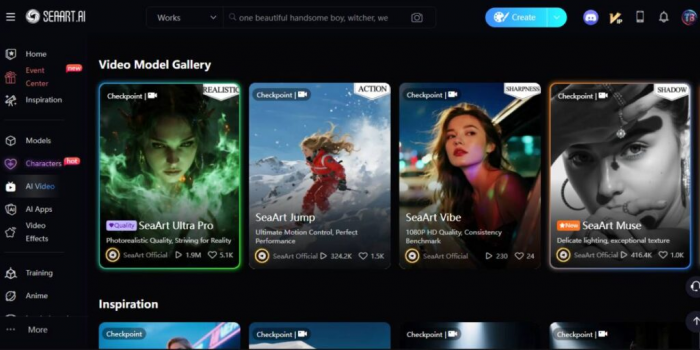
SeaArt AI is a strong alternative for users who want a large creative model library, anime styles, LoRA tools, and flexible image generation. It is especially useful for anime art, character concepts, fantasy visuals, fan-style artwork, and experimental AI images.
Its features include text-to-image, image-to-image, model selection, LoRA training, community models, AI video tools, ComfyUI-style workflows, upscaling, face swap, background removal, and creative editing tools. SeaArt is more model-heavy than PicLumen, which makes it better for users who like exploring different generation styles.
Strengths and Limitations
| Strengths | Limitations |
| Strong for anime, character art, and model variety | Interface can feel busy for beginners |
| Offers LoRA and community model options | Pricing and token rules can feel complex |
| Good free creative access compared with many tools | Output quality depends heavily on selected model |
| Useful for users who like experimenting with styles | Commercial use needs careful review for third-party models |
Pricing and Plans
| Plan | Price | Usage Limit |
| Free | $0/month | Limited daily creation access |
| Beginner | $5.99/month | 300 Stamina daily |
| Standard | $29.99/month | 700 Stamina daily |
| Professional | $59.99/month | 2,100 Stamina daily |
| Master | $149.99/month | 3,500 Stamina daily |
Where It Beats PicLumen AI
SeaArt AI beats PicLumen AI in model variety, anime generation, LoRA access, and experimental creative control. PicLumen is simpler, but SeaArt is better for users who want to test many styles, train models, and work with a broader creative ecosystem.
7. NightCafe
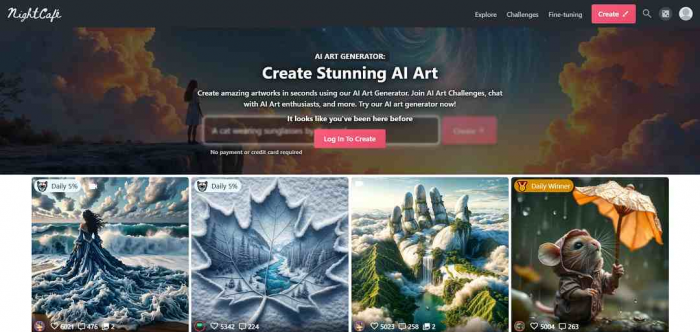
NightCafe is a good PicLumen AI alternative for users who want AI art generation with a strong community layer. It suits casual creators, hobby artists, prompt explorers, and users who enjoy challenges, galleries, and community-based discovery.
Its features include text-to-image generation, access to multiple AI models, community fine-tuned models, animation options, creative upscaling, daily challenges, and credit-based generation. NightCafe feels less like a professional design suite and more like a creative AI art community.
Strengths and Limitations
| Strengths | Limitations |
| Good for casual AI art and community challenges | Not the best choice for business design workflows |
| Access to multiple image models | Credit usage can vary by model |
| Fun for prompt testing and style exploration | Output quality depends on chosen model and settings |
| Credits roll over on paid plans | Less advanced editing control than Leonardo or Firefly |
Pricing and Plans
| Plan | Price | Usage Limit |
| Free | $0/month | Limited free credits and community access |
| AI Beginner | $5.99/month | 100 credits |
| AI Hobbyist | $9.99/month | 200 credits |
| AI Enthusiast | $19.99/month | 500 credits |
| AI Artist | $49.99/month | 1,400 credits |
Where It Beats PicLumen AI
NightCafe beats PicLumen AI in community experience and casual AI art exploration. PicLumen is cleaner for direct image creation, but NightCafe is better for users who want challenges, shared prompts, model variety, and an art-focused social environment.
8. Recraft
Recraft is a better PicLumen AI alternative for users who need design-ready images, vector-style graphics, brand visuals, mockups, icons, and consistent creative assets. It is more useful for practical design production than casual AI art generation.
Its features include image generation, vector generation, image editing, style control, mockups, templates, background tools, object editing, format conversion, and brand-friendly creative workflows. Recraft is especially useful when the final output needs to look clean, structured, and usable in design systems.
Strengths and Limitations
| Strengths | Limitations |
| Strong for brand visuals, vectors, and clean design output | Not mainly built for fantasy or cinematic art |
| Useful for icons, mockups, and marketing assets | Free-plan ownership rules are more limited |
| Good editing and style consistency tools | Credit limits matter for regular users |
| Better fit for design production than casual art | Some users may prefer Canva for full templates |
Pricing and Plans
| Plan | Price | Usage Limit |
| Free | $0/month | 30 credits per day |
| Basic | $12/month | 1,000 credits per month |
| Pro 2,000 | $20/month | 2,000 credits per month |
| Pro 4,000 | $40/month | 4,000 credits per month |
| Pro 8,000 | $80/month | 8,000 credits per month |
| Pro 16,000 | $160/month | 16,000 credits per month |
Where It Beats PicLumen AI
Recraft beats PicLumen AI in practical design output. PicLumen is better for simple image generation, but Recraft is stronger for creators who need icons, vectors, mockups, brand graphics, and cleaner commercial design assets.
Which PicLumen AI Alternative Should You Choose?
The best PicLumen AI alternative depends on what PicLumen is missing for your workflow. If you want better overall creative control, Leonardo AI is the strongest choice. If you want premium artistic output, Midjourney is better. If your images need readable text, Ideogram is the most practical option.
Adobe Firefly is better for commercial and brand-safe creative work, while Canva AI is the best choice for users who want AI images inside finished social media and marketing designs. SeaArt AI is the stronger pick for anime, LoRA, and model-heavy experimentation. NightCafe is best for community-driven AI art, while Recraft is the better option for vectors, mockups, and clean design assets.
Final Thought
PicLumen AI is still a useful tool for beginners and casual creators, especially if the goal is fast image generation without a complex workflow. It is simple, accessible, and good enough for many basic creative tasks.
But users who need more control, better typography, stronger art quality, private workflows, brand-ready designs, or advanced editing will outgrow it. Leonardo AI is the best overall alternative, Midjourney is the best for premium image quality, Ideogram is the best for text-heavy graphics, and Adobe Firefly is the best option for commercial creative teams.
For most users, the right move is not to replace PicLumen completely. Use PicLumen for quick experiments, then choose a stronger alternative based on the type of work you actually publish.
Comments