

Conker AI is useful when teachers need to create quizzes quickly, especially from a topic, text, or learning objective. But it is not the only option. Some tools are better for live classroom games, some are stronger for standards-aligned materials, and some fit better into daily teaching workflows.
Here are the best Conker AI alternatives to consider if you want more control, more engagement, better reporting, or a broader teaching assistant beyond quiz generation.
To make it easier to choose the best alternative based on your requirements, it helps to understand how Conker AI actually performs. Read a detailed Conker AI performance review for a closer look.
Quick Comparison Table
| Tool | Best For | Pricing | Main Advantage Over Conker AI |
| Quizizz | Interactive quizzes and student practice | Basic plan available; School and District plans are quote-based | Better for live games, homework, reports, and classroom engagement |
| MagicSchool AI | Broad teacher productivity | Free plan available; Plus costs $12.99/month or $99.96/year | Stronger if you want lesson planning, rubrics, feedback, and quizzes in one platform |
| Brisk Teaching | Google Docs, Slides, PDFs, and teacher workflow | Educator Free at $0/month; Educator Pro listed from $14.99; school plans use custom pricing | Better for creating teaching materials from content you already use |
| QuestionWell | Standards-aligned question generation | Free plan available; Premium costs $7/month or $70/year | Better for question control, standards alignment, and export flexibility |
| Curipod | Interactive lessons and writing practice | Free plan available; School and District pricing is custom | Better for turning assessment into classroom discussion and student responses |
| Kahoot | Live quiz games and review sessions | Free plan available; paid plans start at $3/month billed annually; One Ultra is $39/month | Better for energetic live review and student participation |
| Socrative | Formative assessment and reporting | Free plan available; Essentials starts at $10/seat/month billed annually | Better for structured quizzes, exit tickets, rooms, and reports |
| Gimkit | Game-based review and repeated practice | Basic is free; Pro costs $14.99/month or $59.88/year | Better for turning quiz content into replayable learning games |
1. Quizizz
Quizizz, now also known as Wayground, is one of the strongest Conker AI alternatives for teachers who want quiz creation and classroom delivery in the same place. Conker AI works well when the goal is to generate a quiz quickly, but Quizizz becomes more useful when that quiz needs to be played live, assigned as homework, repeated for practice, or reviewed through reports.
Best for: Teachers who want interactive quizzes, classroom games, homework practice, and student performance tracking.
The main reason to consider Quizizz over Conker AI is that it gives the quiz a full classroom life cycle. A teacher can create or find a quiz, adjust it for the class, run it live, assign it asynchronously, and then check how students performed. That makes it stronger for teachers who do not want the quiz to sit as a static assessment.
Key features include:
● Teachers can create quizzes and activities, then use them in live sessions or assign them for independent practice outside class.
● The platform includes a large activity library, which helps teachers find starting points instead of building every quiz from scratch.
● Homework and self-paced modes make it easier to reuse the same quiz for revision, practice, or catch-up work.
● Reports give teachers a practical way to see which questions students missed and where the class may need reteaching.
● The gamified format helps make low-stakes assessment feel more active, especially during review lessons.
Where Quizizz works better than Conker AI is engagement. Conker AI is useful for creating the assessment, but Quizizz gives teachers more ways to deliver it. If your classroom depends on participation, repetition, and quick feedback, Quizizz feels more complete.
The limitation is that Quizizz can feel heavier if you only need a clean, fast quiz generator. Some teachers may not need the games, library, reports, and assignment options every time.
Pricing: Quizizz offers a Basic plan for individual teachers. School and District plans are quote-based, so the exact cost depends on the institution and plan requirements.
Mini verdict: Choose Quizizz if you want a Conker AI alternative that combines quiz generation with live classroom use, homework, and performance tracking.
2. MagicSchool AI
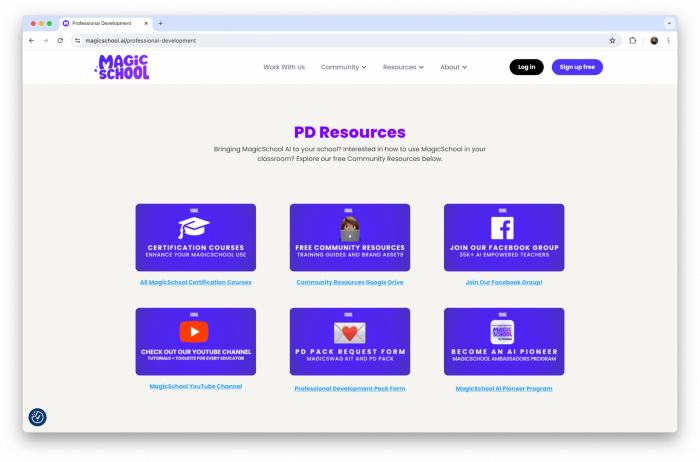
MagicSchool AI is a better Conker AI alternative for teachers who want more than quiz creation. Conker AI focuses mainly on assessments, while MagicSchool AI works more like a broad teaching assistant for planning, differentiation, communication, feedback, rubrics, worksheets, and classroom materials.
Best for: Teachers who want one AI workspace for daily teaching tasks, not only assessment creation.
The main reason to consider MagicSchool AI over Conker AI is range. If a teacher only needs a quiz, Conker AI may be simpler. But if the teacher also needs to write a lesson plan, create a rubric, adapt content for different reading levels, prepare feedback, or generate classroom directions, MagicSchool AI covers more of the work around the quiz.
Key features include:
● Teachers can generate quizzes, worksheets, rubrics, lesson plans, emails, and classroom materials from one platform instead of using separate tools.
● Differentiation tools help rewrite or adjust content for different reading levels, which is useful when the same topic needs to fit mixed-ability groups.
● The rubric and feedback tools make it more useful after the assessment, especially when teachers need to explain performance or guide improvement.
● The platform includes many teacher-specific tools, so outputs usually start closer to classroom language than a general chatbot response.
● School and district plans add more control for student-safe AI use, which matters for institutions adopting AI across classrooms.
Where MagicSchool AI works better than Conker AI is the surrounding workflow. It can support what happens before the quiz, during lesson preparation, and after students submit work. That makes it useful for teachers who want AI help across the full teaching cycle.
The limitation is that MagicSchool AI can feel broad if your only goal is to generate a short assessment. Some teachers may prefer Conker AI because it is more narrowly focused.
Pricing
| Plan | Price | Best For | Highlights |
|---|---|---|---|
| Free | $0 | Individual teachers | Basic AI tools with limited usage |
| MagicSchool Plus | $12.99/monthor $99.96/year ($8.33/month) | Regular educators | Unlimited AI usage, advanced features, priority access to new tools |
| Enterprise | Custom Pricing | Schools & districts | Organization-wide deployment, admin controls, integrations, and dedicated support |
Mini verdict: Choose MagicSchool AI if you want a Conker AI alternative that supports lesson planning, assessment creation, differentiation, rubrics, and feedback in one place.
3. Brisk Teaching
Brisk Teaching is a strong Conker AI alternative for teachers who already work inside Google Docs, Google Slides, PDFs, YouTube, Canvas, and online classroom resources. Instead of asking teachers to move content into a separate quiz generator, Brisk works closer to the material they are already using.
Best for: Teachers who want to create lessons, quizzes, feedback, and student activities from existing classroom content.
The main reason to consider Brisk over Conker AI is workflow fit. Conker AI is helpful when you open a quiz generator and start from a topic or source text. Brisk is more useful when you are already looking at an article, a document, a slide deck, a video, or student work and want to turn that into something teachable.
Key features include:
● Brisk works inside common teacher tools, so teachers can generate resources without constantly copying and pasting content between platforms.
● It can create instructional materials from online articles, PDFs, videos, and documents, which makes it useful for adapting real classroom content.
● Feedback tools help teachers respond to student work more quickly, especially when reviewing writing or assignment drafts.
● Reading-level adjustment tools allow teachers to modify the same material for different student groups without rewriting everything manually.
● Brisk can generate student-facing activities from existing resources, which makes it more flexible than a quiz-only tool.
Where Brisk works better than Conker AI is convenience. If a teacher already has a passage, slide deck, article, or student assignment open, Brisk can help build from that context. It is less about generating a standalone quiz and more about reducing the friction around daily preparation.
The limitation is that Brisk is not purely an assessment builder. If you want a simple quiz-first interface with fewer surrounding tools, Conker AI or QuestionWell may feel more direct.
Pricing
| Plan | Price | Best For | Highlights |
|---|---|---|---|
| Educator Free | $0 | Individual teachers | Core AI teaching tools with basic features |
| Educator Pro | From $14.99/month | Active educators | Advanced AI tools, higher usage limits, and premium features |
| Premium | Custom Pricing | Schools | Team management, collaboration, and additional admin features |
| Intelligence | Custom Pricing | Districts & large institutions | Enterprise-level analytics, security, integrations, and district-wide deployment |
Mini verdict: Choose Brisk Teaching if you want a Conker AI alternative that works inside your existing teaching materials instead of forcing you into a separate quiz-building workflow.
4. QuestionWell
QuestionWell is one of the closest Conker AI alternatives for teachers who care specifically about question generation. It is built around creating classroom-ready questions from topics, readings, standards, and source material, then helping teachers move those questions into the platforms they already use.
Best for: Teachers who want standards-aligned questions, stronger editing control, and flexible export options.
The main reason to consider QuestionWell over Conker AI is precision. Conker AI is useful for generating quick quizzes, but QuestionWell gives teachers more control over the question set, question types, reading length, standards alignment, vocabulary, and export workflow. That makes it especially useful for teachers who care about how questions connect to a lesson objective.
Key features include:
● Teachers can generate questions from a topic, reading, or standard, which makes it useful for targeted assessment rather than generic quiz creation.
● Premium supports longer readings, so teachers can work with fuller source material instead of trimming content too aggressively.
● The tool supports several question formats, including fill-in-the-blank, true or false, multi-select, and short-answer questions.
● Standards alignment helps teachers create questions that are connected to specific learning expectations instead of loose topic coverage.
● Export options make it practical for teachers who want to send question sets into platforms such as Google Forms, Canvas, Quizizz, or Kahoot.
Where QuestionWell works better than Conker AI is teacher control. It is less about making a quiz feel like a game and more about producing questions that fit a curriculum, reading, or standard. For serious assessment preparation, that focus is useful.
The limitation is that QuestionWell is not the most exciting student-facing tool. It is better for teacher preparation than live classroom energy.
Pricing
| Plan | Price | Best For | Highlights |
|---|---|---|---|
| Free | $0 | Individual educators | Basic AI question generation with limited usage |
| Premium | $7/monthor $70/year | Teachers | More generations, premium features, and higher usage limits |
| School & District | Custom Pricing | Schools & districts | Organization-wide access, administration, and support |
Mini verdict: Choose QuestionWell if you want a focused Conker AI alternative for standards-aligned question generation, longer reading input, and flexible exports.
5. Curipod
Curipod is a strong Conker AI alternative for teachers who want lessons to feel more interactive. While Conker AI focuses on quiz generation, Curipod helps teachers build student participation into the lesson itself through writing, discussion, open responses, polls, drawings, word clouds, and AI feedback.
Best for: Teachers who want interactive lessons, writing practice, student responses, and classroom discussion.
The main reason to consider Curipod over Conker AI is that it treats assessment as part of a live classroom conversation. Instead of only asking students to answer a finished quiz, Curipod gives them ways to write, explain, vote, draw, reflect, and respond during the lesson. That makes it useful when the goal is participation, not just scoring.
Key features include:
● Teachers can generate interactive lessons that include response activities instead of relying only on traditional quiz questions.
● Student writing activities help teachers see how students explain ideas, not just whether they selected the correct answer.
● Polls, drawings, word clouds, and open questions give students different ways to participate during the same lesson.
● AI feedback can help students receive quick guidance on written responses, especially in writing-heavy activities.
● School plans include student reports for lessons taught after May 6, 2026, which makes Curipod more useful for tracking responses over time.
Where Curipod works better than Conker AI is classroom dialogue. It is not only asking, “Did students get the answer right?” It also helps teachers see how students think, explain, and respond to each other.
The limitation is that Curipod may be too lesson-based if you only need a quick quiz. Teachers who want a simple assessment generator may find Conker AI easier.
Pricing: Curipod has a Free plan. School and District plans use custom pricing, so the final cost depends on the institution.
Mini verdict: Choose Curipod if you want a Conker AI alternative that turns assessment into student writing, discussion, and interactive lesson participation.
6. Kahoot
Kahoot is a better Conker AI alternative when the main goal is live classroom engagement. It is built around fast participation, game-based review, leaderboards, and real-time responses. Conker AI helps create the quiz, but Kahoot is stronger at turning quiz content into an energetic classroom activity.
Best for: Teachers who want live quiz games, review sessions, icebreakers, and high-participation checks for understanding.
The main reason to consider Kahoot over Conker AI is the student experience. In a Kahoot session, students join from their devices, answer timed questions, see rankings, and stay involved because the activity feels competitive and immediate. That makes it useful for review days, warm-ups, and quick knowledge checks.
Key features include:
● Teachers can run live games where students answer from their own devices and see immediate class-wide participation.
● The leaderboard format can make review sessions feel more active, especially when students need a change from worksheets.
● Ready-made kahoots help teachers find existing review material instead of building every activity from the beginning.
● Paid plans add more question types, content access, and advanced creation features depending on the selected plan.
● Kahoot can work well for quick retrieval practice because students get repeated exposure to key terms, facts, and concepts.
Where Kahoot works better than Conker AI is live delivery. Conker AI helps with question creation, but Kahoot makes the room feel active. It is especially useful when the teacher wants energy, speed, and participation.
The limitation is that Kahoot is not always ideal for deep assessment. Timed questions and leaderboards can encourage speed, so it works best for review, recall, and low-stakes checks rather than formal evaluation.
Pricing
| Plan | Price | Best For | Highlights |
|---|---|---|---|
| Free | $0 | Casual users & teachers | Basic quizzes and game creation |
| Kahoot!+ Bronze | From $3/month($36/year, billed annually) | Individual educators | More question types, advanced features, and higher limits |
| Kahoot! One Ultra | $39/month | Power users & professionals | Full premium features, enhanced collaboration, and advanced content tools |
Mini verdict: Choose Kahoot if you want a Conker AI alternative for live classroom games, fast review, and high-energy participation.
7. Socrative
Socrative is a practical Conker AI alternative for teachers who want formative assessment without turning everything into a game. It focuses on quizzes, rooms, quick questions, exit tickets, automatic grading, and reports. That makes it better suited for structured checks for understanding.
Best for: Teachers who want cleaner formative assessment, real-time feedback, reports, and exit tickets.
The main reason to consider Socrative over Conker AI is assessment management. Conker AI helps create quizzes quickly, but Socrative gives teachers a more controlled way to run those quizzes, collect responses, and review results. It is especially useful for teachers who want a calmer assessment environment than Kahoot or Gimkit.
Key features include:
● Teachers can run quizzes, exit tickets, and quick questions, which makes the tool useful for both planned and spontaneous checks.
● Automatic grading helps teachers review results quickly without manually checking every response.
● Rooms allow teachers to organize activity spaces for different classes, subjects, or groups.
● Report history helps teachers look back at student performance instead of treating each quiz as a one-time activity.
● Higher plans expand access to rooms, reports, student capacity, video embedding, and Socrative AI features.
Where Socrative works better than Conker AI is structured classroom assessment. It is less flashy than game-based platforms, but it gives teachers a reliable way to check understanding and keep records.
The limitation is that Socrative may not excite students as much as Quizizz, Kahoot, or Gimkit. It is better for assessment clarity than classroom entertainment.
Pricing
| Plan | Price | Best For | Highlights |
|---|---|---|---|
| Free | $0/seat/month | Individual educators | Basic quizzes and classroom assessments |
| Essentials | $10/seat/month($120/year, billed annually) | Teachers | More quizzes, reports, and classroom features |
| Pro | $16.67/seat/month($200.04/year, billed annually) | Advanced educators | Enhanced reporting, larger classrooms, and premium tools |
| Organization | From $14.40/seat/month($172.80/year, billed annually) | Schools & institutions | Centralized management, admin controls, and organization-wide access |
Mini verdict: Choose Socrative if you want a Conker AI alternative for structured formative assessment, exit tickets, reports, and controlled classroom checks.
8. Gimkit
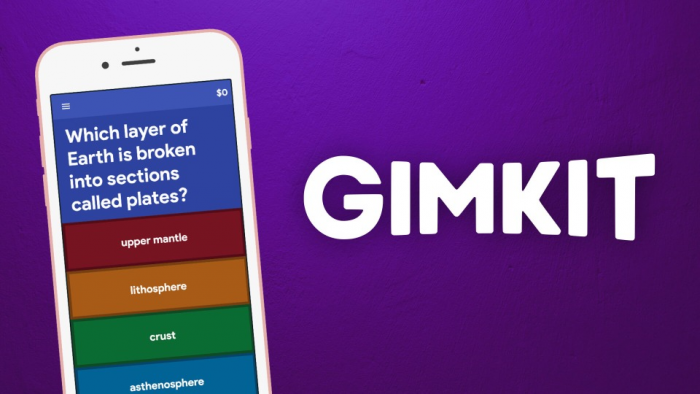
Gimkit is a good Conker AI alternative for teachers who want quiz content to become repeated practice through games. Conker AI helps teachers create questions, while Gimkit focuses on making students answer, retry, earn, strategize, and keep practicing through game modes.
Best for: Teachers who want game-based review, repeated practice, and student motivation.
The main reason to consider Gimkit over Conker AI is repetition. Many students need to see the same vocabulary, facts, formulas, or concepts more than once before they remember them. Gimkit turns that repetition into a game loop, which can make practice feel less like drilling.
Key features include:
● Gimkit Basic lets teachers host featured game modes for free, which gives classrooms a low-cost way to use game-based review.
● Gimkit Pro unlocks all game modes, so teachers are not limited to the rotating free options.
● Assignments on Pro allow students to practice outside live class sessions, which is useful for homework or independent review.
● Image and audio question support on Pro gives teachers more flexibility for vocabulary, language learning, science diagrams, and visual prompts.
● Group licenses offer fixed pricing for departments and schools, which makes budgeting clearer than quote-based tools.
Where Gimkit works better than Conker AI is student motivation. If students need repeated exposure to the same content, Gimkit gives them a reason to keep answering. That makes it useful for vocabulary, test prep, math facts, science terms, and quick recall practice.
The limitation is that Gimkit is not the best fit for formal assessment. It is better for review and practice than for carefully controlled testing.
Pricing
| Plan | Price | Best For | Highlights |
|---|---|---|---|
| Basic | $0 | Individual teachers & students | Core game-based learning features |
| Pro | $14.99/monthor $59.88/year | Regular educators | Unlimited game modes, assignments, and advanced features |
| Department | $650/year (up to 20 teachers) | Departments | Shared access and collaboration for teaching teams |
| School | $1,000/year | Entire schools | School-wide access with centralized management |
Mini verdict: Choose Gimkit if you want a Conker AI alternative that turns question sets into replayable classroom games and practice sessions.
Which Alternative Should You Choose?
The best Conker AI alternative depends on what you want the tool to do after the quiz is created.
If you want the closest alternative for AI question generation, QuestionWell is the strongest choice. It gives teachers more control over readings, standards, question formats, and exports. If you want a broader AI teaching assistant, MagicSchool AI is better because it supports planning, rubrics, feedback, differentiation, worksheets, and assessment creation.
If classroom engagement matters most, Quizizz, Kahoot, and Gimkit are stronger than Conker AI. Quizizz is the most balanced because it supports live activities, homework, reports, and practice. Kahoot is best for energetic live review. Gimkit is best for repeated practice through game-based learning.
If you want AI to fit inside your existing teaching workflow, Brisk Teaching is worth considering. It is especially useful when you already work with Google Docs, Slides, PDFs, online articles, or videos. If you want lessons that include student discussion, writing, and open responses, Curipod is the better fit. For a more serious assessment environment, Socrative gives cleaner formative assessment and reporting.
Final Verdict
Conker AI is still useful for quick AI-generated quizzes, especially when teachers want a simple assessment workflow. But it is not always the best tool once the quiz becomes part of a larger classroom process.
For most teachers, Quizizz is the best overall alternative because it balances quiz creation, classroom delivery, homework, and reporting. QuestionWell is the best focused alternative for standards-aligned question generation. MagicSchool AI is the best all-in-one teacher assistant. Brisk Teaching is best for teachers who want AI inside their existing materials. Socrative is best for structured formative assessment, while Kahoot and Gimkit are better when the goal is live engagement and repeated practice.
The right choice depends less on which tool has the longest feature list and more on how you actually use assessments in your classroom.
Comments