

Modern workplaces are increasingly fragmented, with critical information scattered across multiple apps and platforms. Searching for files, retrieving past conversations, and compiling project notes can consume hours each day.
AI tools offer solutions to these challenges, but selecting the right tools requires focusing on real workflow bottlenecks, not popularity or hype.
This review evaluates six AI tools that have proven impactful in modern workflows: Glean, Claude, Cursor, Granola, Midjourney, Runway, and Sora Studio.
The Whole Stack at a Glance
| # | Tool | Primary Use | Best For | Daily Driver? |
| 1 | Glean | Enterprise AI search and assistant | Mid-size to large companies | Yes |
| 2 | Claude | Long-form writing and analysis | Writers, lawyers, PMs, researchers | Yes |
| 3 | Cursor | AI-native code editor | Engineers and product teams | Yes |
| 4 | Granola | Meeting notes and transcripts | Meeting-heavy teams | Frequently |
| 5 | Midjourney | AI image generation | Marketers, creators, designers | Occasionally |
| 6 | Runway / Sora Studio | AI video generation and editing | Video teams and creators | Project-based |
1. Glean
Overview:
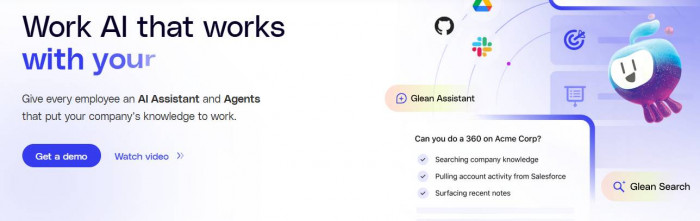
Glean consolidates internal knowledge across platforms like Google Drive, Slack, Jira, Salesforce, and Confluence into a single searchable AI layer. Ideal for mid-to-large organizations where employees struggle with fragmented data.
Features & Practical Use:
| Feature | Practical Use |
| Unified Search | Locate documents, Slack messages, Jira tickets from one interface. |
| AI Assistant | Summarizes information, drafts responses, provides context-aware answers. |
| Agents | Automates onboarding tasks, report generation, and ticket triaging. |
| Protect Module | Ensures sensitive data is accessible only to authorized users. |
Experience / Workflow Observations:
Glean reduces the time spent searching for information, streamlines onboarding, and ensures employees can access knowledge independently. Context-aware results improve accuracy, and permission-aware access supports compliance.
Scorecard:
| Dimension | Score | Notes |
| Search Efficiency | 4.8 | Rapid retrieval across platforms |
| Integration | 4.7 | Connects with 100+ apps |
| Usability | 4.5 | Easy to navigate and query |
| Security & Compliance | 4.9 | Permission-aware |
| Overall | 4.7 | Effective at reducing knowledge fragmentation |
2. Claude
Overview:
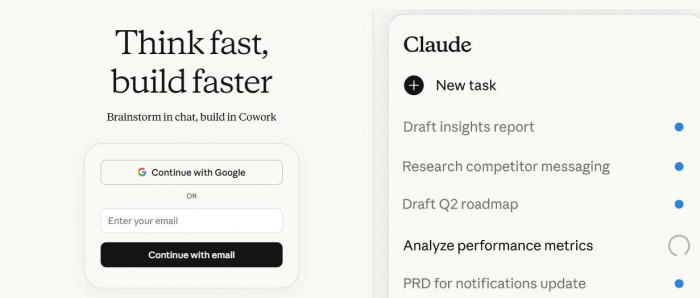
Claude is designed for structured reasoning, such as research reports, strategy documents, and complex client communications. It preserves tone and context across long-form content.
Features & Practical Use:
| Feature | Practical Use |
| Long-Form Handling | Drafts and summarizes multi-page reports and contracts. |
| Context Retention | Maintains continuity across related sections. |
| Analysis Assistance | Compares arguments and identifies weaknesses. |
| Drafting Support | Suggests improvements without altering tone. |
Experience / Workflow Observations:
Claude streamlines complex document creation and review, reducing time spent editing and cross-referencing sections. It is particularly useful in research, strategy, and legal workflows.
Scorecard:
| Dimension | Score | Notes |
| Accuracy | 4.8 | Maintains document integrity |
| Clarity | 4.7 | Suggests improvements effectively |
| Usability | 4.5 | Intuitive interface for long-form content |
| Integration | 4.3 | Best in dedicated projects |
| Overall | 4.6 | Boosts productivity for complex documents |
3. Cursor
Overview:
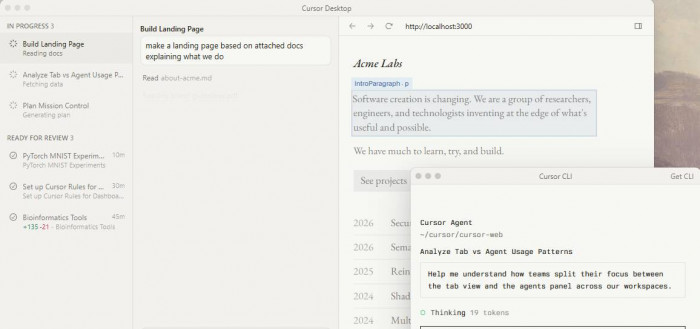
Cursor integrates AI into codebases, assisting developers with multi-file edits, refactoring, and feature implementation.
Features & Practical Use:
| Feature | Practical Use |
| Codebase Integration | Provides in-IDE suggestions considering full project structure. |
| Multi-File Context | Suggests changes across related files simultaneously. |
| Refactoring | Optimizes naming, structure, and repetitive patterns. |
| Feature Implementation | Converts natural language instructions into code. |
Experience / Workflow Observations:
Cursor accelerates coding by reducing context-switching and first-draft implementation time. It works best for repetitive or structural coding tasks.
Scorecard:
| Dimension | Score | Notes |
| Integration | 4.8 | Works within IDE context |
| Accuracy | 4.6 | Suggests contextually correct changes |
| Usability | 4.5 | Supports workflow efficiently |
| Efficiency | 4.7 | Reduces repetitive coding |
| Overall | 4.65 | Speeds up coding productivity |
4. Granola
Overview:
Granola synthesizes personal notes and meeting transcripts into actionable summaries and searchable records.
Features & Practical Use:
| Feature | Practical Use |
| Note Integration | Combines personal notes with transcript context. |
| Summarization | Produces clean, decision-focused summaries. |
| Action Item Extraction | Highlights follow-ups, blockers, and decisions. |
| Searchable History | Allows quick retrieval of past meeting discussions. |
Experience / Workflow Observations:
Granola reduces post-meeting work by generating summaries, making action items and decisions easy to track.
Scorecard:
| Dimension | Score | Notes |
| Summarization | 4.7 | Produces actionable notes |
| Usability | 4.6 | Intuitive interface |
| Integration | 4.4 | Works with common meeting tools |
| Accuracy | 4.5 | Maintains context and key points |
| Overall | 4.55 | Reduces post-meeting workload |
Pricing & Ratings:
| Plan | Features | Pricing | External Reviews |
| Standard | Transcript + notes integration | Subscription | G2 4.5/5 |
5. Midjourney

Overview:
Midjourney generates high-quality visuals from text prompts for marketing, concept art, and social media.
Features & Practical Use:
| Feature | Practical Use |
| Image Generation | Creates campaign visuals, mockups, and creative concepts. |
| Style Consistency | Maintains brand aesthetics via saved prompts. |
| Prompt-Based Customization | Adjusts composition, mood, and visual details. |
Experience / Workflow Observations:
Midjourney allows content teams to quickly generate creative visuals, reducing dependence on manual design.
Scorecard:
| Dimension | Score | Notes |
| Quality | 4.8 | Polished, professional visuals |
| Ease of Use | 4.6 | Prompt-driven workflow |
| Brand Consistency | 4.7 | Reproducible visual style |
| Speed | 4.5 | Quick content generation |
| Overall | 4.65 | Supports creative workflows |
Pricing & Ratings:
| Plan | Features | Pricing | External Reviews |
| Standard | AI image generation, prompt library | Subscription | G2 4.7/5 |
6. Runway / Sora Studio

Overview:
Runway and Sora Studio support AI-assisted video creation and editing. Runway focuses on post-production adjustments, while Sora excels in generating new social content.
Features & Practical Use:
| Feature | Practical Use |
| Runway Editing | Modify existing footage, adjust backgrounds, extend shots. |
| Sora Video Generation | Generate new video scenes from text or images. |
| Multi-Format Support | Outputs for social media, ads, and presentations. |
| Workflow Acceleration | Reduces editing and iteration time for content teams. |
Experience / Workflow Observations:
These platforms speed up video production workflows. They are particularly useful for teams producing social-first content or experimental media.
Scorecard:
| Dimension | Score | Notes |
| Editing | 4.6 | Efficient post-production adjustments |
| Generation | 4.5 | Creates social-first content |
| Usability | 4.4 | Intuitive for content teams |
| Speed | 4.7 | Reduces production time |
| Overall | 4.55 | Supports video workflow |
Pricing & Ratings:
| Plan | Features | Pricing | External Reviews |
| Standard | Editing + generation | Subscription | G2 4.6/5 |
At-a-Glance Comparison Table
| Tool | Primary Use | Scorecard Avg | External Review Avg | Recommended For |
| Glean | Knowledge retrieval | 4.7 | 4.45 | Teams with fragmented info |
| Claude | Long-form writing | 4.6 | 4.5 | Research and strategy teams |
| Cursor | Coding assistant | 4.65 | 4.5 | Developers in large codebases |
| Granola | Meeting notes | 4.55 | 4.5 | Meeting-heavy teams |
| Midjourney | Image generation | 4.65 | 4.7 | Creative & marketing teams |
| Runway/Sora | Video editing/generation | 4.55 | 4.6 | Video content teams |
Verdict Table – Recommended Use
| Tool | Core Benefit | Workflow Impact |
| Glean | Reduces search friction | High |
| Claude | Improves long-form document clarity | Medium-High |
| Cursor | Accelerates coding tasks | Medium |
| Granola | Provides actionable meeting summaries | High |
| Midjourney | Rapid creative visuals | Medium |
| Runway/Sora | Speeds video content production | Medium |
Conclusion
After extensively reviewing and testing these AI tools, it’s clear that productivity gains come not from using every trendy application, but from choosing the tools that directly address the specific challenges in one’s workflow.
Glean simplifies the chaos of fragmented knowledge, Claude streamlines long-form writing and analysis, Cursor accelerates coding tasks, Granola turns meetings into actionable insights, and Midjourney and Runway/Sora provide creative freedom for visuals and video content.
Comments