

Creating a presentation rarely means simply putting words on slides. The time usually disappears into outlining, shortening copy, choosing layouts, finding visuals, maintaining consistency, and fixing everything that looked better in theory than it does on a 16:9 slide.
AI presentation tools can remove a large part of that work, but they do not all save time in the same way. Some generate an entire deck from a prompt, while others work inside PowerPoint or Google Slides and help improve slides without forcing users into a new workflow.
The seven tools below stand out for different reasons. The useful question is not which one can generate slides fastest, but which one leaves the least work after generation.
Quick Tool Comparison
| Tool | Strongest Use | Free Option | Entry Paid Plan |
| Gamma | Fast prompt-to-deck creation | Yes | $9/month annually |
| Plus AI | AI inside PowerPoint and Google Slides | Trial | $10/user/month annually |
| Beautiful.ai | Automatic slide design | 14-day trial | $12/month annually |
| Canva | Visual presentations and creative assets | Yes | $144/year in the US |
| SlidesAI | Turning text and documents into slides | Yes | $10/month annually |
| Pitch | Collaborative business presentations | Yes | €10/month annually |
| Presentations.AI | AI-first business deck generation | Yes | $20/month annually |
Note : Pricing can vary by region, billing cycle, taxes, and plan changes. The amounts above reflect publicly listed pricing available in October 2026.
What Actually Saves Time?
A presentation generator can produce 15 slides in a minute and still create more work than it removes. Speed only matters when the generated deck is close enough to the required result that users can continue editing instead of rebuilding it.
The strongest tools reduce work across several stages:
● Planning becomes faster when AI can turn source material into a sensible slide sequence, rather than simply splitting a paragraph across several pages.
● Writing becomes easier when the tool can shorten, rewrite, expand, or restructure content at slide level instead of forcing users to return to a separate writing assistant.
● Design automation matters when layouts adapt as content changes, particularly for users who otherwise spend time resizing text boxes and realigning visual elements.
● Native editing and export reduce cleanup, especially when the final file must continue through PowerPoint or Google Slides.
● Brand controls save repeated manual work for companies producing sales decks, reports, proposals, and internal presentations on a regular basis.
This is also why the best choice depends heavily on the starting point. Someone working from a blank page has different needs from a marketing team that already owns a strict PowerPoint template.
1. Gamma : Fast AI Deck Creation
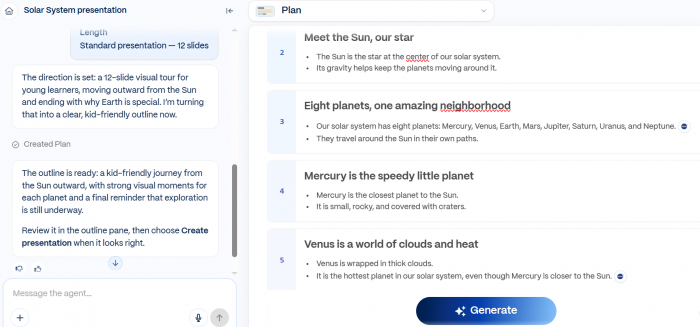
Gamma can turn a prompt, outline, or document into a structured presentation with written content, layouts, and visuals. It handles much of the early work that usually takes the most time, including slide planning, copy drafting, and basic design.
The editor also lets users refine the generated deck instead of treating the first result as final. Existing PDF and PowerPoint files can be imported, while completed work can be exported to PPTX, PDF, PNG, or Google Slides.
Useful Features
● Generates full presentations from prompts, notes, or uploaded material rather than requiring users to construct every slide manually.
● Can combine writing, layout generation, visual creation, and presentation styling inside one workspace.
● Supports importing existing PDF and PPTX files, which is useful when refreshing an older presentation.
● Offers PowerPoint and Google Slides export when the final editing needs to happen elsewhere.
Watch Out
Gamma has a recognizable web-first design style. It can produce an attractive first version quickly, but teams following rigid corporate PowerPoint templates may still spend time adjusting exported slides and matching established layouts.
Pricing
| Plan | Price |
| Free | $0 |
| Plus | $9/seat/month, billed annually |
| Pro | $18/seat/month, billed annually |
| Ultra | $90/seat/month, billed annually |
The Free plan currently starts with 400 credits, while Plus and Pro include 1,000 and 4,000 monthly credits respectively.
Best for: Users who want AI to handle much of the first draft, structure, and visual layout instead of beginning with an empty presentation.
Rating: 9/10. Gamma is one of the strongest options for getting from an undeveloped idea to a usable deck quickly, although strict PowerPoint workflows can require extra cleanup.
2. Plus AI : Native PowerPoint Assistance
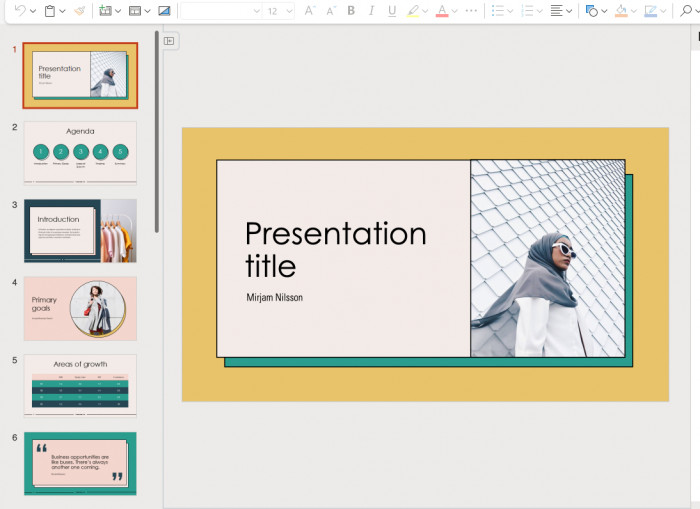
Plus AI takes a different approach because it works directly with PowerPoint and Google Slides. Instead of generating a presentation in a separate environment and asking users to export it later, it adds AI-assisted creation and editing to software many teams already use.
That makes it particularly practical for existing presentations. Users can generate full decks, insert individual slides, rewrite content, and remix a slide into a different structure without abandoning the original file or rebuilding it in another platform.
Useful Features
● Creates presentations directly inside PowerPoint and Google Slides.
● Can insert individual AI-generated slides when a complete new deck is unnecessary.
● Rewrites existing slide content and can transform material into a different layout.
● Pro supports document uploads, including PDF, DOCX, and TXT files, for more source-driven presentation creation.
Watch Out
Plus AI makes the most sense for people already committed to PowerPoint or Google Slides. Users seeking a completely different, highly visual presentation environment may find dedicated platforms such as Gamma or Canva more flexible creatively.
Pricing
| Plan | Price |
| 7-day Trial | Free |
| Basic | $10/user/month annually |
| Pro | $20/user/month annually |
| Team | $30/user/month annually |
Basic includes 1,500 AI credits per month, while Pro increases the allowance to 3,000 and adds document uploads and AI image generation.
Best for: Professionals and teams whose final presentation needs to remain a real PowerPoint or Google Slides file throughout the workflow.
Rating: 9.2/10. Its biggest advantage is workflow compatibility rather than flashy generation, which can save considerable time in presentation-heavy workplaces.
3. Beautiful.ai : Automatic Slide Design
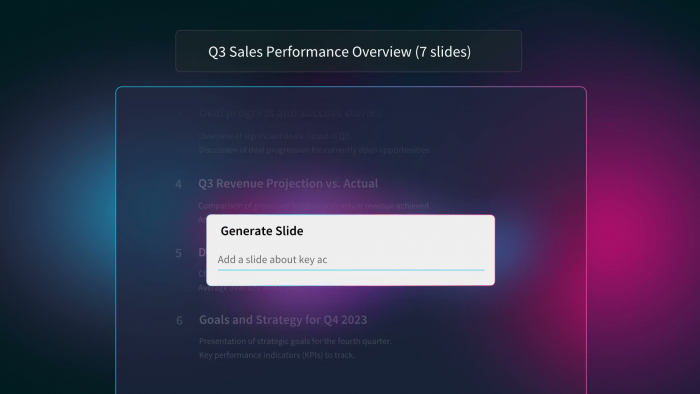
Beautiful.ai focuses heavily on the design problem. Its Smart Slides automatically adapt the arrangement of content as information is added or changed, reducing the usual cycle of resizing objects, correcting spacing, and rebuilding layouts.
That approach works particularly well for people who know what they want to communicate but are slower at translating it into clean slide design. AI generation can help create the content, while the layout system keeps the presentation visually controlled as it develops.
Useful Features
● Provides more than 300 Smart Slide layouts with automatic formatting.
● Includes AI content generation, writing assistance, image generation, and translation.
● Supports custom branding with company colors, fonts, logos, icons, and themes.
● Includes PowerPoint import and export for users who need to move presentations into existing workflows.
Watch Out
Automatic design is also a constraint. Beautiful.ai works best when users are comfortable with its layout logic; people who want pixel-level freedom on every object may occasionally feel restricted by the same rules that make the tool faster.
Pricing
| Plan | Price |
| Free Trial | 14 days |
| Pro | $12/month, billed annually |
| Team | $40/user/month, billed annually |
| Single Presentation | $45 |
The Team plan is designed for 2 to 20 seats, while Enterprise pricing is customized for larger organizations.
Best for: Users who lose more time formatting and aligning slides than they do writing presentation content.
Rating: 8.7/10. Its automatic design system is highly effective for consistent business decks, although users wanting unrestricted layouts may prefer a conventional editor.
4. Canva : Visual Presentation Creation
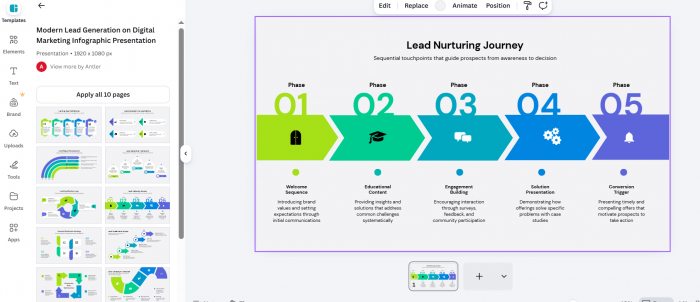
Canva approaches presentation creation from a much broader visual ecosystem. Presentations sit alongside templates, stock imagery, video, graphics, brand assets, charts, and AI design features, making it useful when a deck needs stronger visual material rather than primarily text generation.
Its advantage becomes clearer when presentation work overlaps with other marketing assets. A team can create slides, social graphics, diagrams, illustrations, and supporting promotional material inside the same environment instead of moving between separate design tools.
Useful Features
● Provides a large library of presentation templates, graphics, photos, video, audio, and other visual assets.
● Includes AI-assisted design and editing capabilities alongside conventional drag-and-drop controls.
● Paid plans expand Brand Kits, premium creative assets, storage, and AI usage allowances.
● Presentations can be created collaboratively, making Canva practical when writers, designers, and marketers share responsibility for the deck.
Watch Out
Canva can do far more than presentations, which is both a strength and a distraction. For users whose only goal is converting a detailed report or structured prompt into a conventional corporate slide deck, a presentation-specific AI tool can offer a more direct workflow.
Pricing
| Plan | US Price |
| Free | $0 |
| Pro | $144/year for one person |
| Business | $250/year per person |
Canva uses localized pricing in some countries. Its current Indian pricing, for example, lists Free at ₹0 and Pro at ₹4,000 per year for one person, so publishers should avoid assuming that one price applies globally.
Best for: Marketers, creators, small businesses, and visually focused teams that want presentation creation connected to a much larger design library.
Rating: 8.8/10. Canva offers exceptional visual flexibility, though users focused purely on automated PPT production may not need its broader creative toolkit.
5. SlidesAI : Text-to-Slides Conversion
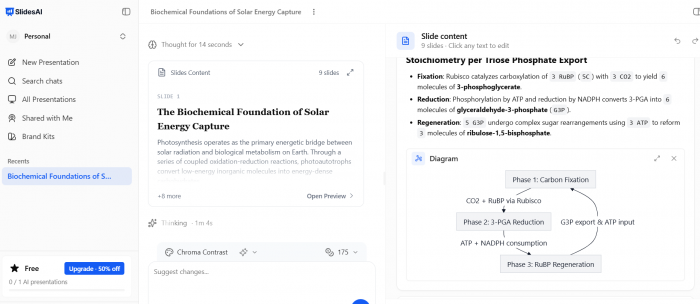
SlidesAI is particularly useful when the source material already exists. Instead of asking users to design a deck from scratch, it can take a topic, notes, text, or document and convert that material into a presentation.
This makes it a practical option for students, teachers, consultants, and professionals who regularly turn written information into slides. It also supports Google Slides, PowerPoint, and web-based workflows, reducing the need to learn a completely separate presentation environment.
Useful Features
● Turns text, notes, documents, and prompts into slide presentations.
● Supports both PowerPoint and Google Slides workflows.
● Paid individual plans increase the amount of source text that can be processed per presentation.
● Pro and Premium plans support document uploads, which is useful for longer source material.
Watch Out
SlidesAI is strongest at transforming existing material rather than replacing a full creative presentation studio. Users who want highly stylized visual storytelling may spend more time customizing the generated slides afterward.
Pricing
| Plan | Price |
| Basic | $0 |
| Pro | $10/month, billed annually |
| Premium | $20.83/month, billed annually |
Basic currently allows 12 presentations per year with a 1,000-character input limit per presentation. Pro increases that to 120 presentations annually and 6,000 characters, while Premium includes unlimited presentations and a 12,000-character input limit.
Best for: People who frequently need to convert notes, documents, educational material, or written content into presentation form.
Rating: 8.5/10. It solves the text-to-slides problem efficiently, although its value is stronger for content conversion than elaborate visual design.
6. Pitch : Collaborative Team Presentations
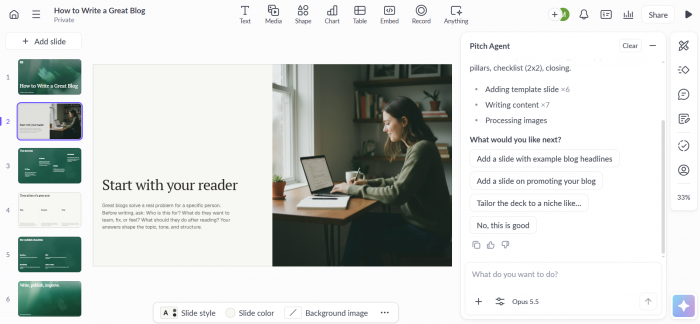
Pitch combines presentation creation with collaboration, sharing, and engagement tools. Its AI features can accelerate slide creation, but the platform becomes more interesting when a presentation moves between several people or needs to be shared externally.
Teams can create decks together, maintain reusable templates, invite outside collaborators, and use presentation-sharing features without relying entirely on emailed PowerPoint files. Paid tiers also add more substantial analytics and workspace controls.
Useful Features
● AI credits can be used to speed up slide creation inside the presentation workspace.
● Supports shared templates and collaborative editing for repeatable team workflows.
● Paid plans add custom fonts, external guests, stronger sharing controls, and engagement features.
● PowerPoint export is available on paid tiers, while existing PPTX decks can also be imported.
Watch Out
Pitch is broader than an AI slide generator. People who simply want to enter one prompt and receive a finished PPT may find more direct options elsewhere, while teams that repeatedly create, share, and revise presentations will get more value from its collaborative structure.
Pricing
| Plan | Price, Annual Billing |
| Free | €0 |
| Plus | €10/month |
| Team | €15/month |
| Business | €20/month |
The Free plan currently includes 100 non-renewing AI credits. Plus includes 500 AI credits per month, while Business increases this to 750 per month.
Best for: Teams that treat presentations as collaborative business assets rather than one-off files created by a single person.
Rating: 8.6/10. Pitch is especially strong when creation, collaboration, sharing, and client-facing presentation workflows need to live together.
7. Presentations.AI : AI-First Business Decks
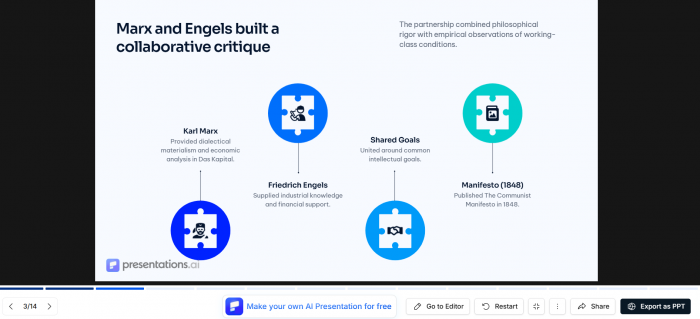
Presentations.AI is built around AI-led deck creation rather than adding AI as a small feature to a traditional slide editor. Users can generate presentations quickly and then refine the output with branding, analytics, and higher-end AI capabilities depending on the plan.
Its positioning makes sense for business users who regularly need structured decks without manually constructing each slide. The paid plans also put more emphasis on PowerPoint export and brand controls, which matters when generated presentations need to become conventional business files.
Useful Features
● Generates complete presentations through an AI-first workflow.
● Paid tiers include high-quality PowerPoint export and presentation analytics.
● Pro adds brand customization, while higher tiers provide more advanced AI models and branding controls.
● Credit-based usage allows occasional users to start free before moving into professional plans.
Watch Out
Several of the features most useful for professional workflows, including high-quality PowerPoint export and brand customization, sit in the paid plans. The value therefore depends on whether presentation creation is frequent enough to justify a recurring subscription.
Pricing
| Plan | Price |
| Starter | $0 |
| Pro | $20/month, billed annually |
| Gold | $50/month, billed annually |
Starter includes 100 credits and presentations of up to 20 slides. Pro currently provides 5,000 credits, PowerPoint export, analytics, and branding features, while Gold increases the allowance to 25,000 credits.
Best for: Business users who want an AI-first presentation workflow with professional export, branding, and presentation-tracking options.
Rating: 8.4/10. The generation workflow is capable, although some of the features that matter most professionally require a relatively substantial paid plan.
Which Tool Is Fastest?
There is no useful single answer because the starting material changes the result. Gamma can be extremely fast when someone has only an idea or rough outline, while Plus AI can save more time for a person who already has company PowerPoint files and needs to keep working in that environment.
A better way to choose is to match the tool to the bottleneck:
| If the Main Problem Is... | Strong Option |
| Starting from a blank page | Gamma |
| Staying inside PowerPoint | Plus AI |
| Spending too long on layouts | Beautiful.ai |
| Finding and designing visuals | Canva |
| Converting documents into slides | SlidesAI |
| Building decks with a team | Pitch |
| Generating business decks with AI | Presentations.AI |
This distinction matters because switching software also has a cost. Saving five minutes during generation is not useful if another 30 minutes are spent repairing exported layouts or recreating company formatting.
Free or Paid?
Free AI presentation tools are good enough for experimentation and occasional decks, but they usually expose their limits once presentations become part of regular work. Those limits tend to appear through AI credits, source-document restrictions, export options, branding, or collaboration controls.
Paid plans become easier to justify when the software replaces repeated manual work. Someone producing one university presentation every few months may have little reason to subscribe, while a consultant producing client decks every week can recover the subscription cost after saving only a small amount of time per project.
Before paying, check four areas carefully:
● AI usage limits should match actual presentation frequency, because an inexpensive plan can become restrictive if credits disappear after a few larger generations.
● PPTX export needs to remain editable, particularly when colleagues or clients will continue changing the file outside the AI platform.
● Brand controls matter for repeat work, since manually reapplying fonts, colors, logos, and page styles weakens much of the productivity benefit.
● Collaboration should match the organization, because individual plans can become expensive or awkward when several people need editing access.
The cheapest subscription is therefore not automatically the lowest-cost workflow. Cleanup time, format conversion, and repeated manual design work should be considered part of the price.
Choosing the Right Tool
For most users, the final choice can be narrowed down by asking where the presentation will live after AI has generated it.
If the answer is PowerPoint, Plus AI deserves serious consideration because it minimizes movement between platforms. If rapid creation from an undeveloped topic matters more, Gamma offers one of the more complete prompt-to-presentation workflows.
For design-heavy presentations, Canva provides a far larger creative environment, while Beautiful.ai is better suited to people who want the software to enforce clean layouts automatically. SlidesAI makes more sense when the raw material is already written, and Pitch becomes stronger when several people need to create and manage decks together.
There is therefore no reason to choose solely by the length of a feature list. The most useful tool is the one that removes the slowest part of the user's existing presentation process.
Conclusion
AI presentation tools can now do much more than place generated text into a template. The stronger platforms can plan slide structures, rewrite content, create visuals, manage branding, reorganize layouts, and move the result into established presentation workflows.
Gamma and Plus AI stand out for two very different reasons. Gamma is particularly effective when the job begins with a blank page and needs to become a presentable deck quickly. Plus AI is more compelling when PowerPoint or Google Slides is already part of the workflow and changing platforms would create unnecessary friction.
Beautiful.ai, Canva, SlidesAI, Pitch, and Presentations.AI each solve a more specific presentation problem well. The deciding factor should be the amount of work remaining after the AI finishes. A tool that generates a deck in seconds but creates an hour of cleanup has solved the wrong part of the problem. The real productivity gain comes when AI shortens the path from raw information to a presentation that is actually ready to use.
Comments