

Knowbase AI is useful if you want to upload documents, connect knowledge sources, and ask questions across your files. It works well for people who need a simple AI knowledge base with document search, file chat, transcription, connectors, shared chatbots, and source-based answers.
But Knowbase AI is not the only option. Some users may want a cheaper PDF-focused tool. Some may need a full team wiki. Others may want better research workflows, stronger enterprise search, or a workspace where documents, notes, projects, and AI answers live together.
That is where Knowbase AI alternatives become useful. Below are eight strong Knowbase AI alternatives worth considering.
Quick Comparison
| Tool | Best For | Starting Paid Price |
| Notion AI | Team workspace and internal knowledge | $10 per seat/month for Plus |
| Google NotebookLM | Research, study, and source-based analysis | Included in Google AI plans |
| ChatPDF | Simple PDF chat | Around $19.99/month for Plus |
| AskYourPDF | PDF chat with larger document limits | $11.99/month billed yearly |
| Humata AI | Research papers and professional document analysis | $9.99/month for Expert |
| Mem AI | AI notes and personal knowledge management | $12/month for Mem Pro |
| Slite | Team documentation and AI knowledge base | $8 per user/month billed yearly |
| Guru | Enterprise knowledge management and AI search | Custom pricing |
1. Notion AI
Notion AI is one of the best Knowbase AI alternatives for users who want more than document chat. It works inside Notion’s workspace, where teams can create notes, internal wikis, project pages, databases, meeting notes, content calendars, SOPs, and shared documentation. Instead of keeping knowledge in a separate AI tool, Notion lets users build a working system around that knowledge.
The biggest strength of Notion AI is context. It can help summarize pages, improve writing, answer questions from workspace content, generate action items, and support team documentation. Knowbase AI is easier for direct file upload and chat, but Notion AI is better when the knowledge base also needs structure, collaboration, and daily workflow value.
| Pros | Cons |
| Strong for internal wikis, notes, and team documentation | Not built only for upload-and-chat document search |
| Good for teams already using Notion for work | Can feel complex for users who only need simple file Q&A |
| AI can help with summaries, writing, action items, and workspace search | Full value depends on how well your workspace is organized |
| Flexible enough for startups, agencies, students, and product teams | Some AI and agent features may depend on plan or credits |
| Plan | Pricing | What You Get |
| Free | $0 | Personal workspace, limited team features, limited AI trial |
| Plus | $10 per seat/month | Better collaboration, unlimited blocks for teams, larger file uploads |
| Business | $20 per seat/month | More advanced workspace controls and stronger team features |
| Enterprise | Custom pricing | Advanced security, permissions, admin controls, and enterprise support |
Where it beats Knowbase AI:
Notion AI beats Knowbase AI when users want a full knowledge workspace instead of a standalone file-chat assistant. It is better for teams that need notes, project documentation, internal wikis, databases, and AI help in one place. Knowbase AI may be simpler for chatting with uploaded files, but Notion AI is stronger for long-term knowledge organization.
2. Google NotebookLM
Google NotebookLM is a strong alternative for students, researchers, writers, analysts, and professionals who work with source material. It lets users upload or connect sources, then ask questions, create summaries, generate study guides, and explore information based on the material inside a notebook. The tool is especially useful when the goal is to understand a topic deeply rather than simply search a document.
Compared with Knowbase AI, NotebookLM feels more research-focused. It is not trying to become a full business knowledge base with shared chatbots and help portals. Instead, it works best as a source-grounded thinking assistant. If you are comparing research papers, preparing an article, studying a topic, or analyzing multiple documents, NotebookLM can feel cleaner and more focused than a general knowledge base tool.
| Pros | Cons |
| Excellent for research, studying, and source-based summaries | Not a full team knowledge management system |
| Useful for turning long sources into clear explanations | Less suitable for public help centers or embedded chatbots |
| Simple interface for asking questions from uploaded material | Advanced limits depend on Google AI or Workspace plans |
| Good fit for students, writers, researchers, and analysts | Not as customizable as some business knowledge base tools |
| Plan | Pricing | What You Get |
| Free | $0 | Core NotebookLM access with standard limits |
| NotebookLM Plus or Pro | Included through eligible Google AI or Workspace plans | Higher limits and premium features depending on region and plan |
| Enterprise or Workspace access | Varies by organization | Business-grade access, admin controls, and Workspace integration where available |
Where it beats Knowbase AI:
NotebookLM beats Knowbase AI for research-heavy use cases. If the user wants to understand reports, papers, articles, class material, interview notes, or source collections, NotebookLM is more focused. Knowbase AI is better for building a broader knowledge base, but NotebookLM is stronger for learning, research, and source-driven explanation.
3. ChatPDF
ChatPDF is one of the simplest Knowbase AI alternatives for people who only want to chat with PDF files. Users upload a PDF, ask questions, and get quick answers without setting up a complex workspace. It is useful for students, casual researchers, office workers, and readers who need to pull information from documents quickly.
The reason ChatPDF works well as an alternative is its simplicity. Knowbase AI offers more knowledge base features, connectors, shared chatbots, transcription, and broader storage options. ChatPDF is narrower, but that can be a benefit. If your main need is PDF reading and not full knowledge management, ChatPDF feels faster and easier to understand.
| Pros | Cons |
| Very simple PDF upload-and-chat experience | Narrower than Knowbase AI |
| Good for students and casual document review | Not ideal for full team knowledge bases |
| Free plan is useful for light use | Limited collaboration and workflow features |
| Easy learning curve for non-technical users | Less powerful for multi-source business knowledge management |
| Plan | Pricing | What You Get |
| Free | $0 | Limited PDF analysis for casual use |
| Plus | Around $19.99/month | Higher limits, larger document use, and more advanced PDF analysis |
| Team or Enterprise | Custom pricing | May vary depending on availability and business needs |
Where it beats Knowbase AI:
ChatPDF beats Knowbase AI when the user wants speed and simplicity. It is better for quick PDF reading, homework documents, reports, manuals, and one-off analysis. Knowbase AI is more powerful as a full knowledge system, but ChatPDF is easier for users who do not need connectors, shared bots, or advanced workspace features.
4. AskYourPDF
AskYourPDF is another strong document-chat alternative, but it offers more structure than basic PDF chat tools. It supports PDF interaction, document summaries, multi-document chat on paid plans, OCR support, Chrome extension access, and higher document limits on premium tiers. This makes it useful for users who handle PDFs regularly and need more than a casual reader.
Compared with Knowbase AI, AskYourPDF is more focused on PDF and document workflows. It is not as broad as Knowbase AI when it comes to knowledge base portals, web sources, transcription, and shared AI assistants. But for PDF-heavy users, AskYourPDF can be a more practical choice because its plans are built around document limits, upload size, questions, conversations, and advanced model access.
| Pros | Cons |
| Strong PDF-focused workflow | Not as broad as Knowbase AI for full knowledge base building |
| Supports OCR and multi-document chat on paid plans | Some advanced models may require credits |
| Clear document limits by plan | Free plan is limited |
| Good for students, researchers, lawyers, analysts, and office users | Less ideal for team-wide internal knowledge systems |
| Plan | Pricing | What You Get |
| Free | $0 | 100 pages per document, 15MB upload size, 1 document per day, limited daily questions |
| Premium | $11.99/month billed yearly | 2,500 pages per document, 31MB upload size, 50 documents per day, higher question limits |
| Pro | $14.99/month billed yearly | 6,000 pages per document, larger file size, higher usage limits, priority support |
| Enterprise | Custom pricing | Large organization limits, higher upload capacity, and custom needs |
Where it beats Knowbase AI:
AskYourPDF beats Knowbase AI for users who want detailed PDF-focused limits and a document-first workflow. It is especially useful when the main job is reading, summarizing, and asking questions from PDFs. Knowbase AI is better for building a more complete knowledge base, but AskYourPDF is stronger for people who live inside PDF documents every day.
5. Humata AI
Humata AI is built for users who need to analyze long documents, research papers, reports, contracts, and technical files. It helps users ask questions, extract answers, and understand dense material without reading every page manually. This makes it a good option for researchers, legal teams, consultants, analysts, and students working with complex documents.
Where Knowbase AI feels like a broader knowledge base tool, Humata feels more like a professional document analysis assistant. It is useful when the goal is not only to store knowledge, but to interrogate large files and find answers quickly. Its pricing also makes it approachable for solo users before moving into team plans.
| Pros | Cons |
| Strong for research papers, reports, and technical documents | Less of a complete workspace than Notion or Slite |
| Free plan available for light testing | Usage can become page-based after limits |
| Good fit for professional document analysis | Team pricing can be expensive for small users |
| Useful for students, researchers, analysts, and consultants | Not ideal for public knowledge base portals |
| Plan | Pricing | What You Get |
| Free | $0 | Basic features with up to 60 free pages |
| Expert | $9.99/month | Moderate usage for small professional teams up to 3 people |
| Team | $49 per user/month | Higher usage, security-focused team use, up to 10 people |
| Enterprise | Custom pricing | Larger business needs, custom support, and enterprise options |
Where it beats Knowbase AI:
Humata AI beats Knowbase AI when the main job is serious document analysis. It is better for research papers, technical reports, legal documents, and long PDFs where users need focused answers. Knowbase AI is stronger for multi-source knowledge bases, but Humata is sharper for document-heavy professional work.
6. Mem AI
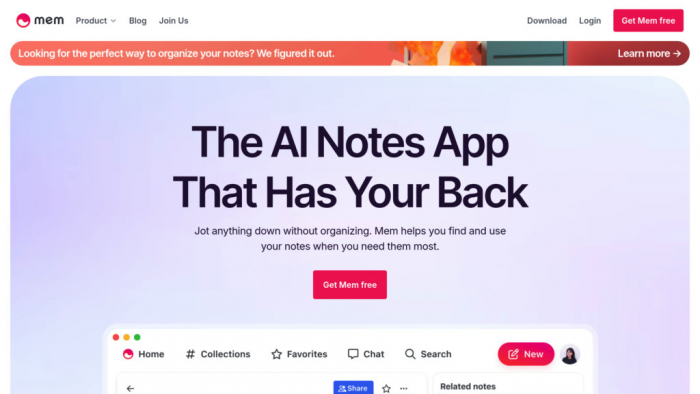
Mem AI is a good Knowbase AI alternative for people who want an AI-powered personal knowledge system. It is less about uploading a folder of documents and more about capturing notes, ideas, meeting details, email context, and personal knowledge over time. The tool is useful for users who want their information to become searchable without spending too much time organizing it manually.
Compared with Knowbase AI, Mem AI feels more personal and note-driven. It works well for founders, creators, writers, consultants, and professionals who collect thoughts, notes, meeting insights, and research fragments throughout the day. Knowbase AI is better for file libraries and shared knowledge bases. Mem AI is better when the knowledge base is built from daily thinking and work notes.
| Pros | Cons |
| Strong for AI note organization and personal knowledge | Not mainly a file-chat knowledge base |
| Good for meeting notes, ideas, research, and memory-style search | May not suit teams that need formal documentation workflows |
| Free plan available for light use | Advanced usage requires Pro |
| Useful for writers, founders, consultants, and busy professionals | Less focused on shared chatbots or help center portals |
| Plan | Pricing | What You Get |
| Free | $0 | 25 notes per month, 25 chat messages per month, limited PDF pages in search and chat |
| Mem Pro | $12/month | Unlimited notes, unlimited chat, deep search, collections, templates, connected emails, API keys, and PDF pages |
| Mem Teams | Custom pricing | Group billing, priority support, dedicated success manager, and SLAs |
Where it beats Knowbase AI:
Mem AI beats Knowbase AI for personal knowledge management. It is better for users who want an AI memory layer for notes, meetings, ideas, and ongoing work. Knowbase AI is better for document repositories, but Mem AI is stronger when knowledge is created continuously through daily work.
7. Slite AI
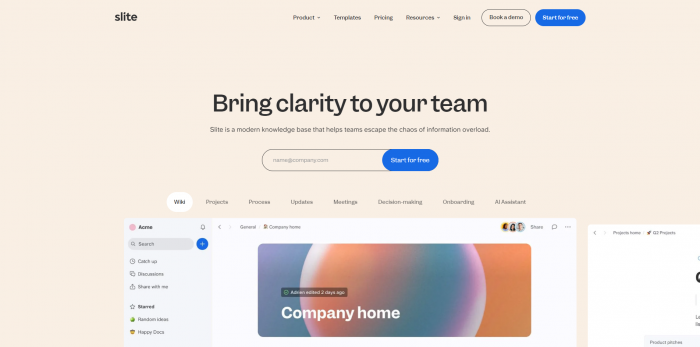
Slite is a strong Knowbase AI alternative for teams that want clean documentation and AI-powered knowledge search. It is built around team docs, internal handbooks, SOPs, product notes, HR pages, engineering documentation, and company knowledge. Its Ask feature helps users find answers from team content, while verification tools help keep documents trustworthy.
The biggest reason to consider Slite is that it is more structured than a basic AI file chat tool. Knowbase AI is useful for uploading files and building AI assistants, but Slite is better when a company needs a proper documentation culture. It helps teams write, maintain, verify, and search knowledge instead of only storing it.
| Pros | Cons |
| Strong for internal documentation and team knowledge bases | Not ideal for simple individual PDF chat |
| Includes AI search and answers | AI answer limits depend on plan |
| Document verification helps keep content reliable | Knowledge Suite starts at 10 users |
| Good fit for startups, product teams, HR, support, and operations | Enterprise search may require higher plan or add-on |
| Plan | Pricing | What You Get |
| Standard | $8 per user/month billed yearly | Knowledge base solution, AI search and answers, verification, analytics, integrations |
| Knowledge Suite | $20 per user/month billed yearly | Knowledge base plus enterprise search, starts at 10 users |
| Enterprise | Custom pricing | Advanced support, customization, audit logs, priority support, dedicated account manager |
Where it beats Knowbase AI:
Slite beats Knowbase AI when a team needs a proper internal documentation system. It is better for companies that care about clean docs, ownership, verification, collaboration, and searchable team knowledge. Knowbase AI is useful for file-based AI assistants, but Slite is stronger for teams building an organized internal knowledge base.
8. Guru AI
Guru is an enterprise-focused Knowbase AI alternative for companies that need governed knowledge, verified answers, integrations, and AI search across business tools. It is built for support, sales, operations, HR, and enterprise teams that need trusted information where they already work. Guru connects with tools such as Slack, Microsoft Teams, Salesforce, Zendesk, Confluence, SharePoint, and other business systems.
Compared with Knowbase AI, Guru is much more enterprise-oriented. It is not the best choice for a solo user or a small team that only wants to upload documents and ask questions. But for larger companies, Guru’s strength is governance. It focuses on verified knowledge, permissions, audit trails, integrations, and answer trust, which are critical when AI search is used across departments.
| Pros | Cons |
| Strong for enterprise knowledge management | Pricing is sales-led and less transparent |
| Supports many business integrations | Too heavy for casual users |
| Focuses on verified answers and governed knowledge | Setup may require more planning |
| Useful for support, sales, HR, and operations teams | Not the cheapest Knowbase AI alternative |
| Plan | Pricing | What You Get |
| Guru platform | Custom pricing | AI-powered search, knowledge management, integrations, governance, and enterprise workflows |
| Enterprise setup | Custom pricing | Advanced controls, security, compliance support, permissions, and tailored deployment |
| Non-profit pricing | Available for eligible organizations | Reduced-cost access for qualifying non-profits |
Where it beats Knowbase AI:
Guru beats Knowbase AI for larger teams that need trusted enterprise knowledge rather than simple file chat. It is better for companies that care about governance, integrations, permissions, verified answers, and business-wide search. Knowbase AI is easier for smaller knowledge bases, but Guru is stronger for serious internal knowledge operations.
Verdict: Which Knowbase AI Alternative Should You Choose?
The right Knowbase AI alternative depends on what you are actually trying to replace. If you only need PDF chat, tools like ChatPDF and AskYourPDF are easier and cheaper to start with. If you work with research papers, reports, and long technical documents, Humata AI and NotebookLM make more sense.
For teams, the choice changes. Notion AI is best if you want a flexible workspace with notes, docs, databases, and AI help. Slite is better if your company wants clean internal documentation and verified knowledge. Guru is the strongest option for enterprise teams that need governed knowledge, integrations, and trusted AI search across departments.
Mem AI sits in a slightly different category. It is best for users who want personal knowledge management rather than a traditional knowledge base. Writers, founders, consultants, and busy professionals may find it more useful than a document-only tool because it turns daily notes and ideas into searchable knowledge.
The simplest way to decide is this: if you want to chat with files, Knowbase AI is still useful. If you want to build a smarter research, documentation, or company knowledge system, one of these alternatives may fit better.
Comments