

Your LinkedIn "About" section gets skimmed in seconds, and most people fill it with the same recycled lines about being a "results-driven professional passionate about excellence." A bio generator won't fix a dull career, but it will get you past the blank box and hand you a draft worth sharpening. The six tools below earned their spots by how usable their output actually is not by how loud their marketing shouts.
What a bio generator actually does well (and where it quietly fails)
It helps to be clear-eyed before you pick one. These tools are genuinely good at three things: beating the blank-page freeze, producing several tone variations you can compare side by side, and surfacing the industry keywords recruiters filter by. Where they fall short is just as predictable.
None of them know your real numbers, so they'll happily write "improved efficiency significantly" instead of "cut onboarding time by 40%." They also can't verify a single claim they make, which means every draft needs a human pass before it touches your profile. Treat the output as a strong first draft written by an eager intern who has never met you useful, fast, and in need of editing.
How these tools were judged
Ranking bio generators on "features" alone is how you end up with a generic list. Each tool here was weighed against six things that decide whether a bio is worth publishing:
● Output specificity: Does it produce copy with a point of view, or does it default to buzzword soup that could describe anyone in your industry?
● Input control: How much can you steer tone, length, role, and personal detail before you hit "generate"? More levers usually means less editing later.
● Keyword and search relevance: LinkedIn is a search engine as much as a network. A good tool weaves in the terms recruiters actually type into the filter box.
● Editing burden: The honest cost of any AI tool is the time you spend fixing its drafts. Tools that get you 80% there beat tools that get you 50% there, regardless of price.
● Breadth beyond the bio: Some people want one bio, once. Others want a tool that also handles posts, captions, and scheduling. Both are valid, and the ranking reflects who each tool serves.
● Pricing honesty: Whether the free tier is genuinely useful or a locked demo, and whether paid tiers scale in a way that makes sense.
Quick comparison
| Tool | Best for | Free plan | Paid from | Standout strength | Rating |
| SmartPostly | All-round professionals and creators | Yes (50 requests/mo) | $9/mo | Recruiter-tuned bios inside a 50+ tool suite | 4.8/5 |
| Taplio | Founders and sales leaders going all-in on LinkedIn | Trial only (7 days) | ~$49/mo | LinkedIn-native content plus a lead database | 4.3/5 |
| Copy.ai | Writers who want full control over the prompt | Yes (2,000 words/mo) | $49/mo | Open-prompt flexibility and multiple variations | 4.2/5 |
| Easy-Peasy.AI | People juggling bios, blogs, and images in one place | Yes (limited) | ~$8/mo | 200+ templates across many content types | 4.0/5 |
| Hopper HQ | A fast, no-login one-off bio | Yes (fully free) | n/a (free tool) | Three-step simplicity, zero friction | 3.8/5 |
| Postiz | Open-source fans who also schedule posts | Yes (fully free) | Self-host / paid tiers | Free bio tool bolted to a real scheduler | 3.7/5 |
Ratings are editorial they reflect usefulness for a working professional, not raw feature counts.
1. SmartPostly LinkedIn Bio Generator : Best overall for professionals and creators
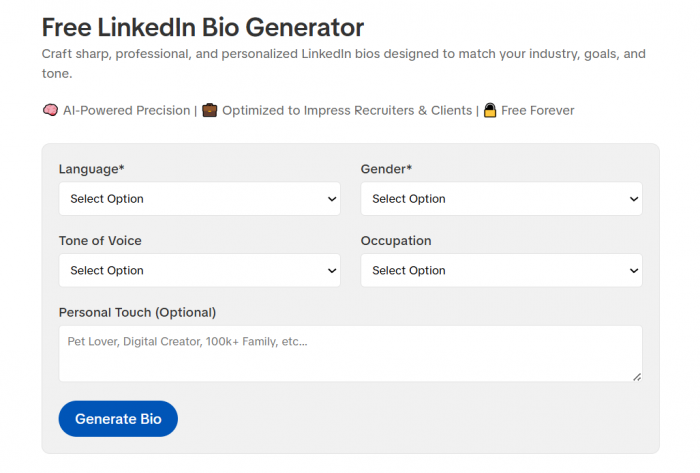
SmartPostly Linkedin bio generator turns a handful of inputs of your role, tone, language, and an optional personal detail into a polished "About" section in under a minute. What lifts it above single-purpose generators is context: the bio tool lives inside a suite of 50+ AI tools covering captions, hashtags, taglines, hooks, and a content calendar. That matters because a strong LinkedIn presence is never just the bio. If you're going to write a summary today, you'll want to post consistently next week, and SmartPostly keeps both jobs in one place.
The input flow is more guided than most free tools. Instead of a single empty box, you pick a tone from a wide list (Confident, Creative, Honest, and roughly twenty more), set your occupation, choose your language, and add a free-text personal touch to keep the output from sounding templated. The result leans toward recruiter and client visibility, with role-relevant keywords worked in rather than bolted on.
Key features
● Structured, multi-field inputs that let you set tone, occupation, and language before generating, which cuts down the rewrite time on the other end.
● Recruiter-and-client orientation, with output shaped for LinkedIn's search filters instead of generic prose.
● A genuinely free core tool you can generate a bio without paying, and the paid tiers exist to raise limits and unlock the wider suite.
● Job-title starter examples for engineers, marketers, designers, founders, and new graduates, so you're editing a relevant draft rather than starting cold.
● One dashboard for your whole content workflow, from the bio to the captions and calendar you'll need afterward.
| Pros | Cons |
| Generous free tier and fast, low-friction output | Newer tool, so it has a smaller public review trail than legacy names |
| Bundled with 50+ tools, which makes the paid plans strong value | Output still needs your real metrics added by hand |
| Clean, ad-free interface built for creators | Long-form, deeply customized writing is lighter than dedicated copy tools |
Pricing: Starter is free with 50 requests a month. Creator runs $9/month for 500 requests, Professional is $16/month for 5,000, and Advance Pro+ is custom enterprise pricing with API access. Requests are shared across every tool, not just the bio generator, so heavy users should size their plan around total usage.
Best for: Professionals, freelancers, job-seekers, and creators who want a keyword-smart bio and a content toolkit they'll keep using after the profile is done.
Rating: 4.8/5. The combination of a real free tier, low entry price, and a full surrounding suite makes it the most versatile pick here. If you want one tool that nails the bio and then keeps earning its keep, this is it.
2. Taplio : Best for founders and sales leaders committed to LinkedIn
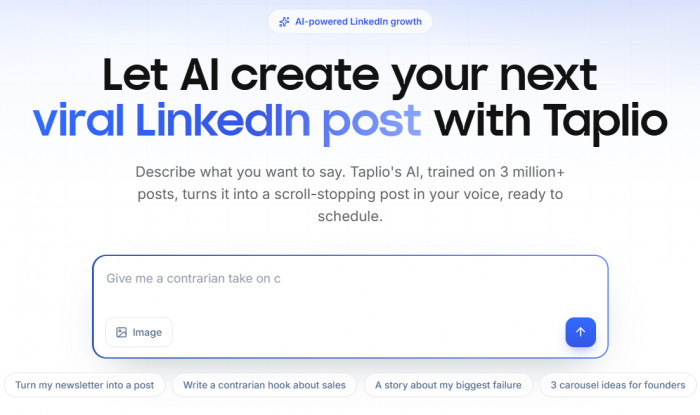
Taplio is the opposite of a quick bio tool. It's a full LinkedIn growth platform content creation, scheduling, analytics, and a lead database and the bio is just one output in a much larger machine. Owned by Lempire (the team behind the outreach tool Lemlist), it's built for people whose pipeline runs through LinkedIn: founders, consultants, and sales professionals who post daily and want the platform to generate inbound.
The AI produces LinkedIn-native copy: hook-driven openers, storytelling structures, and the kind of formatting that performs in the feed. The catch, and reviewers are consistent on this, is that Taplio's AI writes competent LinkedIn content but not your content. It doesn't study your past posts or adapt to your voice over time, so drafts often read like well-built generic LinkedIn writing until you edit them. For a bio specifically, that's a manageable trade; for daily posting, the editing time adds up.
Key features
● LinkedIn-first content engine tuned to the formats that actually get engagement on the platform.
● Scheduling and a content queue, so a bio refresh sits alongside a posting habit rather than as a one-off.
● Analytics that go beyond LinkedIn's native stats, useful if you're treating your profile as a growth channel.
● A lead database with outreach features on the higher tier, which is where Taplio stops being a writing tool and becomes a sales system.
| Pros | Cons |
| Genuinely LinkedIn-native output and formatting | Expensive relative to simple bio tools |
| Scheduling, analytics, and leads in one workflow | AI doesn't learn your voice, so drafts need real edits |
| Backed by an established sales-software company | No permanent free plan trial only, and automation carries some account risk |
Pricing: Plans start around $49/month for scheduling and analytics, with AI and lead features climbing to roughly $99 and $199/month on higher tiers. Pricing has shifted more than once, and a 7-day free trial opens full access. G2 reviewers land it around 4.1/5.
Best for: People building a serious LinkedIn presence as a business channel, who'll use the scheduling and lead tools not someone who just needs a bio.
Rating: 4.3/5. Powerful and purpose-built, but you're paying for a growth platform. If the bio is all you want, you're overbuying.
3. Copy.ai : Best for writers who want to control the prompt
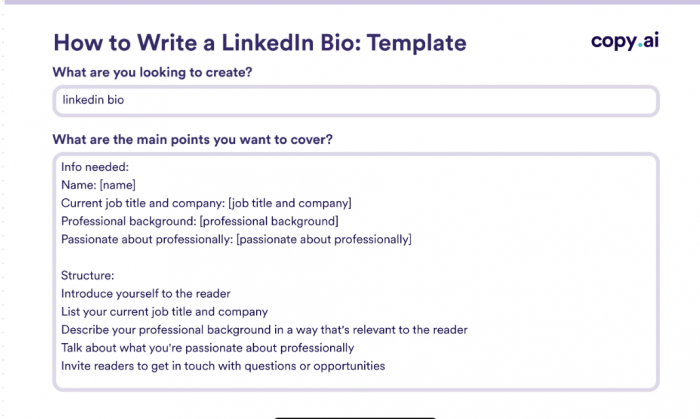
Copy.ai is a general-purpose AI writing tool with LinkedIn bio templates built in, and its strength is freedom. Rather than funneling you through fixed dropdowns, it lets you write your own instructions for tone, length, structure, and positioning, then spins out several variations to test. That's a feature if you know what a good bio looks like and a liability if you don't. The tool gives you rope, and it's on you to use it well.
Because it's a writing platform first, the same account handles cold emails, post captions, product descriptions, and long-form copy. For a professional who writes a lot beyond their profile, that consolidation is the real draw. The bio itself benefits from the open-prompt approach: you can ask for a two-line headline, a punchy 300-character summary, or a full "About" section with a specific call to action, and iterate until it fits.
Key features
● Open prompt system giving full control over tone, length, and angle, rather than fixed presets.
● Multiple variations per generation, which makes A/B testing your opener straightforward.
● A broad template library (90+) covering most professional writing tasks beyond the bio.
● A permanent free plan, not just a trial, so you can test it properly before paying.
| Pros | Cons |
| Maximum control for people who can direct AI well | Weaker for beginners who want a guided, fill-in-the-blank flow |
| Free plan is genuinely usable for occasional writing | Free tier's word cap is tight for regular use |
| One tool for bios, emails, captions, and long-form | Bio quality depends heavily on your prompting skill |
Pricing: The free plan includes 2,000 words a month and access to 90+ templates, no credit card required. Pro is $49/month with unlimited words and up to five seats; Team and Enterprise tiers are custom-quoted and step up significantly.
Best for: Marketers, freelancers, and confident writers who want to steer the output and get value from a wider writing toolkit.
Rating: 4.2/5. Flexible and capable, but it rewards skill. Give it a vague prompt and you'll get a vague bio.
4. Easy-Peasy.AI : Best all-rounder for mixed content needs
Easy-Peasy.AI is a content-creation platform with a dedicated LinkedIn bio template sitting among 200+ others. Its pitch is breadth: one login covers bios, blog posts, resumes, social captions, image generation, and audio transcription, powered by an assistant (branded "Marky") that runs on top-tier models like GPT-4, Claude, and Gemini. For someone whose work spills across formats, that's a practical reason to keep everything under one roof.
The bio template itself is straightforward: feed it your role and background, pick a direction, and it returns a professional summary you can refine. It won't out-specialize a LinkedIn-only tool on platform nuance, but it more than holds its own for a clean, professional draft, and the surrounding template library is where it quietly earns its keep. If you also need a cover letter, a blog intro, and a headshot-style image in the same afternoon, this is the tool that does all three.
Key features
● 200+ templates spanning bios, resumes, blogs, ads, and social posts, so it scales past a one-time bio.
● Multi-model AI under the hood, which tends to produce more natural drafts than single-model tools.
● Image generation and transcription included, useful for rounding out a full profile refresh.
● Multilingual support across dozens of languages for professionals working outside English.
| Pros | Cons |
| Enormous template range for varied content work | Jack-of-all-trades not LinkedIn-specialized |
| Affordable entry pricing and a free tier | Interface feels dated to some users |
| Strong underlying models for natural output | Image results can be hit-or-miss |
Pricing: There's a free tier to start, with paid plans commonly ranging from around $8 to $28/month depending on word and credit limits. Higher tiers add more capacity and priority support.
Best for: Professionals and small teams who want one affordable tool for bios plus the rest of their content, rather than a LinkedIn specialist.
Rating: 4.0/5. A dependable generalist. You trade platform depth for range, and for many people that's the right trade.
5. Hopper HQ Bio Generator : Best free, no-login quick bio
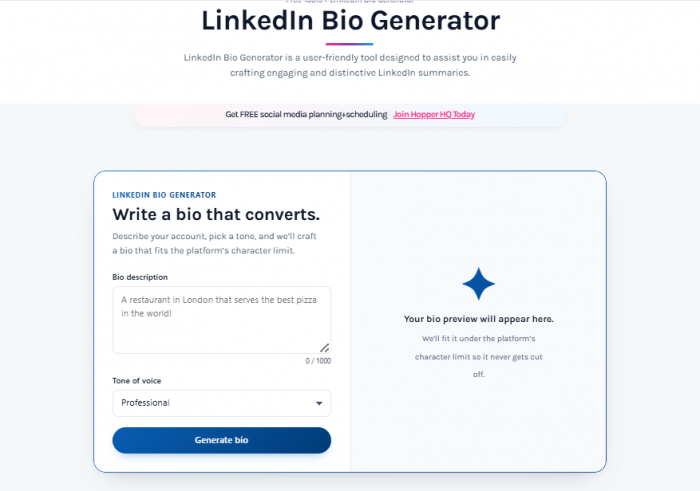
Hopper HQ's bio generator is refreshingly small in scope, and that's the point. It's a free web tool, no signup required, that walks you through three quick steps a bit about you, your industry, your goal and returns a LinkedIn summary you can copy straight out. There's no account to create, no credit card, and no upsell wall between you and a usable draft.
Hopper HQ itself is a social-media scheduling company, and this generator is a free lead-in to that product. What that means for you: the bio tool is genuinely free and genuinely simple, but it's also deliberately shallow. You won't get a suite of tone controls or keyword tuning, and you won't get variations to test at length. For a professional who just needs one decent draft in two minutes, that simplicity is a feature. For anyone building an ongoing presence, it runs out of road quickly.
Key features
● No-signup, three-step flow that gets you a bio without friction or an account.
● Completely free, with no hidden paywall on the core tool.
● Serves individuals, creators, and companies with basic tailoring by profile type.
● Part of a scheduling ecosystem, if you later want to grow into posting tools.
| Pros | Cons |
| Zero friction no login, no cost | Shallow customization and limited tone control |
| Fast and genuinely simple | No keyword optimization to speak of |
| Good for a quick, one-off draft | It's a lead magnet for a separate paid product |
Pricing: The bio generator is free. Hopper HQ's scheduling product is paid separately if you want it.
Best for: Anyone who wants a serviceable bio in two minutes without creating an account or thinking about it again.
Rating: 3.8/5. It does one small thing cleanly. Judge it as a quick draft tool, not a growth platform, and it delivers.
6. Postiz LinkedIn Bio Generator : Best free option for the open-source crowd
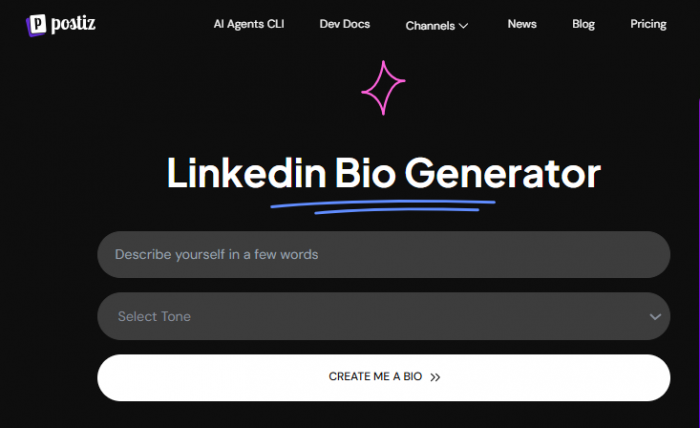
Postiz is an open-source social-media scheduler, and its free LinkedIn bio generator is a taster of the broader platform. Like Hopper HQ's tool, it's free and login-optional, producing a professional summary from a few inputs. What sets Postiz apart is what sits behind it: a genuinely capable, self-hostable scheduling and content tool that appeals to developers and privacy-minded users who'd rather own their stack than rent it.
As a bio generator in isolation, Postiz is basic; it'll give you a clean, functional draft, but it isn't trying to compete on tone controls or recruiter-keyword tuning. Its real value shows up if you adopt the wider platform: an open-source alternative to the paid schedulers, with the bio tool as one small utility among many. If open-source matters to you philosophically or practically, that context changes the calculation. If it doesn't, you're looking at a plain free bio tool.
Key features
● Free, quick bio generation with no barrier to entry.
● Open-source scheduling platform behind it, self-hostable if you want full control of your data.
● Multi-platform content tools for people who post across more than just LinkedIn.
● Developer-friendly in a way none of the other tools here are.
| Pros | Cons |
| Free, with a serious open-source platform behind it | Bio tool itself is basic and lightly featured |
| Appeals to self-hosting and privacy-first users | Getting the full value means adopting the wider platform |
| Multi-platform scheduling for ongoing content | Overkill if you only want a bio |
Pricing: The bio generator is free. Postiz can be self-hosted for free or used via paid managed tiers.
Best for: Developers, privacy-conscious users, and anyone who wants an open-source content stack with a free bio tool included.
Rating: 3.7/5. A niche but real pick. The bio is incidental; the open-source scheduler is the actual draw.
How to make any generated bio genuinely good
The tool gets you a draft; the edits are what make it yours and make it work. Start at the top, because most people see LinkedIn cuts your "About" section off at the "see more" fold on mobile, so your first two lines have to carry the whole pitch. Lead with what you do and who you help, not a warm-up sentence, and if your opener could belong to a thousand other people in your field, rewrite it until it couldn't. From there, hunt down every vague claim and swap it for a number: "improved reporting" becomes "cut reporting time by 30%." AI can't invent your metrics, which makes this the single highest-value edit you'll make and the one that most separates a real professional's bio from a generated one.
A client-focused LinkedIn bio should make it clear what problem you solve, who you solve it for, and why someone should trust you. Getting the structure right matters just as much as the wording, especially if you want your profile to turn visits into conversations. See how to write a LinkedIn bio that wins clients for a practical way to shape that positioning.
Tone is the next thing to fix, because generators default to a generic middle register that suits no one in particular. A corporate finance bio and a creative-agency bio should not sound alike, so use the tool's tone controls if it has them and edit for tone by hand if it doesn't. Then fact-check everything before it goes near your profile.
These models paraphrase and occasionally infer, so read the draft as if a skeptic wrote it and confirm every credential, date, and claim is true and verifiable. Finally, don't let the bio just stop. End with a clear next step "open to connecting about data roles" or "DM me about partnerships" so readers have a reason to act rather than scroll past. A summary that trails off is a missed opportunity sitting in prime real estate.
Common mistakes people make with AI bios
Most weak LinkedIn bios fail the same handful of ways, and AI makes it easier to fall into all of them:
● Publishing the draft verbatim. The output is a starting point. Ship it unedited and it reads like the output it is and recruiters can tell.
● Buzzword stuffing. "Dynamic, results-driven, passionate thought leader" says nothing. Specific beats are impressive every time.
● Keyword stuffing in the other direction. Cramming every industry term in to game search makes you sound like a robot to the humans who actually read it. Aim for natural phrasing that still includes the terms recruiters filter on.
● Ignoring the audience. A bio written to impress your peers reads differently from one written to attract clients or recruiters. Decide who it's for before you generate, then edit for that reader.
Verdict: Which One Should You Pick?
There is no single LinkedIn bio generator that makes sense for every professional. For the strongest all-round value, SmartPostly is the easiest recommendation because it combines a genuine free tier, a low $9 starting price, and access to more than 50 supporting tools. Taplio makes more sense when LinkedIn is directly tied to business growth, since its scheduling, analytics, and lead-generation features go well beyond bio writing. Professionals who prefer more control over the writing process may get more from Copy.ai, while Easy-Peasy.AI is better suited to people who also need help with blogs, resumes, images, and other content rather than LinkedIn alone.
For a quick one-off bio, Hopper HQ is the simpler choice because there is no login, payment, or complicated setup involved. Postiz, meanwhile, stands out for users who care about open-source software and want a platform they can self-host and control. Whichever option you choose, the generated bio should still be treated as a draft. The strongest LinkedIn About sections are the ones that replace vague AI language with real achievements, measurable results, a recognizable personal voice, and a clear sense of who the profile is trying to reach.
Comments