

Later's AI is powerful, but its credit meter and paywalled features push a lot of creators to look elsewhere. Here are six free (or genuinely free-to-start) caption and hashtag generators broken down by features, real strengths, honest limitations, and exactly who each one is for.
Why creators are outgrowing Later
Later is a genuinely good visual scheduler. That's not the problem. The problem shows up the moment you lean on it for daily content.
Later's AI runs on a credit system, and those credits are "use it or lose it" they don't roll over to the next month. On the entry plan you get a slim monthly allowance, and every caption draft and hashtag suggestion quietly burns a credit. If you post daily, you'll feel the ceiling within the first week. Worse, the features most people actually want from a caption-and-hashtag tool AI captions, hashtag suggestions, deeper analytics are locked out of the free plan entirely, which turns Later's free tier into more of a trial than a workspace.
So the search for a "Later alternative" is rarely about scheduling. It's about one specific job: generating good captions and smart hashtags without a credit meter breathing down your neck. Every tool below is judged on exactly that.
What actually makes a good free caption & hashtag generator
Before the list, here's the lens we used because "free" alone tells you almost nothing.
● Genuine free access, not a countdown. A 7-day trial isn't a free tool. We separated true free tiers from trials, and flagged tools that offer a free standalone generator even when the full platform is paid.
● Hashtag intelligence, not a random list. The old model spat out #food #foodie for everyone. The tools worth using score hashtags by reach potential and competition, or at least read your actual content before suggesting.
● Platform-native tone. A caption that works on LinkedIn dies on Instagram. The better tools adapt voice and length per network instead of producing one generic blob.
● Banned-hashtag safety. Using a shadowbanned tag can suppress a whole post. A tool that checks for this is quietly doing you a big favor.
● Low friction to publish. A caption you have to copy, paste, and reformat elsewhere costs you the time the AI just saved.
The 6 best Later alternatives at a glance
| Tool | Free caption & hashtag access | Hashtag intelligence | Platforms | Paid from | Best for |
| SmartPostly | Free no-login tools + free plan (50 requests/mo) | Good — trending + niche blend | IG, TikTok, LinkedIn, X, FB, Pinterest, Threads | ~$15/mo | Dedicated caption + hashtag generation |
| Flick | Free standalone caption generator (hashtags are paid) | Excellent scored by reach & competition | IG, FB, TikTok, LinkedIn | $14/mo | Instagram-first hashtag strategy |
| Simplified | Free tier + free caption generator, no card | Good suggestions bundled with post | 8 platforms | ~$20/mo | All-in-one caption + design + schedule |
| Buffer | Free plan with unlimited AI Assistant | Basic idea-level suggestions | 10+ platforms | $5/channel | Simple free scheduling + AI captions |
| Predis.ai | Free plan (15 posts/mo) + free tools | Good reads keyword, caption, or image | IG, FB, TikTok, LinkedIn | $29/mo | Full auto-generated posts (visual + text) |
| Publer | Free-forever plan with limited AI credits | Basic content-aware suggestions | 12+ platforms | $12/mo | Budget scheduling with AI captions + images |
1. SmartPostly : the dedicated caption & hashtag engine
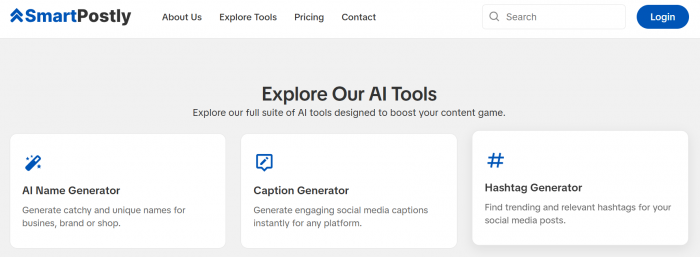
Positioning: The only tool here built purely for the job in this article's title is a suite of 20+ AI generators for captions and hashtags, with no scheduler bolted on to get in the way.
Free caption & hashtag reality: This is the most frictionless free entry on the list. SmartPostly's standalone Caption Generator and Hashtag Generator run with no login required; you type an idea and get output on the spot. Create an account and the free plan adds 50 generations ("requests") a month across all 20+ tools. Because it's a content engine rather than a scheduler, "free" here means genuinely free access to the exact caption-and-hashtag features Later locks behind its paywall.
Key features:
● A Caption Generator that returns 5–10 platform-tailored options per prompt, with tone control (witty, professional, inspirational, casual) and image-aware captions that read your visual.
● A Hashtag Generator that blends trending and niche tags rather than dumping one generic list, plus emoji suggestions to lift reach.
● 20+ tools beyond captions Hook Writer, Bio creators, Username and Brand Name generators, Reel Script Generator, and a Calendar Generator for planning.
● Cross-platform output for Instagram, TikTok, LinkedIn, X, Facebook, Pinterest, and Threads, with SEO-minded phrasing baked in.
| Advantages | Limitations |
| Purpose-built for captions and hashtags no scheduler bloat | Not a scheduler; you publish elsewhere after generating |
| Standalone tools need no login at all - zero friction to try | No hashtag scoring by reach/competition like Flick |
| Transparent request-based model, 1 generation = 1 request | No analytics or performance tracking |
| 20+ tools cover the whole content-idea workflow, not just captions | Newer platform with a thinner public review track record |
| Genuinely free tier plus no-login free tools | Heavy daily users will burn through free requests quickly |
Pricing snapshot: SmartPostly starts free with 50 requests a month, and its no-login caption and hashtag tools cost nothing at all to try. Paid tiers scale by volume rather than features roughly $15/month for around 500 requests (Creator) and $35/month for about 5,000 (Professional), with each caption, hashtag set, or idea counting as a single request. It's a refreshingly honest contrast to Later's expiring-credit system: you buy volume, cancel anytime, and nothing resets against you mid-workflow. (Worth confirming the exact tiers on their pricing page before you publish, since request limits shift.)
Best for: SmartPostly is the pick for creators, freelancers, and small teams whose real bottleneck is the writing captions, hashtags, hooks, and bios not the scheduling. It's especially strong for anyone who already has a publishing tool they like and just wants a fast, dedicated idea engine to feed it. It's the wrong tool if you want captions and scheduling under one roof, since it deliberately doesn't publish for you.
Verdict: Of every tool here, SmartPostly answers this article's exact question most directly: it does captions and hashtags, does them free, and doesn't make you learn a scheduler to get there. The trade-off is scope, no publishing, no analytics, no reach-scored hashtags. But if you treat it as a specialist content generator that plugs into whatever you already use, it's the lowest-friction way to leave Later's credit meter behind.
2. Flick : the hashtag specialist
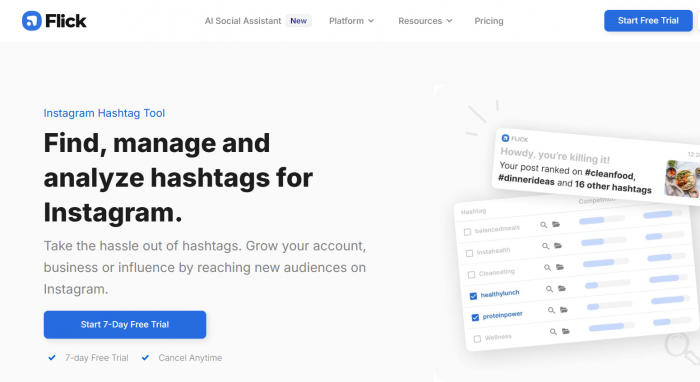
Positioning: The most data-driven Instagram tool of the bunch built around hashtag intelligence rather than generic scheduling.
Free caption & hashtag reality: The honest nuance most articles get wrong. The full Flick platform has no permanent free plan, just a 7-day trial, after which the cheapest tier is $14/month. But Flick offers a genuinely free standalone AI Caption Generator plus free Academy resources, so you can generate captions free without a subscription. The catch: the hashtag intelligence engine lives inside the paid platform, so "free hashtags" isn't part of the free tool.
Key features:
● Hashtag engine that returns up to 40 suggestions per search and scores each against Instagram's data for competition and reach potential.
● A banned-hashtag checker and a hashtag manager for saving and organizing sets, plus tracking of how your hashtags perform on your own posts.
● An AI assistant, "Iris," that learns your brand voice over time to draft captions and repurpose content.
● Scheduling and analytics for Instagram, Facebook, TikTok, and LinkedIn.
| Advantages | Limitations |
| Deepest hashtag research in the category beyond Later, Buffer, or Hootsuite | No support for X/Twitter, Pinterest, YouTube, Threads, or Bluesky |
| Up to 40 scored suggestions per search, with a banned-hashtag checker | AI caption assistant is a solid starting point, not a finished draft |
| Officially recognized Meta Instagram partner data you can trust | Mobile app lacks the AI features found on desktop |
| No per-suggestion credit anxiety research freely where Later meters you | Solo plan caps at 30 posts/month; active creators outgrow it fast |
| Free standalone caption generator to test the voice before paying | Team collaboration only unlocks on the $68 Agency plan |
Pricing snapshot: Flick gives you a free standalone caption generator and free Academy resources, while the paid platform starts at $14/mo for Solo, $30/mo for Pro, and $68/mo for Agency. Committing annually trims roughly 20% off, working out to about $132/yr for Solo, $288/yr for Pro, and $660/yr for Agency. Every plan comes with a 7-day free trial, and Pro tends to be the practical sweet spot since it lifts the restrictive post cap that ships with Solo.
Best for: Flick suits Instagram-only creators and small brands whose growth genuinely lives and dies by hashtag reach. It's ideal for solopreneurs who want real platform data behind every hashtag rather than random suggestions from a generic tool. It's not the pick for multi-platform teams, though if X/Twitter or Pinterest is part of your mix, you'll end up needing a second tool alongside it anyway.
Verdict: If hashtags are your whole strategy, nothing else on this list touches Flick. Just don't expect the hashtag half to be free; that value sits firmly behind the paywall, even though the caption generator isn't. As an all-around scheduler it's narrower than Simplified or Buffer, but the free caption generator makes it a low-risk way to test its brand-voice AI before you commit a cent.
3. Simplified : the all-in-one free workhorse
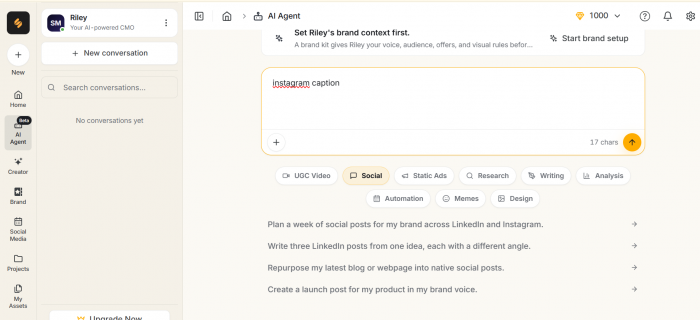
Positioning: The tool that refuses to stop at text it writes the caption, designs the graphic, suggests the hashtags, and schedules the whole thing in one window.
Free caption & hashtag reality: This is one of the most genuinely usable free tiers in the category. Simplified's free plan includes AI caption writing, design, video editing, and scheduling, backed by a monthly AI word allowance, and there's a free standalone Instagram caption generator that needs no credit card. Hashtag suggestions come bundled into the post-creation flow rather than as a separate research engine, so it's caption-led with hashtags along for the ride.
Key features:
● One-window workflow: writes the caption, designs the post, generates hashtag suggestions, and auto-publishes.
● Scheduling across eight platforms Instagram, TikTok, LinkedIn, Facebook, X, Pinterest, YouTube, and Google Business.
● A Brand Kit that keeps your colors, fonts, and voice consistent across every asset.
● Additional AI tools baked in, including an AI image generator and AI video generator.
| Advantages | Limitations |
| Replaces a four-tool stack (captions, design, hashtags, scheduling) with one | No viral-post database or Instagram-specific algorithm optimization |
| Genuinely functional free plan rare at this level of breadth | Captions trend generic and need editing for personality |
| Brand Kit keeps voice and visuals consistent automatically | Depth is sacrificed for breadth on any single feature |
| Design + caption in the same window slashes per-post time dramatically | Instagram-only creators may want a specialist tool alongside it |
| Wide multi-platform coverage out of the box | Heavier interface than a pure caption tool |
Pricing snapshot: Simplified starts with a free tier that includes a monthly AI word allowance plus a free standalone caption generator, so you can run a real workflow at $0. Paid plans begin at roughly $20/month on annual billing, unlocking higher AI limits and the fuller feature set. For a tool that folds writing, design, and scheduling into one subscription, that entry price undercuts stacking three separate apps.
Best for: Simplified is the pick for creators and small businesses running Instagram alongside several other platforms who are tired of juggling ChatGPT, Canva, a hashtag app, and a scheduler. It shines when design and captioning need to happen together, in one place, on one budget. It's a weaker fit if Instagram is your only channel and you want Instagram-specific analytics a specialist would complement it there.
Verdict: If your real problem is a scattered toolset rather than hashtag depth, Simplified is the most satisfying switch on this list. The trade-off is honest: you gain breadth and lose the razor-sharp Instagram optimization that a Flick delivers. For most multi-platform creators, breadth at $0 wins and you can always layer a specialist on top later.
4. Buffer : the free-plan staple
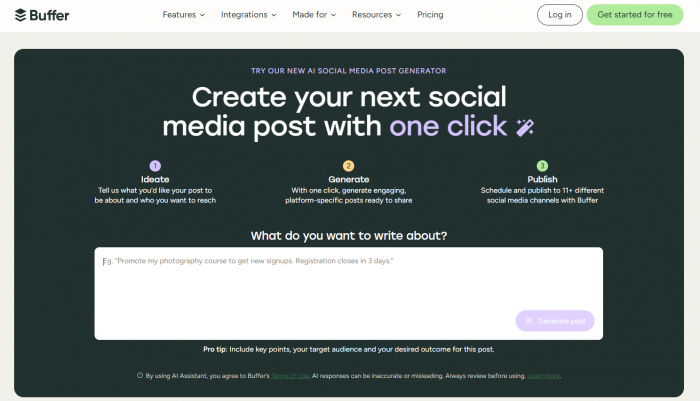
Positioning: The friendliest on-ramp in social scheduling and the rare tool that gives every user unlimited AI captioning, even on the free plan.
Free caption & hashtag reality: Buffer's free plan is one of the most usable in the category: three connected channels, ten queued posts per channel on a rolling basis, and the headline the AI Assistant with no usage limits. That means unlimited AI caption drafts and hashtag ideas at $0, which is a direct answer to Later's credit meter. Hashtags here are idea-level suggestions rather than scored research.
Key features:
● AI Assistant (GPT-5-mini based) that generates captions, repurposes posts across platforms, adjusts tone, translates, and suggests hashtags all inside the composer.
● Support for 10+ networks including Instagram, TikTok, LinkedIn, X, Threads, Bluesky, YouTube Shorts, Pinterest, and Google Business.
● 100 saved content ideas plus basic 30-day analytics and a community inbox on the free plan.
● Clean, famously simple interface that's the easiest to learn on this list.
| Advantages | Limitations |
| Unlimited AI captioning on the free plan no credits, ever | AI leans toward rephrasing; it's a first-draft engine, not a finisher |
| One of the few genuinely usable free tiers left in the category | No AI image generation built in |
| Broad platform coverage (10+ networks) | Per-channel pricing gets expensive past ~5 accounts |
| Effortless to learn great for beginners | Hashtag manager and first-comment scheduling are paid-only |
| Reliable, no-drama publishing | No hashtag scoring or intelligence suggestions are basic |
Pricing snapshot: Buffer's free plan covers three channels with unlimited AI, and paid plans use a per-channel model Essentials at $5/month per channel and Team at roughly $10–12/month per channel. That math is cheap at three channels and steep at ten, so Buffer rewards focused creators and punishes sprawling account lists. There's a 14-day trial on the paid tiers if you want to test the analytics.
Best for: Buffer is the natural choice for solopreneurs and small businesses managing a handful of accounts who want dependable scheduling plus unlimited AI captions without paying a cent to start. It's the tool to recommend to someone who finds most platforms overwhelming. It's a poor fit for agencies or anyone juggling ten-plus channels, where per-channel pricing balloons fast.
Verdict: For the specific job in this article's title free captions and hashtag ideas Buffer is arguably the strongest pure answer, precisely because the AI is unmetered. The ceiling is depth: don't expect scored hashtag research or image generation. But as a free, frictionless caption engine attached to a real scheduler, it's hard to beat.
5. Predis.ai : the full-post generator
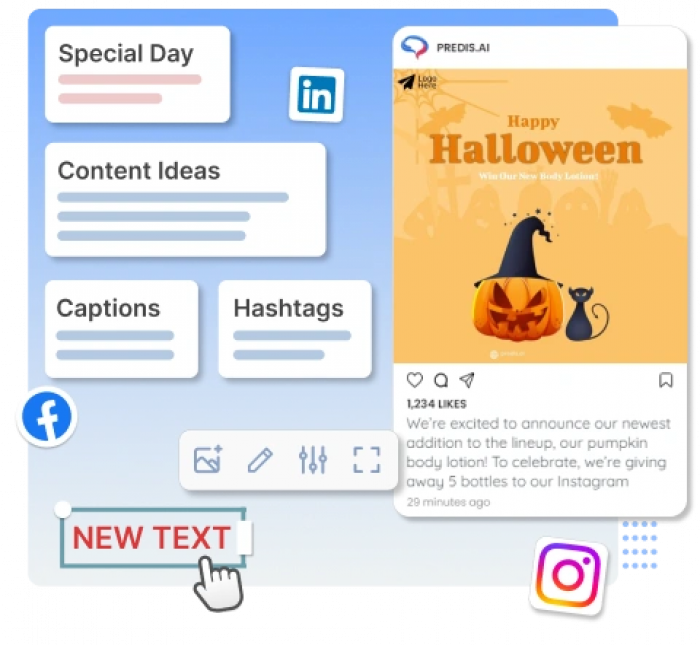
Positioning: The tool that treats a "caption" as only one-third of the job generates the visual, the caption, and the hashtags together from a single idea.
Free caption & hashtag reality: Predis has a free plan that allows 15 AI-generated posts and 10 competitor-analysis runs per month, plus free standalone tools including a hashtag generator and an Instagram post maker. The important asterisk: posts published under the free plan carry small Predis.ai branding. Its hashtag generator is genuinely flexible: feed it a keyword, a caption, or even a photo, and it reads the input to suggest relevant tags.
Key features:
● Turns one short idea (or a single keyword) into a complete post image, caption, and hashtags in your brand's colors, fonts, and tone.
● Image-to-caption: the AI reads what's actually in a picture and writes a caption about the colors, product, and mood.
● Flexible hashtag generation from a keyword, caption, or uploaded image, with reach and relevance in mind.
● Scheduling to Instagram, LinkedIn, Facebook, and TikTok, plus competitor analysis and text-to-video.
| Advantages | Limitations |
| Generates the whole post, not just text a real time-saver | Free-plan posts carry Predis.ai branding |
| Image recognition writes captions and tags that match the visual | Free plan capped at 15 posts/month |
| Free standalone hashtag generator accepts keyword, caption, or image | Full platform is pricier, starting at $29/month |
| Great for beating a blank screen one word becomes a post | More "one-click automation" than fine-grained control |
| Built-in A/B variations to test what lands | Not built around deep Instagram hashtag analytics like Flick |
Pricing snapshot: Predis starts free with 15 AI posts a month (branding attached), and its paid plans begin around $29/month, which removes the watermark and lifts the caps while adding hashtag recommendations and competitor analysis. That entry price is higher than a pure caption tool, but you're paying for full post generation visuals included not just words. The free tier is best treated as a proof-of-concept rather than a daily driver.
Best for: Predis is ideal for creators and e-commerce brands who want a finished post generated automatically with visual, caption, and hashtags rather than just text they still have to design around. It's especially strong for product-led accounts, where dropping in a product photo and getting an on-brand post back is close to magic. It's overkill if all you need is a caption line.
Verdict: Predis answers a different question than the rest of this list: not "help me write a caption," but "make me the entire post." If that's your bottleneck, the free plan is a fun place to start just budget for a paid tier to lose the branding. For hashtag strategy specifically, a specialist still goes deeper.
6. Publer : the budget scheduler with real AI
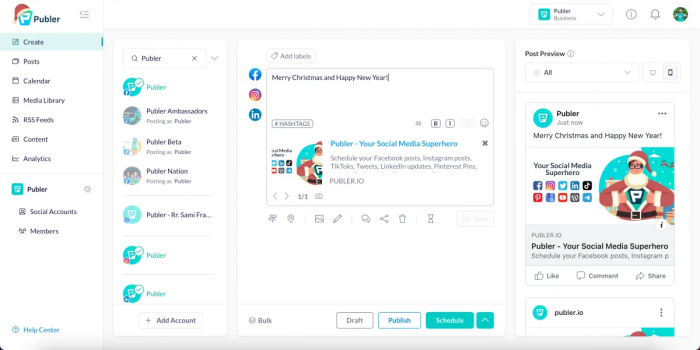
Positioning: An affordable, capable scheduler that quietly bundles AI captions, hashtags, and image generation into one clean composer.
Free caption & hashtag reality: Publer offers a free-forever plan with three social accounts (no X/Twitter) and up to ten pending scheduled posts per account, along with a limited pool of AI credits. Its AI Assist powered by GPT-4 for captions and DALL·E 3 for images generates caption ideas, hashtag suggestions, and even matching visuals inside the composer. The best AI depth sits on paid tiers, but a genuinely free entry point exists.
Key features:
● AI Assist for captions, hashtag suggestions, image generation, alt-text, and comment-reply drafts all in the post composer.
● Bulk scheduling of up to 500 posts, post recycling, evergreen queues, and RSS auto-publishing.
● Support for 12+ networks, with per-platform caption and hashtag customization from a single composer.
● A 2026 "bring your own OpenAI key" option for effectively unlimited AI generations if you already pay for ChatGPT.
| Advantages | Limitations |
| AI generates captions and images rare at this price | Best AI features are gated to higher tiers |
| Free-forever plan to get started | Free plan excludes X/Twitter and limits AI credits |
| BYO OpenAI key unlocks unmetered AI generation | Per-account pricing scales up as you add channels |
| Powerful bulk scheduling (up to 500 posts) | AI depth is basic next to dedicated content tools |
| Predictable, affordable paid tiers | No social inbox for engagement management |
Pricing snapshot: Publer's free-forever plan covers the basics, with Professional at $12/month and Business at $21/month, scaling by roughly $4–7 per additional account. AI captioning and image generation are most generous on Business, where prompts are effectively unlimited. The standout money-saver is the bring-your-own-key option if you already pay for OpenAI, you can route Publer's AI through it and sidestep credit limits entirely.
Best for: Publer fits budget-conscious solo creators and small teams who want AI captions, hashtags, and images inside an affordable, no-nonsense scheduler. It's especially appealing to anyone already paying for ChatGPT who can plug in their own key for unmetered generation. It's less suited to agencies needing a social inbox or the deepest AI content workflows.
Verdict: Publer is the value play it does more of the caption-and-hashtag job, for less, than most tools here, and the image generation is a genuine bonus at the price. The AI won't win awards for depth, but paired with a BYO OpenAI key it becomes a quietly powerful, low-cost engine. For creators counting every dollar, it's the smart pick.
Which one should you actually pick?
● Instagram growth lives on hashtags → Flick. Nothing else scores hashtags by real reach and competition.
● You want one tool for captions, design, and scheduling → Simplified. Breadth at $0 that replaces a four-app stack.
● You just want free, unlimited AI captions on a real scheduler → Buffer. Unmetered AI on the free plan is the closest thing to a cheat code.
● You want the whole post generated for you → Predis.ai. Visual, caption, and hashtags from a single idea.
● You want a dedicated caption & hashtag engine with no scheduler → SmartPostly. Purpose-built for the writing, free to start, and it feeds whatever tool you already publish with.
● You're on a tight budget but still want AI captions + images → Publer. The value pick, doubly so with a BYO OpenAI key.
How to get the most from a free caption & hashtag generator
The tool is only half the result. A few habits separate posts that reach from posts that vanish:
1. Stop chasing million-post hashtags. A tag with 5 million posts buries you in seconds. Mix a few broad, niche, and branded tags the mid-size, niche-specific ones are where discovery actually happens. This is exactly why hashtag scoring (Flick, Predis) beats a raw list.
2. Always run a banned-hashtag check. A single shadowbanned tag can suppress an entire post's reach. If your tool has a checker, use it before every publish.
3. Never post the first draft verbatim. Free AI captions are starting points. Add one specific detail only you would know a name, a number, a small story and engagement climbs, because generic captions measurably underperform.
4. Match the caption to the platform, not the other way around. The same message needs different length, tone, and formatting on Instagram, LinkedIn, and X. Tools that adapt per platform save you the rewrite; if yours doesn't, tell it which platform you're writing for.
The bottom line
Later isn't a bad tool, it's a metered one. The instant you need daily captions and smart hashtags, its credit system and paywalled features start working against you. The six tools here each unlock that job in a different way: Flick for hashtag depth, Simplified for all-in-one breadth, Buffer for unlimited free AI, Predis.ai for full-post generation, SmartPostly for dedicated captions and hashtags and Publer for value.
If we had to name one starting point for most people leaving Later specifically over caption and hashtag limits, it's Buffer's free plan unlimited AI, zero credits, no catch. Then, once you know whether hashtags, design, or analytics is your real priority, graduate to the specialist that matches it.
juliana phil
Aug 28, 2026Reader Testimonial: Lessons From an Online Investment Scam I am sharing my experience in the hope that it may serve as a cautionary example for other investors. I lost more than $740,450 after becoming involved with an online investment opportunity that I later came to believe was fraudulent. The financial loss was substantial, but the experience was also emotionally difficult and left me uncertain about what steps I could take next. After discovering the problem, I sought guidance from Kristina Hooper. I explained what had happened and provided the information I had relating to the transactions and the platform involved. They assisted me in understanding the recovery process and guided me through the steps I needed to take. I recently received my funds back, which was a considerable relief after what had been a very stressful period. Looking back, my experience has reinforced the importance of conducting independent checks before investing online. Investors should verify the identity and legitimacy of a company, be cautious about promises of unusually high returns, and carefully investigate any request for additional payments or personal information. I am sharing this account as my personal experience rather than as a recommendation or guarantee regarding any particular company or recovery service. Anyone wishing to ask about my experience may contact me at kristina hooper24 @ gmail. Dco com
Login To Reply ↪