

Most "best social media tools" lists are useless to a coach. They're written for e-commerce brands pushing product or agencies juggling forty client accounts with people whose problem is volume. That is not your problem.
Your problem is that you are the brand. People don't buy your framework; they buy you. That means your face, your voice, and your thinking can't be fully delegated the way a product photo can. And it means the thing quietly killing your visibility isn't a missing feature, it's the fact that every post, every reply, every follow-up runs through the one bottleneck that can't be cloned: you.
So the right question isn't "which tool has the most features?" It's "which tool removes me as the constraint without making my content sound like a robot wrote it?"
That's the lens for this entire list. The six tools below aren't six versions of the same scheduler. Each one attacks a different bottleneck in the coach-and-consultant workflow: staying consistent, knowing what's working, building authority where your buyers actually are, producing content without a designer, turning one talk into a month of clips, and converting attention into booked calls while you sleep. Pick based on which bottleneck is hurting you most right now not on which has the longest feature list.
How these six were judged
Every tool here was evaluated against the way a solo expert actually works, not a generic "business user." Specifically:
● Bottleneck removed : what part of you does this give back?
● Sounds-human test :does it help you show up authentically, or does it flood the feed with generic AI mush that erodes the trust you're selling?
● Solo-scale pricing : the real cost for one person, including the add-ons the sticker price hides.
● Lead-to-call line of sight : does it move attention toward a conversation, or just rack up vanity metrics?
Ratings are deliberately split into three axes rather than one fuzzy score, because a tool can be brilliant at one job and irrelevant to yours. All pricing verified mid-2026; these tools change prices often, so confirm on the live page before you buy.
1. Buffer : the consistency habit, made frictionless
Best for: the coach who keeps meaning to post and doesn't, and wants the simplest possible way to stay visible across a few platforms.
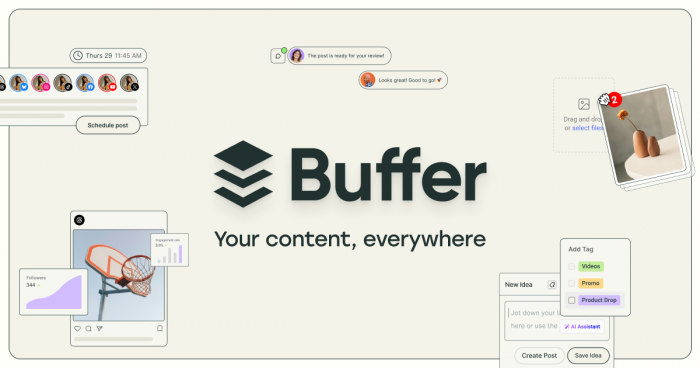
What it actually does: Buffer is the clean, no-nonsense scheduler. You write once, queue across your channels, and it publishes on a set schedule so "I forgot to post this week" stops being a sentence you say. It deliberately does less than its competitors, and that's the point there's almost nothing to learn.
Standout features:
● Genuinely usable free plan (3 channels, a rolling queue of 10 posts each)
● A dead-simple posting queue set your slots once, drop content in, done
● AI Assistant for caption drafts and rewrites, even on free
● Covers the modern spread: LinkedIn, Instagram, TikTok, X, Threads, Bluesky, Google Business, Pinterest
Advantages: The lowest barrier to actually starting. Transparent, honest pricing with no forced annual contract. The interface never intimidates a non-marketer. A 50% discount for registered nonprofits and charities.
Limitations (be honest with yourself): It's a publisher, not a growth engine. No visual content planner, no video repurposing, no social listening, and its analytics are shallow fine for "did it post," weak for "what's working." Per-channel pricing means costs creep as you add platforms. If you want data-driven decisions, this isn't the tool.
Pricing (mid-2026):
| Plan | Price | What you get | Watch out for |
| Free | $0 | 3 channels, 10 queued posts each, AI Assistant | Lifetime cap of ~8 unique channel connections |
| Essentials | ~$5–6 / channel / mo | Unlimited scheduling, longer analytics history | Billed per channel 5 channels ≈ $30/mo |
| Team | ~$10–12 / channel / mo | Adds collaboration + approval | Overkill for a true solo operator |
Verdict: The best on-ramp for a coach whose only real failure is inconsistency. Start free, and only pay once you've proven to yourself you'll actually use the queue. Just don't expect it to grow you, it keeps you present, nothing more.
Rating: Ease 5/5 · Value 4/5 · Growth depth 2.5/5
2. Metricool : the same job as Buffer, but you actually learn something
Best for: the consultant who's tired of guessing, and wants scheduling plus analytics deep enough to change what they post next.
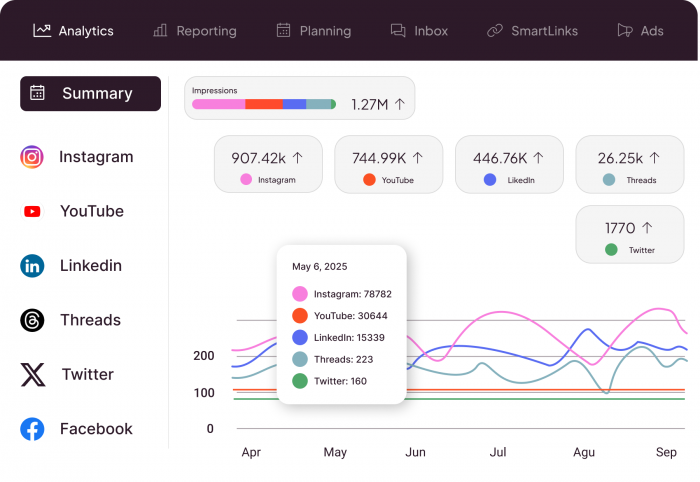
What it actually does: Metricool schedules across every major network like Buffer does, but it earns its place on the analytics side. It shows you which posts actually drove reach and profile activity not just likes plus competitor tracking so you can benchmark against others in your niche. It's the tool for coaches who want to make decisions from data instead of vibes.
Standout features:
● Scheduling and analytics for Instagram, LinkedIn, Facebook, TikTok, Google Business, and more in one dashboard
● Analytics that map to reach and profile visits, not vanity metrics
● Competitor tracking (analyze up to 5 accounts)
● Built-in AI caption assistant and a link-in-bio "Smart Links" page
Advantages: The best analytics-to-price ratio on this list. A free plan solo creators can genuinely test with. Consistently praised, responsive human support.
Limitations (read the fine print): The free plan excludes LinkedIn and X entirely and caps you at 20 posts/month a dealbreaker for consultants, since LinkedIn is usually the channel. X/Twitter is a paid add-on on every tier (around $10/month per account). Listed prices exclude VAT, so EU buyers pay more than the sticker. Annual renewals are non-refundable, and some reviewers report renewal charges landing without warning.
Pricing (mid-2026):
| Plan | Price (billed annually) | Brands | Key unlocks | Watch out for |
| Free | $0 | 1 | 20 posts/mo, basic analytics, 5 competitors | No LinkedIn, no X |
| Starter | ~€16 / $20 per mo | 5 | LinkedIn, downloadable reports, more posts | X is a paid add-on (~$10/mo) |
| Advanced | ~€43 / $67 per mo | 10–15 | Approvals, team roles, API, Looker Studio | Prices exclude VAT |
| Custom | Sales-priced | 50+ | White label, enterprise features | Non-refundable annual renewals |
Metricool adjusts pricing regularly, check the live page.
Verdict: If Buffer is "show up," Metricool is "show up and learn." The strong default for a solo consultant who wants to improve month over month. Budget for the Starter tier from day one the free plan's LinkedIn lockout makes it a non-starter for the people this article is written for.
Rating: Ease 4/5 · Value 4.5/5 · Analytics depth 4.5/5
3. Taplio : because for most consultants, LinkedIn is the business

Best for: the consultant, coach, or advisor whose buyers live on LinkedIn and who wants to build authority there without spending an hour a day staring at a blank post box.
What it actually does: Taplio is not a jack-of-all-trades scheduler it's LinkedIn, all the way down. It combines AI content help (trained on a huge library of high-performing posts), scheduling, genuinely useful LinkedIn-specific analytics, and a lead layer at the top tier. It exists to make consistent, authority-building LinkedIn posting take ten minutes instead of ninety.
Standout features:
● AI drafting and hook/carousel help tuned specifically to what performs on LinkedIn
● A "LinkedIn Benchmark" (tens of thousands of posts analyzed monthly) included on every plan
● Scheduling and a content calendar built for one platform done well
● Lead database + outreach automation at the Pro tier
Advantages: Purpose-built beats general-purpose when a single channel drives your pipeline. Analytics go well beyond LinkedIn's native stats. A 7-day trial with full Pro access lets your real usage pick the plan.
Limitations (this is where people get burned): The cheapest Starter plan includes zero AI credits you're paying for scheduling and analytics only, which surprises people who signed up for the AI. AI drafting only starts at the Growth tier. And the Pro tier's auto-DM / auto-connection tools operate outside LinkedIn's official API, which carries real account-safety risk, a warning that matters when your profile is your livelihood. Treat the automation features with caution. This is also additive to LinkedIn Premium, not a replacement.
Pricing (mid-2026):
| Plan | Monthly | Annual (~25% off) | What you get | Watch out for |
| Starter | $39/mo | ~$32/mo | Scheduling + analytics | No AI credits at all |
| Growth | $69/mo | ~$49/mo | 250 AI credits, drafting, carousels | Credits deplete faster than you'd expect |
| Pro | $199/mo | ~$149/mo | Lead database + outreach automation | Automation carries account-safety risk |
Includes a 7-day full-access trial and a 30-day money-back guarantee. Verify on Taplio's live page.
Verdict: If LinkedIn is where your clients come from, a LinkedIn-native tool will out-earn a generic scheduler every time but go in clear-eyed. Buy Growth, not Starter, if you want the AI you came for, and think hard before switching on the aggressive automation. The content tools are the safe, high-value core; the outreach automation is the part to approach slowly.
Rating: Ease 4/5 · Value 4/5 · LinkedIn authority 4.5/5
4. Canva : the "I can't afford a designer" problem, solved
Best for: every coach and consultant who needs professional-looking carousels, quote graphics, and slides and does not have a design bone in their body.
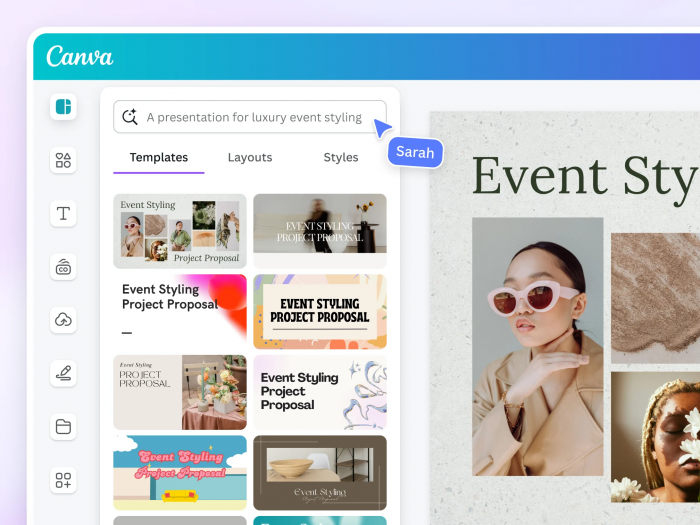
What it actually does: Canva is the great equalizer. Drag-and-drop templates turn a solo coach with zero design training into someone whose feed looks like they hired an agency. Carousels for LinkedIn and Instagram, quote cards, workbook covers, webinar slides, lead-magnet PDFs all from one library, no Photoshop required.
Standout features:
● An enormous template library covering every format a coach posts
● Brand Kit lock in your fonts, colors, and logo so everything stays on-brand
● One-click background remover and a resize tool that reformats one design for every platform
● Built-in AI (text-to-image, Magic Write, editing) plus a genuinely capable free tier
Advantages: Flattens the design learning curve to near zero. The free plan is unusually generous. It quietly replaces a designer, a stock-photo subscription, and a slide tool in one subscription.
Limitations: The 2026 shift added monthly AI-credit caps heavy AI users burn through the allowance and face an "AI Pass" add-on on top of the subscription. Ubiquity is a double edge: lean too hard on popular templates and your content looks like everyone else's, which undercuts the distinct personal brand you're trying to build. Prices exclude tax, and Business now bills per seat.
Pricing (mid-2026):
| Plan | Price | What you get | Watch out for |
| Free | $0 | Core tools, big template library, basic AI allowance | Limited premium content + storage |
| Pro | ~$15/mo annual (~$18 monthly) | Premium content, Brand Kit, background remover, 1TB, bigger AI allowance | AI credit caps; AI Pass is extra |
| Business | ~$25 / seat / mo | Team brand controls, advanced management | Per-seat, pay-as-you-grow billing |
Taxes excluded; regional pricing varies. Confirm on Canva's live page before using.
Verdict: As close to essential as anything on this list. The one caution: use templates as a starting point, not a finish line, customize them toward your own look, or your "personal" brand ends up looking exactly like ten thousand other coaches. Free is a real option; upgrade to Pro the moment the Brand Kit and background remover start saving you real time.
Rating: Ease 5/5 · Value 4.5/5 · Brand-building power 4/5
5. Opus Clip : turn one talk into a month of short-form video
Best for: the coach or consultant who already creates long-form video webinars, podcasts, YouTube, client trainings, recorded talks and knows short-form is where the reach is, but has no time to edit.
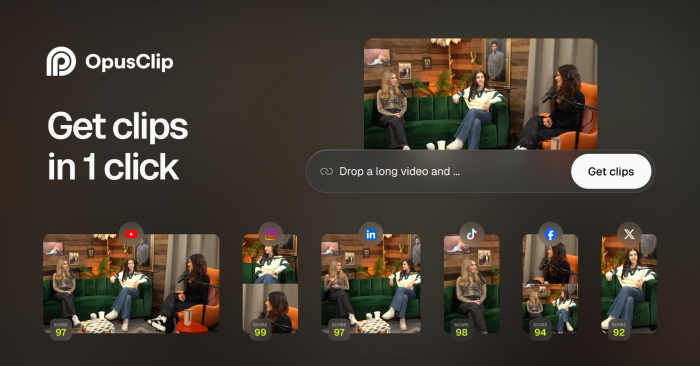
What it actually does: You hand Opus Clip a long video; its AI finds the most engaging moments and cuts them into ready-to-post vertical clips with auto-captions and a "virality" score. One 45-minute webinar becomes a week or two of Reels, Shorts, and TikToks the highest-leverage content move a busy expert can make, because the thinking already exists; you're just re-cutting it.
Standout features:
● AI clip selection that pulls the strongest 30–60 seconds automatically
● Auto-captions and dynamic, animated caption styles (captions are non-negotiable for silent-scroll viewing)
● Virality scoring to prioritize which clips to post first
● Multi-platform auto-posting and speaker detection for podcasts (Pro tier)
Advantages: Enormous time leverage repurposing is the single best ROI activity for a solo expert, and this automates the tedious part. Removes the "I'm not a video editor" excuse entirely.
Limitations: Billing is by credits, where 1 credit = 1 minute of source video you upload not clips produced. A single podcast season can drain a plan fast, and unused monthly credits expire (they don't roll over). The free tier watermarks exports. AI clip-picking is good, not perfect; it sometimes clips mid-thought, so a quick human review still matters. And everything processes in the cloud, so it's a non-starter if you can't upload your footage.
Pricing (mid-2026):
| Plan | Price | Processing / mo | What you get | Watch out for |
| Free | $0 | 60 min | Standard clips | Watermark on exports |
| Starter | $15/mo | 150 min | No watermark, all caption styles, 720p | No social scheduler; month-to-month only |
| Pro | $29/mo | 300 min | Virality scoring, 1080p, auto-posting, brand kit | Credits expire after 60 days |
| Business | ~$99+/mo | Custom | Volume + team | Same per-minute feature gaps |
Verdict: If you're already making long videos and not repurposing them, you're leaving your best content on the table and this is the fastest fix. If you don't make video at all, skip it entirely; it solves a problem you don't have. Do the per-minute credit math against your actual monthly footage before you pick a tier.
Rating: Ease 4/5 · Value 4.5/5 · Repurposing leverage 5/5
6. ManyChat : turn comments and DMs into booked calls while you sleep
Best for: the coach who runs "comment [WORD] and I'll DM you the guide" plays on Instagram and wants the follow-up, lead capture, and nudge-toward-a-call to happen automatically.
What it actually does: ManyChat is the conversion layer the other five tools don't touch. It automatically replies to comments and DMs, delivers your lead magnet, captures the email, and walks the person toward booking the exact moment where solo coaches lose leads because they can't answer 200 DMs by hand. It's the difference between "great engagement" and "actually booked."
Standout features:
● Comment-to-DM automation ("comment GUIDE, get the PDF") the highest-converting Instagram play for coaches
● Visual, no-code flow builder for DM funnels
● Multi-channel: Instagram DMs, Messenger, WhatsApp, TikTok, SMS, email
● Keyword triggers, lead capture, and hand-off to a human when it matters
Advantages: Directly attacks the money bottleneck attention that never becomes a conversation. Runs 24/7, so a post that pops at midnight still captures leads. The comment-to-DM mechanic is proven for exactly this audience.
Limitations (the 2026 pricing is a trap for the unwary): After the March 2026 overhaul, billing scales by active contacts per month, which means your best content month is also your most expensive one viral Reel can quietly double your bill via overage fees. The AI features are a $29/month add-on on top of your plan. The free tier (25 contacts) is a demo, not a working plan. And automation done clumsily feels robotic the trust you're protecting can be spent fast by a cold, obviously-botted DM. Write the flows to sound like you.
Pricing (mid-2026):
| Plan | Price (monthly / annual) | Contacts | Watch out for |
| Free | $0 | 25 | A demo, not a real plan |
| Essential | ~$17 / $14 per mo | 250 | Instagram + Messenger core only |
| Pro | ~$39 / $29 per mo | 2,500 | AI is a separate $29/mo add-on |
| Business | ~$99 / $69 per mo | 7,500 | Overage fees above your tier |
| Advanced | ~$199 / $139 per mo | 25,000 | Bill scales with your success |
Contact-based billing means costs climb as your audience grows; model your real contact volume first. Confirm on ManyChat's live page.
Verdict: The only tool here aimed squarely at revenue, not reach and for a coach who sells through Instagram, that makes it the highest-stakes pick. Worth it if you're actively running lead-magnet plays and losing DMs to manual follow-up. Just watch the contact-based pricing like a hawk, and write every flow so it sounds like a human, not a helpdesk.
Rating: Ease 3.5/5 · Value 4/5 · Lead conversion 5/5
The six at a glance
| Tool | Bottleneck it removes | Best for | Solo entry price | Standout | Overall |
| Buffer | Inconsistency | Coaches who forget to post | Free / ~$5 per channel | Dead-simple queue | ★★★★☆ |
| Metricool | Guessing what works | Data-curious consultants | Free / ~$20 mo | Analytics at a fair price | ★★★★☆ |
| Taplio | Blank-page paralysis on LinkedIn | LinkedIn-led consultants | $39 (AI from $69) | LinkedIn-native everything | ★★★★☆ |
| Canva | No designer, no budget | Everyone who posts visuals | Free / ~$15 mo | Agency-grade design, zero skill | ★★★★★ |
| Opus Clip | No time to edit video | Coaches with long-form video | Free / $15 mo | One talk → a month of clips | ★★★★☆ |
| ManyChat | DMs that never become calls | Instagram-selling coaches | Free / ~$17 mo | Comment-to-DM funnels | ★★★★☆ |
How to actually choose (by situation, not by feature)
You don't need all six. You need the one that fixes your current bottleneck. Start here:
● "I just never post consistently." → Buffer. Solve the habit first; everything else is premature.
● "I post, but I'm flying blind on what works." → Metricool. Same posting job, plus the data to improve.
● "My clients come from LinkedIn." → Taplio for content (buy Growth for the AI), with normal caution on its automation.
● "My graphics look amateur." → Canva. Near-essential, and free is a real starting point.
● "I make webinars/podcasts but never repurpose them." → Opus Clip. The highest-leverage fix on this list if you already make video.
● "I get engagement but it never turns into calls." → ManyChat. The revenue layer but mind the contact-based pricing.
A sane starter stack for most solo consultants: Canva + one scheduler (Buffer or Metricool) + Taplio if LinkedIn is your channel. Add Opus Clip when you're producing video, and ManyChat when you're running lead-magnet funnels at enough volume to justify it. Layer tools onto proven habits not the reverse.
The uncomfortable takeaway
Here's the thing no tool vendor will tell you: the tool is almost never the bottleneck. You are. Every product on this list is good. None of them will make you post if you won't sit down and think. None of them will build authority on top of ideas you haven't developed. The reason most coaches keep tool-shopping is that buying software feels like progress while quietly avoiding the real work showing up, saying something true, and doing it again next week when nobody clapped the first time.
So pick one tool, for one bottleneck, and use it for ninety days before you buy another. The best social media tool for a coach or consultant isn't the one with the most features. It's the one that removes you from the parts of the job that don't need you so you can spend that reclaimed time on the one part that does: being the person worth following in the first place.
Pricing verified August -2026. These tools revise plans and add-ons frequently always confirm current rates on the provider's own pricing page before subscribing.
Comments