

VidMage is easy to use, offers a reasonable free allowance and covers photos, videos, GIFs and live face swapping on Mac. However, I found that choosing an alternative depends less on finding another basic face swapper and more on identifying what VidMage is missing for a particular project.
I compared tools based on multi-face control, video limits, batch processing, local use, post-swap editing and current pricing. Some are better for quick social content, while others make more sense for agencies, developers or users who prefer to keep their files on their own computer. Also read a detailed Vidmage AI performance and reviews to get easy in the alternative selection process.
VidMage Alternatives at a Glance
| Alternative | Best For | Starting Price |
| Magic Hour | Overall creative flexibility | Free; paid from $15/month |
| DeepSwap | Longer and complex video swaps | $19.99/month |
| AKOOL | Professional campaigns and live swaps | Free; credits from $0.05 each |
| Remaker AI | Batch processing without a subscription | Free; packs from $5.99 |
| Unboring | Face swaps with animations and styles | From $7.58/month annually |
| Vidnoz AI | Avatar and presentation videos | Free; paid from $19.99/month annually |
| FaceFusion | Local processing and advanced control | Free |
1. Magic Hour: Best Overall VidMage Alternative
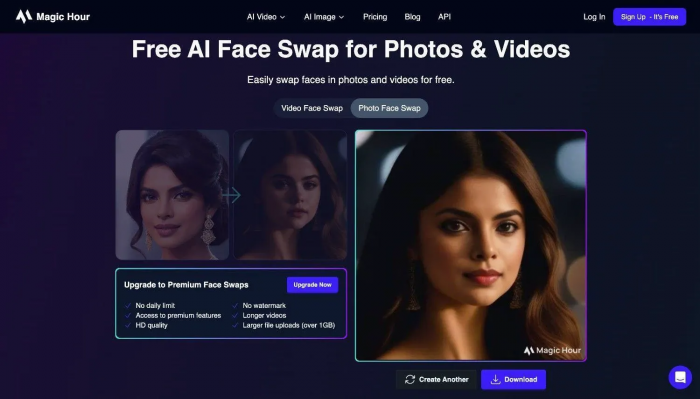
Magic Hour AI is a strong choice for users who work with photos, videos and GIFs but want more options after completing the initial face swap. Along with single and multiple-face replacement, it includes head swapping, body swapping, lip sync, video restyling and image-to-video generation.
Key Features
Single and multi-face swapping: Different source faces can be assigned to individual people in group footage instead of applying one face to every detected subject.
YouTube link support: Users can paste a public YouTube link into the video tool rather than manually downloading and uploading the clip.
Head and body replacement: These tools replace a wider part of the subject, helping when a facial swap looks unnatural because the hair, head shape or body proportions do not match.
Frame-aware video processing: Magic Hour tracks expressions, lighting and head movement throughout a clip to reduce flickering around the swapped face.
API access: Agencies and developers can connect its tools to websites, applications and automated content pipelines.
Higher-resolution exports: Paid subscriptions remove watermarks, add commercial rights and raise output quality to as high as 4K on the Business plan.
Pricing
| Plan | Price |
| Free | $0 |
| Creator | $15 per month |
| Pro | $39 per month |
| Business | $99 per month |
The free option includes five photo swaps and three short video swaps per day without registration. Free videos are limited to 576p and include a watermark.
Where It Beats VidMage
Magic Hour is more suitable for agencies and creators who need to keep editing after replacing a face. Its head swap, body swap, video restyling and lip-sync tools create a more connected production workflow.
Its API and direct YouTube support also make it easier to manage repeated projects. VidMage remains the better option for casual free use and users who need its dedicated Mac live face-swap application.
Pros
● Multi-face mapping gives users direct control over who receives each replacement in a group scene.
● YouTube links can be processed without downloading the original clip manually.
● Head and body replacement can fix mismatches that a face-only swap cannot hide.
● API access supports repeated and automated content production.
● Paid plans include watermark removal and commercial usage rights.
Cons
● Free video results are restricted to short clips and 576p resolution.
● Free video and GIF downloads contain a watermark.
● Longer videos can consume a considerable number of credits.
● Access to 4K output requires the Business plan.
● It does not directly replace VidMage’s Mac-based live swapping experience.
Best use case: Magic Hour is best for creators and agencies producing group footage, personalised campaigns or face-swap projects that require further animation and editing.
2. DeepSwap: Best for Complex Video Face Swaps
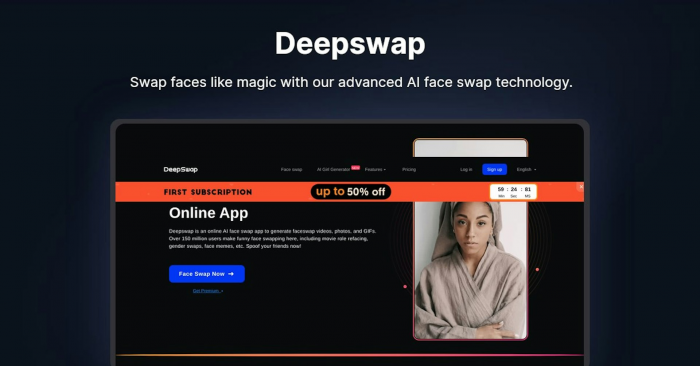
DeepSwap concentrates more heavily on face replacement than many all-in-one creative platforms. It supports photos, GIFs and videos, but its strongest advantage is the ability to replace up to six faces in one video.
This makes it a better fit for movie-scene edits, short films, group performances and footage where several characters remain on screen together.
Key Features
Six-face video swapping: DeepSwap can identify and replace up to six people inside the same video rather than restricting the project to one or two subjects.
ShapeKeeper and ShapeTransformer models: Users can choose whether the result should retain more of the target person’s original facial structure or adopt more characteristics from the uploaded source face.
HD face-swap mode: The premium service includes an HD option for projects where facial detail matters more than processing speed.
Video, photo and GIF support: Credits can be used across all three formats from the same account.
Private face models: DeepSwap promotes private models designed to improve similarity for repeated face-swap work involving the same person.
VR video processing: A separate VR mode supports specialised immersive footage, although it uses more credits than a normal video swap.
Pricing
| Plan | Standard Price | Introductory Price |
| One-month access | $19.99 | $9.99 |
| Twelve-month access | $99.99 | $49.99 for the first year |
Paid access includes 20 credits per month. A standard face-swap video consumes one credit for every 15 seconds, while a photo uses 0.1 credit and a GIF uses one credit.
Where It Beats VidMage
DeepSwap has an advantage when several faces must be tracked throughout the same video. VidMage supports multi-face editing, but DeepSwap raises the number to six and puts more emphasis on preserving consistency in difficult footage.
Its selectable face models also give users more influence over whether the output should retain the target’s facial shape or follow the source image more closely.
Pros
● It can replace up to six faces within one video project.
● Different face models provide more control over facial structure.
● Credits are easy to estimate because standard video swaps cost one credit per 15 seconds.
● HD processing is available without requiring separate editing software.
● VR face swapping provides an option that most browser-based competitors lack.
Cons
● There is no substantial free plan for properly testing longer video results.
● The regular monthly price is higher than VidMage’s $14.99 subscription.
● Twenty monthly credits may be restrictive for frequent video work.
● VR processing consumes considerably more credits than standard face swapping.
● Its wider editing toolkit is smaller than Magic Hour, Vidnoz or AKOOL.
Best use case: DeepSwap is best for editors working with group footage, short films, movie scenes or videos containing several recurring faces.
3. AKOOL: Best for Professional Campaigns
AKOOL AI approaches face swapping as part of a larger commercial video platform. It supports standard face replacement, full character swaps, head swaps, live camera effects, avatar videos, translation and lip sync.
The platform is more complex than VidMage, but that complexity becomes useful when a face swap is only one stage of a marketing campaign or personalised customer experience.
Key Features
Face, head and character swapping: Users can choose whether to replace only the face, the complete head or a larger part of the person’s appearance.
Bulk uploads: The face-swap workspace accepts multiple source files, which is helpful when creating several versions of an advertisement or campaign asset.
Live face swapping: AKOOL can replace faces through a camera feed for streams, virtual events and interactive experiences.
Difficult-scene handling: The platform is designed to process rapid movement, changing light and partial facial obstruction, all of which commonly damage basic face swaps.
High-resolution production: Higher plans support output beyond standard HD, with AKOOL listing 4K, 8K and higher limits across its professional tiers.
Commercial API: Businesses can connect face swapping, talking avatars, lip sync and video translation to their own services.
Pricing
| Option | Price |
| Free account | $0 |
| Pay-as-you-go credits | From $0.05 per credit |
| Enterprise | Custom pricing |
Face swapping currently uses four credits per image and ten credits for each ten seconds of standard video processing through the API. Live streaming uses approximately one to 1.2 credits per ten seconds, depending on the plan.
Where It Beats VidMage
AKOOL is stronger for professional campaigns where output quality, live interaction and scale matter more than having the simplest possible interface. It supports bulk work, live camera swapping and enterprise API deployment.
Its broader campaign tools also allow teams to translate a video, change the presenter, correct the lip movement and create multiple localised versions without rebuilding the project elsewhere.
Pros
● Face, head and character modes provide more control over how much of the subject is replaced.
● Live camera effects work for meetings, events and interactive campaigns.
● Bulk file handling reduces repetitive uploading for campaign variations.
● The API covers face swapping and several connected video-production tools.
● Higher plans are built for high-resolution and commercial output.
Cons
● The credit model is less straightforward than VidMage’s monthly allowance.
● The interface may feel excessive for someone creating a single photo swap.
● Advanced output and faster processing can become expensive at scale.
● Many useful capabilities sit behind paid credits or higher plans.
● It is geared more toward business production than casual social editing.
Best use case: AKOOL is best for agencies, brands and production teams building personalised advertisements, live experiences or large batches of campaign content.
4. Remaker AI: Best for Batch Face Swapping
Remaker AI is useful for people who do not want another monthly subscription. It sells non-expiring credit packs and applies them across photo, video, GIF and other AI editing tools.
Its batch controls are the main reason to choose it over VidMage. Users can process up to 50 images in one session or upload as many as ten videos for a repeated single-face replacement.
Key Features
Batch photo swapping: Up to 50 original images can be processed in one session using the same target face.
Batch video processing: Users can upload up to ten videos or GIFs in a single project, with each file supporting a maximum size of 500MB.
Multiple-face photos: Separate replacements can be assigned to several detected people inside a group image.
Multiple-face videos: Remaker also provides a separate workflow for footage containing several people.
GIF processing: Animated GIFs and common video formats can be uploaded to the GIF face-swap tool.
Thirty-minute video limit: Paid users can process videos of up to 30 minutes, although the cost is calculated at one credit per second.
Pricing
| Credit Pack | Price |
| 200 credits | $5.99 |
| 530 credits | $9.99 |
| 20,000 credits | $299 |
New accounts receive 30 introductory credits. Purchased credits do not expire, and buying any pack unlocks VIP access for video face swapping.
Where It Beats VidMage
Remaker is a better fit for irregular users who would rather purchase credits only when they have a project. VidMage requires an active subscription before users can purchase its additional credit packs.
The batch photo and video tools are another meaningful advantage. Processing 50 photos together is far more efficient than repeating the same face-swap steps for each image.
Pros
● Credit packs can be purchased without committing to a recurring monthly plan.
● Purchased credits do not expire.
● Batch mode supports up to 50 images or ten videos in one project.
● Multiple-face tools are available for both photos and videos.
● The same credits work across several other image and video utilities.
Cons
● Video processing costs one credit per second, which becomes expensive for long clips.
● Buying credits is required before the video face-swap tool becomes available.
● Batch videos currently support only one replacement person per uploaded clip.
● The website contains many separate tools, so navigation can feel crowded.
● Frequent users may spend more than they would on a predictable subscription.
Best use case: Remaker AI is best for users with occasional bulk projects, such as product images, profile variations, event photos or several short marketing clips.
5. Unboring: Best for Social Effects and Animation
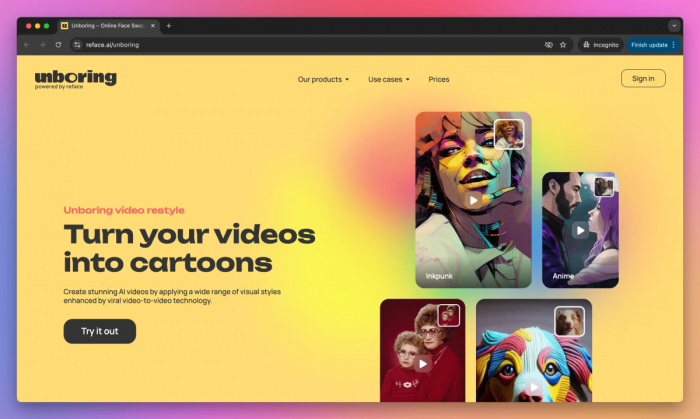
Unboring by Reface is less focused on technical face-swap control and more focused on quickly turning an ordinary photo into shareable content. Face swapping sits beside photo animation, image restyling and video filters.
It makes sense for creators who want to insert a face into a scene and then turn the result into a singing photo, animated meme or stylised video without learning a larger editing platform.
Key Features
Photo and video face swaps: Users can upload their own target media or choose an existing scene from Unboring’s content catalog.
Multiple-face replacement: Group photos and videos can contain more than one swapped person.
Photo animation: Static images can be made to sing, speak or perform preset movements selected from an animation catalog.
Video restyling: Clips can be transformed into anime, clay, vintage, cartoon and other visual styles.
Image restyling: Separate image filters can turn portraits, family photos and pet images into different art styles.
Ready-made content library: The catalog provides scenes and animations for users who do not already have suitable target media.
Pricing
| Plan | Effective Monthly Price | Annual Charge |
| Basic | $7.58 per month | $90.99 |
| Premium | $9.99 per month | $119.99 |
Both paid plans remove ads and watermarks, include priority processing and provide unlimited photo face swapping. The displayed prices require annual billing.
Where It Beats VidMage
Unboring offers a stronger library of ready-made scenes, animation templates and visual restyling effects. It is easier to start with a photo, place the face in a preset scene and immediately turn the result into a stylised social post.
VidMage offers more practical utilities such as upscaling, object removal, clothing changes and a Mac application. Unboring is narrower, but its entertainment workflow feels more focused.
Pros
● The built-in catalog provides scenes for users who do not have target footage.
● Photos can be animated into singing, talking or moving clips.
● Video and image restyling add another creative layer after the face swap.
● Paid subscriptions include unlimited photo face swapping.
● Annual prices are lower than VidMage’s annual equivalent.
Cons
● Subscription prices shown on the website require a full annual payment.
● It offers fewer manual controls for demanding video face-swap projects.
● Many templates are designed for entertainment rather than professional campaigns.
● Video processing can take several minutes for larger or higher-resolution files.
● It does not provide a comparable live face-swap desktop application.
Best use case: Unboring is best for memes, animated greetings, family content and short social posts built around preset scenes and visual effects.
6. Vidnoz AI: Best for Avatar and Presentation Videos
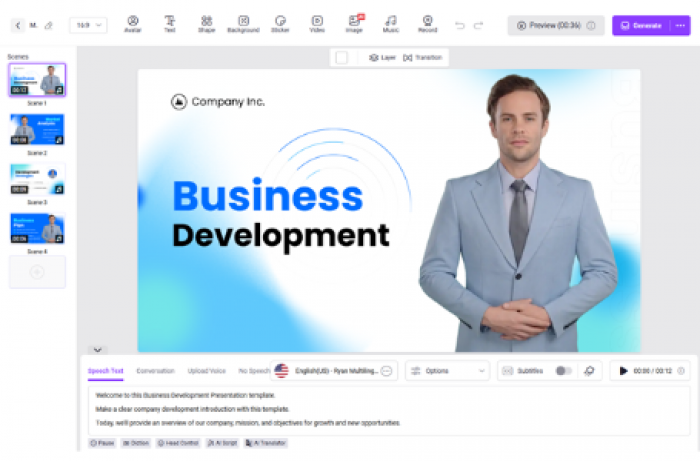
Vidnoz is not only a face swapper. It is a full AI video platform with avatars, voices, presentation templates, talking photos, translation, lip sync and text-to-video production.
The face-swap tool supports single and multiple replacements across photos and videos, but Vidnoz becomes more valuable when the final goal is a training video, product explanation or presentation rather than a standalone edited clip.
Key Features
Single and multi-face swapping: Vidnoz can replace one person or map several source faces onto different people in group photos and videos.
Talking photos: A portrait can be turned into a speaking video using uploaded text or audio.
Avatar video creation: Users can build videos with more than 1,900 avatars and thousands of templates.
AI voice library: Paid plans provide access to more than 2,600 voices for narration and avatar content.
Video translation: Business users can translate speech and adjust lip movement for localised versions.
Head swapping: A separate tool replaces the face and visible hair area in a photo, which can work better than facial replacement alone.
Pricing
| Plan | Price |
| Free | $0 |
| Starter | $19.99 per month, billed yearly |
| Business | $56.99 per month, billed yearly |
| Enterprise | Custom pricing |
The paid video plans include 1080p export, faster processing and watermark removal. Business adds voice cloning, video translation, a brand kit, team features and analytics.
Where It Beats VidMage
Vidnoz is better when face swapping is part of a narrated or presenter-led video. A user can change the presenter, add a voice, generate captions, translate the content and place it inside a prepared business or education template.
VidMage is quicker for an isolated swap and offers a cheaper monthly entry point. Vidnoz provides more value only when the surrounding avatar and presentation features will actually be used.
Pros
● Face swapping connects directly with avatar and talking-photo production.
● Multiple faces can be replaced in group photos and videos.
● The large template library covers training, sales and marketing formats.
● Business plans include video translation and voice cloning.
● The platform can produce a complete narrated video rather than only an edited asset.
Cons
● The Starter plan costs more than VidMage’s monthly subscription.
● Many paid features are unrelated to users who only need face swapping.
● The credit system is shared across a large number of generation tools.
● Free exports may contain restrictions or watermarks depending on the selected tool.
● The large interface takes longer to learn than a dedicated face swapper.
Best use case: Vidnoz is best for educators, marketers and small businesses creating presenter videos, translated explainers or training content.
7. FaceFusion: Best for Local Processing
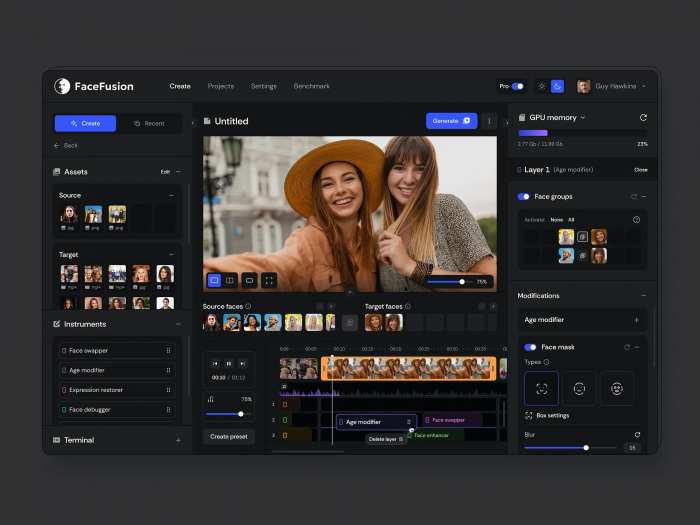
FaceFusion is the most technically demanding option on this list. It is an open-source face manipulation platform that runs on the user’s own computer rather than requiring every project to be uploaded to a browser service.
That local setup provides more privacy and control, but it also means the user is responsible for installation, hardware performance, storage and model configuration.
Key Features
Local face swapping: Photos and videos can be processed on the user’s own computer without sending the source files to a hosted face-swap website.
Batch-run mode: Multiple jobs can be created, queued, submitted and retried through the platform’s command-based workflow.
Automatic face selection: Recent versions include an automatic selector designed to match source faces with the appropriate target subjects.
Modular processors: Face swapping can be combined with lip sync, background removal, facial enhancement and other processors.
Hardware acceleration: FaceFusion can run with CPU processing or use supported GPU technologies such as CUDA, TensorRT, ROCm and CoreML.
Headless processing: Advanced users can run jobs without the normal interface, making the software suitable for scripts and repeatable local workflows.
Pricing
| Version | Price |
| Open-source FaceFusion | $0 |
The software itself is free, although users may need suitable hardware and enough local storage for models, source files and rendered videos.
Where It Beats VidMage
FaceFusion gives users considerably more control over where their media is processed. It is the clearest alternative for people who do not want personal faces, client footage or unreleased projects uploaded to a third-party service.
It also removes subscription credits and daily generation limits. The trade-off is a more difficult installation process and performance that depends on the user’s own hardware.
Pros
● Media can remain on the user’s computer throughout processing.
● There are no monthly credits or hosted generation limits.
● Batch and headless modes support repeatable local workflows.
● Hardware acceleration can improve performance on compatible systems.
● Modular processors allow several corrections to be applied in one job.
Cons
● The official project warns that installation requires technical skill.
● Processing can be very slow without a capable graphics card.
● Users must manage models, dependencies and software updates themselves.
● There is no hosted support team comparable to a commercial subscription.
● It is unsuitable for anyone who wants a quick upload-and-download workflow.
Best use case: FaceFusion is best for technical users, privacy-conscious editors and creators who frequently process footage on a capable local computer.
Which VidMage Alternative Should You Choose?
The right replacement depends on the part of VidMage that feels limiting.
Choose Magic Hour when you want the closest all-round replacement with stronger connected editing tools. DeepSwap is more appropriate for complex footage containing several recurring faces, while AKOOL is built for commercial campaigns, live experiences and large-scale production.
Remaker AI makes more financial sense for occasional batch projects because its credits do not expire. Unboring is better for memes, animations and stylised social clips. Vidnoz works best when the face swap needs to become a narrated avatar or presentation video.
FaceFusion is the outlier. It is not the easiest alternative, but it provides something browser tools cannot fully match: local control without monthly generation credits.
My Verdict
After comparing the seven options, Magic Hour is the alternative I would choose for most projects. It stays close enough to VidMage’s simple upload-and-swap workflow, but it gives me more room to continue working with the result. Multi-face mapping, head replacement, lip sync and video restyling feel like useful next steps rather than unrelated tools added to fill a dashboard.
I would not replace VidMage in every situation. Its daily free quota is still appealing for quick experiments, and the Mac application makes sense for live face swapping. However, Magic Hour feels like the more complete choice once a project moves beyond an occasional photo or short clip.
For bulk work, I would move to Remaker AI rather than pay for another monthly subscription. For sensitive footage, FaceFusion would be my preferred option because the files can stay local. The best alternative is therefore not simply the platform with the longest feature list. It is the one that removes the particular restriction you keep encountering in VidMage.
*Note : Prices and plan inclusions mentioned here are last verified in July 2026 and can change with time and place , so rechecked the pricing before using the tools.
Comments