

The pull toward Prome AI is its specialization. Sketch-to-render, architectural visualization, and interior design previews are handled with less prompt engineering than general-purpose AI image tools demand. That focus, however, comes with trade-offs: a free plan that gates the high-resolution output, generation speeds that lag behind faster competitors, and a feature set that handles design tasks well but is not the strongest choice for artistic exploration, brand work, or text-heavy layouts.
The eight tools below cover the territory Prome AI handles, the territory it does not, and the use cases where another platform is simply the better answer.
In order to know more about Prome AI before switching to its alternative you can read how Prome AI performed and what the real users says about it.
At a Glance: 8 Alternatives Compared
A quick view of the lineup before the deeper analysis. The strongest match depends on which part of the Prome AI workflow matters most for the use case at hand.
| Tool | Best For | Free Plan | Paid From |
| Midjourney | Artistic quality benchmark | No | $10/month |
| Leonardo AI | Rounded design platform | Yes, daily tokens | ~$12/month |
| Adobe Firefly | Commercial-safe + Adobe workflows | Limited credits | ~$9.99/month |
| Ideogram | Posters and design with text | Yes, limited | ~$8/month |
| Krea AI | Real-time creative exploration | Limited | ~$10/month |
| Recraft | Vector + brand consistency | Yes, daily credits | ~$12/month |
| Magnific AI | Upscaling and detail enhancement | No | $39/month |
| Stable Diffusion | Open-source flexibility | Free (self-hosted) | Hardware cost only |
1. Midjourney
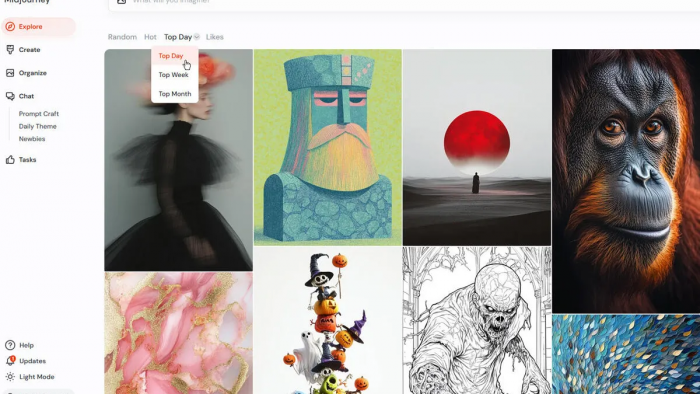
Midjourney remains the artistic quality benchmark for AI image generation. Its rendering of light, texture, and composition consistently produces results that other models reach toward but rarely match without significantly more prompt engineering. The most recent version handles photorealism, illustration, and stylized art with the kind of cohesion that makes outputs immediately usable in mood boards, concept work, and editorial layouts.
Where Midjourney departs sharply from Prome AI is in its general-purpose orientation. There is no sketch-to-render workflow, no purpose-built interior visualization model, and no architectural rendering specialist tucked inside the platform. What it offers instead is a unified, exceptionally tuned image model that produces high-quality output across nearly any subject if the prompt is constructed thoughtfully.
The interface has moved away from Discord-only access into a web app, with personalization features that learn from a user's image preferences over time. Generation speed is fast on paid tiers and the platform supports image referencing, character consistency, and style references for users who need cohesive output across a series. The major caveat is that Midjourney has no free tier, so every use requires a paid subscription starting around ten dollars per month.
Best for: Concept artists, brand teams, editorial designers, and anyone who needs broad artistic range with minimal prompt iteration.
Pricing: Starts at $10/month for the Basic plan.
Compared to Prome AI: Higher artistic ceiling, lower specialization in architecture and interior design workflows.
2. Leonardo AI
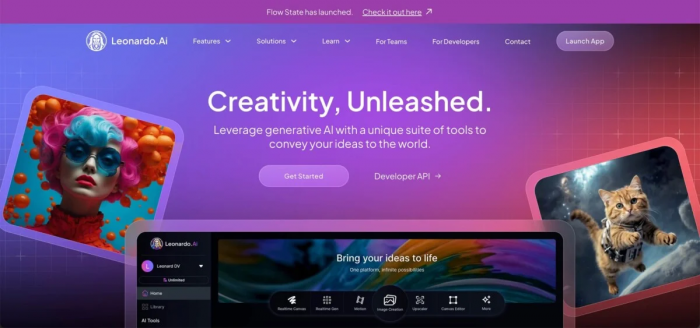
Leonardo AI is the closest thing to a direct alternative for users who want Prome AI's breadth without its design-vertical narrowness. The platform combines multiple foundation models, including its own fine-tuned options alongside Flux and other community-trained variants, with a flexible Canvas tool that supports inpainting, outpainting, and image-to-image transformations driven by reference inputs.
Where Prome AI offers a curated set of design-specific models, Leonardo offers a much larger menu of community and proprietary models, letting the user pick the aesthetic anchor for each project. Image-guidance and pose-guidance features let users supply a reference image or sketch and direct the generation toward a specific composition. The motion-generation tool creates short looping videos from still images, which overlaps with Prome AI's image-to-video feature but uses a different underlying engine.
The free plan provides a daily allowance of generation tokens that resets every twenty-four hours, generous enough for testing and light personal use. Paid plans unlock priority generation, commercial usage rights, and larger token allowances. The interface sits comfortably between hobbyist and professional, with enough depth for serious work and enough simplicity to avoid intimidating first-time users.
Best for: Generalist designers, game artists, marketing teams, and anyone who wants flexibility across multiple visual styles in one platform.
Pricing: Free plan with daily tokens; paid plans start around $12/month.
Compared to Prome AI: Broader model selection, stronger creative range, somewhat less architectural specialization.
3. Adobe Firefly
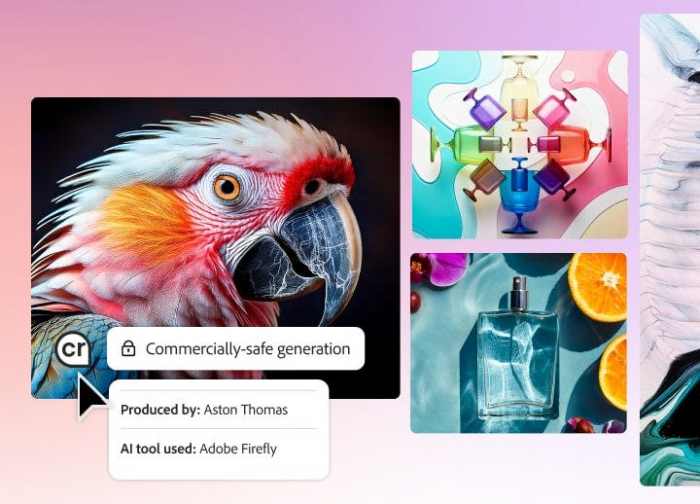
Adobe Firefly's defining advantage over almost every AI image platform, including Prome AI, is its commercial safety promise. The training data is drawn from Adobe Stock, licensed content, and public-domain material, which means the outputs come with explicit indemnification for commercial use. For agency work, enterprise design, and any project where intellectual property provenance matters, this single difference changes the calculation entirely.
The integration into Photoshop, Illustrator, and Express is the second major differentiator. Generative Fill, Generative Expand, Text to Image, and Vector Recolor live inside applications designers already use, removing the context-switching that platforms like Prome AI require. Firefly's vector generation inside Illustrator is particularly useful for tasks that Prome AI handles only as raster output.
The trade-offs are real. Firefly's pure image quality is not at the Midjourney level, and the model has fewer fine-tuned vertical specialists than Prome AI offers for architecture and interior design. Pricing folds into the broader Adobe Creative Cloud structure, with standalone Firefly plans available at the lower end and full Creative Cloud subscriptions in a higher tier for teams that need the surrounding toolset.
Best for: Enterprise design teams, agencies, marketing departments, and existing Adobe Creative Cloud users.
Pricing: From ~$9.99/month for standalone Firefly; bundled with Creative Cloud subscriptions.
Compared to Prome AI: Commercial indemnification, native vector generation, and tight Adobe integration; weaker on vertical design specializations.
4. Ideogram
Ideogram occupies a niche that Prome AI does not seriously contest: rendering legible, well-placed text inside AI-generated images. For posters, social media graphics, book covers, packaging mock-ups, and any design where typography needs to coexist with imagery, Ideogram's text fidelity puts it well ahead of nearly every general-purpose alternative.
The prompt-to-image flow is straightforward, with a magic prompt feature that automatically expands brief inputs into more detailed instructions when the user wants help. Style presets cover photographic, illustrative, graphic, and three-dimensional looks. The free tier allows a useful number of daily generations, enough to test the platform thoroughly before committing to a paid plan, and the platform supports image remixing and style references for users building cohesive sets.
Ideogram is not the right choice for sketch-to-render workflows or architectural visualization. Where it earns its place on this list is the space between design and copy, the part of the design process where a Prome AI render might land a beautiful interior scene but cannot put readable text on the wall behind the sofa. For designers whose work mixes images and typography, that gap matters.
Best for: Designers working on posters, packaging, social media graphics, and any project where in-image text is part of the brief.
Pricing: Free tier with daily generations; paid plans start around $8/month.
Compared to Prome AI: Substantially better at text rendering inside images; not a substitute for architectural or interior visualization.
5. Krea AI
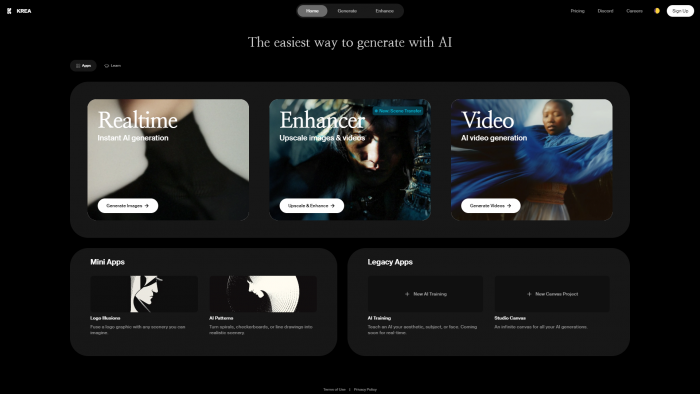
Krea AI's distinguishing feature is real-time generation. As the user types a prompt or moves a sketch element on the canvas, the output updates within seconds, which transforms the workflow from prompt-wait-evaluate-revise into something closer to live design exploration. For ideation, mood-boarding, and early-stage concept work, this changes how quickly ideas can be tested.
The platform supports image generation, real-time image enhancement, AI-powered upscaling, and a video generation tool. Its real-time canvas accepts rough sketches and webcam input alongside text prompts, making it useful for the kind of sketch-to-render task Prome AI specializes in, with a noticeably faster iteration loop. The visual results are not as photoreally tuned as Prome AI's architecture-specific models, but the speed gain is real and significant for early-stage work.
The free plan is limited but enough to evaluate the real-time feature meaningfully. Paid plans remove most of the throughput restrictions and unlock the higher-quality enhancement and upscaling tools. For designers who think visually and want to feel their ideas form rather than waiting for them, Krea is the most distinctive platform on this list.
Best for: Designers who want fast creative exploration, concept developers, and visual thinkers who iterate by feel rather than by prompt.
Pricing: Free tier; paid plans start around $10/month.
Compared to Prome AI: Faster iteration and a more exploratory interface; less polished output in architecture-specific tasks.
6. Recraft
Recraft is built for a use case Prome AI handles only awkwardly: brand-consistent design work that needs to land as vector artwork. The platform generates SVG output natively, which means logos, icons, illustrations, and graphic elements arrive ready for further editing in vector software without the conversion losses that plague raster-only tools.
The standout feature is the style memory system. A user can train Recraft on a brand's visual identity, then have subsequent generations match that style automatically across new assets. For agencies producing consistent visual systems across many deliverables, this removes the manual style-tuning that other platforms require for every generation. The mockup generator, icon set creator, and illustration tools are all designed around the same brand-consistency logic.
The free tier provides daily generation credits and includes vector output, which is unusual at the no-cost level. Paid plans add commercial usage rights, higher resolution outputs, and access to additional style memories. The platform is not designed for photorealism or architectural rendering, so its inclusion here is for designers whose work overlaps with brand-asset territory that Prome AI does not target.
Best for: Brand designers, illustrators, agencies producing consistent visual systems, and anyone who needs editable vector output.
Pricing: Free tier with daily credits; paid plans start around $12/month.
Compared to Prome AI: Native vector output and brand-consistency tooling; not a substitute for photoreal design rendering.
7. Magnific AI
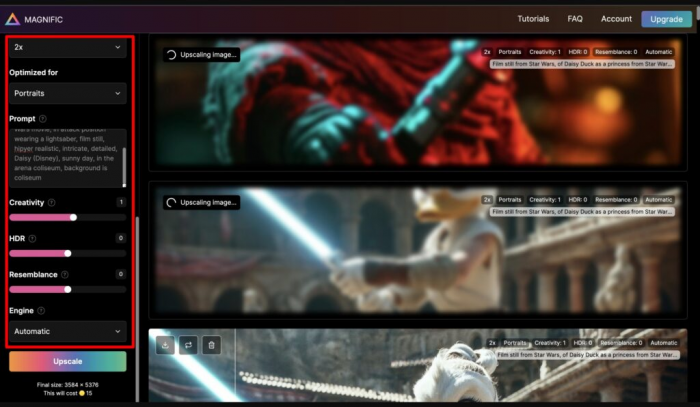
Magnific AI is a specialist rather than a generalist. The platform exists to do one thing exceptionally well: upscale and enhance existing images with extraordinary detail recovery. Where Prome AI's built-in upscaler doubles or quadruples resolution while smoothing details, Magnific actively re-imagines and re-textures the image as it scales, producing outputs that look more detailed at high resolution than the original ever was at any size.
The use case overlap with Prome AI is narrow but important. Anyone using AI image generation for client-facing or print-ready work eventually needs an upscaler that does more than naive interpolation. Magnific's creativity slider lets users dial how much the model is allowed to invent detail during the upscale, from conservative restoration to aggressive reimagining. The relight feature lets users change the lighting conditions of an existing image without regenerating it from scratch.
The cost is substantial. Magnific has no free tier and starts at thirty-nine dollars per month, which positions it as a professional-tier add-on rather than a casual experimentation tool. For designers producing final deliverables that need to print at large sizes or hold up under close inspection, the price is defensible. For everyone else, the upscalers built into Prome AI, Leonardo, and other generalist platforms are usually adequate.
Best for: Photographers, print designers, and professionals who need to upscale and enhance final-stage AI images for production use.
Pricing: From $39/month, no free tier.
Compared to Prome AI: Far more capable upscaler and detail enhancer; not a substitute for image generation, only for refinement of existing assets.
8. Stable Diffusion (Automatic1111 or ComfyUI)
Stable Diffusion is the open-source foundation underneath much of the AI image generation ecosystem, and running it directly through the Automatic1111 web UI or the more advanced ComfyUI interface is the most flexible option on this list. Every commercial platform has trade-offs in customization, watermarking, content filtering, or model selection. Self-hosted Stable Diffusion has none of those constraints.
The capability that matters most for Prome AI users is ControlNet, the extension that allows users to guide generation with reference images, depth maps, edge detection, pose skeletons, or sketches. With the right ControlNet model loaded, the sketch-to-render workflow that defines Prome AI can be replicated locally, with full control over the base model, the sampling parameters, and the final output style. LoRA fine-tunes and community model checkpoints expand the stylistic range almost without limit.
The trade-off is the setup curve. Stable Diffusion is not a click-and-go experience. The user is responsible for installing the software, downloading model checkpoints, managing extensions, and providing hardware capable of running the generations. There is no subscription cost, but there is a real hardware requirement: a graphics card with at least eight gigabytes of VRAM for comfortable use, with twelve or more recommended for higher resolutions. Cloud-hosted Stable Diffusion services exist for users who lack local hardware, with pay-per-image or subscription pricing that varies by provider.
Best for: Technically comfortable designers, developers, and anyone who wants total control over their AI image workflow without ongoing subscription costs.
Pricing: Free if self-hosted; hardware-dependent. Cloud-hosted alternatives vary in price.
Compared to Prome AI: Unlimited customization and no recurring cost, balanced against significant setup complexity and the absence of a polished design interface.
Which One Fits Which Use Case
The honest answer to which Prome AI alternative is best depends almost entirely on which part of Prome AI mattered most to the user. There is no single replacement that mirrors the full feature set, because Prome AI's strength comes from combining several adjacent capabilities under one interface. Replacing it usually means choosing the one capability that mattered most and picking the specialist for that capability.
For architectural and interior design specialization, Leonardo AI is the closest direct competitor with a broader model library. For sheer artistic quality and prompt-to-image elegance, Midjourney remains the benchmark. For agency and enterprise work where commercial safety and Adobe integration matter, Firefly is the only realistic choice. Ideogram solves the text-in-image problem that Prome AI does not address. Krea offers a faster, more exploratory workflow for early-stage ideation. Recraft is the answer for brand and vector work. Magnific is the upscaling specialist for final-stage production. Stable Diffusion through Automatic1111 or ComfyUI is the path for users who want total control and zero recurring cost, provided the setup investment is acceptable.
The mistake to avoid is treating these tools as interchangeable. Each one solves a different version of the same underlying problem, and the platform that fits a user's workflow depends more on which part of the workflow needs attention than on which tool has the most features overall. Most professional design teams end up using two or three of these in combination rather than searching for a single perfect replacement, which is itself a fair signal about how the AI image generation space has matured.
Comments