

Monica AI is useful because it puts writing, summarising, translation, search, PDF chat, YouTube summaries, and AI model access inside one browser assistant. But it is not the only tool built for that workflow.
Many users now want something more specific. Some want a cheaper sidebar. Some want better browser automation. Some want cleaner writing tools. Some want a stronger research extension. Some want a tool that feels less crowded than Monica.
Here are eight Monica AI alternatives that are closer to what users are actually searching for. Before switching read a detailed Monica AI performance and reviews to get easy in selecting the alternatives.
1. Sider
Sider is one of the closest Monica AI alternatives because it follows the same browser-sidebar idea. It works inside Chrome, Edge, Safari, mobile apps, and desktop apps, and it is built for reading, writing, summarising, translating, chatting with PDFs, and working with webpages without switching tabs.
The tool is split into three main areas. Chat handles normal AI conversations, article summaries, webpage explanations, PDF translation, and writing help. Claw is more advanced because it can automate browser tasks such as comparing prices, filling forms, researching across websites, and sorting Gmail. Code is useful for people who want to customise webpages or add AI-powered actions to websites. Sider also includes YouTube summaries, image generation, AI slides, documents, data analysis, read-aloud, audio-to-text, and smart web access.
Sider: Pros and Cons
| Pros | Cons |
| The browser-sidebar experience feels close to Monica AI. | Credit usage can be hard to estimate for new users. |
| Claw gives it stronger browser automation than most sidebar tools. | Some advanced features may feel unnecessary if you only need writing help. |
| It works across browser, mobile, macOS, Windows, and extensions. | The official pricing page explains credits more clearly than simple plan cost. |
| Good mix of summaries, PDFs, translation, writing, images, and slides. | Heavy users may need the higher plans quickly. |
Sider: Pricing and Plans
| Plan | Annual Billing | Monthly Billing | Key Limits |
| Free | $0 | $0 | 30 basic credits per day |
| Starter | $4.20/month | $5/month | 1,800 basic credits, 100 advanced credits, 3 devices |
| Basic | $6.70/month | $10/month | 3,600 basic credits, 200 advanced credits, 4 devices |
| Pro | $12.40/month | $20/month | 12,000 basic credits, 400 advanced credits, 6 devices |
| Unlimited | $16.70/month | $30/month | Unlimited basic and advanced credits, 8 devices |
Where Sider Beats Monica AI
Sider beats Monica AI when you want the same sidebar-style experience but with stronger browser automation. Monica is good for quick summaries and writing, but Sider’s Claw feature gives it a more practical edge for research, forms, shopping comparisons, and repeated webpage tasks. It is the best sideways move for users who like Monica’s shape but want something more workflow-driven.
2. Merlin

Merlin is a strong Monica AI alternative for users who spend most of their day inside Google Search, YouTube, Gmail, LinkedIn, X, blogs, PDFs, and documents. It works as a browser extension and web app, so the experience is more about quick actions than a heavy dashboard.
Merlin can summarise YouTube videos, answer questions on search pages, chat with documents, write emails, rewrite social posts, translate text, create diagrams, analyse spreadsheets, generate images, and help with academic or marketing research. Free users get 102 queries every day, which is enough to test it properly before paying.
The useful part is how Merlin appears where you need it. It can sit inside Gmail when you want a reply, inside YouTube when you want notes, inside search when you want a quick answer, and inside documents when you want summaries or rewrites.
Merlin: Pros and Cons
| Pros | Cons |
| Strong extension for Google Search, YouTube, Gmail, LinkedIn, and documents. | Query usage can be confusing because heavier models consume more queries. |
| The free plan is generous enough for real testing. | The interface can feel busy because it includes many tool categories. |
| Good for students, marketers, creators, researchers, and everyday web users. | Paid access may be needed quickly for serious document work. |
| Useful for quick summaries, replies, translations, diagrams, and research. | It is still more of a browser layer than a full writing workspace. |
Merlin: Pricing and Plans
| Plan | Price | Key Limits |
| Free | $0 | 102 free queries per day |
| Pro | $19/month | Higher usage, premium model access, document features, image tools, and full extension access |
| Teams | $15/user/month billed annually | Team use, shared access, team management, and security features |
| Enterprise | Custom | Larger organization controls and custom deployment |
Where Merlin Beats Monica AI
Merlin beats Monica AI when the user wants fast help inside common websites. Monica tries to be a large AI hub, while Merlin feels more useful for specific daily actions: summarise this video, reply to this email, rewrite this post, explain this article, or pull key points from this PDF. For people who work across many web apps, Merlin feels more immediate.
3. MaxAI
MaxAI is a cleaner alternative to Monica AI for users who mostly need rewriting, replying, summarising, translating, grammar correction, and quick explanations inside the browser. It works on Chromium-based browsers and supports webpages, YouTube videos, PDFs, email, files, images, audio, and web search.
The tool is practical because it appears inside the websites people already use. It works with Gmail, Outlook, LinkedIn, Facebook, YouTube, X, Instagram, WhatsApp, Slack, Discord, Messenger, and Telegram. You can select text and ask MaxAI to improve it, shorten it, expand it, translate it, explain it, find action items, or generate a reply.
MaxAI does not feel as crowded as Monica. It is better for users who want a browser productivity layer, not a full AI control centre.
MaxAI: Pros and Cons
| Pros | Cons |
| Cleaner and simpler than many all-in-one AI sidebars. | Not as broad as Monica for users who want many tool categories. |
| Strong for replies, rewrites, grammar, summaries, and translation. | Advanced model access is locked behind Pro. |
| Works across many email, social, and messaging platforms. | The free plan gives only three Pro chats per day. |
| Good fit for everyday browser productivity. | Not the strongest option for deep research or long documents. |
MaxAI: Pricing and Plans
| Plan | Annual Billing | Monthly Billing | Key Limits |
| Free | $0 | $0 | Unlimited free chat, 3 Pro chats per day, limited uploads |
| Pro | $12/member/month | $30/month | Unlimited Pro chat, smarter AI models, higher upload limits, image generation, and team management |
Where MaxAI Beats Monica AI
MaxAI beats Monica AI in simplicity. Monica can feel packed with too many modules, while MaxAI is easier to understand from the first use. If your main needs are email replies, tone changes, summaries, translations, grammar fixes, and selected-text rewriting, MaxAI gives a cleaner experience.
4. HARPA AI

HARPA AI is a browser agent rather than just a writing assistant. It can read the page you are on, summarise articles, analyse PDFs, monitor pages, track prices, extract data, schedule commands, and run reusable workflows. That makes it a strong alternative for users who want more automation than Monica offers.
The tool is especially useful for web monitoring. You can use it to watch product prices, track page changes, collect information from websites, summarise YouTube videos, run page-aware prompts, and build custom commands. HARPA also supports web session connections, API connections, AI vision features, cross-device chat history, scheduled commands, and advanced automation.
HARPA is not as beginner-friendly as MaxAI or Voilà, but it is more powerful if you want repeatable workflows.
HARPA AI: Pros and Cons
| Pros | Cons |
| Strong browser automation and monitoring features. | More technical than a normal AI sidebar. |
| Can monitor webpages, prices, PDFs, videos, and page content. | Token and megatoken billing may confuse casual users. |
| Supports reusable commands and scheduled actions. | The free plan is mainly a demo for limited testing. |
| Good for researchers, marketers, shoppers, analysts, and power users. | Setup takes more thought than simpler extensions. |
HARPA AI: Pricing and Plans
| Plan | Price | Key Limits |
| Demo | $0 | 10 web-session messages per day and up to 100 total AI command runs |
| S Plan | From $12/month, paid annually | Cloud model access, command storage, chat history, automation, and premium features |
| X Lifetime | Around $240 one-time | Lifetime product access, bring-your-own-key use, and preset token balance |
| Token Top-up | $22.50 one-time | 20 megatokens at a discount |
Where HARPA AI Beats Monica AI
HARPA beats Monica AI in automation. Monica is useful for asking, writing, and summarising, but HARPA is better when you want the browser to keep watching, checking, extracting, or repeating tasks. If your workflow includes tracking pages, monitoring prices, collecting data, or creating reusable commands, HARPA is the more serious tool.
5. Voilà
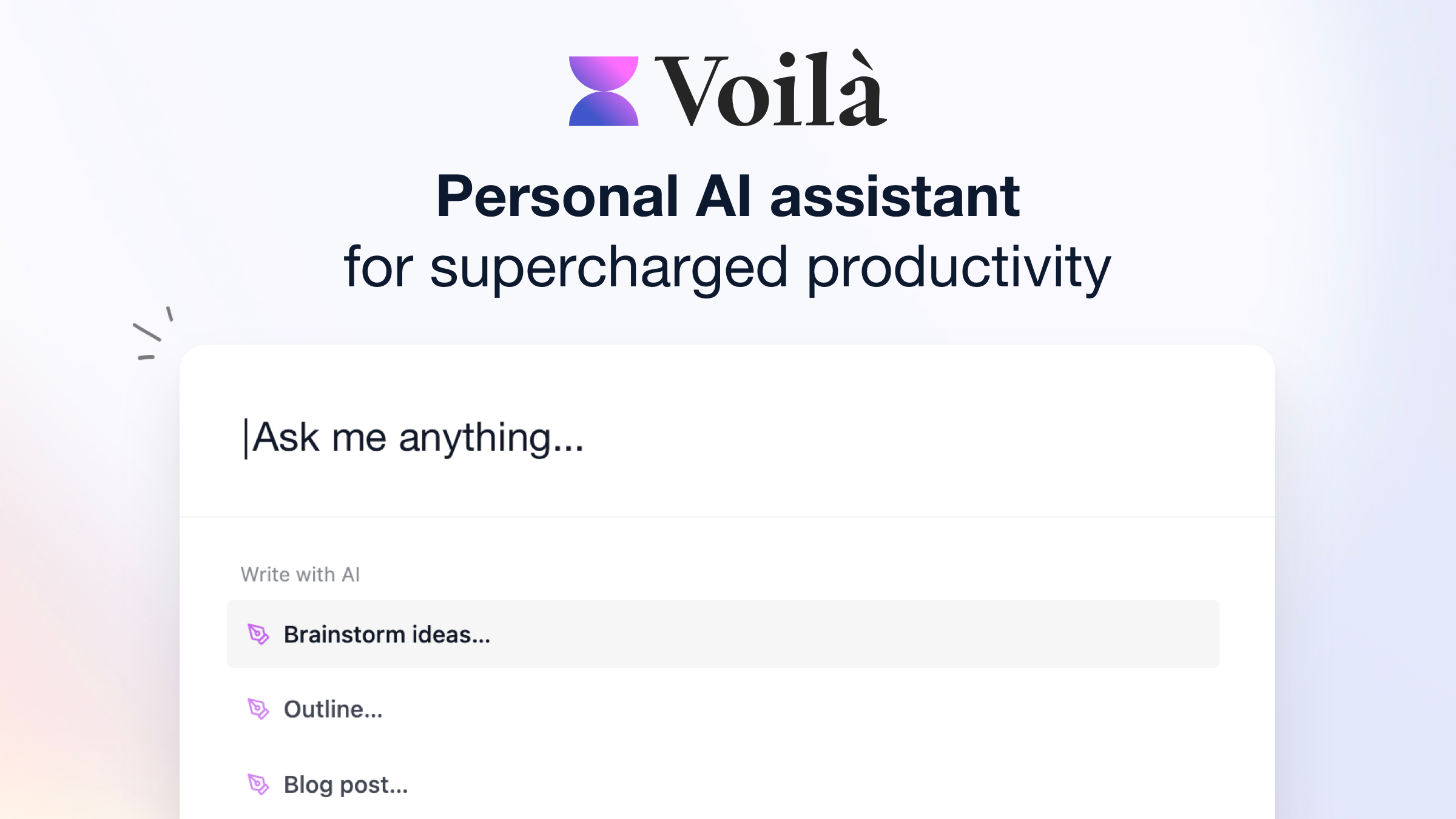
Voilà is a polished AI assistant for users who want browser help, writing support, email replies, document chat, webpage summaries, image generation, and prompt reuse in one simple setup. It works as a browser extension and also has desktop and mobile apps.
The tool can read webpages, email threads, articles, documents, spreadsheets, images, and YouTube transcripts. It can summarise, rewrite, translate, reply, brainstorm, generate images, and help with professional content such as resumes, ad copy, landing pages, blog posts, LinkedIn posts, and emails. It also includes an expert prompt library and saved prompts, which makes it useful for people who repeat similar writing tasks.
Voilà feels more polished than many browser assistants. It is less about throwing every possible AI feature into one panel and more about helping users write, respond, and research smoothly.
Voilà: Pros and Cons
| Pros | Cons |
| Clean interface with browser, desktop, and mobile access. | The free plan gives only 250 requests. |
| Strong for emails, writing, webpages, documents, images, and YouTube. | Premium and Ultimate differ mainly by request limits and advanced inputs. |
| Saved prompts and prompt library are useful for repeated work. | Not as automation-heavy as HARPA. |
| Good for professionals who want a practical writing assistant. | Ultimate is needed for unlimited requests and document/image chat. |
Voilà: Pricing and Plans
| Plan | Annual Billing | Monthly Billing | Key Limits |
| Free | $0 | $0 | 250 free requests, summarisation, chat with webpages |
| Premium | $8/month | $10/month | 3,000 requests, web access, webpage chat, YouTube chat, image generation |
| Ultimate | $16/month | $20/month | Unlimited requests, document chat, image chat, early feature access |
| Teams | From $16/seat/month | From $16/seat/month | Shared workflows, collaboration, privacy controls, and business use |
Where Voilà Beats Monica AI
Voilà beats Monica AI in polish and writing flow. Monica has more tools on paper, but Voilà feels cleaner for people who need to draft emails, improve writing, summarise webpages, save prompts, and work across desktop, mobile, and browser without dealing with a crowded interface.
6. ChatHub
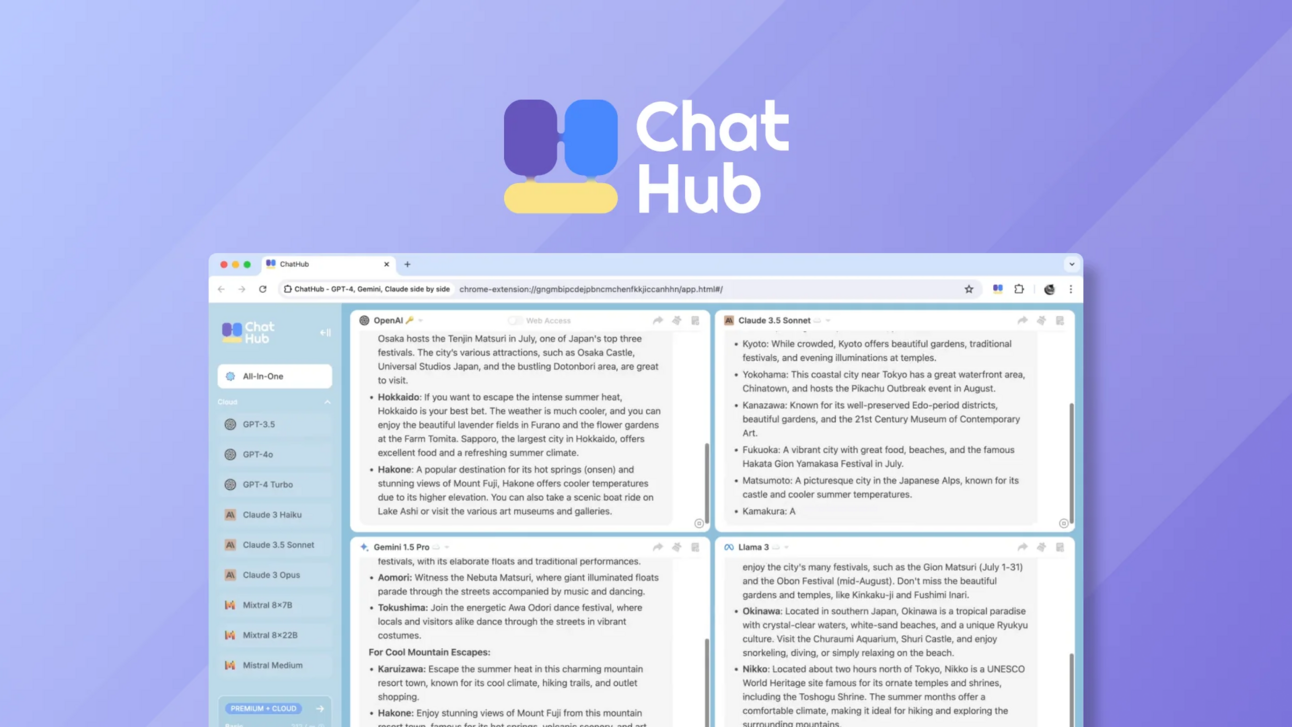
ChatHub is a strong Monica AI alternative for users who care about comparing responses from different AI models. Instead of opening several tabs or switching between tools, ChatHub lets you ask one question and compare multiple answers side by side.
It works as a web app, browser extension, desktop app, and mobile app. It supports more than 30 models, image generation, document uploads, real-time web access, prompt library, searchable chat history, shared conversations, generated code previews, and simultaneous chats with up to six chatbots on paid plans.
This makes it useful for writers, researchers, prompt testers, students, and content teams that want to compare answers before choosing the best version.
ChatHub: Pros and Cons
| Pros | Cons |
| Excellent for comparing multiple AI answers side by side. | Not as focused on webpage rewriting as Monica. |
| Works across web, extension, desktop, and mobile. | The pricing is built around query limits, so usage needs monitoring. |
| Includes documents, images, web access, prompts, and chat search. | Users who only need one assistant may not need the comparison format. |
| Good for testing claims, prompts, tones, and content angles. | Advanced model usage has monthly caps on Pro. |
ChatHub: Pricing and Plans
| Plan | Annual Billing | Monthly Billing | Key Limits |
| Free | $0 | $0 | Basic access with limited usage |
| Pro | $14.99/month | $19/month | 10,000 basic queries, 1,500 advanced queries, 300 image generations, 300 document uploads |
| Unlimited | $24.99/month | $39/month | Unlimited basic and advanced queries, 1,000 image generations, unlimited document uploads |
| Team | Custom | Custom | Seat-based discounts and team access |
Where ChatHub Beats Monica AI
ChatHub beats Monica AI in side-by-side comparison. Monica can switch between models, but ChatHub is better when you want to compare several answers at the same time. That is useful for checking factual claims, testing writing styles, comparing summaries, and choosing the best angle for an article.
7. TinaMind
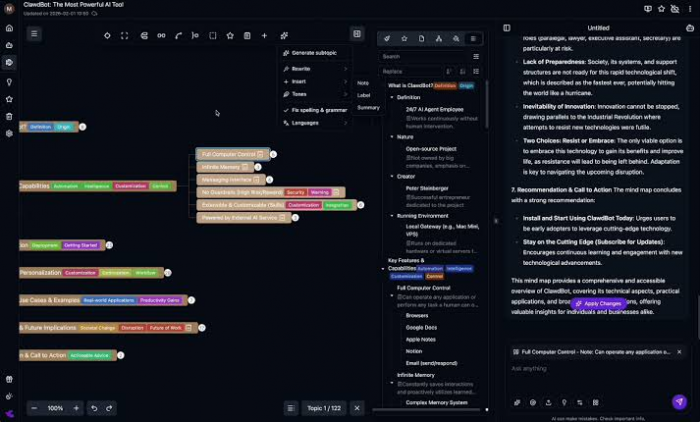
TinaMind is a browser assistant that combines chat, search, writing, translation, YouTube summaries, TTS, OCR, prompt management, documents, whiteboards, mind maps, and an AI workspace. It is a good Monica AI alternative for users who want both browser help and visual thinking tools.
The Chrome extension can process selected text with one click, translate and summarise YouTube videos, manage personal prompts, rewrite content, generate replies, and assist with search. TinaMind’s larger workspace also includes XMind-compatible mind maps, whiteboards, documents, and chatbot features. Free users get 30 queries per day, while paid plans unlock higher query allowances and the full browser workspace.
This makes TinaMind different from typical AI sidebars. It is not just for answering questions. It can also help users plan, map, organise, and write.
TinaMind: Pros and Cons
| Pros | Cons |
| Combines browser AI with mind maps, whiteboards, and documents. | The interface may feel heavier than a simple extension. |
| Useful for research planning, writing, YouTube summaries, and translation. | Paid plans are yearly, which may not suit casual users. |
| Free plan gives 30 queries per day. | It is less known, so user support and tutorials may matter more. |
| Good for visual thinkers and content planners. | Some users may not need the full workspace. |
TinaMind: Pricing and Plans
| Plan | Price | Key Limits |
| Free | $0 | 30 free queries per day through the extension |
| Starter | $80/year | 4,000 standard queries and 800 advanced queries per month |
| Professional | $200/year | 4,000 standard queries and 2,500 advanced queries per month |
| Premium | $400/year | 8,000 standard queries and 5,000 advanced queries per month |
Where TinaMind Beats Monica AI
TinaMind beats Monica AI when you want planning tools, not only chat tools. Monica is useful for summaries and rewrites, but TinaMind adds mind maps, whiteboards, documents, and visual organisation. For students, researchers, content planners, and creators who map ideas before writing, TinaMind has a more flexible workspace.
8. TextCortex

TextCortex is a strong Monica AI alternative for users who want an AI writing and knowledge workspace rather than only a browser sidebar. It includes a Chrome extension, ZenoChat, knowledge bases, custom agents, deep research, connectors, file storage, image generation, and enterprise-focused privacy controls.
The main benefit is personalisation. Users can build knowledge bases, create agents, connect tools, and work with internal or external knowledge. That makes it better suited for teams, writers, consultants, and professionals who want AI to follow their own data, tone, and workflow.
It is not the cheapest Monica alternative, but it is more serious for people who use AI every day for writing, research, and company knowledge.
TextCortex: Pros and Cons
| Pros | Cons |
| Strong for writing, knowledge bases, custom agents, and research. | Premium is more expensive than basic browser assistants. |
| Chrome extension makes it usable across websites. | It may be too much for users who only need quick summaries. |
| Good for teams and professionals working with internal knowledge. | Enterprise features require a custom quote. |
| Includes storage, connectors, model access, and image generation. | Beginners may need time to understand the workspace. |
TextCortex: Pricing and Plans
| Plan | Price | Key Limits |
| Free | $0/month | Limited access, knowledge bases, up to 50 MB file storage, custom agents, deep research |
| Premium | $29.99/user/month | More usage, all major model access, up to 10 GB file storage, image generation |
| Enterprise | Custom | SSO, SCIM, SAML, dedicated deployment, central billing, priority support |
Where TextCortex Beats Monica AI
TextCortex beats Monica AI for users who want AI connected to their own knowledge. Monica is useful for quick browser tasks, but TextCortex is better when you need custom agents, uploaded knowledge, team workflows, and a writing assistant that can work from your own files and context.
Final Verdict
Sider is the best overall replacement if you want something that feels closest to Monica AI. It keeps the sidebar style but adds stronger browser automation. Merlin is better for quick daily web work across search, YouTube, Gmail, LinkedIn, and documents. MaxAI is the cleanest pick if you only want simple writing, replying, summarising, and translation inside the browser.
HARPA AI is the strongest choice for automation, monitoring, and scheduled browser tasks. Voilà is the better option for polished writing, email replies, prompt reuse, and a clean multi-device experience. ChatHub is best for comparing answers from different models side by side. TinaMind is useful for users who want mind maps, whiteboards, and planning tools along with browser AI. TextCortex is the better fit for people who want custom agents, knowledge bases, and a more serious writing workspace.
The easiest way to choose is simple: pick Sider for the closest Monica-style experience, Merlin for browser productivity, MaxAI for simplicity, HARPA for automation, Voilà for polished writing, ChatHub for model comparison, TinaMind for visual planning, and TextCortex for knowledge-based writing.
Comments