
Gamma is good at one thing in particular: turning a prompt into a decent-looking deck in about thirty seconds. But people leave it for reasons that are just as specific. The credits run out faster than expected, the web-native cards flatten and break when you export to PowerPoint, brand control is thin, and the AI-written copy can read like filler if you do not edit it. Every tool below fixes at least one of those, and they are sorted by which switcher each one suits. Find your reason for leaving, and the right pick is easy.
Each tool here had to actually generate a presentation from a prompt or outline, work without a design background, and offer either a better price, better output, or something Gamma cannot do. Prices are current as of writing, but this space moves fast, so confirm before you commit.
To make it easy in the selection process, understand how GammaAI actually performs, read a detailed Gamma AI performance and reviews.
Quick comparison
| Tool | Best for | Free tier | Starting price | Standout |
| Beautiful.ai | Clean exports, on-brand decks | No (14-day trial) | ~$12/mo | Auto-layout engine |
| Plus AI | Google Slides and PowerPoint users | Trial only | ~$10/mo | Builds natively, no export step |
| Canva | All-in-one design workflow | Yes (generous) | ~$15/mo | Huge template library |
| Pitch | Sales teams and collaboration | Yes | ~$8-10/user/mo | Deck view analytics |
| Presentations.ai | The cheapest paid option | Yes (400 credits) | ~$8/editor/mo | Brand Sync |
| Decktopus | Fast solo decks | Yes (limited) | ~$10-15/mo | Guided wizard flow |
| Prezi | Non-linear, memorable talks | Yes | ~$7-15/mo | Zoomable canvas |
| Microsoft Copilot | Native PowerPoint output | No (add-on) | ~$18-21/user/mo | Turns your documents into slides |
1. Beautiful.ai
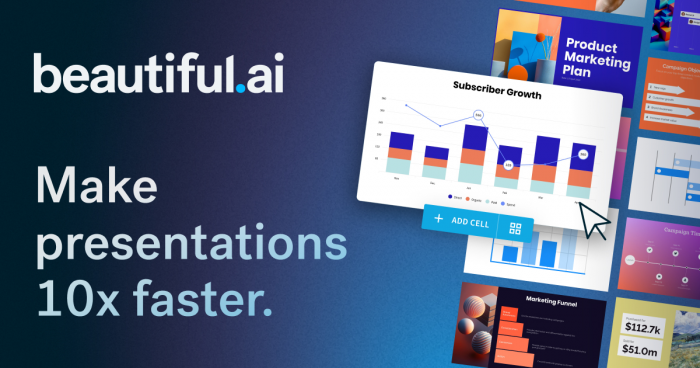
The design-first alternative for people who want polished, on-brand slide decks without doing the design themselves.
Beautiful.ai takes the opposite bet from Gamma. Where Gamma races you to a fast first draft, it is built entirely around slide decks and a catalog of smart templates with design rules baked in. As you add content, the layout engine repositions and resizes everything automatically, so a timeline, a comparison, or a chart slide stays visually correct no matter what you feed it.
How it compares to Gamma: its exports are the cleaner of the two, which is the single most common reason people leave Gamma. Because Gamma builds fluid web cards rather than fixed slides, its PowerPoint export often needs cleanup, and PPTX export is locked behind a paid plan. Beautiful.ai is file-first, so it drops into a PowerPoint workflow more smoothly. What Gamma still does better is the AI itself, which writes more of the actual content and gets you to 70 percent of a finished deck in seconds, while Beautiful.ai is more a design assistant than a content writer.
The catch: those same design rules feel restrictive when you want an unconventional layout, since you work inside their system. There is no true free tier, only a 14-day trial, and team pricing climbs steeply to around $40 per user a month.
Pricing: no free plan; Pro from about $12 a month billed annually; Team around $40 per user a month.
Verdict: pick it if clean exports and consistent, on-brand design matter more than having the AI write the deck.
2. Plus AI

The pick for anyone who lives in Google Slides or PowerPoint and is tired of export surprises.
Plus AI is not a standalone tool. It is a sidebar that runs inside Google Slides and PowerPoint, generating a full deck, editing a single slide, or remixing an old presentation without ever leaving the editor you already use. Your existing templates, sharing rules, and Drive folders stay exactly where they are.
How it compares to Gamma: this is the cleanest answer to Gamma's biggest weakness. Because the deck is built natively in Slides or PowerPoint from the start, there is no export step and nothing to break in translation, so the PPTX is genuinely editable rather than a flattened image. Gamma still wins on raw speed and on its modern web-native look, and if your deck is meant to live as a shared link rather than a file, Gamma remains the better home for it.
The catch: it is paid-first, with only a trial rather than a lasting free tier, and the AI content quality is solid-average rather than best-in-class. You are paying for the native workflow, not for the sharpest writing on the list.
Pricing: free trial, then around $10 a month.
Verdict: the near-zero-friction swap for a Google or Microsoft shop that needs clean, editable files.
3. Canva (Magic Studio)
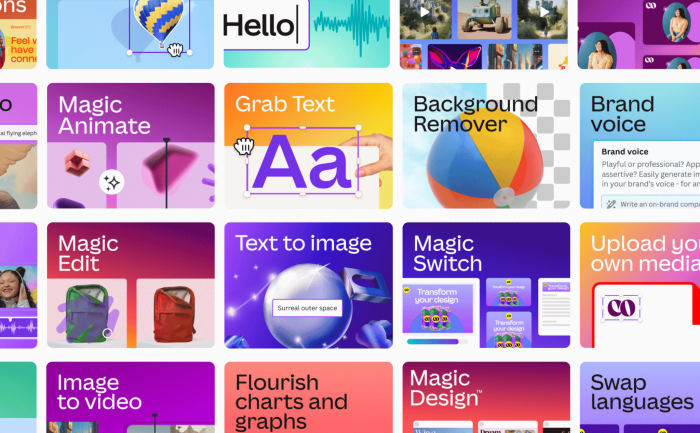
The all-in-one choice if presentations are only one part of a wider design workload.
Canva is not really an AI-first presentation tool, and that is the point. It is a full design suite where slide generation sits alongside social posts, videos, flyers, and brand assets, so one subscription covers your whole visual output. Magic Studio generates decks from a prompt, and the enormous template library means you are rarely starting from a blank page.
How it compares to Gamma: its exports are more reliable across formats, and its template variety dwarfs Gamma's. Where Gamma wins is the AI itself. Gamma generates presentations from scratch far better, while Canva's AI leans toward design suggestions and templated copy rather than writing a full narrative for you. Canva is the better tool if you want to design; Gamma is better if you want the AI to do the deck.
The catch: it is overkill if all you need is quick AI slide generation, the AI credits run out faster than expected once you are producing regularly, and PPTX export requires a paid plan. Canva Pro is also built for a single user, so the moment a second person needs access you are pushed to the pricier Business plan.
Pricing: generous free tier; Pro around $15 a month; Business from roughly $250 a year per user.
Verdict: the right call if slides are one job among many and you want a single tool for all of them.
4. Pitch

Built for sales teams and anyone who cares more about what happens after the deck is made than the making itself.
Pitch is a collaboration-first tool with a genuinely clean, modern editor and templates organized around real business needs like pitch decks, project updates, and OKR reviews. Its AI handles draft generation, tone adjustment, and speaker notes, but the reason to choose it sits elsewhere.
How it compares to Gamma: Pitch's strength is the post-creation workflow. Real-time co-editing is first-class rather than bolted on, and its link analytics show who opened your deck, which slides they viewed, and how long they lingered, which is gold for sales follow-up. It also connects to Slack and CRMs like Salesforce and HubSpot. Gamma has the more powerful and more advanced AI generation; Pitch has the better team and sales machinery around the finished deck.
The catch: its AI is lighter than Gamma's, so if generating the deck matters more than presenting and tracking it, Gamma or a dedicated AI tool gives better results. Solo users also get less value here, since the payoff is really in the team workflow, and the credit-limited AI on the free plan runs out fast.
Pricing: free Starter plan for small teams; Plus around $8 to $10 per user a month billed annually.
Verdict: the best pick for a sales team that needs collaboration and engagement analytics, not just slide generation.
5. Presentations.ai

The cheapest paid option, for people who want a branded deck fast and quantity over intricate design.
Presentations.ai markets itself as ChatGPT for presentations. You describe what you need, and it builds a slide deck from a prompt, a document, or a URL, with a Brand Sync feature that keeps fonts, colors, and themes consistent across everything you make. It leans toward volume, spinning up many decks quickly for things like sales sequences or onboarding series.
How it compares to Gamma: it undercuts almost everything else on price, and Brand Sync makes repeated, on-brand output easy. Both tools share the same core weakness, though. Like Gamma, its slides can flatten and shift on PPTX export, needing manual cleanup, and the output tends toward dense, text-heavy slides that need simplifying for a live audience. Gamma's editor and design range are more refined.
The catch: the AI output is inconsistent, some slides land and others read like generic filler, and the paid plan is annual-only, so you commit for a full year to get the rate. Full export is also gated behind paying.
Pricing: free tier with 400 credits and real PPTX export; Pro around $8 an editor a month, billed as roughly $198 a year.
Verdict: the value pick if budget and branded volume matter more than polished, audience-ready design.
6. Decktopus

The fastest route from a blank page to a finished deck for a solo creator who wants hand-holding.
Decktopus uses a guided, wizard-like flow instead of a blank canvas. You give it a prompt and a goal, tell it who the audience is, and it picks the tone and the right slide types for you, then fills in an entire presentation. It even generates speaker notes and delivery tips for each slide, which Gamma does not.
How it compares to Gamma: for a solo creator who just needs a client deck done quickly, Decktopus is often the fastest tool, and its guided path is friendlier than a blank prompt box for anyone who freezes in front of one. Gamma is the stronger tool overall, with a more refined editor, more varied design styles, and a more advanced AI agent. Decktopus trades flexibility for speed and structure.
The catch: it is more rigid, with predefined layouts and no real drag-and-drop, the PPTX export still suffers font drift, and its AI credits expire monthly without rolling over, which creates artificial pressure to use them. The free plan is very restrictive and caps exports.
Pricing: limited free plan; Pro from around $10 to $15 a month.
Verdict: a fast, guided deck builder for solo creators and freelancers who value speed over control.
7. Prezi
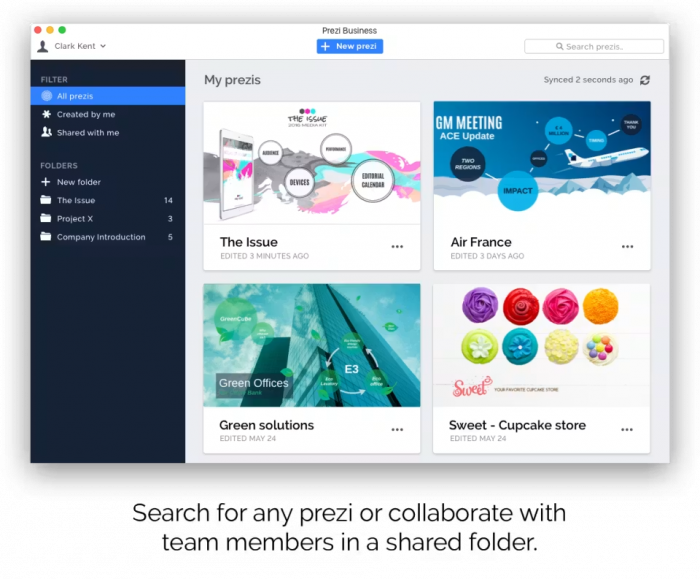
The wildcard, for talks that need to feel different from every other slide deck in the room.
Prezi ignores the slide metaphor entirely. Instead of linear slides, it builds a single zoomable canvas you pan across and zoom into, like a big visual map where you can jump between sections and pull back to show how ideas connect. Recent updates added prompt-based generation and AI text tools, bringing it closer to modern competitors while keeping what makes it distinctive, plus Prezi Video overlays you on the content for remote talks.
How it compares to Gamma: it is genuinely memorable in a way no Gamma deck can be, which is the entire reason to use it. That non-linear format is powerful for showing relationships between concepts and lands well for conference talks and teaching. Gamma is far more conventional, and also far more practical: its AI is more developed, and it produces something you can actually export and share as a normal file.
The catch: Prezi decks do not export to usable PowerPoint in any real form, the learning curve is steeper than normal slide tools, and the zooming can disorient an audience if handled badly. It is a strong pick for one specific job and a poor fit for everything else.
Pricing: free tier available; paid plans from around $7 to $15 a month.
Verdict: choose it for live, distinctive talks where you never need a PowerPoint file, and skip it otherwise.
8. Microsoft Copilot in PowerPoint
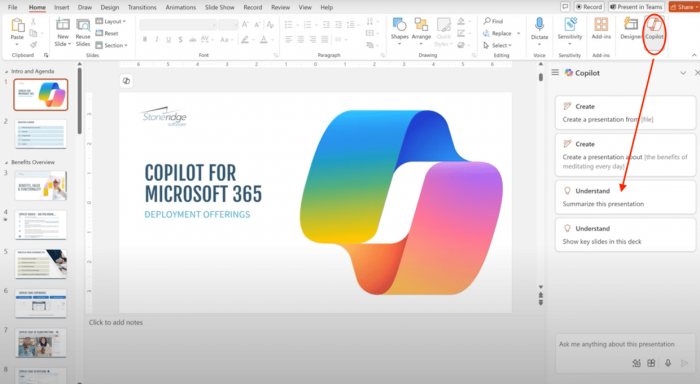
The choice when the deliverable simply has to be a real PowerPoint file with no export step at all.
Copilot builds AI-generated slides natively inside PowerPoint for Microsoft 365 subscribers who add the Copilot license. There is no separate tool and no conversion, so what it makes is a genuine .pptx from the very first slide. Its standout trick is turning an existing document into a deck, feeding it a finished report and getting slides that pull real content rather than generic filler.
How it compares to Gamma: for anyone whose world runs on PowerPoint, this removes Gamma's export headache completely, since there is nothing to export. Feeding it a written document you already have is a real time-saver that Gamma does not match in the same native way. Gamma is faster to a first draft, has a more modern default look, and offers a real free tier, whereas Copilot's slide design is still standard PowerPoint that needs visual cleanup.
The catch: cost and quality. The add-on price stacks on top of a base Microsoft 365 license, so the true per-seat cost is often two to three times the headline number, and the output quality varies enough that client-facing decks need real editing.
Pricing: no standalone free tier; add-on around $18 to $21 a user a month, on top of a qualifying Microsoft 365 plan.
Verdict: the safe pick for Microsoft-365 teams whose final deliverable must be native, editable PowerPoint.
When Gamma is still the better choice
It is worth being honest about this, because it makes the rest of the list more useful. If your deck is going to live as a shared link rather than a downloaded file, Gamma is still the right tool, since that web-native, scrolling format is exactly what it was built for, with embedded video, interactive elements, and view tracking that a flat file cannot offer. It is also the fastest tool here from prompt to usable draft, and its free tier is genuinely strong for individual use. The export problem that pushes people away only matters if you actually need a PowerPoint file at the end. If you do not, Gamma is hard to beat.
The verdict
There is no single winner, because the right alternative depends entirely on why you are leaving. If your reason is broken exports, pick Plus AI or Microsoft Copilot for native files, or Beautiful.ai for the cleanest standalone PPTX. If it is price, Presentations.ai is the cheapest paid option and Canva and Pitch have the most generous free plans. If it is brand and design control, Beautiful.ai, Pitch, and Canva all lock brand assets at the team level. If you are a solo creator who wants speed, Decktopus gets you there fastest. If you want to stand out, Prezi is the only tool here that looks nothing like the rest. And if your work already lives in Google or Microsoft, the native option is a near-zero-cost swap.
The practical move is simple. Name the one thing Gamma was doing badly for you, match it to the tool above that fixes exactly that, and try it on a real deck before you pay, since a presentation tool means very little until you have watched your own slides survive an export. Pick for your reason, not for a ranking, and the choice makes itself.
Comments