

Wegic AI is useful when you want to build a website through chat. You describe the site, the AI creates a draft, and you refine it with prompts. That is convenient for portfolios, landing pages, and simple business websites. But Wegic is not always the best choice once users need deeper editing control, better SEO tools, ecommerce features, WordPress flexibility, stronger templates, or a more mature publishing system.
That is where Wegic AI alternatives become important. Some tools are better for small businesses. Some are better for design-heavy landing pages. Some are cheaper. Some are better for WordPress, ecommerce, portfolios, or professional service websites.
This guide breaks down the best Wegic AI alternatives based on what kind of website they help you build, where they outperform Wegic, pricing, and who should use each one.
Before switching understand how Wegic AI actually performs, read a detailed Wegic AI performance and reviews so that it will get easy to select the alternatives as per your requirement and needs.
Quick Wegic AI Alternatives Snapshot
| Alternative | Best For | Free Plan / Trial | Starting Price |
| Wix AI Website Builder | Best overall for small businesses | Free plan | Around $17/month |
| Framer AI | Modern landing pages and startups | Free plan | From $5/month |
| 10Web | WordPress-based AI websites | Free trial / free start | Around $10/month |
| Hostinger AI Website Builder | Budget-friendly websites | Free trial | From ₹69/month in India |
| Durable AI | Local service businesses | Free start | Around $15 to $25/month depending on plan |
| Squarespace Blueprint AI | Portfolios and polished brand sites | 14-day trial | From $16/month |
| B12 | Consultants and professional services | Free plan | From $49/month |
| Webflow | Advanced design control and scalable sites | Free plan | From $15/month annually for Basic site plan |
1. Wix AI Website Builder: Best Overall Wegic AI Alternative for Small Businesses
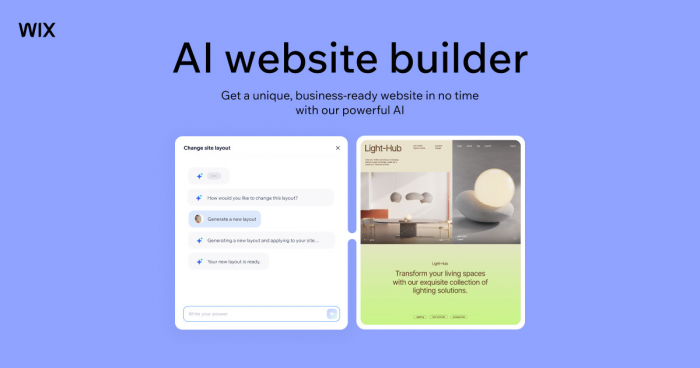
Wix AI Website Builder is one of the strongest alternatives to Wegic AI because it combines AI-assisted site creation with a mature manual website builder. Wegic is stronger if you want a chat-first experience, but Wix is safer if you want more control after the first draft is created.
Wix can help users generate a site with AI, then refine it through a visual editor, templates, apps, SEO tools, forms, booking features, blogs, ecommerce tools, and marketing integrations. That makes it more practical for users who want a website they can keep improving over time.
Where It Beats Wegic
● More mature manual editing tools after the AI creates the first version
● Larger template and app ecosystem
● Better support for bookings, blogs, forms, online stores, and business tools
● Stronger long-term website management for small businesses
● More flexible for users who want AI assistance without giving up visual editing
What the Final Site Feels Like
Wix produces a more controllable business website than Wegic. It may not feel as futuristic as chatting with an AI website assistant, but it gives users more practical control over pages, layouts, SEO settings, apps, and conversion tools.
This makes Wix better for restaurants, consultants, salons, coaches, creators, local service providers, small ecommerce brands, and businesses that want a website they can keep editing without depending entirely on AI prompts.
Pricing Snapshot
Wix has a free plan for building and testing. To connect a custom domain, remove Wix branding, and access stronger business features, users need a paid plan. Paid website plans generally start around $17/month, while business and ecommerce plans cost more depending on features.
Best Use Case
Choose Wix over Wegic if you want AI help at the start, but still need manual editing, business apps, ecommerce, bookings, forms, blogs, and long-term site control.
2. Framer AI: Best for Modern Landing Pages and Startup Websites
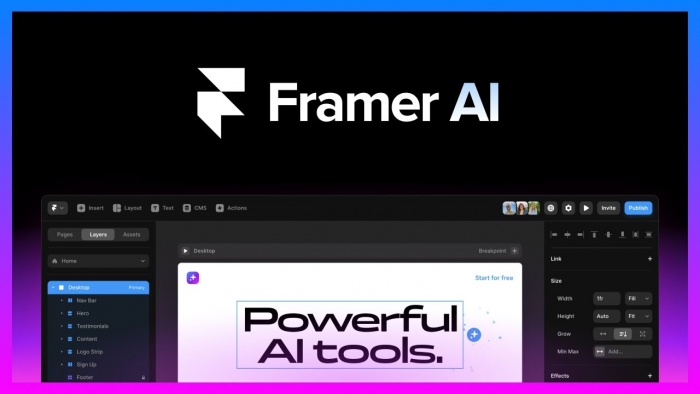
Framer AI is a better Wegic alternative for users who care about visual polish. It is especially strong for startups, SaaS landing pages, product pages, portfolios, and design-led websites. Wegic is easier for users who want a conversational build process, but Framer gives more control over the final visual outcome.
Framer’s strength is its design-first environment. Users can generate page structures with AI, then refine the website using a modern visual editor. It is closer to a designer-friendly website builder than a simple AI site generator.
Where It Beats Wegic
● Better visual design control
● Stronger landing page and SaaS website quality
● More refined animations and responsive layouts
● Better for design-led brands and startup websites
● Cleaner workflow for users who want to manually polish the final site
The Kind of Landing Page It Builds Best
Framer produces sharper, more modern websites than most AI-first builders. It is a strong choice for landing pages, launch pages, product pages, startup homepages, creator portfolios, and agencies that want a premium visual feel.
The tradeoff is that Framer may require more design comfort than Wegic. It is still accessible, but users who want the AI to do nearly everything may find Wegic simpler. Framer is better for users who want AI support plus hands-on control.
Pricing Snapshot
Framer has a free plan. Its paid plans start from around $5/month for smaller sites, with higher plans available for more serious websites, CMS needs, and professional projects.
Best Use Case
Choose Framer over Wegic if your priority is a clean, modern, visually polished website rather than the fastest possible AI-generated draft.
3. 10Web: Best for WordPress-Based AI Websites
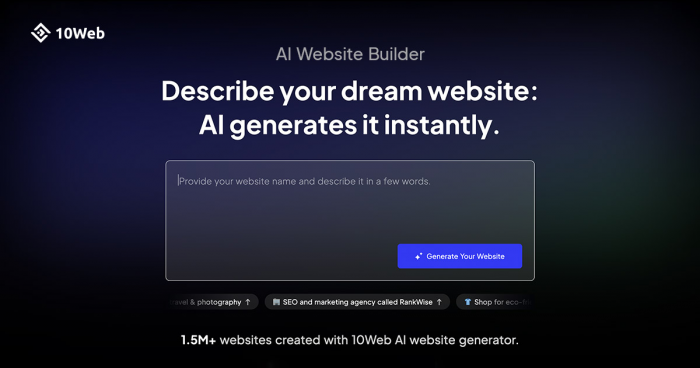
10Web is one of the best Wegic AI alternatives for users who want AI website creation but prefer a WordPress foundation. Wegic is a closed AI website builder, while 10Web is more attractive to users who want AI generation, hosting, optimization, and WordPress-style flexibility.
This matters because many businesses still prefer WordPress for content ownership, plugins, SEO workflows, and long-term scalability. 10Web helps users generate or recreate websites with AI, then manage them inside a WordPress-based environment.
Where It Beats Wegic
● Better fit for WordPress users and agencies
● More plugin and customization potential
● Stronger content and CMS flexibility
● AI generation combined with WordPress-style editing
● More suitable for users who want to avoid complete platform lock-in
What You Get After the AI Draft
10Web is better for users who want an AI-generated website that can grow inside a more familiar WordPress-style setup. It can work well for business websites, agency projects, content-driven sites, service pages, and users who want more flexibility than a closed AI builder.
It is not as simple as Wegic for absolute beginners, but it gives more room for long-term customization. Agencies and WordPress users may find it more practical because the final website can fit into a broader WordPress workflow.
Pricing Snapshot
10Web offers a free start or trial option depending on current promotions. Paid AI website builder and hosting plans are commonly listed from around $10/month, with higher plans for more websites, business needs, or agency workflows.
Best Use Case
Choose 10Web over Wegic if you want AI site generation with WordPress flexibility, better customization potential, and a more scalable content foundation.
4. Hostinger AI Website Builder: Best Budget Alternative to Wegic AI
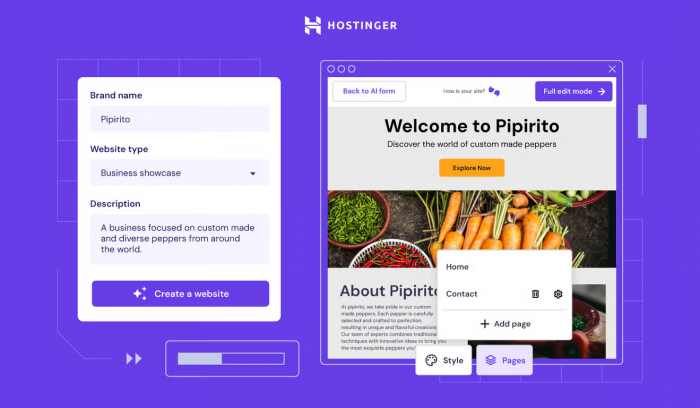
Hostinger AI Website Builder is one of the most practical Wegic alternatives for budget-conscious users. It combines website building, hosting, SSL, AI tools, and domain-related features inside affordable plans. Wegic can be more conversational, but Hostinger is often cheaper and simpler for users who want a basic site online without high monthly costs.
Hostinger is especially useful for personal websites, small business pages, beginner websites, simple ecommerce, and users who want hosting included in the same package.
Where It Beats Wegic
● Lower starting price
● Hosting included with the website builder
● Beginner-friendly dashboard
● Useful AI tools for copy, design, and website setup
● Better fit for users who want predictable low-cost publishing
The Practical Site You Can Launch
Hostinger produces simple, functional websites for users who do not need advanced design control. It is good for small businesses, freelancers, local services, personal brands, and beginner ecommerce projects.
It does not have the same design depth as Framer or Webflow, and it may not offer the same app ecosystem as Wix. But for users who want a clean website at a low cost, Hostinger is one of the strongest Wegic alternatives.
Pricing Snapshot
Hostinger’s AI Website Builder in India lists paid plans from ₹69/month for Premium and ₹149/month for Business, depending on term length and current promotions. Pricing can change based on region, renewal rate, and discount period.
Best Use Case
Choose Hostinger over Wegic if your priority is low-cost website creation with hosting included and you do not need advanced design or complex website features.
5. Durable AI: Best for Local Service Businesses
Durable AI is a strong alternative to Wegic for local businesses and solo service providers. It is not only positioned as a website builder. It is closer to an AI business builder, with tools for websites, SEO, customer management, and marketing support.
That makes Durable useful for plumbers, cleaners, coaches, consultants, landscapers, photographers, contractors, wellness providers, and local service brands that need a fast business presence more than a custom-designed website.
Where It Beats Wegic
● Better focus on local service businesses
● Includes business tools beyond the website
● Useful for lead capture and customer management
● Fast setup for simple service pages
● Stronger fit for users who want business growth tools, not only a website draft
The Business Website It Produces
Durable produces practical service-business websites. These sites are usually simple, direct, and built around getting a business online quickly. It is not the best choice for highly custom brand design, but it works well when the goal is to launch fast, explain services, capture leads, and support basic local marketing.
Compared with Wegic, Durable feels more business-oriented. Wegic focuses on conversational website creation, while Durable focuses on getting a small business online and helping it operate.
Pricing Snapshot
Durable offers a free start. Paid plans are commonly listed around $15 to $25/month for entry-level business use, with higher tiers for more advanced tools and growth features. Users should check the live pricing page because plan names and pricing can change.
Best Use Case
Choose Durable over Wegic if you run a local service business and want a simple website plus business tools for leads, SEO, customers, and marketing.
6. Squarespace Blueprint AI: Best for Polished Portfolios and Creator Websites
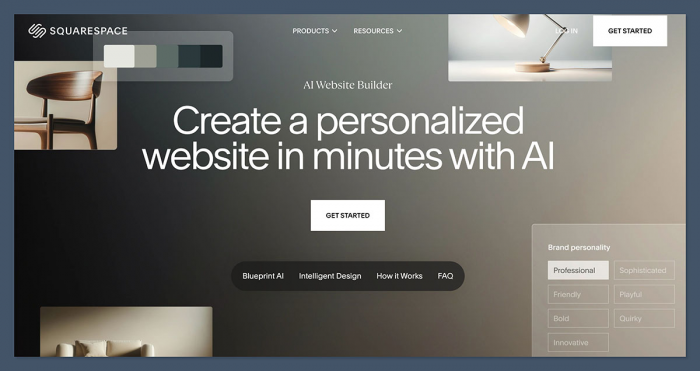
Squarespace Blueprint AI is a strong Wegic alternative for users who want a polished website with less design guesswork. Squarespace has long been known for clean templates, strong visual presentation, and creator-friendly websites. Its AI-assisted setup helps users create a site structure faster while still working inside a mature website builder.
Wegic may feel more AI-native, but Squarespace usually produces a more consistent design experience. It is especially good for portfolios, photographers, restaurants, personal brands, consultants, coaches, and creators who want a premium-looking site without learning advanced design tools.
Where It Beats Wegic
● More polished template quality
● Better design consistency
● Stronger fit for portfolios and creator sites
● Mature ecommerce, blogging, and marketing features
● More predictable editing experience after setup
The Visual Result
Squarespace produces elegant, structured websites that look professional without heavy customization. It is a good choice when visual trust matters, such as photography, design, consulting, food, wellness, coaching, events, and personal branding.
It is less flexible than Webflow and less app-heavy than Wix, but it gives users a more refined starting point than many AI-first builders. For creators and portfolio-focused users, that consistency matters.
Pricing Snapshot
Squarespace offers a 14-day free trial. Paid plans start at $16/month when billed annually, with higher plans for commerce, analytics, and advanced selling features.
Best Use Case
Choose Squarespace over Wegic if you want a polished portfolio, creator website, restaurant site, or professional brand page with strong design consistency.
7. B12: Best for Consultants and Professional Services
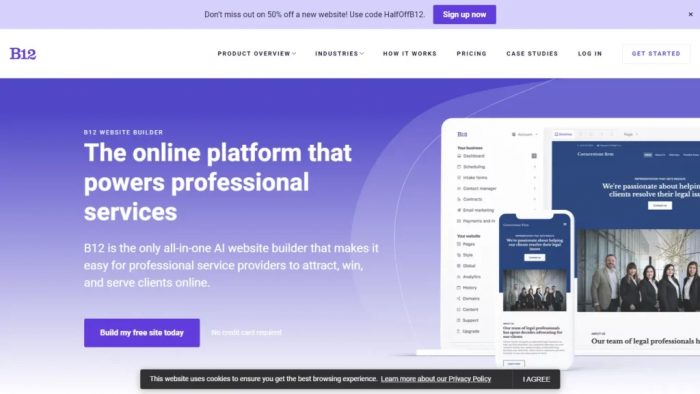
B12 is a strong alternative to Wegic for professional service businesses. It is built around AI website creation, but its real value is the business layer around the site: scheduling, intake, payments, forms, and client-facing workflows.
This makes B12 especially relevant for consultants, lawyers, accountants, agencies, coaches, insurance professionals, and service providers who need a website that supports client acquisition and business operations.
Where It Beats Wegic
● Better fit for professional service businesses
● Stronger client intake and scheduling features
● More business-focused than a simple AI website generator
● Useful for consultants, legal, accounting, coaching, and advisory firms
● Better for users who want website plus client workflow tools
The Client-Ready Website Experience
B12 produces professional service websites designed to support trust and lead generation. The sites are usually less experimental than AI-first design tools, but they are more practical for businesses that rely on client inquiries, appointments, forms, and service presentation.
Compared with Wegic, B12 is more focused on the business function of the website. It is not only about getting a homepage online. It is about helping service providers turn visitors into clients.
Pricing Snapshot
B12 has a free plan that lets users generate and launch a basic site on a B12 subdomain. Paid plans start at $49/month, with higher tiers for more business features and service workflows.
Best Use Case
Choose B12 over Wegic if you are a consultant, lawyer, accountant, coach, or professional service provider who needs a website built around leads, scheduling, and client intake.
8. Webflow: Best for Advanced Design Control and Scalable Websites
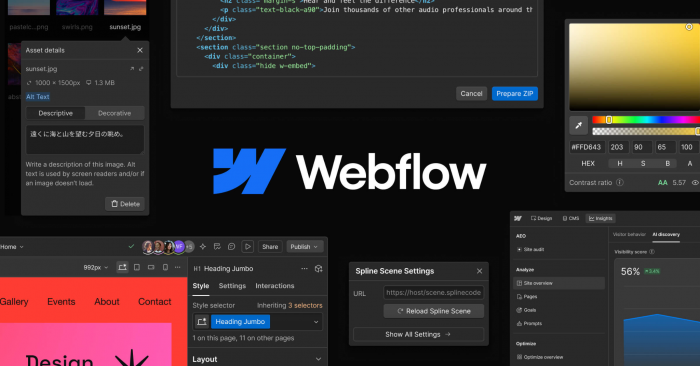
Webflow is the best Wegic alternative for users who want serious design control. It is not the easiest option for beginners, but it is one of the strongest choices for advanced websites, custom layouts, CMS-driven pages, marketing sites, agency projects, and startups that need more than a basic AI-generated website.
Wegic is faster for simple site drafts. Webflow is stronger for production-quality websites that need custom design, CMS structure, animations, SEO control, and long-term scalability.
Where It Beats Wegic
● Much stronger design control
● Better CMS and content structure
● Advanced responsive design tools
● Stronger SEO and technical customization options
● Better fit for agencies, startups, and serious business websites
The Level of Control You Get
Webflow produces professional, scalable websites with far more control than Wegic. It is ideal for SaaS companies, agencies, editorial sites, startup landing pages, high-end portfolios, and businesses that need strong brand presentation.
The tradeoff is learning curve. Webflow requires more design understanding than Wegic, Wix, or Hostinger. But for users who want a website they can scale and customize deeply, Webflow is one of the strongest options.
Pricing Snapshot
Webflow has a free plan for building and testing. Paid site plans start around $15/month when billed annually for the Basic plan, with higher plans for CMS, business, ecommerce, and larger sites. Webflow also updated and simplified parts of its pricing structure in May 2026.
Best Use Case
Choose Webflow over Wegic if you want advanced design control, CMS flexibility, SEO depth, responsive precision, and a website that can grow beyond a simple AI-generated draft.
Which Wegic AI Alternative Should You Choose?
| User Need | Best Alternative |
| Best overall Wegic alternative | Wix AI Website Builder |
| Best for modern landing pages | Framer AI |
| Best for WordPress flexibility | 10Web |
| Best budget option | Hostinger AI Website Builder |
| Best for local service businesses | Durable AI |
| Best for portfolios and creators | Squarespace Blueprint AI |
| Best for consultants and professional services | B12 |
| Best for advanced control | Webflow |
Wegic is best when the user wants fast chat-based website creation. The alternatives are better when the user needs more control over what happens after the first draft.
Final Verdict
Wegic AI is useful because it makes website creation feel simple. You describe what you want, and the AI creates a website draft. For portfolios, landing pages, simple business pages, and quick prototypes, that can save time.
But Wegic is not the best option for every website project. Users who need stronger manual editing, ecommerce, WordPress flexibility, polished templates, local business tools, professional service workflows, or advanced design control should compare alternatives carefully.
For most small businesses, Wix AI Website Builder is the best overall Wegic alternative because it combines AI setup with mature editing, apps, forms, ecommerce, bookings, blogs, and long-term control. For design-led landing pages, Framer AI is stronger. For WordPress users, 10Web is the better fit. For budget users, Hostinger is the most practical choice. For local service businesses, Durable AI is more business-focused. For polished portfolios, Squarespace is better. For consultants and professional services, B12 is more useful. For advanced websites, Webflow is the strongest option.
The best choice depends on what you need after the AI creates the first version. If speed is the only priority, Wegic still makes sense. If control, SEO, publishing, ecommerce, content management, or long-term growth matter more, one of these alternatives will usually be a better investment.
Comments