

Frosting AI is useful when you want a quick browser-based image generator without learning a complicated creative workflow. It works for casual AI art, anime-style images, fantasy concepts, and prompt experiments. But once you start caring about sharper realism, cleaner text, better editing, safer commercial use, or more control over models, Frosting AI can feel limited.
That is where alternatives make sense. Some tools are better for cinematic visuals, some are stronger for anime and character art, some are safer for brand work, and some give more control through models, credits, presets, or image editing features. Below are 10 strong Frosting AI alternatives, with pricing, strengths, limitations, and a clear verdict for each one.
Before switching to its alternative, read a detailed Frosting AI performance and reviews so that you can easily pick your alternatives as per your requirement.
Quick Comparison of the Best Frosting AI Alternatives
| Tool | Best For | Starting Price | Main Advantage Over Frosting AI |
| Leonardo AI | Creative control and polished image generation | Free, paid from $12/month | More models, presets, and editing tools |
| Midjourney | Cinematic and artistic image quality | $10/month | More premium-looking visuals |
| SeaArt AI | Anime, models, and community styles | Free, paid plans vary by region | Larger model and style ecosystem |
| Adobe Firefly | Commercial-safe creative work | ₹797.68/month in India | Better for brand and professional design use |
| Ideogram | Text inside AI images | Free, paid from $20/month | Stronger typography and poster-style images |
| Dezgo | Simple Stable Diffusion-style generation | Pay as you go from about $0.0019 per image | Lightweight and low-cost generation |
| Tensor.Art | LoRA models and advanced AI art | Free, Pro commonly around $9.90/month | Better for model-heavy creators |
| NightCafe | Community AI art and daily credits | Free, paid commonly from around $5.99/month | Stronger community and style discovery |
| Canva AI | Social media and design content | Free, Canva Pro pricing varies by region | AI images inside a full design editor |
| Playground AI | Image editing and remixing | Free, Pro commonly around $12 to $15/month | Better editing and design workflow |
1. Leonardo AI
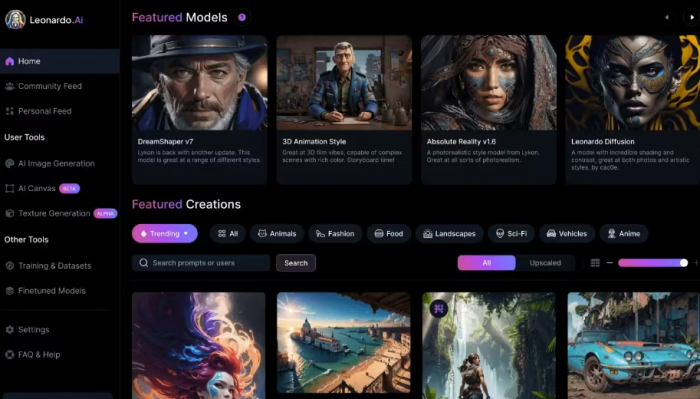
Leonardo AI is one of the strongest Frosting AI alternatives for users who want more creative control without moving into a fully technical Stable Diffusion setup. It supports image generation, model choices, presets, canvas tools, image guidance, and other creative features that make it more useful for serious design workflows.
Compared with Frosting AI, Leonardo feels more complete. Frosting AI is better for quick prompt-based experiments, but Leonardo AI is better when you want repeatable character styles, cleaner assets, product concepts, game visuals, and polished social media images.
| Area | Details |
| Best for | Creators who want control over image style, quality, and refinement |
| Free plan | Yes, Free plan with 150 fast tokens per day |
| Paid pricing | Essential at $12/month, Premium at $30/month, Ultimate at $60/month |
| What feels better than Frosting AI | Better presets, private generation on paid plans, more model control, and stronger editing workflow |
| What feels weaker | The interface can feel heavier if you only want quick casual images |
| Verdict | Choose Leonardo AI if Frosting AI feels too basic for regular creative work |
● Choose it if: You want a stronger all-round AI image generator with editing and model control.
● Skip it if: You only need a simple free tool for occasional prompt experiments.
● Best prompt type: Product concepts, game characters, fantasy portraits, social posts, and polished AI artwork.
2. Midjourney
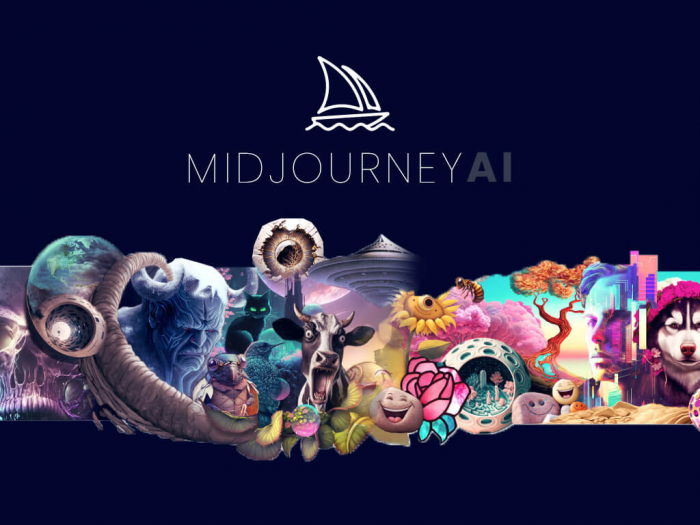
Midjourney is still one of the best choices for creators who care most about visual quality. It is especially strong at cinematic lighting, stylized realism, fantasy scenes, character concepts, editorial-style images, and visually rich compositions. The output often looks more finished than what most simple AI generators produce.
Compared with Frosting AI, Midjourney is less casual but more premium. Frosting AI gives you a simpler browser experience, while Midjourney is better when the final image needs to look professional, dramatic, or highly aesthetic.
| Area | Details |
| Best for | Cinematic AI art, character visuals, concept images, and premium cover-style graphics |
| Free plan | No regular free plan |
| Paid pricing | Basic at $10/month, Standard at $30/month, Pro at $60/month, Mega at $120/month |
| What feels better than Frosting AI | More artistic polish, stronger lighting, better composition, and higher-end visual mood |
| What feels weaker | Less beginner-friendly for users who want a very simple generator |
| Verdict | Choose Midjourney if image quality matters more than workflow simplicity |
● Choose it if: You want images that look like premium digital art or editorial visuals.
● Skip it if: You want a free plan or a simple casual image generator.
● Best prompt type: Fantasy scenes, cinematic portraits, luxury visuals, game art, and dramatic concept art.
3. SeaArt AI
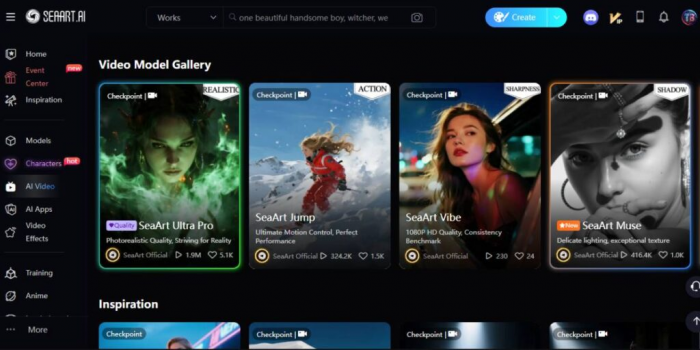
SeaArt AI is a good Frosting AI alternative for anime creators, character designers, and users who like browsing community models. It gives users access to a large style ecosystem, model options, image generation tools, and community inspiration, which makes it useful for people who do not want to start every prompt from scratch.
Compared with Frosting AI, SeaArt AI feels more community-driven. Frosting AI is simpler, but SeaArt AI gives more room to explore different looks, remix ideas, test models, and build anime or stylized visuals with stronger variety.
| Area | Details |
| Best for | Anime art, character design, LoRA-style workflows, and community model discovery |
| Free plan | Yes, free access is available with usage limits |
| Paid pricing | SeaArt uses Stamina and Credits, with VIP pricing varying by region and platform display |
| What feels better than Frosting AI | More model variety, community inspiration, and anime-friendly generation |
| What feels weaker | Pricing and credit rules can feel less straightforward than fixed monthly subscriptions |
| Verdict | Choose SeaArt AI if your main focus is anime, character art, or style exploration |
● Choose it if: You want more models and prompt inspiration than Frosting AI.
● Skip it if: You prefer a clean, simple generator with fewer menus.
● Best prompt type: Anime portraits, fantasy characters, stylized illustrations, and fan-art-style visuals.
4. Adobe Firefly
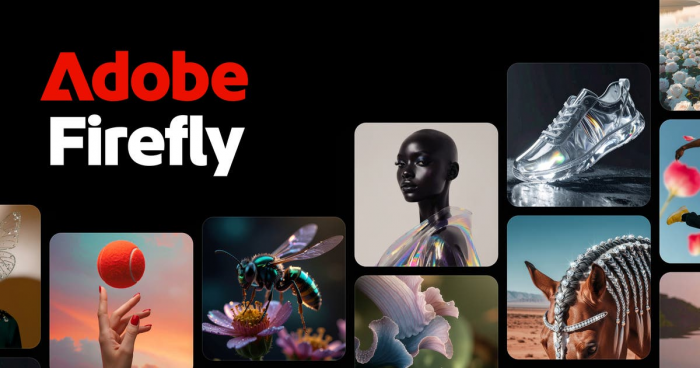
Adobe Firefly is the better Frosting AI alternative for users who care about professional design, brand safety, and commercial workflows. It is built for creators who want AI generation connected to a more serious creative ecosystem, especially if they already use Adobe tools.
Compared with Frosting AI, Firefly is not mainly about random AI art experiments. It is better for marketing graphics, brand assets, design mockups, image edits, and controlled creative work. The main reason to choose Firefly is not just image quality, but trust, workflow, and commercial usability.
| Area | Details |
| Best for | Brand visuals, marketing design, professional edits, and commercial creative work |
| Free plan | Limited free access may be available depending on Adobe account and region |
| Paid pricing | In India, Firefly Standard is ₹797.68/month, Pro is ₹1,596.54/month, Pro Plus is ₹3,990.76/month, and Premium is ₹15,965.40/month |
| What feels better than Frosting AI | Better professional workflow, stronger Adobe integration, and safer brand-facing use |
| What feels weaker | Less playful than community-driven AI art platforms |
| Verdict | Choose Adobe Firefly if you need AI images for business, marketing, or client-facing work |
● Choose it if: You want AI generation inside a more trusted professional design environment.
● Skip it if: You mainly want experimental anime or fantasy art.
● Best prompt type: Product visuals, social media graphics, branded backgrounds, ad concepts, and image edits.
5. Ideogram
Ideogram is one of the best Frosting AI alternatives if your images need readable text. Many AI image generators still struggle with words inside images, especially posters, signs, thumbnails, and quote graphics. Ideogram is built around better prompt understanding and typography-friendly generation.
Compared with Frosting AI, Ideogram is more useful for content creators, marketers, bloggers, and social media designers who need text to appear cleanly inside a generated image. Frosting AI can create attractive visuals, but Ideogram is usually the better pick when the image includes a title, phrase, label, or poster-style layout.
| Area | Details |
| Best for | AI posters, thumbnails, quote graphics, logo-style ideas, and text-based visuals |
| Free plan | Yes, Free plan available |
| Paid pricing | Plus at $20/month, Pro at $60/month, Team at $30/month per member, billed monthly |
| What feels better than Frosting AI | Stronger text rendering and better layout control for poster-style images |
| What feels weaker | Not always the strongest option for cinematic realism |
| Verdict | Choose Ideogram if your AI images need readable words or clean graphic layouts |
● Choose it if: You create thumbnails, banners, posters, or social media graphics with text.
● Skip it if: You only want painterly art or cinematic visuals.
● Best prompt type: Posters, quote cards, logo concepts, event graphics, and title-based images.
6. Dezgo
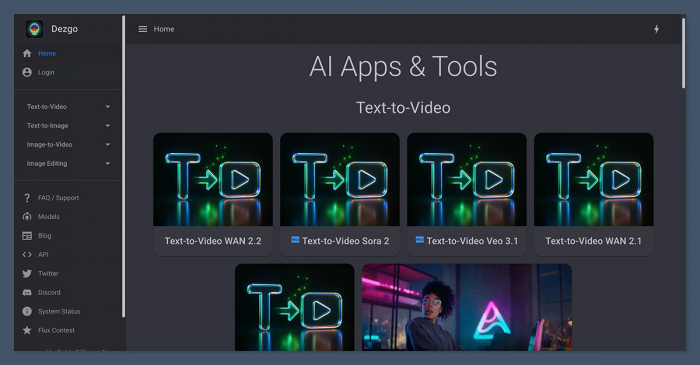
Dezgo AI is a lightweight alternative for users who like the Stable Diffusion-style workflow but do not want a complicated platform. It supports text-to-image generation, image-to-image, inpainting, upscaling, background removal, and API access. It feels more direct than many larger AI art platforms.
Compared with Frosting AI, Dezgo is better if you want a low-cost, pay-as-you-go style tool rather than another full subscription platform. It may not feel as polished as Leonardo AI or Midjourney, but it is useful for practical generation and quick testing.
| Area | Details |
| Best for | Simple Stable Diffusion-style generation and low-cost AI image creation |
| Free plan | Free web tools are available for selected features |
| Paid pricing | Pay as you go, with sample API pricing from about $0.0019 for 512x512 text-to-image and $0.0075 for 1024x1024 SDXL generation |
| What feels better than Frosting AI | More transparent pay-per-use pricing for technical or frequent users |
| What feels weaker | The interface is less polished than premium creative platforms |
| Verdict | Choose Dezgo if you want a practical, low-cost generator without a heavy subscription |
● Choose it if: You want cheap image generation and do not mind a simpler interface.
● Skip it if: You want a polished creative studio with templates and strong visual guidance.
● Best prompt type: Test images, simple illustrations, concept drafts, and batch experiments.
7. Tensor.Art
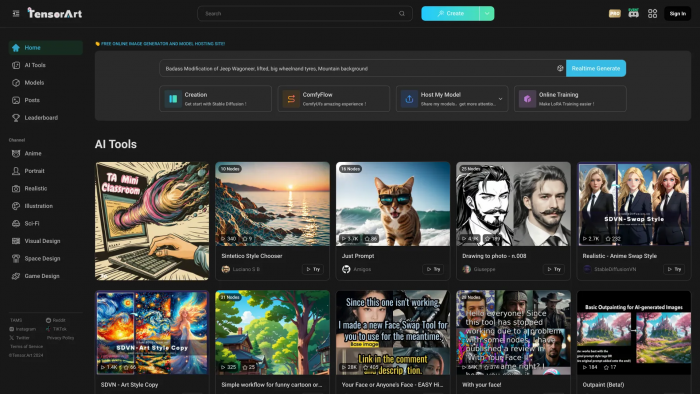
Tensor.Art AI is a strong option for users who want deeper model access, LoRA-style generation, and more advanced AI art flexibility. It is better suited to creators who already understand prompts, models, sampling, and style control, or who are willing to learn those details.
Compared with Frosting AI, Tensor.Art gives more room to experiment with models and niche styles. Frosting AI is easier for beginners, but Tensor.Art is better for creators who want more technical control and a wider model ecosystem.
| Area | Details |
| Best for | LoRA models, character styles, advanced AI art, and model-heavy workflows |
| Free plan | Yes, free access is available with daily credits |
| Paid pricing | Pro is commonly listed around $9.90/month, with additional credit packs available |
| What feels better than Frosting AI | More model variety and stronger control for experienced AI art users |
| What feels weaker | Can feel confusing for beginners who only want quick results |
| Verdict | Choose Tensor.Art if you want more model depth than Frosting AI offers |
● Choose it if: You like testing models, LoRAs, and different generation settings.
● Skip it if: You want a very clean and beginner-friendly interface.
● Best prompt type: Anime characters, stylized portraits, custom model tests, and detailed fantasy art.
8. NightCafe
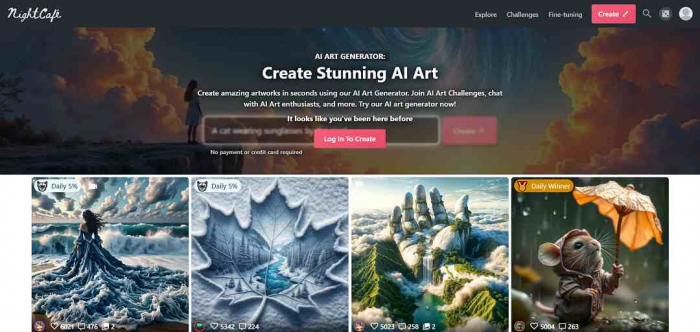
NightCafe is a good Frosting AI alternative for users who enjoy the community side of AI art. It is not only about generating images. It also gives users challenges, styles, sharing features, and a more social creative environment.
Compared with Frosting AI, NightCafe feels more like an AI art community. Frosting AI is better if you want to generate and leave, while NightCafe is more interesting if you want inspiration, community feedback, daily creation habits, and different art engines in one place.
| Area | Details |
| Best for | Community AI art, daily creative challenges, and casual image generation |
| Free plan | Yes, free daily credits are commonly available |
| Paid pricing | Paid plans are commonly listed from around $5.99/month |
| What feels better than Frosting AI | Better community features, art challenges, and creative discovery |
| What feels weaker | Less focused on professional editing or commercial design workflows |
| Verdict | Choose NightCafe if you want AI art plus community inspiration |
● Choose it if: You enjoy browsing, sharing, and joining AI art challenges.
● Skip it if: You want a serious design suite or brand-safe commercial workflow.
● Best prompt type: Digital paintings, fantasy art, abstract visuals, and community-style experiments.
9. Canva AI
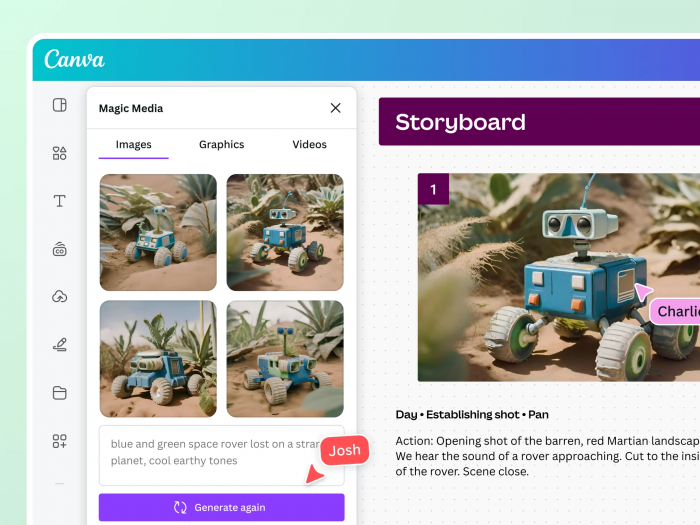
Canva AI is not a direct Frosting AI clone, and that is exactly why it is useful. It works best when image generation is only one part of the final content. Instead of generating an image and then moving somewhere else, Canva lets you use AI images inside posters, Instagram posts, presentations, thumbnails, flyers, and brand templates.
Compared with Frosting AI, Canva is weaker as a pure AI art platform but stronger as a complete design workflow. If your final goal is a publishable graphic, Canva can save time because the image, layout, typography, background, and export tools are all in one place.
| Area | Details |
| Best for | Social media graphics, thumbnails, posters, presentations, and marketing visuals |
| Free plan | Yes, Canva Free is available |
| Paid pricing | Canva Pro pricing varies by region. In many markets, it is commonly listed around $12.99 to $15/month, while India pricing may appear in rupees on the local pricing page |
| What feels better than Frosting AI | Full design editor, templates, brand kits, and easy export options |
| What feels weaker | Less advanced for pure AI art control and model selection |
| Verdict | Choose Canva AI if you need finished designs, not just generated images |
● Choose it if: You create graphics for blogs, Instagram, YouTube, ads, or presentations.
● Skip it if: You want deep model control or serious AI art experimentation.
● Best prompt type: Social posts, blog graphics, thumbnails, banners, and presentation visuals.
10. Playground AI
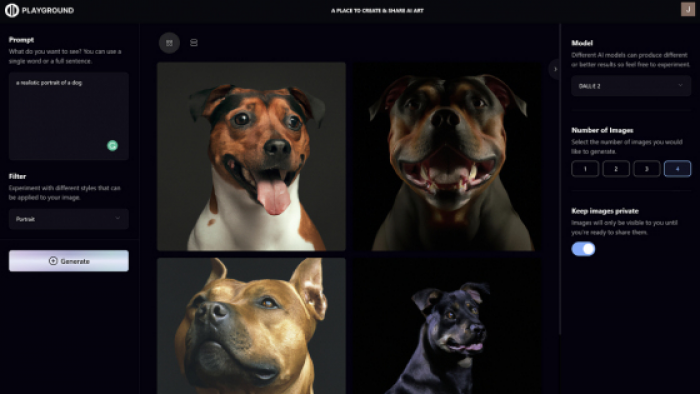
Playground AI is useful for users who want a balance between image generation and editing. It is not just about typing a prompt and downloading the result. It is more useful when you want to remix, adjust, edit, and create variations of a visual.
Compared with Frosting AI, Playground AI can feel more practical for design experiments. Frosting AI is good for quick image creation, but Playground AI is better when you want to keep working on the image after the first generation.
| Area | Details |
| Best for | Image remixing, editing, design experiments, and AI-assisted visuals |
| Free plan | Yes, limited free use is available |
| Paid pricing | Pro pricing is commonly listed around $12 to $15/month, depending on billing and current plan display |
| What feels better than Frosting AI | Better editing and remix workflow |
| What feels weaker | Pricing and plan details should be checked directly before subscribing |
| Verdict | Choose Playground AI if you want a flexible image editor plus AI generation |
● Choose it if: You want to generate, edit, and remix images in one place.
● Skip it if: You only need basic text-to-image output.
● Best prompt type: Social visuals, edited portraits, product-style images, and creative variations.
Which Frosting AI Alternative Should You Pick?
| Your Main Need | Best Pick |
| Best overall creative control | Leonardo AI |
| Best cinematic image quality | Midjourney |
| Best anime and character styles | SeaArt AI |
| Best commercial-safe design workflow | Adobe Firefly |
| Best text inside images | Ideogram |
| Best low-cost generation | Dezgo |
| Best LoRA and model variety | Tensor.Art |
| Best AI art community | NightCafe |
| Best social media graphics | Canva AI |
| Best remix and editing workflow | Playground AI |
Final Verdict
Frosting AI is still useful if you want a simple image generator that can turn prompts into visuals without much setup. It works well for casual AI art, anime-style experiments, and fast creative testing. But it is not the best choice for every image workflow.
Leonardo AI is the strongest overall alternative if you want more control. Midjourney is better for premium-looking artwork. SeaArt AI is better for anime and model variety. Adobe Firefly is the better option for professional and brand-facing design. Ideogram is the smarter choice when your image needs readable text. Dezgo is useful for low-cost generation, while Tensor.Art gives more model depth. NightCafe is best for community-led AI art, Canva AI is better for finished social media graphics, and Playground AI is stronger for remixing and editing.
The best Frosting AI alternative depends on what Frosting AI cannot do well enough for your workflow. If you want better polish, choose Midjourney. If you want more control, choose Leonardo AI. If you want better design output, choose Canva or Firefly. If you want anime and model variety, SeaArt AI and Tensor.Art are the better places to start.
Comments