

GenYouTube was once a convenient way to download YouTube videos in formats such as MP4 and MP3. Copying a video link, selecting a format, and saving the file was all it took. However, GenYouTube is no longer working as it once did. The original website has changed hands, and the downloading process no longer delivers the expected results. With older tutorials still circulating online, it is worth understanding what happened to GenYouTube, how it worked, and what alternatives are available today.
What Is GenYouTube?
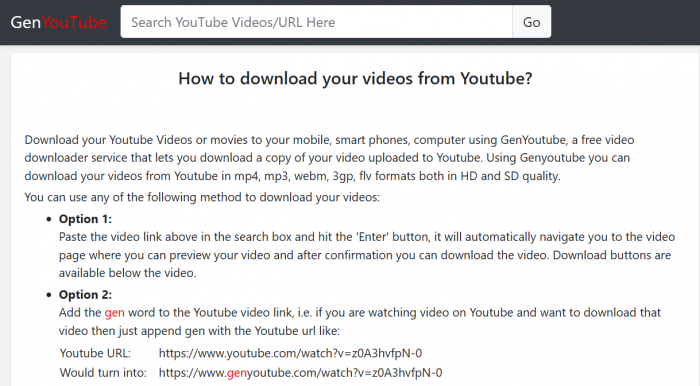
GenYouTube, also known as GenYT, was a third-party online YouTube downloader that allowed users to save videos and extract audio files through a web browser. Instead of requiring dedicated desktop software, it provided a simple interface where users could paste a YouTube link and choose from available download formats.
Its main advantage was the ability to save videos as standalone files. Unlike YouTube's built-in offline viewing feature, which keeps downloads within YouTube's platform, GenYouTube aimed to provide MP4, MP3, and other files that could be opened through compatible media players.
The service also became known for its modified URL shortcut, which allowed users to access the downloader directly from a YouTube video's address.
| Detail | Information |
| Tool name | GenYouTube / GenYT |
| Category | Online YouTube downloader |
| Original domain | genyoutube.com |
| Related domains | genyoutube.net, genyt.net |
| Main functions | Video downloading and audio extraction |
| Advertised formats | MP4, MP3, WebM, M4A, 3GP |
| Access method | Browser-based website |
| Registration | Traditionally not required |
| Pricing | Historically free |
| Current status | Not working through the tested downloading process |
GenYouTube was never an official YouTube product. It operated independently, relying on its own downloading technology to process videos hosted on YouTube.
What Happened to GenYouTube?
GenYouTube's problems go back further than its current downloading failures. In July 2021, Google filed a trademark complaint against the original genyoutube.com domain, arguing that its name was confusingly similar to YouTube and that the website facilitated downloading outside YouTube's permitted methods.
On August 19, 2021, a dispute resolution panel ordered the domain transferred to Google. The decision was recorded under Google LLC v. Akhilesh Gupta, case FA2107001956153.
This was a domain ownership dispute, not a ruling that every individual use of a video downloader was illegal. Nevertheless, it significantly affected the original website's future.
Following the domain transfer, other websites continued using the GenYouTube or GenYT name. One of the more recognizable addresses was genyt.net, which retained elements of the original downloader's interface and instructions.
A September 2026 investigation found that the original GenYouTube domains were no longer serving the downloader. Although the GenYT homepage was accessible during that investigation, the downloading process became stuck behind a Cloudflare verification screen.
The result is a fragmented online presence. Older guides still explain how to use the original site, while visitors today encounter different addresses, unavailable pages, and download functions that fail to complete.
Does GenYouTube Still Work in 2026?
No, GenYouTube is not working through the downloading process tested in 2026. The original website no longer operates as the downloader users remember, and attempts to complete downloads through the related service have failed.
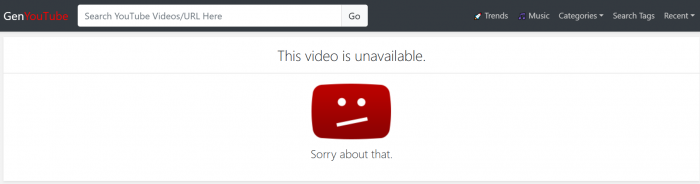
The issue is not simply that a particular video format is missing. The basic downloading workflow itself is affected. A homepage may load, but processing a YouTube URL does not necessarily produce a working download page or a usable file.
The situation creates several problems for anyone following older instructions:
● The original website no longer provides its previous service. Entering an old GenYouTube address does not restore the downloader or its familiar workflow.
● The downloading process can stop before format selection. Security verification screens and processing failures prevent users from reaching the options described in historical tutorials.
● Similar websites cannot be treated as direct replacements. A familiar name or interface does not establish that another website offers the same features or belongs to the original operator.
This is why older claims describing GenYouTube as a fast, fully functioning MP4 or MP3 downloader are no longer a reliable representation of the experience.
Rather than repeatedly trying unfamiliar GenYouTube websites, it is more useful to understand the original process and choose another method for accessing permitted video content.
How GenYouTube Originally Worked
GenYouTube used a straightforward link-based process. Users did not need to upload any media because the website attempted to retrieve the available video and audio streams using an existing YouTube URL.
The original downloading procedure involved five steps.
Step 1: Copy the Video URL
Users opened YouTube, selected a video, and copied its URL from the browser address bar or the Share menu. The URL contained a unique video identifier that the downloader used to locate the requested media.
Step 2: Open GenYouTube
The copied address was pasted into GenYouTube's input field. Some versions also supported searching for YouTube videos directly within the website, making it possible to find content without separately copying a link.
Step 3: Process the Video
After submitting the URL, GenYouTube attempted to retrieve the video's title, thumbnail, and available media streams. If the process succeeded, the interface displayed downloadable options.
This was also a point where failures could occur. If YouTube changed how it delivered media, the downloader could lose access to the information needed to create a working download link.
Step 4: Choose a Format
Users selected a file type and, where available, a resolution. MP4 was typically used for downloading video, while MP3 was selected for audio-only output.
The available formats depended on the source video and GenYouTube's ability to process its streams.
Step 5: Save the File
Selecting a download option initiated the file transfer through the browser. Completed downloads were generally saved in the device's Downloads folder or another selected location.
The intended result was a local media file that could be played outside YouTube. However, this historical process no longer works reliably through the original GenYouTube service.
The GenYouTube URL Shortcut
Another recognizable feature was the URL modification trick. Users added gen before youtube.com in a video's address to open the corresponding GenYouTube downloading page.
For example:
Original: youtube.com/watch?v=VIDEO_ID
Modified: genyoutube.com/watch?v=VIDEO_ID
This shortcut was useful because it removed the need to copy and paste the link manually. Following the transfer of the original domain, it no longer provides the previous downloading experience.
What Files Could GenYouTube Download?
GenYouTube supported different media formats to accommodate video playback, audio listening, and device compatibility. The file format determined what kind of media was stored, while resolution settings affected the dimensions and potential size of a video.
| Format | Expected output | Primary use |
| MP4 | Video file with audio | Offline video playback |
| MP3 | Audio-only file | Listening without video |
| WebM | Video or audio file | Compatible browsers and players |
| M4A | Audio-only file | Audio storage and playback |
| 3GP | Video in an older mobile-oriented format | Older devices |
These were formats associated with the original service, not functioning download options available through the current website.
How Video Quality Was Handled
The resolution selected by a user did not always determine the quality of the finished file. Video compression, original upload quality, and the method used to retrieve media streams all influenced the result.
YouTube often delivers higher-resolution video and audio separately. To produce a complete MP4 file, a downloader must obtain the relevant streams and combine them correctly.
If only the video stream was downloaded, the resulting file could have no sound. If a particular resolution could not be retrieved, the downloader might provide a lower-quality option instead.
MP3 conversion also had limitations. It extracted audio from the source video but could not improve the recording itself. Increasing the output bitrate did not restore audio details lost through earlier compression.
Why GenYouTube Downloads Fail
The most significant issue with GenYouTube today is that the downloading process no longer completes as older instructions describe. However, its failures can occur at different stages, from loading the website to opening the final media file.
| Problem | Explanation | What to do |
| Original website unavailable | The domain no longer serves the previous downloader | Avoid relying on old URLs |
| Repeated security verification | The video-processing page is blocked by a security challenge | Do not attempt to bypass website protections |
| Video information fails to load | The service cannot process the submitted URL | Confirm the link and use an authorized alternative |
| MP3 or MP4 options missing | Download processing fails before formats appear | Avoid installing unknown conversion tools |
| Download button redirects | Advertising or unrelated website navigation | Close unexpected pages |
| Video has no audio | Separate audio and video streams were not combined | Check the file's audio track |
| File cannot be played | Incomplete download or unsupported encoding | Inspect its format and integrity |
An important technical distinction is that retrieving basic video information is not the same as downloading the video itself. A website may display the correct thumbnail and title but still be unable to generate a working media link.
Trying multiple lookalike domains rarely addresses the original problem. It can instead expose users to unrelated websites, misleading advertisements, or unfamiliar software.
Are GenYouTube Mirror Websites Safe?
The GenYouTube name continues to appear across different websites, but similar branding does not establish common ownership. This makes it difficult to identify which websites are genuine successors and which are unrelated services using a recognizable name.
The main risks involve misleading download controls, unnecessary software installations, and browser permissions that have little connection to ordinary media downloading.
GenYT also promoted a browser helper script that could add download links to YouTube pages. A September 2026 examination found that the script was installed using userscript managers such as Tampermonkey or Greasemonkey and supported automatic updates.
The inspected version was not found to contain harmful behavior. However, automatically updated scripts require ongoing trust because their behavior can change after installation.
Warning Signs to Recognize
● Unexpected application downloads: A website that requires an unfamiliar executable or Android APK before saving a video introduces additional security risks.
● Misleading download buttons: Advertisements may imitate download controls and open unrelated websites instead of producing a media file.
● Unnecessary permission requests: Browser notifications, personal account credentials, and extensive device permissions are not normally required for a direct file download.
● Unverified replacement domains: A similar logo or website name does not confirm that the operator is connected to the original GenYouTube service.
A secure HTTPS connection does not guarantee that a website is trustworthy. It protects data in transit but does not establish that downloaded files or browser scripts are safe.
Can GenYouTube Be Used on Mobile?
GenYouTube was originally accessible through mobile browsers, allowing users to process links without installing desktop applications. However, the current downloading failures also affect the usefulness of these older mobile instructions.
GenYouTube on Android
GenYouTube was previously accessible through Android browsers, allowing users to download videos directly to their devices. However, the downloading process is no longer working as expected. Third-party APKs using the GenYouTube name are also available, but their authenticity is uncertain, and installing them may introduce security risks.
GenYouTube on iPhone
GenYouTube could previously be accessed through Safari, with downloaded files saved to the iPhone's Files app. However, the current website issues prevent it from being a dependable option. For offline viewing, YouTube's official download features are a safer and more reliable alternative on both Android and iPhone.
Is Downloading YouTube Videos Legal?
Downloading YouTube videos involves both copyright laws and YouTube's Terms of Service. YouTube generally restricts downloads unless the platform permits them, the necessary permissions exist, or applicable law allows them. A publicly available video is not automatically free to download or reuse.
Creators can download their own uploads through YouTube Studio, while YouTube Premium allows offline viewing of eligible videos within the platform. Downloading or redistributing another creator's copyrighted content may require permission or an applicable legal exception.
The legality ultimately depends on the content, intended use, and local laws. Using a third-party downloader does not automatically grant rights to the downloaded material.
What Are the Alternatives to GenYouTube?
Since GenYouTube is no longer functioning through its former downloading process, the most useful replacement depends on the intended result. Offline viewing, retrieving personal uploads, and saving authorized media files are different tasks.
1. YouTube Premium
YouTube Premium allows subscribers to save eligible videos for offline playback through supported YouTube applications and browsers. Unlike GenYouTube's original approach, the downloaded content remains within YouTube's system rather than becoming an ordinary MP4 file for unrestricted use.
Availability depends on the video, location, device, and subscription. Certain offline viewing options may also be available without full Premium membership in eligible regions.
2. YouTube Studio
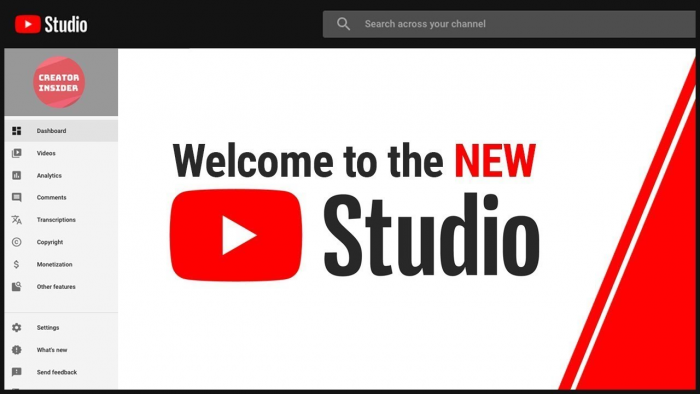
YouTube Studio offers a direct method for downloading videos uploaded to a personal channel.
Creators can sign in, open the Content section, select the relevant video, and choose Download from the available options. YouTube provides an MP4 file, although its resolution may differ from the original uploaded version. Google Takeout is another official option for exporting supported YouTube account data and larger collections of personal uploads.
3. Yt-dlp
yt-dlp is an open-source command-line downloader that supports numerous websites and media formats. It provides detailed controls for selecting available streams, choosing output formats, and managing downloads.
Its main difference from GenYouTube is the level of technical knowledge required. Users must install and operate the software, while compatibility can change when websites update their systems. It remains an option for technically experienced users retrieving content they have permission to download.
4. 4K Video Downloader Plus

4K Video Downloader Plus is a desktop application with a graphical interface for managing downloads from supported websites.
It offers a more visual approach than command-line software, although available formats, website compatibility, and usage limits depend on the current application version. Like other third-party downloading software, it does not remove copyright obligations or restrictions imposed by the original platform.
Final Thoughts: What Should Users Do Now?
What made GenYouTube appealing was not a complicated feature set. It was the convenience of turning a video link into a downloadable file with only a few steps. That simplicity explains why the name remains familiar even though the original website no longer provides the downloading experience described in older tutorials.
The problem today is that GenYouTube is not working through the tested downloading process, while similarly named websites make it difficult to identify a trustworthy replacement. Repeatedly trying unfamiliar domains or installing additional software is unlikely to offer a dependable solution.
For offline viewing, YouTube's official download features are the more practical choice. Creators can retrieve their own uploads through YouTube Studio, while other tools may serve users who have appropriate permission to save media files.
My takeaway is that GenYouTube remains worth understanding as a once-popular downloading service, but not as a dependable option for downloading videos today. Its history explains how the tool worked and why people still search for it. For actual downloads, choosing a currently supported and authorized method makes more sense than relying on outdated instructions.
Comments