

StoriesIG promises a way to view Instagram Stories without logging in or appearing in someone's viewer list. That caught my attention, especially because the website also offers tools for downloading Reels, Highlights, photos, and videos.
I wanted to understand how the service works, examine its features, and see what its anonymous-viewing claims actually mean. Here's what I found while exploring the website and its documentation.
What Exactly Is StoriesIG?
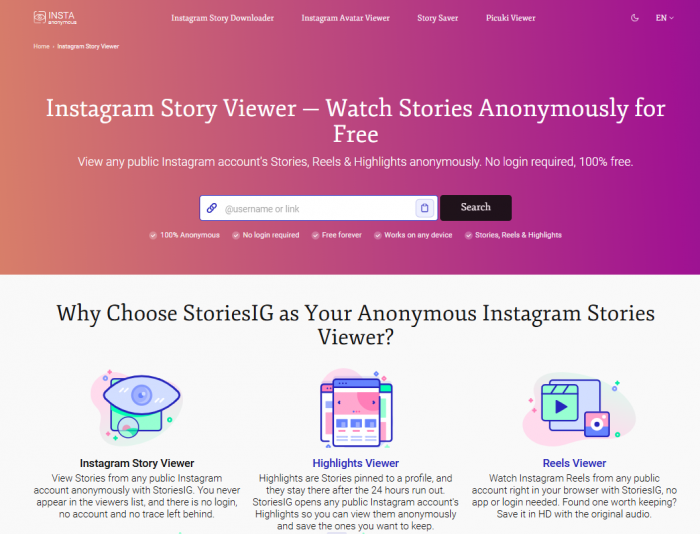
StoriesIG is a free, browser-based Instagram viewer and downloader for publicly accessible content. It allows visitors to search Instagram profiles, browse available Stories and Highlights, and access tools for saving photos, videos, and Reels.
Its main attraction is anonymous Story viewing. StoriesIG claims to retrieve public content through its own servers instead of connecting through a visitor's Instagram account, keeping the visitor's username out of the creator's viewer list.
The service operates independently of Instagram and Meta. It advertises access without registration, a subscription, or application installation.
| Feature | What it offers |
| Anonymous Story Viewer | Access to public Instagram Stories without login |
| Highlights Downloader | Viewing and downloading public Highlights |
| Reels Downloader | Downloading accessible Instagram Reels |
| Audio Downloader | Extracting Reel audio as MP3 |
| Photo and Video Downloader | Saving supported Instagram posts |
| Profile Picture Downloader | Retrieving public profile images |
| Carousel Downloader | Saving multiple media items from one post |
I initially approached StoriesIG as a Story viewer, but its additional features make it more of a general Instagram media downloader.
Opening the Website: My First Impressions
I started on the StoriesIG homepage. Instead of asking me to register or connect an Instagram account, it displayed a search field near the top, accompanied by a Search button.
The field accepts an Instagram username or profile URL, making the intended process easy to understand.
Further down the page, I found descriptions of its tools for Stories, Highlights, Reels, photos, videos, and carousel posts.
Several things stood out:
● No Instagram credentials were requested. The homepage and tool information were accessible without connecting an Instagram account.
● The search function was easy to locate. I didn't have to navigate through several pages to find the main feature.
● Multiple media formats were supported. Separate tools covered temporary Stories, permanent posts, and other Instagram content.
● Access was advertised as free. I found no subscription tiers or mandatory application downloads.
The layout was straightforward, with explanations of how each tool works. However, an accessible homepage doesn't necessarily guarantee reliable content retrieval.
Following the Viewing Process
StoriesIG describes a process built around entering an Instagram username or URL. I examined its instructions to understand how each stage works.
1. Finding an Instagram profile
The first requirement is identifying a public Instagram account. StoriesIG accepts either the account's username or its complete profile link.
The username matters because display names aren't necessarily unique, while usernames identify specific accounts.
2. Entering the profile information
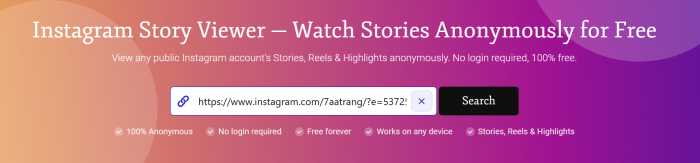
The next stage involves placing the username or link into the search field. StoriesIG uses the submitted information to request publicly accessible content.
I found this simpler than services that require registration before explaining how their viewing features work.
3. Retrieving available Stories
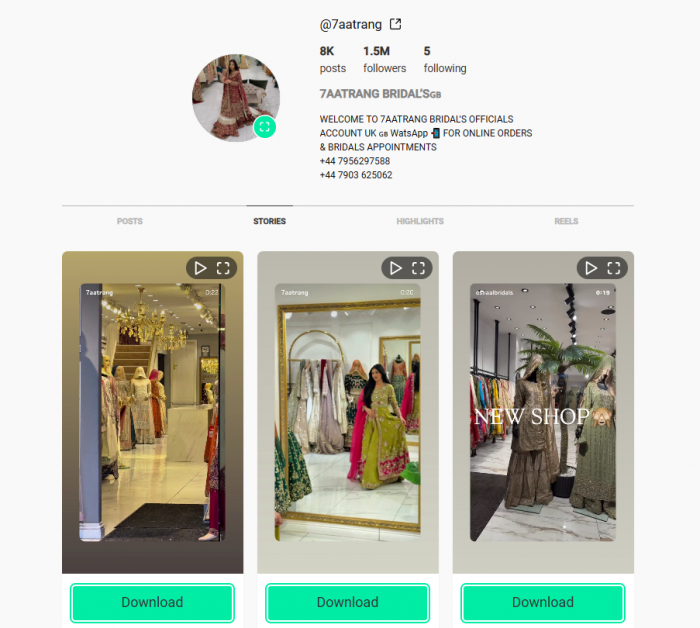
After a search is submitted, StoriesIG says its servers retrieve available public profile information and media.
Not every public profile has active Stories. Ordinary Instagram Stories expire after 24 hours unless the creator preserves them in Highlights.
4. Opening or downloading media
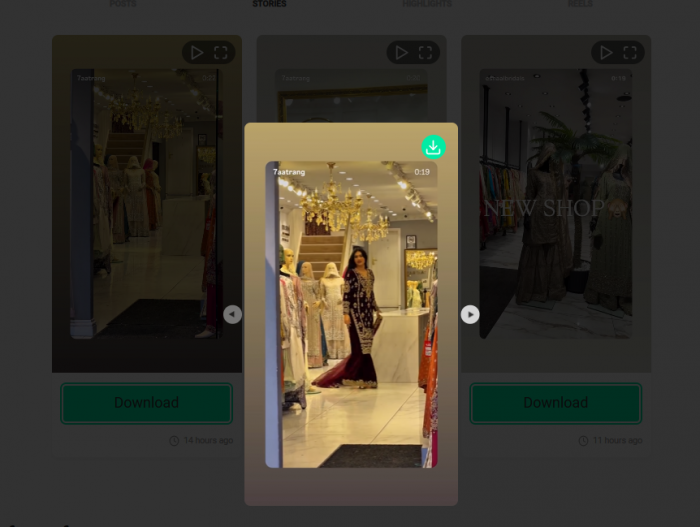
The website advertises options to view retrieved Stories and download supported images or videos.
The process is designed to work without an Instagram login. However, I couldn't independently complete a live Story playback or download test, so retrieval speed and reliability remain unverified.
What I Discovered Beyond Story Viewing
After examining the main viewer, I explored the other tools. StoriesIG supports several Instagram formats, each with different availability rules and downloading requirements.
Highlights and Older Stories
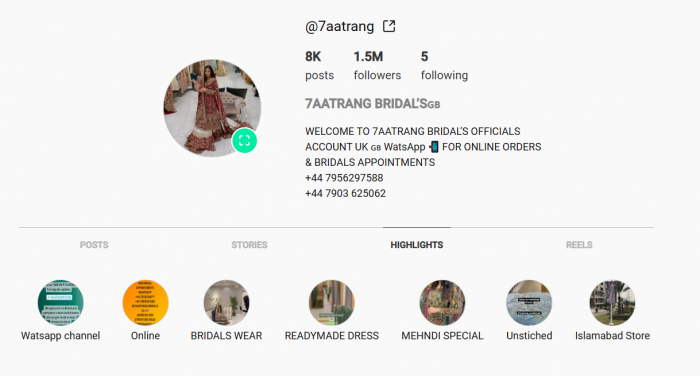
The Highlights downloader caught my attention because Highlights remain visible beyond the normal 24-hour Story period.
StoriesIG advertises access to publicly available Highlight collections, including options for downloading individual photos and videos.
This is useful for content that creators have chosen to preserve. However, Highlights aren't complete archives of every Story an account has published.
Expired Stories that weren't saved to accessible Highlights cannot automatically be recovered.
Reels and Audio Downloads
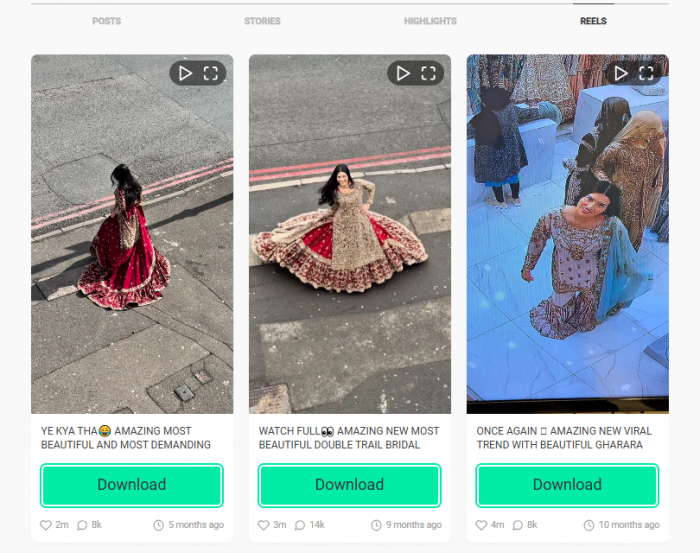
StoriesIG also provides a Reels downloader designed for publicly accessible short-form videos.
The website claims to offer video downloads without adding its own watermark. A separate audio downloader allows users to extract audio in MP3 format.
I found the distinction useful because downloading a video and extracting its audio serve different purposes.
StoriesIG describes its downloads as retrieved media files rather than screen recordings. However, the quality of those files depends partly on the versions Instagram makes available.
Audio extraction also doesn't grant permission to reuse copyrighted music in another publication.
Photos, Videos and Carousels
I also examined the regular post-downloading options, which cover photos, videos, and carousel posts. Carousel support is notable because one Instagram post can contain several images, videos, or a mixture of both.
StoriesIG advertises options for downloading multiple carousel items instead of restricting access to the first image.
There is also a profile picture downloader for retrieving publicly accessible profile images at a larger size. Together, these features extend StoriesIG beyond its primary Story-viewing function, although public accessibility remains a requirement.
What the Download Claims Actually Mean
StoriesIG repeatedly advertises high-quality downloads without watermarks or subscription fees.
I examined those claims because a successful download involves more than selecting a button. File quality, compatibility, and completeness also matter.
| Download detail | StoriesIG's claim | What matters |
| Image quality | Photos are available at Instagram-served resolution | Files may already be compressed |
| Video quality | No additional compression | Playback and audio quality |
| Watermarks | No watermark added by StoriesIG | Existing source marks may remain |
| Audio | MP3 extraction supported | Compatibility and usage rights |
| Highlights | Individual and collection downloads | Original content must remain accessible |
| Pricing | Free downloads | Actual reliability still matters |
The term "original quality" deserves some context. Instagram processes uploaded photos and videos, so a retrieved file may differ from the creator's original recording.
For photos, resolution and visible quality are important. For videos, playback, audio synchronization, and completeness also need checking.
StoriesIG explains its intended download features, but I couldn't verify actual saved files. Its quality claims should therefore be treated as advertised capabilities rather than confirmed test results.
The Privacy Question I Wanted Answered
Anonymous viewing is StoriesIG's biggest selling point, so I examined its explanation and privacy policy. According to StoriesIG, public Instagram content is requested through its servers rather than through a visitor's personal Instagram account.
The website says this prevents the visitor's username from appearing in the creator's Story viewer list.
However, anonymous Instagram viewing isn't the same as complete online anonymity.
StoriesIG doesn't require registration or Instagram passwords, but its privacy policy says it processes standard browser request information.
This includes IP addresses, browser details, requested pages, timestamps, and submitted Instagram usernames or URLs. The policy also mentions limited cookies, analytics, and request logs generally retained for no longer than 30 days.
StoriesIG states that it doesn't sell personal information or build advertising profiles. These are the operator's published commitments, not independently verified findings.
The distinction is important. StoriesIG's anonymity claim concerns whether the Instagram account owner can identify a visitor through the viewer list. It doesn't mean the third-party website receives no information. Its server-based approach provides a plausible explanation, but independently confirming the viewer-list outcome would require a controlled test.
The Restrictions Behind Free Access
Another area I examined was the difference between free access and unrestricted access. StoriesIG advertises its services without subscriptions or per-download charges. It also describes normal personal browsing as unrestricted, subject to server-side rate limiting.
However, the service cannot bypass Instagram's privacy controls.
Its limitations include:
● Private accounts remain inaccessible. StoriesIG cannot retrieve protected content available only to approved followers.
● Expired Stories aren't automatically recoverable. Content must still be publicly available or preserved in an accessible Highlight.
● Incorrect usernames can prevent searches. An unsuccessful lookup doesn't necessarily mean the entire service is unavailable.
● Technical interruptions can occur. Instagram's content-delivery changes may affect third-party retrieval.
● Downloads don't transfer ownership. Publicly accessible media can still be protected by copyright.
StoriesIG's terms also state that uninterrupted or error-free service isn't guaranteed. This is worth considering because StoriesIG depends on Instagram's public content systems, which it doesn't control.
What I Liked and What Remained Unclear
After exploring the website and its published information, I had a clearer understanding of StoriesIG's capabilities.
The straightforward homepage was its strongest aspect. The main search function was prominent, and there was no requirement to register before accessing the public interface.
The additional media tools also make it broader than a basic Story viewer.
| Area | My finding |
| Website presentation | Clear search field and tool categories |
| Getting started | No signup or Instagram login required |
| Features | Stories, Highlights, Reels, photos, audio, and carousels |
| Pricing | Free access advertised |
| Restrictions | Publicly accessible content only |
| Privacy | Server-based retrieval claimed; browser data processed |
| Download reliability | Not verified through completed downloads |
| Anonymous viewing | Explained but not independently confirmed |
The main uncertainty concerns real-world performance. Website documentation cannot establish how quickly Stories load, whether downloads consistently succeed, or how often retrieval errors occur.
These details require direct testing rather than assumptions based on advertised features.
Who Should Use StoriesIG?
StoriesIG is designed for people who want browser-based access to public Instagram media without connecting a personal account.
Its features are most relevant to occasional Story viewing, accessing public Highlights, and saving supported photos or videos.
Having several downloaders in one place also reduces the need to use different services for each Instagram content format. However, StoriesIG isn't suitable for viewing private profiles, recovering deleted Stories, or managing Instagram interactions.
It also isn't a comprehensive privacy tool. Its anonymity claims relate primarily to Instagram Story viewer lists, while the website still processes browser request information.
Anyone downloading content should also respect creators' ownership and obtain permission where reuse requires it.
My Final Verdict
StoriesIG offers a straightforward approach to viewing and downloading public Instagram content without requiring an Instagram login.
I liked the clear interface and the range of tools covering Stories, Highlights, Reels, audio, and regular posts. Its privacy information and stated restrictions also provide useful context beyond the homepage's main claims.
The biggest unanswered question is reliability. Actual profile searches, media playback, downloads, and anonymous-viewing outcomes still need independent verification.
Based on my website exploration, StoriesIG has a practical feature set and a simple starting process. Its overall usefulness ultimately depends on how consistently those advertised features work during real viewing and downloading.
Comments