

The short version
Brevity isn't shrinking a thought until it's small. It's stripping away everything that isn't the point so what's left hits harder. The character limit isn't the obstacle it's the edit nobody forced you to make.
Everyone posts statuses, and almost none get read twice. They slide past because they say nothing in particular "feeling blessed," a recycled quote, three emojis doing a sentence's job. The problem is rarely too many words. It's too little meaning packed into the little space you use, and the reader feels the emptiness instantly.
This piece fixes that from both ends: first the craft of making a few words carry real weight, then five status generator tools including a closer look at Smartpostly that help you beat the blank screen fast. Expect before-and-after examples you can copy the shape of.
Why Short Statuses Are Harder Than Long Ones
There's a quiet assumption that short writing is the lazy version, the easy cousin of a "real" post. It's the opposite. A paragraph lets you bury a weak idea under supporting lines and hope momentum carries the reader past it; a single line leaves nowhere to hide, and every word becomes load-bearing.
Think of it as information density. A long message spreads one idea thin, so a dull patch barely registers, while a short status concentrates everything into a few words meaning one flat word drags the whole thing down. The constraint also edits for you: forcing an idea into a dozen words strips the throat-clearing and leaves only what mattered, and because the first few words decide whether anyone keeps reading, a soft opening has usually lost them before the good part.
Know Your Real Limit (It's Not What You Think)
Most guides get this wrong, and getting it right changes how you write. WhatsApp has two different text limits that people constantly confuse, and they do completely different jobs.
| Where it appears | Character limit | What it's for |
| Text status (the colorful, 24-hour one) | ~700 characters | Ephemeral updates your contacts see for a day |
| About / bio line (under your name) | 139 characters | The permanent one-liner on your profile |
So you technically have room to ramble, but the maximum length and the effective length are rarely the same number. Statuses are read one at a time, mid-scroll, half-distracted a 700-character wall is allowed, it just doesn't get read. Two details follow: emojis and many symbols count as two or more characters, so a short-looking line can quietly blow the limit, and longer statuses get truncated behind a tap, so your opening has to earn the expansion. Treat the big number as a ceiling and aim for a single clean breath of a sentence.
What "Saying Something" Actually Means
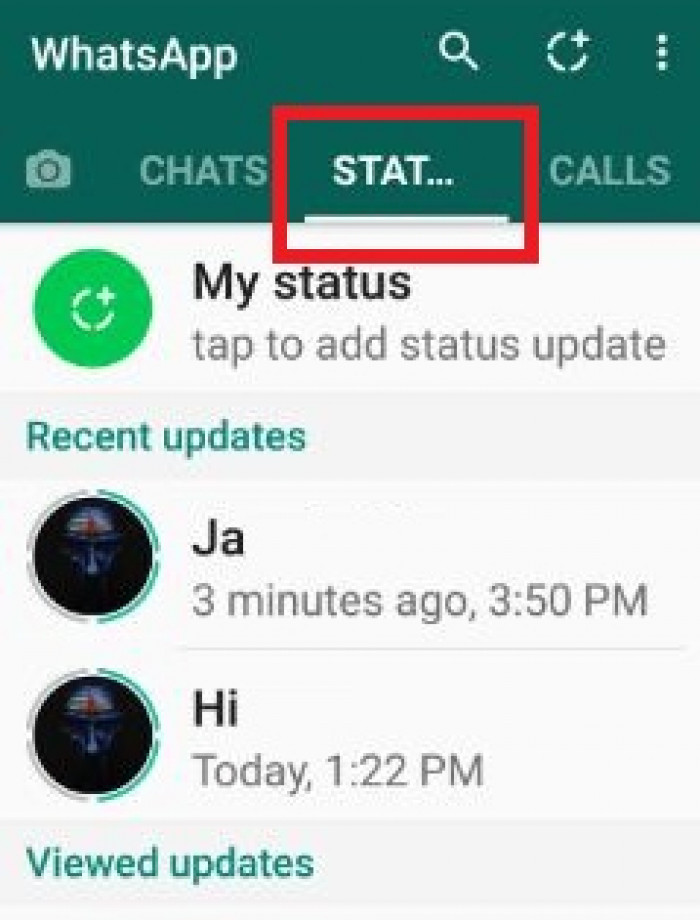
"Say something" sounds obvious until you define it, and most forgettable statuses fail because no one asked what the line is for. A status earns its place when it does at least one of four jobs the strongest ones do two at once:
● It reveals a mood with specifics. Not "tired" in the abstract, but the particular shade a reader recognizes from their own week. Specificity turns a feeling into something others can step into.
● It sparks a reaction. The line makes someone want to reply, screenshot it, or quietly disagree. Being scrolled past in silence is the real failure, not being argued with.
● It signals identity. It says something true about who you are without announcing it like a résumé, a glimpse, not a billboard.
● It makes a person pause. A turn of phrase interrupts the scroll for half a second, and that half-second of friction is how anything short gets remembered at all.
If a status does none of those, it isn't short, it's empty with generous spacing. The sharpest test is also the most uncomfortable: would this line survive a stranger who owes you nothing? If it only works because your friends know the backstory, it needs more on the page.
The Techniques That Make a Short Line Land
Pull apart any status that stuck with you and you'll find the same few moving parts. You don't need all of them in one line, you need at least one working hard, and once you can name them you can reach for them on purpose.
- Contrast. Two ideas rubbing together create a spark a flat statement can't. "Soft week, loud plans" works because the halves pull opposite ways and your mind completes the tension the turn, expecting one thing and getting another, is the backbone of almost every memorable one-liner.
- Implication over explanation. The best short writing trusts the reader to finish the thought. "Three people. That's the whole list, and it's enough" never says what the list is, which is exactly why it lands you lean in to fill the gap, where spelling everything out would make it feel like a greeting card.
- Rhythm you can hear. Short writing sits closer to music than to essays, so read your line aloud before posting. If you stumble, the reader will too, and a clean beat ("Said less. Meant more.") beats a tidy but clunky sentence nearly every time.
Long form : Having one of those days, feeling really low and unmotivated right now honestly.
Better Short form : Some days the win is just not making it worse.
Long form : So happy and grateful for all the amazing people in my life, love you all!
Better Short form : Three people. That's the whole list, and it's enough.
The feeling is identical in each pair, but the second version refuses to waste attention. It shows the mood instead of narrating it and trusts the reader to meet it halfway, and that trust is what makes short writing feel generous rather than lazy.
Common Mistakes That Make Statuses Forgettable
Most weak statuses fail in predictable, fixable ways. If yours keep sliding past unnoticed, you're probably doing one of these:
● Treating emoji as a crutch. A fire emoji can't rescue a line that means nothing on its own if the sentence collapses the moment you delete them, the sentence was never there.
● Reaching for borrowed clichés. "Live, laugh, love" and its cousins read as background noise because everyone has seen them a thousand times, and the second a reader feels they've seen your line before, they stop reading it.
● Saying three things at once. Crowding kills punch; a line trying to be funny and deep and relatable lands as none of them. One clear thought beats three half-thoughts fighting for the same words.
● Defaulting to edgeless inspiration-speak. Vague uplift like "chase your dreams" are safe, and safety is invisible. A little specificity, honesty, or friction is what makes a thumb stop.
Tone and Context: Match the Status to the Moment
The same sentence can be perfect or painfully off depending on who sees it and when. For businesses, that context matters even more when shaping WhatsApp status ideas for promotions, announcements, offers, or operational updates. A cocky line that's great on a Friday night reads strangely the morning after bad news and your status goes to everyone at once, with your closest friend and a distant work contact seeing the identical words with none of the context.
That shared audience is why a two-second gut check pays off. You're matching the register to the moment and the room, and the table sketches where each tone works and where it quietly backfires.
| Tone | Works best when… | Watch out for… |
| Reflective | You want to feel seen, not applauded | Drifting into vague, deep-sounding fluff |
| Witty / funny | You have one genuinely sharp observation | Trying too hard a forced joke is worse than none |
| Bold / confident | You've actually earned the moment | Reading as arrogant to the wrong half of your list |
| Minimal | The feeling is simple and needs no dressing | Being so spare it means nothing to anyone but you |
Where Status Generator Tools Actually Fit
Let's be honest about what these tools are and aren't. A generator won't hand you a voice that is stubbornly yours. What it will do is beat the blank screen, throw ten angles at an idea you were stuck on, and produce variations you can cut down and reshape. The right model is a sparring partner, not a ghostwriter.
The failure mode is copy-pasting raw output and wondering why it feels hollow: untouched generated text sounds written for everyone, so it lands for no one. Used well, a generator takes the boring seventy percent volume, options, and rough shape so you can spend your energy on the thirty percent that makes a line yours. With that set, here are five worth knowing.
Five WhatsApp Status Generator Tools
These tools approach WhatsApp statuses differently. Some focus on finding the right words, while others are better for turning those words into polished visuals.
1. Smartpostly Whatsapp Status Generator
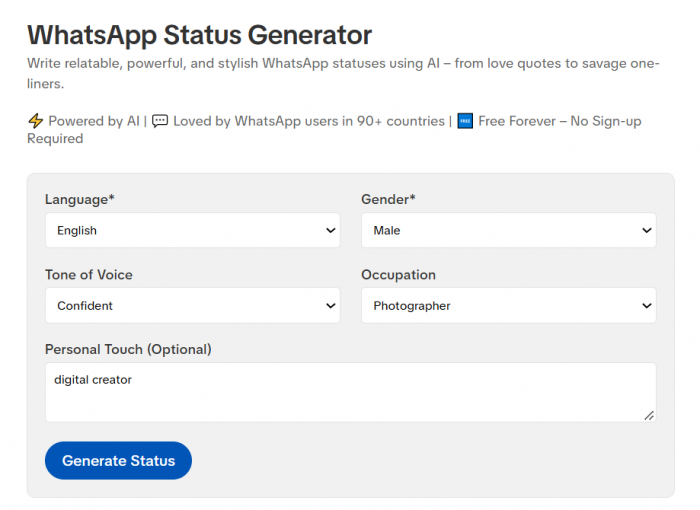
Smartpostly is a text-first platform with a dedicated WhatsApp Status Generator alongside tools for captions, hashtags, taglines, scripts, and other social content.
Best for: Frequent posters who want quick, consistent status ideas.
Standout: Multiple writing tools make it easier to maintain a similar tone across different types of content.
Limitation: It focuses more on writing than visual status design.
2. Sivi AI
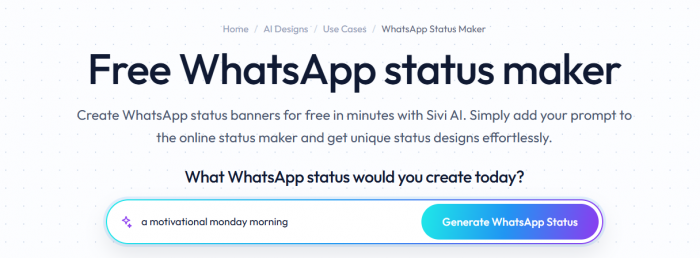
Sivi AI can generate status copy and pair it with a designed visual from a short prompt.
Best for: Users who want text and graphics created together.
Standout: Combines copy generation and visual design in one workflow.
Limitation: Automated designs can sometimes feel templated.
3. Krikey AI
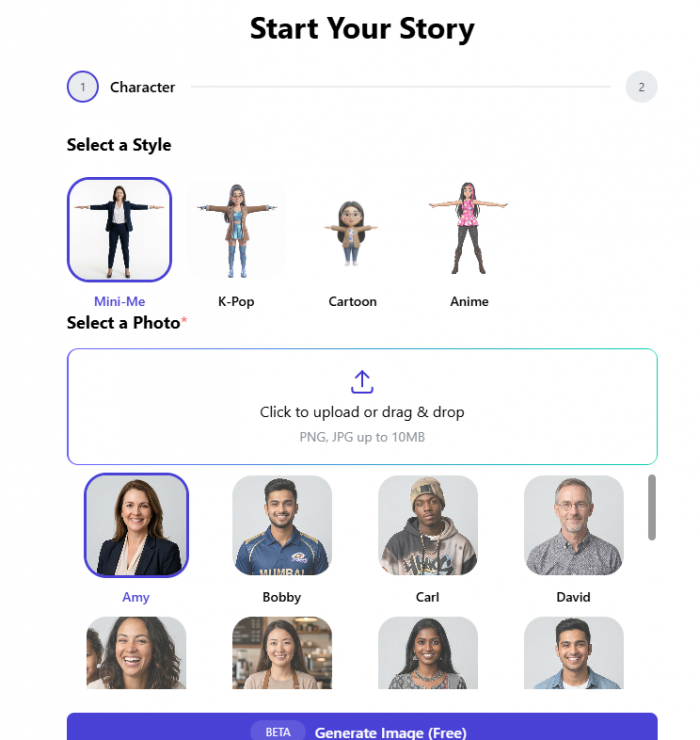
Krikey AI is geared toward animated and video-based content rather than simple text statuses.
Best for: Users creating animated or more visually expressive statuses.
Standout: Offers video and character-based customization.
Limitation: It is excessive for someone who only needs a short one-liner.
4. Adobe Express
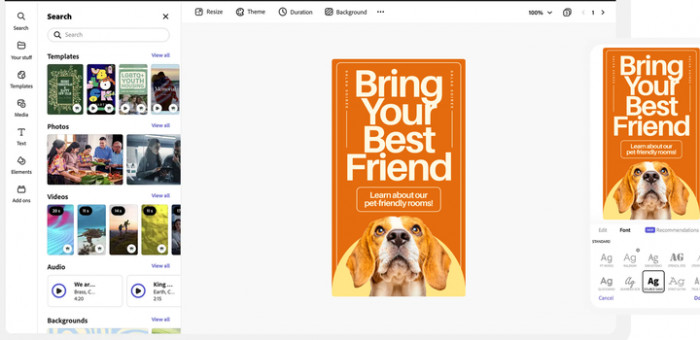
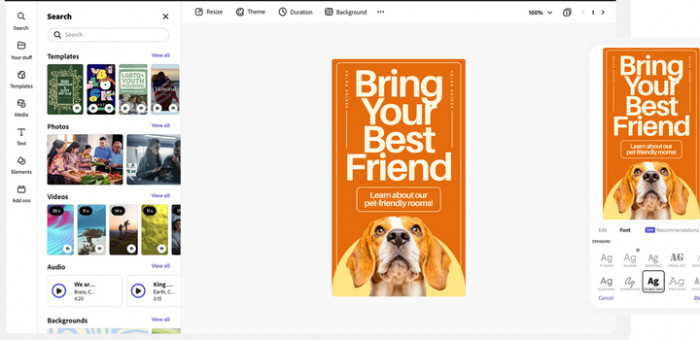
Adobe Express provides templates, generative tools, animation, and branding features for creating polished WhatsApp Status visuals.
Best for: Creators and businesses that care about consistent visual branding.
Standout: Strong design controls and reusable brand assets.
Limitation: More complex than necessary for text-only statuses.
5. Simplified
Simplified combines AI writing, templates, stock assets, and design tools in one workspace.
Best for: Users who want to create both the copy and visual without moving between several apps.
Standout: Covers writing and design within the same platform.
Limitation: Its broad feature set means it is less specialized for WhatsApp statuses alone.
How to Use a Generator Without Sounding Generated
This is the step almost everyone skips, and it separates a status that reads like a person from one that reads like a vending machine. The rule that matters most: never post the first output. Treat whatever the tool hands you as raw clay, because the raw version is tuned to be broadly acceptable, not specifically you.
Keep the one phrase you actually like, rewrite everything around it in your own words, then inject a detail only you would know a name, a place, a private reference. Generic goes in, specific comes out, and that one personal fragment is usually what makes a reader think "that's so you."
Generated: "Chasing dreams and making memories, one day at a time."
Yours: "Still chasing the version of me that goes to bed before 2am."
Same starting idea, but one is wallpaper and the other sounds like a real person with a real, slightly funny problem. The tool got you to the door quickly you still have to be the one who walks through it.
A Repeatable Workflow: From Blank to Posted in 60 Seconds
Staring at an empty status box, a tiny repeatable process beats waiting for inspiration. This one mixes craft and tools so you get volume fast, then sharpen by hand:
● Name the feeling (~10s). Pin it to one word: tired, proud, restless, done because you can't write something short and true about a feeling you haven't identified.
● Generate or free-write three versions (~20s). Use a tool like Smartpostly to throw out angles, or type three rough lines yourself. Here the goal is quantity, not quality, something to cut.
● Cut to one and sharpen it (~20s). Pick the strongest, delete every word it can survive without, and read it aloud once to check the rhythm works.
● Add one true detail, then post (~10s). Drop in the specific that makes it unmistakably yours and publish before you talk yourself out of it.
Ready-to-Use Examples by Mood
Below are original lines you can borrow the shape of swap in your own detail and they're yours. Notice how each commits to a single job and stops, with no second sentence propping it up and no emoji doing the heavy lifting.
Reflective : Growth is quiet. Nobody claps for the arguments you didn't start.
Bold : Not for everyone. Never trying to be.
Witty : My to-do list and I are no longer on speaking terms.
Minimal : Soft week. Loud plans.
None of these need a quote, a hashtag, or a follow-up line to hold themselves up, and that self-sufficiency is the standard worth aiming for. It doubles as a check: if your status only works once the decoration is bolted on, the words underneath aren't finished yet.
Habits That Keep Your Statuses Sharp
Writing good short statuses is a muscle that goes soft without use. A few small habits keep the edge on, and none take more than a moment:
● Read every line as a stranger would. Ask whether it means anything to someone who doesn't know how your week went; if the answer is no, it needs a concrete detail or a sharper cut before it goes up.
● Keep a running notes file. The best statuses are half-thoughts that arrive at random moments, not lines forced at posting time, so collect them the second they show up.
● Post less and land more. Five throwaway statuses a day train contacts to scroll past you; one genuinely sharp line a week trains them to look when your name appears.
The Verdict
Short statuses aren't the lightweight version of self-expression; they're the disciplined one. The 700 characters WhatsApp hands you are as much a trap as a gift, and the people who stand out spend a fraction of that allowance on purpose. Say one thing, say it in your own voice, and make it specific enough that a stranger would pause.
Tools like Smartpostly, Sivi AI, Krikey AI, Adobe Express, and Simplified are worth leaning on not to replace your voice but to get you past the blank screen and into options in seconds. Let them carry the volume and rough drafts, then do the one thing no generator can: make the final line sound like a real person actually meant it. Cut everything that isn't the point, and what's left will finally say something.
Comments