

I tested Teal without uploading an old resume or importing a LinkedIn profile. I started with a blank document and built a Content Writer resume by entering every section manually.
The process showed me where Teal is genuinely useful and where it still depends on the user. It gave me a clear structure, helped me tailor the document to a real job description and produced a clean final PDF. However, the AI suggestions required close checking, and creating a strong resume still involved more personal judgment than automation.
Teal Review Summary
| Area tested | My experience |
| Blank resume setup | Clear and easy to follow, although entering a full career history takes time |
| Resume editor | Well organized once I understood how stored and active content work |
| AI writing | Helpful for improving weak wording, but not reliable enough to use untouched |
| Job matching | The strongest feature for tailoring the resume |
| Resume analysis | Useful for finding incomplete or unfocused sections |
| Templates | Clean and suitable for conventional applications |
| Free plan | Enough to create and download a complete resume |
| Export | Professional PDF output, but no editable DOCX option |
| Overall rating | 8.1 out of 10 |
What Teal Is Designed to Do
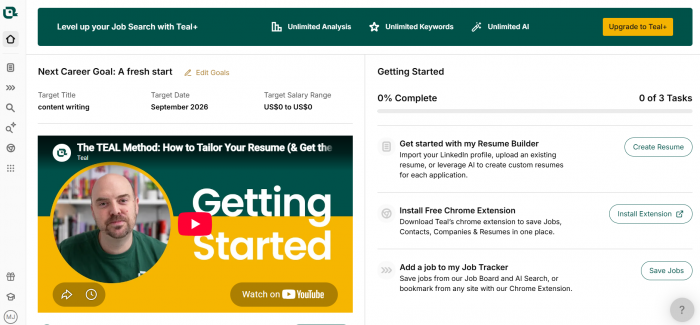
Teal combines resume creation with job matching, application tracking, cover-letter generation and resume analysis. Its main idea is to let users build one detailed career record and create smaller, role-specific resume versions from it.
The Resume Analyzer checks sections, bullets, skills and measurable evidence. The Job Matcher compares the resume with a vacancy, while AI tools can draft summaries, rewrite bullets and generate cover letters. Resume Syncing keeps career information connected across different versions, and the Job Tracker stores vacancies and application stages.
This wider structure makes Teal more useful for an active job search than for someone who only wants a quick document.
My Test Setup
I created a resume for a Content Writer profile. The target job required technology writing, SEO, editorial research, content updates and collaboration with editors.
Before opening the builder, I gathered the information Teal could not provide:
● I wrote down the correct names, job titles and employment dates.
● Listed the main responsibilities and projects connected to each role.
● Collected education details, relevant tools and professional skills.
● And I selected a real job description so the final resume would have a clear target.
This preparation mattered. Teal can organize career information, but it cannot reconstruct accurate dates, achievements or project details from a blank account.
Starting With a Blank Resume
After creating a free account, I opened the Resume Builder and selected the option to start from scratch.
The editor displayed separate areas for contact information, target title, professional summary, work experience, education and skills. A live preview appeared beside the editing panel, so I could see the document take shape while entering information.
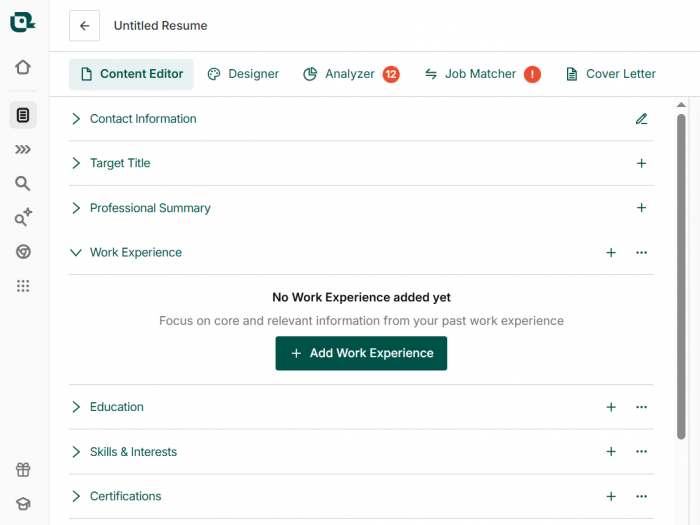
This was easier than facing an empty Word document because the basic structure was already in place. I began with my name, email address, general location and professional links. I left out a full street address and any personal information an employer would not need.
The basic setup was quick. Work experience required far more thought.
Building the Work History
For each role, I entered the employer, title, location and dates. I then added bullets describing the work.
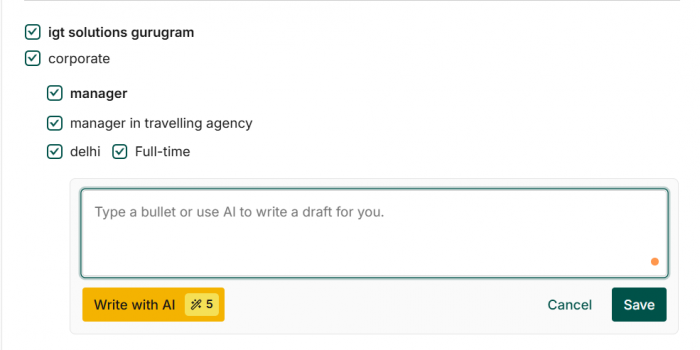
My first attempt was accurate but weak. The bullets explained that I wrote articles, updated pages and worked with editors, but they did not show scale, process or impact.
Instead of treating every sentence as final, I created a broader bank of career material. One role included article writing, website publishing and social media support. The target vacancy focused on long-form content and SEO, so I kept the writing and optimization bullets active while hiding the social media work.
The hidden content remained saved for a future resume. This was one of Teal’s strongest features. In a conventional document, removed content is often lost or scattered across several files. Teal keeps it attached to the correct role while allowing each resume to show a different selection.
Writing the Summary Last
I found it easier to write the professional summary after completing the work-history and skills sections.
My first draft described a content writer with experience in technology, SEO and digital publishing. It was accurate but broad.
Teal’s AI summary generator produced a more organized version using language connected to the target role. It also included polished phrases that added confidence without adding evidence.
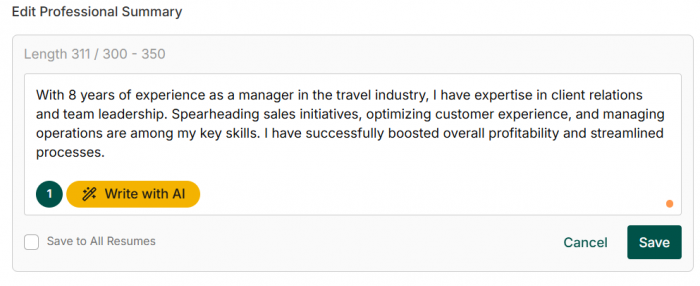
I kept the structure but removed broad adjectives and repeated skills. The final summary stated the type of content I had worked on, the areas where I had practical experience and the role I was targeting.
The AI improved the arrangement, but it did not identify the strongest personal angle on its own.
Testing the AI Bullet Writer
I tested Teal’s AI with a simple statement: Wrote and updated technology articles for client websites.
The generated alternatives used stronger verbs and connected the work to a wider purpose. Some suggestions also introduced outcomes or metrics that I had not provided.
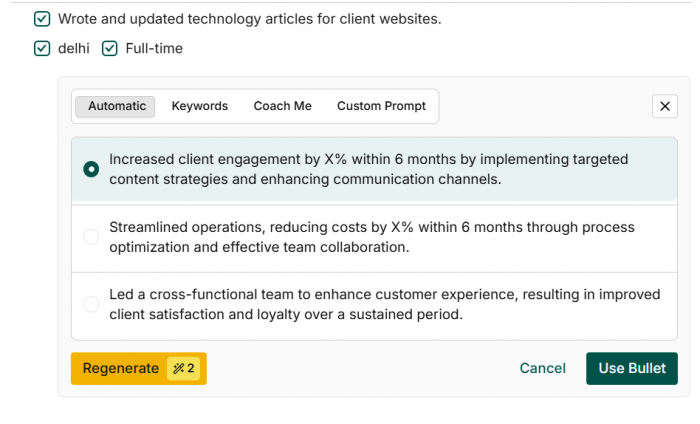
I used a simple review process:
● I kept clearer sentence structures when they accurately represented the work.
● removed percentages, results or responsibilities that I could not verify.
● And added real details from the original experience where they were available.
The final bullet was stronger, but the evidence still came from me. Teal’s AI can help express a real achievement, but it should not become the source of that achievement.
Matching the Resume to a Job
The Job Matcher had the biggest effect on the final document.
I added the Content Writer job description and connected it to the resume. Teal then showed which important terms appeared and which seemed to be missing.
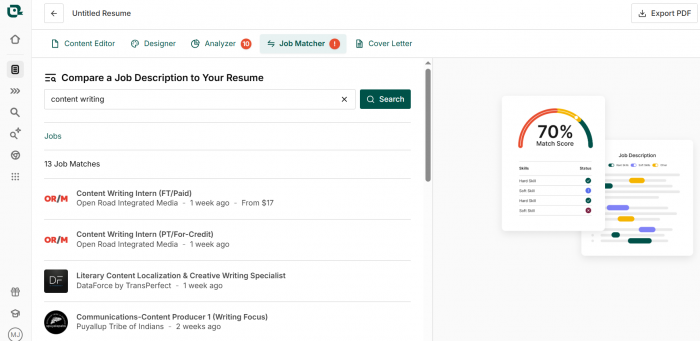
Several suggestions exposed genuine gaps. The vacancy referred to content optimization, editorial research and cross-functional collaboration. I had related experience, but my first draft used broader wording.
I revised the relevant bullets so the connection became clearer. I ignored suggested terms that did not accurately describe my background rather than adding them only to increase the Match Score.
I treated the score as an editing signal, not a prediction of whether I would receive an interview. Teal can compare language, but it cannot know how a recruiter will judge the application.
What the Analyzer Found
The Resume Analyzer highlighted several predictable weaknesses. Some bullets lacked clear outcomes, the skills section was too broad and a few roles contained more active content than the final resume needed.
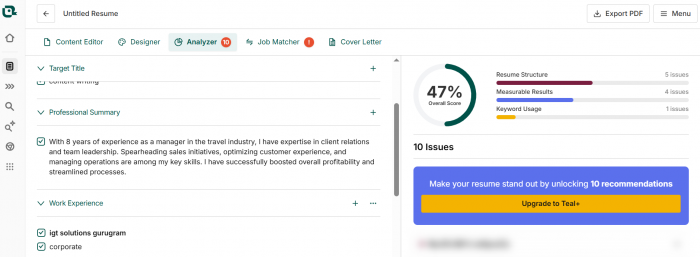
Its most useful recommendations helped me identify vague bullets, remove unrelated experience and reduce skills that were not supported by the work history.
I did not follow every prompt. The analyzer often encouraged more metrics, but not every responsibility produces a useful number. Adding an invented figure would have made the resume less credible.
The score worked well as a checklist, but it did not replace editorial judgment.
Choosing the Design Last
I waited until the content was nearly complete before selecting a template. This prevented the design from deciding how much information I included.
Then I chose a simple single-column layout because it gave the experience section enough width and kept the reading order clear. Teal provides controls for fonts, spacing, margins, section order, headings and date formatting.
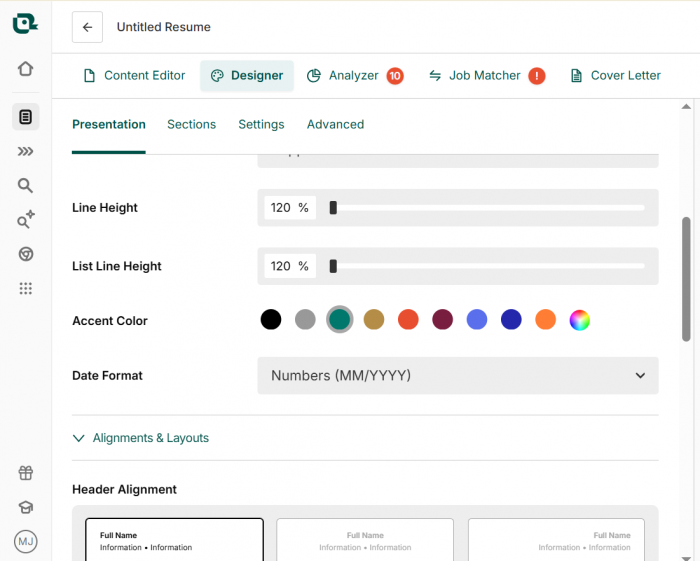
The templates are professional and restrained, which suits conventional applications. They are less suitable for someone looking for a highly visual portfolio-style resume.
My first complete version was too crowded. Instead of reducing the font size, I removed weaker bullets, shortened the summary and cut skills that were not central to the position.
| Resume area | First draft | Final version |
| Summary | Broad description of writing experience | Short introduction connected to the target role |
| Work history | Several responsibility-based bullets | Focused bullets showing process and verified outcomes |
| Skills | Long list of related abilities | Smaller group supported by experience |
| Job relevance | General content resume | Tailored application for one vacancy |
| Layout | Crowded after all details were added | Cleaner after weaker material was hidden |
The main improvement came from selecting better content, not from changing the template.
Exporting the Resume
Teal’s export process was straightforward. Before downloading, it displayed a final guide covering active sections, resume analysis and job matching.
The exported PDF closely matched the browser preview. Spacing, headings and page breaks remained consistent when I opened it outside Teal.
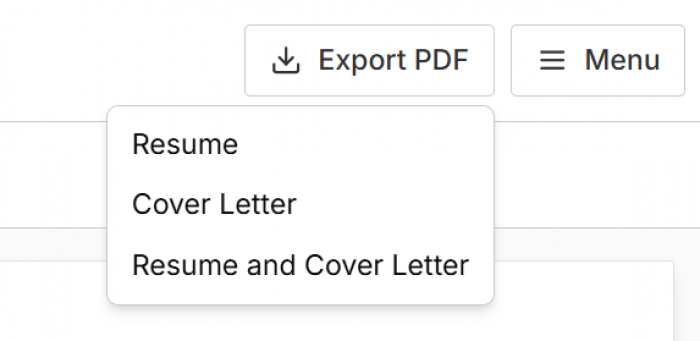
I still checked contact details, links, dates, employer names, spelling and every AI-assisted sentence.
The main limitation is the lack of an editable DOCX export. PDF works for many applications, but some employers and recruiters request a Word document.
Teal Pricing
The free plan is capable enough to build and export a complete resume. It includes unlimited resumes, unlimited job tracking, basic analysis, ten templates and limited AI usage.
| Plan | Price at the time of testing | Best suited to |
| Free | $0 | Building one complete resume and testing the main workflow |
| Teal+ for 7 days | $13 | A short application period requiring premium access |
| Teal+ for 30 days | $29 | A month of active resume tailoring |
| Teal+ for 90 days | $79 | A longer search involving multiple resume versions |
Teal+ opens full keyword matching, advanced analysis, more design options and unlimited AI generation.
I did not need to pay to finish the resume. The paid version makes more sense when tailoring documents for several jobs. The weekly subscription deserves attention because recurring charges can become expensive if it remains active after the resume work is complete.
Accuracy and Privacy
Starting from scratch removed the risk of an import tool placing information under the wrong role. It also meant every date, title and qualification depended on what I entered.
The editor reliably stored my information. The Job Matcher identified language differences, but it could not decide whether every missing skill genuinely belonged in the resume. The AI writer required the most caution.
I used three accuracy checks:
● Every statement had to describe work that was actually completed.
● Every result or metric had to come from a real record or reasonable personal knowledge.
● Every claim had to be something I could explain naturally in an interview.
Privacy also deserves attention because Teal stores contact details, education, employment history and job-search information. Its AI features may process resume content through third-party AI systems.
I would avoid entering a full home address, identification numbers, confidential client information or private company data. A resume should contain enough detail to support an application without exposing information an employer does not need.
What Teal Does Well
● The blank-resume workflow provides enough structure to begin without making the process feel like a long form.
● Stored and active content make it easier to create targeted versions without losing useful career details.
● The Job Matcher exposes genuine gaps between the resume and the vacancy language.
● The free plan supports complete resume creation and PDF export without immediate payment.
● The live preview makes it easy to see how writing decisions affect the final page.
Where It Falls Short
● Creating a detailed resume from nothing still takes time because Teal cannot supply accurate career information.
● AI suggestions can introduce unsupported outcomes or metrics that sound credible.
● The free keyword view and AI allowances are limited across multiple applications.
● The stored-content system takes time to understand if the user expects a normal word processor.
● PDF-only export is inconvenient when a recruiter requests DOCX.
● The templates offer less flexibility for creative or portfolio-focused resumes.
Who Should Use Teal?
Teal is best suited to someone who expects to tailor a resume more than once. Its content library, job matching and application tracking become more useful as the number of applications grows.
It is also a good option for someone creating a first professional resume who knows their work history but needs guidance on structure and focus.
It is less suitable for a person expecting the software to write an accurate resume after receiving only a job title. Applicants who need an editable Word document or a highly visual design should also consider whether its limitations fit their needs.
My Verdict
Teal helped me turn scattered career information into a focused resume. Starting from a blank page was not instant, but the workflow remained clear, and the finished document was stronger than my first draft.
The Job Matcher was the most useful feature because it showed where relevant experience had been described too vaguely. The stored-content system was nearly as valuable because it allowed me to hide weaker material without deleting it.
The AI writer improved sentence structure, but it required the closest supervision. I would use it for alternatives and editing support, never as a factual source.
Teal is not a one-click resume writer. It is a structured workspace for building, checking and tailoring application documents. The free plan is enough for one complete resume, while Teal+ makes more sense for an active job search involving several targeted versions.
Overall rating: 8 out of 10
Comments